Electric bolt lock for frameless glass doors, 12 V DC, holding force up to 1000 kg, SecureEntry-EL300
GTIN: 5907614669027 · SKU: SecureEntry-EL300
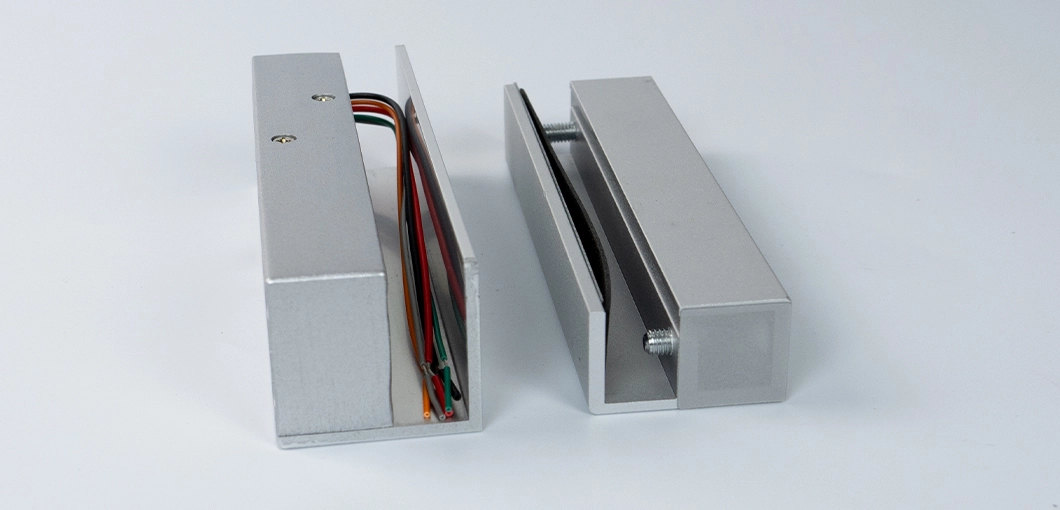
The SecureEntry-EL300 is an electric bolt lock designed specially for frameless glass doors, mounted at the top or bottom of the door. It runs on 12 V DC, holds up to 1000 kg and can be connected to RFID readers, keypads and time and attendance recorders. An adjustable time delay keeps the bolt in the open or closed state for a set time, so several people can pass through the door after a single release.
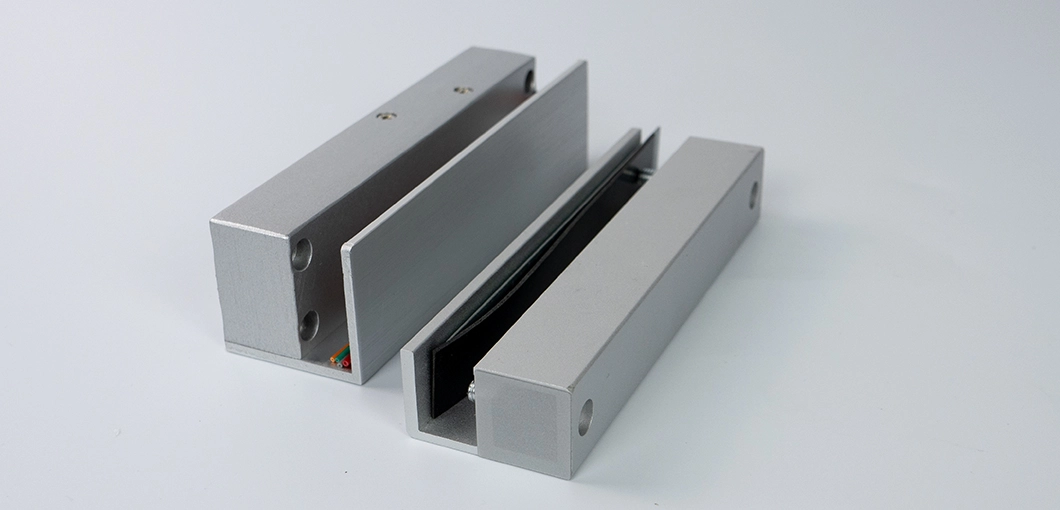
Table of contents
Specifications
- Material: steel
- Device type: electronic door lock
- Output length (bolt extension): 15 mm
- Input voltage: 12 V DC
- Input current: 150 mA
- Starting current: 1.3 A
- Holding force: up to 1000 kg
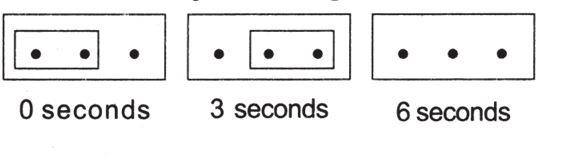
- Lock delay: 0 / 3 / 6 seconds
- Suitable door type: top or bottom mounting on frameless glass doors
- Operating mode: power off to unlock, power on to lock
- Signal function: magnetic door position signal (lock sensor)
- Durability: 500,000-cycle aging test passed
- Lock body dimensions: length 14.6 × width 4.4 × height 3.9 cm
- Lock core: 12.5 mm diameter
- Package dimensions: 17 × 7 × 5 cm
- Device weight: 700 g
- Weight with packaging: 1 kg
Kit contents
- Electronic lock
- 2 rubber inserts
- Allen key
- User manual
Features
- The lock provides a secure hold of up to 1000 kg.
- The lock release delay time can be set.
- The lock can be connected to RFID readers and time and attendance recorders.
- The device runs on 12 V DC.
Product description
The SecureEntry-EL300 has been specially designed to be mounted on frameless glass doors.
The time delay setting keeps the bolt in the open or closed state for a set time. Thanks to this, when the lock is connected to an access control system, several employees can enter or exit through the door at the same time. The lock sensor also lets the access control system check the position of the lock and the door.
Time delay setting
The delay is set with a jumper on three pins:
- 0 seconds — jumper on the two left-hand pins,
- 3 seconds — jumper on the two right-hand pins,
- 6 seconds — no jumper.
Installation diagram
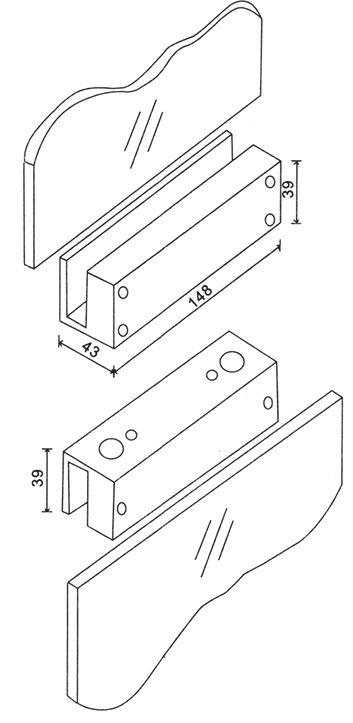
The lock body and its counterpart are mounted on the edges of the glass panels, opposite each other. The dimensions on the diagram are in millimetres.
Connection diagram
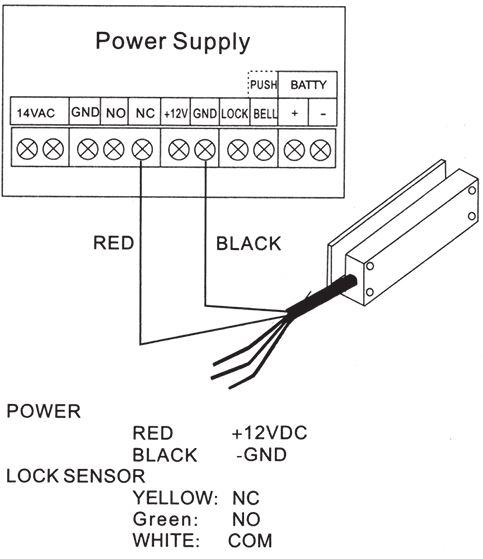
| Wire colour | Function |
|---|---|
| Red | Power +12 V DC |
| Black | Power − (GND) |
| Yellow | Lock sensor — NC |
| Green | Lock sensor — NO |
| White | Lock sensor — COM |
- When the red wire is connected to the NC terminal of the power supply, the lock is fail-safe: it unlocks when the power is cut.
- When the red wire is connected to the NO terminal of the power supply, the lock is fail-secure: it stays locked when the power is cut.
Frequently asked questions
Which doors is the SecureEntry-EL300 suitable for?
How does the lock time delay work?
What access control devices can be connected to the SecureEntry-EL300?
Does the lock open or stay locked when the power fails?
What are the yellow, green and white wires for?
What holding force does the lock have?
Downloads
The manuals and datasheets as PDF, in case an offline copy is needed. Everything in them is also on this page.