Outdoor door keypad with 125 kHz RFID and PIN, Wiegand 26/34, SecureEntry-AC100
GTIN: 5907614668778 · SKU: SecureEntry-AC100
The SecureEntry-AC100 is a standalone keypad encoder for an entrance door. It releases an electric strike or electromagnetic lock after the user presents a 125 kHz RFID card or fob or types a four-digit door-opening password. The water-resistant ABS housing allows outdoor mounting. It stores up to 1000 cards and five door-opening passwords, has a built-in doorbell button and relay, and a Wiegand 26/34 output for a time recorder or an access control panel. All settings are made on the keypad in programming mode, protected by a six-digit programming password.
Table of contents
Specifications
- Type: outdoor access control system
- Material: ABS
- Supported RFID cards: 125 kHz
- Interface: Wiegand 26 / Wiegand 34
- Additional features: wired doorbell control, Wiegand output, access control, switch control
- Verification type: RFID card, password
- Max. number of users in the database: 1000
- Max. number of RFID cards: 1000
- Reading distance: 1–6 cm
- Number of buttons: 13
- Button backlight: yes
- Keyboard: silicone keys
- Access control: yes
- Voltage: DC 12 V ±10 %, current 0.1 A
- Operating temperature: 0 to 45 °C
- Storage temperature: −20 to 60 °C
- Operating humidity: 40–90 %
- Storage humidity: 20–90 %
- Product dimensions: 11 × 6 × 2.2 cm
- Package dimensions: 13.5 × 9.8 × 3.5 cm
- Product weight: 50 g
- Weight with packaging: 100 g
Kit contents
- Keypad encoder with the cable harness
- Screws and wall plugs
- Printed user manual
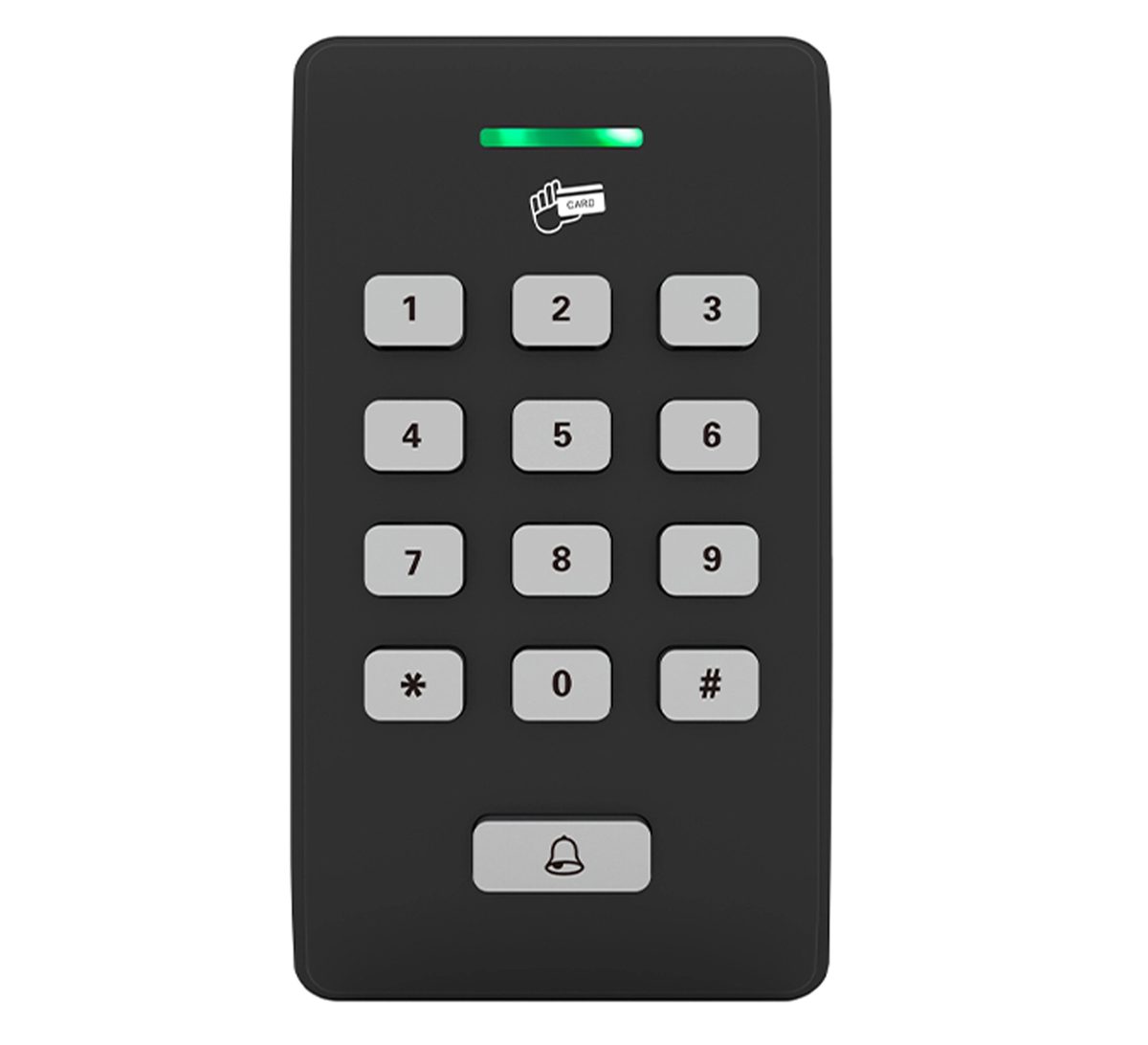
Panel
- Status LED in the slot at the top: it lights green when the door is released and signals programming mode and errors together with the beeper
- Card reading area marked with the card symbol under the LED: hold the card or fob here, 1–6 cm from the housing
- Keypad with twelve silicone keys: 0–9, * and #. The * key enters and leaves programming mode, the # key confirms a door-opening password
- Doorbell key at the bottom: rings the doorbell wired to BELL+ and BELL−
- Reset button on the back of the housing, used for the factory reset
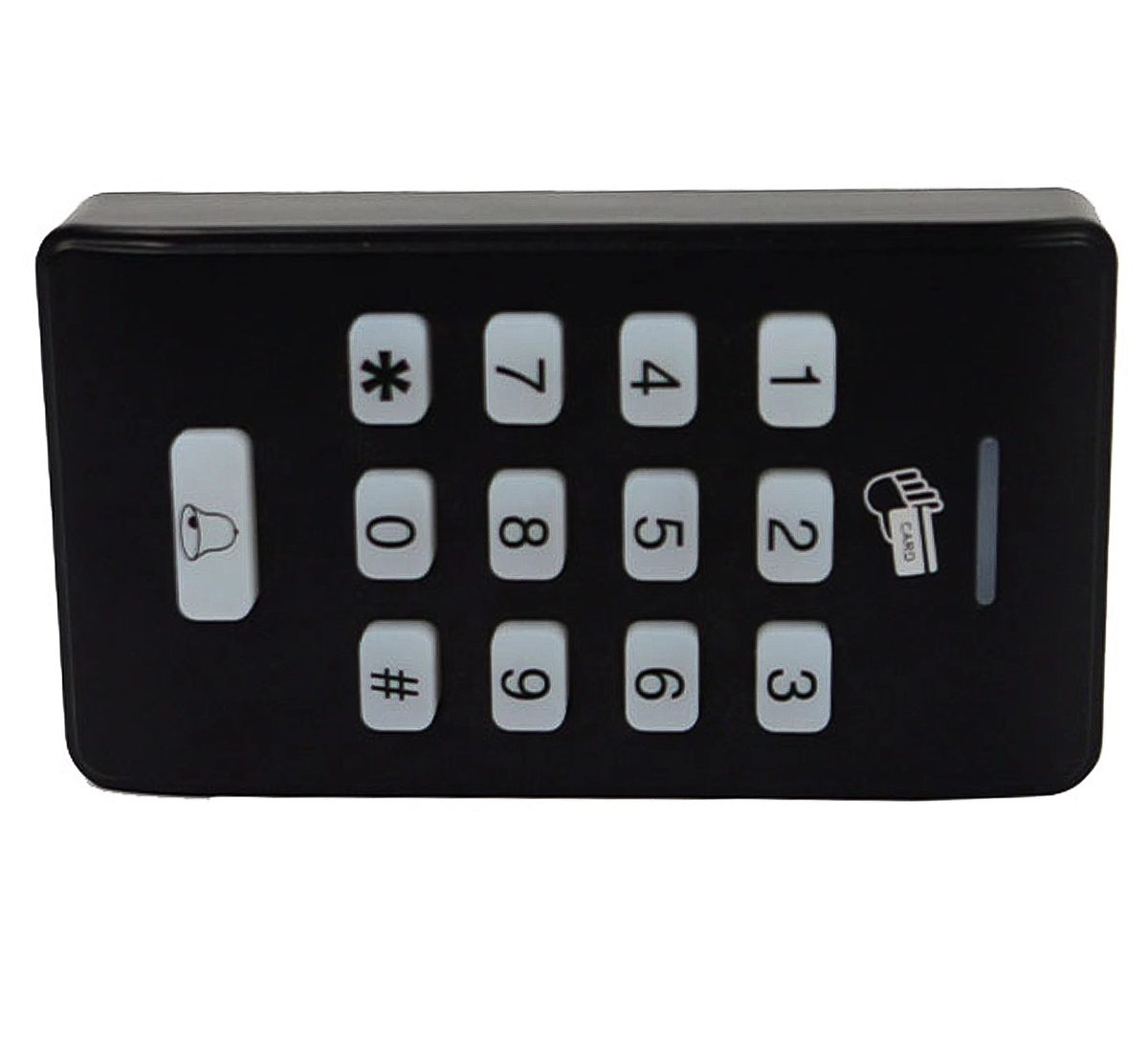
Wiring
The cable harness leaves the back of the housing. The colours below are from the wiring diagram in the manual.
| Wire | Colour | Function |
|---|---|---|
| GND | black | Ground |
| NO | green | Lock relay, normally open contact |
| NC | blue | Lock relay, normally closed contact |
| COM | yellow | Lock relay, common contact |
| OPEN | orange | Exit button input: a push button between OPEN and GND releases the lock |
| BELL− | grey | Doorbell, negative |
| BELL+ | grey | Doorbell, positive |
| WGOUT1 | brown | Wiegand output, line 1 |
| WGOUT2 | white | Wiegand output, line 2 |
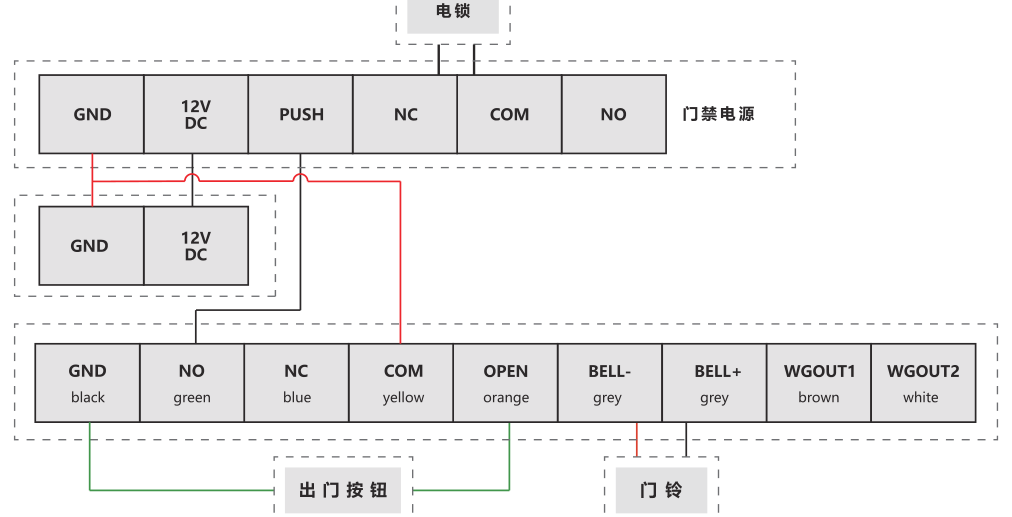
The boxes in the diagram are labelled in the manufacturer's language: the top box is the electric lock, the row on the right is the access control power supply, and the two boxes at the bottom are the exit button and the doorbell.
- Power the keypad from the 12 V DC output of the access control power supply; the keypad draws 0.1 A
- Wire the lock to the relay contacts: a fail-safe electromagnetic lock, which holds closed only while powered, goes on COM and NC; a fail-secure electric strike, which stays locked without power, goes on COM and NO
- A four-wire doorbell needs its own 12 V and GND connection in addition to BELL+ and BELL−; other doorbells are wired differently, so check the doorbell manual
- For a time recorder or an access control panel, connect WGOUT1 and WGOUT2 to the Wiegand input of that device and join the grounds
Connect the wires with the power off and switch on only after checking every connection. Reversed polarity or a short circuit between the wires damages the keypad.
Mounting
- Choose a place next to the door at a comfortable height for the keypad and the card reading area. The housing is water-resistant, so it can be mounted outdoors.
- Lead the cable harness through the wall behind the keypad and connect it as described above, with the power off.
- Fix the keypad to the wall with the supplied screws and wall plugs.
- Switch the power on. The keypad is ready in standby.
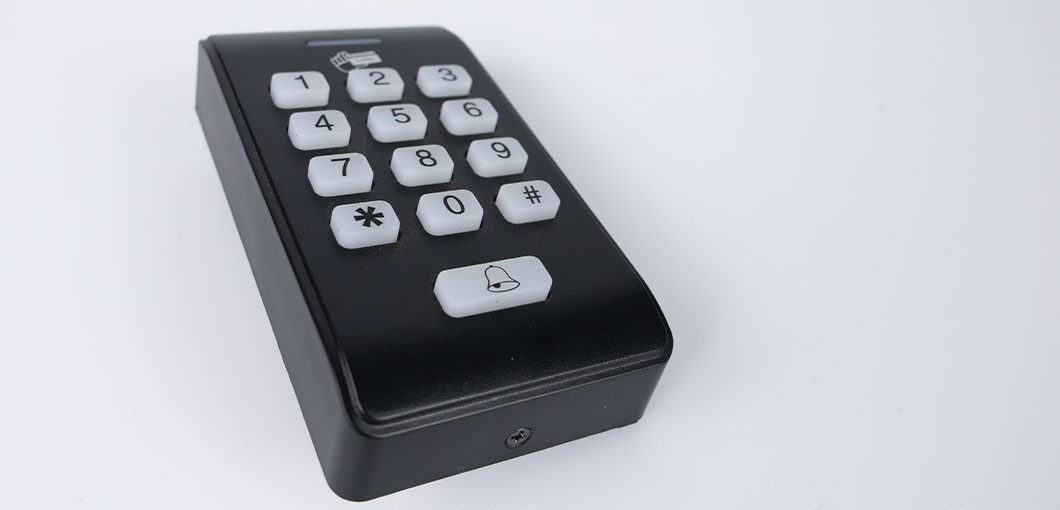
Programming mode
All settings are made in programming mode. The default programming password is 123456; change it after installation.
- Press *.
- Enter the six-digit programming password.
- The LED lights green and the keypad beeps twice: programming mode is open. One long beep means a wrong password.
- Enter the setting codes described below. Two short beeps confirm each setting.
- Press * to leave programming mode.
Changing the programming password
- Enter programming mode.
- Press 0, enter the new six-digit password and enter it again.
- Two short beeps confirm the change. Press * to exit.
Door-opening passwords
The keypad holds up to five four-digit door-opening passwords, shared by all users.
- Adding a password: enter programming mode, press 3 and enter the four digits. Two short beeps confirm. Repeat with 3 and the next four digits for the second to fifth password. When a sixth password is attempted, the keypad gives three long beeps.
- Opening the door: in standby, type the four-digit password and press #.
- Virtual password: you may type random digits before and after the four-digit password to hide it from onlookers, then press #.
- Deleting all passwords: enter programming mode, press 3 and enter 0000.
RFID cards
Each card is stored under a three-digit user number from 000 to 999, which is also the number used to delete it, so keep a list of numbers and names.
Registering a card
- Enter programming mode.
- Press 5 and enter the three-digit user number. Two short beeps follow.
- Hold the card at the reading area. Two short beeps confirm the registration.
- To register more cards, enter the next three-digit number and swipe the next card. Press * when done.
Deleting a card
- By user number: enter programming mode, press 6 and enter the three-digit number of the card.
- By swiping: enter programming mode, press 7 and hold the card at the reading area.
Two short beeps confirm the deletion. Press * to exit.
Master card
The master card lets you register new cards without entering the programming password. Only one master card can exist; registering another one overwrites the previous one.
- Setting the master card: enter programming mode, press 9, enter 0000 and swipe the card.
- Registering cards with the master card: in standby, swipe the master card three times within three seconds, enter the three-digit user number and swipe the new card. Two short beeps confirm. Continue with the next number and card, or press * to finish.
Relay time and normally open mode
The lock relay releases for three seconds by default.
- Enter programming mode.
- Press 2 and enter the time as two digits from 00 to 99 seconds.
- Two short beeps confirm. Press * to exit.
With the time set to 00 the keypad works in normally open mode: after a card or password the relay stays switched and the LED stays on until the next card or password, so the door stays released, for example during opening hours.
Tamper alarm and backlight
- Tamper alarm on: enter programming mode, press 4 and then 1
- Tamper alarm off: enter programming mode, press 4 and then 0
- Silencing a triggered alarm: switch the power off and on, or enter the six-digit programming password followed by #
- Backlight always on: enter programming mode, press 8 and then 0
- Backlight always on, switched off: enter programming mode, press 8 and then 1
Factory reset
A reset restores the programming password 123456 and the default settings.
- With the reset button: with the power off, press and hold the Reset button on the back of the housing, switch the power on and keep the button pressed for three seconds. Three long and three short beeps confirm the reset.
- From the keypad: enter programming mode and press 197320. Three long beeps confirm the reset.
Programming codes
| Setting | Keys in programming mode |
|---|---|
| Change programming password | 0 + new 6-digit password + repeat password |
| Relay time | 2 + two digits (00–99 s, 00 = normally open) |
| Add door-opening password | 3 + 4-digit password (up to 5) |
| Delete all door-opening passwords | 3 + 0000 |
| Tamper alarm off / on | 4 + 0 / 4 + 1 |
| Register card | 5 + 3-digit user number + swipe card |
| Delete card by number | 6 + 3-digit user number |
| Delete card by swiping | 7 + swipe card |
| Backlight always on / off | 8 + 0 / 8 + 1 |
| Set master card | 9 + 0000 + swipe card |
| Factory reset | 197320 |
Troubleshooting
- One long beep after the programming password. The password is wrong. If it was lost, do the factory reset with the reset button and set a new password.
- The card is not read. Hold it within 1–6 cm of the card symbol; the keypad reads 125 kHz cards only, not 13.56 MHz cards. Check that the card was registered under a user number.
- Three long beeps when adding a password. Five passwords are already stored. Delete all with 3 + 0000 and add the ones you need.
- The door stays released. The relay time is set to 00, which is normally open mode. Set a time between 01 and 99.
- The lock does not release, or releases when the keypad is idle. The relay contacts are swapped: an electromagnetic lock goes on COM and NC, an electric strike on COM and NO.
- The alarm sounds when the keypad is touched or opened. The tamper alarm is on. Silence it with the programming password and #, or switch it off with 4 + 0.
- No data at the time recorder. Check WGOUT1 and WGOUT2 and the common ground, and that the recorder expects Wiegand 26 or 34.
Frequently asked questions
Which cards does the SecureEntry-AC100 read?
How many users and passwords can it store?
Can I mount it outdoors?
Does it need a separate controller?
What is the master card for?
What if I forget the programming password?
Downloads
The manuals and datasheets as PDF, in case an offline copy is needed. Everything in them is also on this page.