Banknote detector, UV and magnetic, with magnifier, portable, HDWR MoneyCheck-11
GTIN: 5906935201473 · SKU: MoneyCheck-11
Table of contents
Introduction
The MoneyCheck-11 is a portable banknote and document detector for verifying the authenticity of banknotes of all world currencies. It combines four detection methods: ultraviolet light (UV), magnetic detection (MG), watermark verification (WM) and magnetic fibre detection (MGF). A built-in magnifier lets you inspect fine security features such as microtext and fine lines. The detector also verifies documents such as ID cards, driving licences and other documents with UV-visible security features and microtext. It can be powered from the mains or from its built-in 1200 mAh battery, which makes it suitable for offices, shops, banks, exchange offices and mobile use.
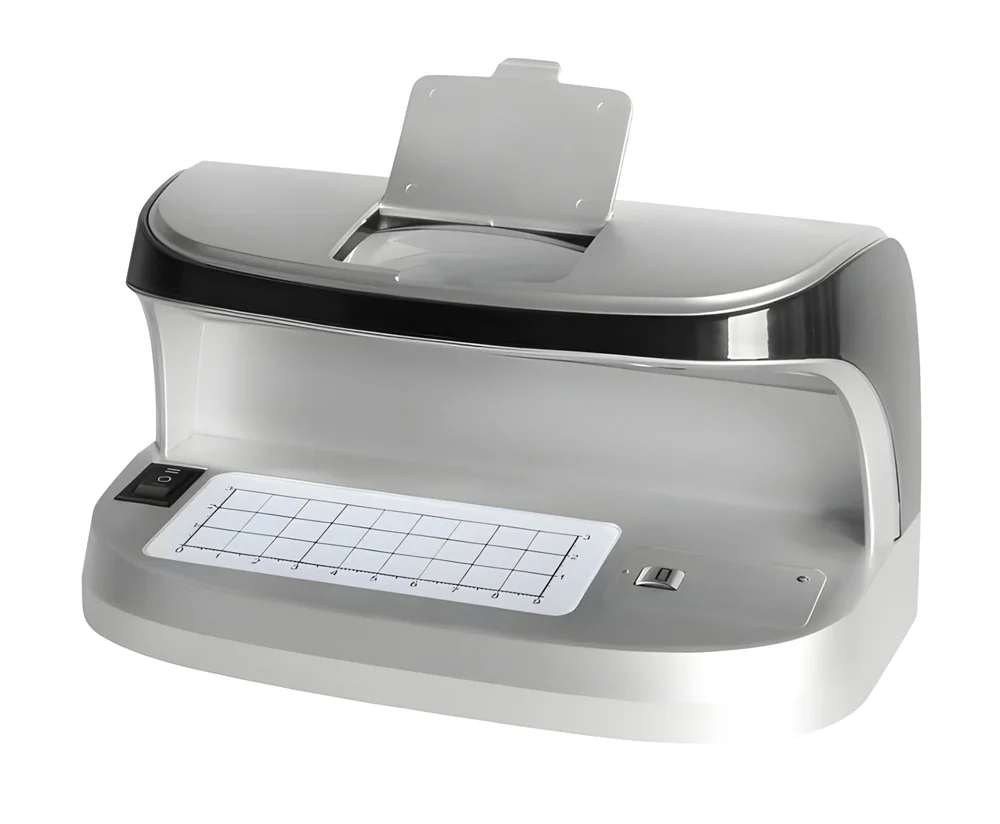
Specifications
- Material: ABS
- Functions: UV (ultraviolet light), MG (magnetic detection), WM (watermark), MGF (magnetic fibres)
- Power supply: mains, battery
- Battery capacity: 1200 mAh
- Voltage: AC 100–240 V, 50/60 Hz
- UV power: 2 × 3 W, LED
- Power: 5 W
- Interface: USB-C
- Operating temperature: 0°C – 45°C
- Operating humidity: ≤ 85%
- Device dimensions: 18.5 × 10.5 × 10.5 cm
- Package dimensions: 20.5 × 11 × 11.5 cm
- Device weight: 500 g
- Weight with packaging: 620 g
Set contents
- Banknote detector
- USB-C cable
- User manual
Function switch
The function switch selects the detection mode:
| Switch position | Function |
|---|---|
| I | Watermark lamp and magnetic detection on |
| O | Off |
| II | UV lamp on |
Operation
Before you start verifying a banknote or document, make sure you know and understand the security features of the banknote or document you are checking. This helps you use the device correctly.
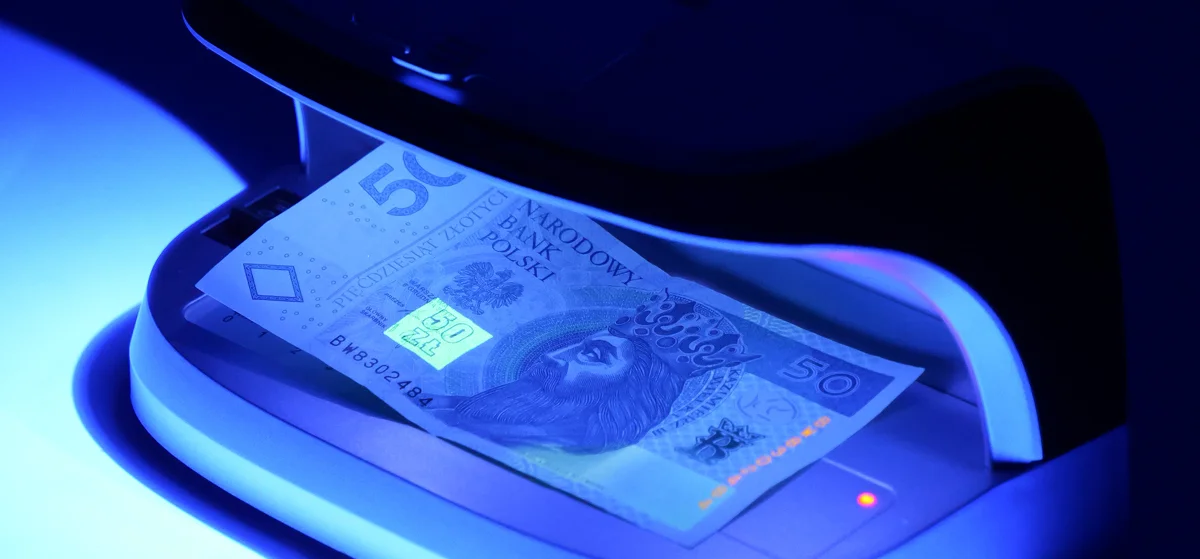
Detecting counterfeit banknotes with UV light
- Connect the device and move the switch from O to II.
- Locate the security thread on the banknote using the "Check Security Thread" guide on the front of the device.
- Look at the banknote through the magnifier to make sure the security thread is visible and in the correct place on the banknote.
Detecting magnetic ink
- Move the switch from O to I.
- Find the magnetic area of the banknote using the currency guide on the top of the device.
- Slide the magnetic part of the banknote over the magnetic head. If magnetic ink is present, the red indicator lights up and a beep confirms the authenticity of the banknote.
Verifying watermarks
- Move the switch from O to I.
- Locate the watermarks on the banknote using the currency guide on the top of the device.
- Place the banknote on the round verification plate and check the visible watermarks to confirm its authenticity.
Verifying microtext with the magnifier
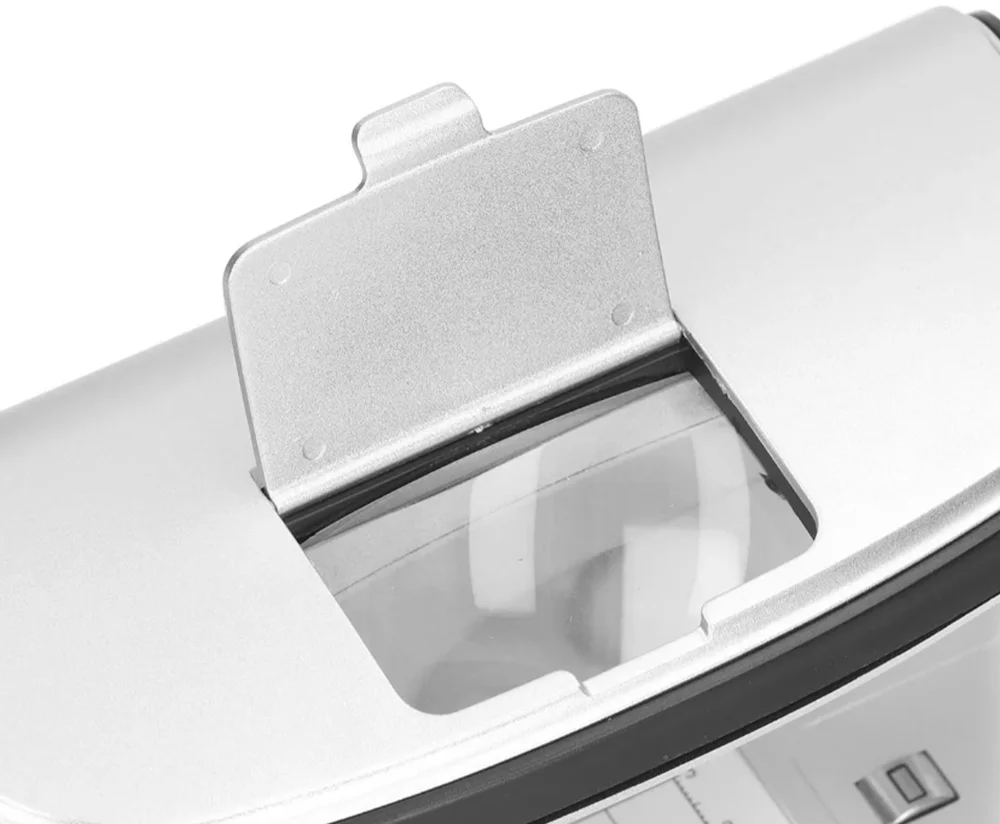
- Place the banknote or document under the magnifier window.
- Visually check the microtext and fine lines on the banknote or on special documents.
Safety notes
- Do not use the device in places with high temperature or high humidity — this may cause it to malfunction.
- Do not disassemble the device. Incorrect reassembly may result in electric shock. If repairs are needed, contact a qualified service centre.
- Unplug the device from the outlet before cleaning. Do not use liquid cleaners or aerosols; clean the housing with a damp cloth.
- Do not use the device where it may come into contact with water or other liquids.
- Do not use the device if the power cord is damaged or the plug is loose.
- Failure to follow these instructions may lead to electric shock, fire or other hazards.
Maintenance
- Avoid using the device near strong natural or artificial light sources. Strong light weakens the UV effect and reduces the visibility of fluorescence on the banknote or document being checked.
- Dust settling on the UV lamps reduces their brightness. Clean them with a soft, damp cloth. Do not use liquid cleaners or aerosols.
- Unplug the device from the outlet before cleaning or replacing the lamp.
- If the device is not going to be used for a long time, unplug it from the outlet.
Frequently asked questions
What detection methods does the MoneyCheck-11 offer?
What is the difference between MoneyCheck-09 and MoneyCheck-11?
Can the MoneyCheck-11 verify documents?
Downloads
Original PDF manuals kept available as a legacy reference. Everything from them is already covered on this page — use the PDFs only if you need an offline copy.
- User Manual — English (PDF)
- Data sheet — English (PDF)
- Instrukcja obsługi — polska (PDF)
- Karta katalogowa — polska (PDF)
- Bedienungsanleitung — Deutsch (PDF)
- Datenblatt — Deutsch (PDF)
- Návod k obsluze — čeština (PDF)
- Návod na obsluhu — slovenčina (PDF)
- Használati útmutató — magyar (PDF)
- Інструкція з експлуатації — українська (PDF)