Wireless 2D barcode scanner with docking station, Bluetooth and 2.4 GHz, HDWR HD-LR66
GTIN: 5907614664343 · SKU: HD-LR66
Table of contents
- Table of contents
- Specifications
- Set contents
- Features
- Configuration codes
- Symbology settings
- All symbologies
- Codabar
- Code 39
- Code 32
- Interleaved 2 of 5 (ITF25)
- Industrial 2 of 5 / IATA
- Matrix 2 of 5
- Code 93
- Code 11
- Code 128 / ISBT-128 / GS1-128
- UPC-A
- UPC-E
- EAN/JAN-8
- EAN/JAN-13
- UPC/EAN/JAN supplemental codes
- EAN-13 to ISBN / ISSN conversion
- GS1 DataBar
- MSI
- Febraban
- PDF417 and Micro PDF417
- QR Code and Micro QR
- Data Matrix
- Aztec Code
- Data editing
- Prefixes and suffixes — ready sequences
- Time system
- Troubleshooting a misreading scanner
- LED and buzzer signals
- ASCII barcode table
- Keyboard layouts
- Frequently asked questions
- Downloads
Specifications
- Light source: 617 nm LED
- Scanning method: manual (button), automatic
- Scan confirmation: light and sound
- Scanning speed: 300 scans/second
- Wireless communication: Bluetooth, 2.4 GHz
- Interface: USB
- Drop resistance: up to 1.5 m
- Device dimensions: 18 × 14.5 × 9.5 cm
- Scanner weight: 450 g (525 g with packaging)
- Operating temperature: −20 to 50 °C
- Storage temperature: −30 to 60 °C
- 1D codes read: UPC/EAN, ISBN, ISSN, Code 39, Code 39 Full ASCII, Code 32, Code 128, Code 11, Code 93, Codabar, Industrial 2 of 5, Interleaved 2 of 5, MSI, GS1 DataBar
- 2D codes read: QR, Micro QR, Data Matrix, PDF417, Micro PDF417, Aztec Code, Maxi Code, Han Xin
Set contents
- Wireless 2D barcode scanner
- Docking station
- USB cable
- User manual
Features
- 300 scans per second with light and sound confirmation
- Bluetooth and 2.4 GHz wireless communication with a docking station
- On-board memory with storage mode for out-of-range scanning
- Drop-resistant up to 1.5 m
Configuration codes
The scanner is configured by scanning the setup codes below — straight from the screen or from a printout. Two symbologies are used: QR setup codes for general settings and Code 128 setup codes for symbology options; the scanner understands both out of the box. Options marked (default) reflect the factory state.
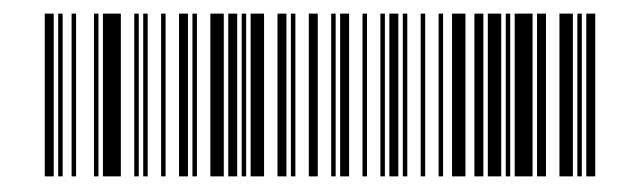
If the scanner reads data codes but ignores the setup codes, first scan Enable setup-code scanning:
Enable setup-code scanning (default):
Factory defaults and custom defaults
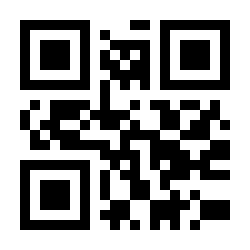
Restore every setting to the factory state (use with caution — pairing and interface settings are also reset):
Factory Defaults (full reset):
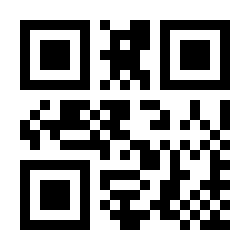
Restore Custom defaults:
Write to Custom Defaults:
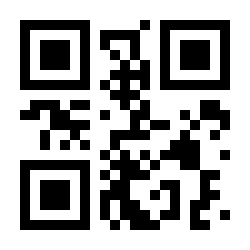
Write to Custom Defaults stores the current configuration as your own default set; Restore Custom defaults brings it back at any time.
Pairing with the docking station
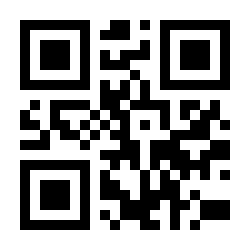
The scanner and its docking station are paired at the factory. If they lose the connection: plug in the dock, place the cursor in a text editor, then scan the code below within 30 seconds:
Match (pair the scanner and the dongle):
Working mode and memory
In instant upload mode every scan is sent immediately. In storage mode scans are saved to the on-board memory and uploaded later — useful out of radio range:
Instant upload Mode:
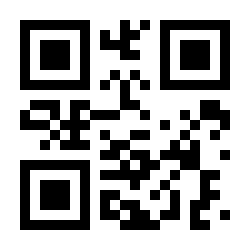
Storage Mode:
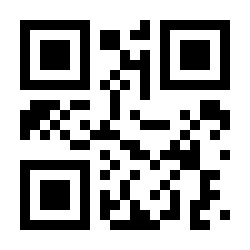
Show total storage:
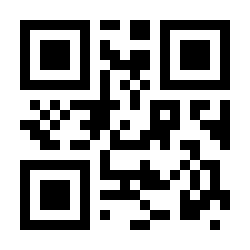
Upload Data:
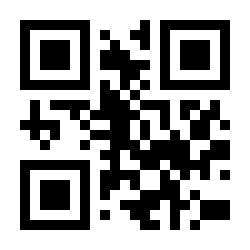
Zero clearing:
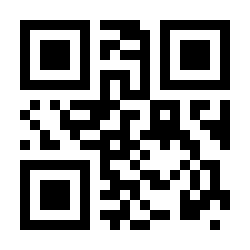
Zero clearing permanently deletes all stored scans — upload them first.
Transmission speed (HID)
Sets the delay between characters. The larger the value, the slower the transmission — use slower speeds if characters get lost (especially over Bluetooth HID):
No delay:
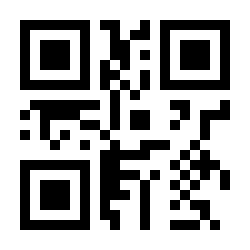
HID-speed 5:
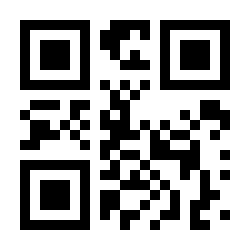
HID-speed 10:
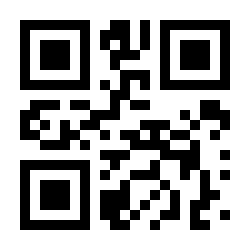
HID-speed 15:
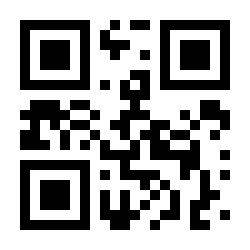
HID-speed 20:
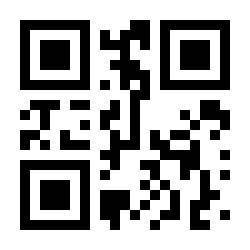
HID-speed 30:
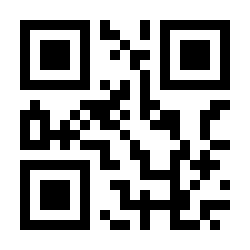
HID-speed 40:
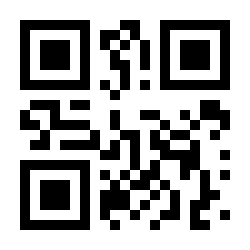
HID-speed 50:
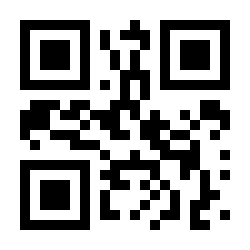
HID-speed 60:
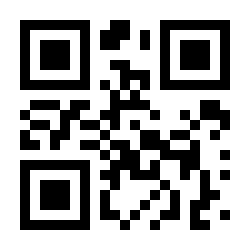
Upload speed
Per-barcode upload delay 000–255; the larger the value, the slower the upload:
Upload-speed 000:
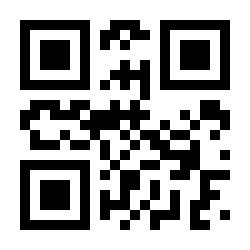
Upload-speed 001:
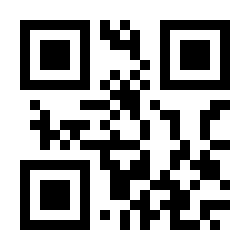
Upload-speed 002:
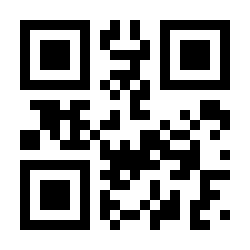
Upload-speed 005:
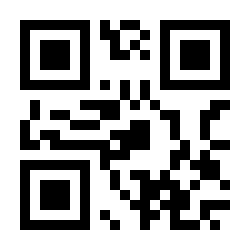
Upload-speed 010 (default):
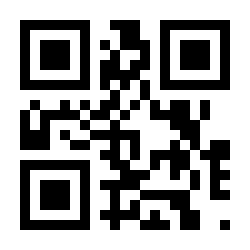
Upload-speed 015:
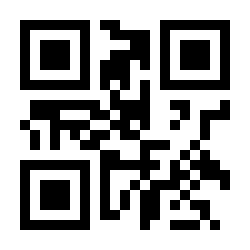
Upload-speed 040:
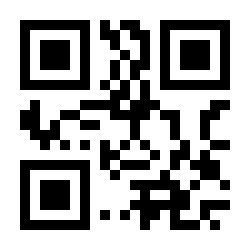
Upload-speed 050:
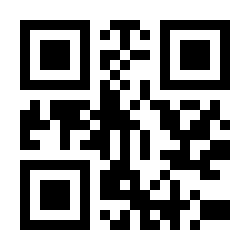
Upload-speed 060:
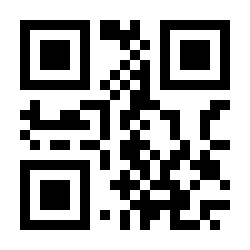
Interface
Applies to the wired scanner, the dongle and the docking station:
USB-HID (default):
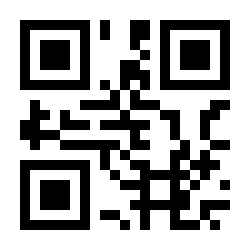
USB-COM:
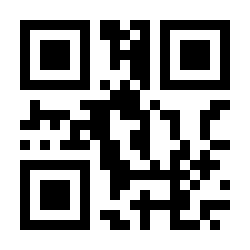
TTL/RS232:
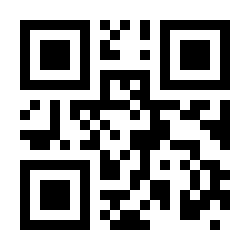
Trigger mode
Wired trigger ON (default):
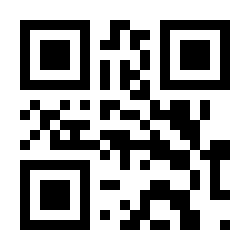
Wired trigger OFF:
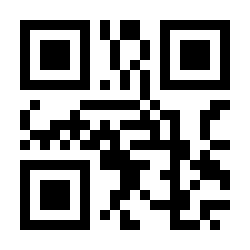
Automatic mode ON (auto-sense):
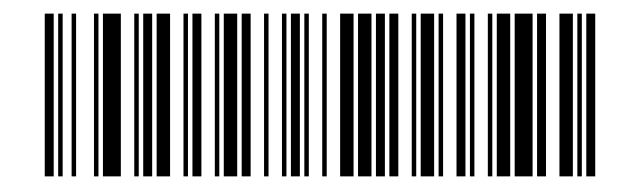
Automatic mode OFF — button trigger (default):
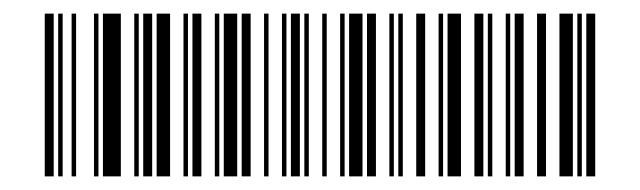
Power and standby
Battery reserve (show battery level):
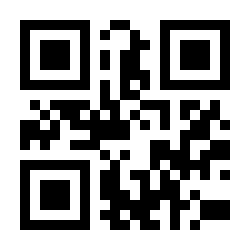
Shutdown (standby) timer:
90s:
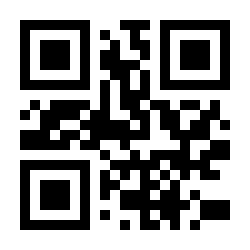
2min (default):
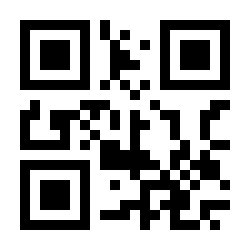
5min:
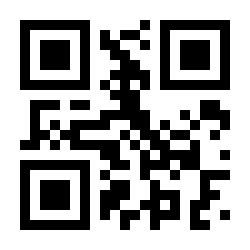
30min:
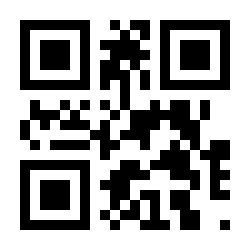
60min:
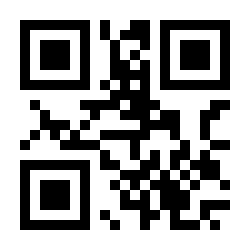
166min40s:
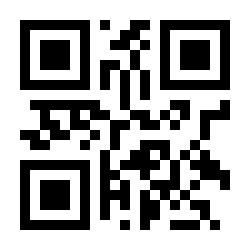
Not shutdown:
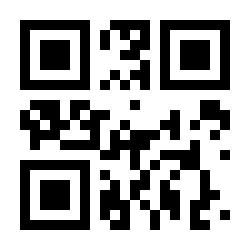
Not shutdown-Enabled once:
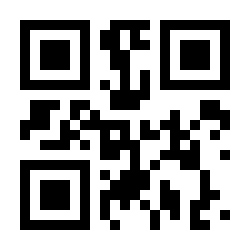
Shutdown:
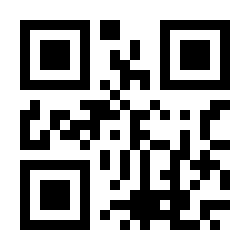
Bluetooth and 2.4 GHz
The scanner works in three modes: Bluetooth, 2.4 GHz (dongle/dock) and wired. To switch, press and hold the button for 10 seconds, then scan one of the codes:
Bluetooth-mode (default):
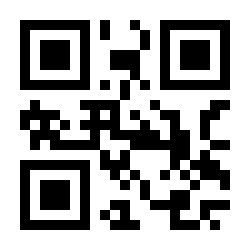
2.4G-mode:
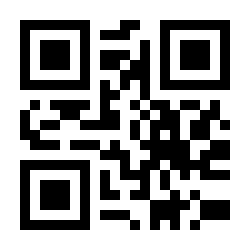
Bluetooth connection modes:
Bluetooth-HID:
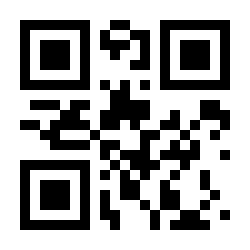
Bluetooth-SPP:
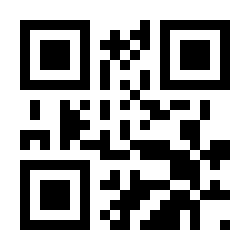
Bluetooth-BLE:
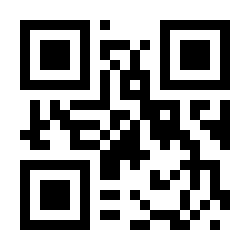
iOS on-screen keyboard:
Show/hide iOS keyboard:
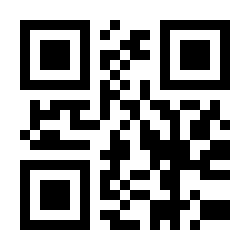
Show/hide iOS keyboard double-click -ON (default):
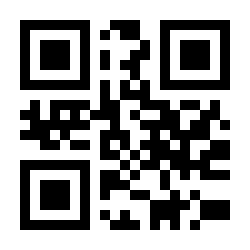
Show/hide iOS keyboard double-click -OFF:
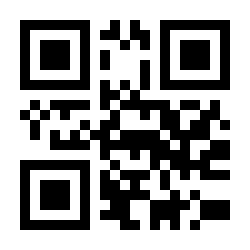
Bluetooth connection management:
Off connection:
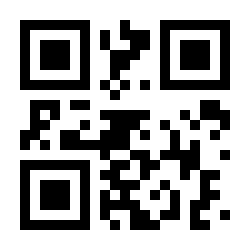
Connection initialization:
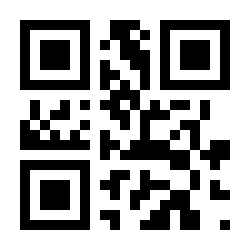
Buzzer
Turn on all sounds (default):
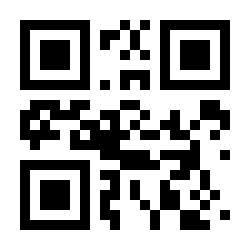
Turn off all sounds:
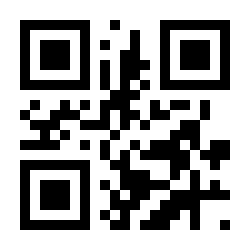
Sound frequency 2048HZ:
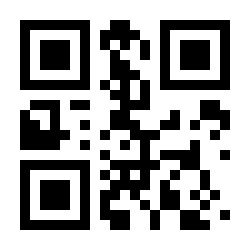
Sound frequency 2731HZ:
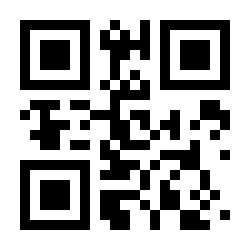
Low volume:
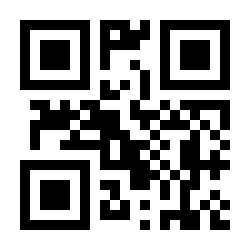
Medium volume:
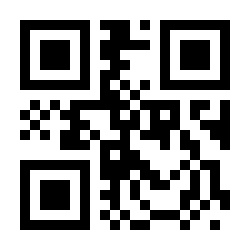
High volume (default):
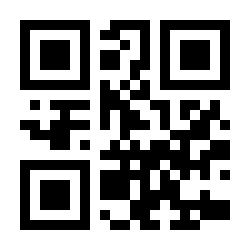
Beep after good decode-ON (default):
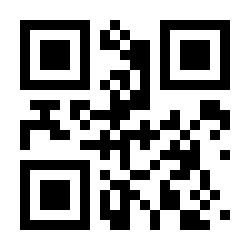
Beep after good decode-OFF:
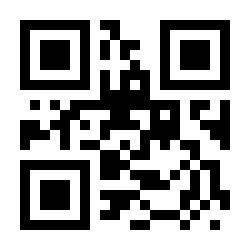
Boot sound-ON (default):
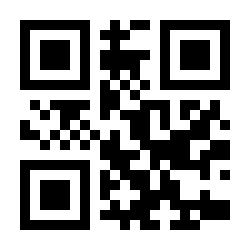
Boot sound-OFF:
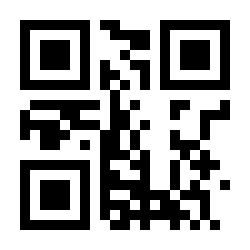
Setup code sound-ON (default):
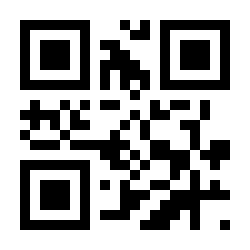
Setup code sound-OFF (default):
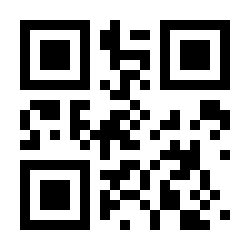
End character (suffix)
Character appended after every scanned barcode:
CR (default):
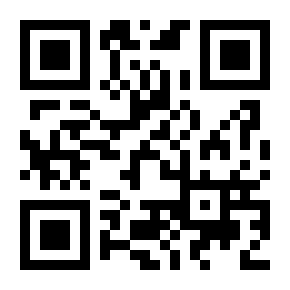
LF:
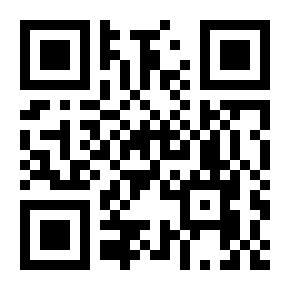
Tab:
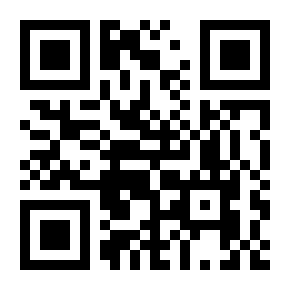
CR+LF:
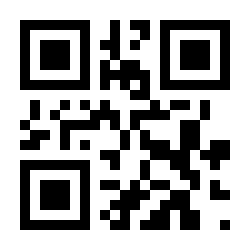
None:
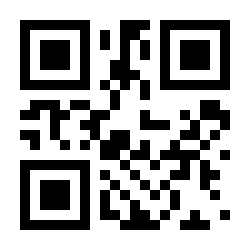
Letter case
Don't convert (default):
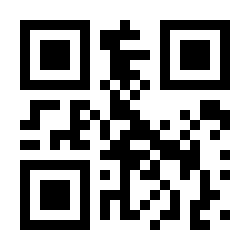
Swap capital/lowercase:
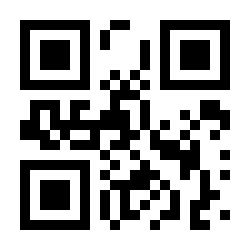
All lowercase:
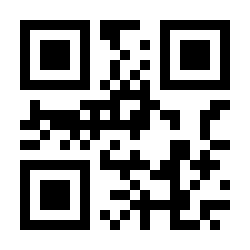
All capital:
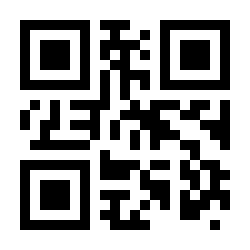
Code ID
Send ID-OFF (default):
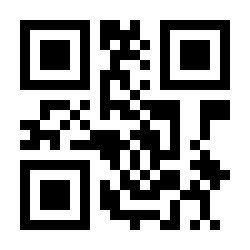
Send ID-ON:
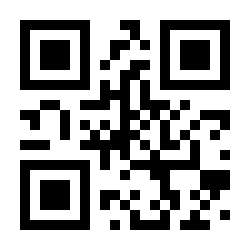
Disable Code ID (default):
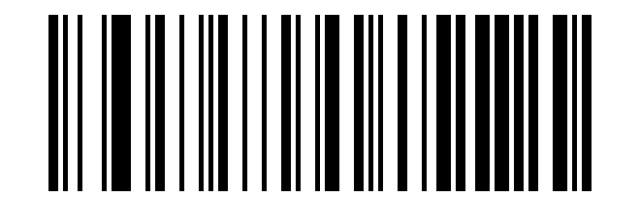
Duplicate detection
Prevents uploading the same barcode twice within the selected time window:
Duplicate detection-OFF (default):
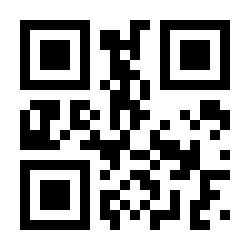
Duplicate detection-ON:
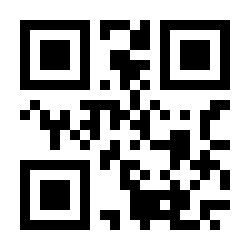
Duplicate detection 1 S:
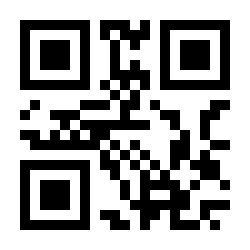
Duplicate detection 5 S:
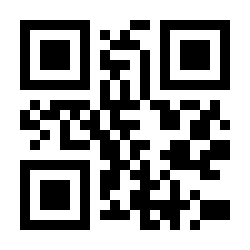
Duplicate detection 10 S:
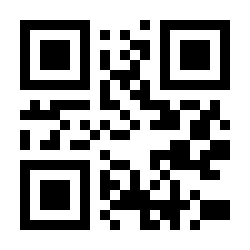
Duplicate detection 25 S:
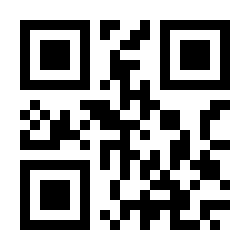
Inverse barcodes
Only Decode Regular Codes (default):
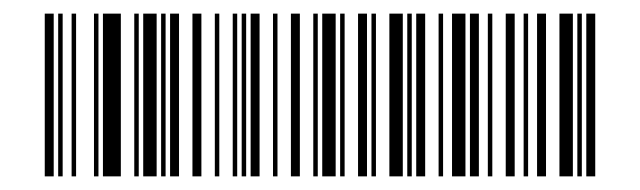
Only Decode Inverse Codes:
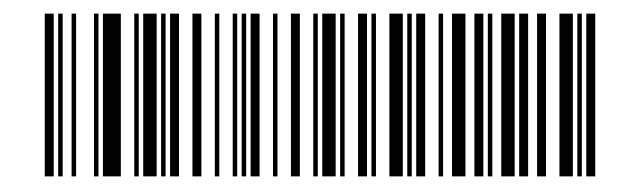
Decode Both:
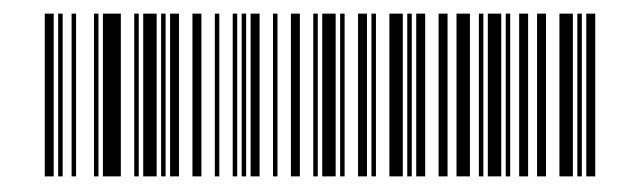
Symbology settings
Enable or disable individual code types and their options (check digits, lengths, conversions). For the Set the Minimum/Maximum Length codes scan the length code first, then the two digits from the ASCII barcode table, then Save Settings from the data-editing section.
All symbologies
Enable All Symbologies:
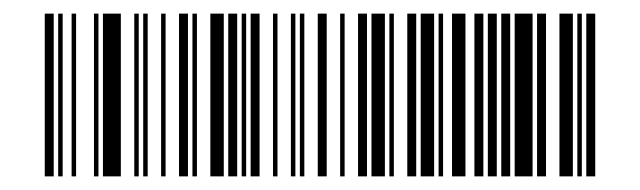
Disable All Symbologies:
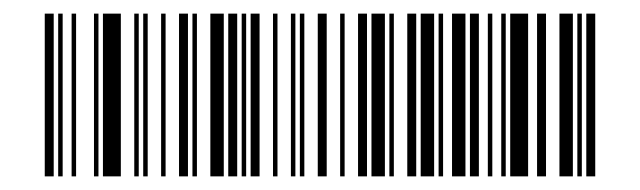
Enable All 1D Symbologies:
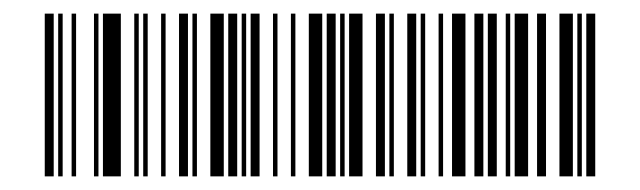
Disable All 1D Symbologies:
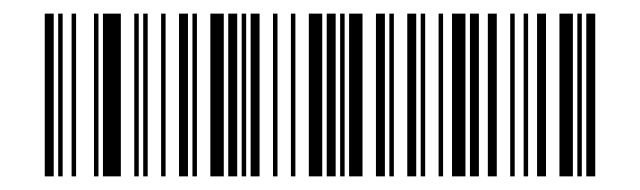
Enable All 2D Symbologies:
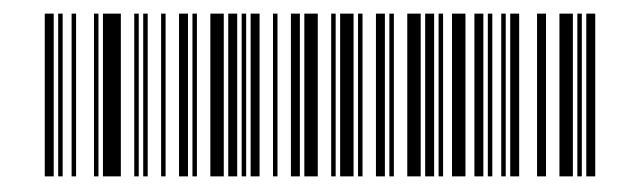
Disable All 2D Symbologies:
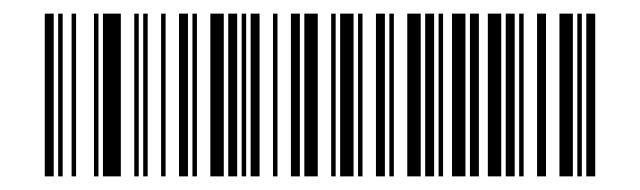
Codabar
Enable Codabar:
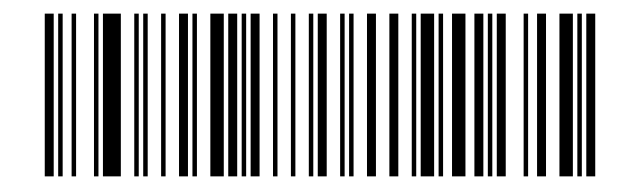
Disable Codabar:
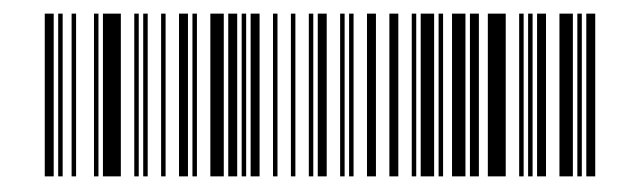
Do not Transmit Start/End Character (default):
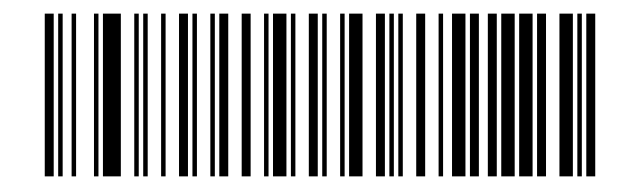
Transmit Start/End Character:
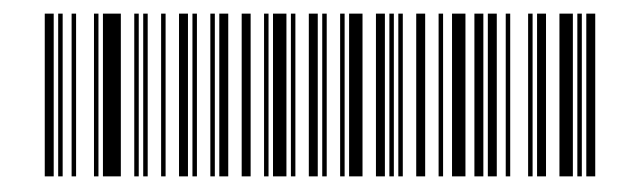
Set the Minimum Length (0~50 digits):
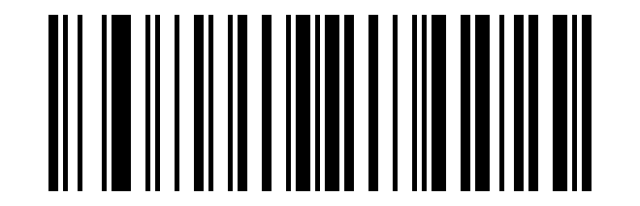
Set Maximum Length (0~50digits):
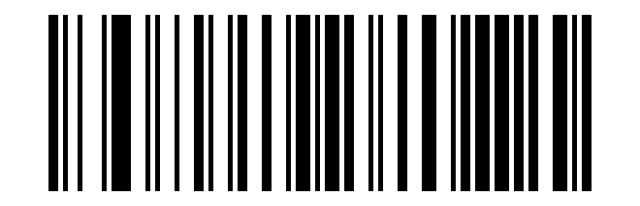
Code 39
Enable Code 39:
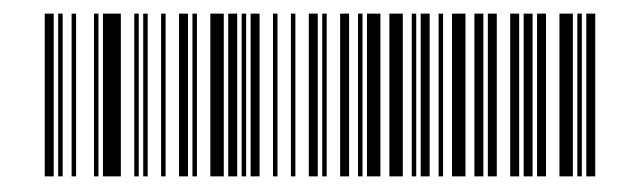
Disable Code 39:
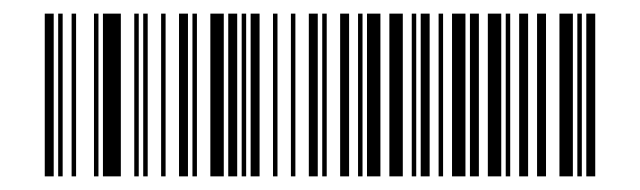
Disable Code 39 Check Digits (default):
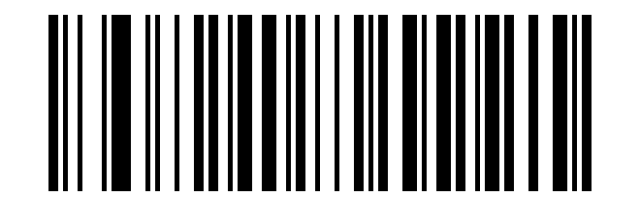
Enable but Do Not Transmit Code 39 Check Bit:
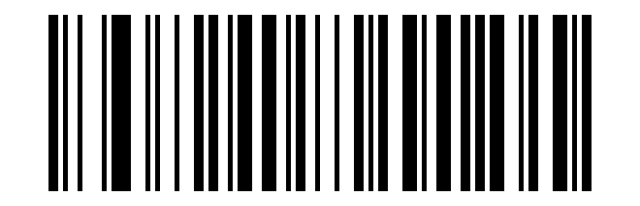
Enable and Transmit Code 39 Check bit:
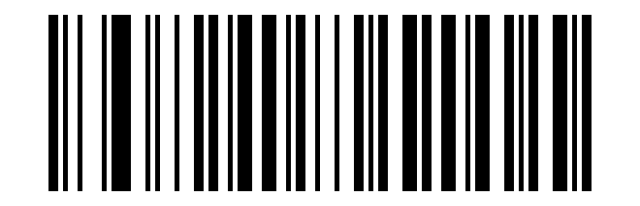
Enable Full ASCII:
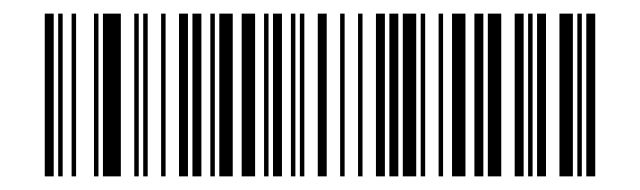
Disable Full ASCII (default):
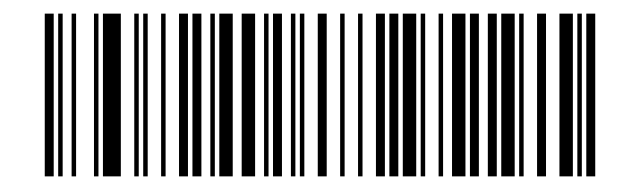
Set the Minimum Length (0~50 digits):
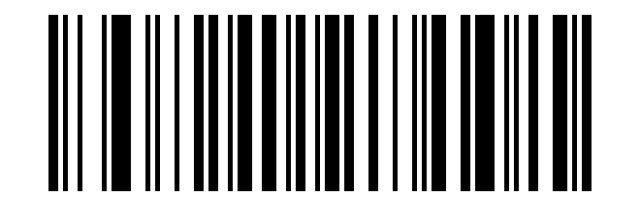
Set Maximum Length (0~50digits):
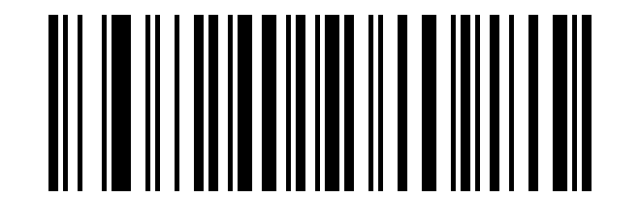
Code 32
Enable Code 32:
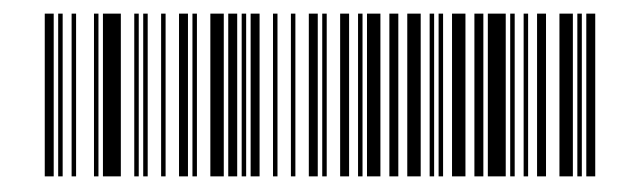
Disable Code 32:
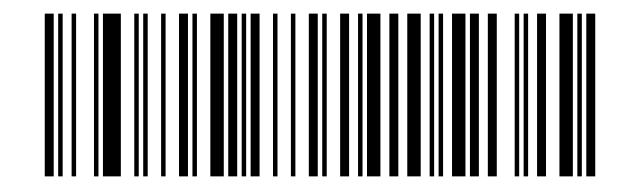
Enable Code 32 Prefix:
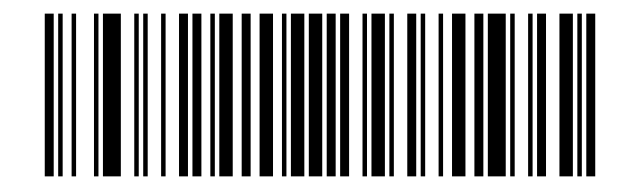
Disable Code 32 Prefix (default):
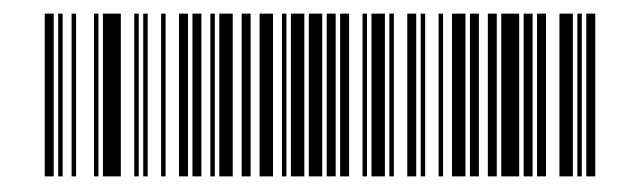
Interleaved 2 of 5 (ITF25)
Enable ITF25:
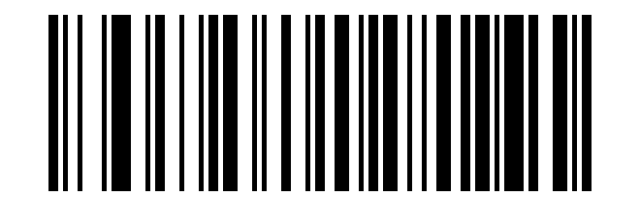
Disable ITF25:
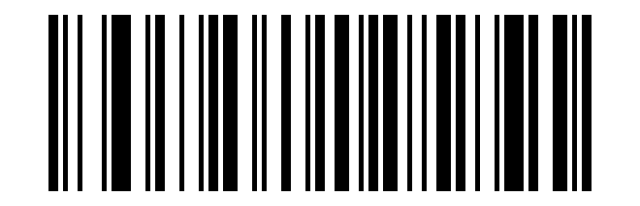
Disable ITF25 Check Digit (default):
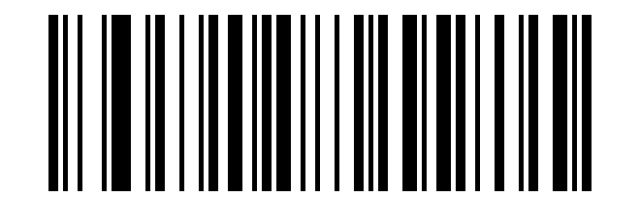
Enable but Do not Transmit ITF25:
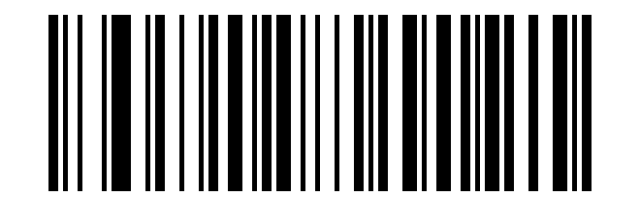
Enable and Transmit ITF25 Check Digit:
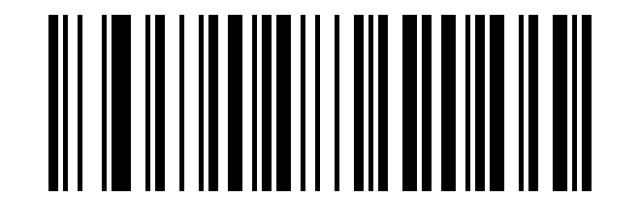
Enable ITF25 with Any Length (4-24 Digits) (default):
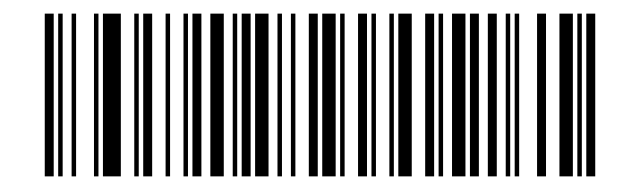
ITF25 6 Digits:
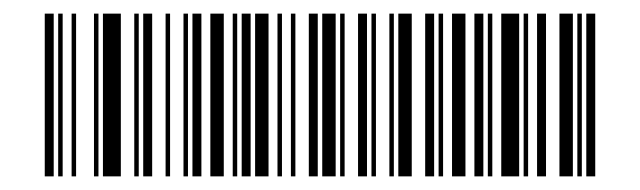
ITF25 8 Digits:
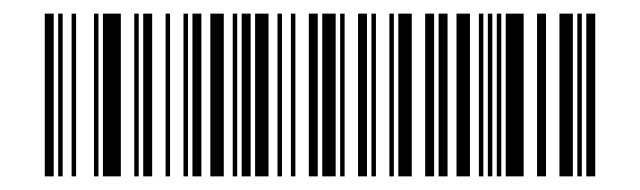
ITF25 10 Digits:
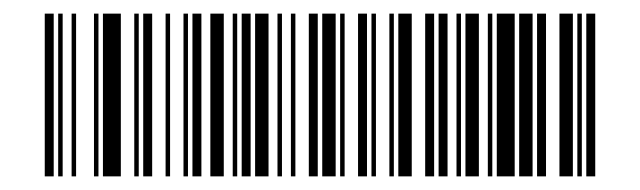
ITF25 12 Digits:
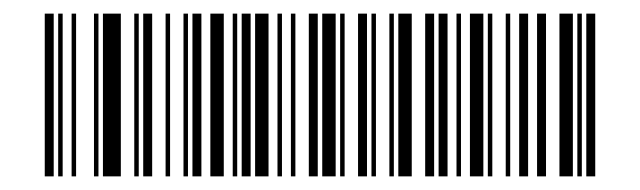
ITF25 14 Digits:
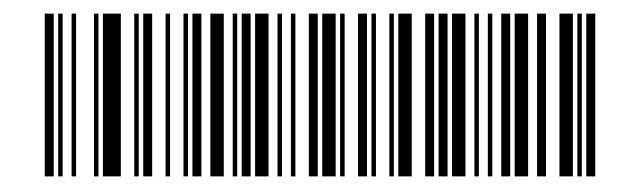
ITF25 16 Digits:
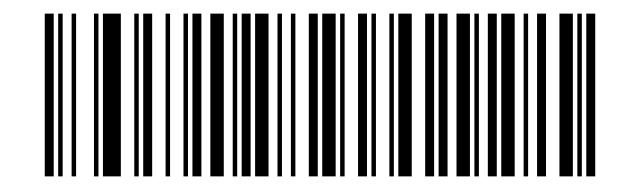
ITF25 18 Digits:
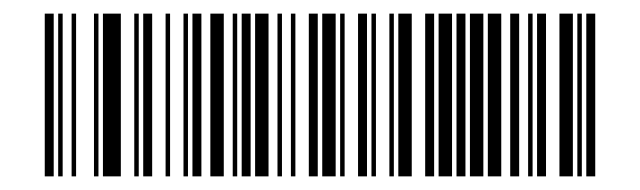
ITF25 20 Digits:
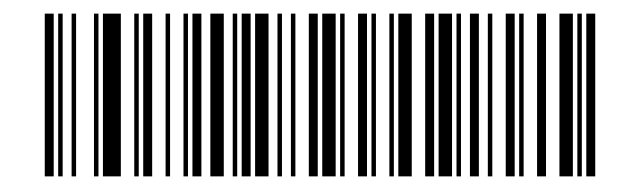
ITF25 22 Digits:
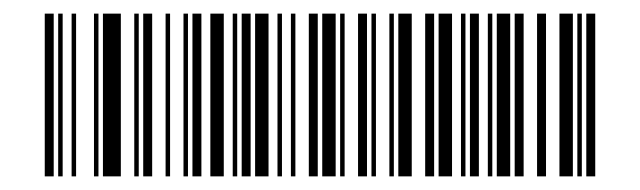
ITF25 24 Digits:
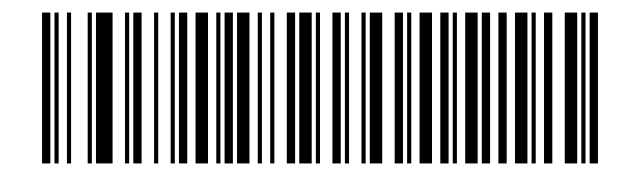
Set the Minimum Length (0~50 digits):
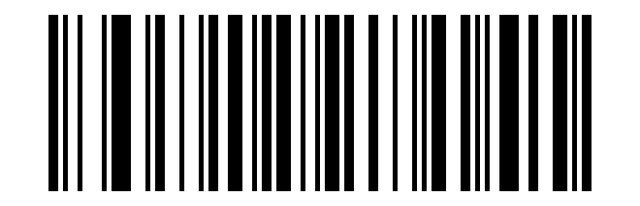
Set the Maximum Length (0~50 digits):
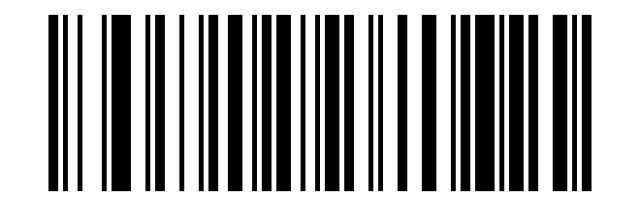
Industrial 2 of 5 / IATA
Enable Industrial 2 of 5 /IATA:
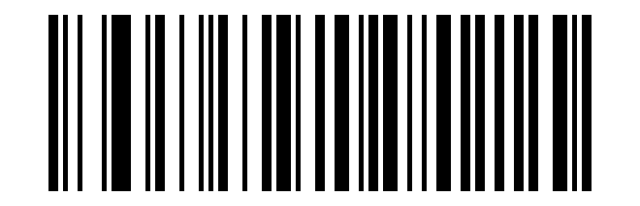
Disable Industrial 2 of 5 /IATA:
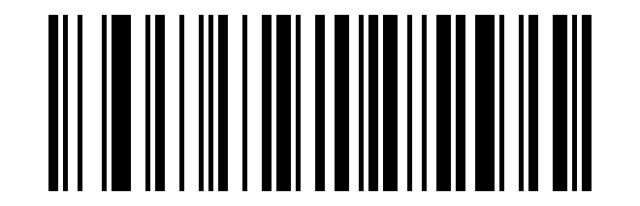
Set the Minimum Length (0~50 digits):
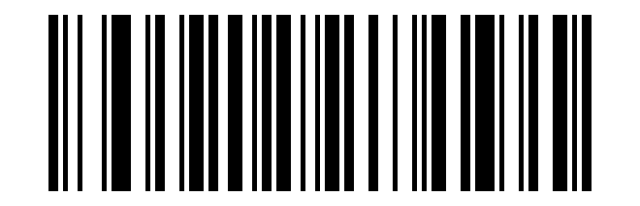
Set the Maximum Length (0~50 digits):
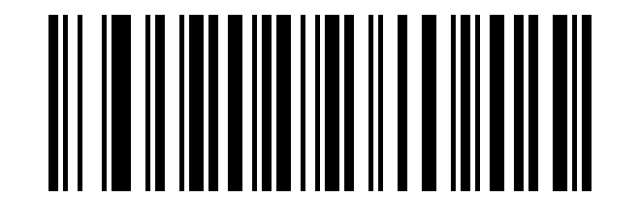
Matrix 2 of 5
Enable Matrix 2 of 5:
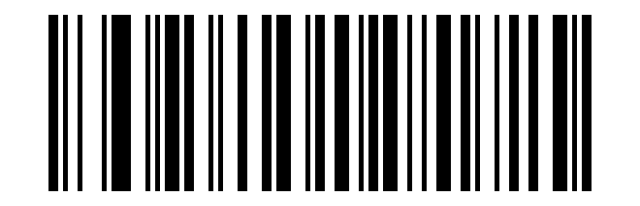
Disable Matrix 2 of 5:
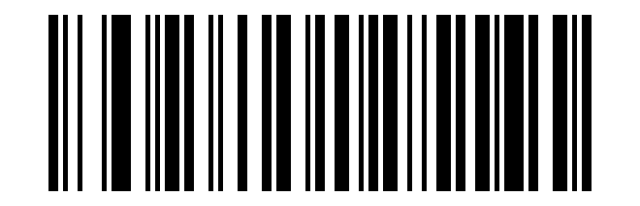
Set the Minimum Length (0~50 digits):
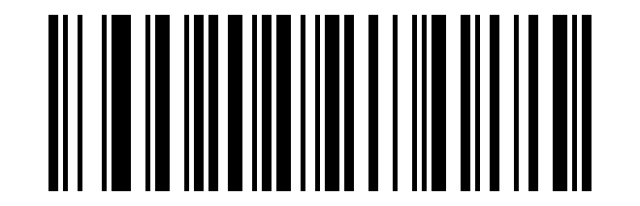
Set the Maximum Length (0~50 digits):
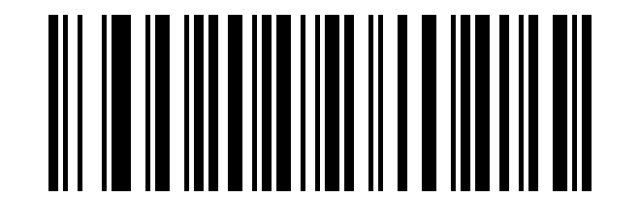
Code 93
Enable Code 93:
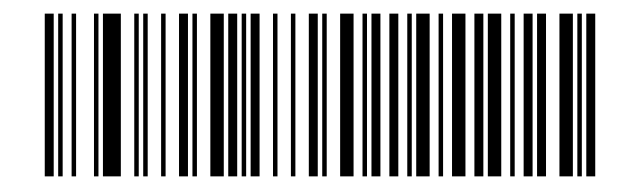
Disable Code 93:
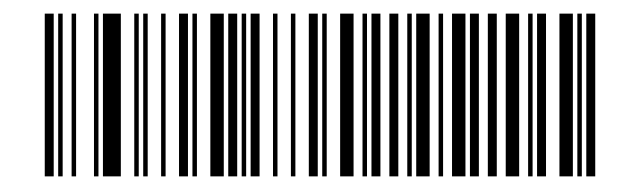
Set the Minimum Length (0~50 digits):
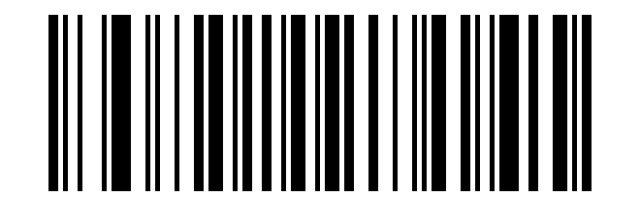
Set the Maximum Length (0~50 digits):
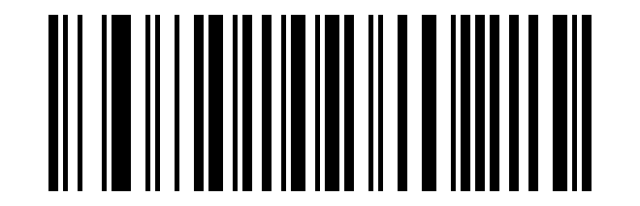
Code 11
Enable Code 11:
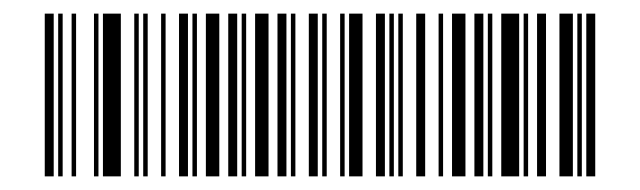
Disable Code 11 (default):
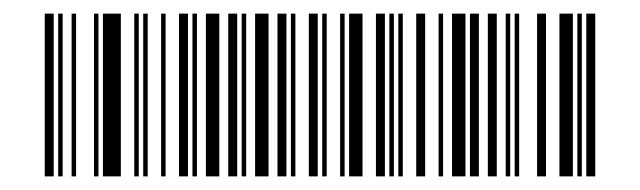
Transmit Code 11 Check Digit:
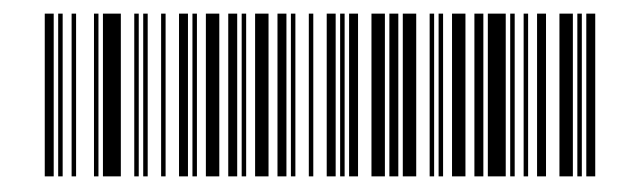
Do Not Transmit Code 11 check digit (default):
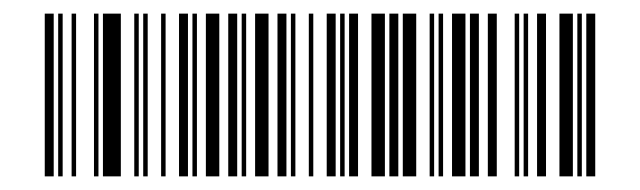
Disable Code 11 Check Digit (default):
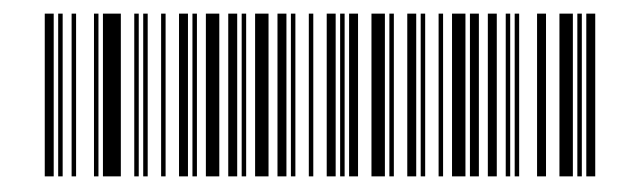
Code 11 1 Check Digit:
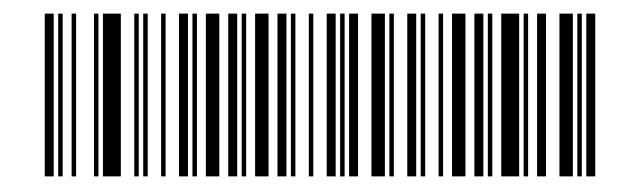
Code 11 2 Check Digits:
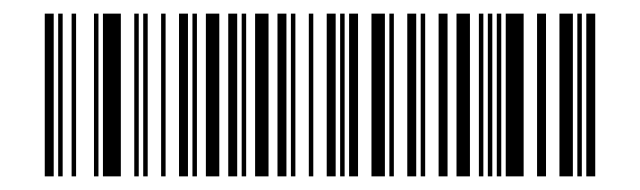
Set the Minimum Length (0~50 digits):
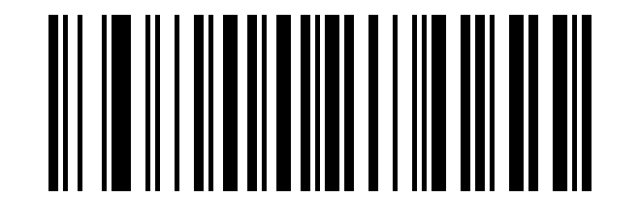
Set the Maximum Length (0~50 digits):
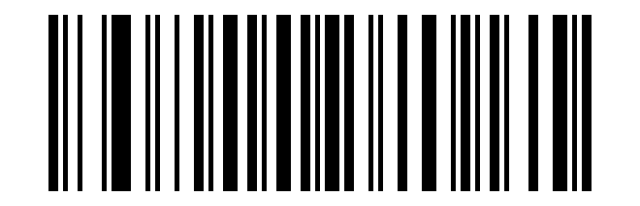
Code 128 / ISBT-128 / GS1-128
Enable Code 128:
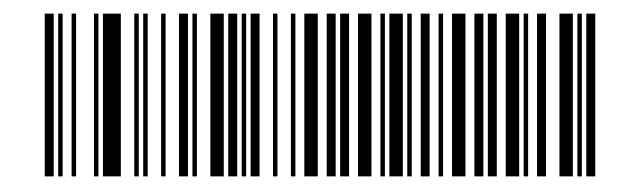
Disable Code 128:
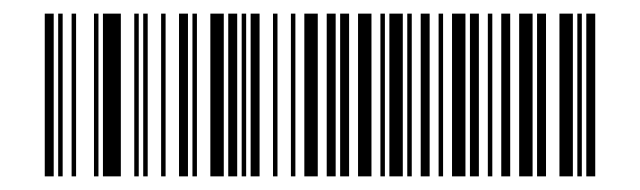
Disable ISBT 128:
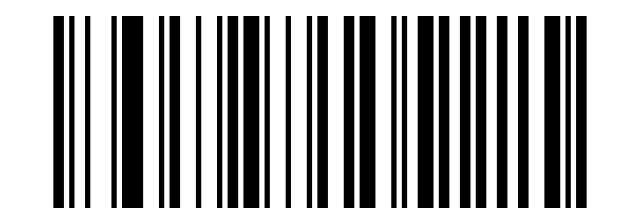
Enable ISBT 128:
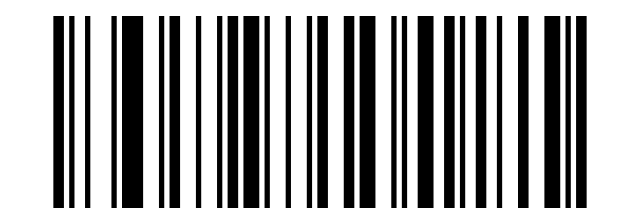
Enable GS1-128:
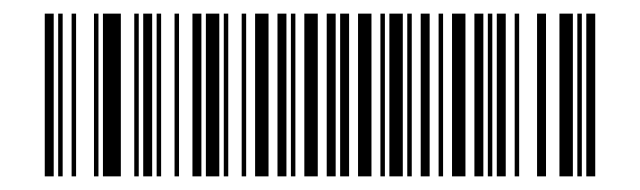
Disable GS1-128:
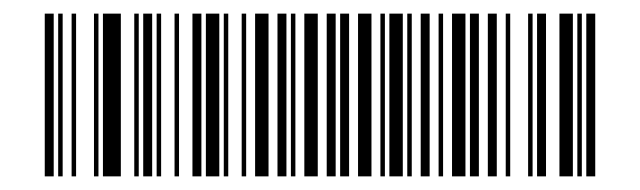
Set the Minimum Length (0~50 digits):
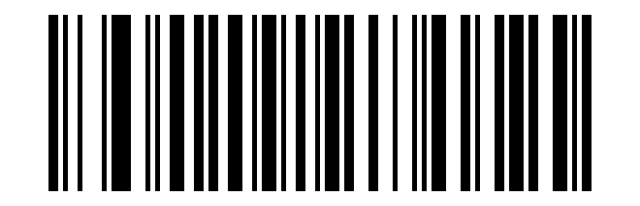
Set the Maximum Length (0~50 digits):
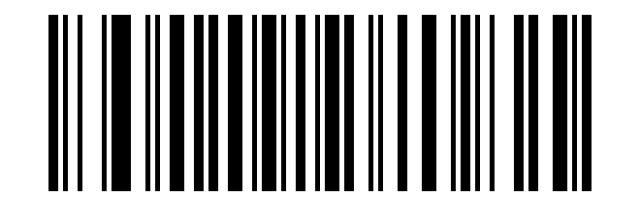
UPC-A
Enable:
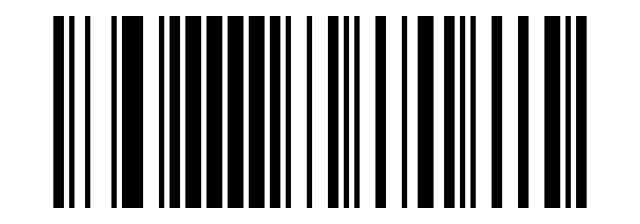
Disable UPC-A:
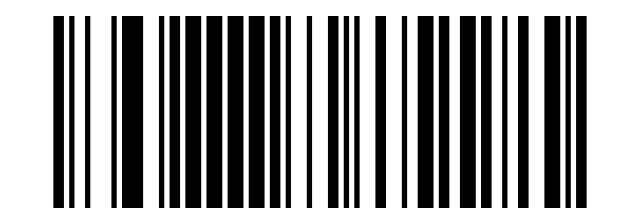
Transmit UPC-A Check Digits (default):
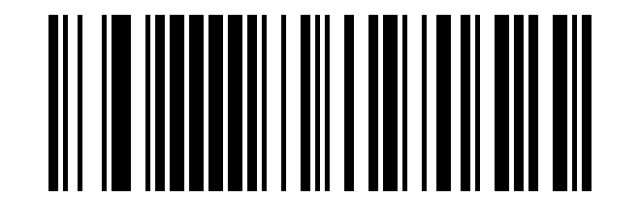
Do not Transmit UPC-A Check Digits:
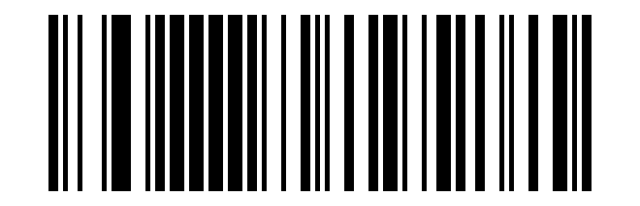
Enable Convert UPC-A to EAN-13:
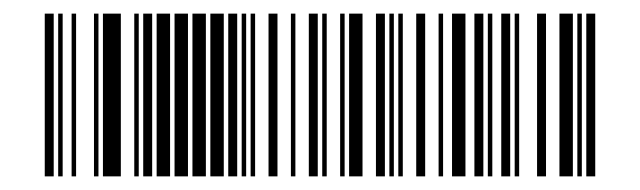
Disable Convert UPC-A to EAN-13 (default):
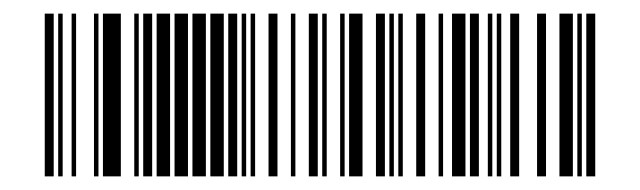
UPC-E
Enable UPC-E:
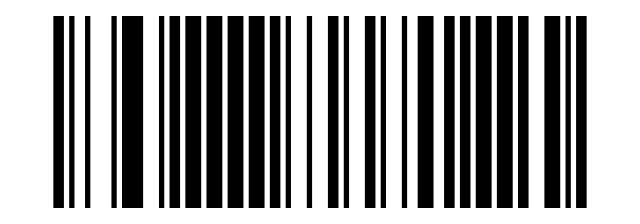
Disable UPC-E:
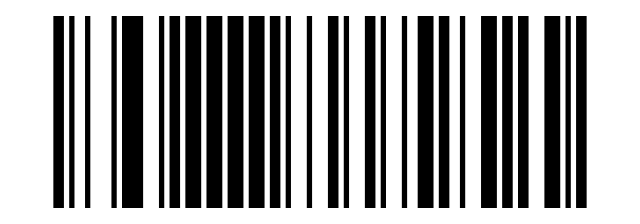
Transmit UPC-E Check Digits (default):
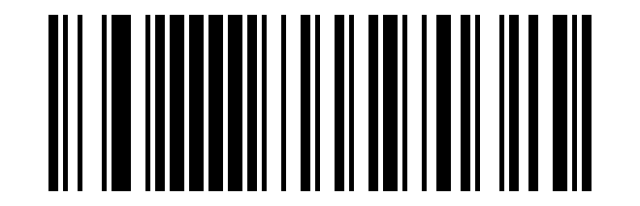
Do Not Transmit UPC-E Check Digit:
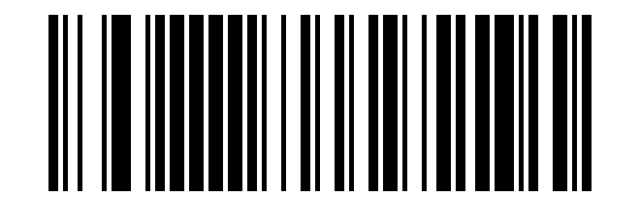
Enable Convert UPC-E to UPC-A:
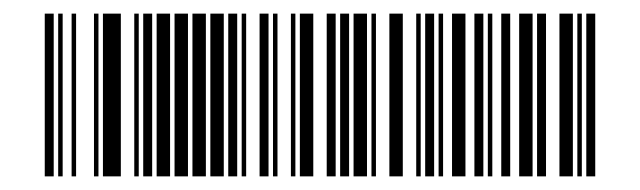
Disable Convert UPC-E to UPC-A (default):
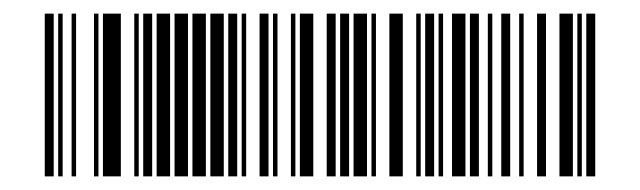
EAN/JAN-8
Enable EAN/JAN-8:
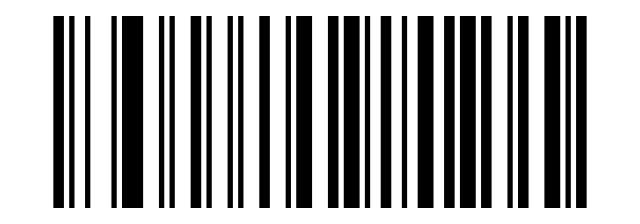
Disable EAN/JAN-8:
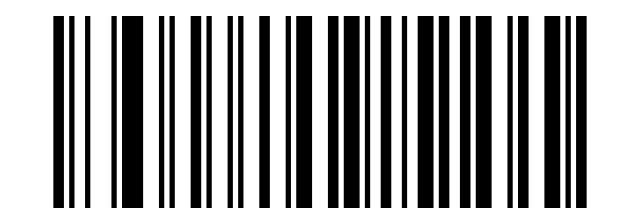
Disable Convert EAN-8 to EAN-13 (default):
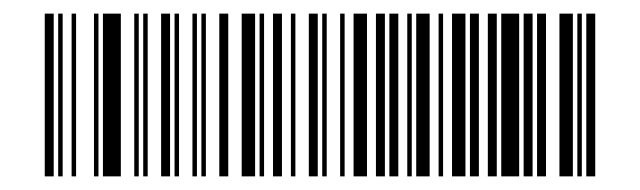
Enable Convert EAN-8 to EAN-13:
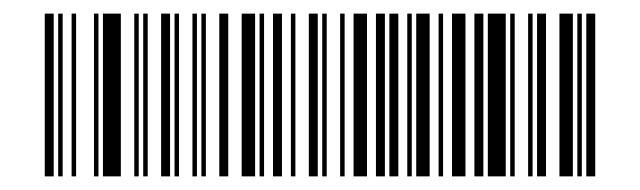
EAN/JAN-13
Enable EAN/JAN-13:
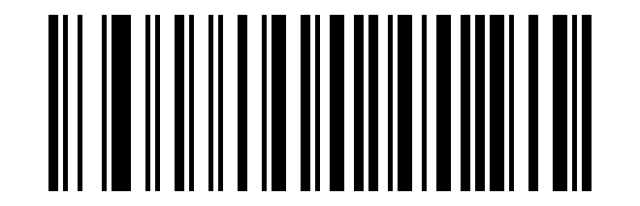
Disable EAN/JAN-13:
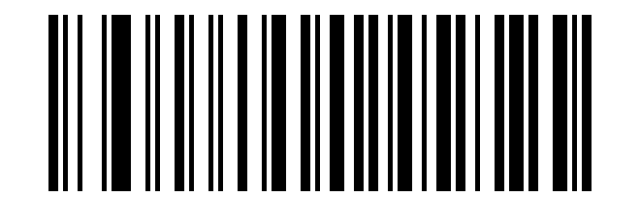
UPC/EAN/JAN supplemental codes
Ignore UPC/EAN/JAN Supplemental:
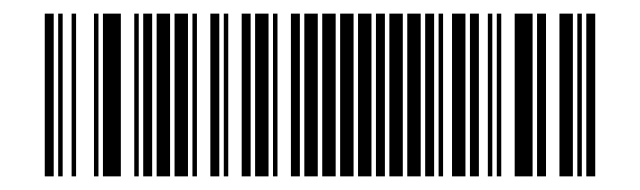
Decode UPC/EAN/JAN Supplemental:
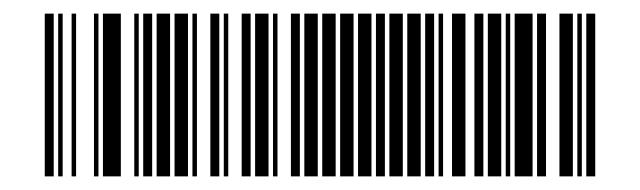
Auto discriminate UPC/EAN/JAN:
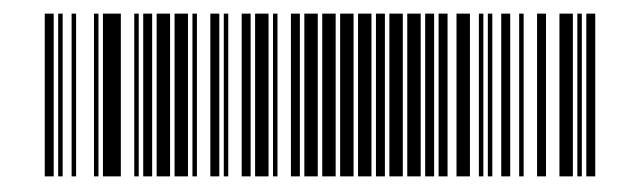
EAN-13 to ISBN / ISSN conversion
Enable Convert EAN13 to ISBN:
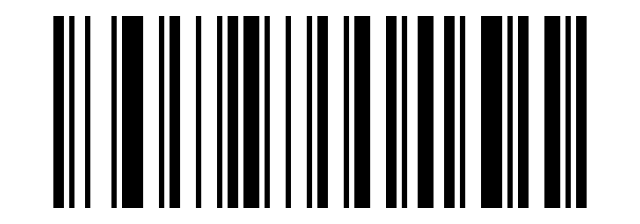
Disable Convert EAN13 to ISBN (default):
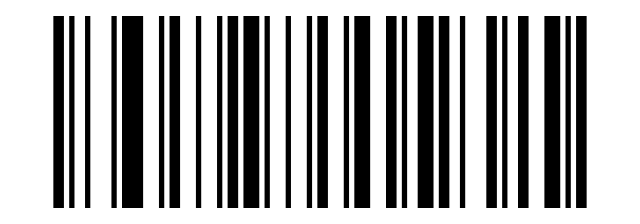
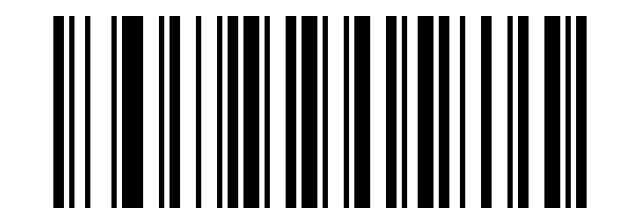
Enable Convert EAN13 to ISSN:
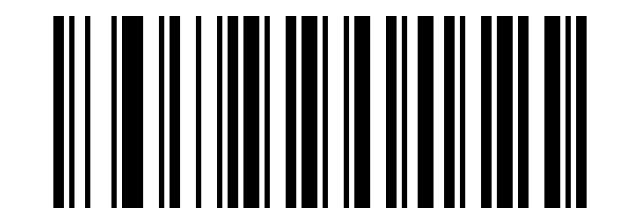
Disable Convert EAN13 to ISSN (default):
GS1 DataBar
Enable GS1 DataBar:
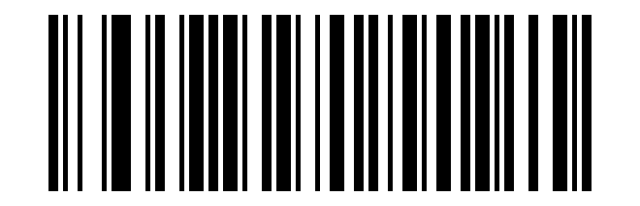
Disable GS1 DataBar:
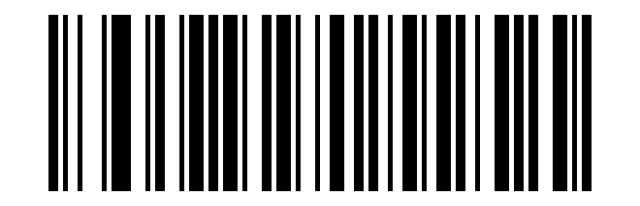
Enable GS1 DataBar Limited:
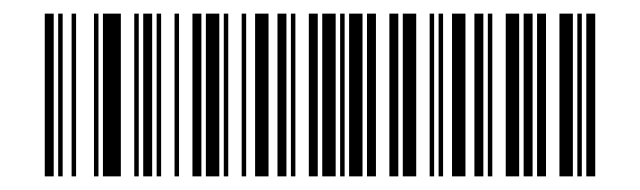
Disable GS1 DataBar Limited:
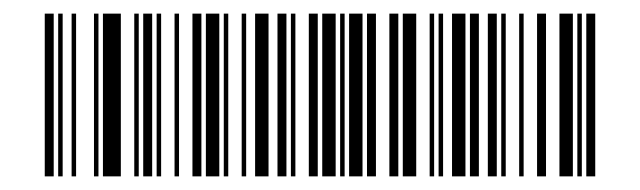
Enable GS1 DataBar Expanded:
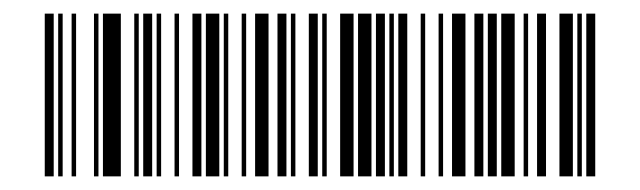
Disable GS1 DataBar Expanded:
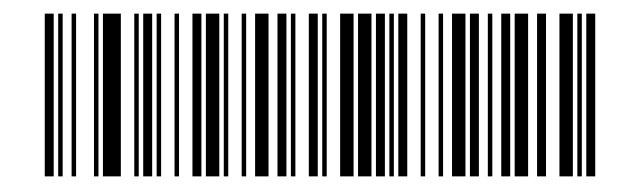
MSI
Enable MSI:
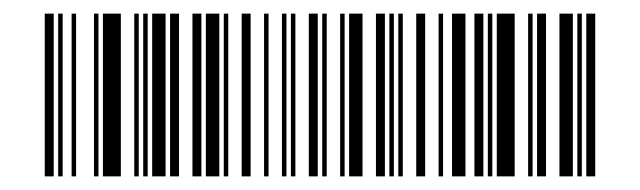
Disable MSI (default):
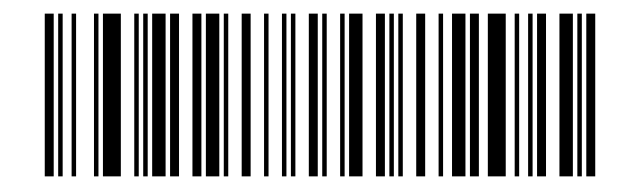
Transmit MSI Check Digit:
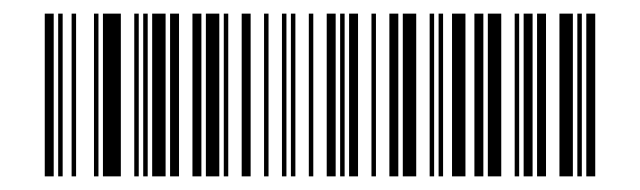
Do Not Transmit MSI Check Digit (default):
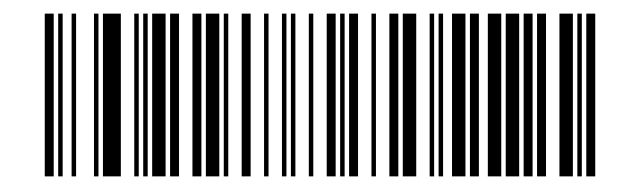
MSI 1 Check Digit (default):
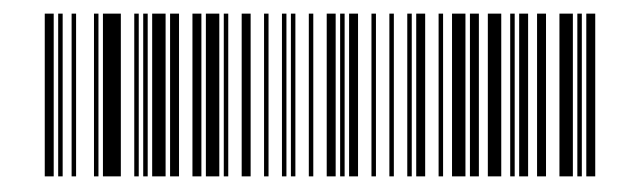
MSI 2 Check Digits:
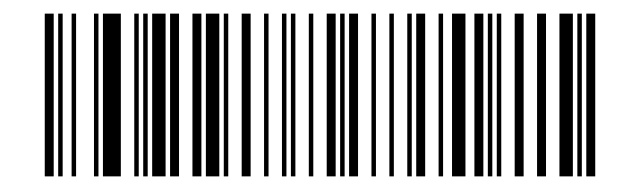
MOD10/MOD10 (default):
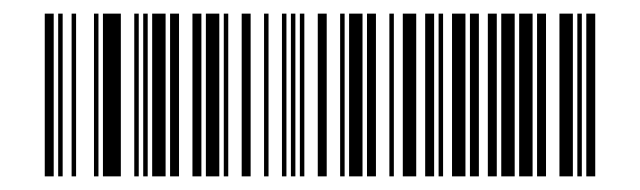
MOD10/MOD11:
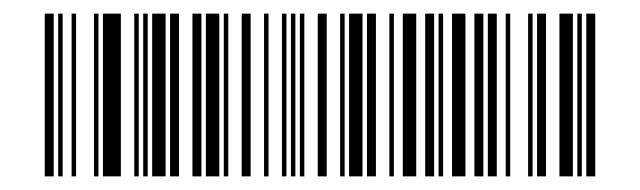
Set the Minimum Length (0~50 digits):
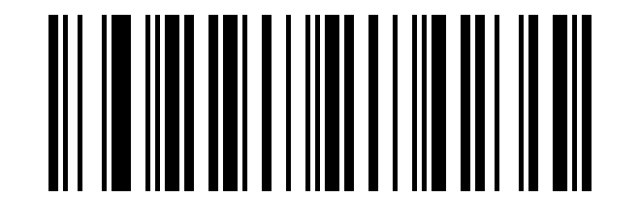
Set the Maximum Length (0~50 digits):
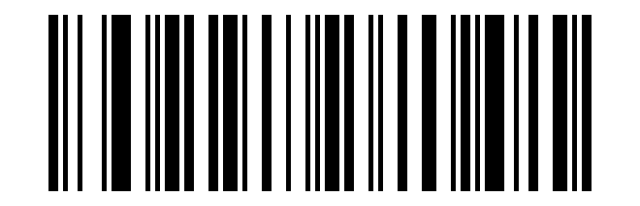
Febraban
Enable Febraban (ITF25):
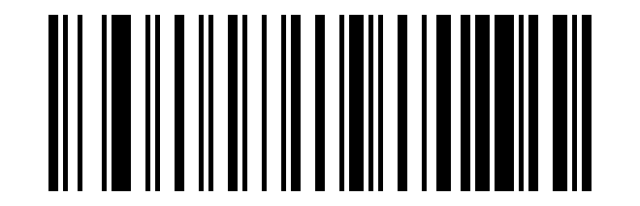
Disable Febraban (ITF25) (default):
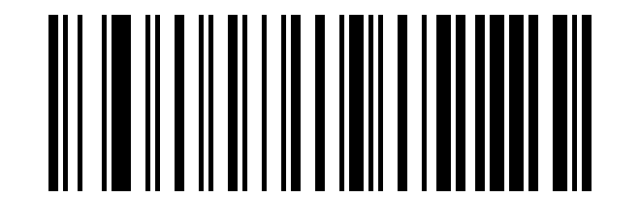
Enable Febraban (CODE128):
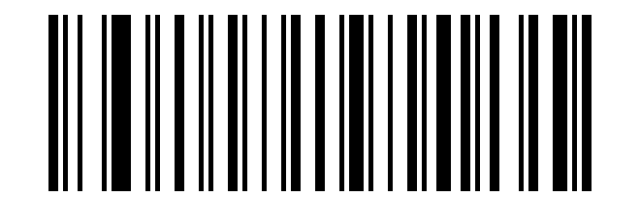
Disable Febraban (CODE128) (default):
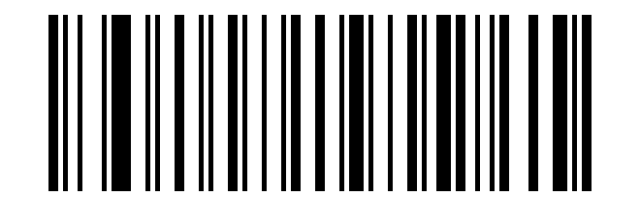
Enable Febraban Check Digit:
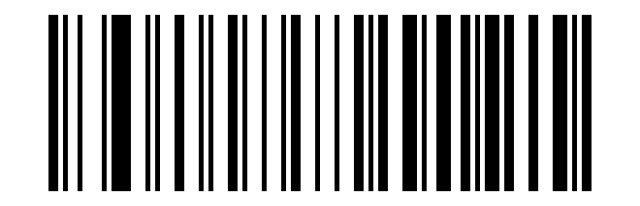
Disable Febraban Check Digit (default):
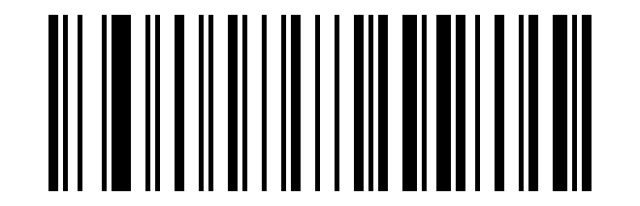
PDF417 and Micro PDF417
Enable PDF417:
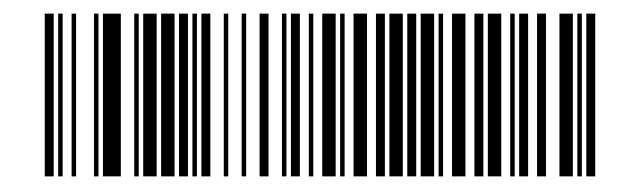
Disable PDF417:
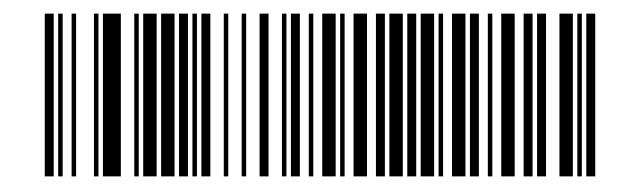
Enable Micro PDF417:
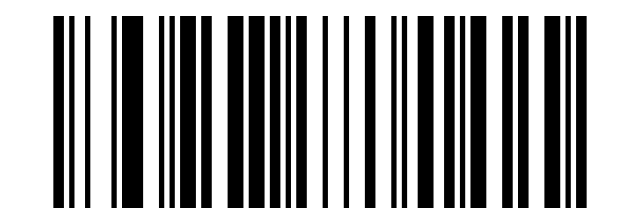
Disable Micro PDF417:
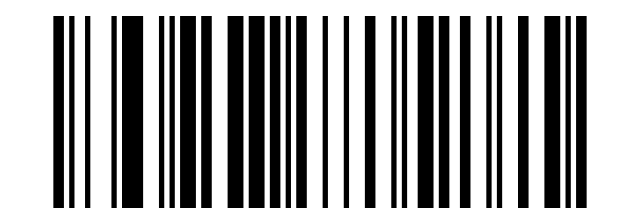
QR Code and Micro QR
Enable QR:
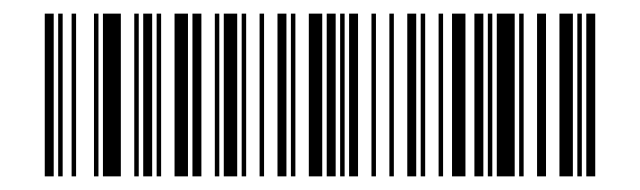
Disable QR:
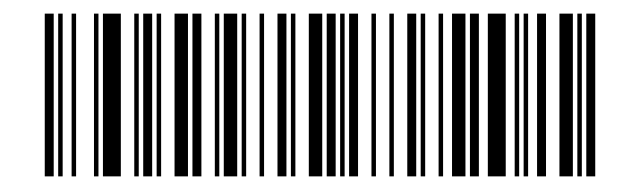
Enable Micro QR:
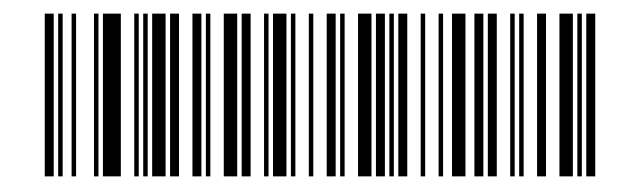
Disable Micro QR:
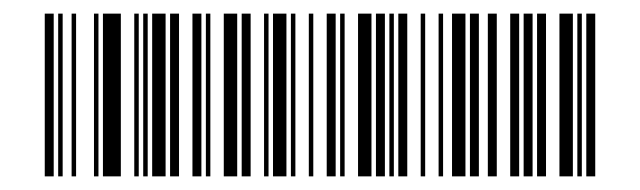
Data Matrix
Enable Data Matrix:
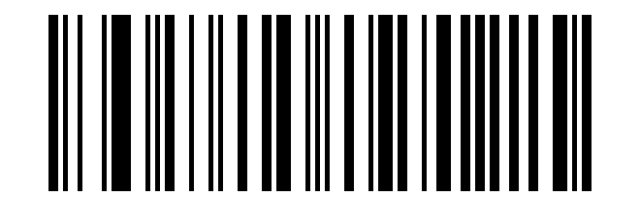
Disable Data Matrix:
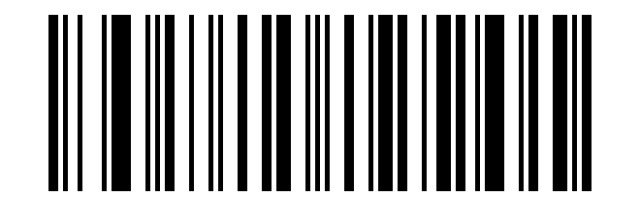
Aztec Code
Enable Aztec:
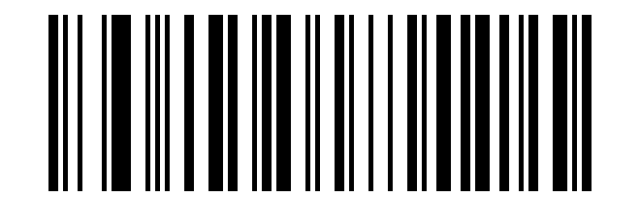
Disable Aztec:
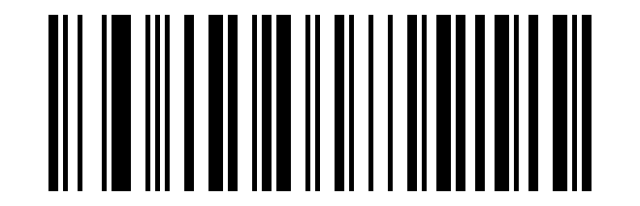
Data editing
The scanner can insert, delete or replace characters in every scanned barcode. A rule is built by scanning a sequence: operation → barcode type → group → position → characters (from the ASCII barcode table) → Save Settings.
Setting codes
Insert Characters:
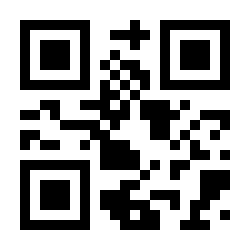
Delete characters:
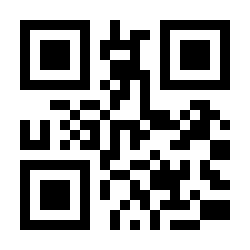
Barcode type the rule applies to:
All barcode types:
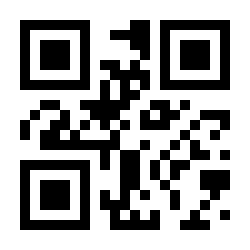
UPC&EAN:
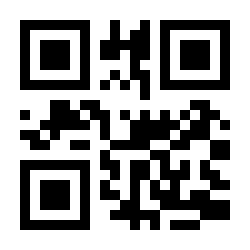
Code39:
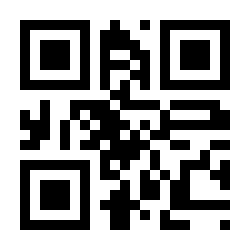
Coda bar:
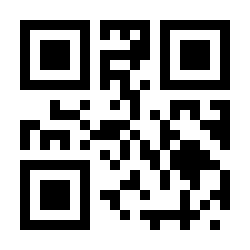
Code128:
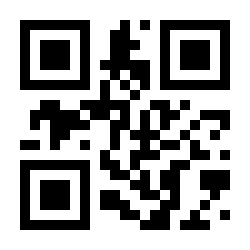
Code93:
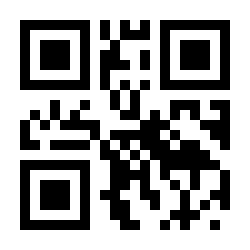
Interleaved 2 of 5:
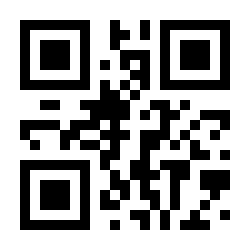
Code11:
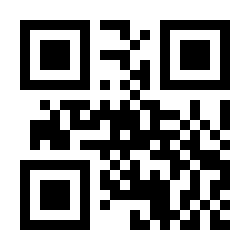
MSI:
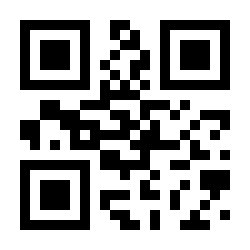
GS1-Databar:
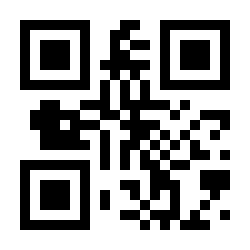
PDF417:
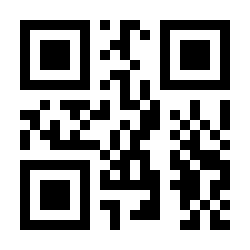
Data Matrix:
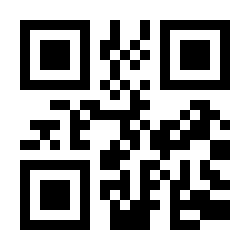
QR:
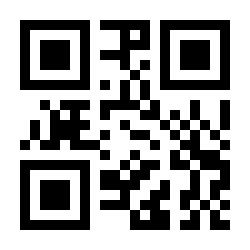
Aztec Code:
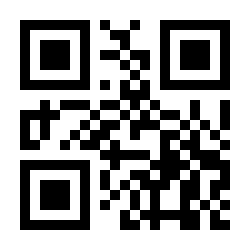
Maxi Code:
Rule group (up to 8 independent rules):
Group 1:
Group 2:
Group 3:
Group 4:
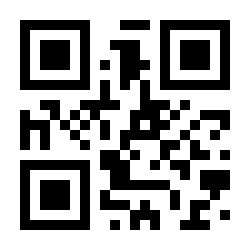
Group 5:
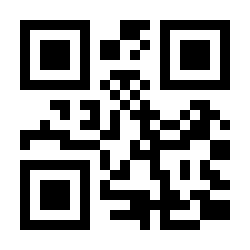
Group 6:
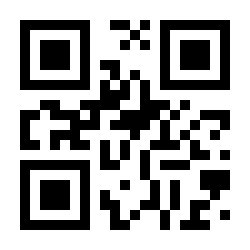
Group 7:
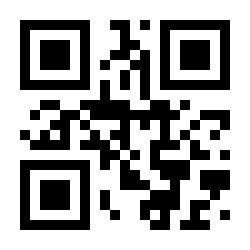
Group 8 Edit location:
Position markers and saving:
Before barcode (position):
After barcode (position):
Save Settings:
Clear settings:
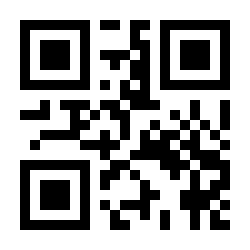
Example — insert characters
To insert the text bdf before each Code 39 barcode, scan in order: Insert Characters → Code39 → Group 1 → Before barcode → ASCII codes 098, 100, 102 → Save Settings. To insert ACE after the barcode, use the same sequence with After barcode and ASCII 065, 067, 069. To remove a rule, scan Clear settings for its group.
Quick delete
Ready-made one-scan rules:
Delete 1 bit before:
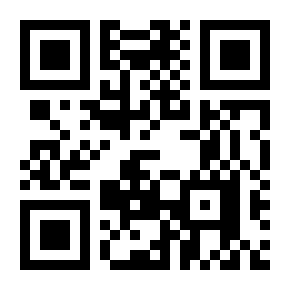
Delete 1 bit after:
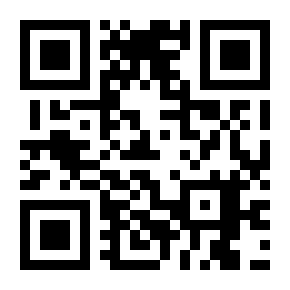
Delete 2 bit before:
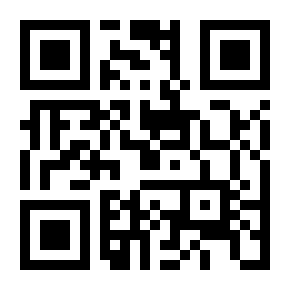
Delete 2 bit after:
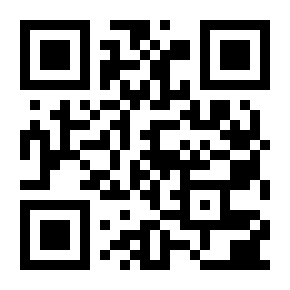
Delete 3 bit before:
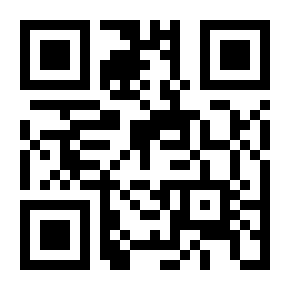
Delete 3 bit after:
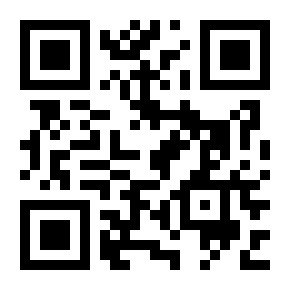
Delete 4 bit before:
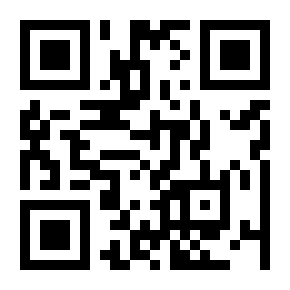
Delete 4 bit after:
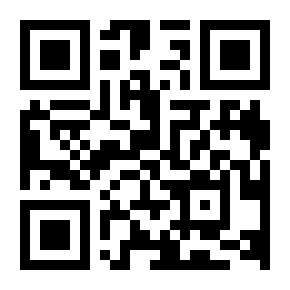
Delete 2 bit from the third:
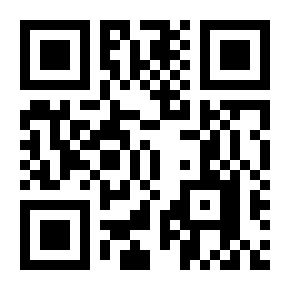
Delete 2 bit from the fourth:
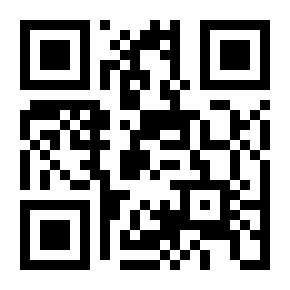
Quick insert and replace
Insert A before:
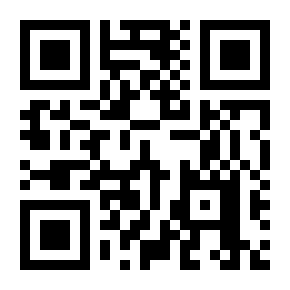
Insert A after:
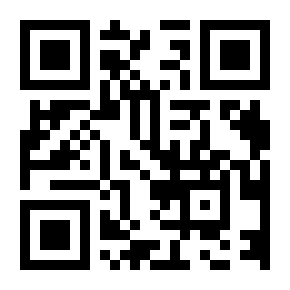
Insert A from the second:
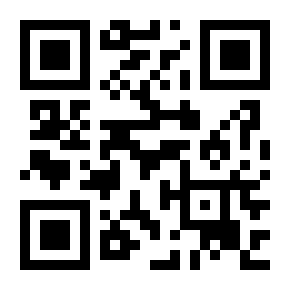
Insert AB from the third:
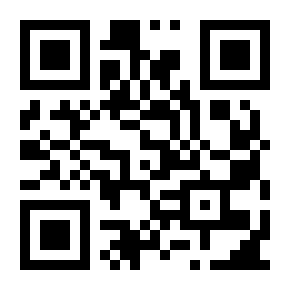
'A' replaces '1':
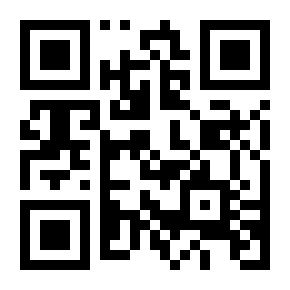
''AB replaces '1':
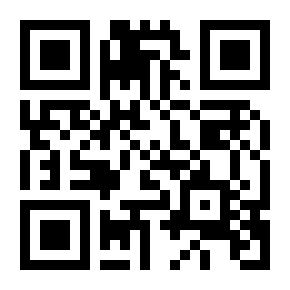
Clear Quick delete character Settings:
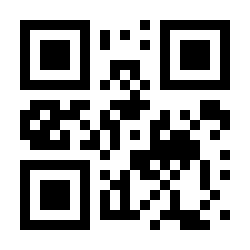
Clear Quick insert character Settings:
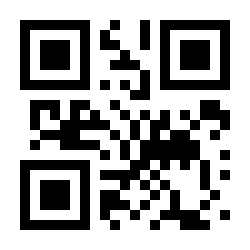
Clear Quick replaces character Settings:
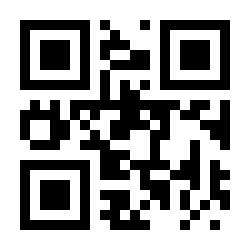
Prefixes and suffixes — ready sequences
Each sequence below is scanned top to bottom. Characters come from the ASCII barcode table.
Add the "~" character as a prefix
- Insert Characters · 2. All barcode types · 3. Group 1 · 4. Before barcode · 5. ASCII 126 (~) · 6. Save Settings
Insert Characters:
All barcode types:
Group 1:
Before barcode (position):
126 ~:
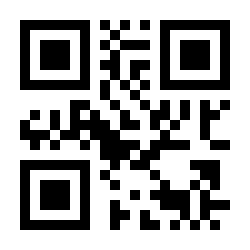
Save Settings:
Add the ">" character as a prefix
- Insert Characters · 2. ASCII 000 (position: before barcode) · 3. ASCII 062 (>) · 4. Save Settings
Insert Characters:
Before barcode (position):
062 >:
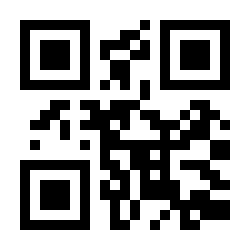
Save Settings:
Add Enter (CR) as an extra suffix
- Insert Characters · 2. Group 2 · 3. After barcode · 4. ASCII 013 (CR/Enter) · 5. Save Settings
Insert Characters:
Group 2:
After barcode (position):
013 CR/ENTER:
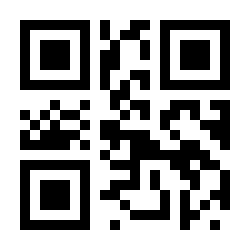
Save Settings:
Add the "!" character as a suffix
- Insert Characters · 2. All barcode types · 3. Group 1 · 4. After barcode · 5. ASCII 033 (!) · 6. Save Settings
Insert Characters:
All barcode types:
Group 1:
After barcode (position):
033 !:
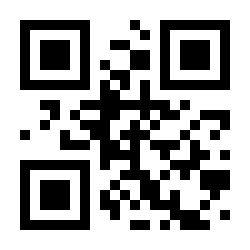
Save Settings:
Time system
The wireless series can stamp every scan with date and time (ideal with storage mode). Set the clock by scanning: Set Year Month Day → six ASCII digit codes (YY MM DD) → Save settings, then the same for Set Hour Minute Second:
Output time:
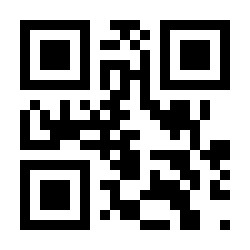
Set Year Month Day:
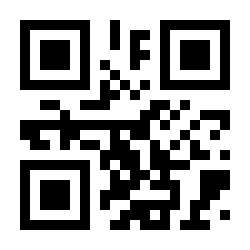
Set Hour Minute Second:
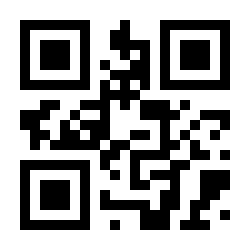
Date format:
default:2020.06.10:
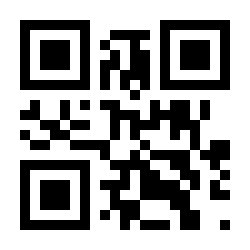
American:06.10.2020:
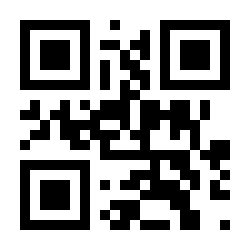
British:10.06.2020:
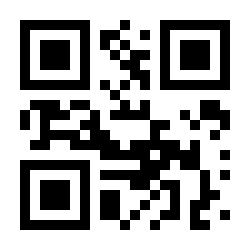
Date delimiter character “.”-default:
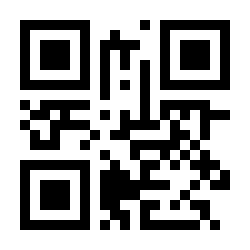
Date delimiter character “/”:
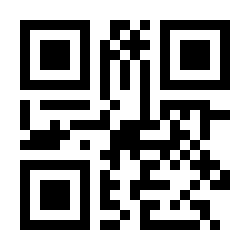
Time as prefix/suffix:
Time-prefix/suffix -OFF (default):
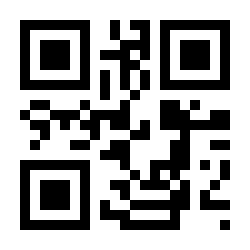
Time-prefix:
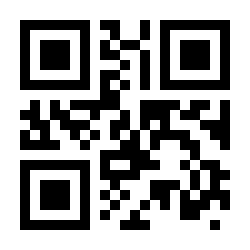
Time-suffix:
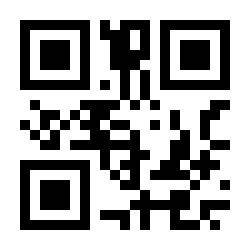
NUL+SOH=Time-OFF:
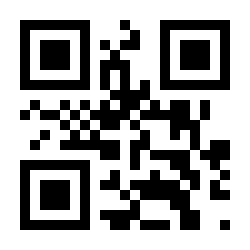
NUL+SOH=Time- ON (default):
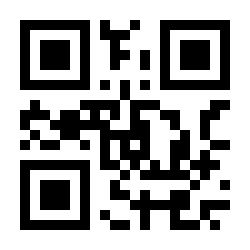
Troubleshooting a misreading scanner
If the scanner outputs wrong or garbled characters, scan these four codes in order, then test again:
Enable setup-code scanning (default):
Disable Code ID (default):
Misread fix — reset code:
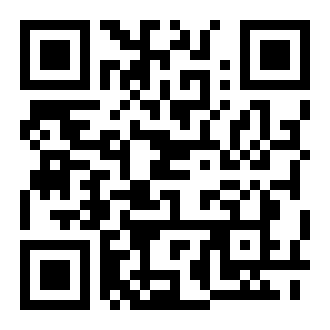
Disable Code 32:
If characters are still wrong: set the keyboard layout matching your system (Appendix below) and select a slower HID speed.
LED and buzzer signals
| Signal | Meaning |
|---|---|
| Blue LED on | Bluetooth mode / dongle working |
| Green LED on | 2.4 GHz mode |
| Red LED flashing while charging | Charging in progress |
| Red LED off while plugged in | Charging complete |
| Three red flashes at start | Battery low (below 20%) — charge the scanner |
| "Di-di-di" at start | Scanner started |
| "Di---en" after a scan | Upload failed — check pairing and interface mode |
ASCII barcode table
Scannable codes for every ASCII character — used by data editing, length settings and the time system. The number is the decimal ASCII value (e.g. 013 = CR/Enter, 032 is entered with code 000 NUL/SP):
001 SOH:
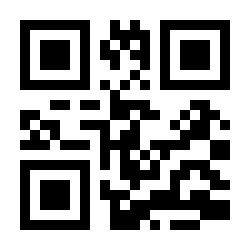
002 STX:
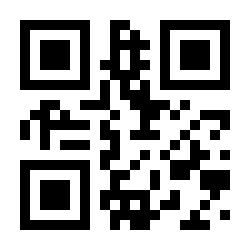
003 ETX:
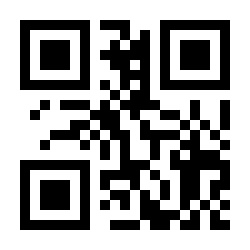
004 EOT:
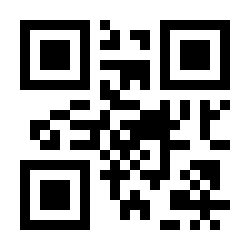
005 ENQ:
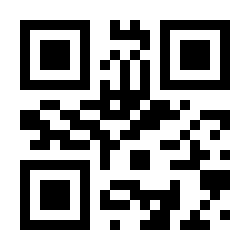
006 ACK:
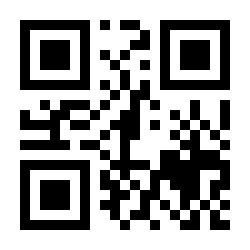
007 BEL:
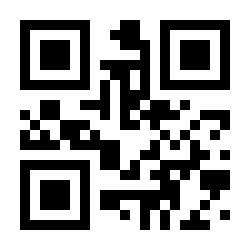
008 Back Space:
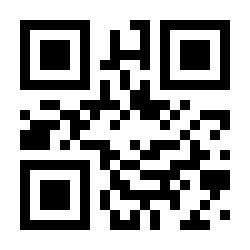
009 HT/TAB:
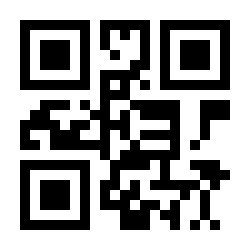
010 LF:
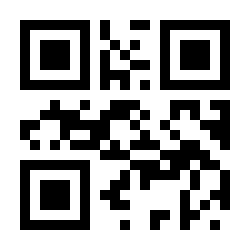
011 VT:
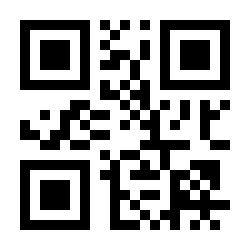
012 FF:
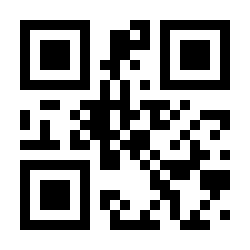
013 CR/ENTER:
014 SO:
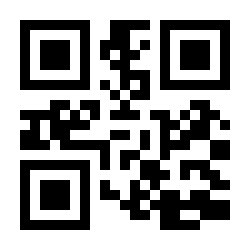
015 SI:
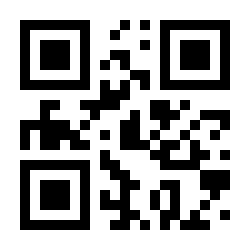
016 DLE:
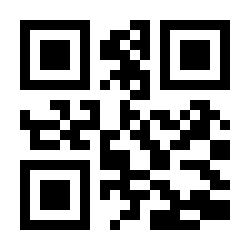
017 DC1:
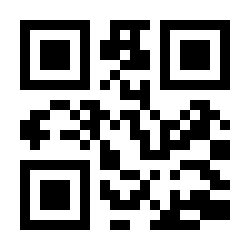
018 DC2:
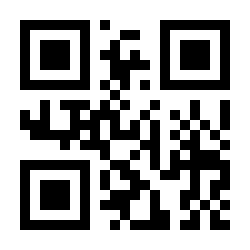
019 DC3:
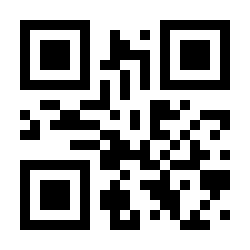
020 DC4:
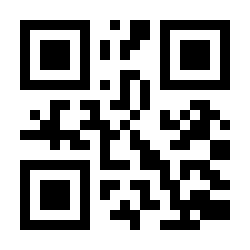
021 NAK:
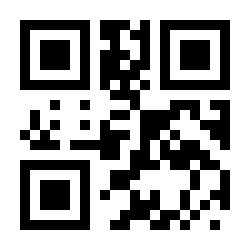
022 SYN:
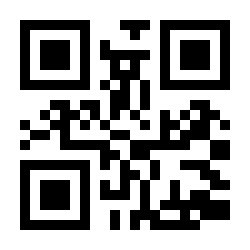
023 ETB:
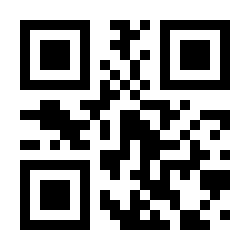
024 CAN:
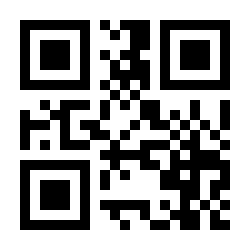
025 EM:
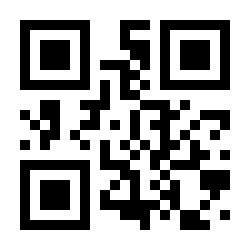
026 SUB:
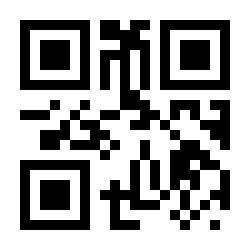
027 ESC:
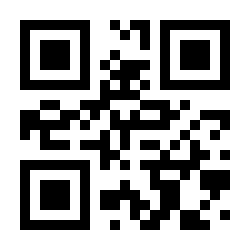
028 FS:
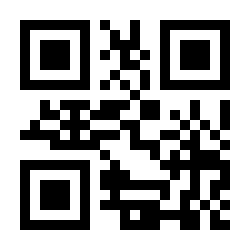
029 GS:
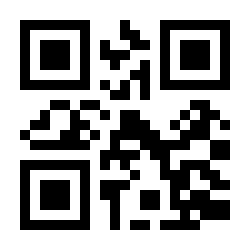
030 RS:
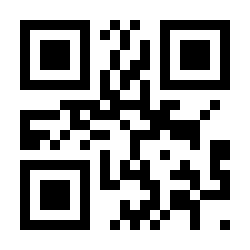
031 US:
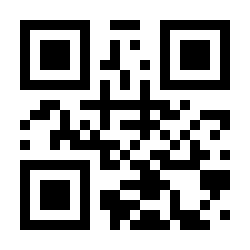
032 SP:
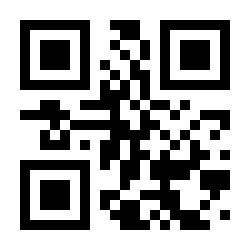
033 !:
034 ":
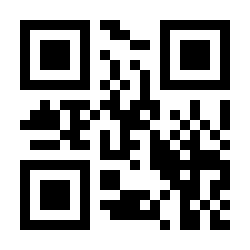
035 #:
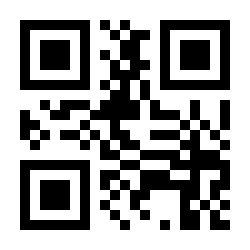
036 $:
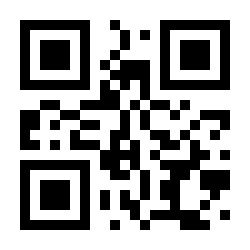
037 %:
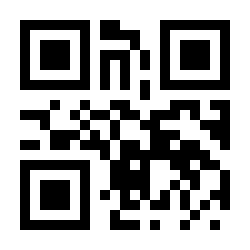
038 &:
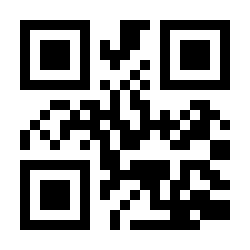
039 ':
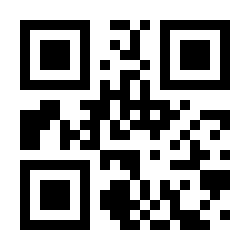
040 (:
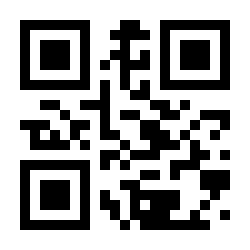
041 ):
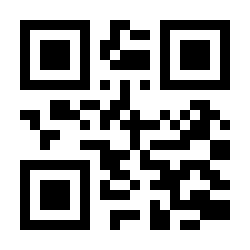
042 (default):
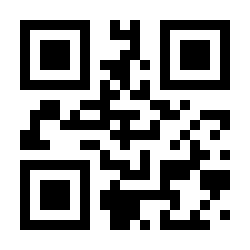
043 +:
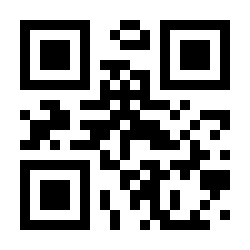
044 ,:
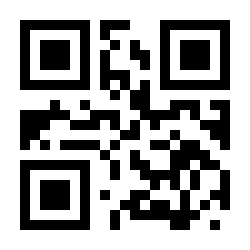
045:
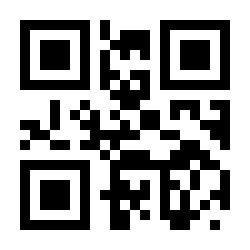
046 .:
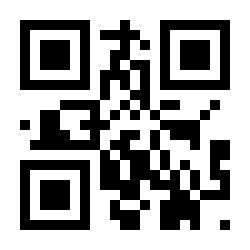
047 /:
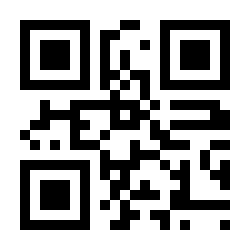
048 0:
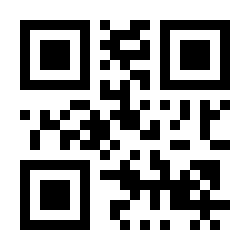
049 1:
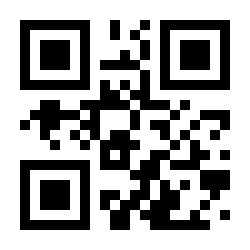
050 2:
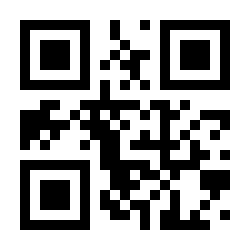
051 3:
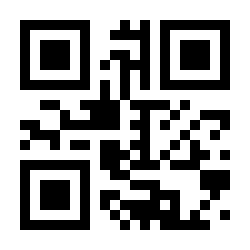
052 4:
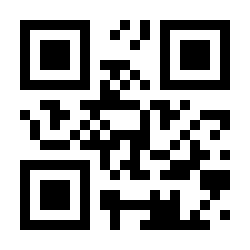
053 5:
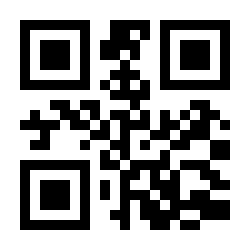
054 6:
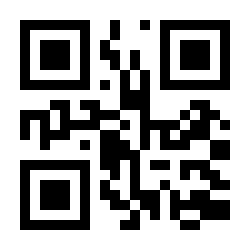
055 7:
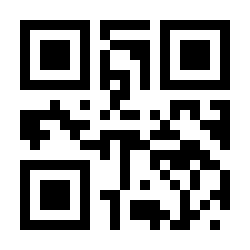
056 8:
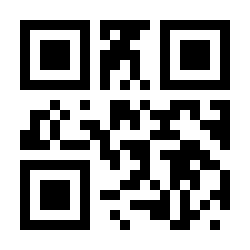
057 9:
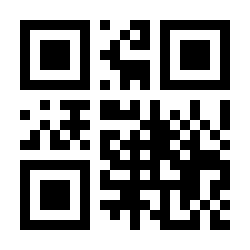
058 ::
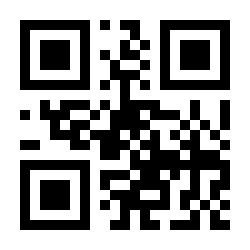
059 ;:
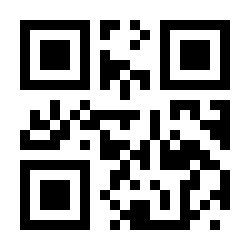
060 <:
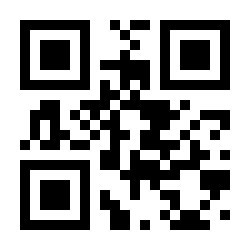
061 =:
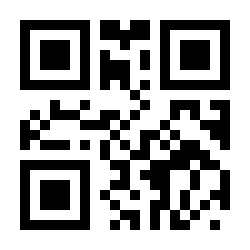
062 >:
063 ?:
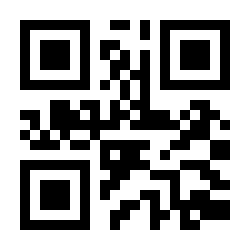
064 @:
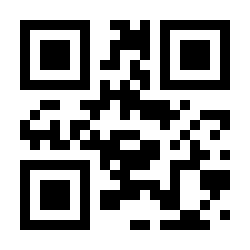
065 A:
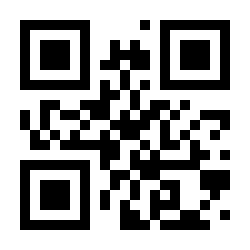
066 B:
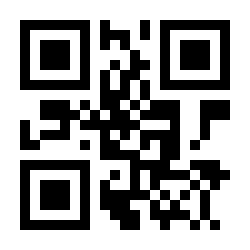
067 C:
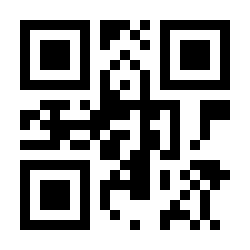
068 D:
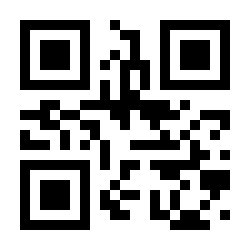
069 E:
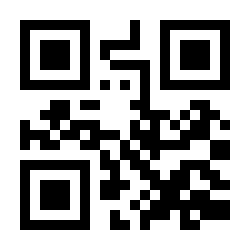
070 F:
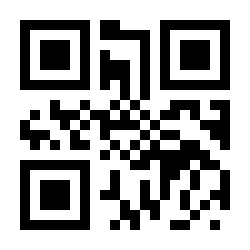
071 G:
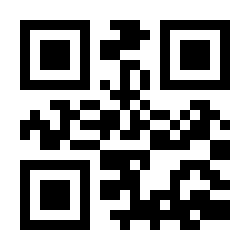
072 H:
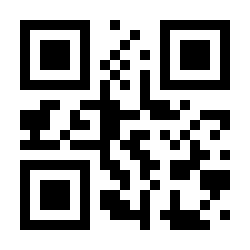
073 I:
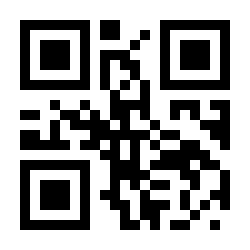
074 J:
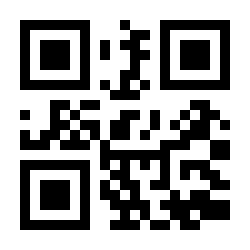
075 K:
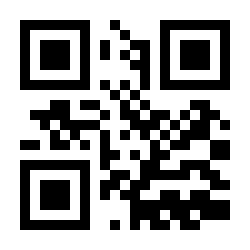
076 L:
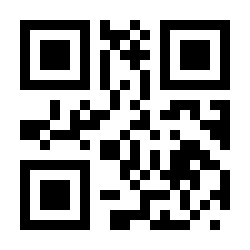
077 M:
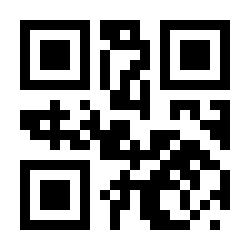
078 N:
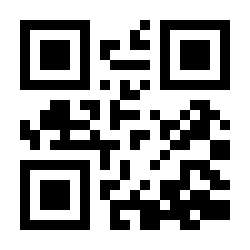
079 O:
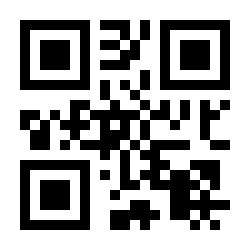
080 P:
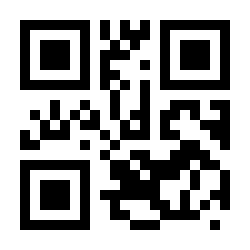
081 Q:
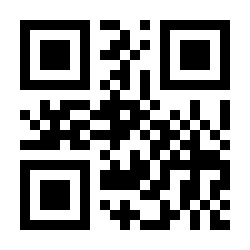
082 R:
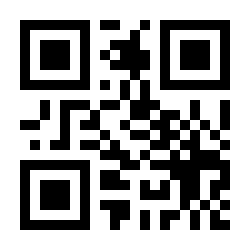
083 S:
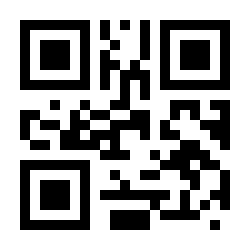
084 T:
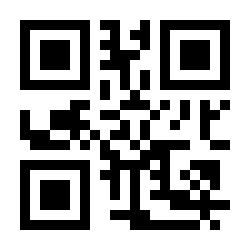
085 U:
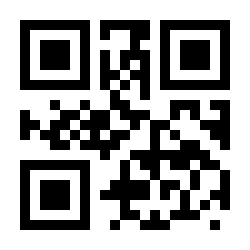
086 V:
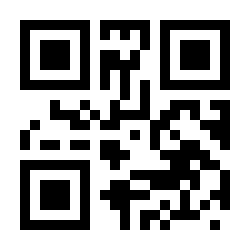
087 W:
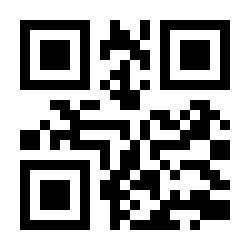
088 X:
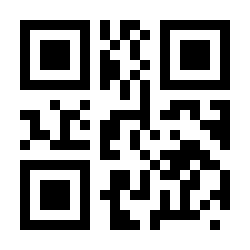
089 Y:
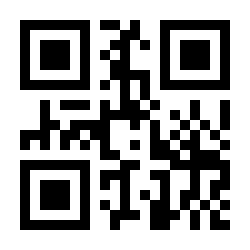
090 Z:
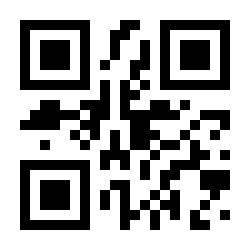
091 [:
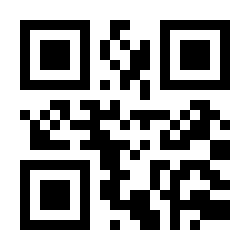
**092 **:
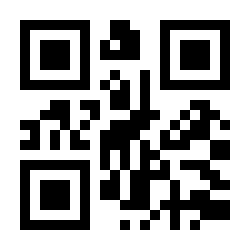
093 ]:
![Code: 093 ]](/img/products/HD-LR66/codes/ascii-093.svg)
094 ^:
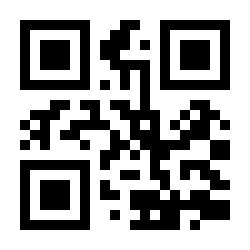
095 _:
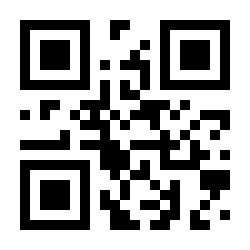
096 `:
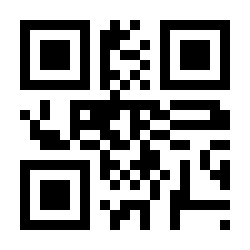
097 a:
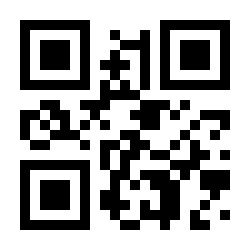
098 b:
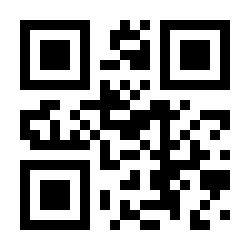
099 c:
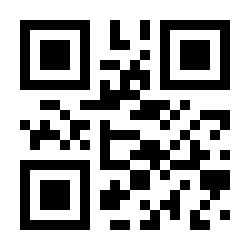
100 d:
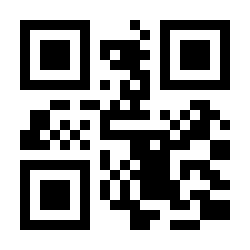
101 e:
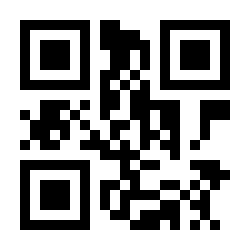
102 f:
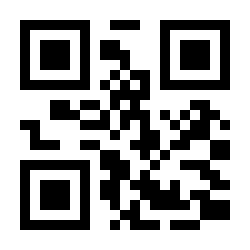
103 g:
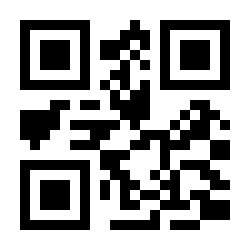
104 h:
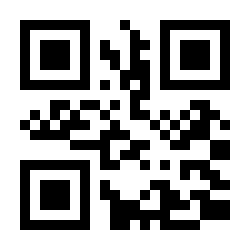
105 i:
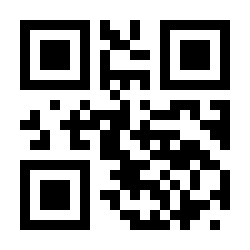
106 j:
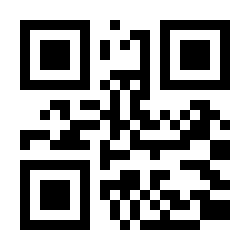
107 k:
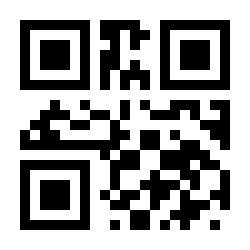
108 l:
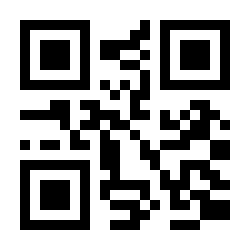
109 m:
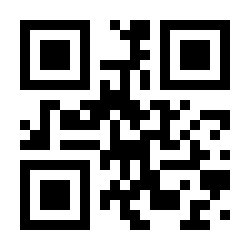
110 n:
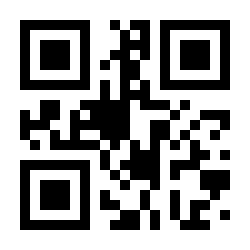
111 o:
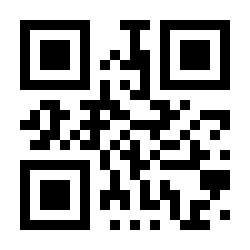
112 p:
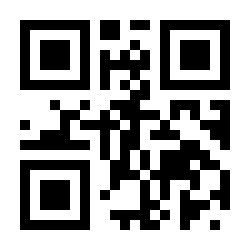
113 q:
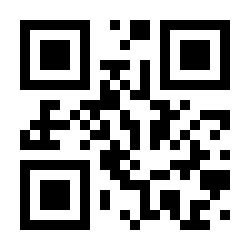
114 r:
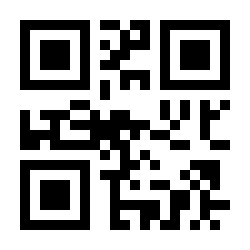
115 s:
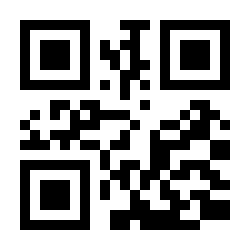
116 t:
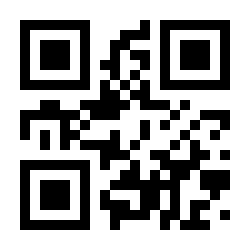
117 u:
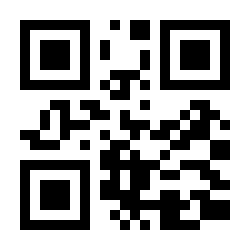
118 v:
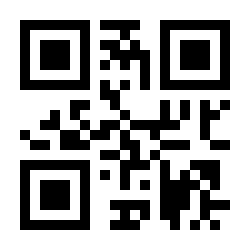
119 w:
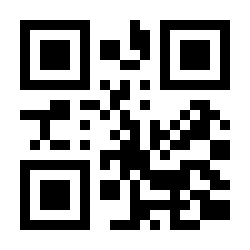
120 x:
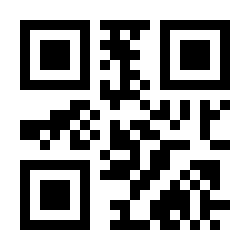
121 y:
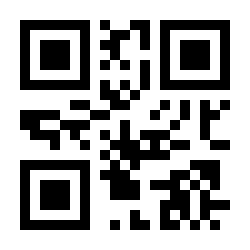
122 z:
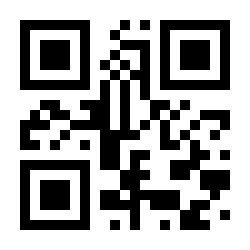
123 {:
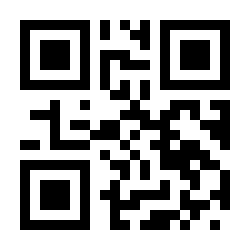
124 |:
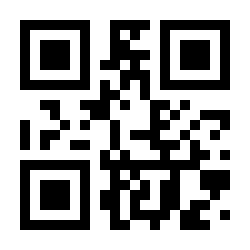
125 }:
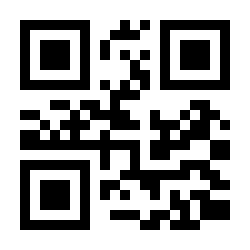
126 ~:
127 DEL:
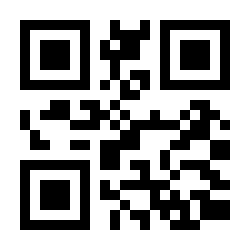
128 F1:
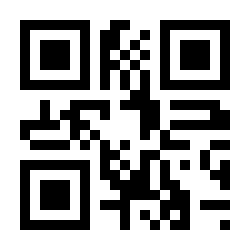
129 F2:
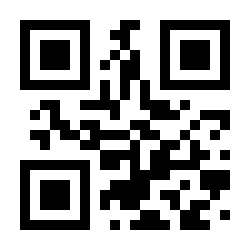
130 F3:
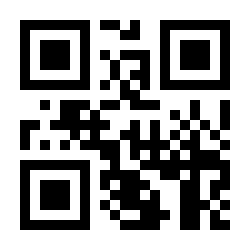
131 F4:
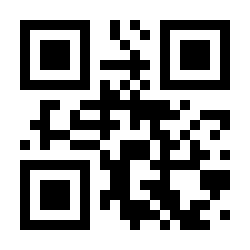
132 F5:
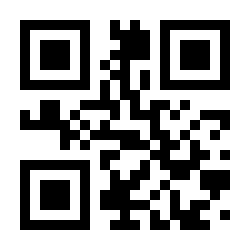
133 F6:
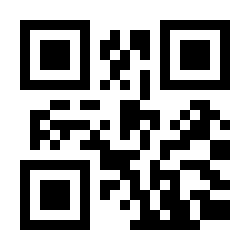
134 F7:
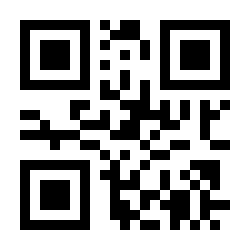
135 F8:
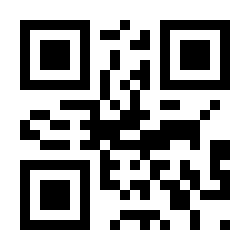
136 F9:
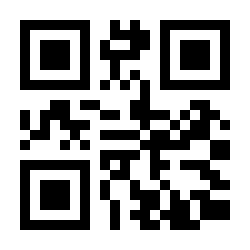
137 F10:
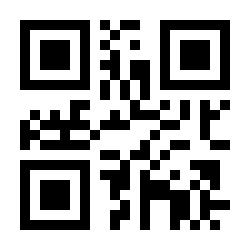
138 F11:
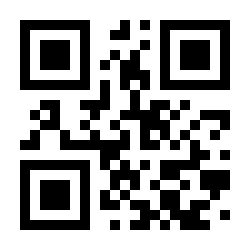
139 F12:
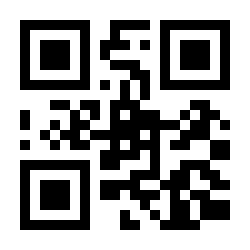
140 l_Shift on:
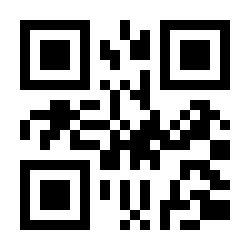
141 l_Shift off:
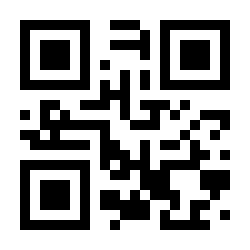
142 r_Shift on:
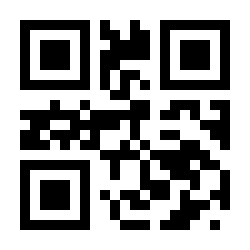
143 r_Shift off:
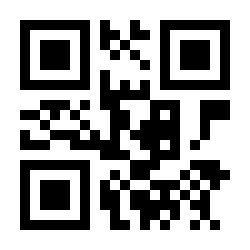
144 l_Alt on:
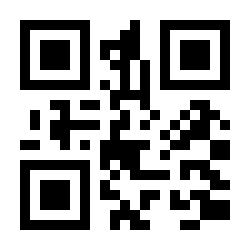
145 l_Alt off:
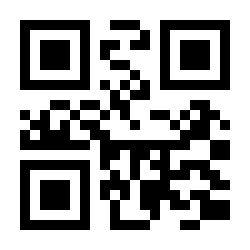
146 r_Alt on:
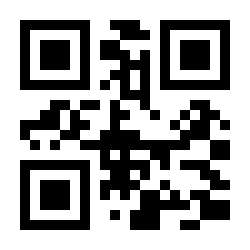
147 r_Alt off:
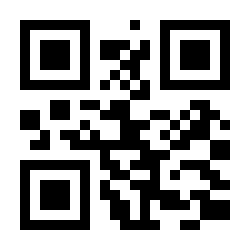
148 l_Ctrl on:
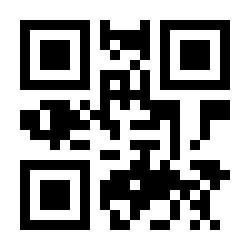
149 l_Ctrl off:
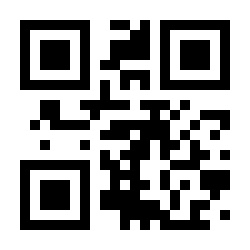
150 r_Ctrl on:
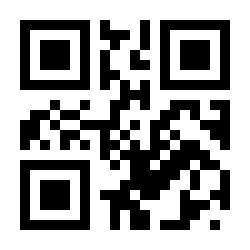
151 r_Ctrl off:
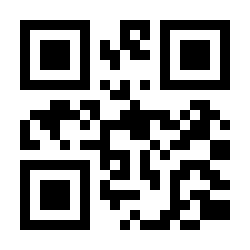
152 /(KP):
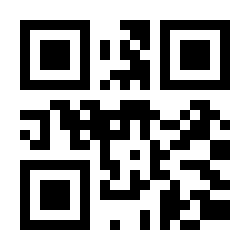
153 (KP) (default):
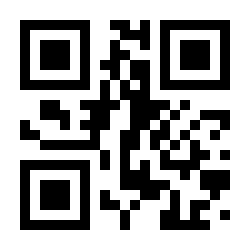
154 -(KP):
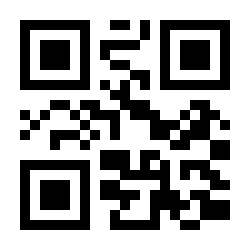
155 +(KP):
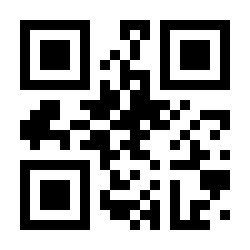
156 _(KP):
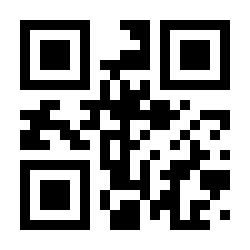
157 Enter(KP):
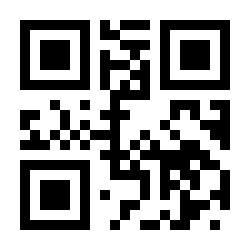
158 0(KP):
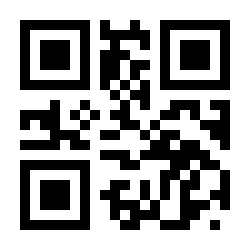
159 1(KP):
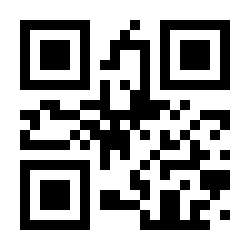
160 2(KP):
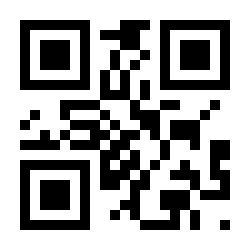
161 3(KP):
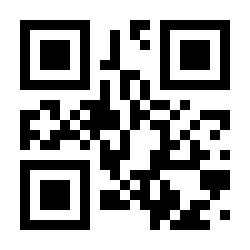
162 4(KP):
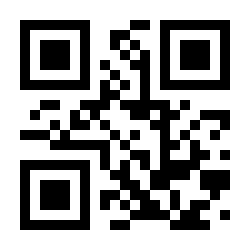
163 5(KP):
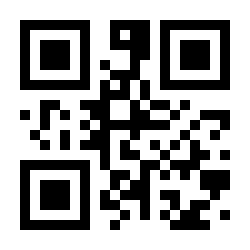
164 6(KP):
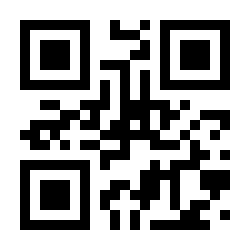
165 7(KP):
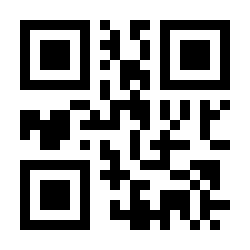
166 8(KP):
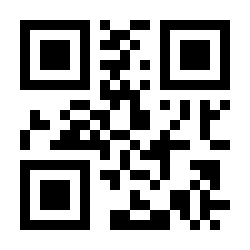
167 9(KP):
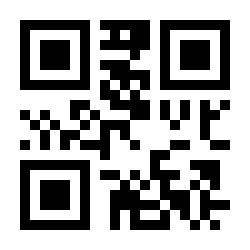
168 Inert:
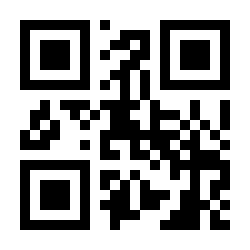
169 Delete:
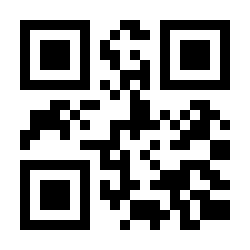
170 Home:
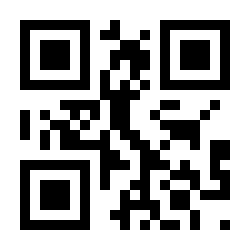
171 End:
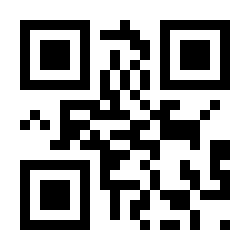
172 Page Up:
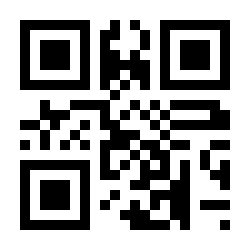
173 Page Down:
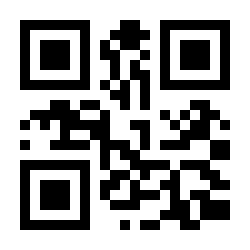
174 Up:
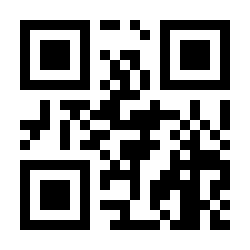
175 Down:
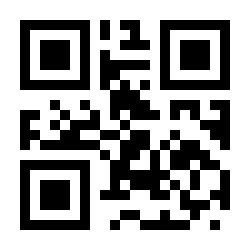
176 Left:
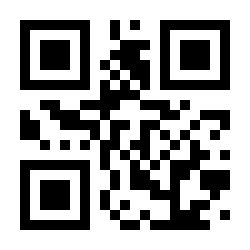
177 Right:
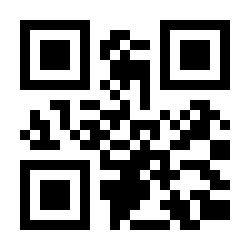
178 Center:
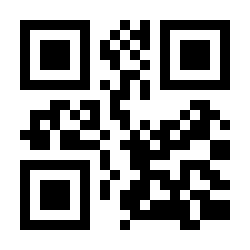
179 Insert:
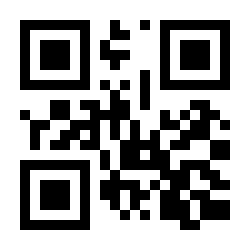
180 Delete:
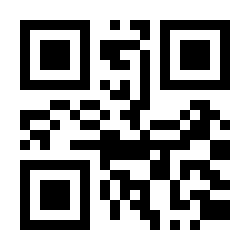
181 Home:
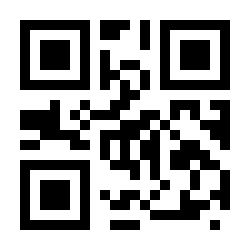
182 End:
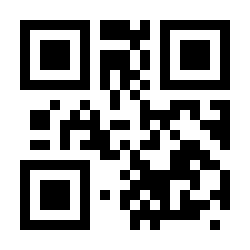
183 Page Up:
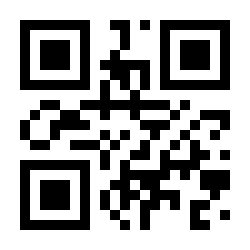
184 Page Down:
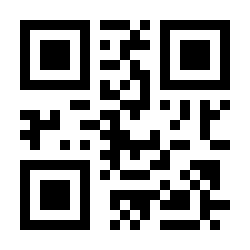
185 Up:
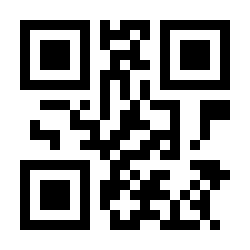
186 Down:
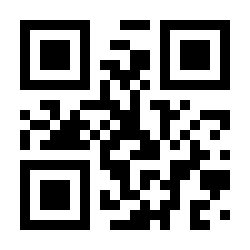
187 Left:
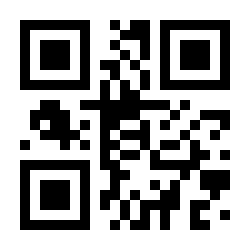
188 Right:
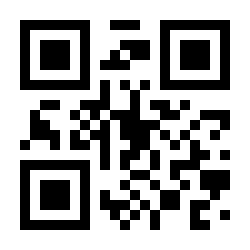
189 Center:
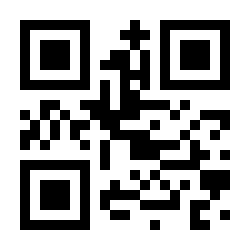
190 Num Lock:
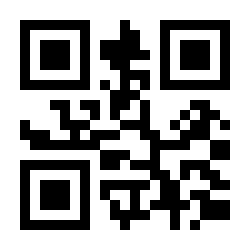
191 caps lock:
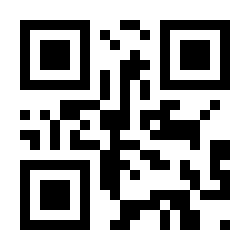
192 scroll lock:
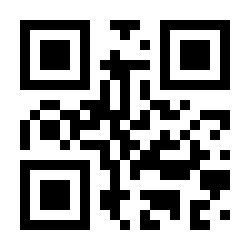
Keyboard layouts
In USB-HID mode the scanner supports 26 keyboard layouts (Appendix 3). Scan the code matching your system layout:
UNITED STATES:
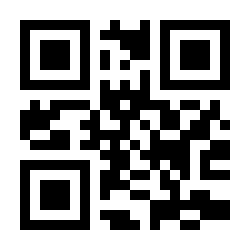
BELGIUM:
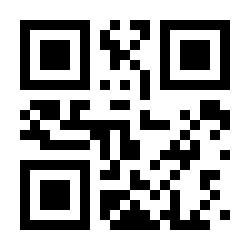
BRAZIL:
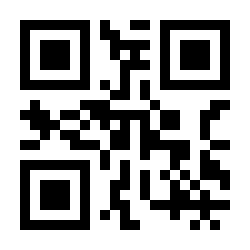
CANADIAN-FRENCH:
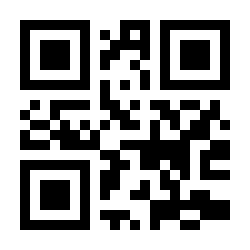
CROATIA:
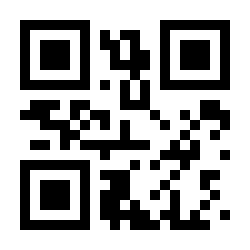
CZECHOSLOVAKIA (CZECH):
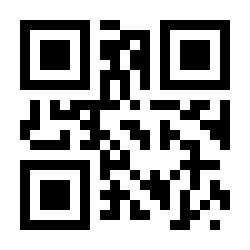
CZECHOSLOVAKIA (SLOVAK):
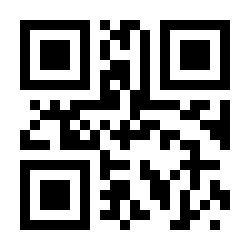
DENMARK:
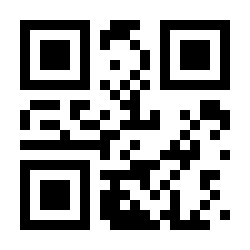
FINLAND:
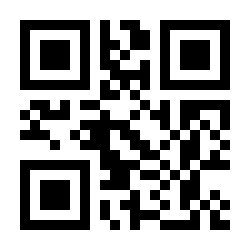
FRANCE:
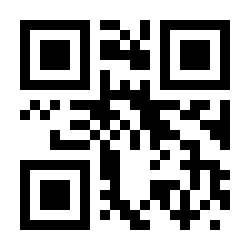
GERMANY:
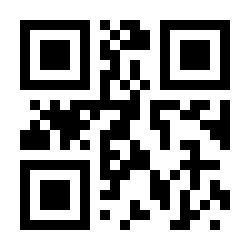
HUNGARY:
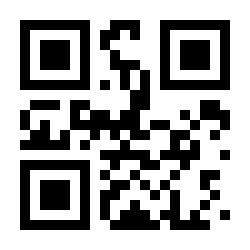
ITALY:
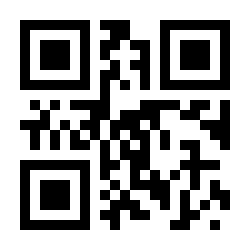
LATIN AMERICA:
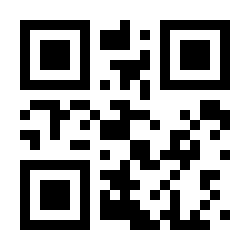
NETHERLANDS:
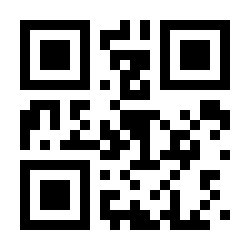
NORWAY:
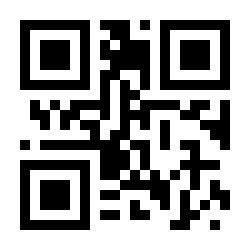
POLAND:
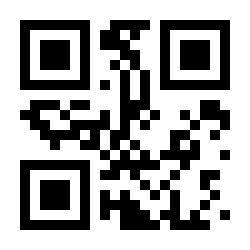
PORTUGAL:
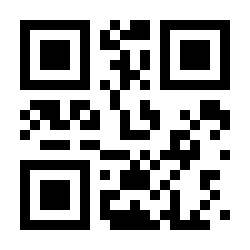
SERBIA/YUGOSLAVIA:
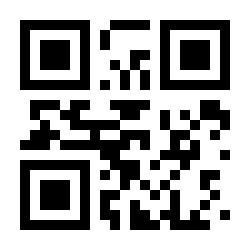
SLOVENIA:
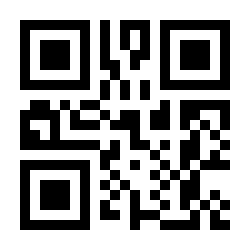
SPAIN:
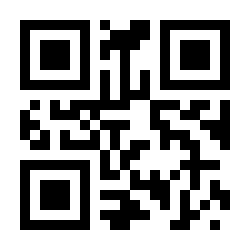
SWEDEN:
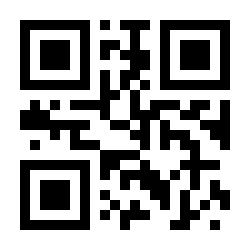
SWITZERLAND (FRENCH):
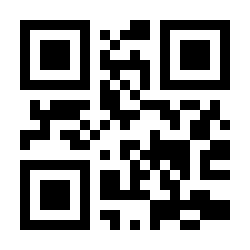
SWITZERLAND (GERMAN):
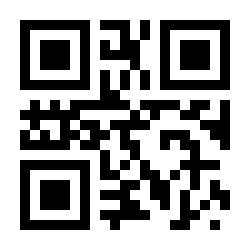
UNITED KINGDOM:
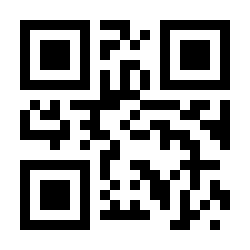
UNIVERSAL:
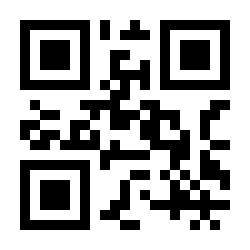
Frequently asked questions
Can the scanning sound be turned off on the HD-LR66?
The scanner is connected but no data arrives — what should I check?
What should I do when the HD-LR66 does not work properly after a Windows 10 update?
The scanner outputs wrong characters — how do I fix it?
How do I scan out of range of the receiver?
Downloads
The original PDF manuals are kept as archive documentation. Everything they contain is already on this page — use the PDFs only if you need an offline copy.