Compact stationary 1D laser presentation barcode scanner, USB, HDWR HD-S10
GTIN: 5905669434522 · SKU: HD-S10
Table of contents
Specifications
- Material: ABS + PC
- Light source: 650 nm laser
- Sensor: linear (laser)
- Scanning method: automatic (auto-sensing on code presentation)
- Scan confirmation: beep
- Reading rate: 200 scans/second
- Reading width: 100 mm
- Interface: USB
- Ingress protection: IP52
- Device dimensions: 6.9 × 5 × 2.1 cm
- Device weight: 100 g
- Package dimensions: 12.4 × 9 × 4 cm
- Weight with packaging: 150 g
- Operating temperature: 0 to 45 °C
- Storage temperature: −20 to 60 °C
- Operating humidity: 5 to 95%
- Storage humidity: 5 to 95%
- Readable 1D codes: EAN-8, EAN-13, UPC-A, UPC-E, Code 128, Code 39, Code 93, Code 11, GS1 DataBar, Industrial 2 of 5, IATA 2 of 5, Matrix 2 of 5, Chinese 2 of 5, Codabar, MSI Plessey
Set contents
- Stationary laser barcode scanner
- USB cable
- User manual
Features
- Fast 1D laser scanning: 650 nm laser reads all major 1D barcodes at 200 scans per second
- Presentation (hands-free) mode: auto-senses a code brought in front of it and reads it without pressing a button
- Compact desktop design: small footprint ideal for point-of-sale and reception counters
- Plug and play: connects over USB as a standard HID keyboard — no drivers required
- Configurable: buzzer, terminator, letter case, trigger mode, keyboard language, prefix/suffix and per-symbology settings
Configuration codes
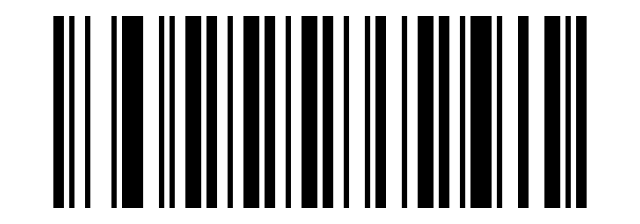
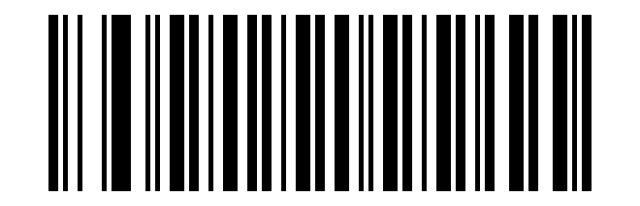
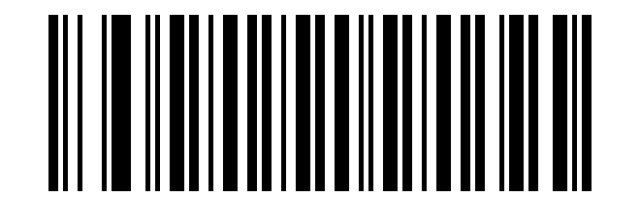
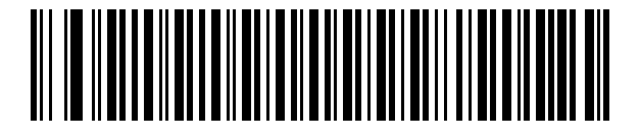
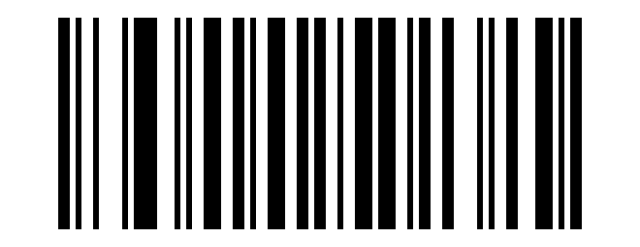
To change a setting, scan the corresponding configuration barcode below directly with the scanner. For a setting that needs a value (for example a custom prefix or suffix), scan the option code and then the character codes from the barcode data table in the appendix.
💡 Tip: print this page ("Download this page as PDF" button above) to keep the codes at hand during configuration.
Restore defaults
Factory Setting:
Buzzer
Beep off:
Volume:
Terminator (end mark)
TAB:
None LF+CR:
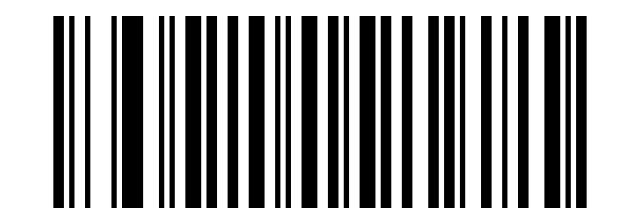
CR:
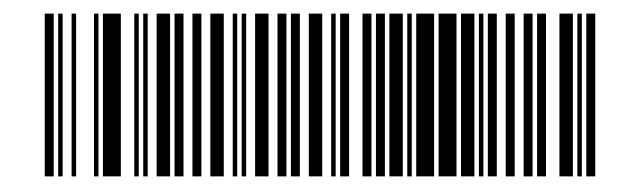
LF+CR:
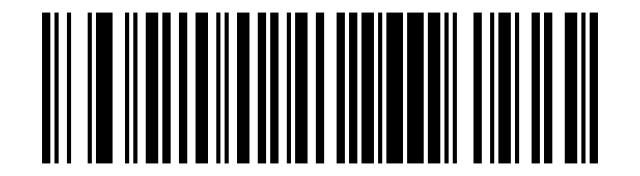
Letter case
No Swap (default):
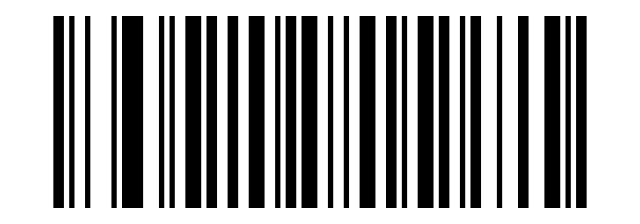
All Capital:
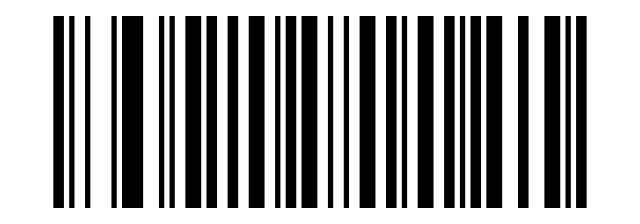
All Lowercase:
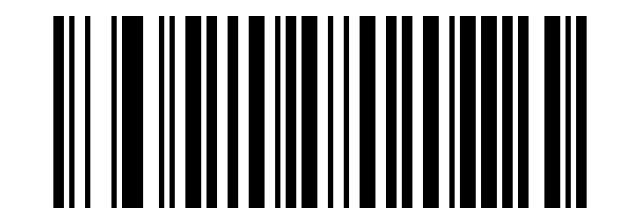
Capital/lowercase replacement:
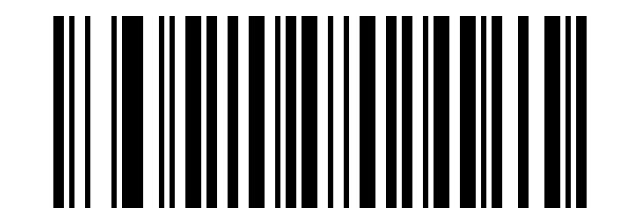
Trigger / scan mode
Continuous Mode White in black:
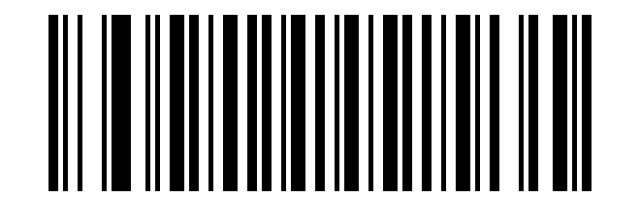
Auto:
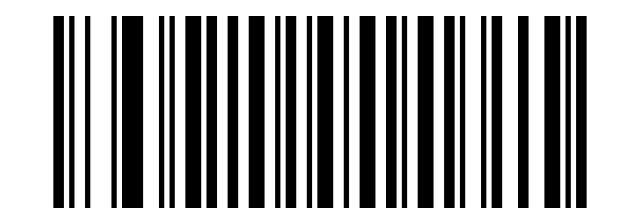
Reverse (inverse) code reading
White in black background:
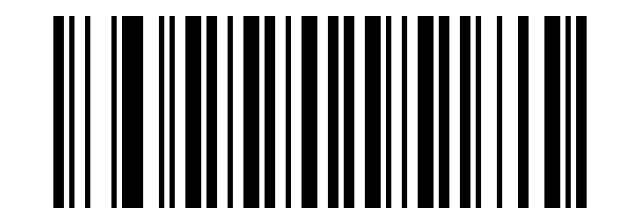
White in black background:
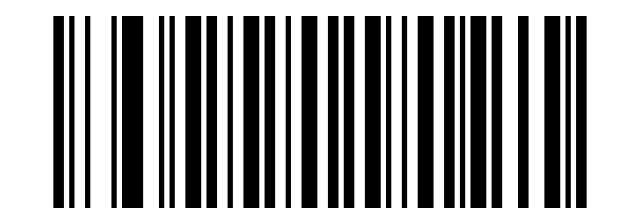
Symbology settings
UPC-A
UPCA:
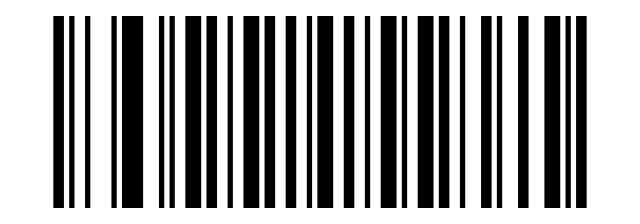
UPCA:
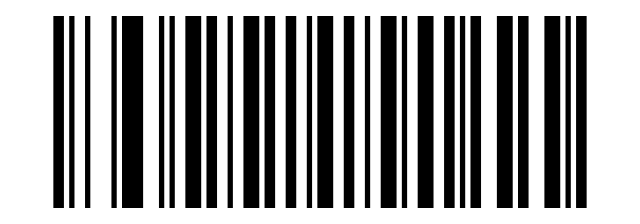
UPCA to EAN13:
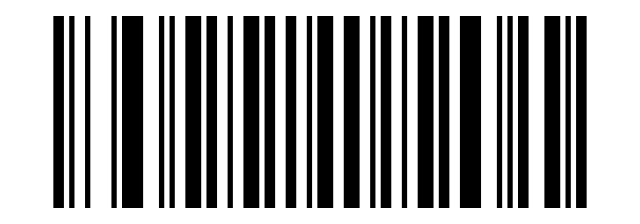
UPCA to EAN13:
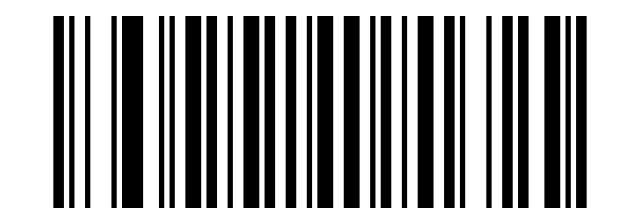
UPCA System Digit:
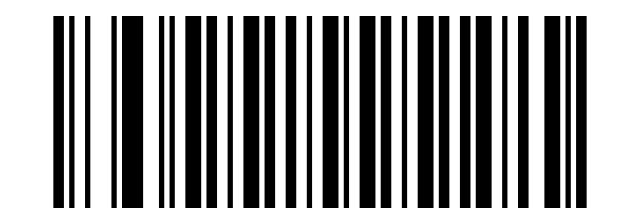
UPCA System Digit:
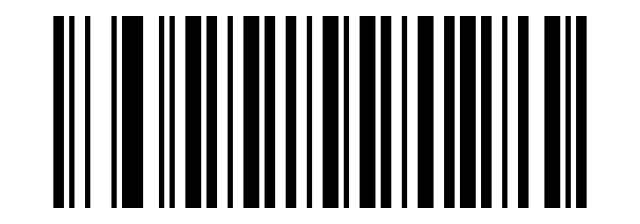
UPCA Check Digit:
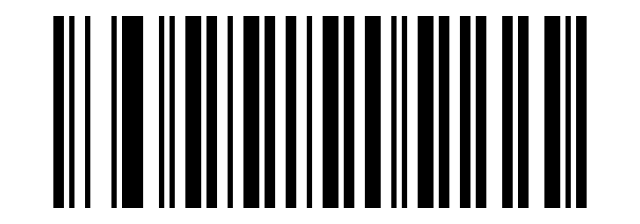
UPCA Check Digit:
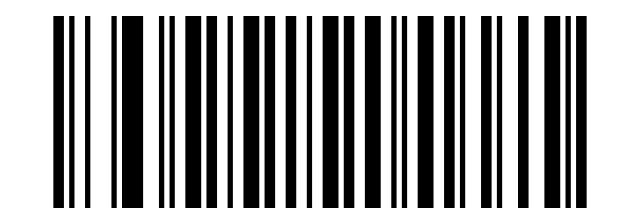
UPC-E
UPCE:
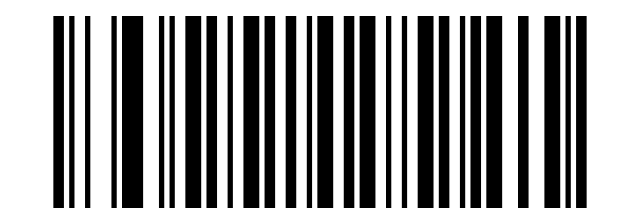
UPCE:
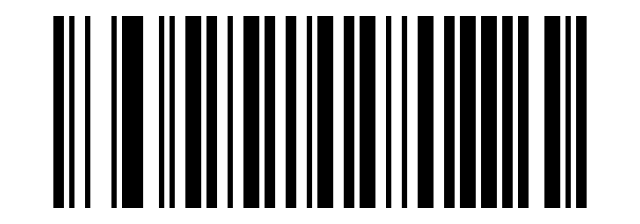
UPCE to UPCA:
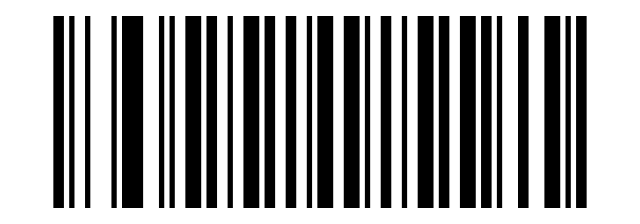
UPCE to UPCA:
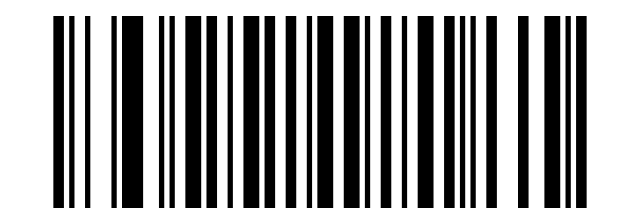
UPCE System Digit:
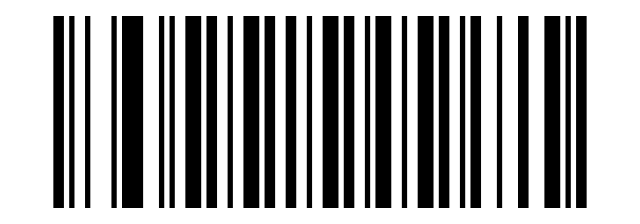
UPCE System Digit:
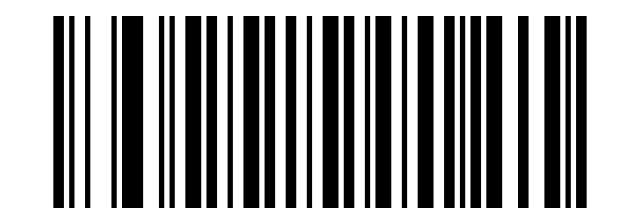
UPCE Check Digit:
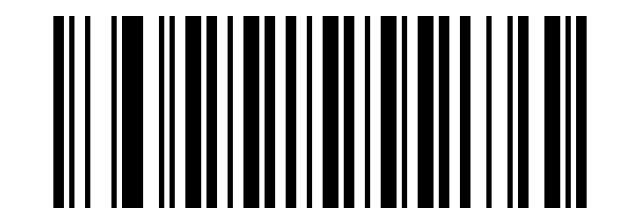
UPCE Check Digit:
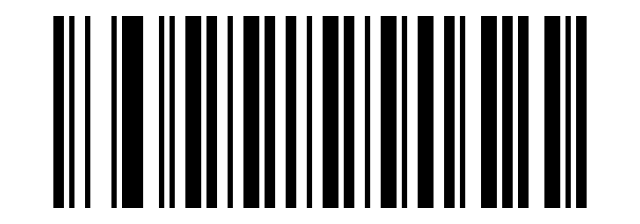
EAN-8
EAN8:
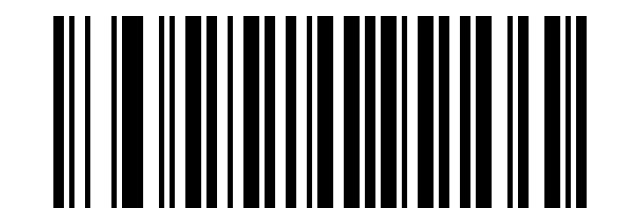
EAN8:
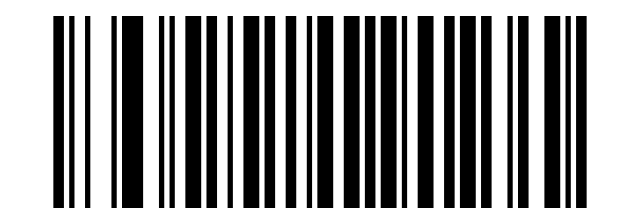
EAN8 System Digit:
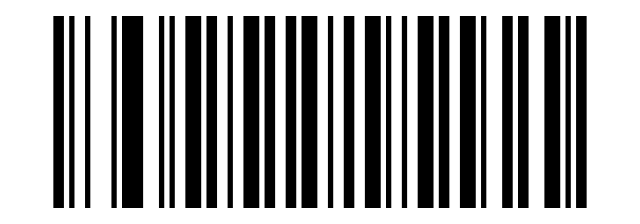
EAN8 System Digit:
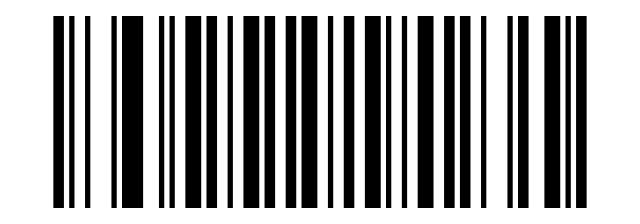
EAN8 Check Digit:
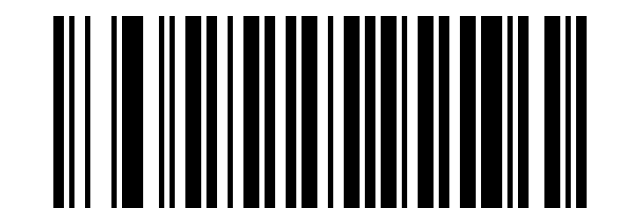
EAN8 Check Digit:
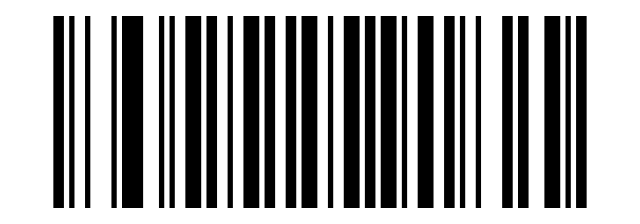
EAN-13
EAN13:
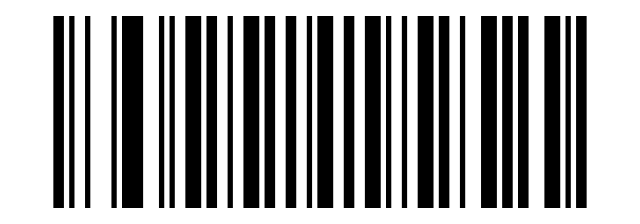
EAN13:
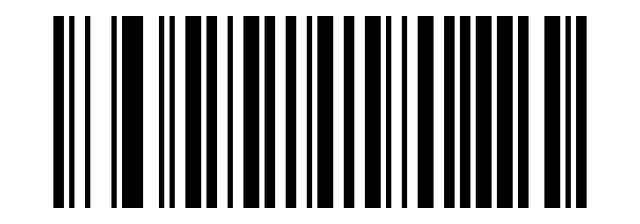
EAN13 Check Digit:
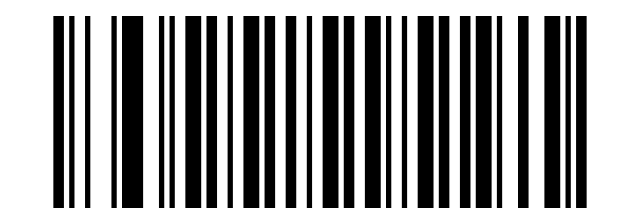
EAN13 Check Digit:
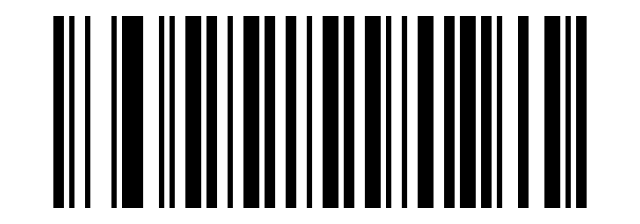
Extra Code:
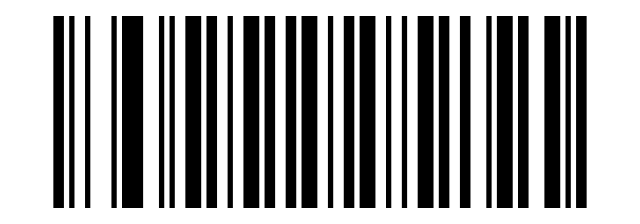
2 Extra Code 2 or 5 Extra Code:
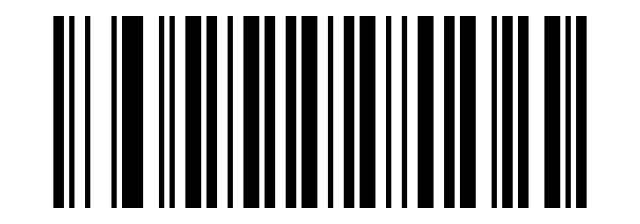
5 Extra Code Extra Code:
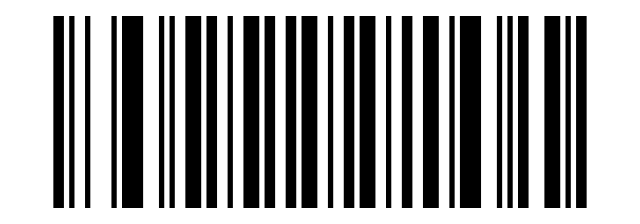
2 or 5 Extra Code:
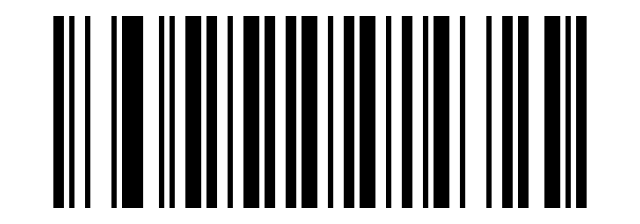
ISBN
EAN13 to ISBN:
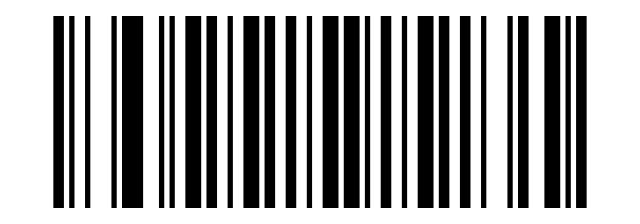
EAN13 to ISBN:
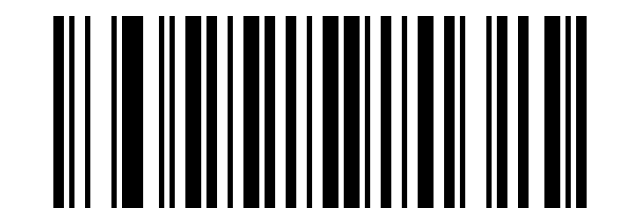
ISSN
EAN13 to ISSN:
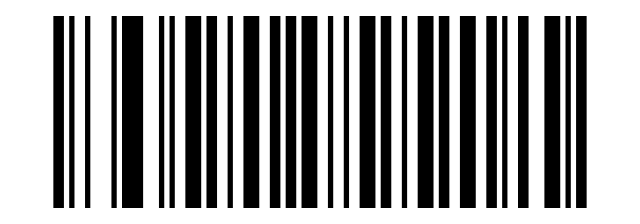
EAN13 to ISSN:
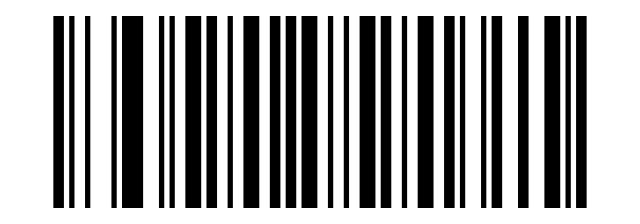
Code 39
CODE39:
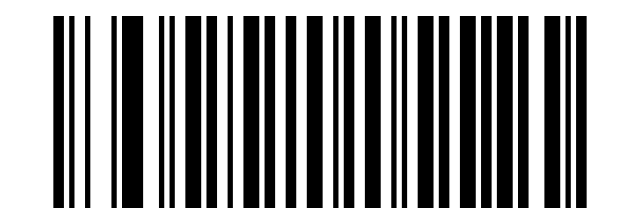
CODE39:
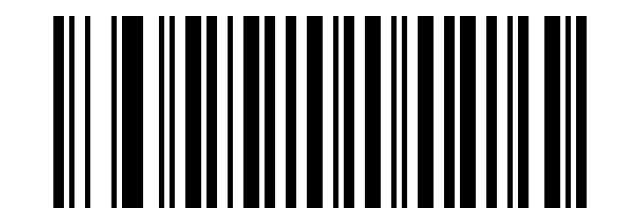
Full ASCII:
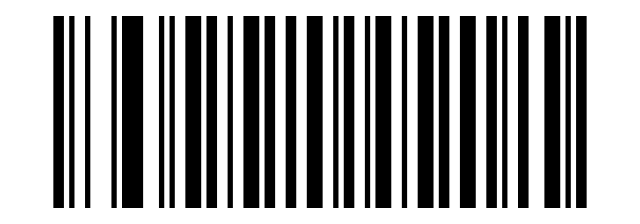
Full ASCII:
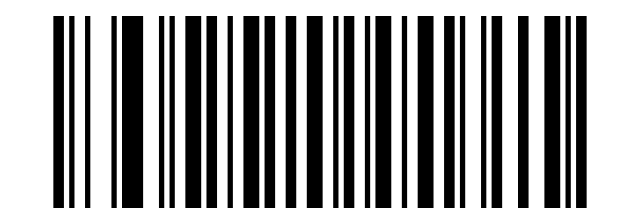
CODE39 MOD43:
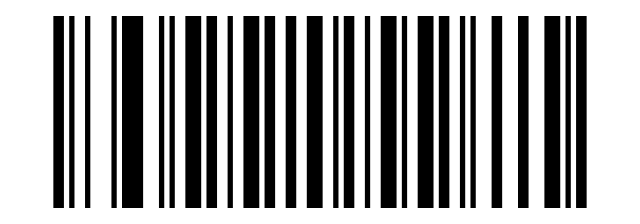
CODE39 MOD43:
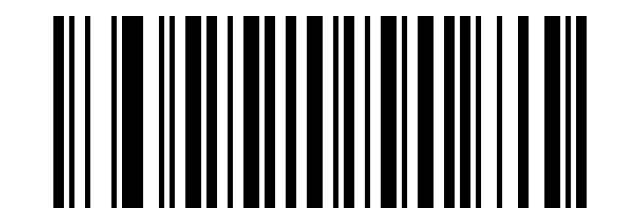
Do Not Transmit Check Character Verification:
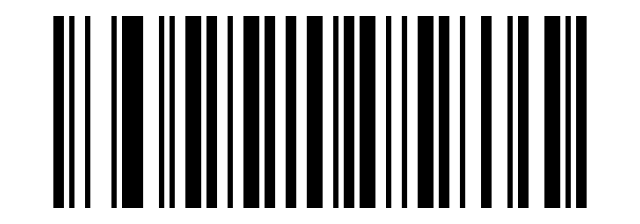
Transmit Check Character Verification:
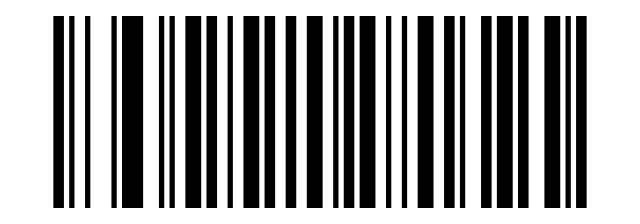
Output Start&End Digit:
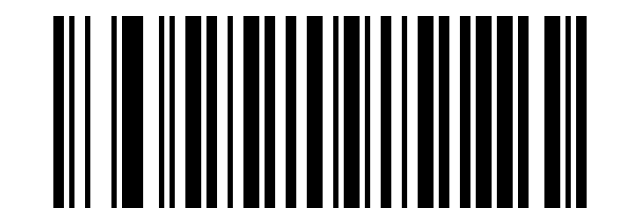
Output Start&End Digit:
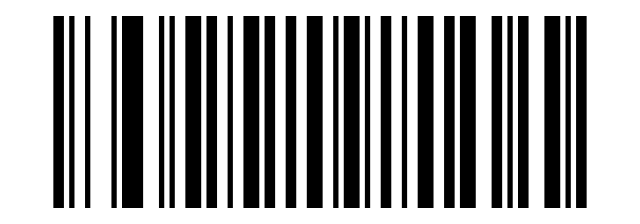
Code 32
CODE32:
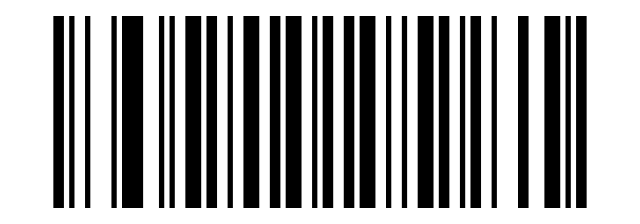
CODE32:
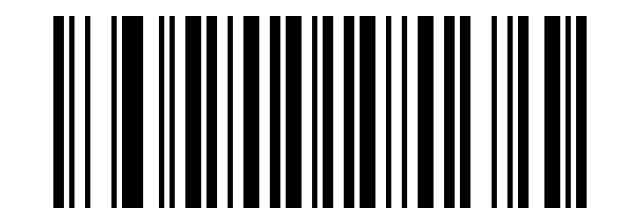
Code 128
CODE128:
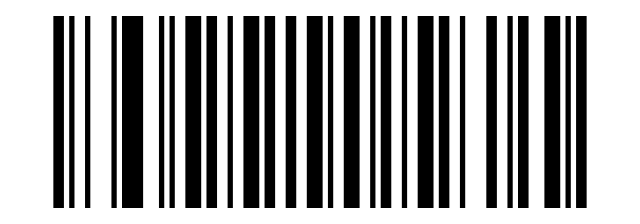
CODE128:
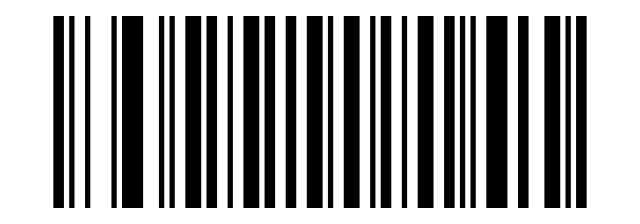
CODE128 Check Digit:
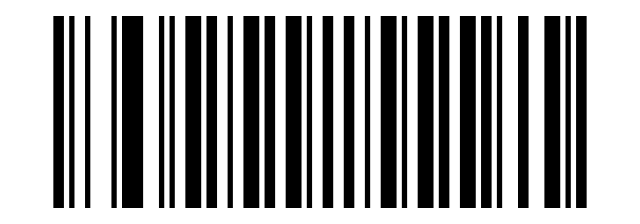
CODE128 Check Digit:
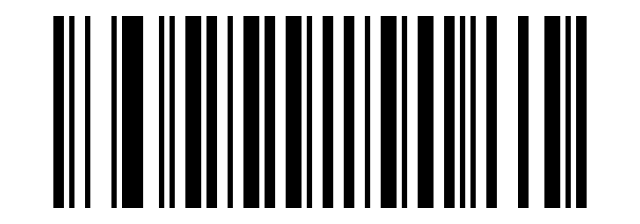
Code 93
CODE93:
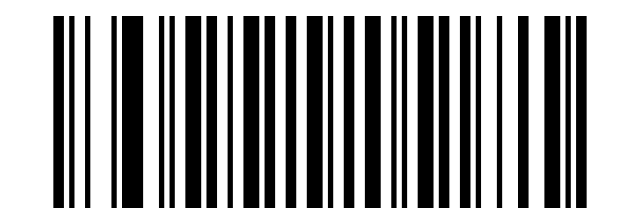
CODE93:
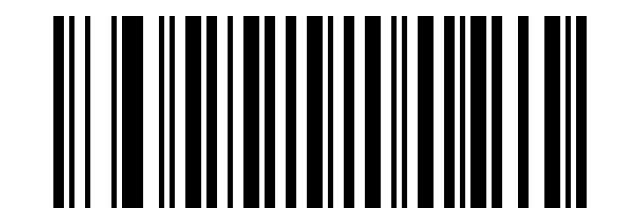
Do Not Transmit Check Character After Verification:
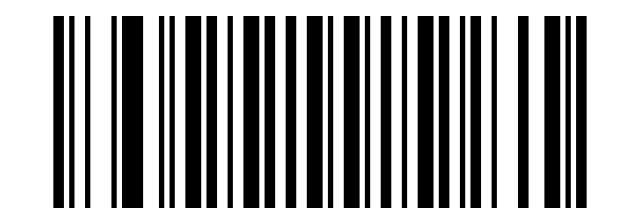
Transmit Check Character After Verification:
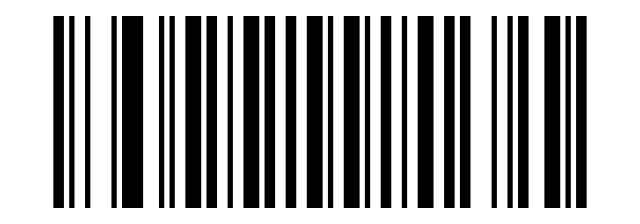
CODE93 MOD47:
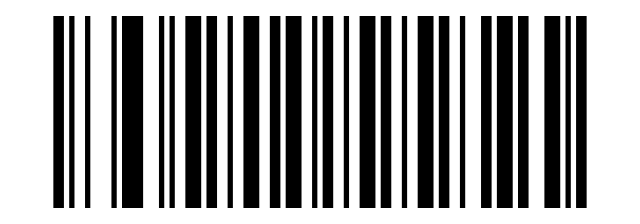
CODE93 MOD47:
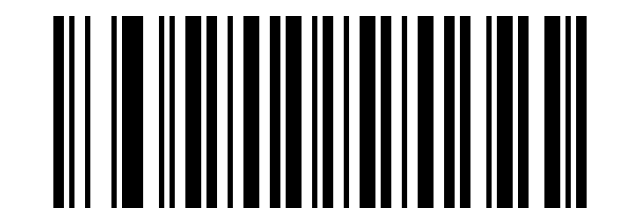
Keyboard language and data formatting
Keyboard language
UNITED STATES(English:
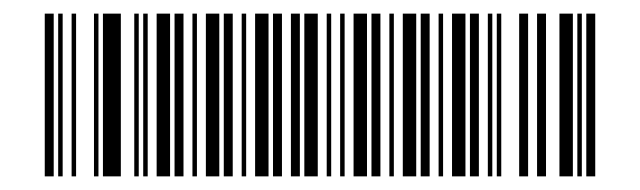
CANADA (French):
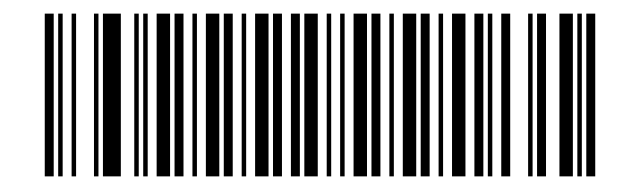
NETHERLANDS (Dutch):
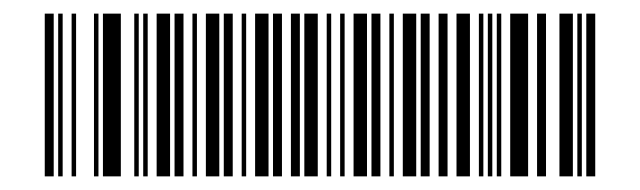
SPAIN (Spanish:
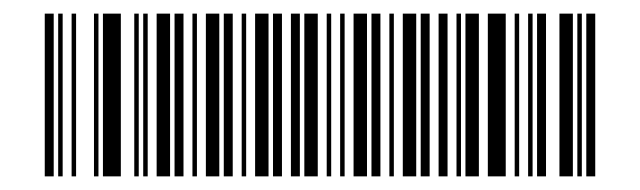
ARGENTINA (Latin American:
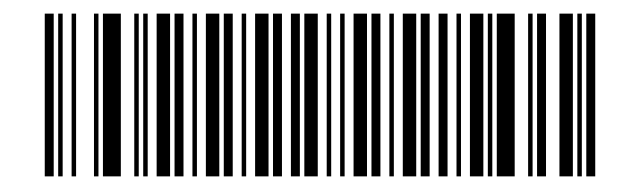
BRAZIL (Portuguese):
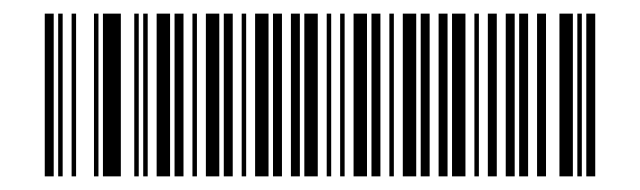
DENMARK (Danish):
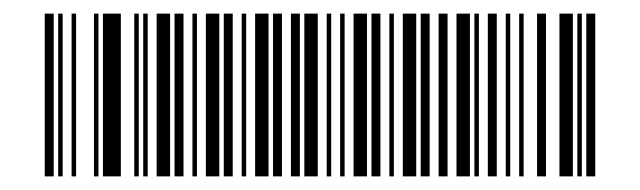
UNITED KINGDOM (English:
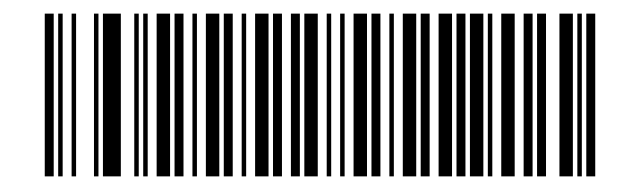
ITALY (Italian 142):
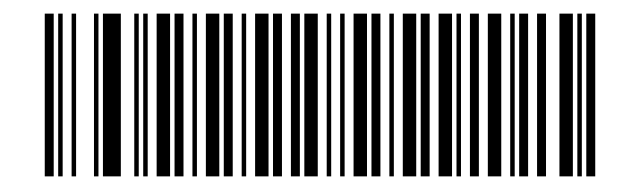
FRANCE (French):
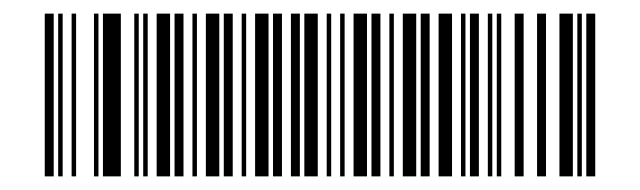
GERMANY (German:
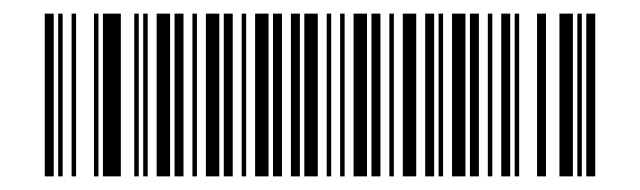
NORWAY (Northern Sami:
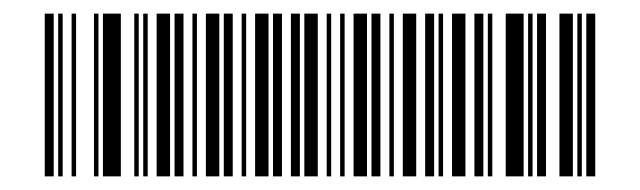
SWEDEN, FINLAND (Swedish, Finnish:
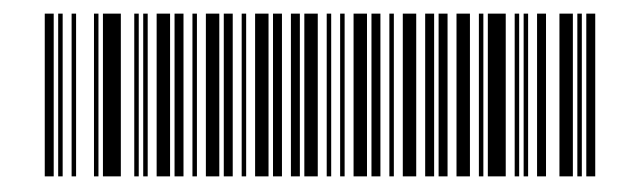
SLOVAKIA (Slovak):
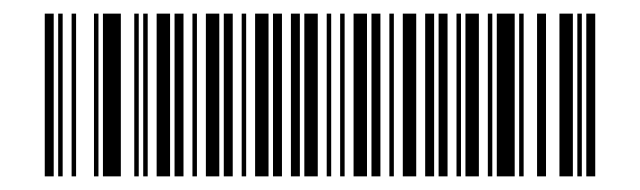
PORTUGAL (Portuguese):
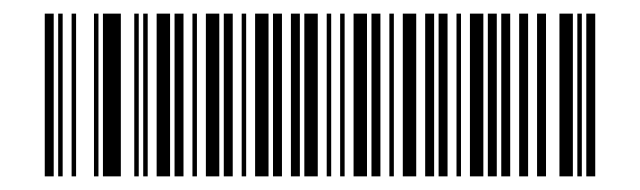
CZECH REPUBLIC (Czech:
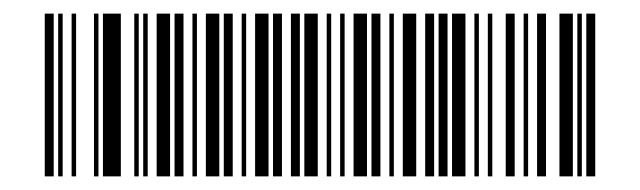
BELGIUM (Dutch):
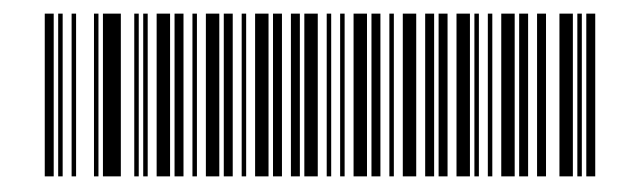
TURKISH:
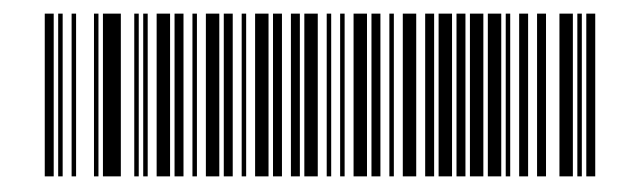
TURKISH:
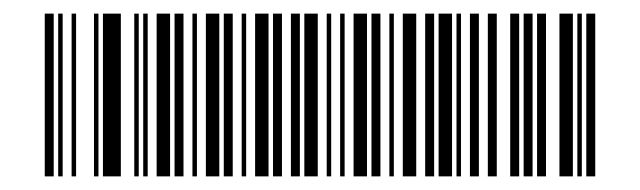
POLAND (Polish 214):
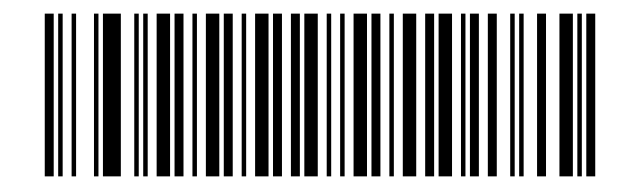
SWITZERLAND (German, French:
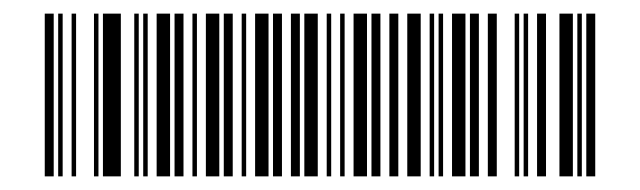
CROATIA (Croatian):
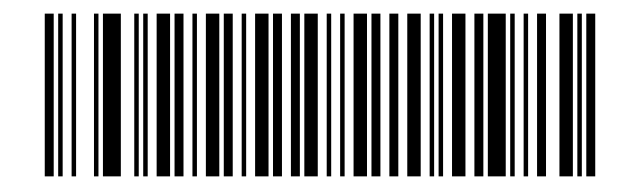
HUNGARY (Hungarian:
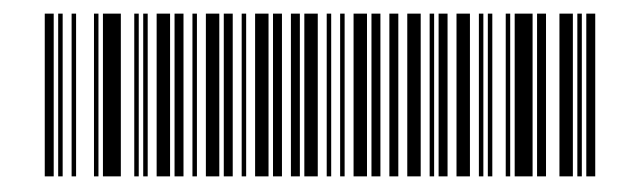
JAPAN (Japanese:
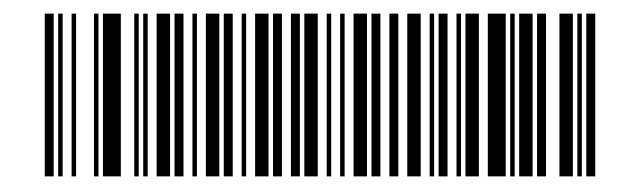
Prefix / suffix
Cancel Suffix:
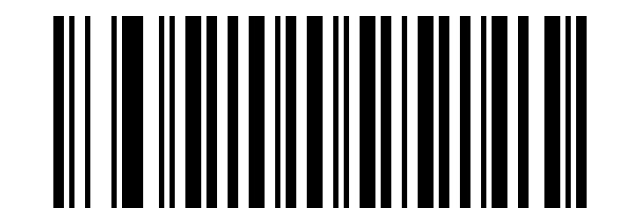
Cancel Prefix:
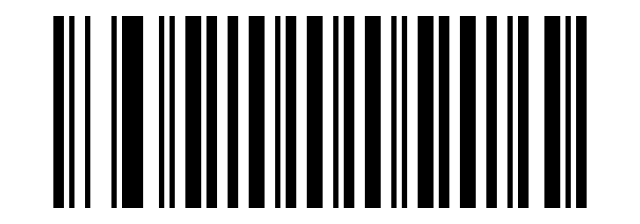
Adding a prefix:
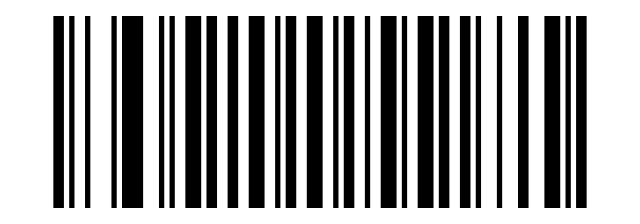
Add a suffix:
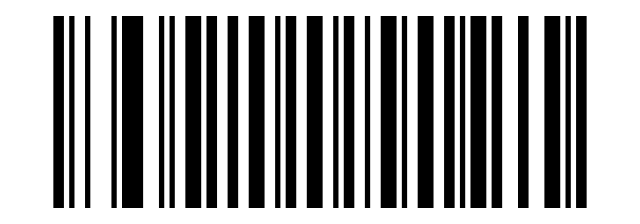
Saving settings:
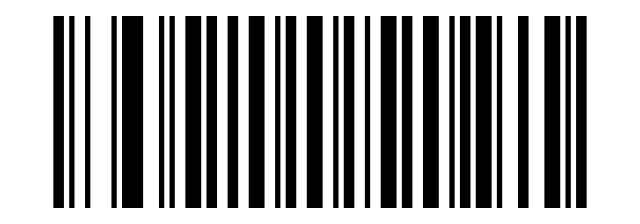
Hide characters
Hide the front characters Table"2":
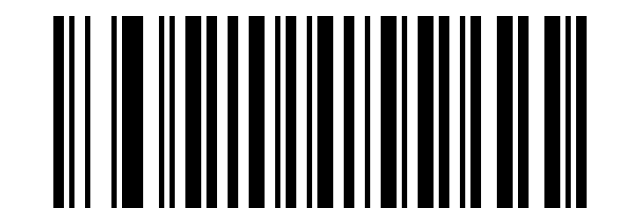
Hide the behind characters:
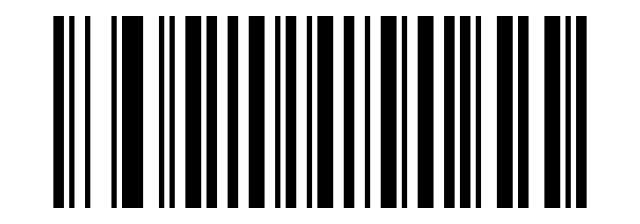
Appendix: barcode data table
This is the full character (data) table — scan these codes to enter individual characters when setting a custom prefix, suffix or other value.
Show the barcode data (character) table
Barcode data table
SOH:
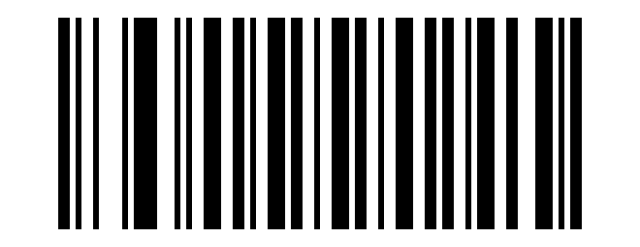
STX:
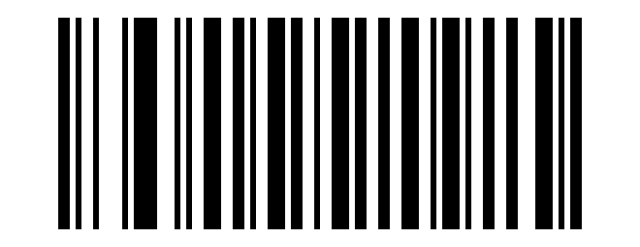
ETX:
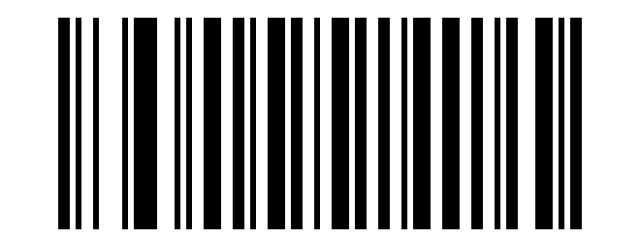
EOT:
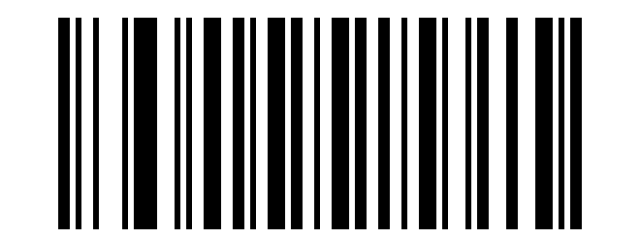
ENQ:
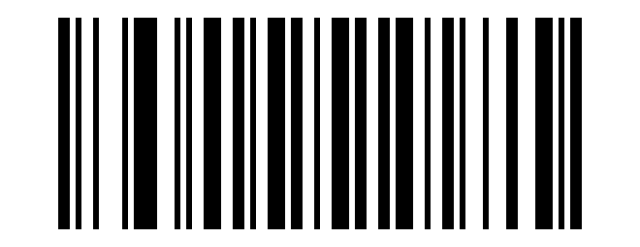
ACK:
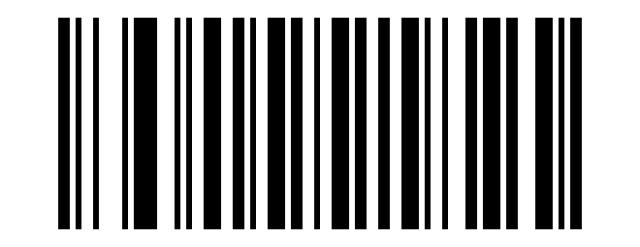
BEL:
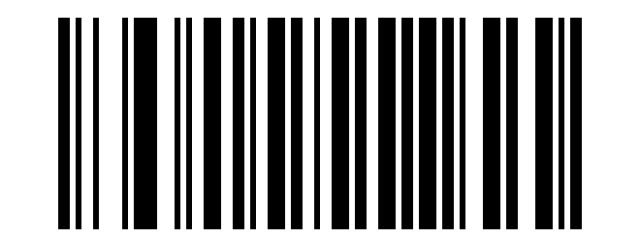
Backspace:
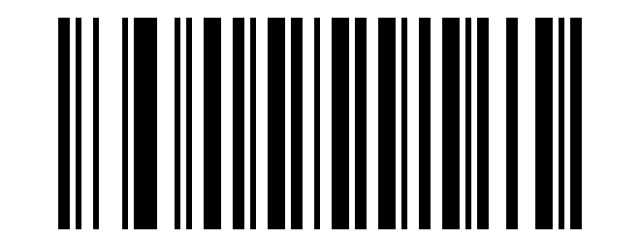
TAB:
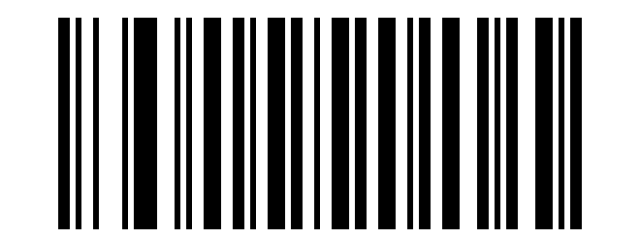
LF:
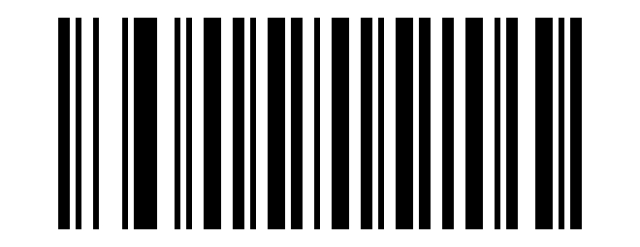
VT:
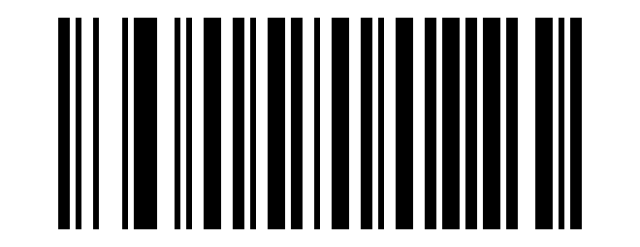
FF:
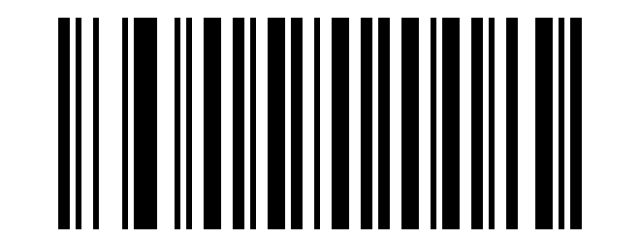
CR:
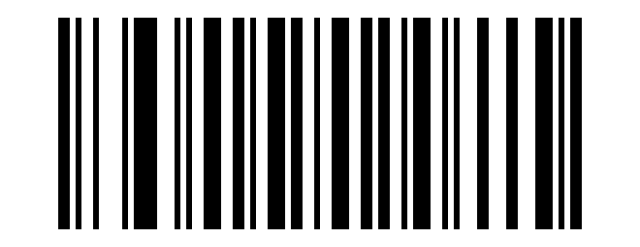
SO:
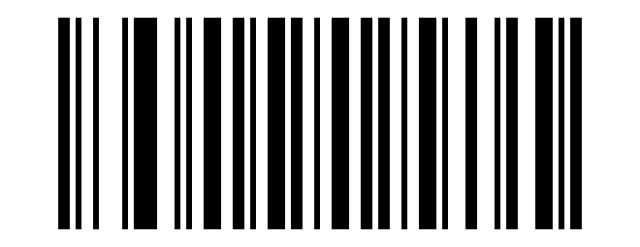
SI:
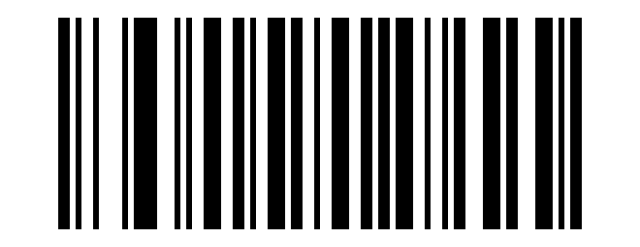
DLE:
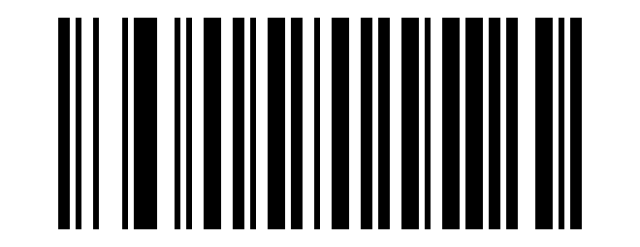
DC1:
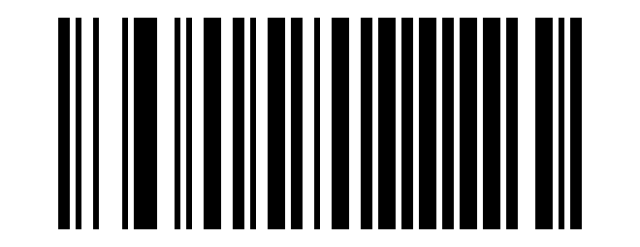
DC2:
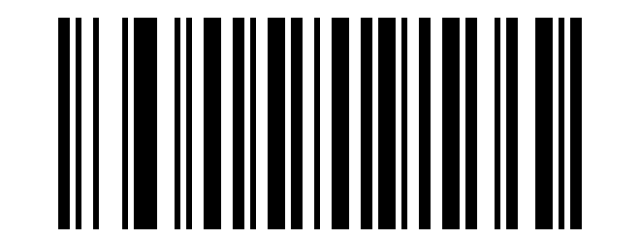
DC3:
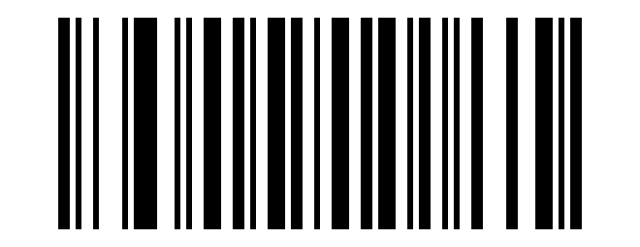
DC4:
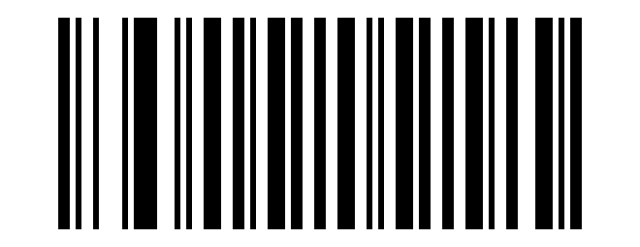
NAK:
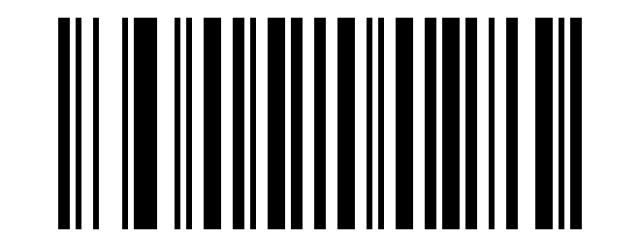
SYN:
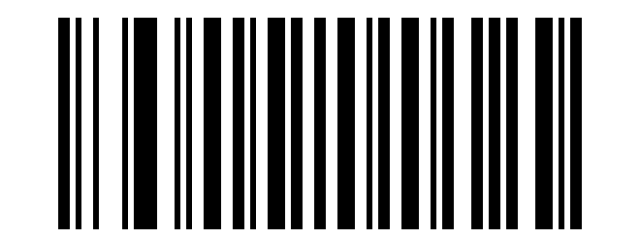
ETB:
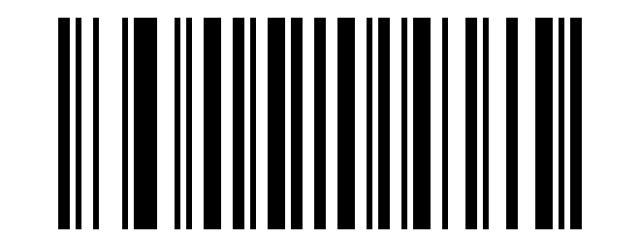
CAN:
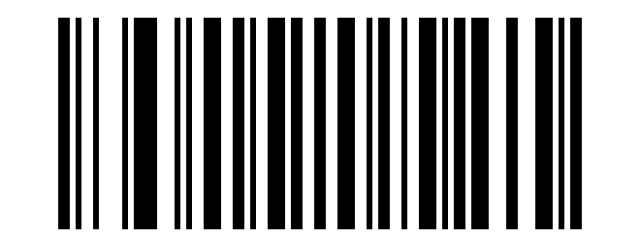
EM:
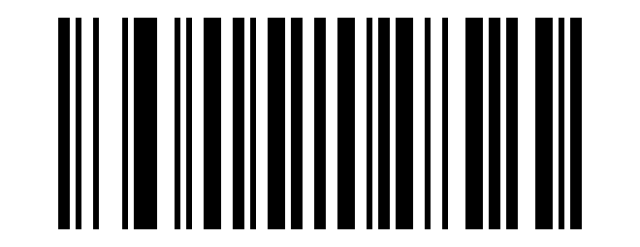
SUB:
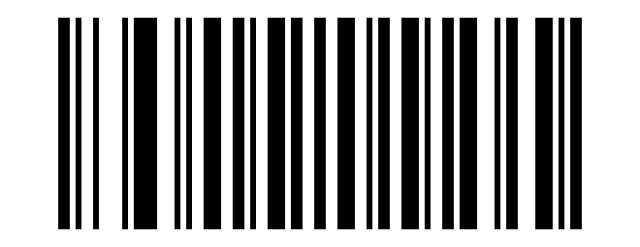
ESC:
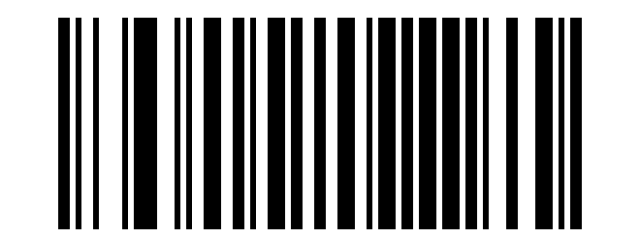
FS:
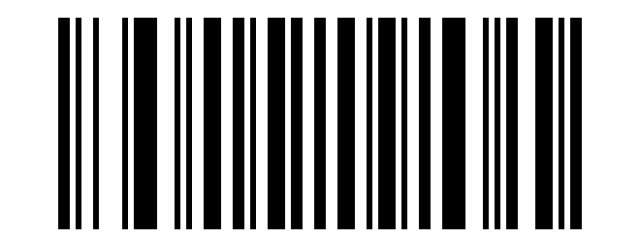
GS:
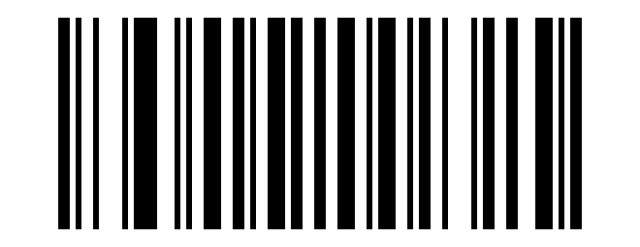
RS:
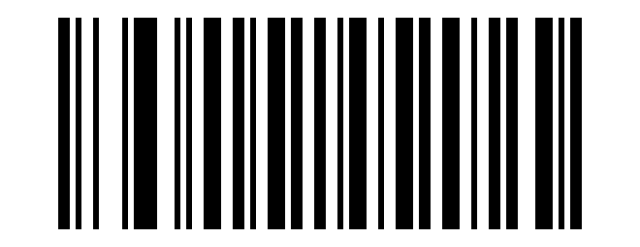
US:
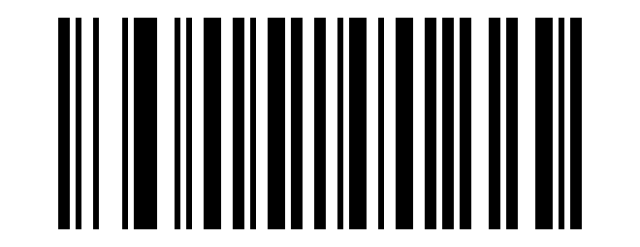
SPACE:
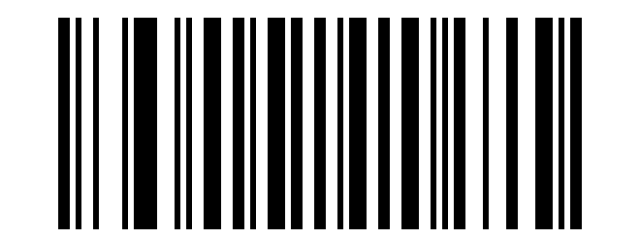
!:
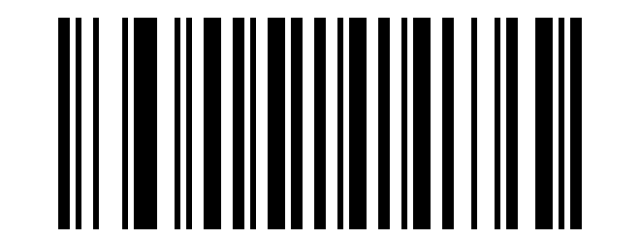
“:
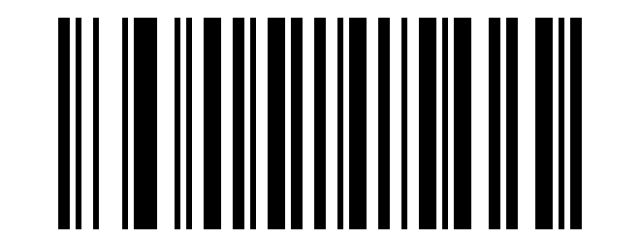
#:
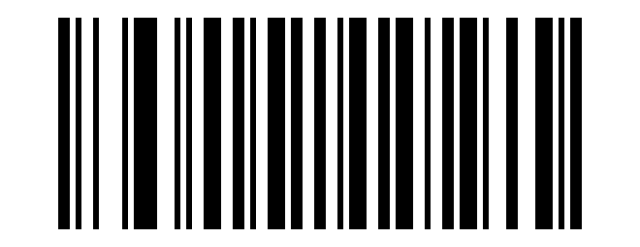
$:
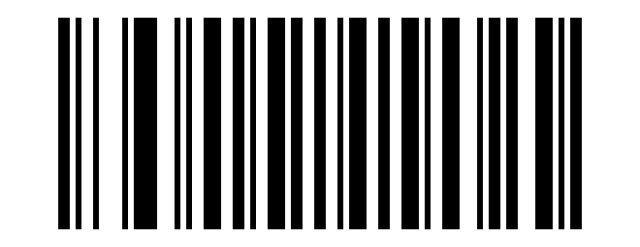
%:
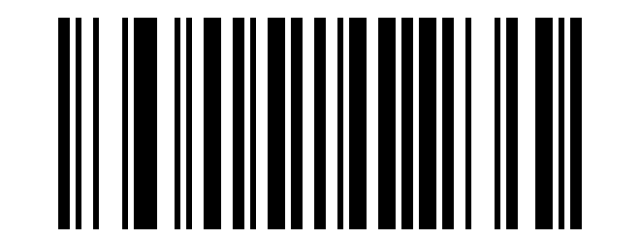
&:
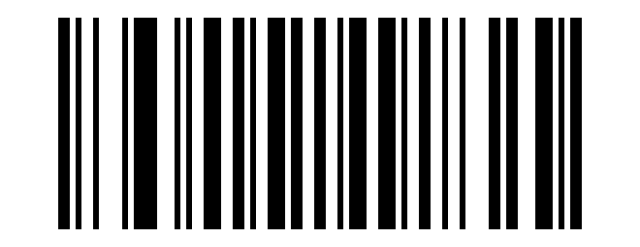
‘:
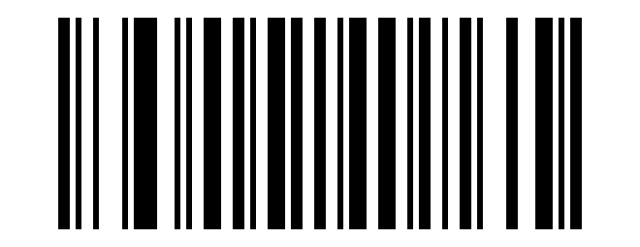
+:
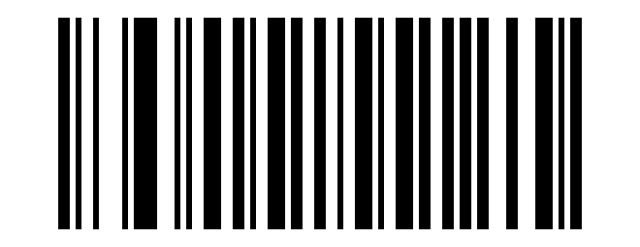
1041:
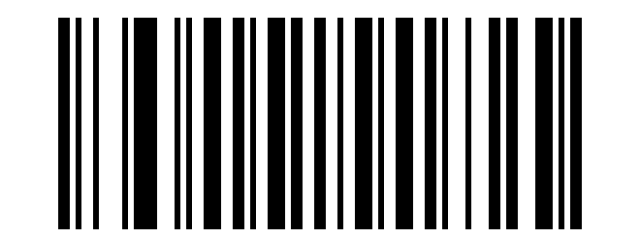
1042:
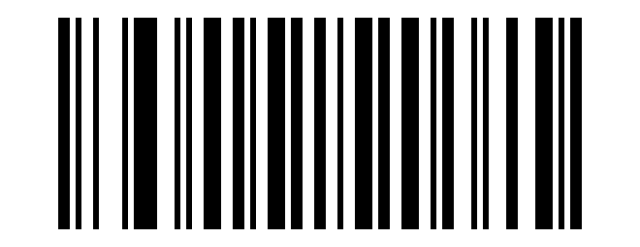
+:
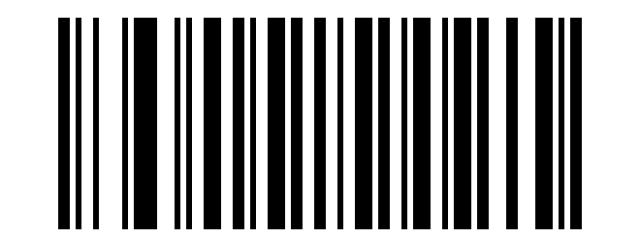
/:
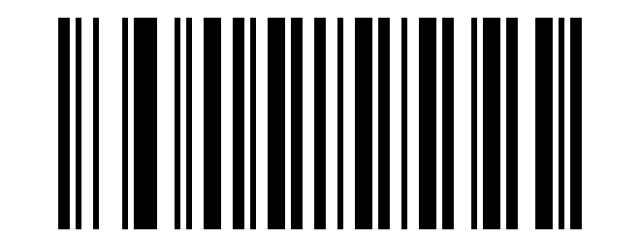
1045:
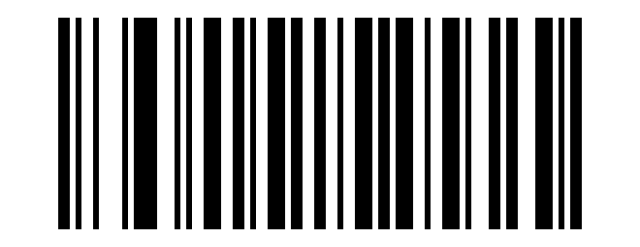
.:
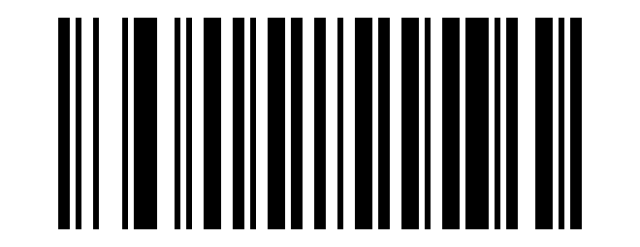
/:
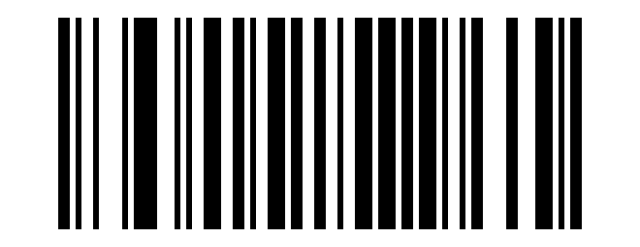
0:
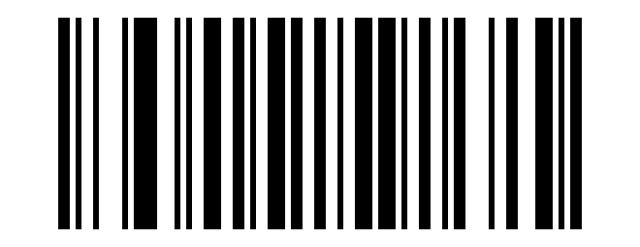
1:
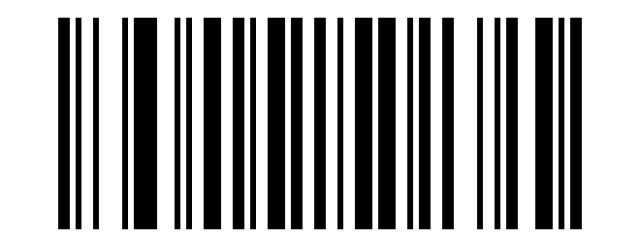
2:
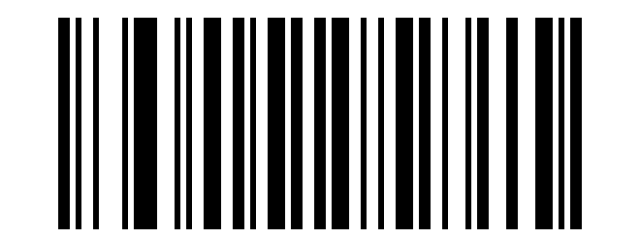
3:
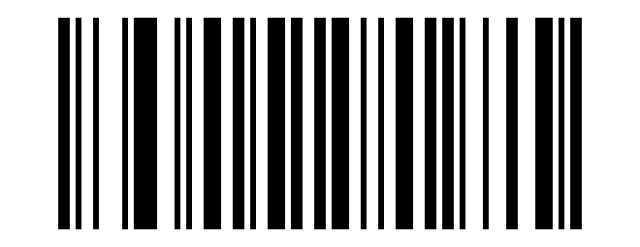
4:
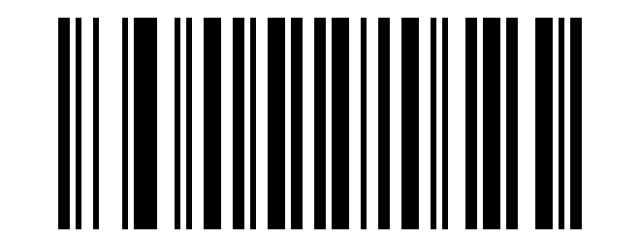
5:
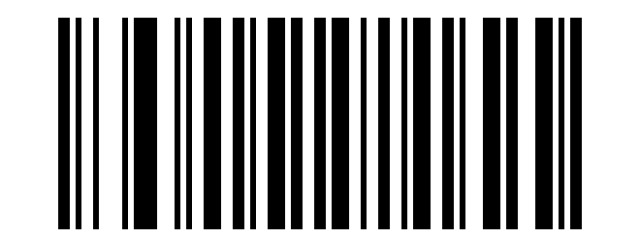
6:
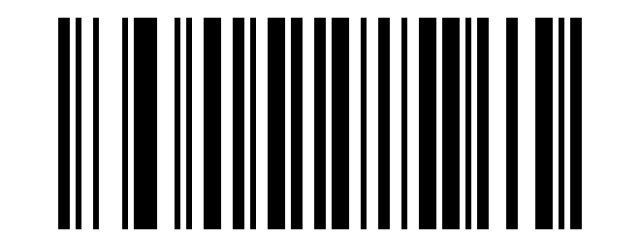
7:
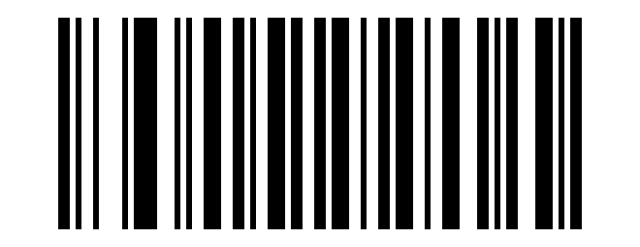
8:
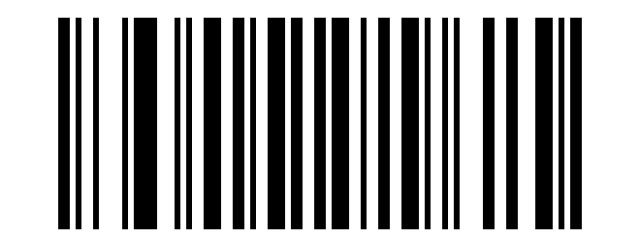
9:
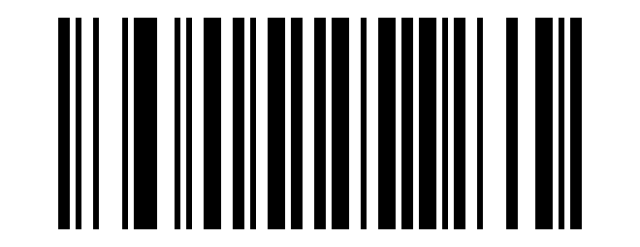
=:
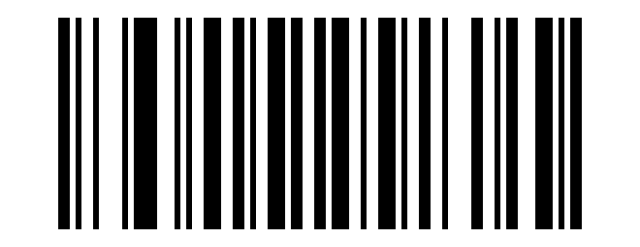
;:
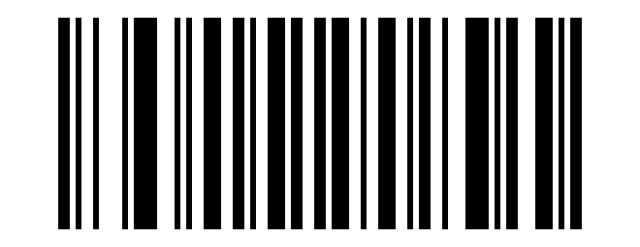
‹:
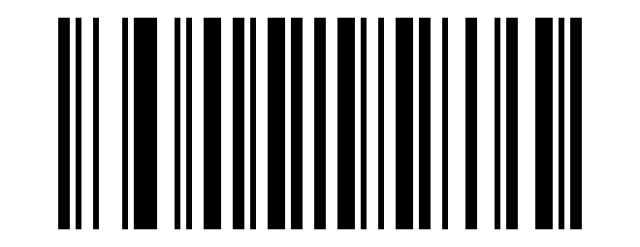
=:
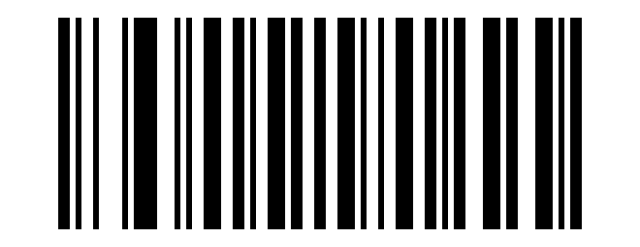
›:
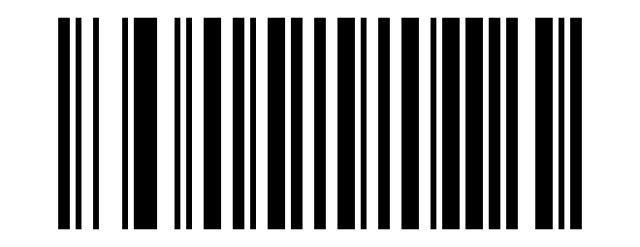
?:
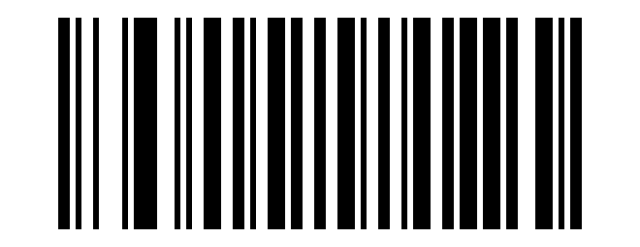
@:
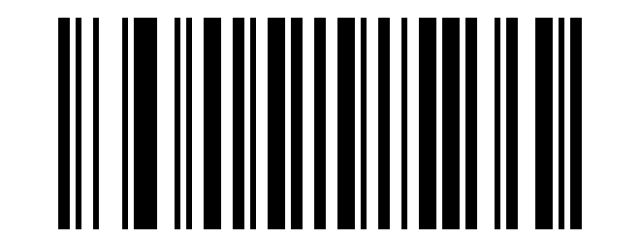
A:
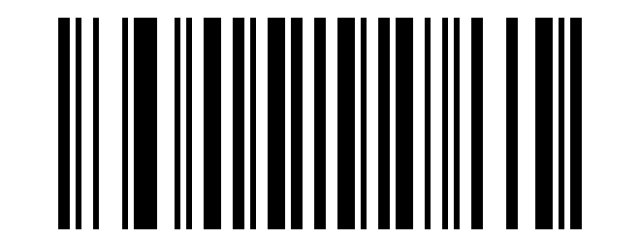
B:
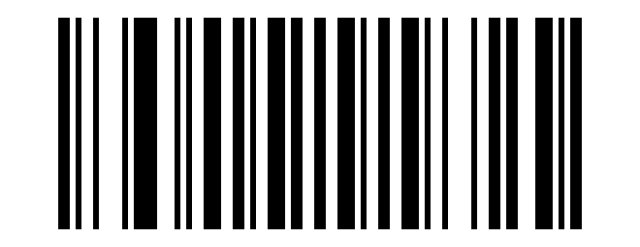
C:
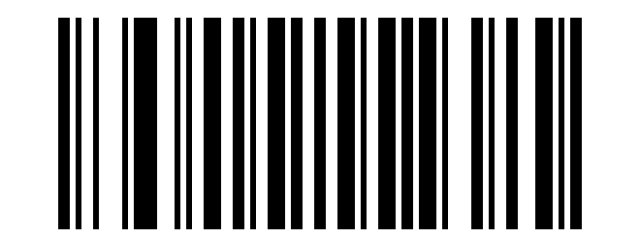
D:
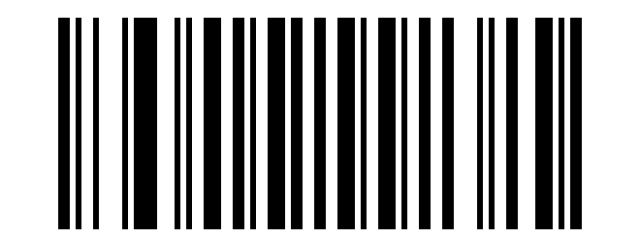
E:
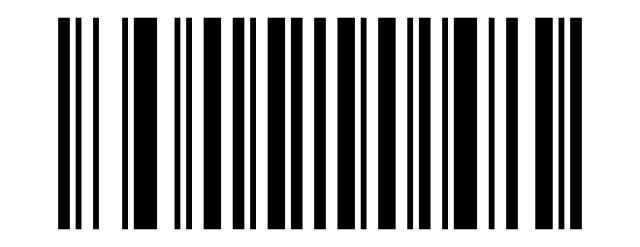
F:
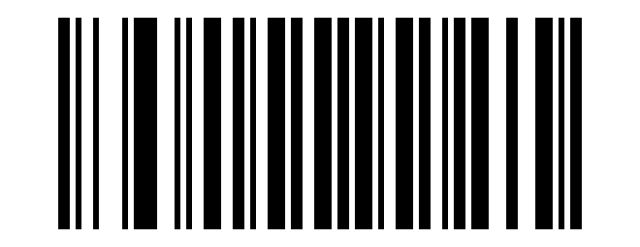
G:
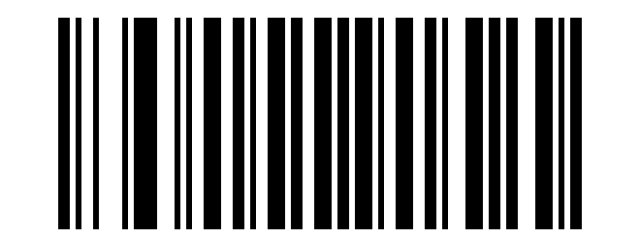
H:
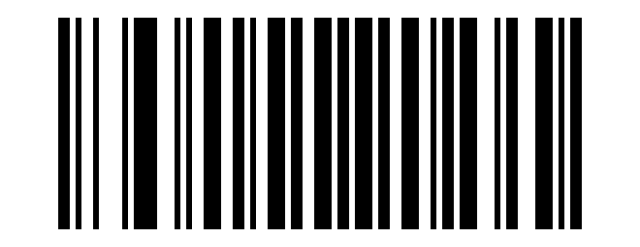
I:
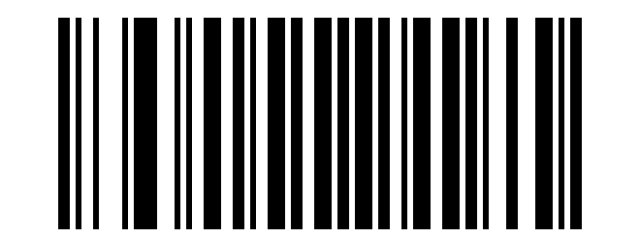
J:
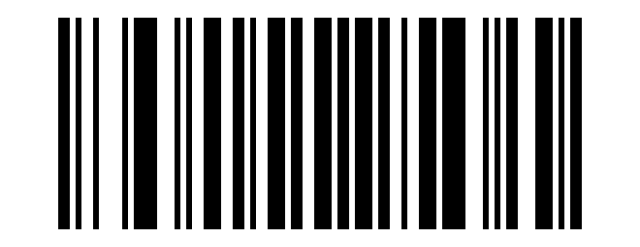
K:
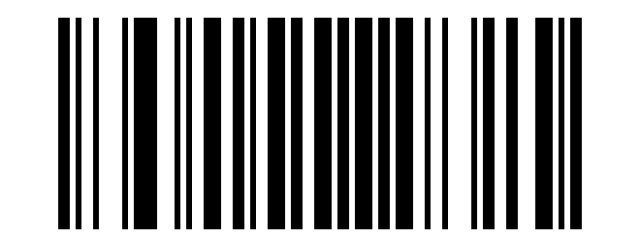
L:
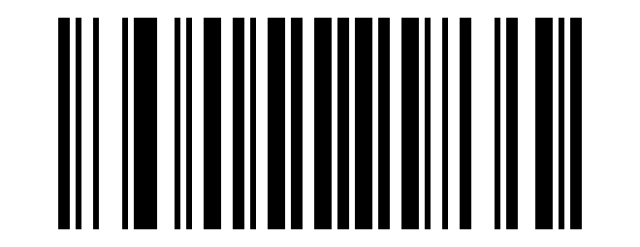
M:
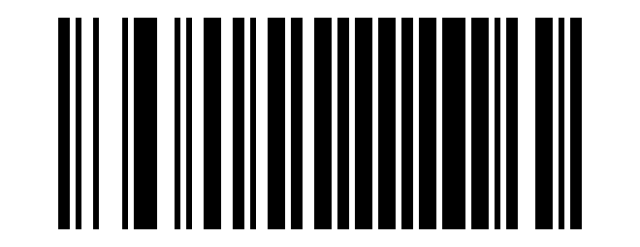
N:
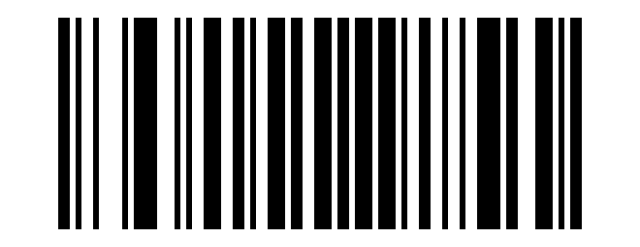
O:
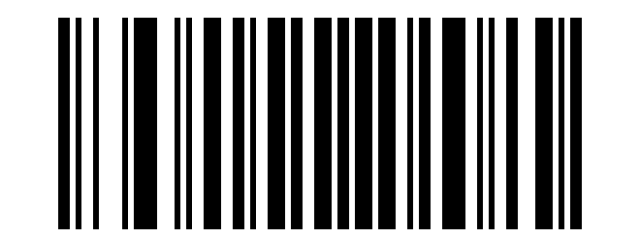
P:
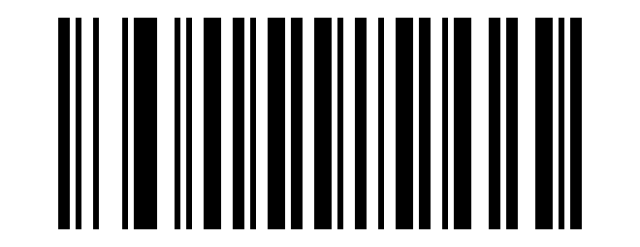
Q:
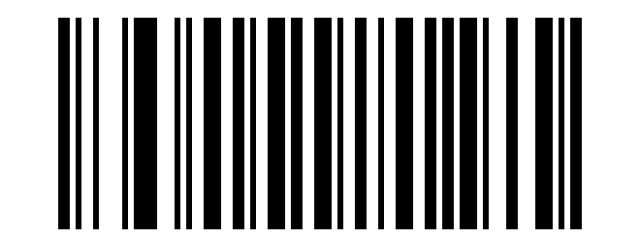
R:
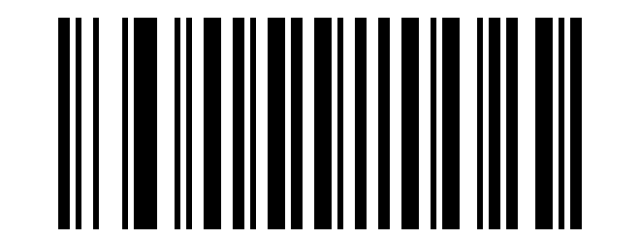
S:
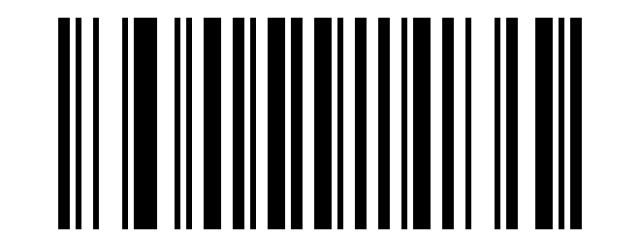
T:
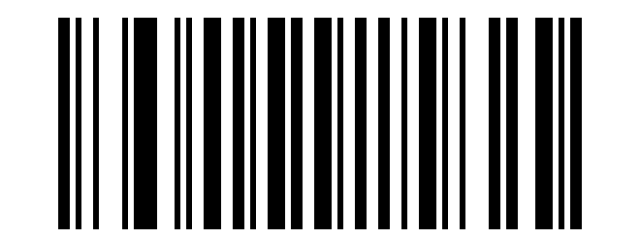
U:
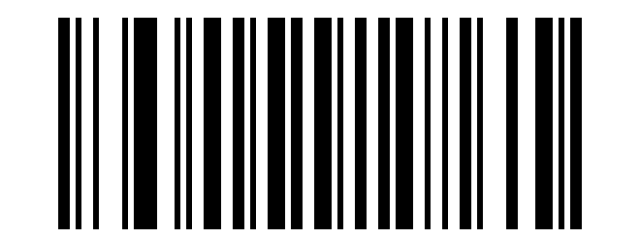
V:
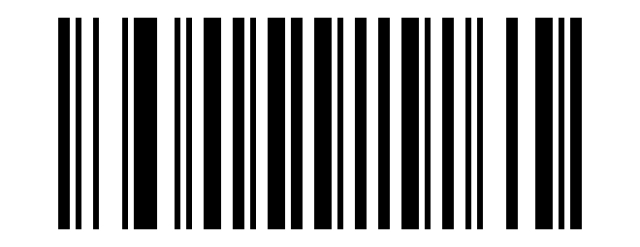
W:
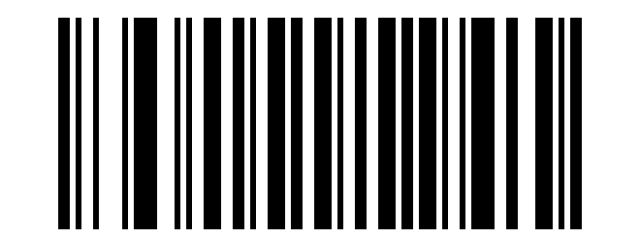
X:
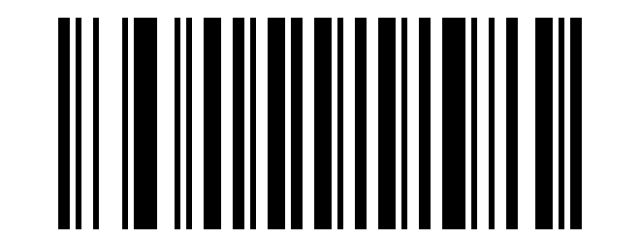
Y:
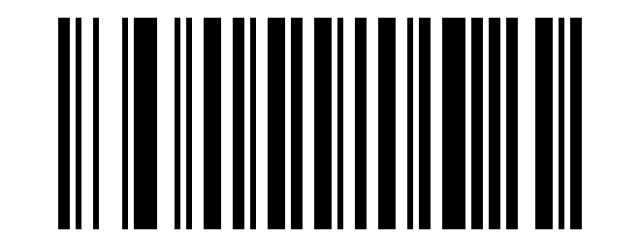
Z:
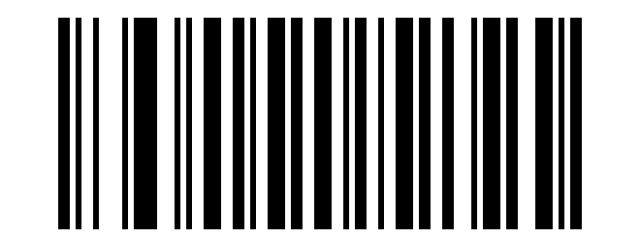
[:
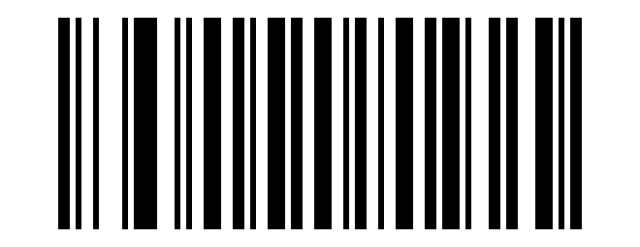
****:
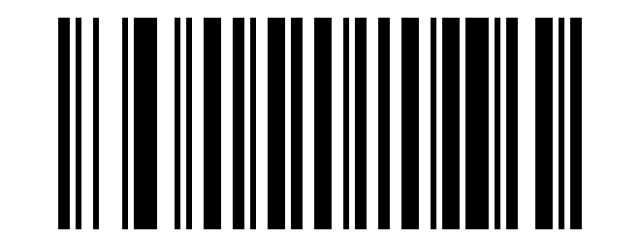
]:
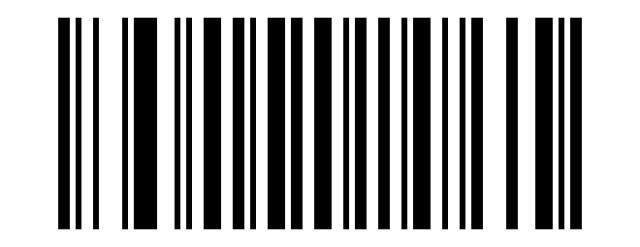
^:
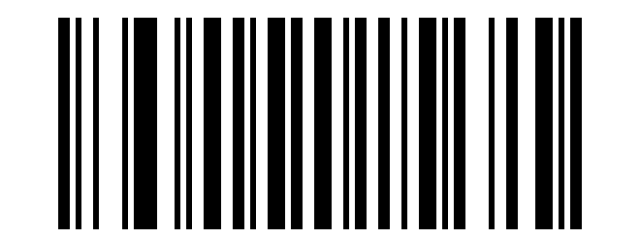
_:
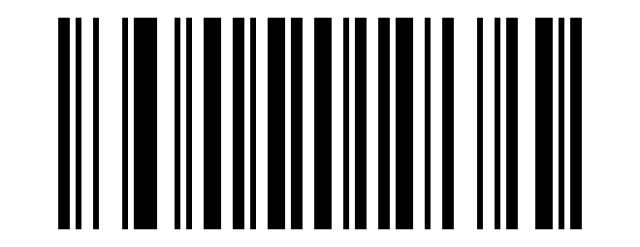
`:
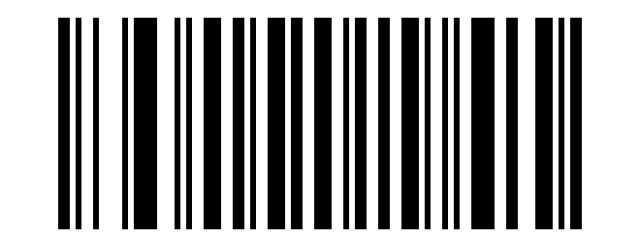
a:
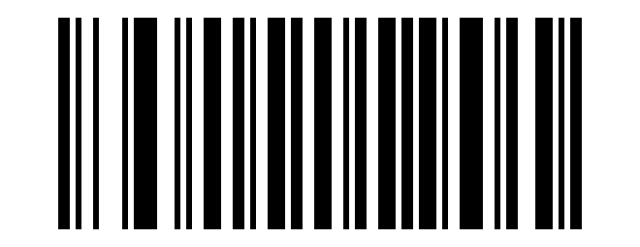
b:
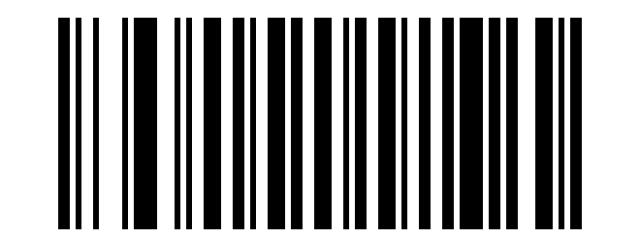
c:
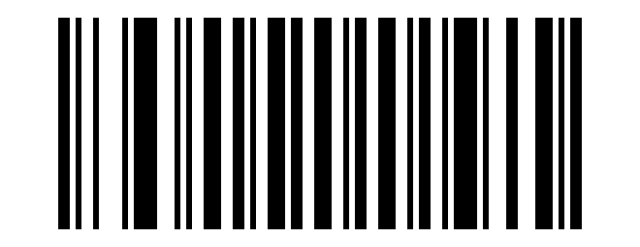
d:
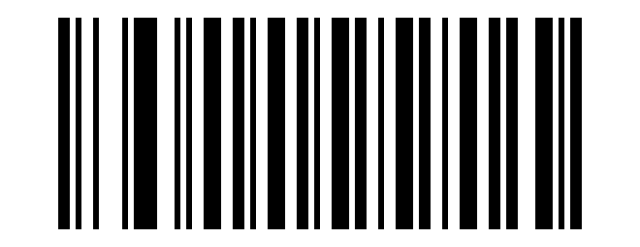
e:
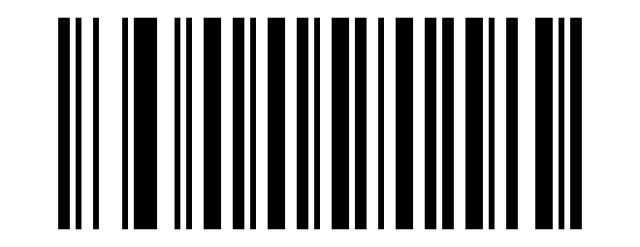
f:
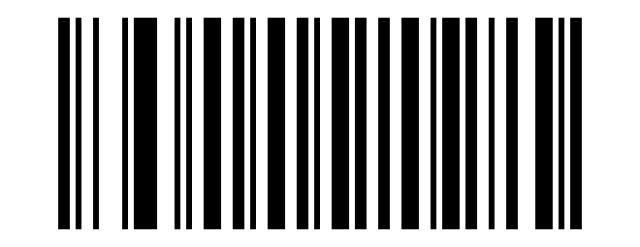
g:
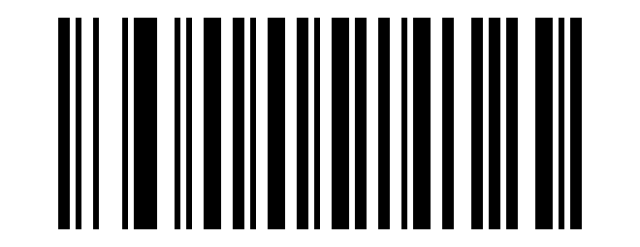
h:
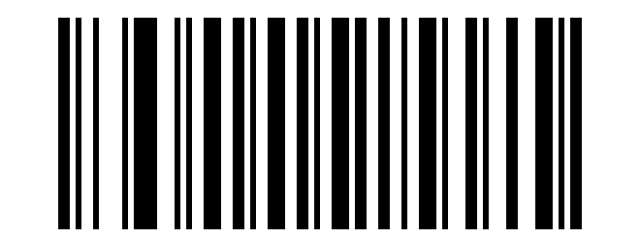
i:
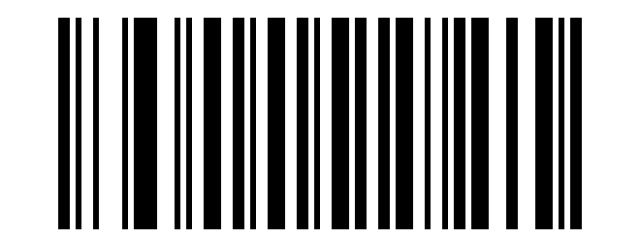
j:
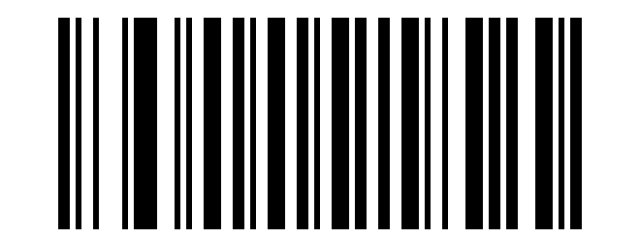
k:
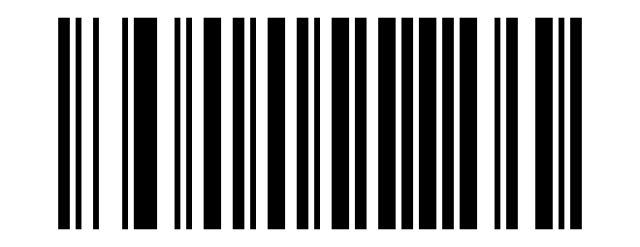
l:
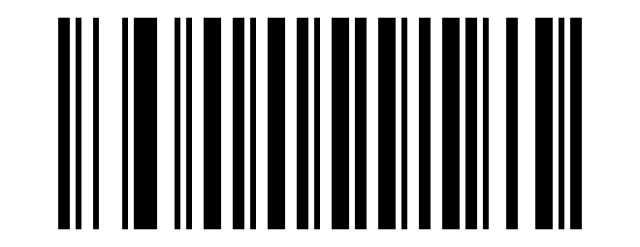
m:
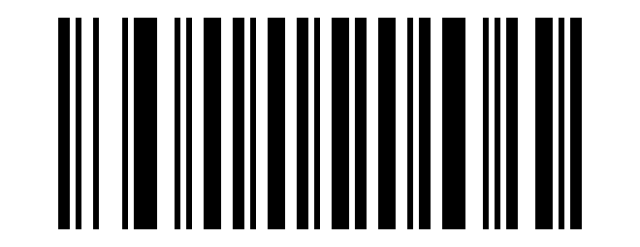
n:
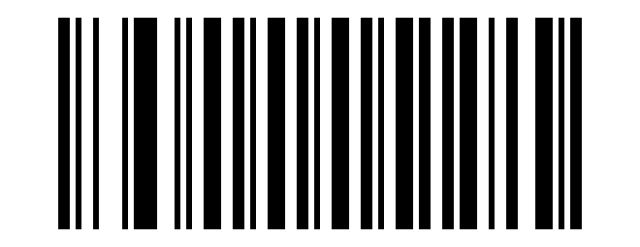
o:
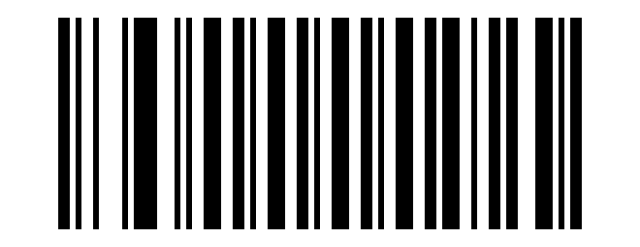
p:
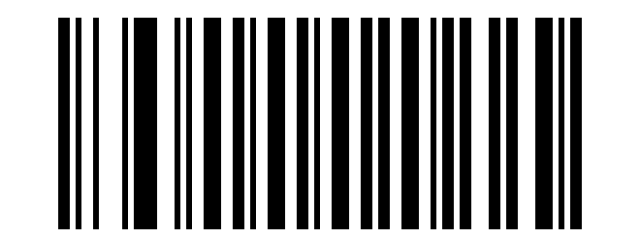
q:
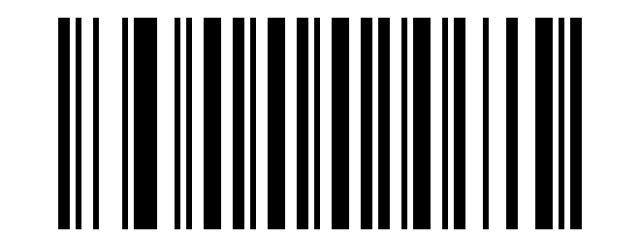
R:
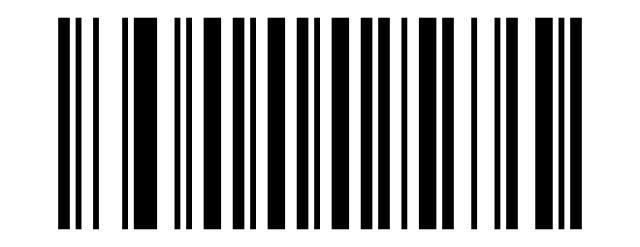
s:
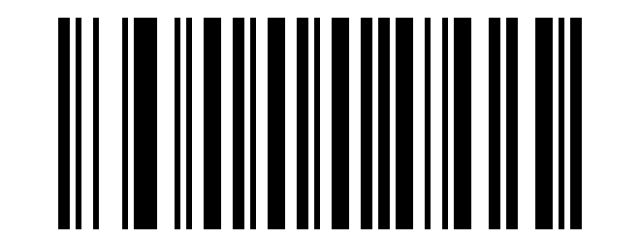
t:
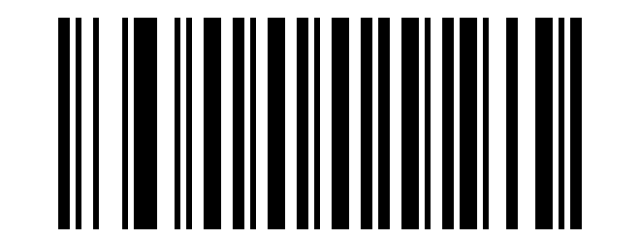
u:
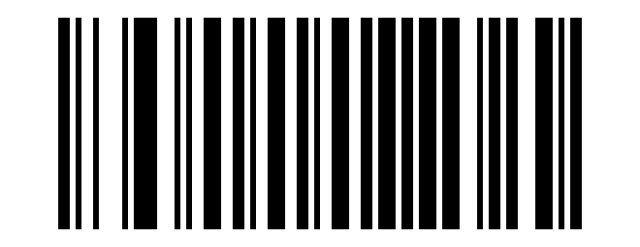
v:
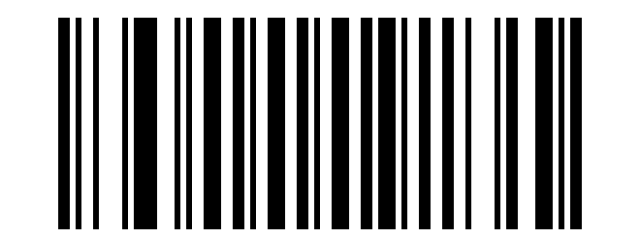
w:
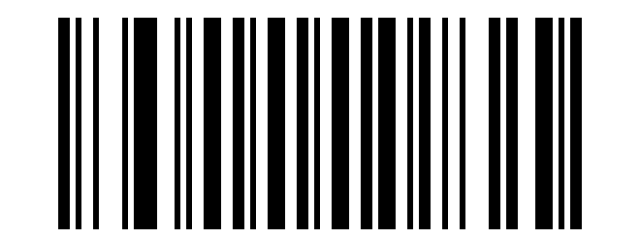
x:
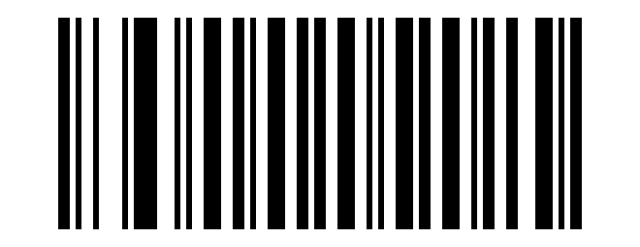
y:
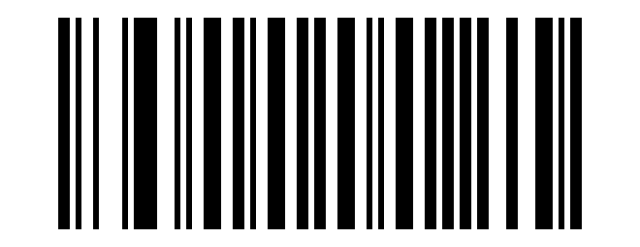
z:
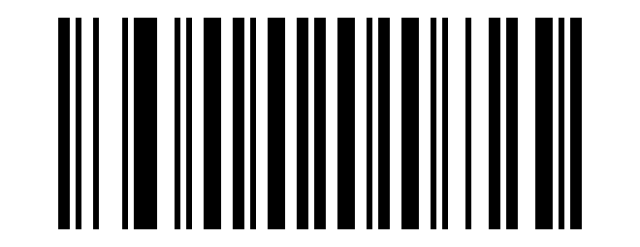
{:
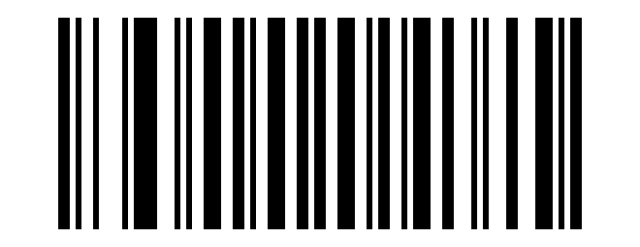
|:
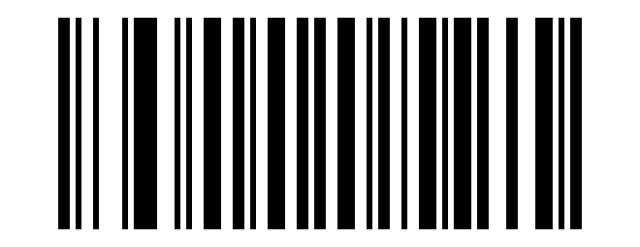
}:
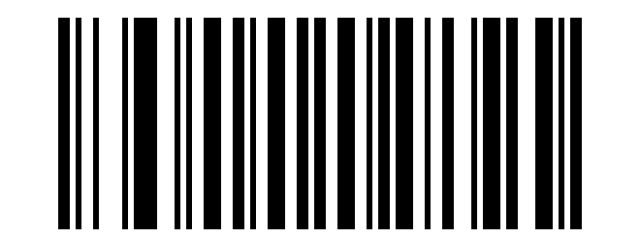
~:
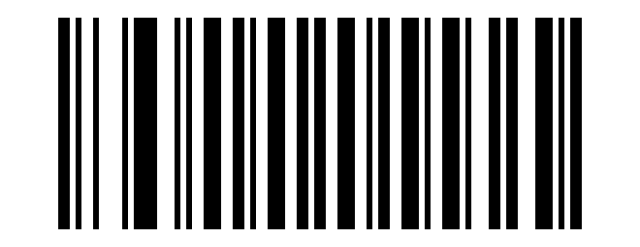
Delete:
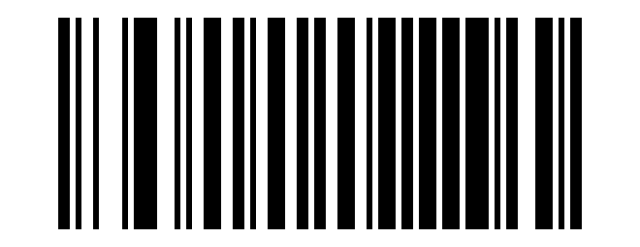
F1:
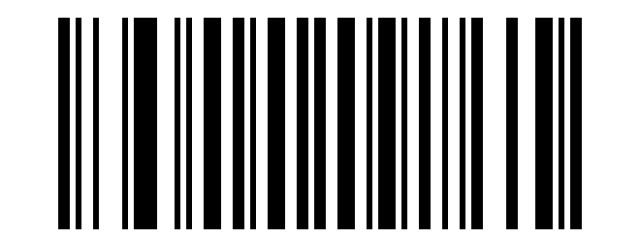
F2:
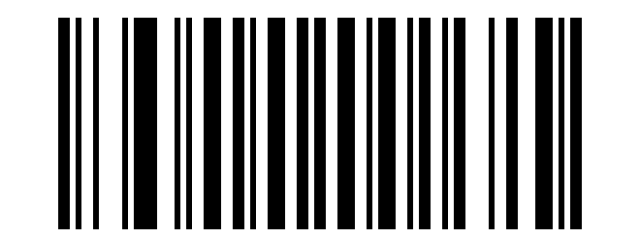
F3:
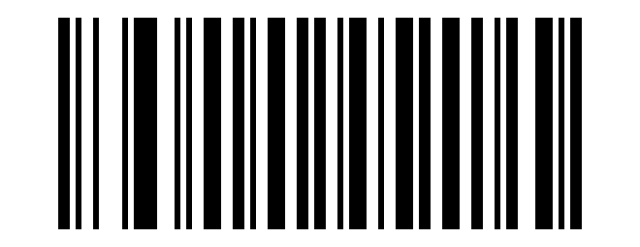
F4:
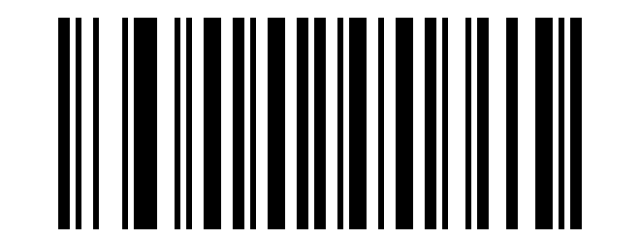
F5:
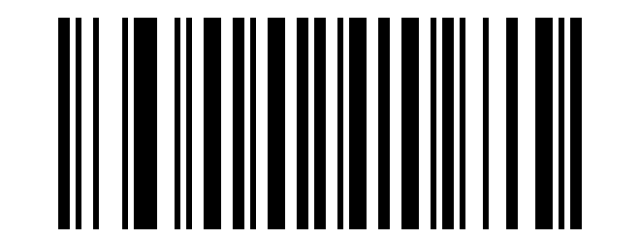
F6:
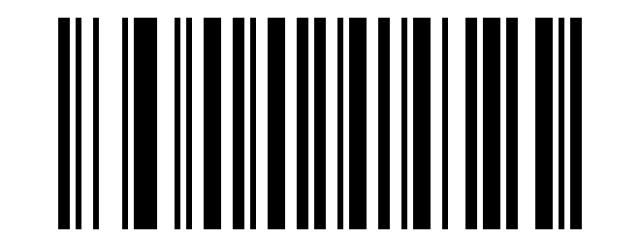
F7:
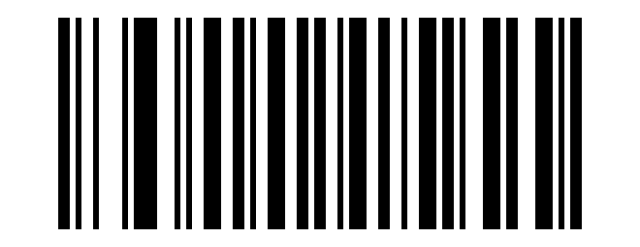
F8:
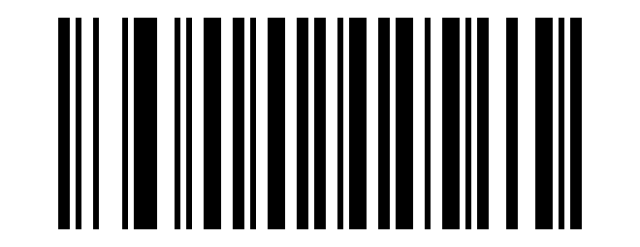
F9:
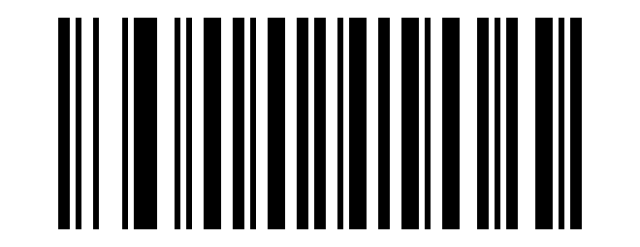
F10:
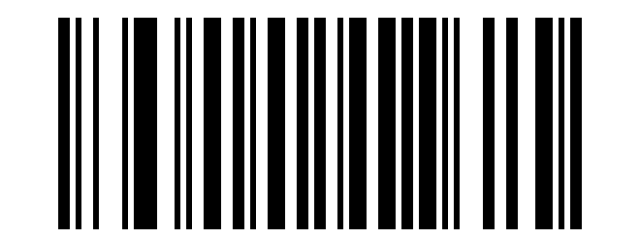
F11:
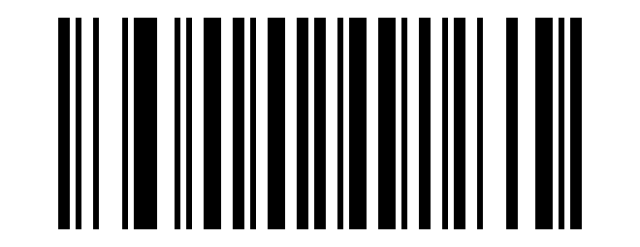
F12:
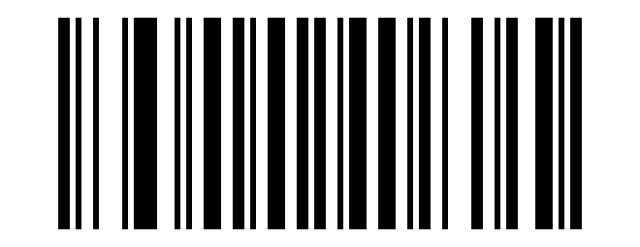
INSERT:
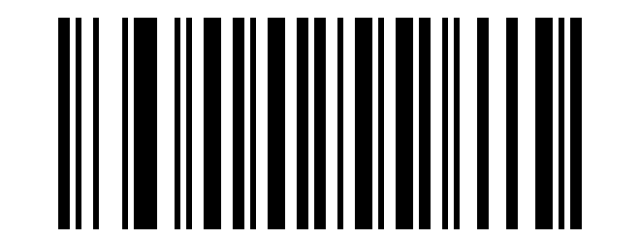
HOME:
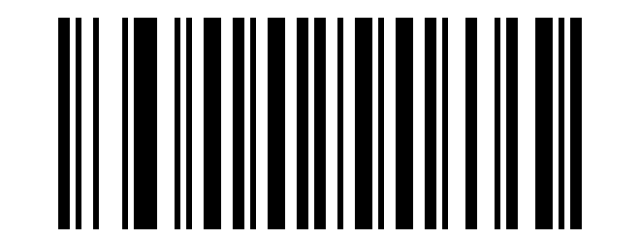
Page:
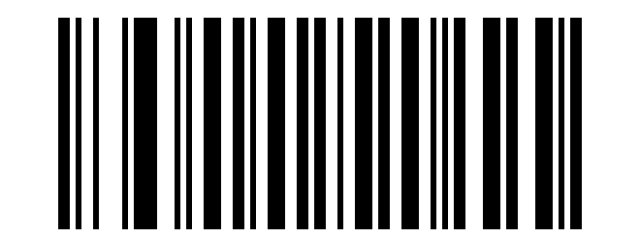
Delete:
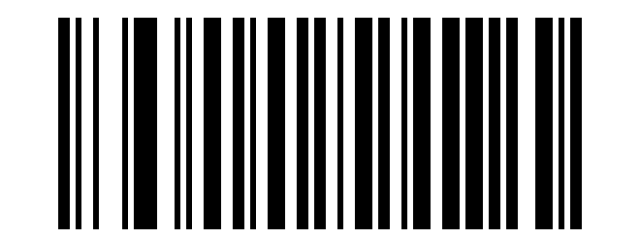
END:
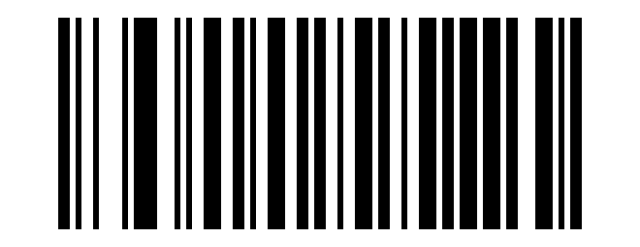
Page:
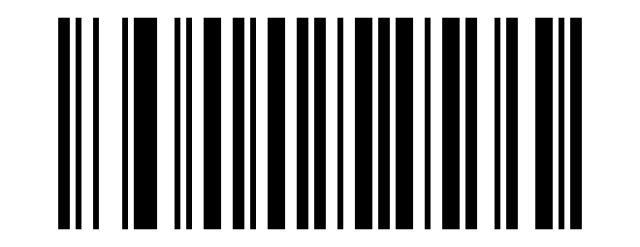
Right:
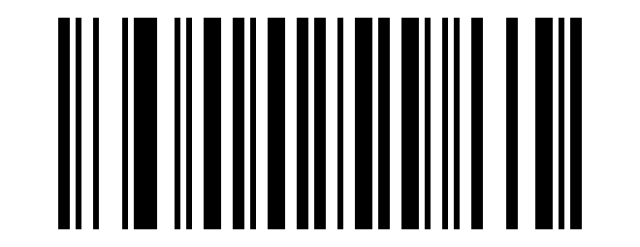
Left:
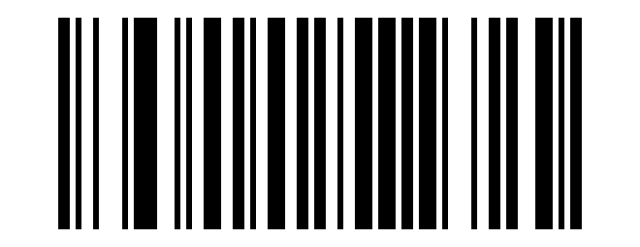
Down:
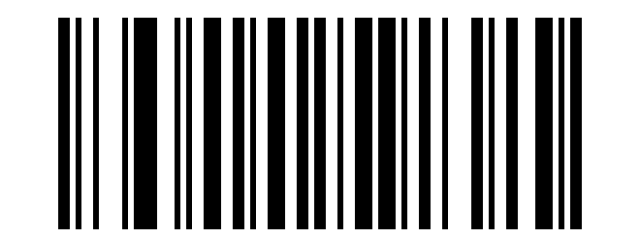
Up:
Frequently asked questions
How do I configure the HD-S10?
Does the HD-S10 need drivers?
Which barcodes does the HD-S10 read?
How does the automatic (presentation) mode work?
Downloads
Original manufacturer PDF manuals kept available as a legacy reference. Everything from them is already covered on this page — use the PDFs only if you need an offline copy.