Compact stationary 1D / 2D QR & barcode presentation scanner, USB, HDWR HD-S20
GTIN: 5907614664312 · SKU: HD-S20
Table of contents
Specifications
- Sensor: CMOS
- Resolution: 640 × 480 px
- Scanning method: manual (push button) / automatic (on code presentation)
- Scan confirmation: beep
- Scan speed: 500 scans/second
- Interface: USB, Virtual COM
- Cable length: 120 cm
- Drop resistance: up to 1.5 m
- Device dimensions: 5 × 3.5 × 2.2 cm
- Package dimensions: 16 × 10.5 × 3.5 cm
- Device weight: 95 g
- Package weight: 130 g
- Operating temperature: −20 to 60 °C
- Storage temperature: −40 to 70 °C
- Operating / storage humidity: 5 to 95%
- Readable 1D codes: EAN-8, EAN-13, GS1-128, UPC-A, UPC-E, Code 128, Code 39, Code 93, Code 11, GS1 DataBar, Interleaved 2 of 5, Industrial 2 of 5, IATA 2 of 5, Matrix 2 of 5, Codabar, MSI Plessey and other 1D codes
- Readable 2D codes: QR Code, Micro QR, Data Matrix, PDF417, Micro PDF417, Aztec
Set contents
- Desktop QR code reader
- USB cable
- User manual
Features
- Fast 1D and 2D reading: reads QR codes, Data Matrix, PDF417, Aztec and all major 1D barcodes, including from phone and computer screens
- Presentation scanning: automatic sense mode reads codes hands-free as soon as they are placed in front of the scanner
- 500 scans per second: fast reading for busy counters and points of sale
- Compact and rugged: small desktop housing, drop-resistant up to 1.5 m
- Plug and play: connects over USB as a standard keyboard (also HID-POS and Virtual COM) — no drivers required
- Highly configurable: interface, scan modes, illumination, beeper, keyboard layout, prefix/suffix, Code ID and full per-symbology settings — all codes below
Basic control codes
The codes on this page work with HD-S20 scanners delivered from 2026 onwards. Earlier batches run different firmware and do not respond to them. If the scanner does not confirm Enter Setup Mode with a beep, it comes from an earlier batch — its codes are in the archived PDF manual at the bottom of this page.
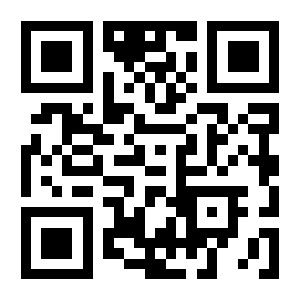
To change a setting, scan Enter Setup Mode, then the code for the option you want, and finish with Exit Setup Mode. Options marked (default) are the factory setting.
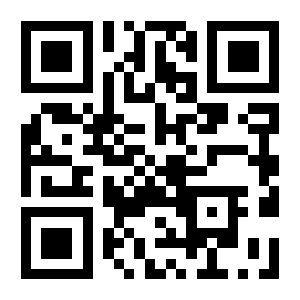
For a parameter that takes a numeric value, scan Enter Setup Mode, then the option code, then the required data codes (the digits 0–F at the end of this page), then Save, and finally Exit Setup Mode. Without the Save code the value is discarded.
By default the scanner does not send the contents of configuration codes to the computer, so nothing appears on screen while you configure it — a short beep confirms that a code was read.
💡 Tip: print this page (the "Download this page as PDF" button above) to keep the codes at hand during configuration.
Entering and leaving setup mode
Enter Setup Mode (default):
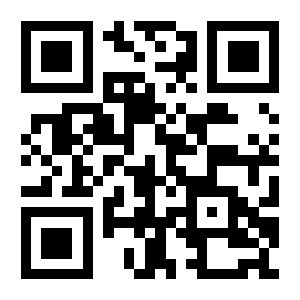
Exit Setup Mode:
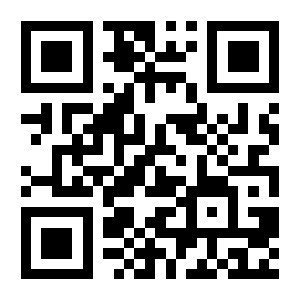
Transmit Programming Code Data:
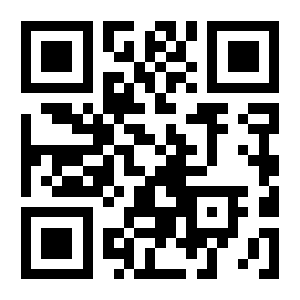
Do Not Transmit Programming Code Data (default):
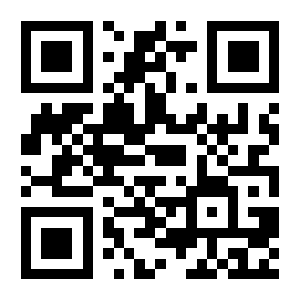
Restore factory defaults
Restore Factory Defaults:
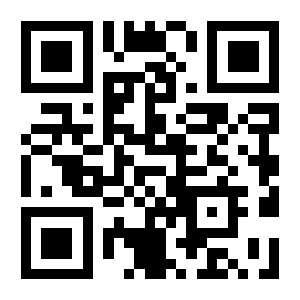
Custom (user) defaults
Save Current Settings As Custom Defaults:
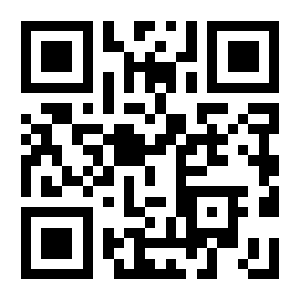
Restore Custom Defaults:
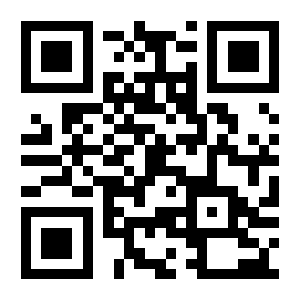
Communication interface
Serial port (TTL-232)
Serial Port:
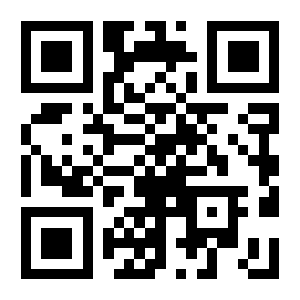
Baud rate
1200:
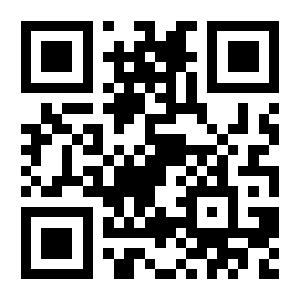
2400:
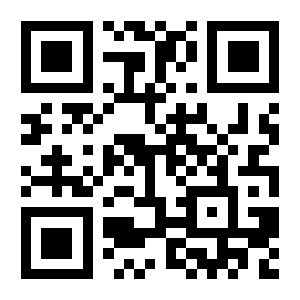
4800:
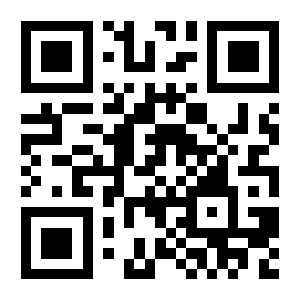
9600 (default):
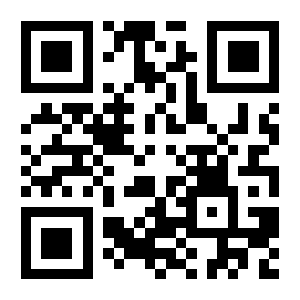
14400:
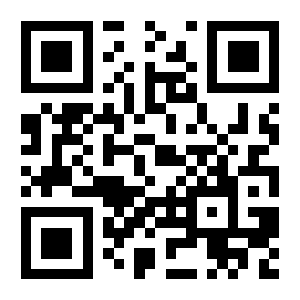
19200:
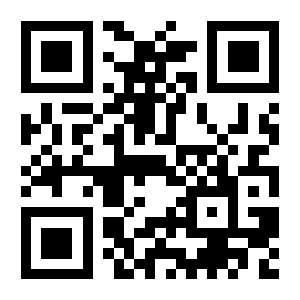
38400:
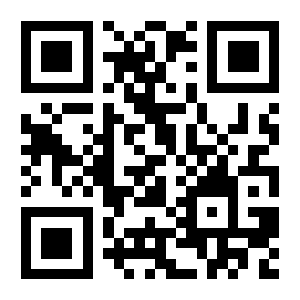
57600:
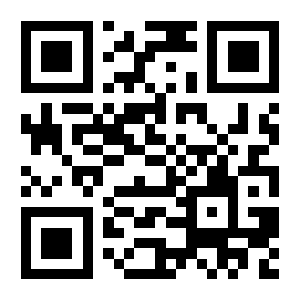
115200:
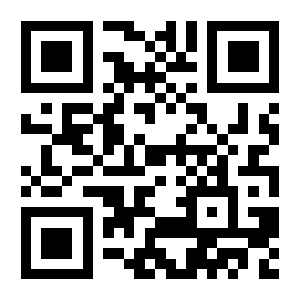
Parity
None (default):
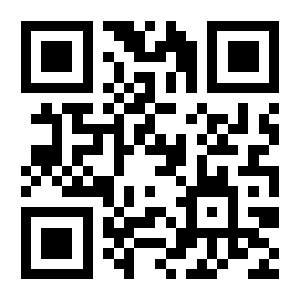
Odd Parity:
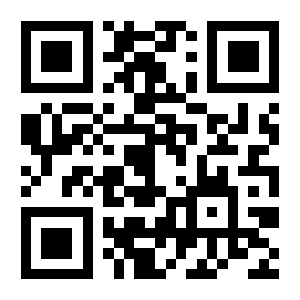
Even Parity:
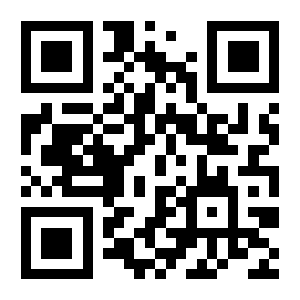
USB keyboard (HID-KBW)
USB HID-KBW (default):
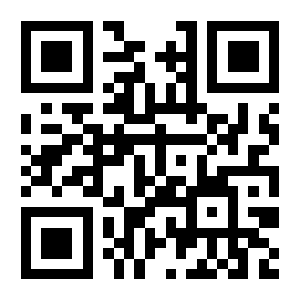
Inter-keystroke delay
Default Delay (default):
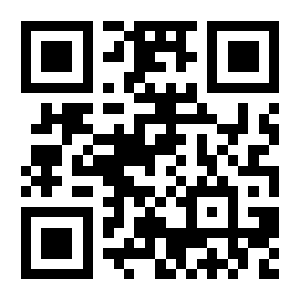
No Delay:
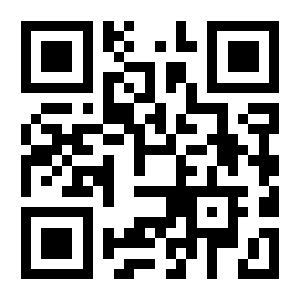
Short Delay:
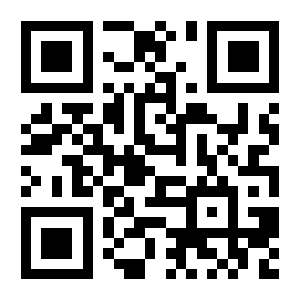
Long Delay:
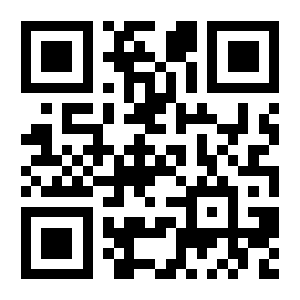
Custom Delay:
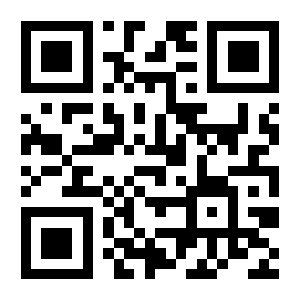
Polling rate
1ms (default):
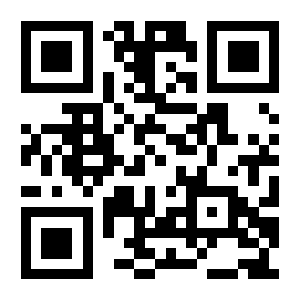
2ms:
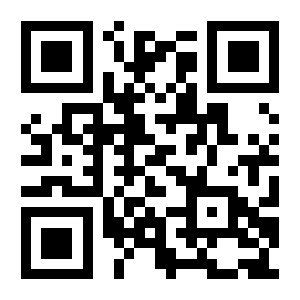
3ms:
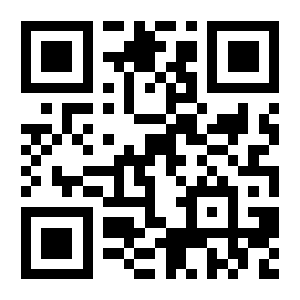
4ms:
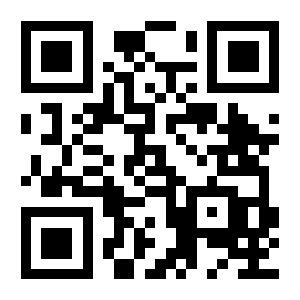
5ms:
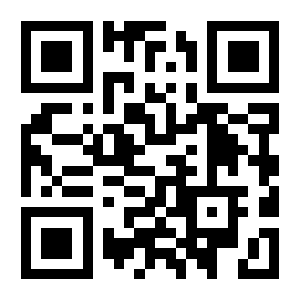
6ms:
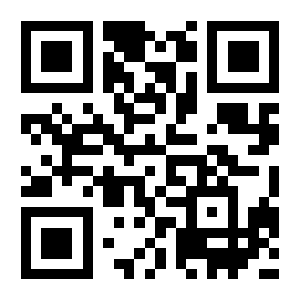
7ms:
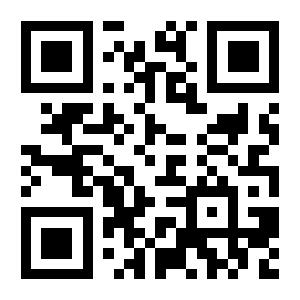
8ms:
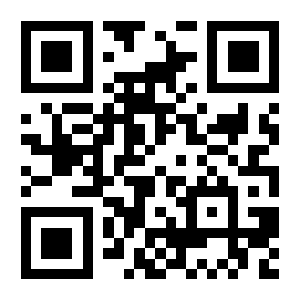
9ms:
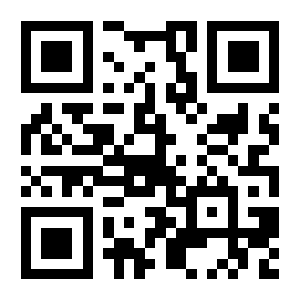
10ms:
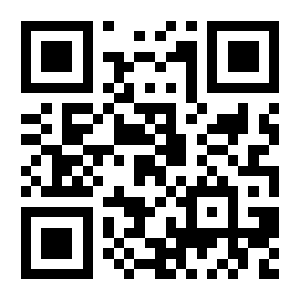
Keyboard layout
U.S. (default):

France:

Italy:

Germany:

Spain:

Turkey Q:

UK:

Belgium:

Portuguese-Portugal:

Portuguese-Brazil:

Hungary:

Turkey F:

Greece:

Sweden:

Finland:

Denmark:

Czech Republic:

Austria (German):

Italy (142):

Russian:

Russian Typewriter:

Arabic:

Irish:

Polish (214):

Polish (Programmers):

Dutch:

Japan:

Thailand:

Croatia:

Romania:

Bulgaria:

Slovakia:

North Korea:

Ukrainian:

Switzerland (French):

Hebrew:

Vietnamese:

Alt combination output
Disable (default):

Mode 1:

Mode 2:

Mode 3:

Control character output
Disable (default):

Escape Mode:

Letter case conversion
No Case Conversion (default):

Invert Letter Case:

Convert All To Upper Case:

Convert All To Lower Case:

USB virtual serial port
USB Virtual Serial Port:
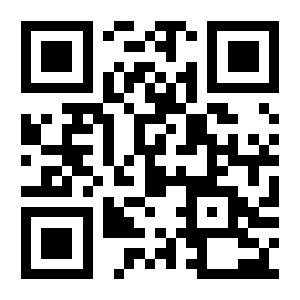
USB HID-POS
HID-POS:
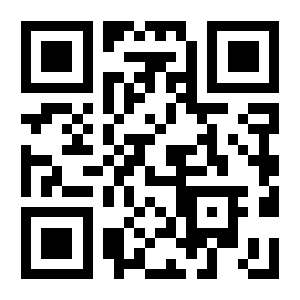
Scan mode
Batch mode
Batch Mode:
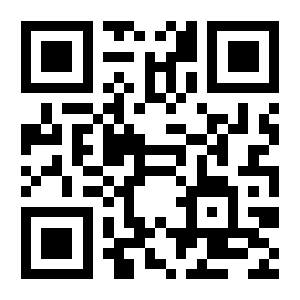
Trigger mode
Trigger Mode (default):
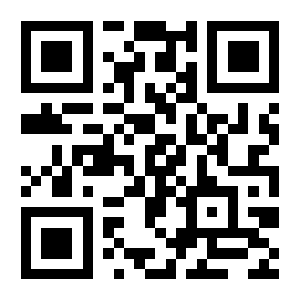
Level or pulse mode
Level Mode (default):
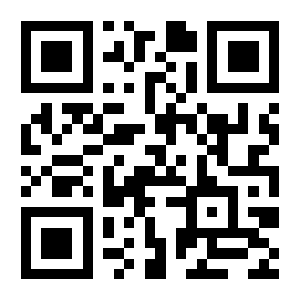
Pulse Mode:
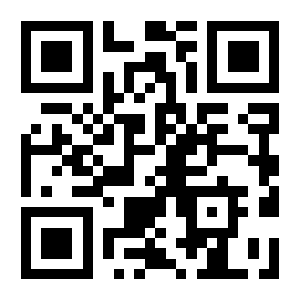
Single reading duration
3000ms (default):
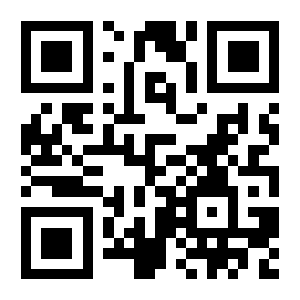
5000ms:
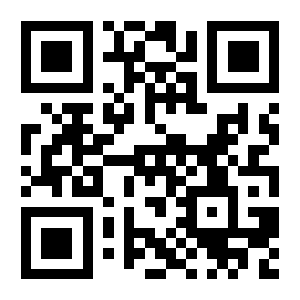
Custom Single Reading Duration:
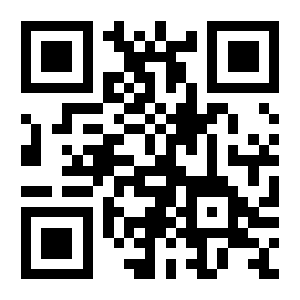
Automatic sleep when idle
Disable Auto Sleep (default):

Enable Auto Sleep:

Idle duration
500ms (default):

1000ms:

Custom:

Delay before rereading the same barcode
No Delay (default):
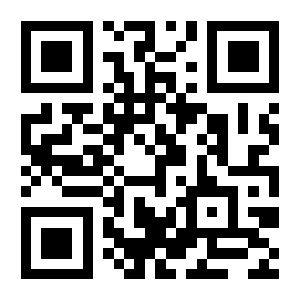
Delay:
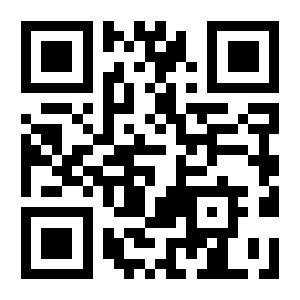
Do Not Reset Reread Timer (default):

Reset Reread Timer:
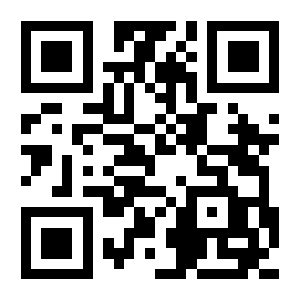
No Time Limit:
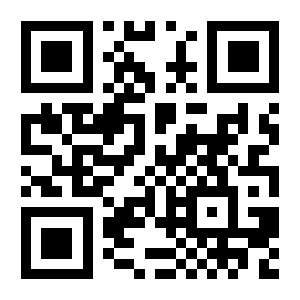
1000ms:
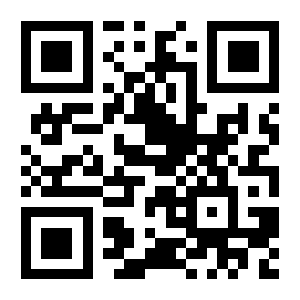
1500ms (default):

3000ms:
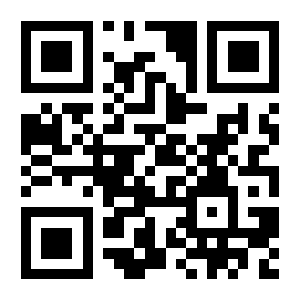
5000ms:
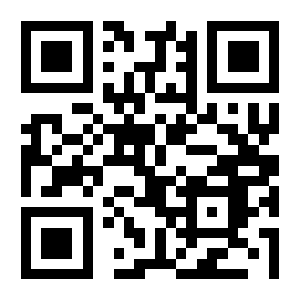
Custom:
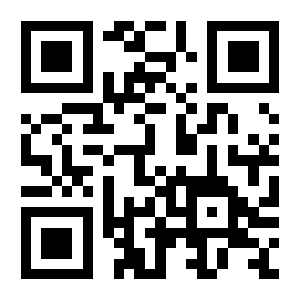
Sense (presentation) mode
Sense Mode:
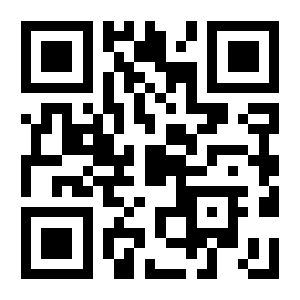
Single reading duration
3000ms (default):
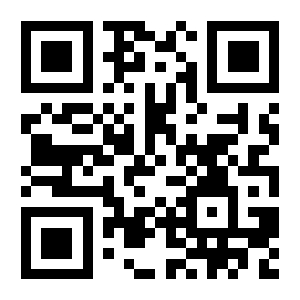
5000ms:
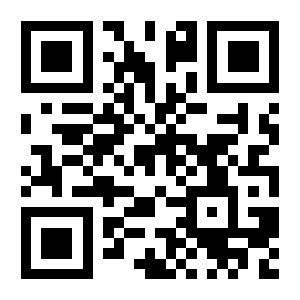
Custom:
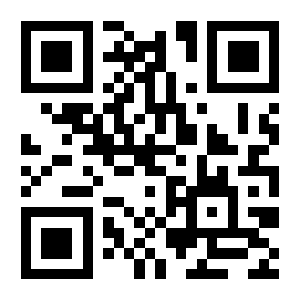
Delay before rereading the same barcode
No Delay (default):
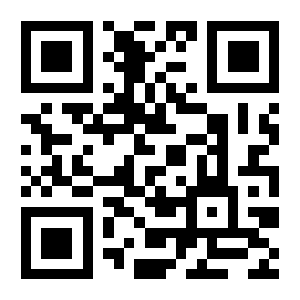
Delay:
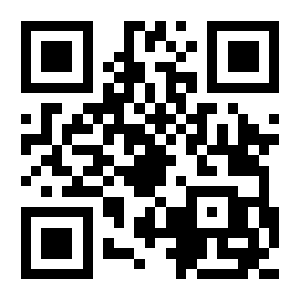
Do Not Reset Reread Timer (default):
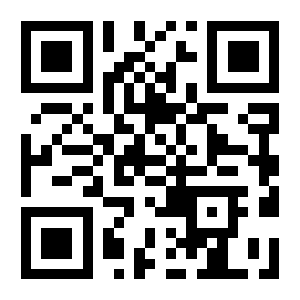
Reset Reread Timer:
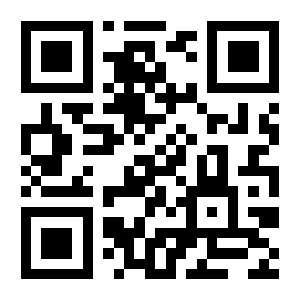
No Time Limit:
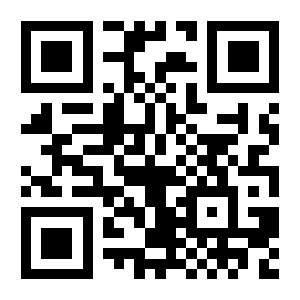
1000ms:
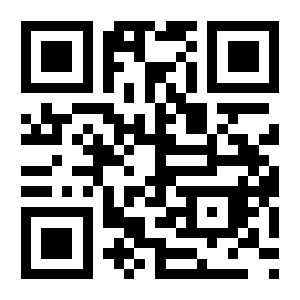
1500ms (default):

3000ms:
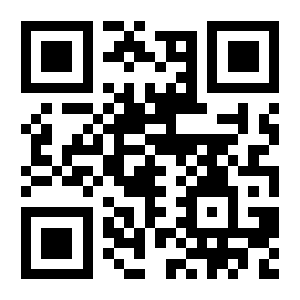
5000ms:
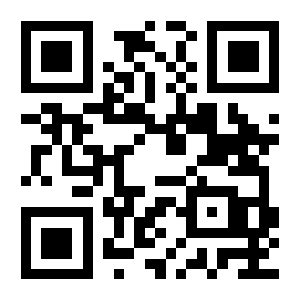
Custom:
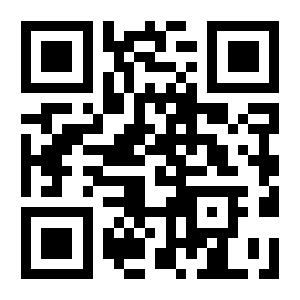
Image stabilisation duration
500ms:
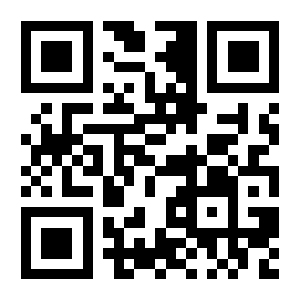
60ms (default):

1000ms:
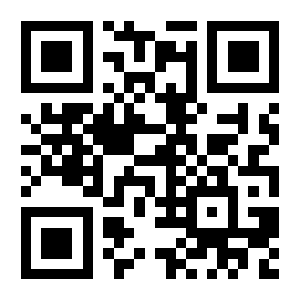
Custom:
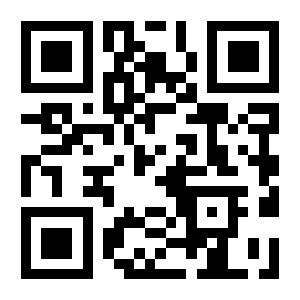
Sensitivity
Medium Sensitivity:
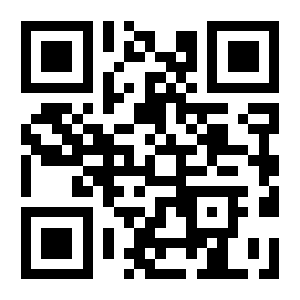
Low Sensitivity:
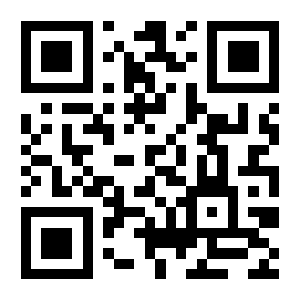
High Sensitivity (default):
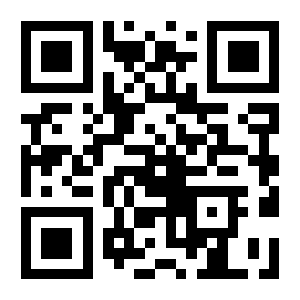
Enhanced Sensitivity:
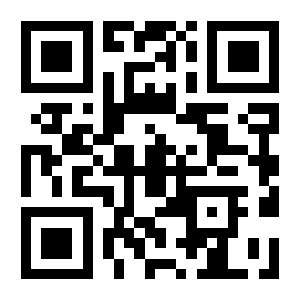
Change Scene-Change Threshold:
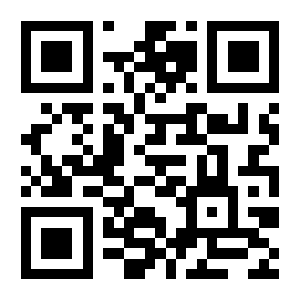
Continuous mode
Continuous Mode:
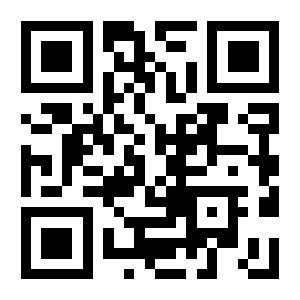
Single reading duration
3000ms (default):
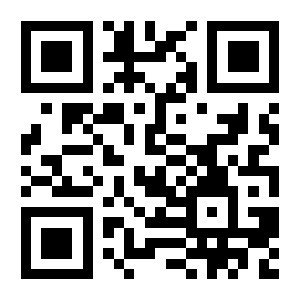
5000ms:
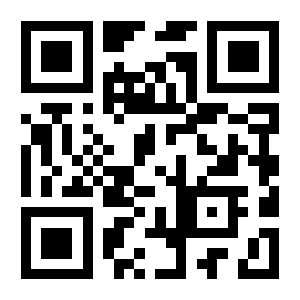
Custom:
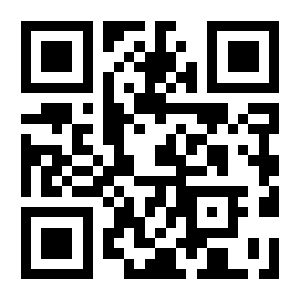
Interval between reads
500ms (default):
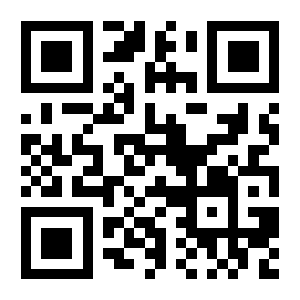
1000ms:
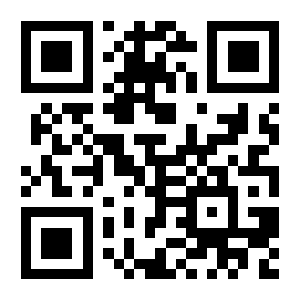
2000ms:
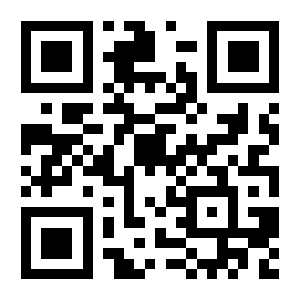
5000ms:
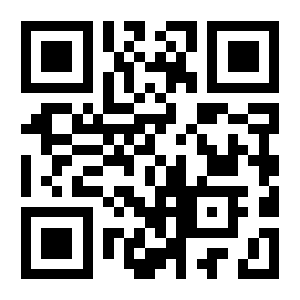
0ms:
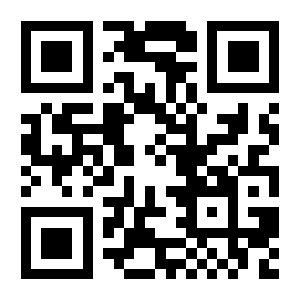
Custom:
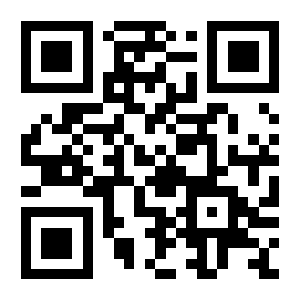
Delay before rereading the same barcode
No Delay (default):
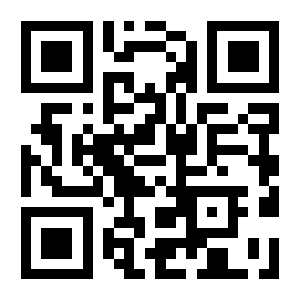
Delay:
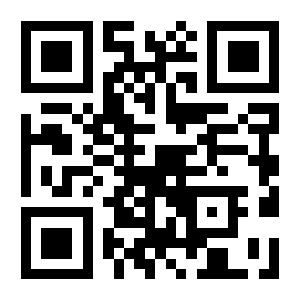
Do Not Reset Reread Timer (default):
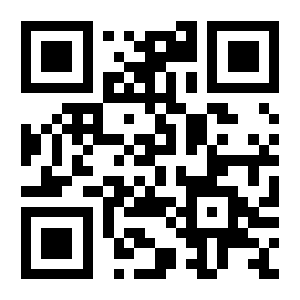
Reset Reread Timer:
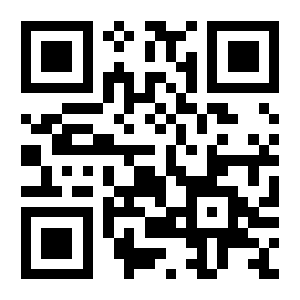
No Time Limit:
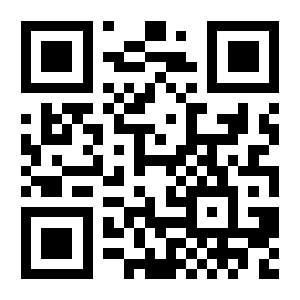
1000ms:
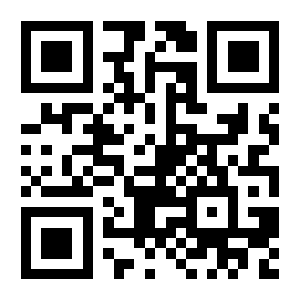
3000ms:
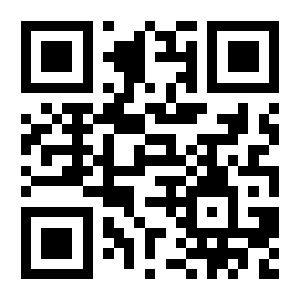
1500ms (default):

5000ms:
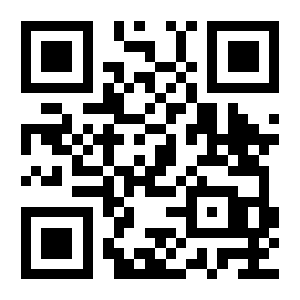
Custom:
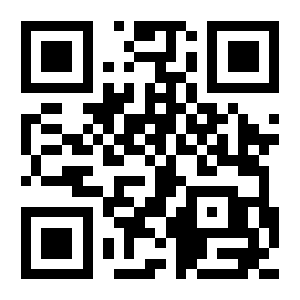
Command mode
Command Mode:

Illumination and aiming
Illumination
Normal (default):
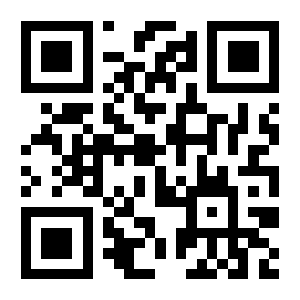
Off:
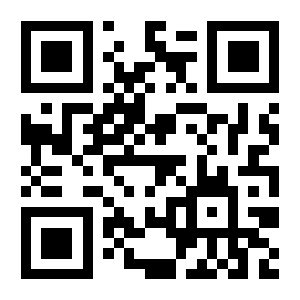
Always On:
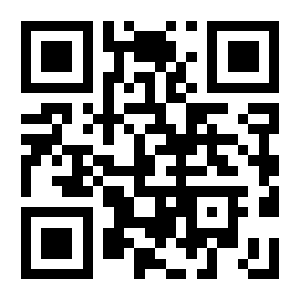
Aiming beam
Normal (default):
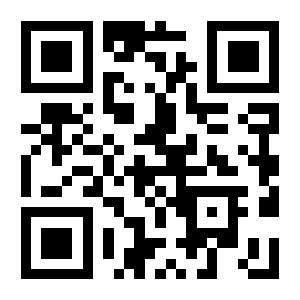
Off:
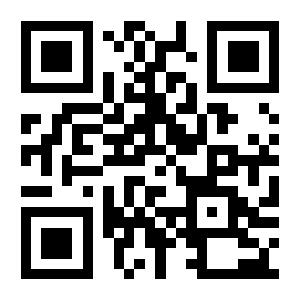
Always On:
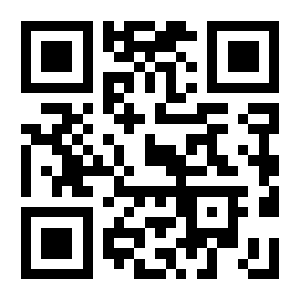
Beeper and LED
All beeps
Off:
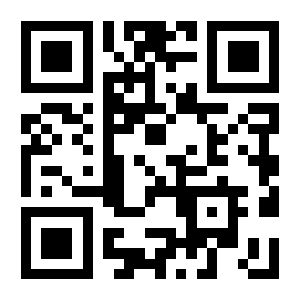
On (default):
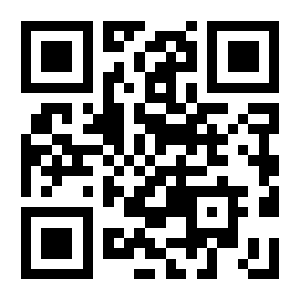
Power-on beep
On (default):
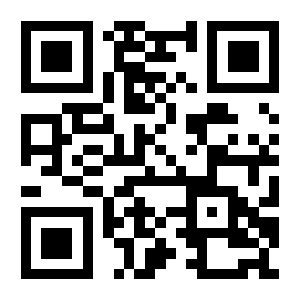
Off:
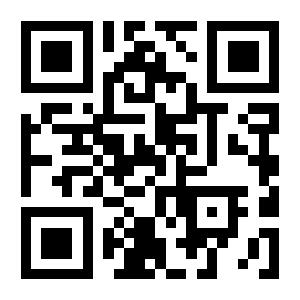
Good-read beep
On (default):
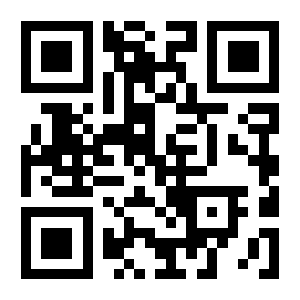
Off:
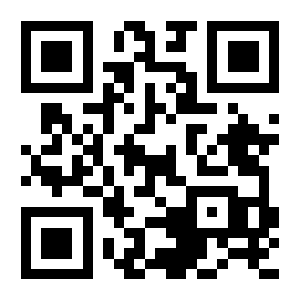
Beep tone
Type 1:
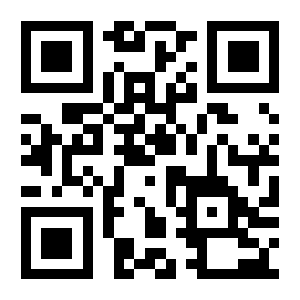
Type 2:
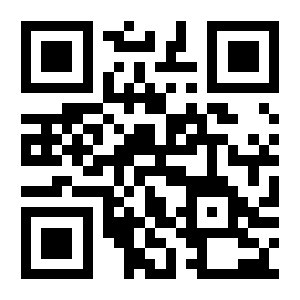
Type 3 (default):
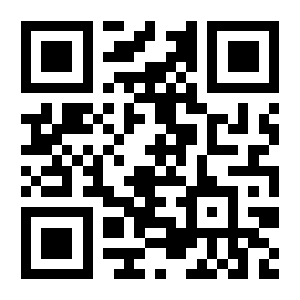
Beep volume
High (default):
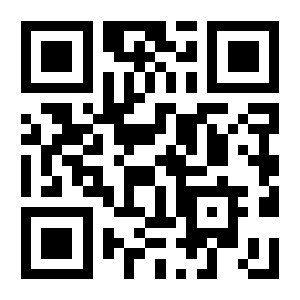
Medium:
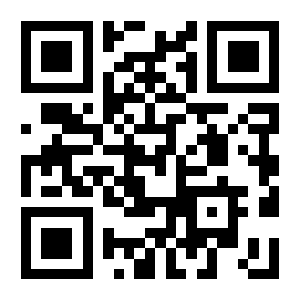
Low:
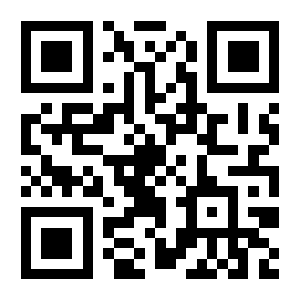
Beep for programming codes
On (default):
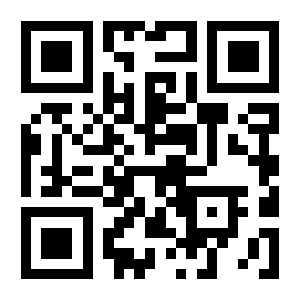
Off:
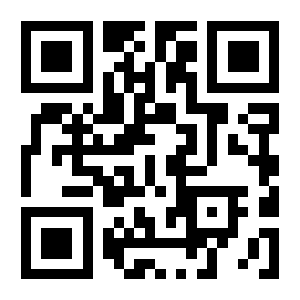
Good-read LED
On (default):
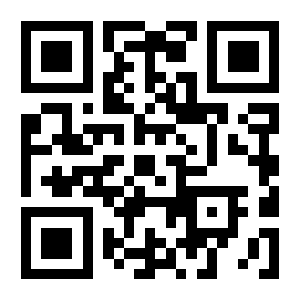
Off:
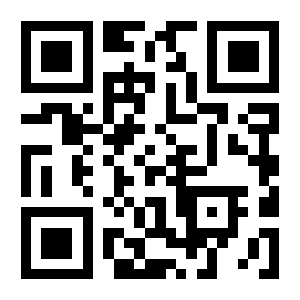
100ms:
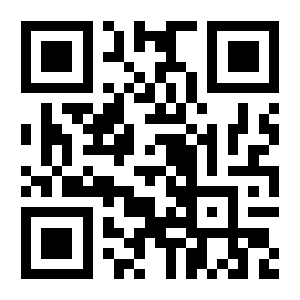
200ms (default):
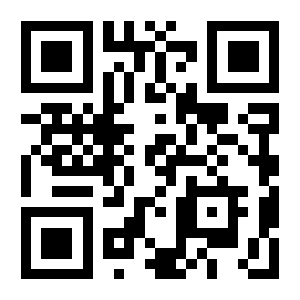
500ms:
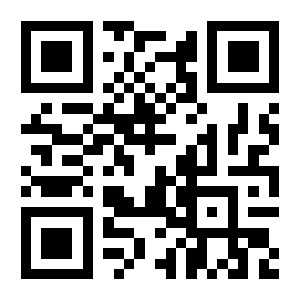
Custom:
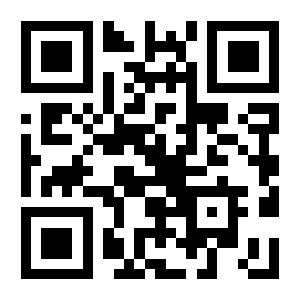
No-read (NGR) message
Transmit No-Read Message:
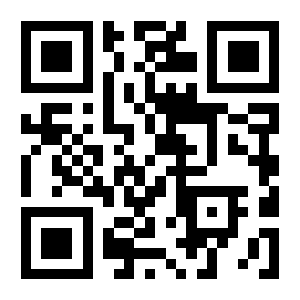
Do Not Transmit No-Read Message (default):
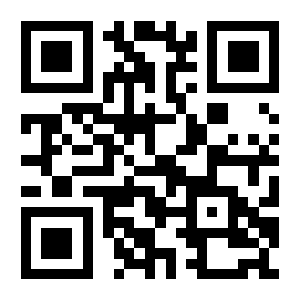
Change No-Read Message:
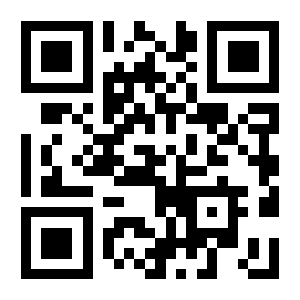
Data editing
Global switch
Enable All Added Data:
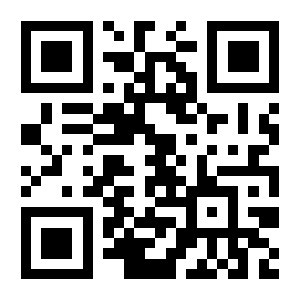
Disable All Added Data:
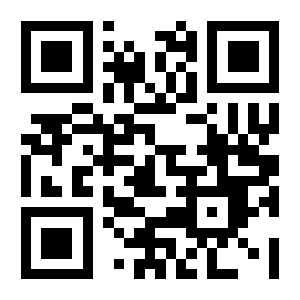
Append the data length
Do Not Transmit Data Length (default):

Transmit Data Length:

Start character (STX)
No Start Character (default):

STX As Start Character:

Order of prefix and Code ID
Code ID+Prefix:
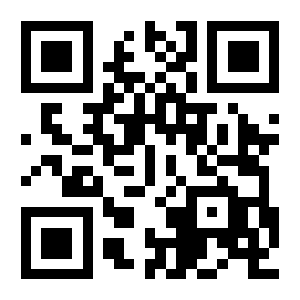
Prefix+Code ID (default):
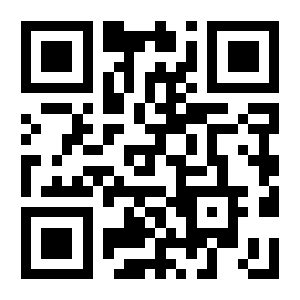
Prefix
Add a prefix
Add Prefix:
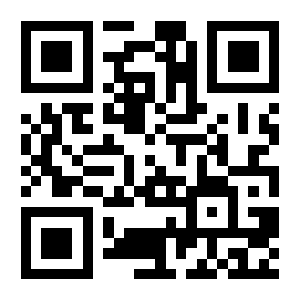
Do Not Add Prefix (default):
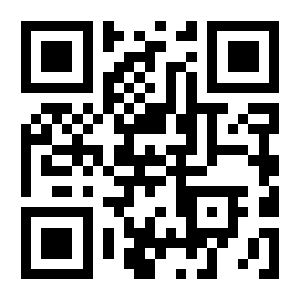
Change the prefix
Change Prefix:
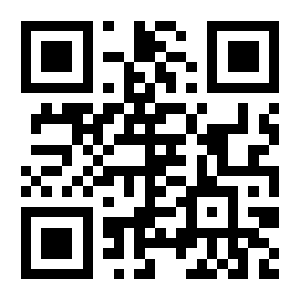
Code ID
Add a Code ID
Add Code ID:
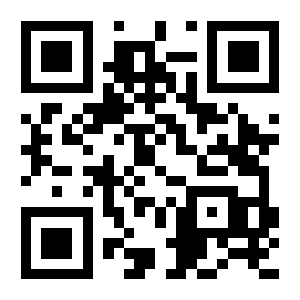
Do Not Add Code ID (default):
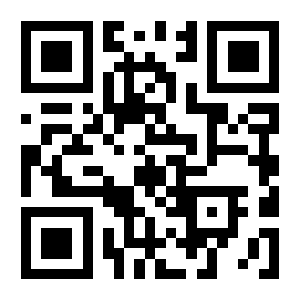
Restore All Code IDs:
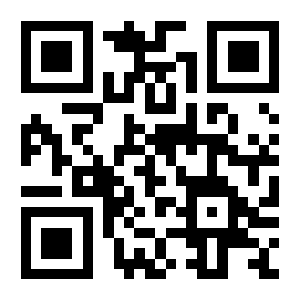
Change a Code ID
Change PDF417 Code ID:
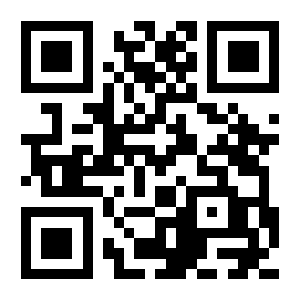
Change Code 128 Code ID:
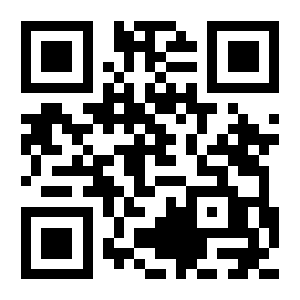
Change QR Code ID:
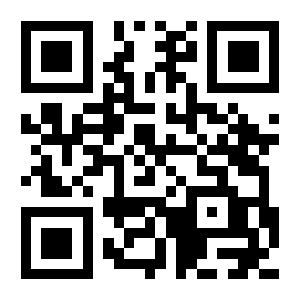
Change Data Matrix Code ID:
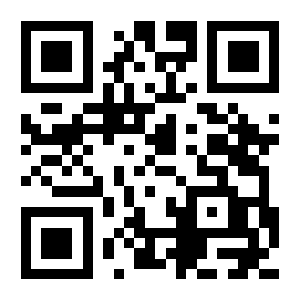
Change EAN-8 Code ID:
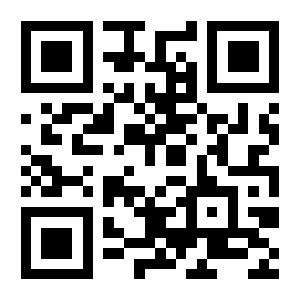
Change EAN-13 Code ID:
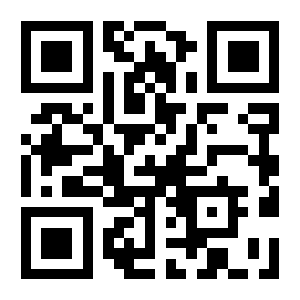
Change UPC-E0 Code ID:
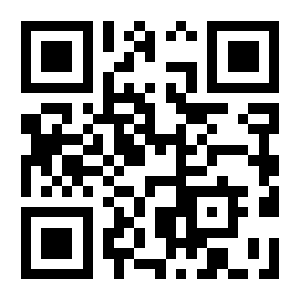
Change UPC-E1 Code ID:
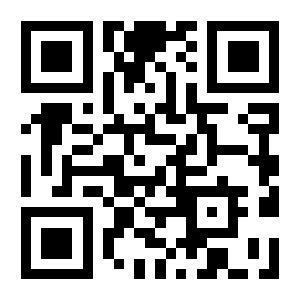
Change UPC-A Code ID:
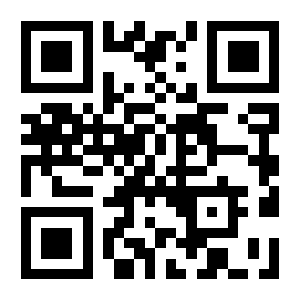
Change IATA 2 of 5 Code ID:
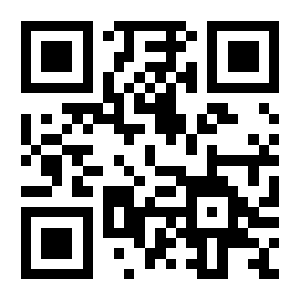
Change Code 39 Code ID:
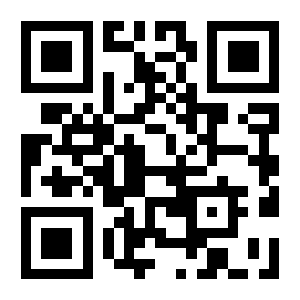
Change Code 93 Code ID:
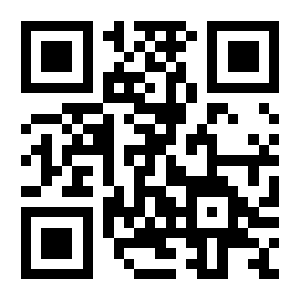
Change Interleaved 2 of 5 Code ID:
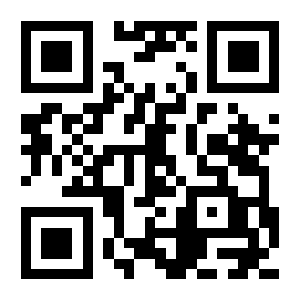
Change Codabar Code ID:
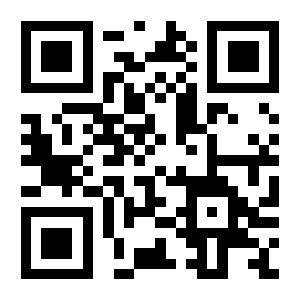
Change Industrial 2 of 5 Code ID:
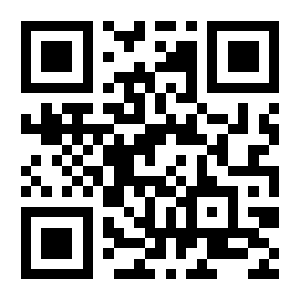
Change Matrix 2 of 5 Code ID:
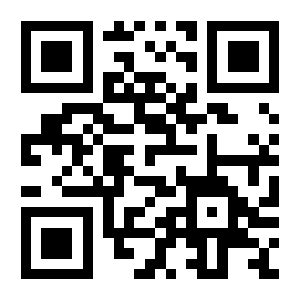
Change Code 11 Code ID:

Change MSI Plessey Code ID:

Change Micro QR Code ID:

Change Code 32 Code ID:

Change ISBN Code ID:

Change ISSN Code ID:

Change GS1 128 Code ID:

Change AIM 128 Code ID:

Change ISBT 128 Code ID:

Change Micro PDF417 Code ID:

Change Aztec Code ID:

Change GS1 DataBar Code ID:

Change GS1 DataBar Limited Code ID:

Change GS1 DataBar Expanded Code ID:

Suffix
Add a suffix
Add Suffix:
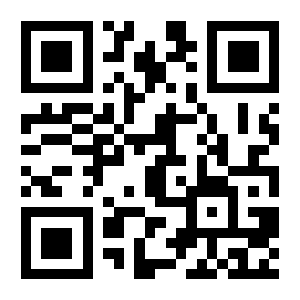
Do Not Add Suffix (default):
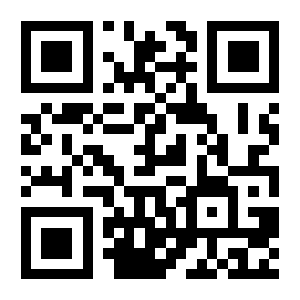
Change the suffix
Change Suffix:
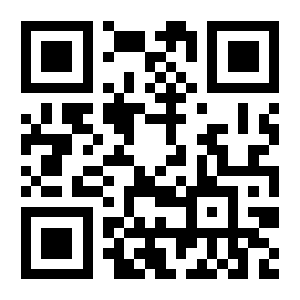
Terminator
Add a terminator
Add Terminator (default):
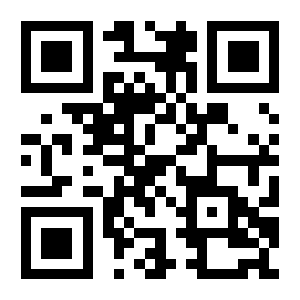
Do Not Add Terminator:
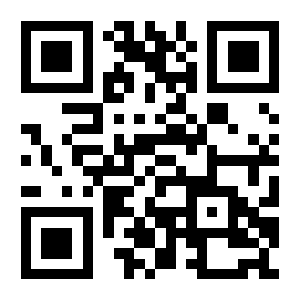
Change the terminator
Terminator 0x0D (CR) (default):
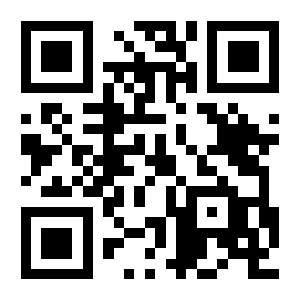
Terminator 0x0D 0x0A (CRLF):
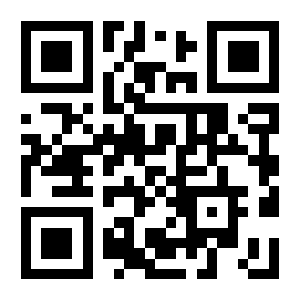
Change Terminator:
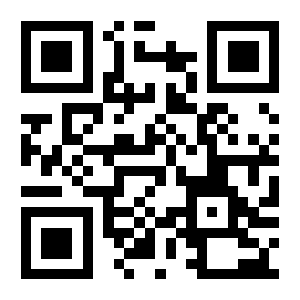
Terminator quick settings
No Terminator:

Add CR (default):

Add CRLF:

Add LF:

Add TAB:

Add ETX:

Data
Transmit part of the data
Transmit All Data (default):

Transmit Start Only:

Transmit End Only:

Transmit Middle Only:

Length of the data part
Change Start Length:

Change End Length:

Character encoding
Output encoding
GBK Encoding (Notepad / Excel) (default):
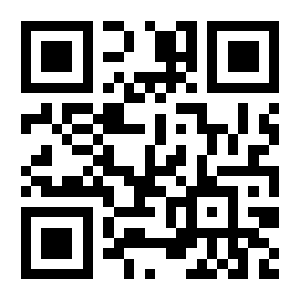
Unicode Encoding (Word):
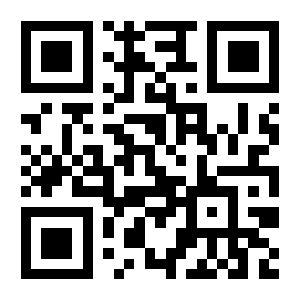
Raw Data Output:

UTF-8 Encoding (Serial Port):
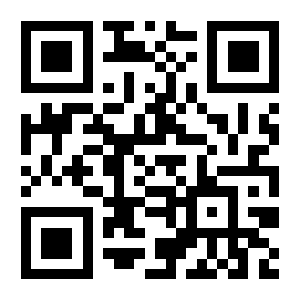
ECI mode
Enable ECI Mode (default):

Disable ECI Mode:

Invoice mode
Enable Invoice Mode (default):
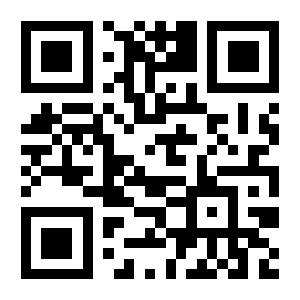
Disable Invoice Mode:
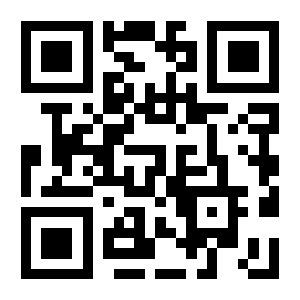
Symbology settings
All symbologies at once
All symbologies
Enable All Symbologies:
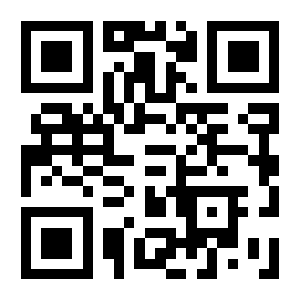
Disable All Symbologies:
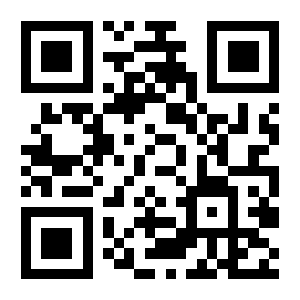
Restore Symbology Defaults:

All 1D symbologies
Enable All 1D Symbologies:
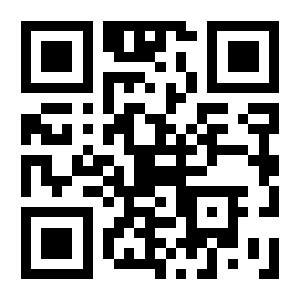
Disable All 1D Symbologies:
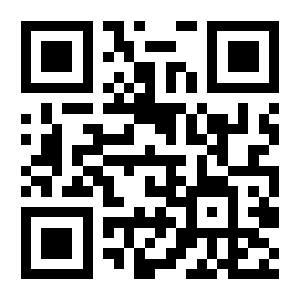
All 2D symbologies
Enable All 2D Symbologies:
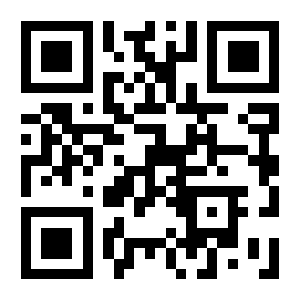
Disable All 2D Symbologies:
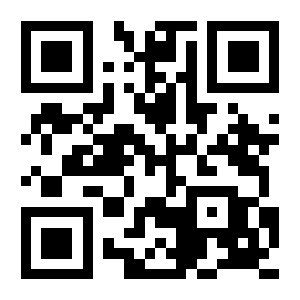
Inverse (reversed) codes
All inverse codes
Read Inverse Codes:

Do Not Read Inverse Codes (default):

Inverse codes per symbology
Read Inverse 1D Codes:

Do Not Read Inverse 1D Codes (default):

Read Inverse PDF417 Codes:

Do Not Read Inverse PDF417 Codes (default):

Read Inverse Data Matrix Codes:

Do Not Read Inverse Data Matrix Codes (default):

Read Inverse QR Codes:

Do Not Read Inverse QR Codes (default):

Read Inverse Micro PDF417 Codes:

Do Not Read Inverse Micro PDF417 Codes (default):

Read Inverse Aztec Codes:

Do Not Read Inverse Aztec Codes (default):

Code 128
Restore defaults
Restore Code 128 Defaults:
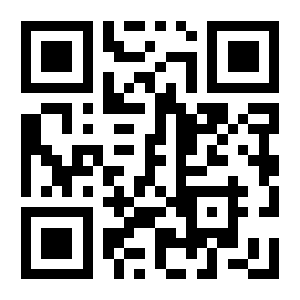
Enable or disable Code 128
Enable Code 128 (default):
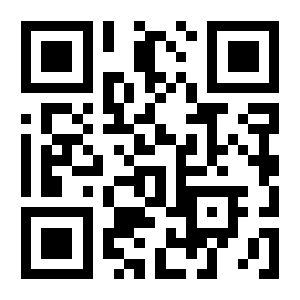
Disable Code 128:

Length limits
Minimum Length 0 (default):
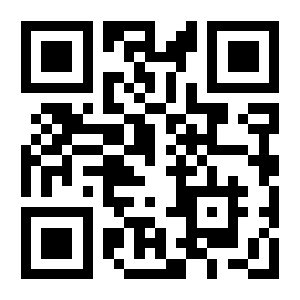
Minimum Length 4:
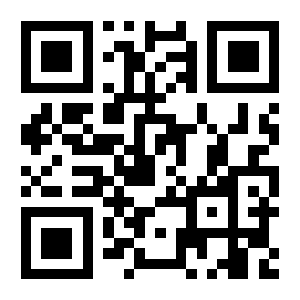
Maximum Length 32:

Maximum Length 255 (default):
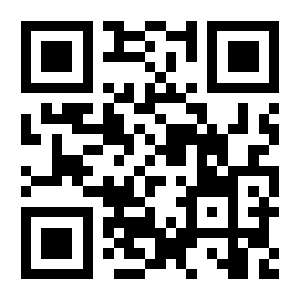
Custom Minimum Length:
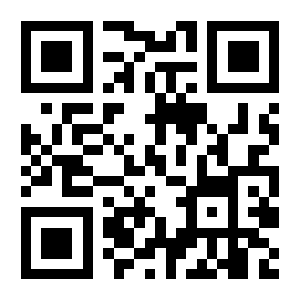
Custom Maximum Length:
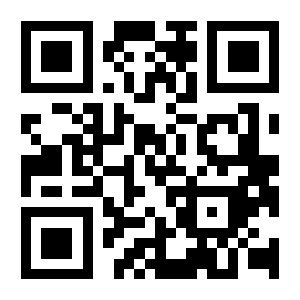
EAN-8
Restore defaults
Restore EAN-8 Defaults:
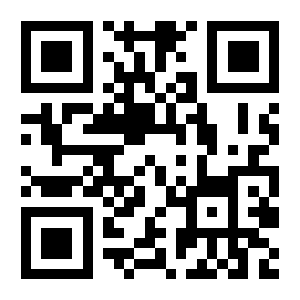
Enable or disable EAN-8
Enable EAN-8 (default):
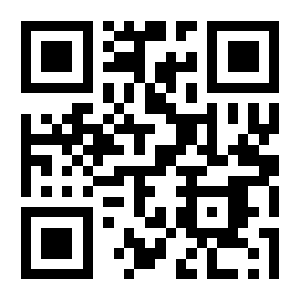
Disable EAN-8:
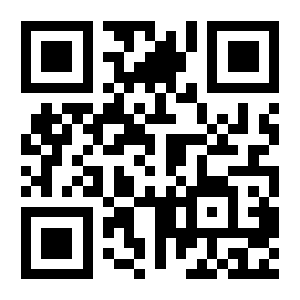
Check digit transmission
Transmit Check Digit (default):
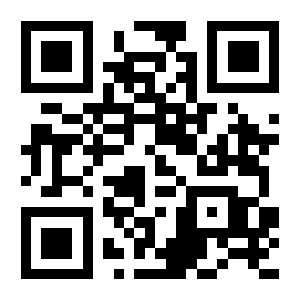
Do Not Transmit Check Digit:
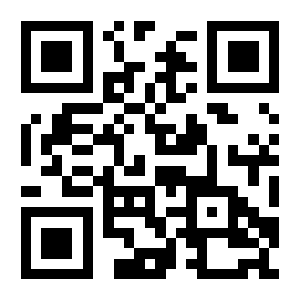
Add-on (extended) codes
Do Not Read 2-Digit Add-On (default):
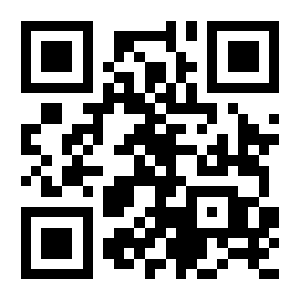
Read 2-Digit Add-On:

Do Not Read 5-Digit Add-On (default):
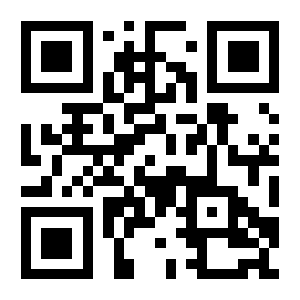
Read 5-Digit Add-On:
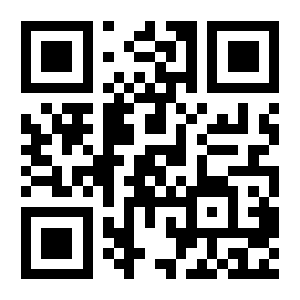
EAN-13
Restore defaults
Restore EAN-13 Defaults:
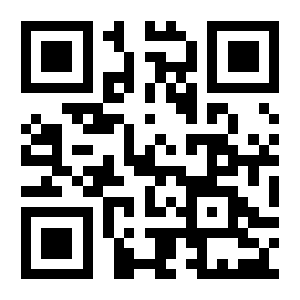
Enable or disable EAN-13
Enable EAN-13 (default):
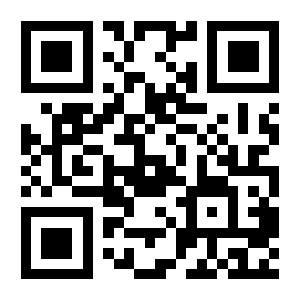
Disable EAN-13:
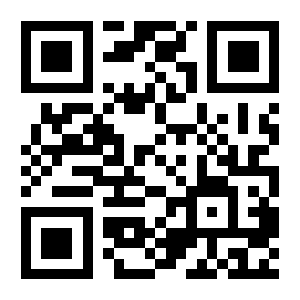
Check digit transmission
Transmit Check Digit (default):
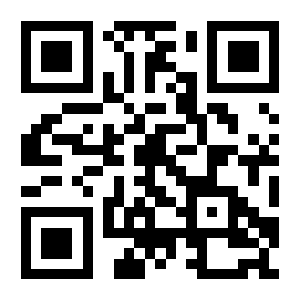
Do Not Transmit Check Digit:
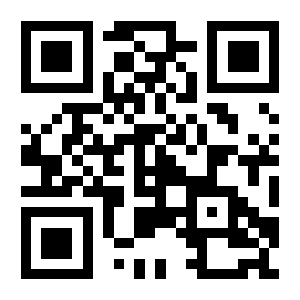
Add-on (extended) codes
Do Not Read 2-Digit Add-On (default):
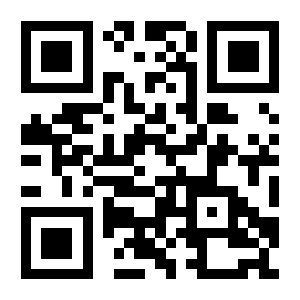
Read 2-Digit Add-On:
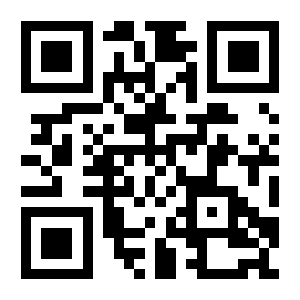
Do Not Read 5-Digit Add-On (default):
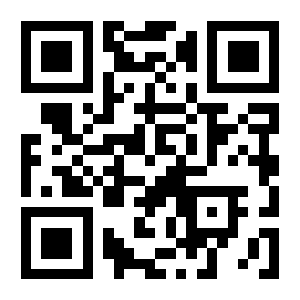
Read 5-Digit Add-On:
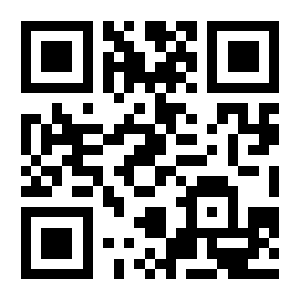
Transmit EAN-13 as ISBN
Do Not Transmit EAN-13 As ISBN (default):

Transmit EAN-13 As ISBN:

Transmit EAN-13 as ISSN
Do Not Transmit EAN-13 As ISSN (default):

Transmit EAN-13 As ISSN:

UPC-E0
Restore defaults
Restore UPC-E0 Defaults:
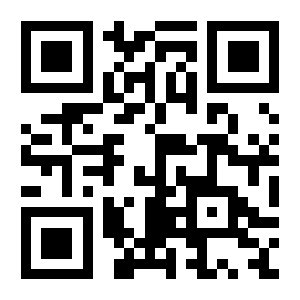
Enable or disable UPC-E0
Enable UPC-E0 (default):
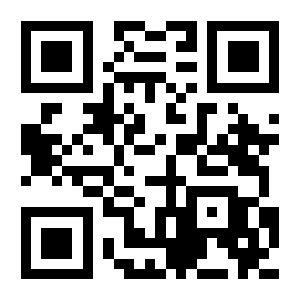
Disable UPC-E0:
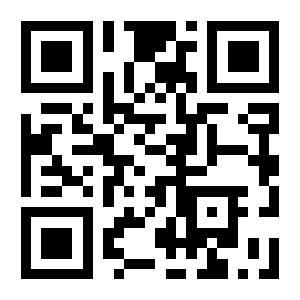
Check digit transmission
Transmit Check Digit (default):
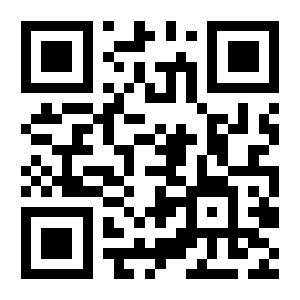
Do Not Transmit Check Digit:
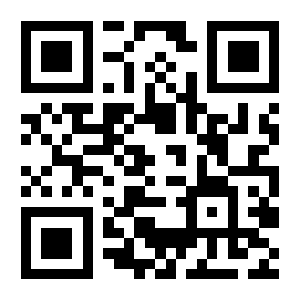
System character transmission
Transmit System Character (default):
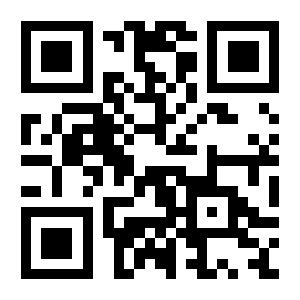
Do Not Transmit System Character:
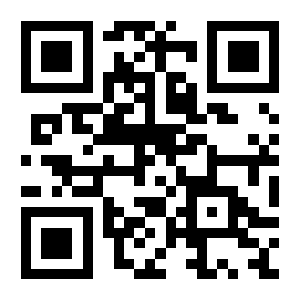
UPC-E1
Restore defaults
Restore UPC-E1 Defaults:
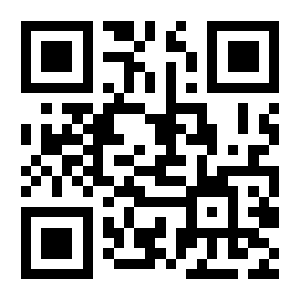
Enable or disable UPC-E1
Enable UPC-E1 (default):
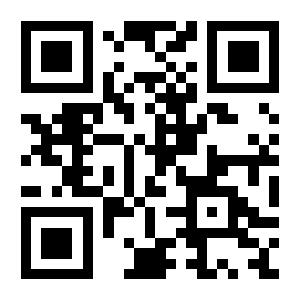
Disable UPC-E1:
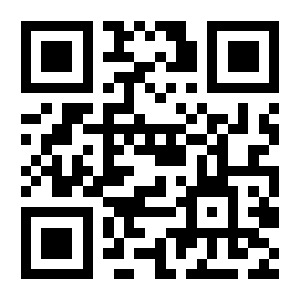
Check digit transmission
Transmit Check Digit (default):
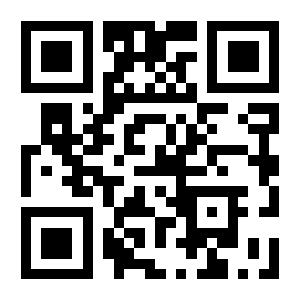
Do Not Transmit Check Digit:
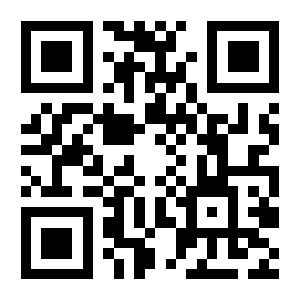
System character transmission
Transmit System Character (default):
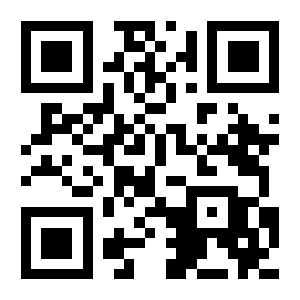
Do Not Transmit System Character:
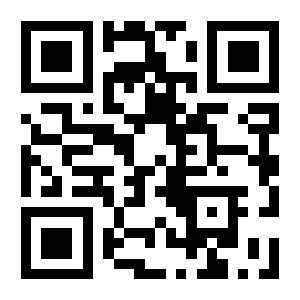
Add-on (extended) codes
Do Not Read 2-Digit Add-On (default):
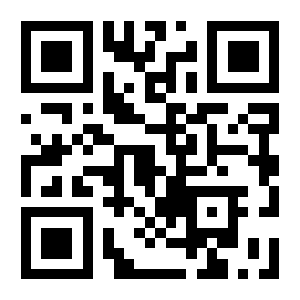
Read 2-Digit Add-On:
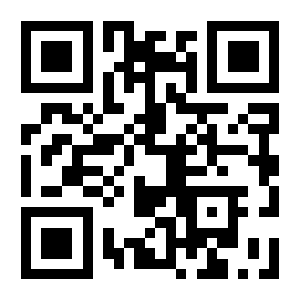
Do Not Read 5-Digit Add-On (default):
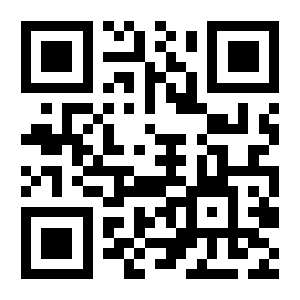
Read 5-Digit Add-On:
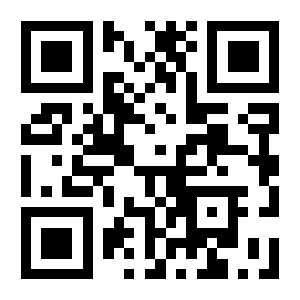
UPC-A
Restore defaults
Restore UPC-A Defaults:
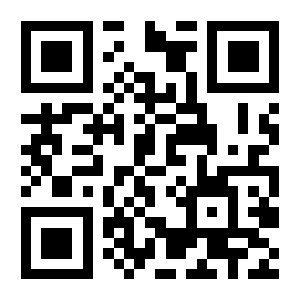
Enable or disable UPC-A
Enable UPC-A (default):
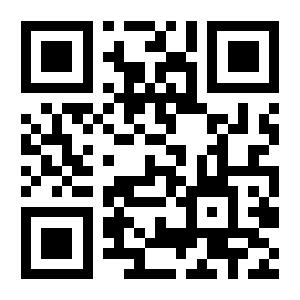
Disable UPC-A:
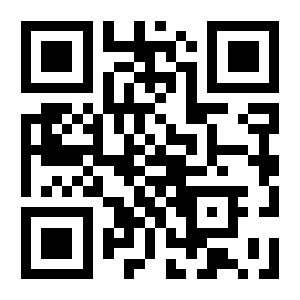
Transmit UPC-A as EAN-13
Do Not Transmit UPC-A As EAN-13 (default):

Transmit UPC-A As EAN-13:

Check digit transmission
Transmit Check Digit (default):
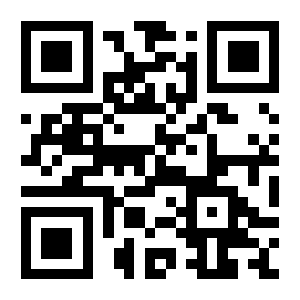
Do Not Transmit Check Digit:
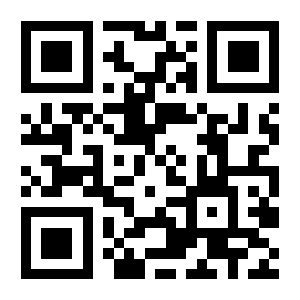
System character transmission
Transmit System Character (default):
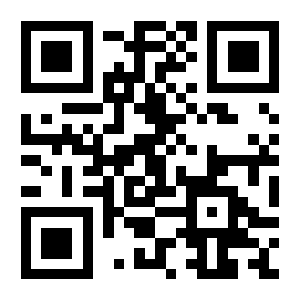
Do Not Transmit System Character:
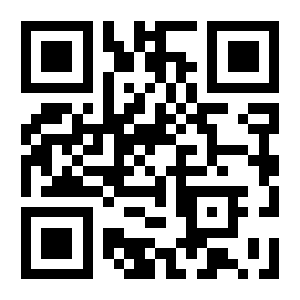
Add-on (extended) codes
Do Not Read 2-Digit Add-On (default):
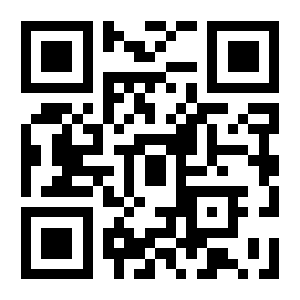
Read 2-Digit Add-On:
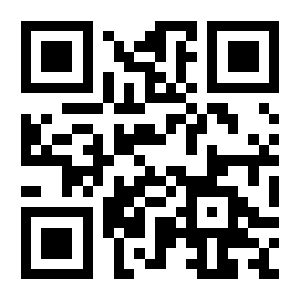
Do Not Read 5-Digit Add-On (default):
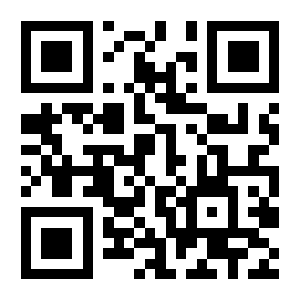
Read 5-Digit Add-On:
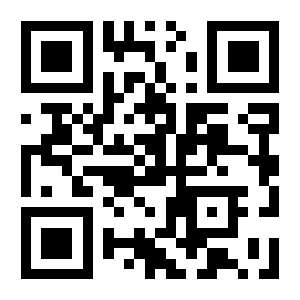
Interleaved 2 of 5
Restore defaults
Restore Interleaved 2 of 5 Defaults:
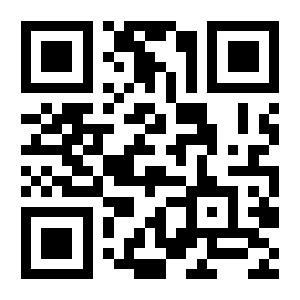
Enable or disable Interleaved 2 of 5
Enable Interleaved 2 of 5 (default):
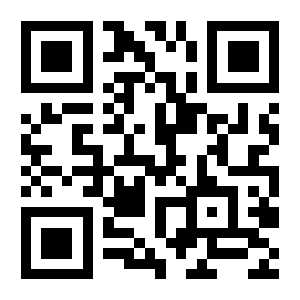
Disable Interleaved 2 of 5:
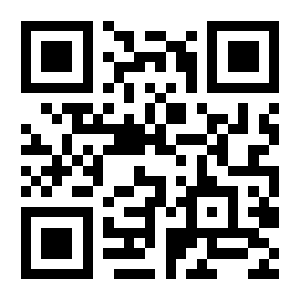
Length limits
Minimum Length 0 (default):
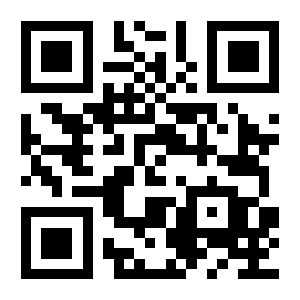
Minimum Length 4:
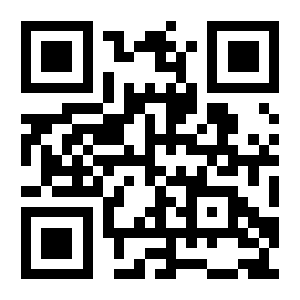
Maximum Length 32:
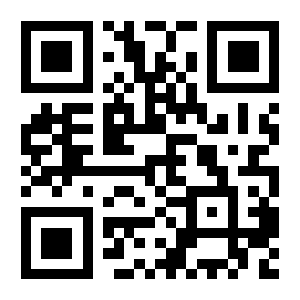
Maximum Length 255 (default):
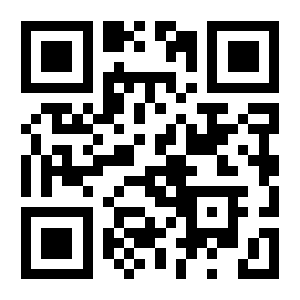
Custom Minimum Length:
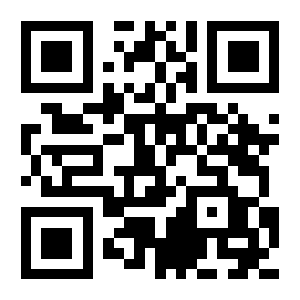
Custom Maximum Length:
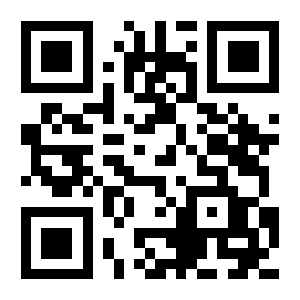
Check digit verification and transmission
No Check Digit Verification (default):
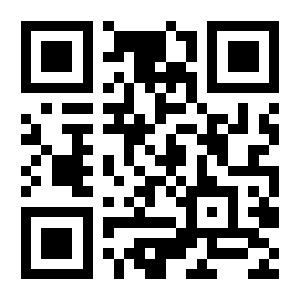
USS Check: Verify, Do Not Transmit:
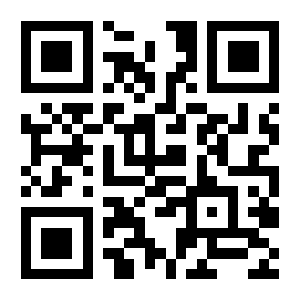
USS Check: Verify And Transmit:
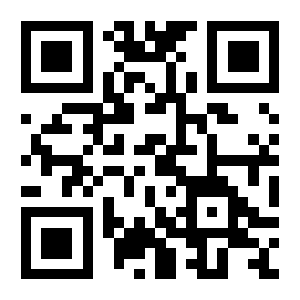
Matrix 2 of 5
Restore defaults
Restore Matrix 2 of 5 Defaults:
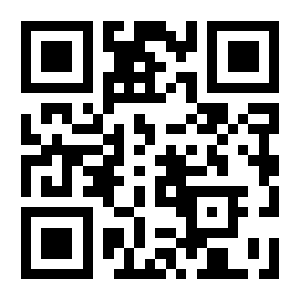
Enable or disable Matrix 2 of 5
Enable Matrix 2 of 5:
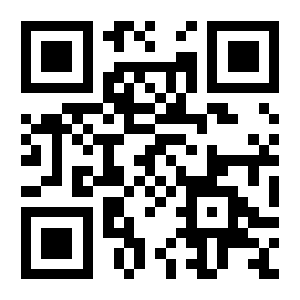
Disable Matrix 2 of 5 (default):
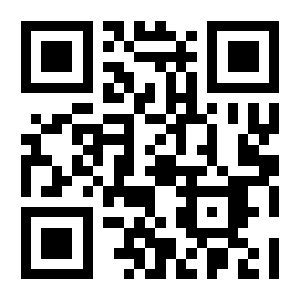
Length limits
Minimum Length 0 (default):
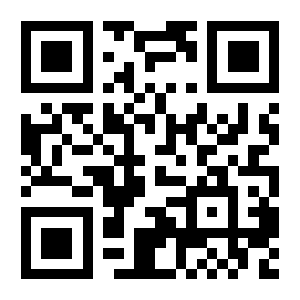
Minimum Length 4:
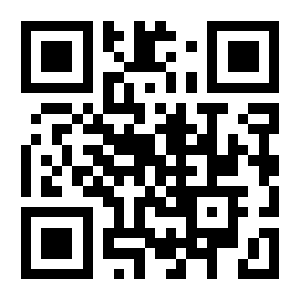
Maximum Length 32:
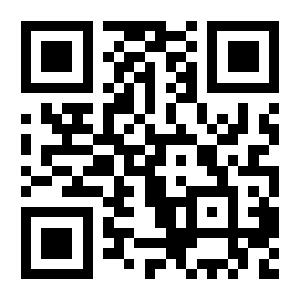
Maximum Length 255 (default):
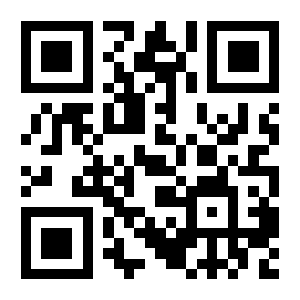
Custom Minimum Length:
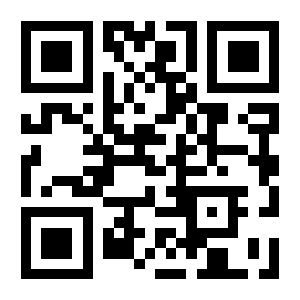
Custom Maximum Length:
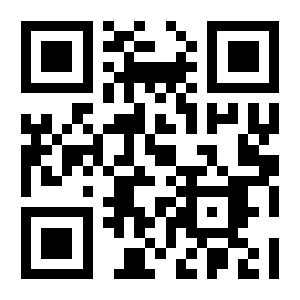
Check digit verification and transmission
No Check Digit Verification (default):
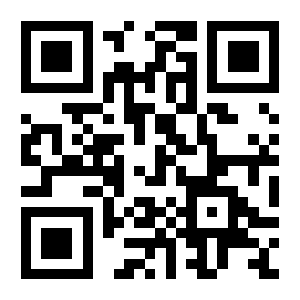
Verify, Do Not Transmit Check Digit:
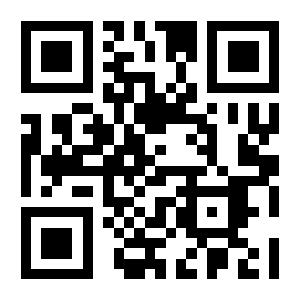
Verify And Transmit Check Digit:
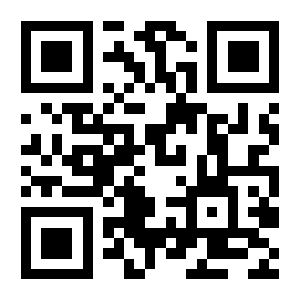
Industrial 2 of 5
Restore defaults
Restore Industrial 2 of 5 Defaults:
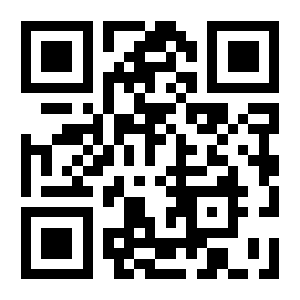
Enable or disable Industrial 2 of 5
Enable Industrial 2 of 5:
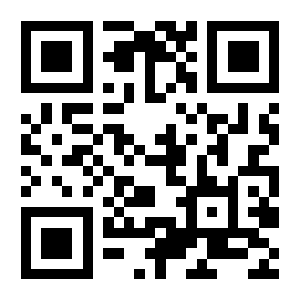
Disable Industrial 2 of 5 (default):
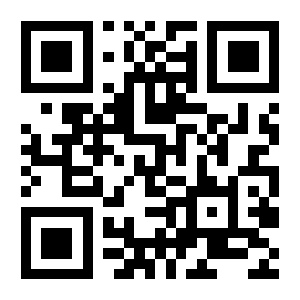
Length limits
Minimum Length 0 (default):
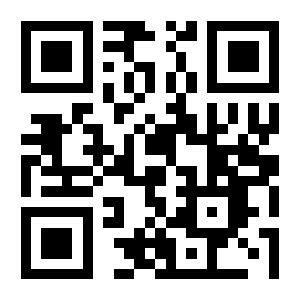
Minimum Length 4:
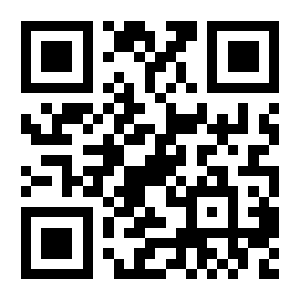
Maximum Length 32:
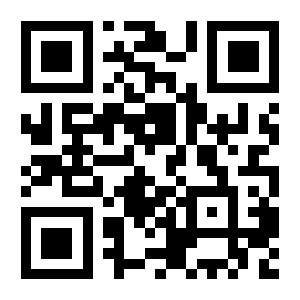
Maximum Length 255 (default):
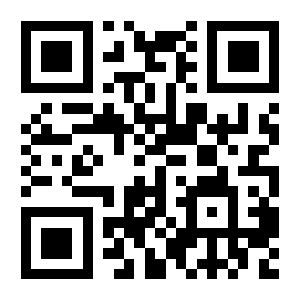
Custom Minimum Length:
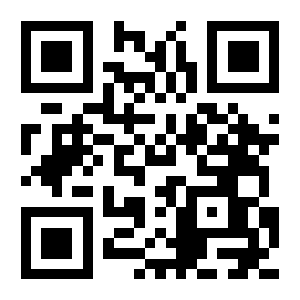
Custom Maximum Length:
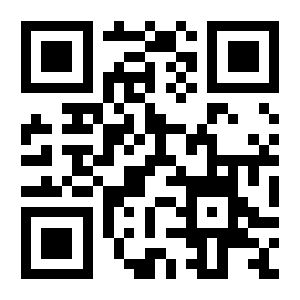
Check digit verification and transmission
No Check Digit Verification (default):
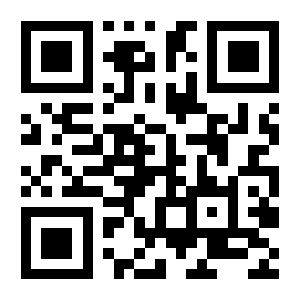
Verify, Do Not Transmit Check Digit:
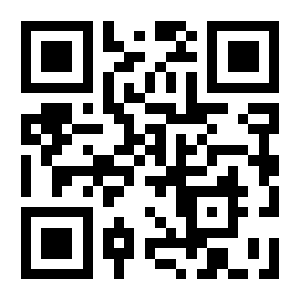
Verify And Transmit Check Digit:
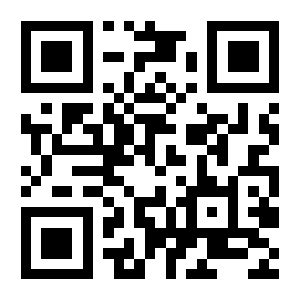
IATA 2 of 5
Restore defaults
Restore IATA 2 of 5 Defaults:
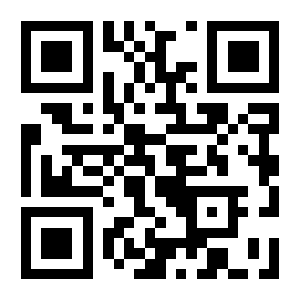
Enable or disable IATA 2 of 5
Enable IATA 2 of 5:
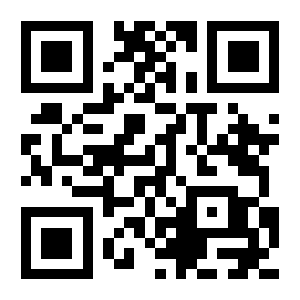
Disable IATA 2 of 5 (default):
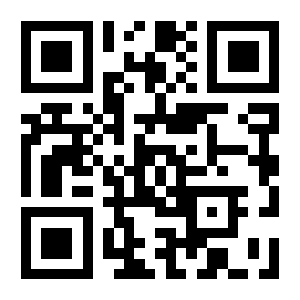
Length limits
Minimum Length 0 (default):
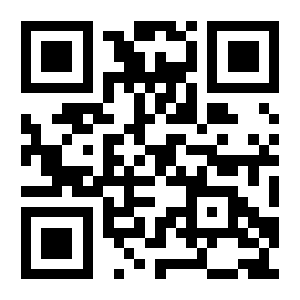
Minimum Length 4:
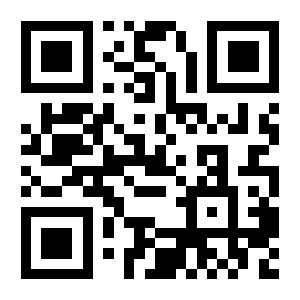
Maximum Length 32:
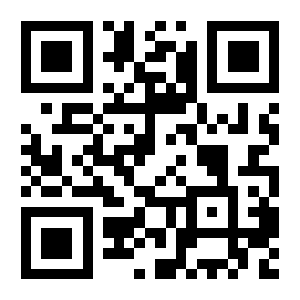
Maximum Length 255 (default):
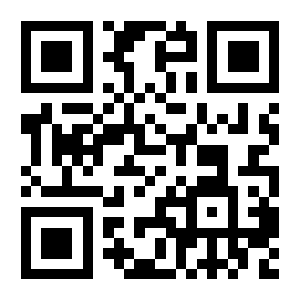
Custom Minimum Length:
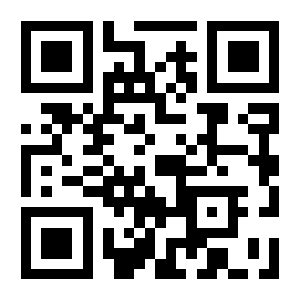
Custom Maximum Length:
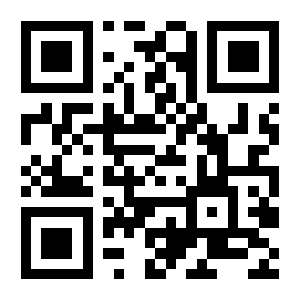
Check digit verification and transmission
No Check Digit Verification (default):
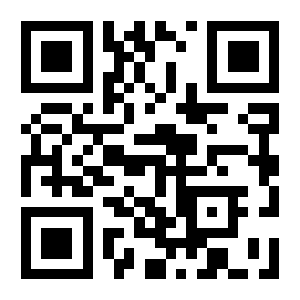
Verify, Do Not Transmit Check Digit:
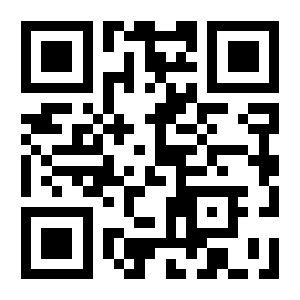
Verify And Transmit Check Digit:
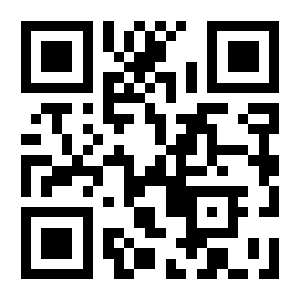
Code 39
Restore defaults
Restore Code 39 Defaults:
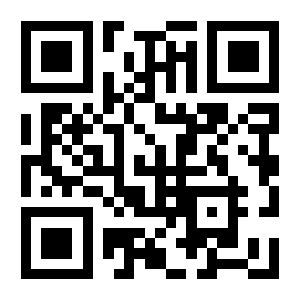
Enable or disable Code 39
Enable Code 39 (default):
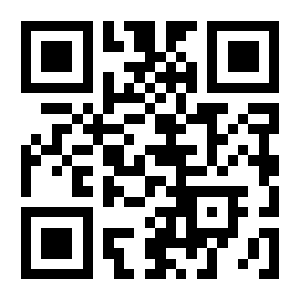
Disable Code 39:
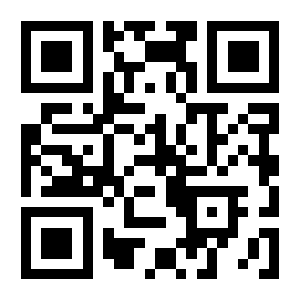
Start and stop character transmission
Transmit Start/Stop Characters:
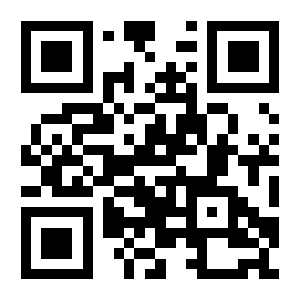
Do Not Transmit Start/Stop Characters (default):
Length limits
Minimum Length 0 (default):
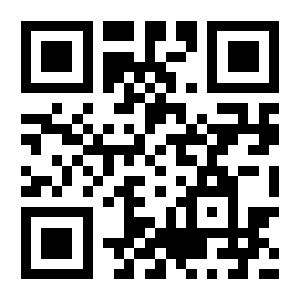
Minimum Length 4:
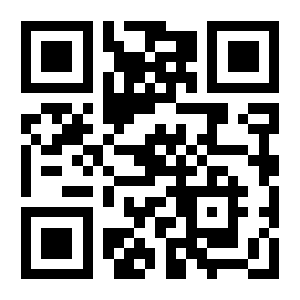
Maximum Length 32:
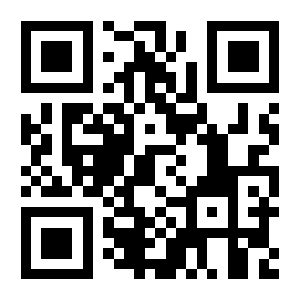
Maximum Length 255 (default):
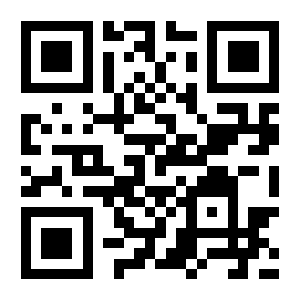
Custom Minimum Length:
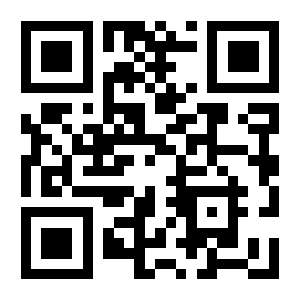
Custom Maximum Length:
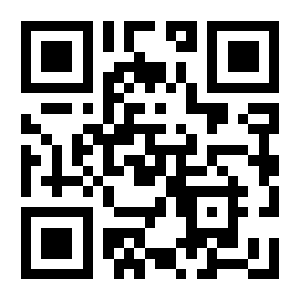
Check digit verification and transmission
No Check Digit Verification (default):

Verify, Do Not Transmit Check Digit:
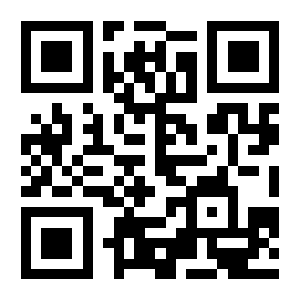
Verify And Transmit Check Digit:
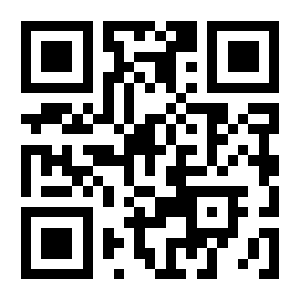
Code 32 (Italian Pharmacode)
Disable Code 32 (default):
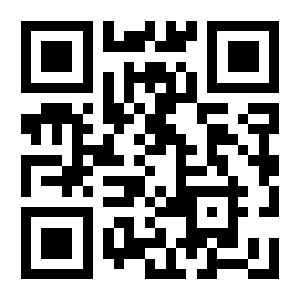
Enable Code 32:
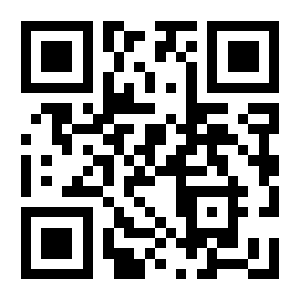
Full ASCII support
Disable Full ASCII (default):
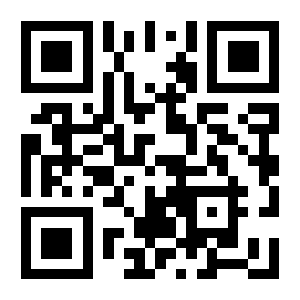
Enable Full ASCII:
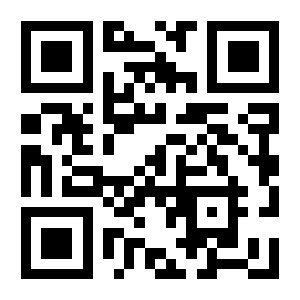
Codabar
Restore defaults
Restore Codabar Defaults:
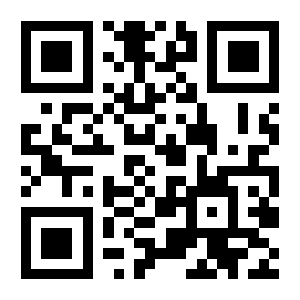
Enable or disable Codabar
Enable Codabar (default):
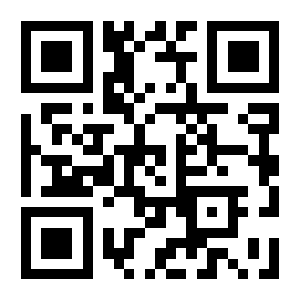
Disable Codabar:
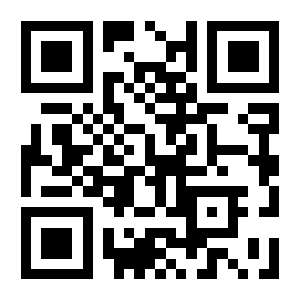
Length limits
Minimum Length 0 (default):
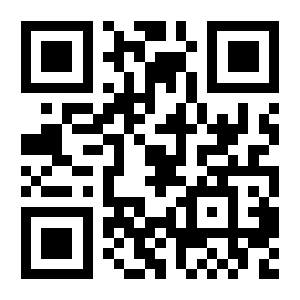
Minimum Length 4:
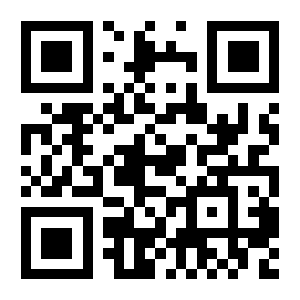
Maximum Length 32:
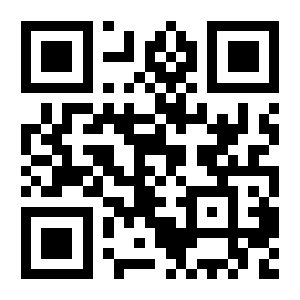
Maximum Length 255 (default):
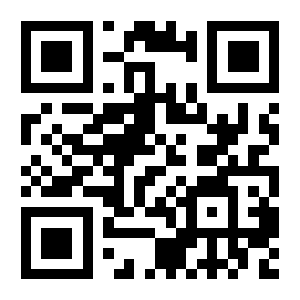
Custom Minimum Length:
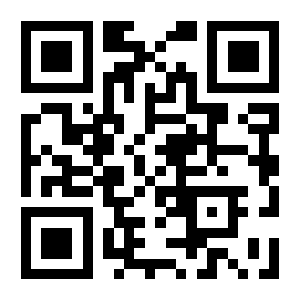
Custom Maximum Length:
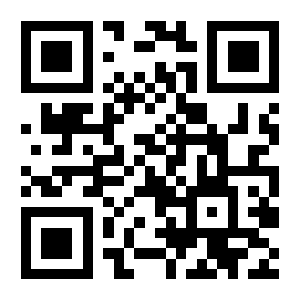
Check digit verification and transmission
No Check Digit Verification (default):
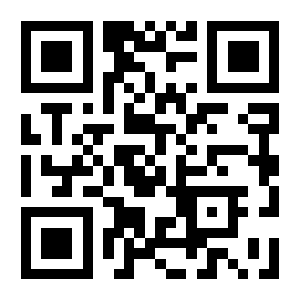
Mod 10 Check: Verify And Transmit:
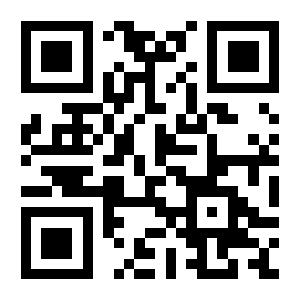
Mod 10 Check: Verify, Do Not Transmit:
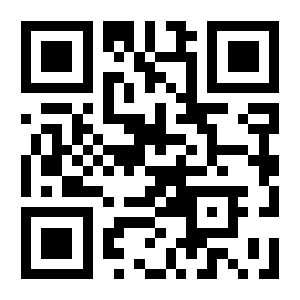
Mod 16 Check: Verify And Transmit:
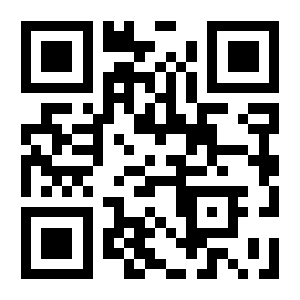
Mod 16 Check: Verify, Do Not Transmit:
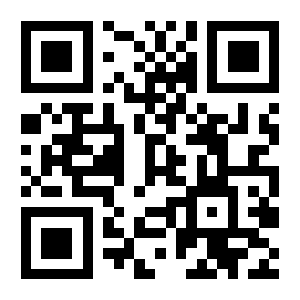
Start and stop character transmission
Do Not Transmit Start/Stop Characters:
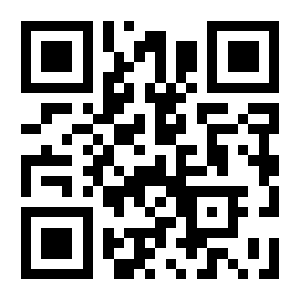
Start/Stop As ABCD / ABCD (default):
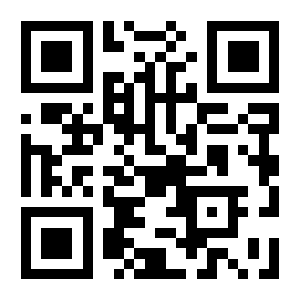
Start/Stop As ABCD / TN*E:

Start/Stop As abcd / abcd:
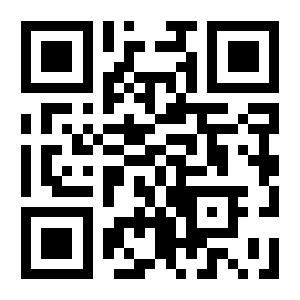
Start/Stop As abcd / tn*e:
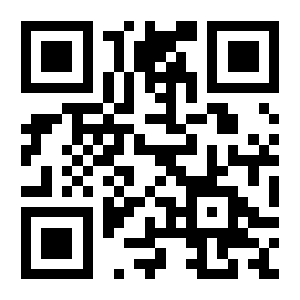
Code 93
Restore defaults
Restore Code 93 Defaults:
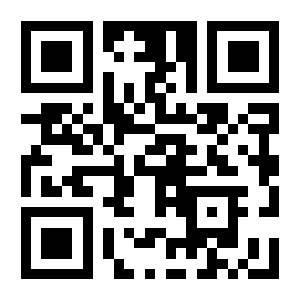
Enable or disable Code 93
Enable Code 93 (default):
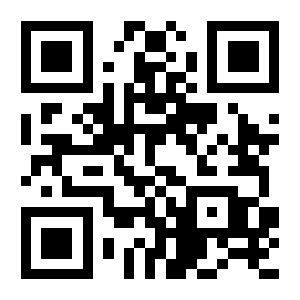
Disable Code 93:
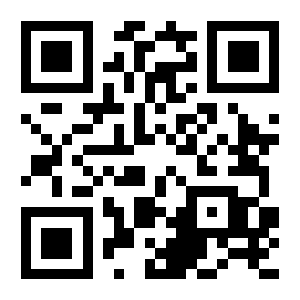
Length limits
Minimum Length 0 (default):
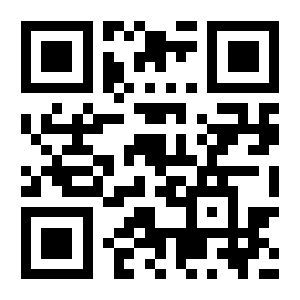
Minimum Length 4:
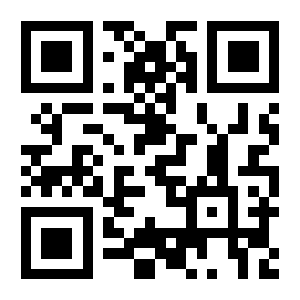
Maximum Length 32:
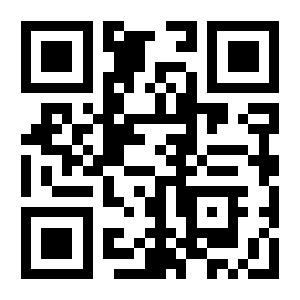
Maximum Length 255 (default):
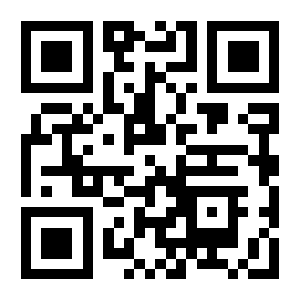
Custom Minimum Length:
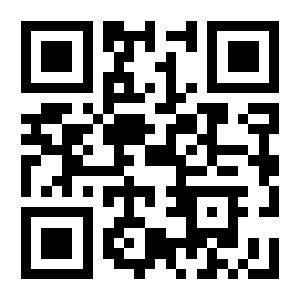
Custom Maximum Length:
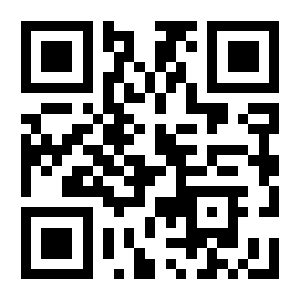
Code 11
Restore defaults
Restore Code 11 Defaults:

Enable or disable Code 11
Enable Code 11:

Disable Code 11 (default):

Length limits
Minimum Length 0 (default):

Minimum Length 4:

Maximum Length 32:

Maximum Length 255 (default):

Custom Minimum Length:

Custom Maximum Length:

MSI Plessey
Restore defaults
Restore MSI Plessey Defaults:

Enable or disable MSI Plessey
Enable MSI Plessey:

Disable MSI Plessey (default):

Length limits
Minimum Length 0 (default):

Minimum Length 4:

Maximum Length 32:

Maximum Length 255 (default):

Custom Minimum Length:

Custom Maximum Length:

PDF417
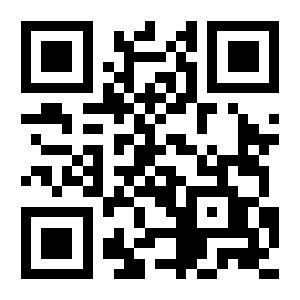
Enable PDF417 (default):
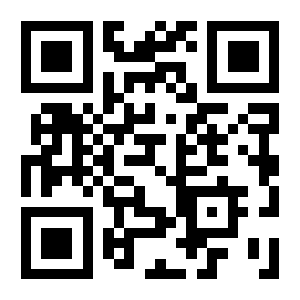
Disable PDF417:
QR Code
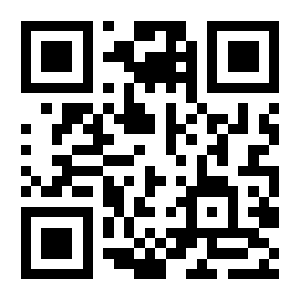
Enable QR Code (default):
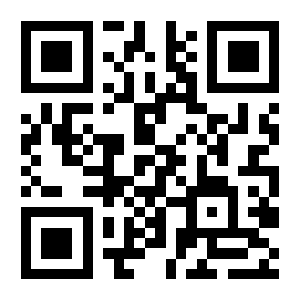
Disable QR Code:
Micro QR
Enable Micro QR:

Disable Micro QR (default):

Data Matrix
Disable Data Matrix:
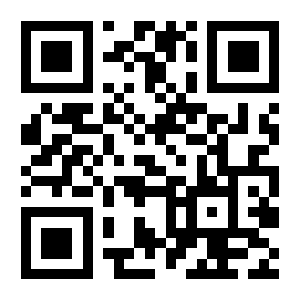
Enable Data Matrix (default):
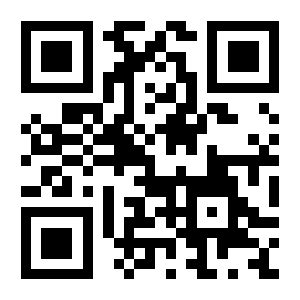
Micro PDF417
Enable Micro PDF417:

Disable Micro PDF417 (default):

Aztec
Enable Aztec (default):

Disable Aztec:

GS1 DataBar
Enable GS1 DataBar (default):

Disable GS1 DataBar:

GS1 DataBar Limited
Enable GS1 DataBar Limited (default):

Disable GS1 DataBar Limited:

GS1 DataBar Expanded
Enable GS1 DataBar Expanded (default):

Disable GS1 DataBar Expanded:

Data codes
Data codes 0-F
Data Code 1:
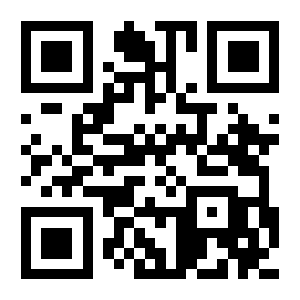
Data Code 0:
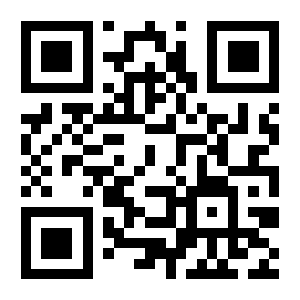
Data Code 2:
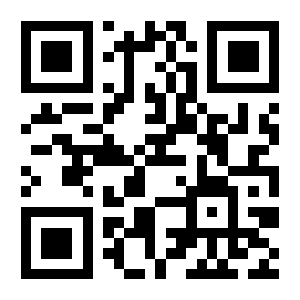
Data Code 3:
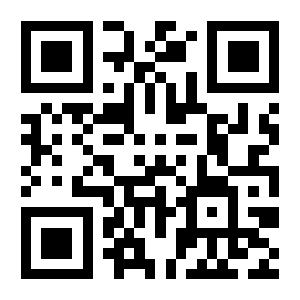
Data Code 4:
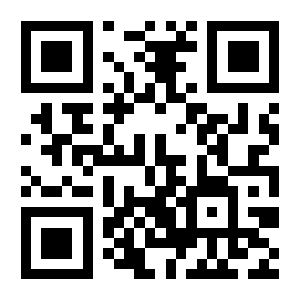
Data Code 5:
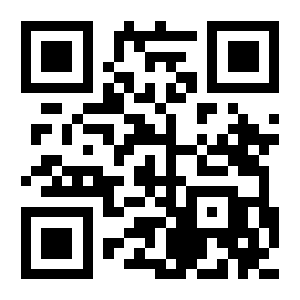
Data Code 6:
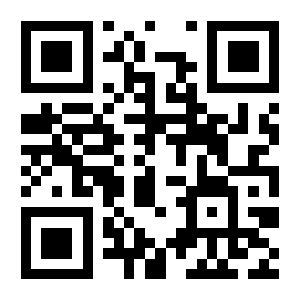
Data Code 7:
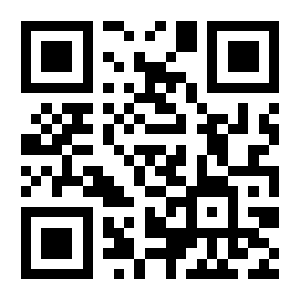
Data Code 8:
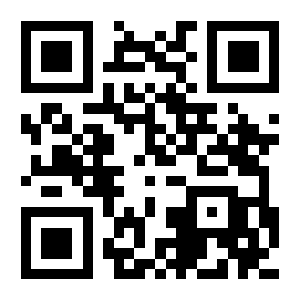
Data Code 9:
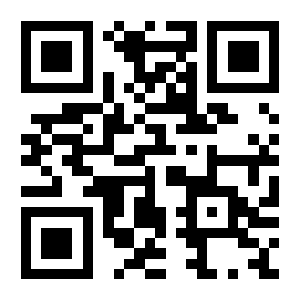
Data Code A:
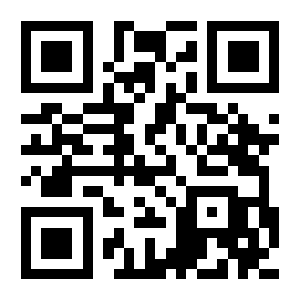
Data Code B:
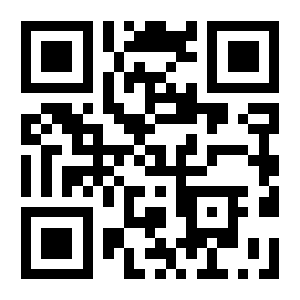
Data Code C:
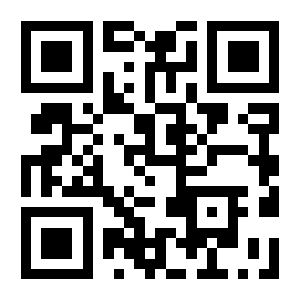
Data Code D:

Data Code E:
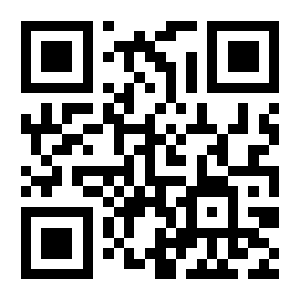
Data Code F:
Save and cancel
Save:
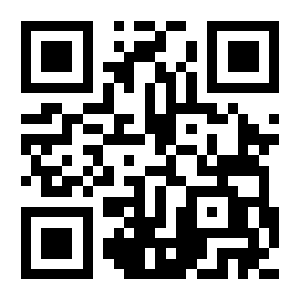
Cancel Last Digit:
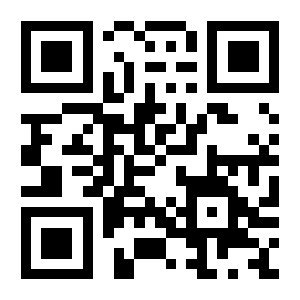
Cancel All Digits Entered:
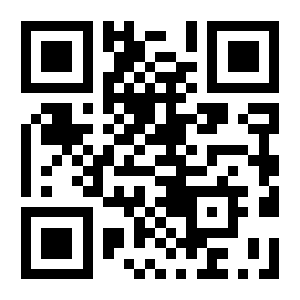
Cancel Current Setting:
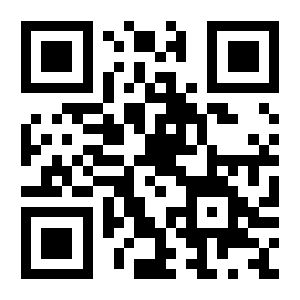
Device information
Firmware version
Read Firmware Version:

Frequently asked questions
How do I enter and exit the HD-S20 configuration mode?
The scanner does not react to the configuration codes — what is wrong?
Does the HD-S20 need drivers?
Does the HD-S20 read codes from phone and computer screens?
How does the automatic (presentation) scanning work?
How do I restore the factory settings?
Downloads
The PDF manuals below document the earlier version of the HD-S20 and are kept for owners of units from previous batches. The codes for current units are on this page.