Stationary 1D / 2D QR & barcode presentation scanner, USB, HDWR HD-S92
GTIN: 5907614661106 · SKU: HD-S92
Table of contents
Specifications
- Sensor: 640 × 480 CMOS
- Scanning method: automatic (auto-sensing on code presentation)
- Scan confirmation: sound and light
- Compatible operating systems: Linux, Android, Windows
- Interface: USB
- Cable length: 170 cm
- Ingress protection: IP54
- Device dimensions: 10.6 × 7.3 × 14.3 cm
- Package dimensions: 18 × 16.8 × 12.1 cm
- Device weight: 370 g
- Weight with packaging: 528 g
- Operating temperature: 0 to 60 °C
- Storage temperature: −20 to 60 °C
- Operating humidity: 5 to 95%
- Storage humidity: 5 to 95%
- Readable 1D codes: EAN-8, EAN-13 (with add-ons), ISBN, UPC-A, UPC-E, Code 128, GS1-128, Code 39, Code 32, Code 93, Code 11, Codabar, Interleaved 2 of 5, Industrial 2 of 5, Matrix 2 of 5, MSI Plessey, Plessey, ITF-14, GS1 DataBar
- Readable 2D codes: QR Code, Micro QR, Data Matrix (incl. DataMatrix GS1 / UDI), PDF417, Micro PDF417, Aztec, MaxiCode, Han Xin
Set contents
- Stationary multi-dimensional barcode scanner
- USB cable
- User manual
Features
- Fast 1D and 2D reading: reads QR codes, Data Matrix, PDF417 and all major 1D barcodes, including from phone and mobile-device screens
- DataMatrix GS1 / UDI ready: activate dedicated reading of DataMatrix GS1 (UDI) codes used on medical and regulated products (see section below)
- Presentation scanning: auto-sensing mode reads codes hands-free as soon as they are placed in front of the scanner
- Plug and play: connects over USB as a standard HID keyboard — no drivers required
- Highly configurable: interface, scan mode, illumination, beeper, keyboard language, prefix/suffix and full per-symbology settings
DataMatrix GS1 (UDI) reading
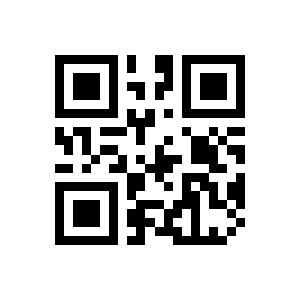
The HD-S92 can read DataMatrix GS1 (UDI) codes used for Unique Device Identification on medical devices and regulated products. To turn this reading mode on, scan the code below.
Activate DataMatrix GS1 (UDI) reading:
Configuration codes
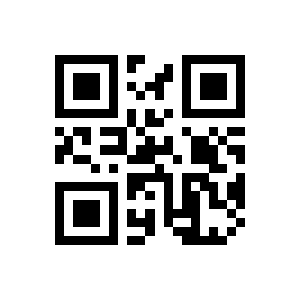
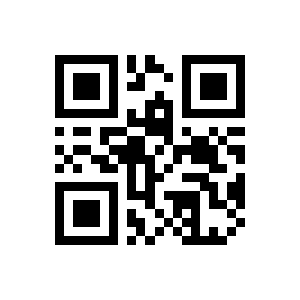
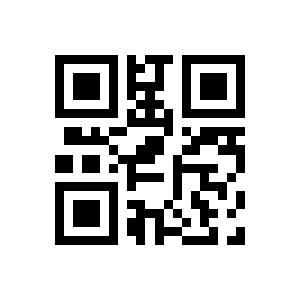
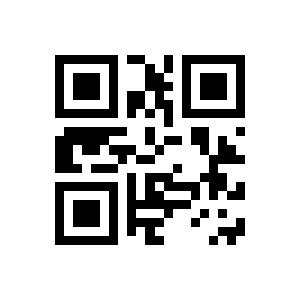
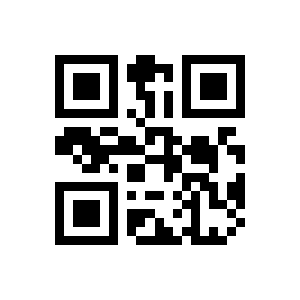
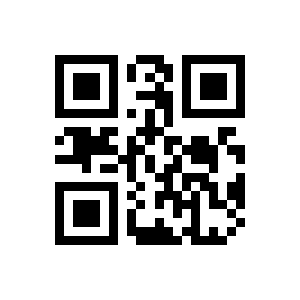
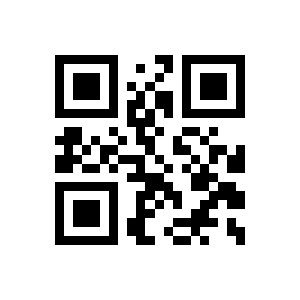
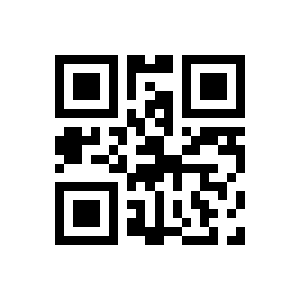
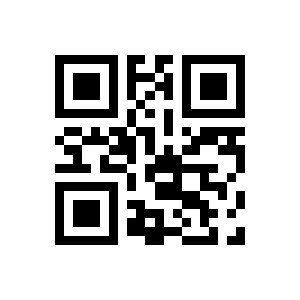
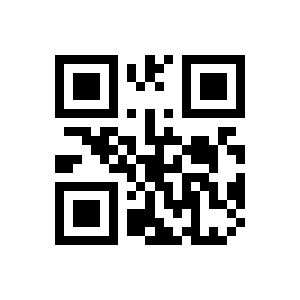
To change a setting, scan the corresponding configuration barcode below directly with the scanner. For a setting that needs a value (for example a custom prefix or suffix), scan the option code and then the digit codes from the appendix.
💡 Tip: print this page ("Download this page as PDF" button above) to keep the codes at hand during configuration.
Restore defaults
Factory:
Terminator (end mark)
NONE:
LF+CR:
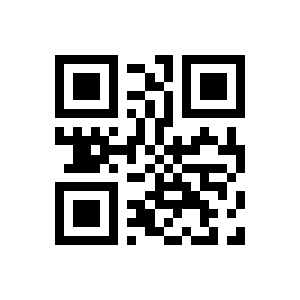
CR:
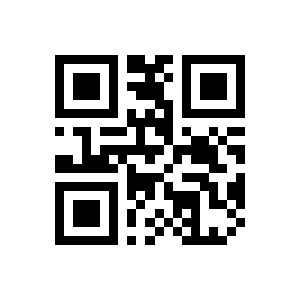
Tab:
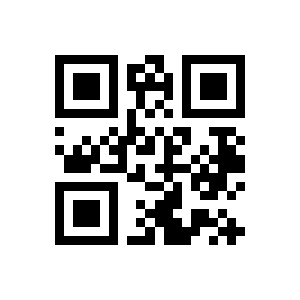
CR+CR:
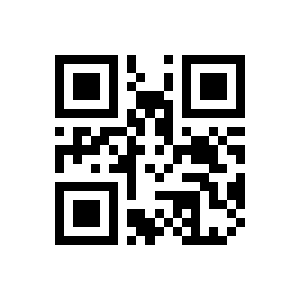
Scan mode
Manual mode:
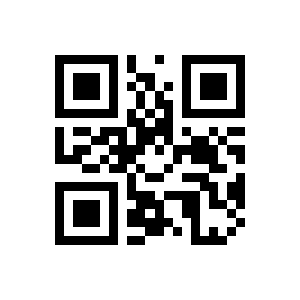
Scan:
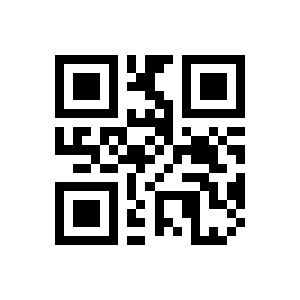
Sense Mode:
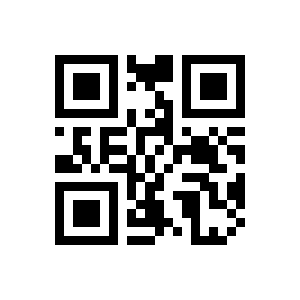
Letter case
Normal case:
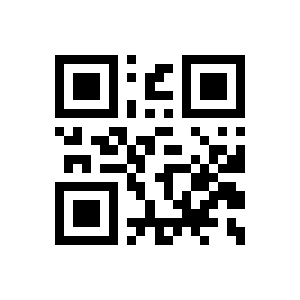
uppercase:
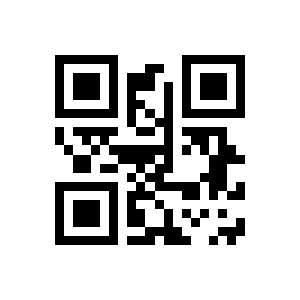
Lowercase:
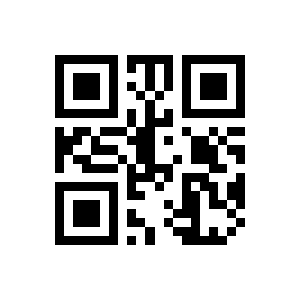
Beeper
volume:
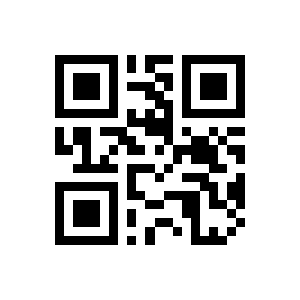
Medium Volume:
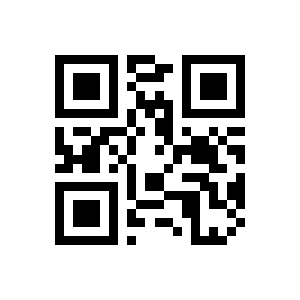
Low volume:
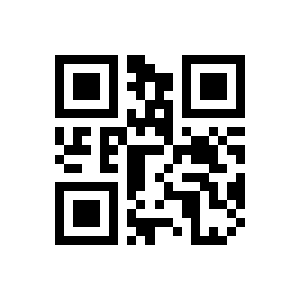
OFF:
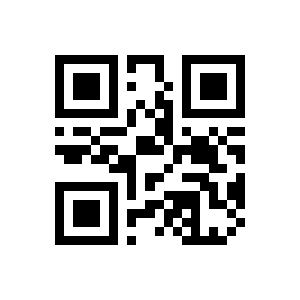
ON:
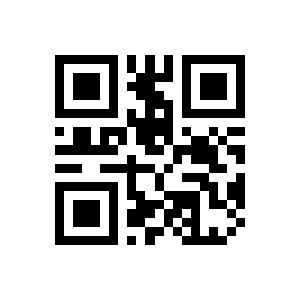
Volume Off:
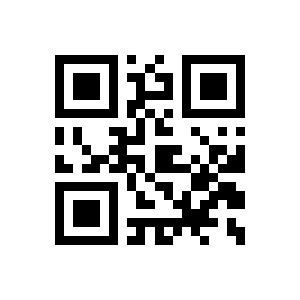
Floodlight
Lighting when:
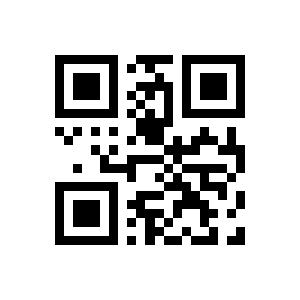
Always Lighting:
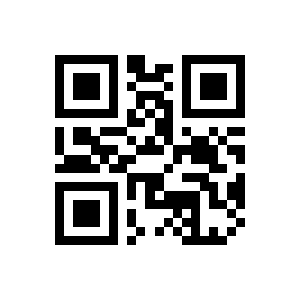
Always Close:
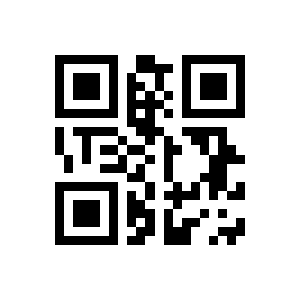
Positioning light
Lighting when:
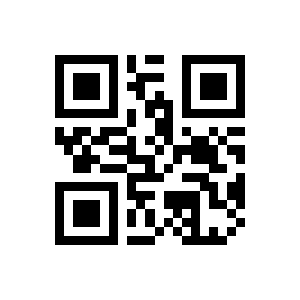
Always Lighting:
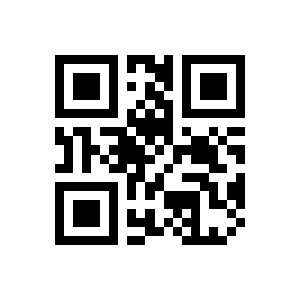
Always Close:
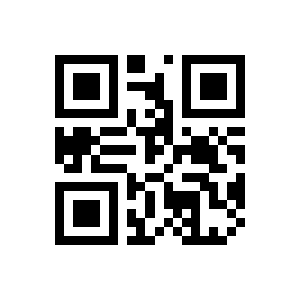
Same-code output interval
None:
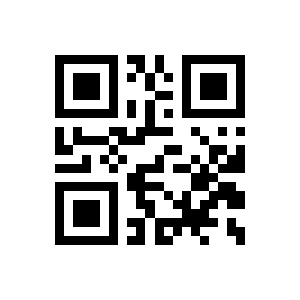
Delay 1s:
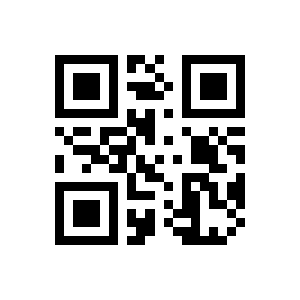
Delay 3s:
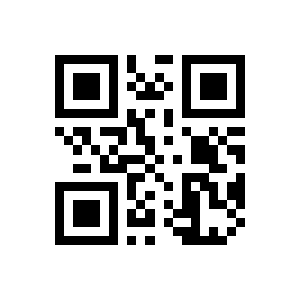
Delay 5s:
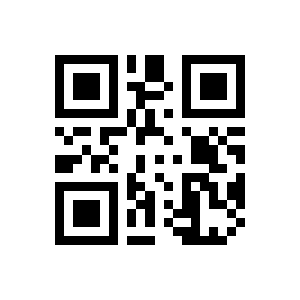
Delay 7s:
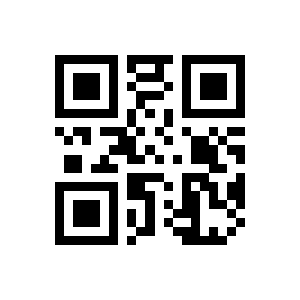
Delay forever:
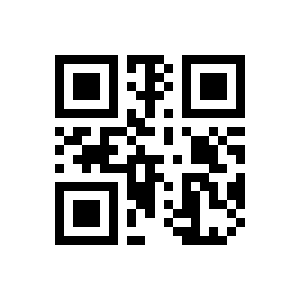
Scan all 1D / inverse
Disable:
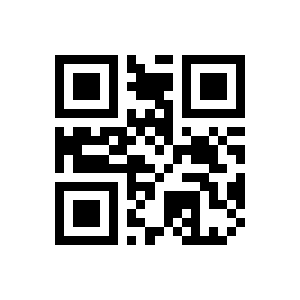
Enable:
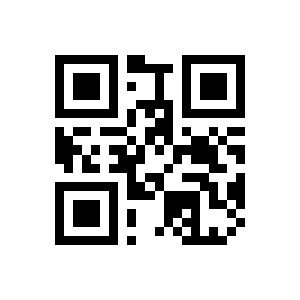
Disable:
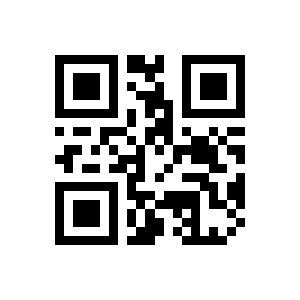
Enable:
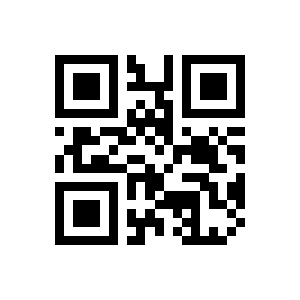
Reverse code reading
QR:
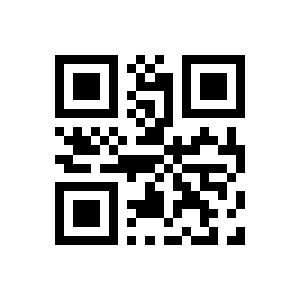
Data Matrix:
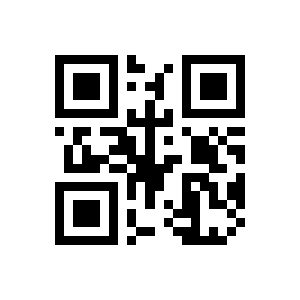
1D:
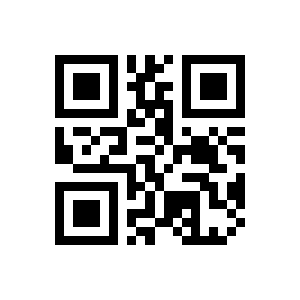
Interface and keyboard settings
Output interface
232-9600,NO,8,1:
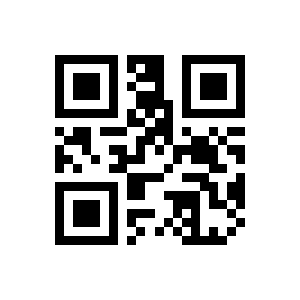
USB KBW:
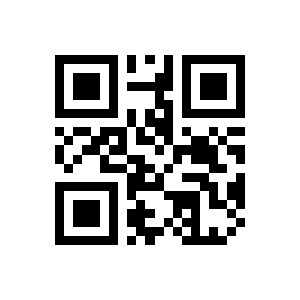
USB COM:
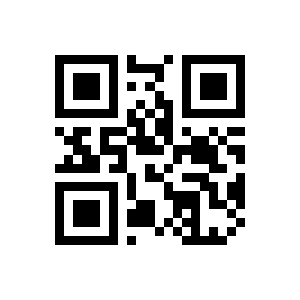
Keyboard language
American:
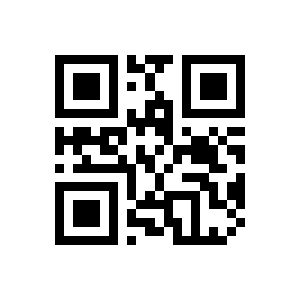
Belgium:
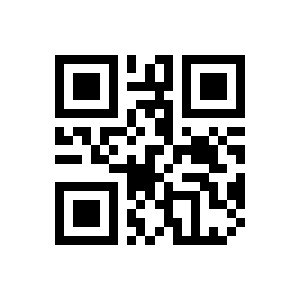
Denmark:
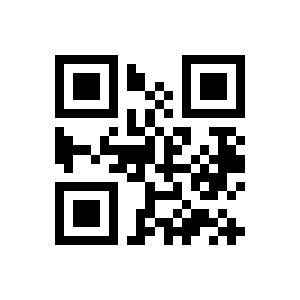
Finland:
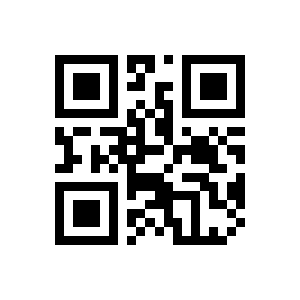
France:
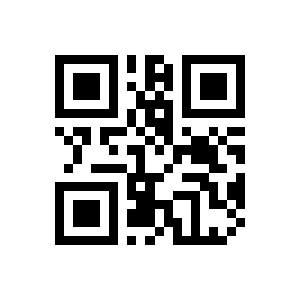
Germany:
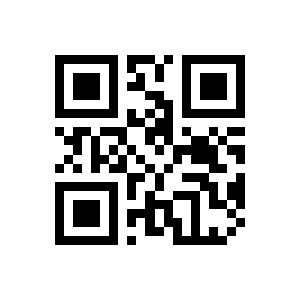
Italy:
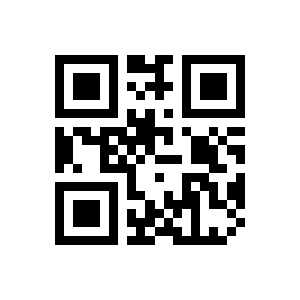
Norway:
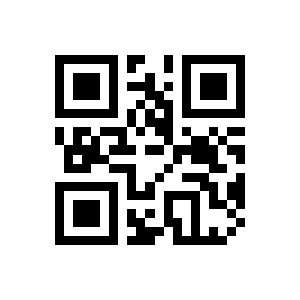
Portugal:
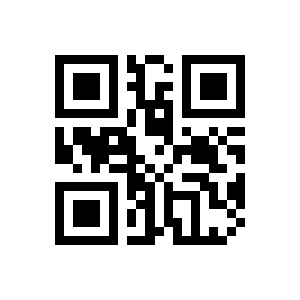
Russia:
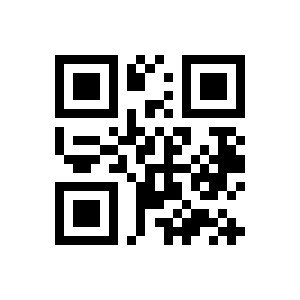
Spain:
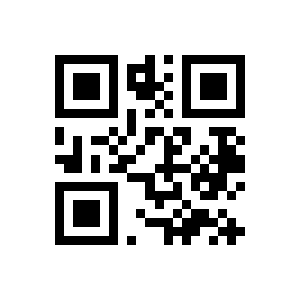
Sweden:
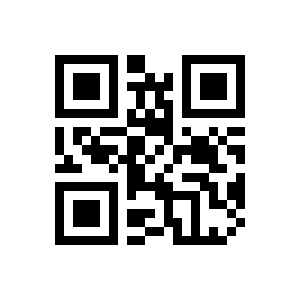
Turkey_Q:
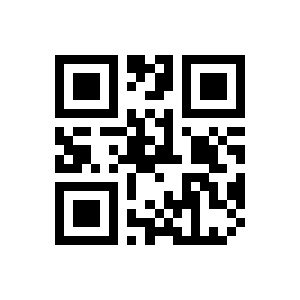
England:
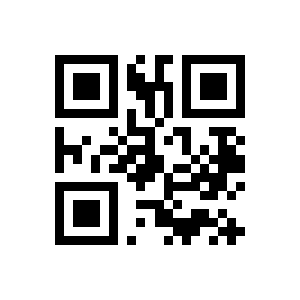
Japan:
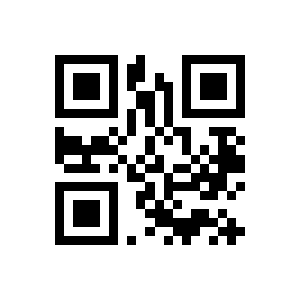
Standard:
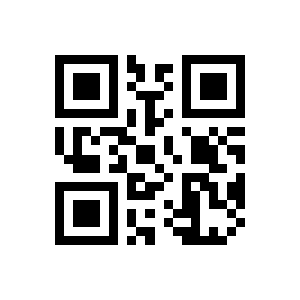
Virtual Keyboard:
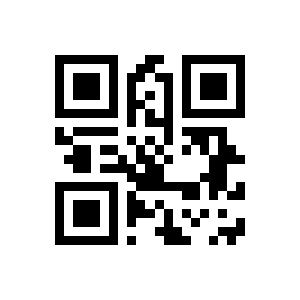
Baud rate
1200bps:
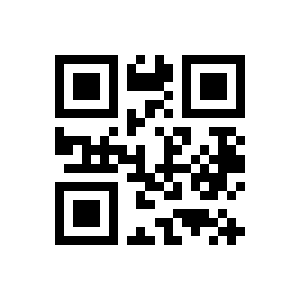
2400bps:
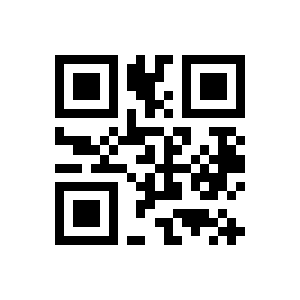
4800bps:
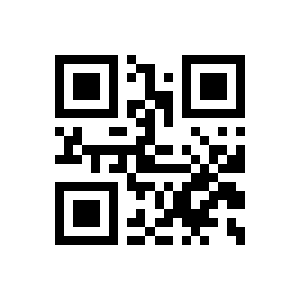
9600bps:
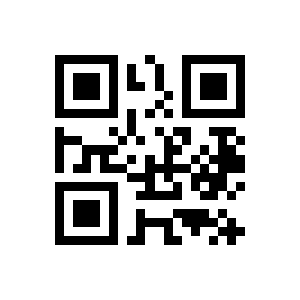
19200bps:
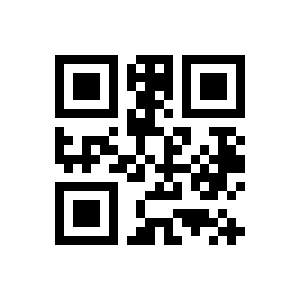
38400bps:
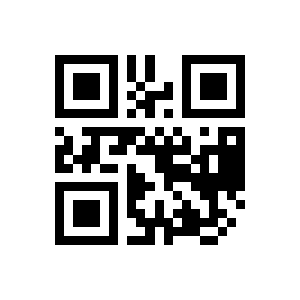
57600bps:
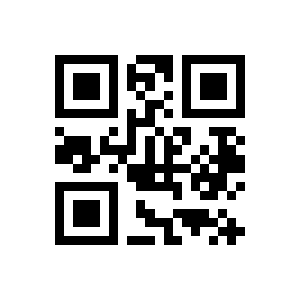
115200bps:
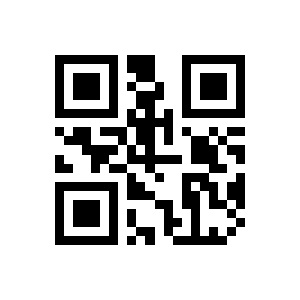
Parity
Odd:
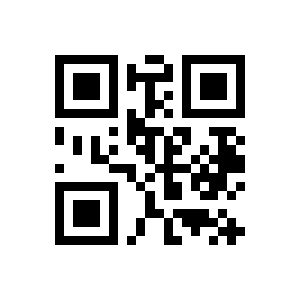
Even:
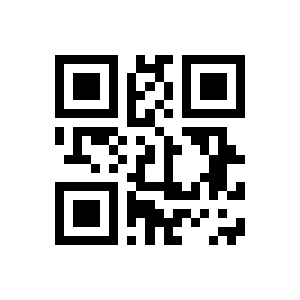
None:
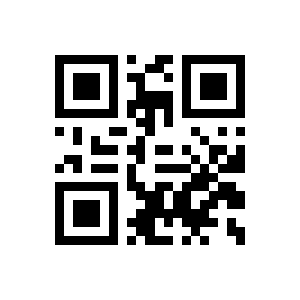
Stop bits
Stop Bit:
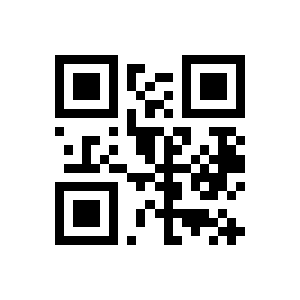
2 Stop Bit:
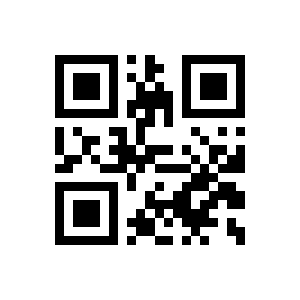
Symbology settings
PDF417
PDF417:
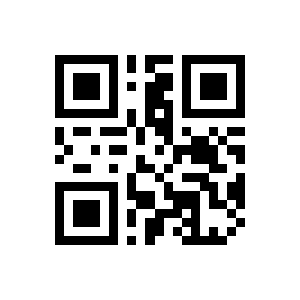
PDF417(OFF):
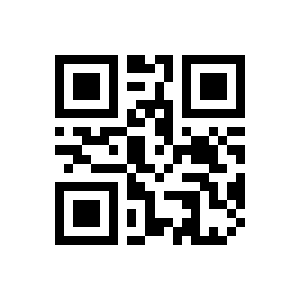
PDF417(ON):
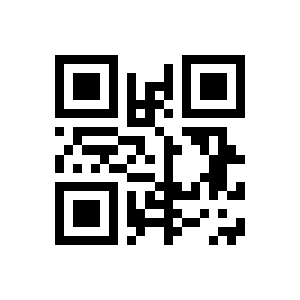
UPC-A
UPC-A(OFF):
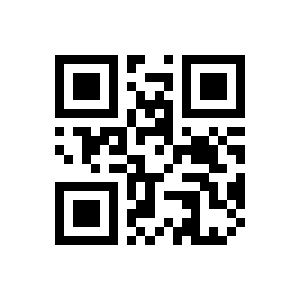
UPC-A(ON):
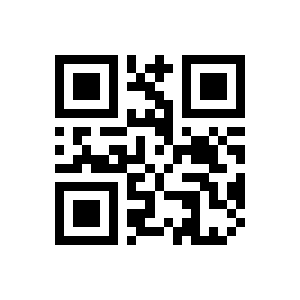
UPC-A check bit (OFF):
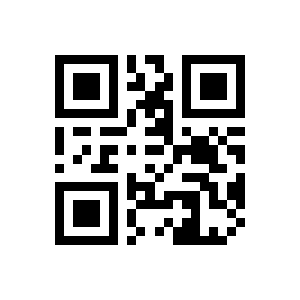
UPC-A check bit(ON):
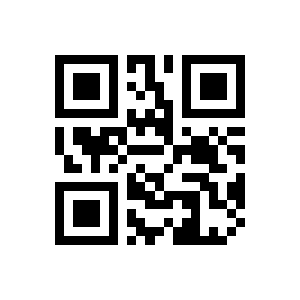
UPC-E to UPC-A(OFF):
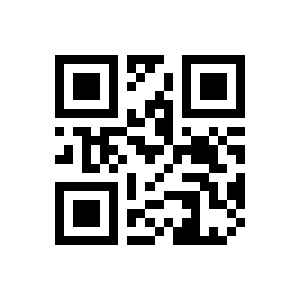
UPC-E to UPC-A(ON):
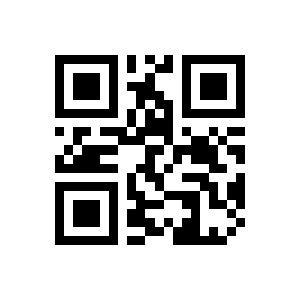
UPC-A to EAN-13(OFF):
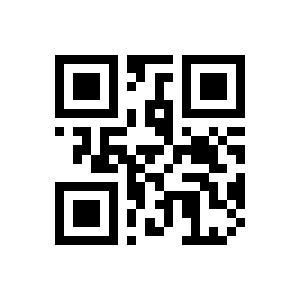
UPC-A to EAN-13(ON):
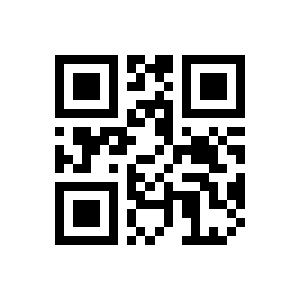
UPC-E
UPC-E(OFF):
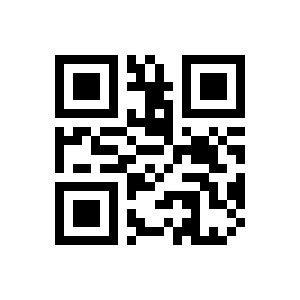
UPC-E(ON):
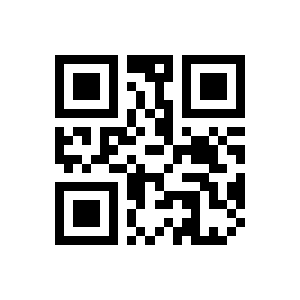
UPC-e check bit(OFF):
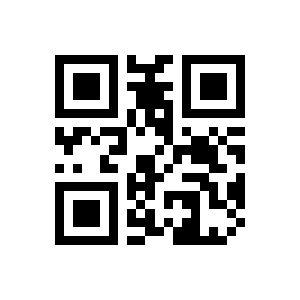
UPC-e check bit(ON):
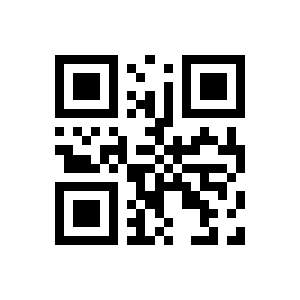
EAN-8
EAN-8(OFF):
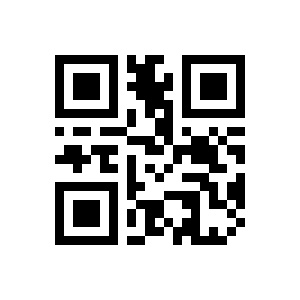
EAN-8(ON):
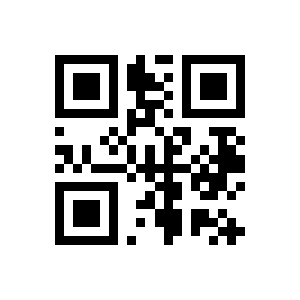
EAN-13
EAN-13(OFF):
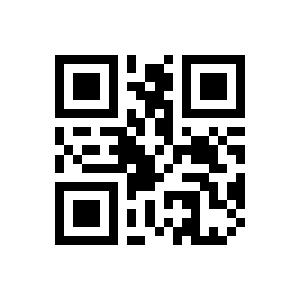
EAN-13(ON):
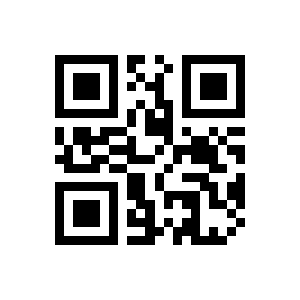
Code 128
CODE 128(OFF):
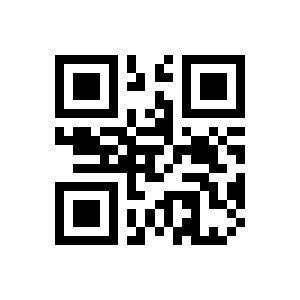
CODE 128(ON):
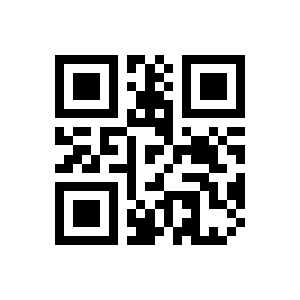
GS1-128
GS1-128(OFF):
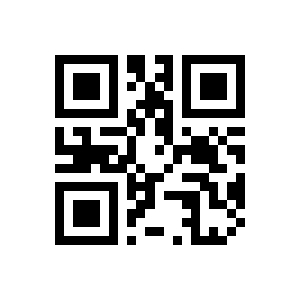
GS1-128(ON):
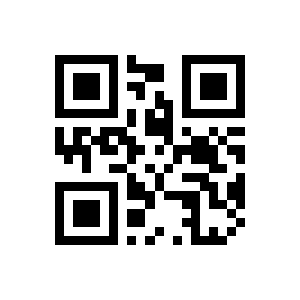
ISBT-128
ISBT-128(OFF):
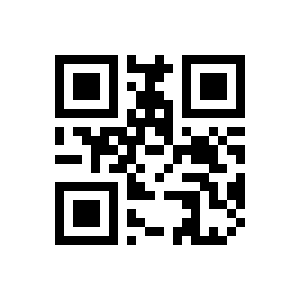
ISBT-128(ON):
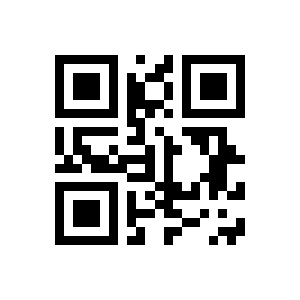
Interleaved 2 of 5
Interleaved 2 of5(OFF):
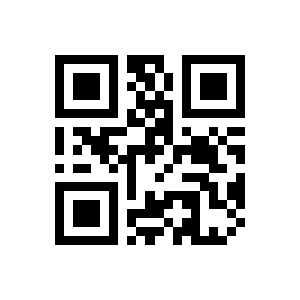
Interleaved 2 of5 (ON):
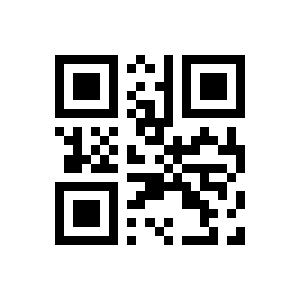
Matrix 2 of 5
Matrix 2 of 5(OFF):
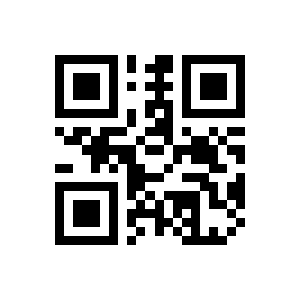
Matrix 2 of 5(ON):
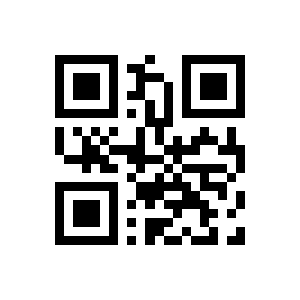
Code 39
CODE 39(OFF):
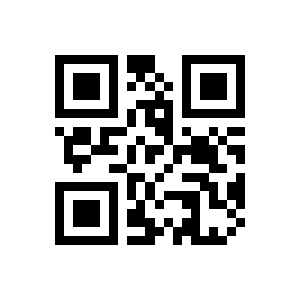
CODE 39(ON):
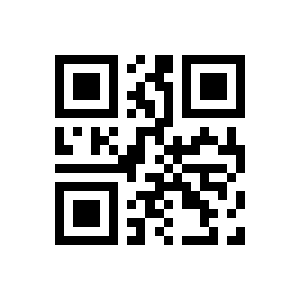
Code39Full ASCII(OFF):
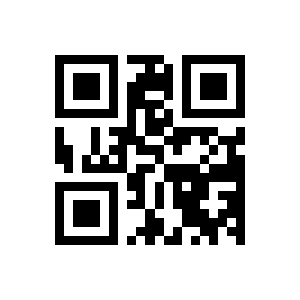
Code 39Full ASCII(ON):
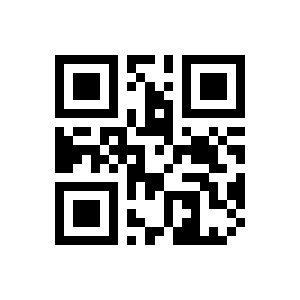
Code39 check bit(OFF):
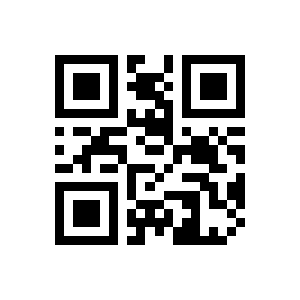
Code39 check bit(ON):
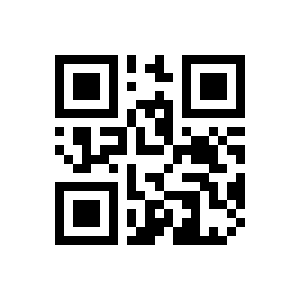
Code 32
CODE 32(OFF):
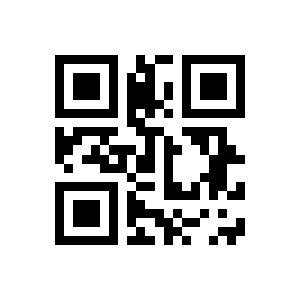
CODE 32(ON):
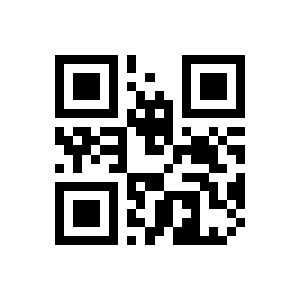
Code 93
CODE 93(OFF):
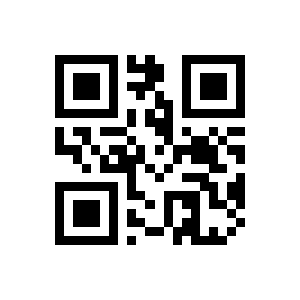
CODE 93(ON):
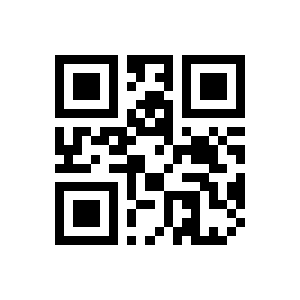
Code 11
CODE 11(OFF):
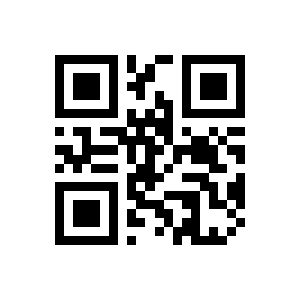
CODE 11(ON):
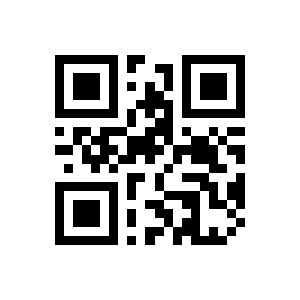
Codabar
CODABAR(OFF):
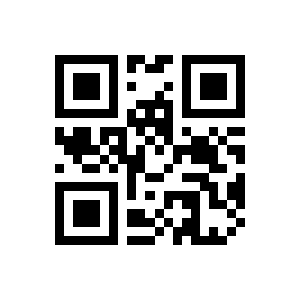
CODABAR(ON):
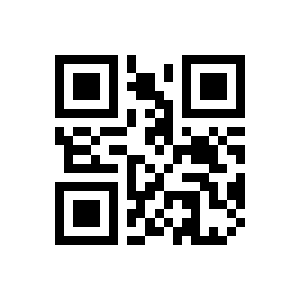
Plessey
PLESSEY(OFF):
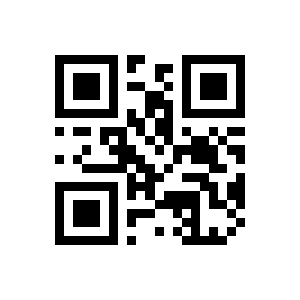
PLESSEY(ON):
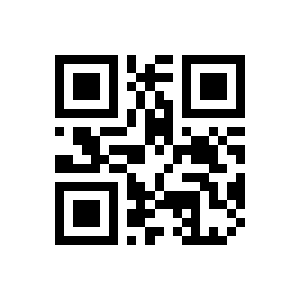
Industrial 2 of 5
Industrial 2 of 5(OFF):
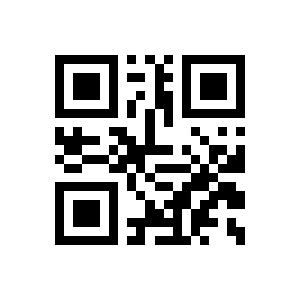
Industrial 2 of 5(ON):
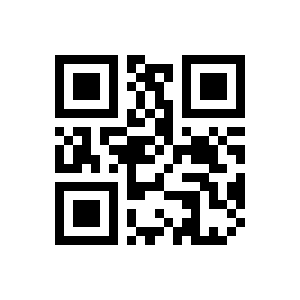
MSI Plessey
MSI(OFF):
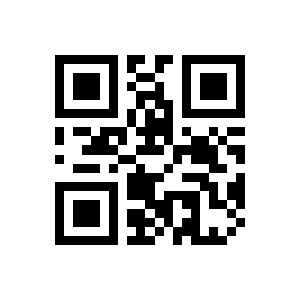
MSI(ON):
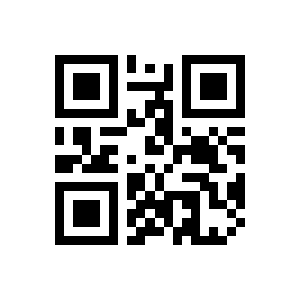
ITF-14
ITF14(OFF):
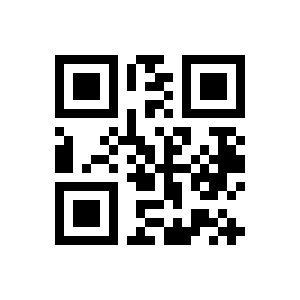
ITF14(ON):
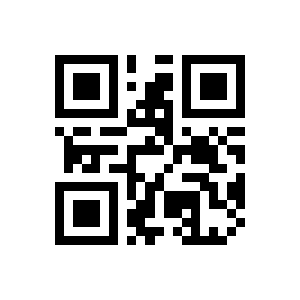
QR Code
QR CODE(OFF):
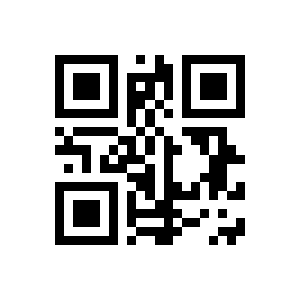
QR CODE(ON):
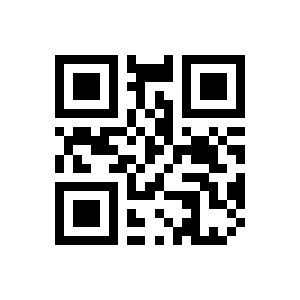
Data Matrix
Data Matrix(OFF):
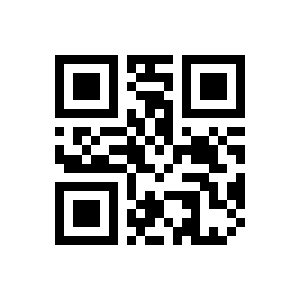
Data Matrix(ON):
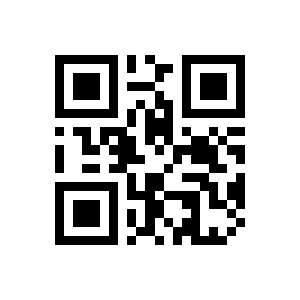
Aztec
Aztec code(OFF):
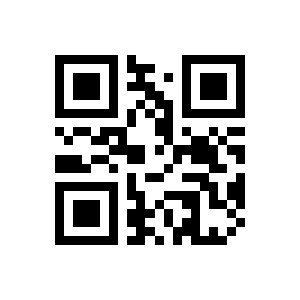
Aztec code(ON):
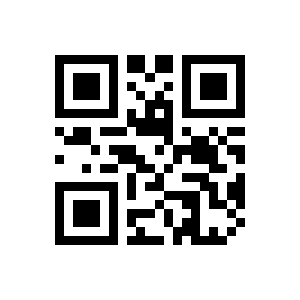
MaxiCode
Maxi code(OFF):
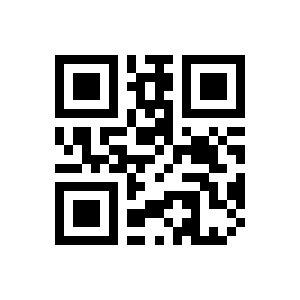
Maxi code(ON):
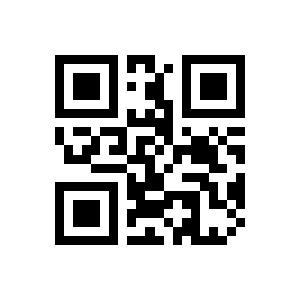
GS1 DataBar
GS1-Databar(OFF):
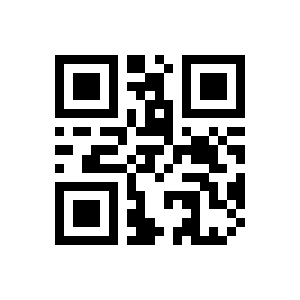
GS1-Databar(ON):
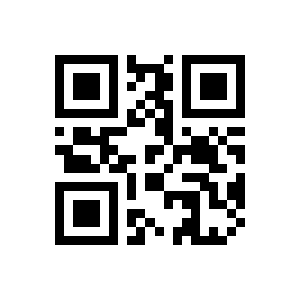
Han Xin
Hanxin code(OFF):
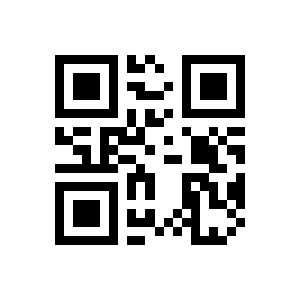
Hanxin code(ON):
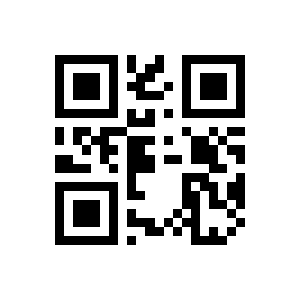
Brazilian Bank Code
Brazilian Bank code(OFF):
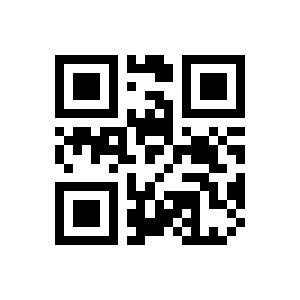
Brazilian Bank code(ON):
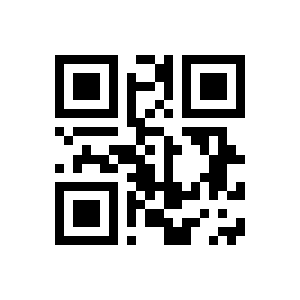
Prefix, suffix and data formatting
Hide characters
OFF:
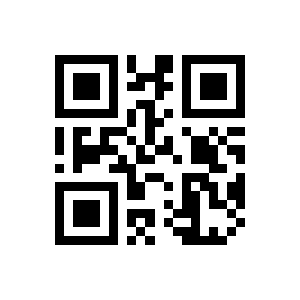
ON:
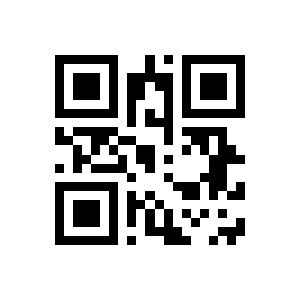
OFF:
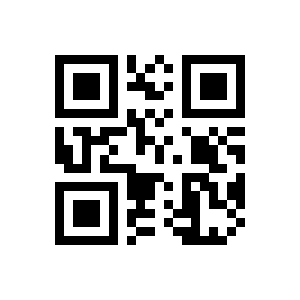
ON:
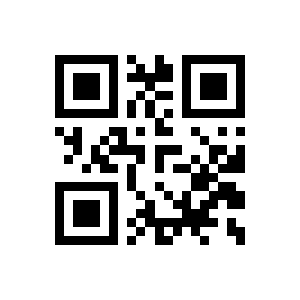
front characters:
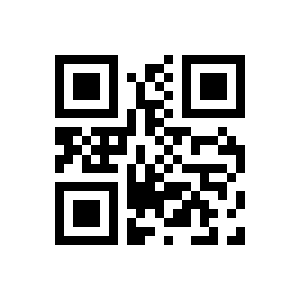
behind characters:
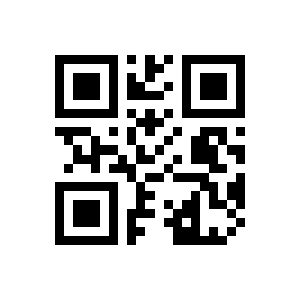
Prefix / suffix
Output Setting:
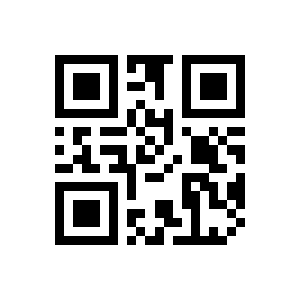
Finish Setting:
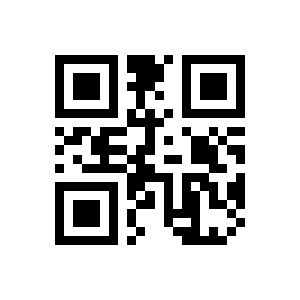
Add Prefix:
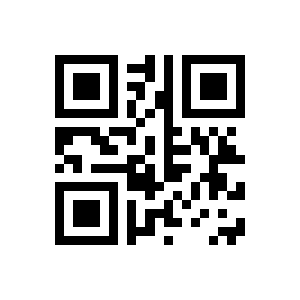
Add Suffix:
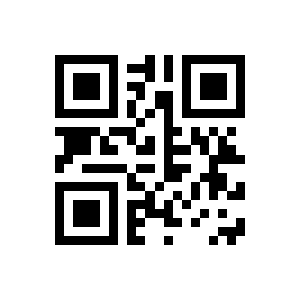
Appendix: data and digit codes
These digit codes are used together with the value-setting options above (for example to enter a custom prefix or suffix).
Show digit codes
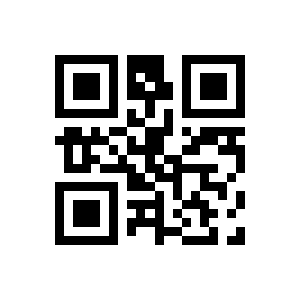
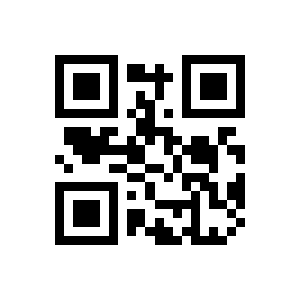
Frequently asked questions
Can the HD-S92 read DataMatrix GS1 (UDI) codes?
How do I configure the HD-S92?
Does the HD-S92 need drivers?
Does the HD-S92 read codes from phone and computer screens?
Downloads
Original manufacturer PDF manuals kept available as a legacy reference. Everything from them is already covered on this page — use the PDFs only if you need an offline copy.