Wired QR and Aztec code scanner with stand, screen reading, USB, HDWR HD-SL36A
GTIN: 5907614660918 · SKU: HD-SL36A
Table of contents
- Table of contents
- Specifications
- Set contents
- Features
- DataMatrix GS1 (UDI) reading
- Configuration codes
- General
- User Preference
- Communication Interface
- Serial Port — Baud Rate
- Serial Port — Data Bits / Stop Bits / Parity
- Keyboard layout
- Virtual keyboard
- Operating System — Virtual Keyboard
- Character encoding
- Control Character Escape
- CR/LF characters
- USB Keyboard — Transmission Speed
- USB Keyboard — Convert Case
- Invoice Function
- GS Control Character Replace
- Scan Mode
- Re-read Delay (same barcode)
- LED indicator
- Beeper
- Inverse Barcodes
- Start Character
- Terminating Suffix
- Custom Prefix
- Custom Suffix
- Code ID
- AIM ID
- Prefix / Suffix Sequence
- Transmission Configuration
- Set Length for Start / End Field
- Data editing
- Symbology settings
- Appendix: data and digit barcodes
- Frequently asked questions
- Downloads
Specifications
- Sensor: CMOS, 640 × 480 px resolution
- Processor: 32-bit ARM
- Scanning method: manual (push button) or automatic (proximity-triggered)
- Interface: USB, virtual COM
- Cable length: 150 cm
- Ingress protection: IP54
- Device dimensions: 16.3 × 6.8 × 8 cm
- Stand dimensions: 10.7 × 8 × 13 cm
- Package dimensions: 10.5 × 8 × 24 cm
- Device weight: 360 g
- Weight with packaging: 460 g
- Operating temperature: −10 to 50 °C
- Storage temperature: −20 to 60 °C
- Operating humidity: 5 to 95%
- Storage humidity: 5 to 95%
- Readable 1D codes: CodaBar, Code 11, Code 32, Code 39, Code 93, Code 128, IATA 2 of 5, Interleaved 2 of 5 (ITF), GS1 DataBar, HongKong 2 of 5, Matrix 2 of 5, MSI Plessey, NEC 2 of 5, Pharmacode Plessey, Straight 2 of 5, Telepen, Trioptic, UPC/EAN/JAN, Codablock F, microPDF, GS1 Composite
- Readable 2D codes: MaxiCode, DataMatrix (ECC 200), QR Code, Micro QR, Aztec, HanXin, GoCode
Set contents
- Wired HD-SL36A multi-dimensional barcode scanner
- Built-in USB cable
- Scanner stand
- User manual
Features
- QR and Aztec codes, also from screens: the CMOS sensor reads 1D and 2D codes from paper labels and LCD/LED/OLED screens — including Aztec codes in vehicle registration documents
- DataMatrix GS1 (UDI): after activation with the code on this page, the scanner reads UDI codes used on medical devices
- Automatic mode with the stand: codes are read the moment they appear, without pressing the button
- IP54 housing: resistant to dust and splashes
- USB + virtual COM: works with software that expects a serial port
- Fully configurable: prefixes/suffixes, beeper, keyboard layouts, per-symbology switches — codes from both manuals (HDWR and the complete producer manual) below
DataMatrix GS1 (UDI) reading
To activate reading of DataMatrix GS1 (UDI) codes — used for marking medical devices — scan the code below:

Configuration codes
To change scanner settings, scan the appropriate code below directly with the HD-SL36A.
💡 Tip: print this page ("Download this page as PDF" button above) to keep the codes at hand during configuration.
General
Enable configuration codes (Default):

Disable configuration codes:

Restore factory defaults:

Restore Factory Default Configuration:

Version Number:

User Preference
Save:

Restore User Configuration:

Communication Interface
USB-KBW (Default):

RS232:

USB Virtual Com:

Serial Port — Baud Rate
4800:

9600 (Default):

19200:

38400:

57600:

115200:

Serial Port — Data Bits / Stop Bits / Parity
7 Bit, 1 Stop Bit, No Parity:

7 Bit, 1 Stop Bit, Even Parity:

7 Bit, 1 Stop Bit, Odd Parity:

7 Bit, 2 Stop Bit, No Parity:

7 Bit, 2 Stop Bit, Even Parity:

7 Bit, 2 Stop Bit, Odd Parity:

8 Bit, 1 Stop Bit, No Parity (Default):

8 Bit, 1 Stop Bit, Even Parity:

8 Bit, 1 Stop Bit, Odd Parity:

8 Bit, 2 Stop Bit, No Parity:

8 Bit, 2 Stop Bit, Even Parity:

8 Bit, 2 Stop Bit, Odd Parity:

Keyboard layout
English (United States) (Default):

French (France):

Italian (Italy):

Italian 142 (Italy):

German (Germany):

Spanish (Spain):

Spanish (Latin America):

Finnish:

Japanese:

Russian (MS):

Russian (typewriter):

Arabic (101):

Irish:

Polish (214):

Polish (Programmers):

Dutch (Netherlands):

Czech (QWERTZ):

Portuguese (Portugal):

Portuguese (Brazil):

Swedish (Sweden):

Turkish Q:

Turkish F:

Greek (MS):

French (Belgium):

English (UK):

Keyboard layout: English (US):
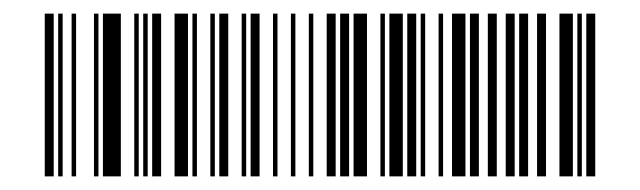
Keyboard layout: French:
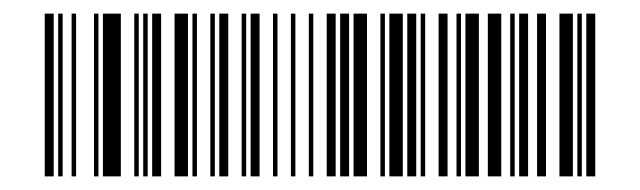
Keyboard layout: Italian:
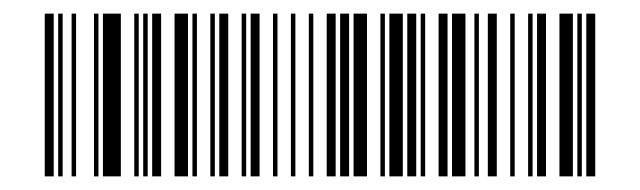
Keyboard layout: Italian 142:
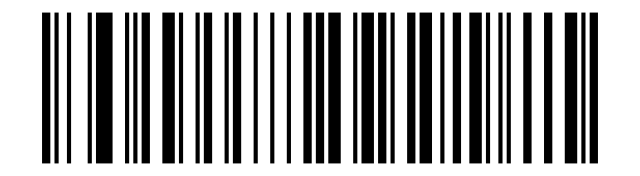
Keyboard layout: German:
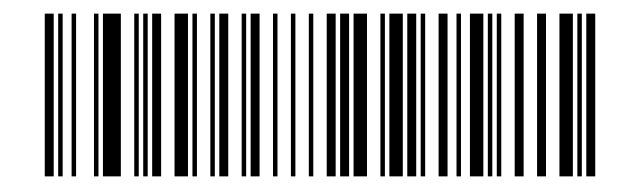
Keyboard layout: Spanish:
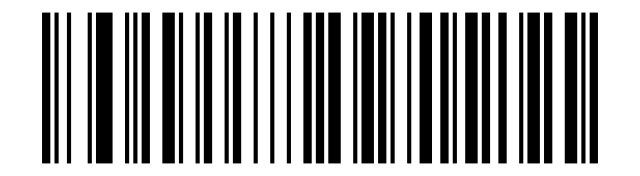
Keyboard layout: Finnish:
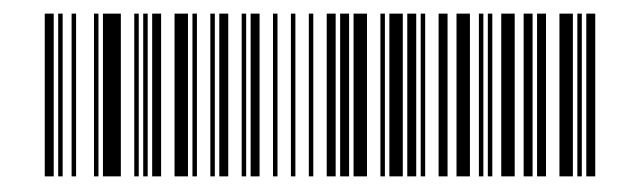
Keyboard layout: Japanese:
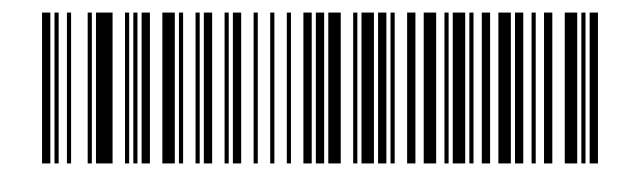
Keyboard layout: Russian (MS):
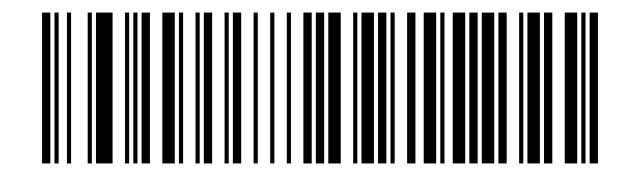
Keyboard layout: Arabic 101:
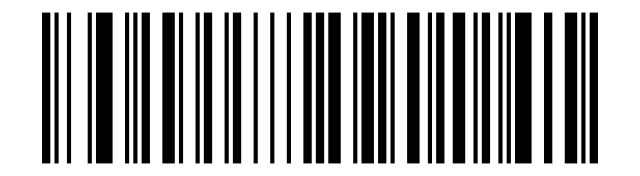
Keyboard layout: Irish:
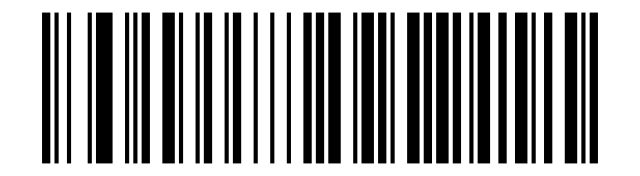
Keyboard layout: Polish (214):
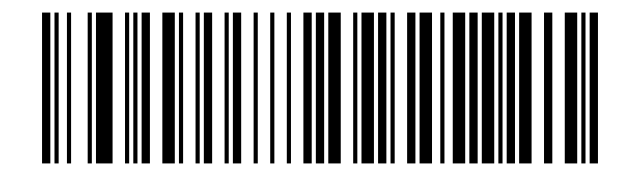
Keyboard layout: Polish (programmers):
Keyboard layout: Dutch:
Keyboard layout: Czech (QWERTZ):
Keyboard layout: Portuguese:
Keyboard layout: Portuguese (Brazil):
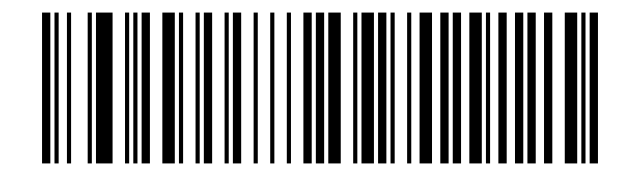
Keyboard layout: Swedish:
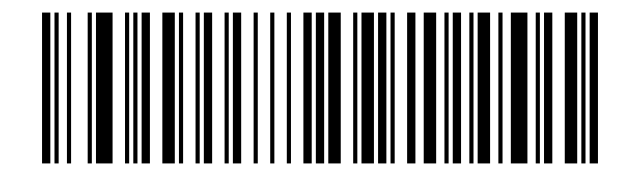
Keyboard layout: Turkish Q:
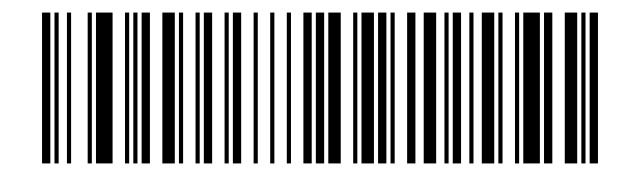
Keyboard layout: Turkish F:
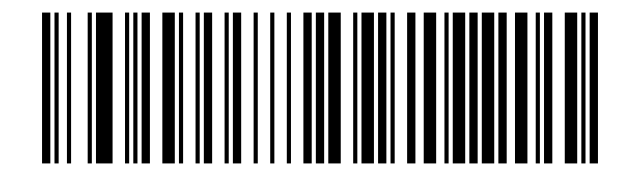
Keyboard layout: Greek:
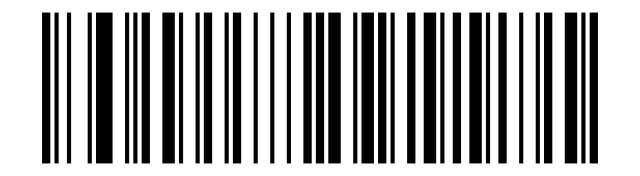
Virtual keyboard
Turn Off (Default):

Turn On (Mode 1):

Turn On (Mode 2):

Turn On (Mode 3):

Operating System — Virtual Keyboard
WINDOWS (Default):

MAC OS:

LINUX:

Character encoding
Auto (Default):

KOI8-R code:

English/Latin-1 (Default):

GBK (Notepad/excel):

UNICODE (Word):

Control Character Escape
Enable:

Disable (Default):

Disable:

Enable:

CR/LF characters
Only 0A (LF) line feed:

Only 0D (CR) line feed (Default):

All convert to 0A (LF)/0D (CR):

USB Keyboard — Transmission Speed
Low (Default):

Middle:

High:

Custom Sending Speed (2ms~50ms):

USB Keyboard — Convert Case
Case conversion off (transmit as encoded):
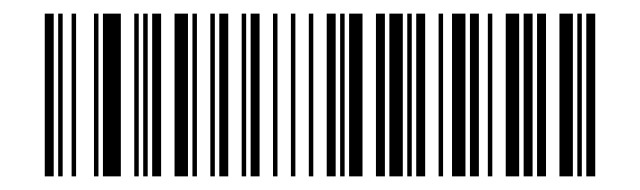
Invert case (default per manual):
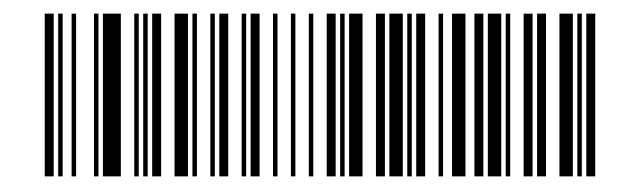
Convert all letters to upper case:
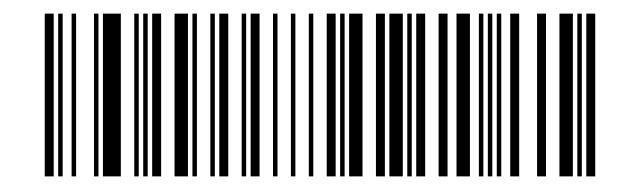
Convert all letters to lower case:
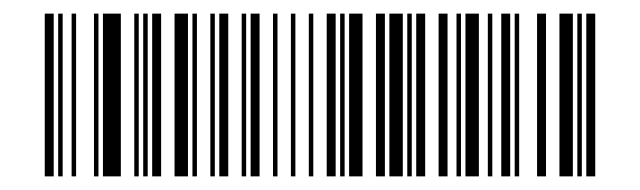
Original data (Default):

Case Inversion:

All Convert to Upper Case:

All Convert to Lower case:

Invoice Function
OFF (Default):

On:

VAT Invoice (Special) (Default):

VAT Invoice (Normal):

GS Control Character Replace
Do Not Replace (Default):

Replace Ç:

Replace |:

Replace ^]:

Replace ]:

Replace <GS>:

Scan Mode
Off (Default):

On:

Re-read Delay (same barcode)
Same-code re-read delay: 300 ms:
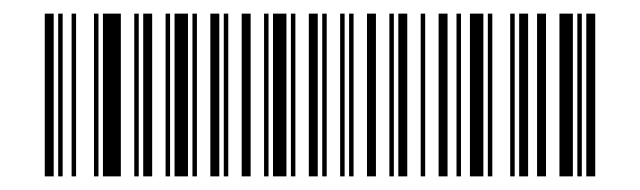
Same-code re-read delay: 500 ms:
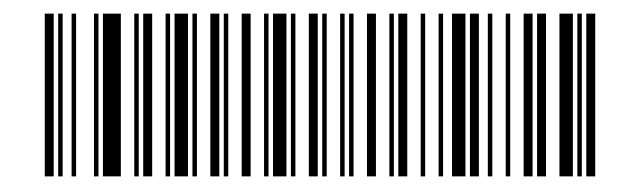
Same-code re-read delay: 750 ms:
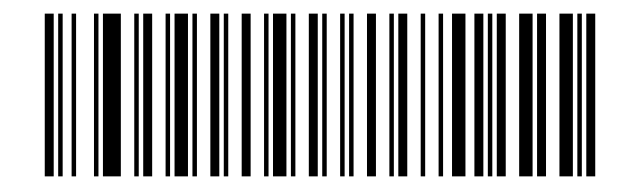
Same-code re-read delay: 1 s:
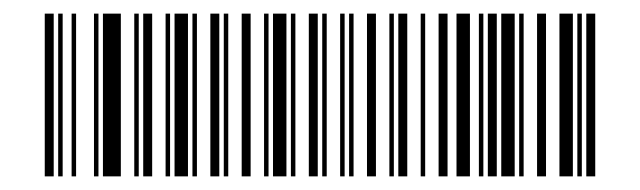
Same-code re-read delay: 2 s:
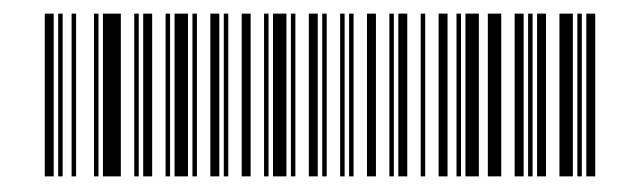
500ms:

750ms (Default):

1s:

2s:

LED indicator
Good-read LED indicator off:
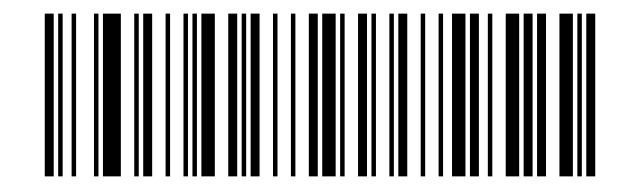
Good-read LED indicator on (default):
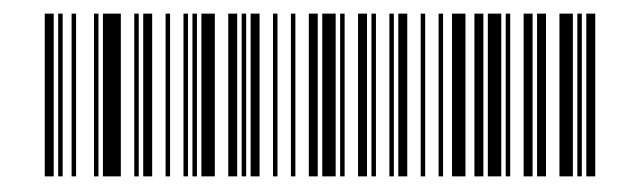
Off:

On (Default):

Beeper
Beeper volume: low:
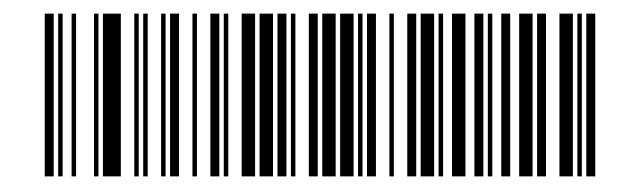
Beeper volume: high (default):
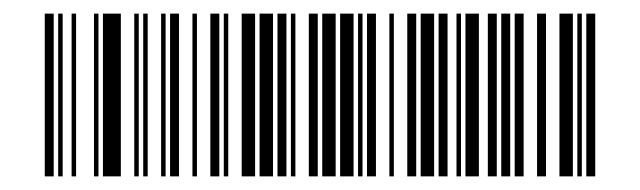
Power-up beep off:
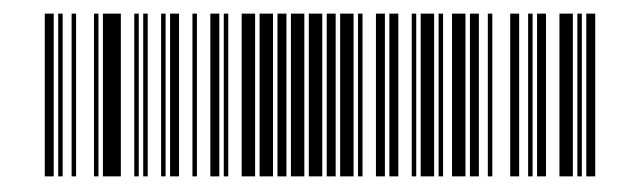
Power-up beep on (default):
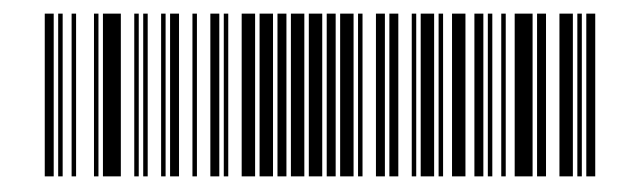
Good-read beep off:
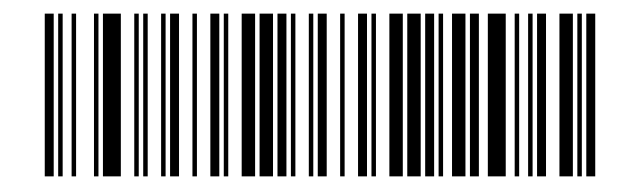
Good-read beep on (default):
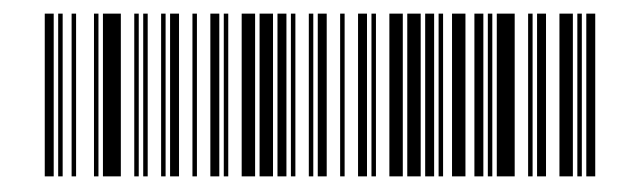
Good-read beep tone: low:
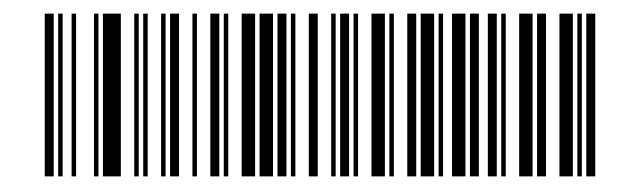
Good-read beep tone: medium (default):
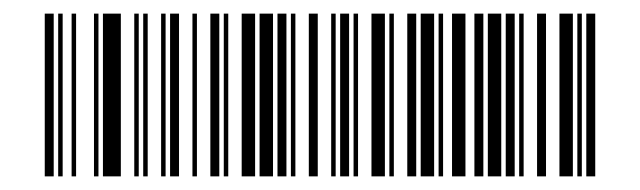
Good-read beep tone: high:
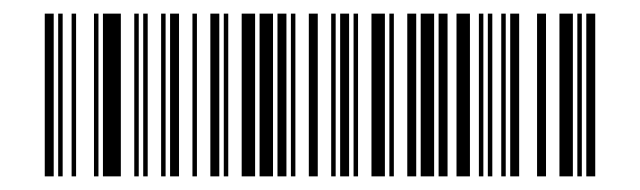
Good-read beep length: long (default):
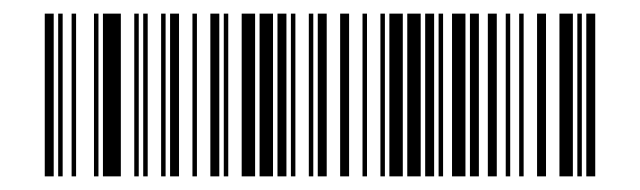
Good-read beep length: short:
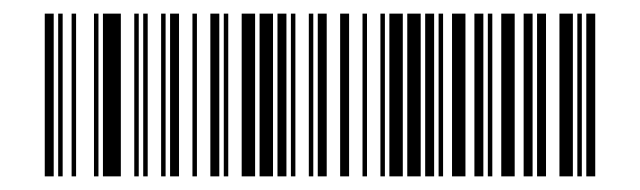
Error beep tone: low (default):
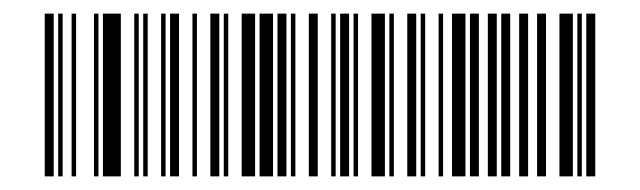
Error beep tone: medium:
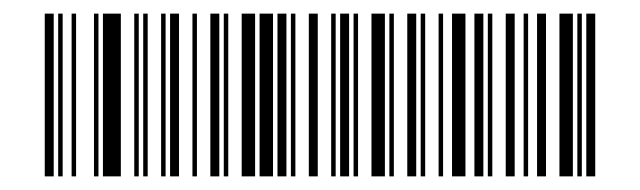
Error beep tone: high:
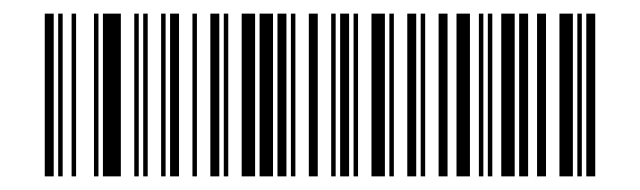
Low:

High (Default):

Off:

On (Default):

Off:

On (Default):

1 (Default):

2:

3:

Custom:

Long (Default):

Short:

Low (Default):

Middle:

High:

Inverse Barcodes
Read normal (positive) codes only (default):
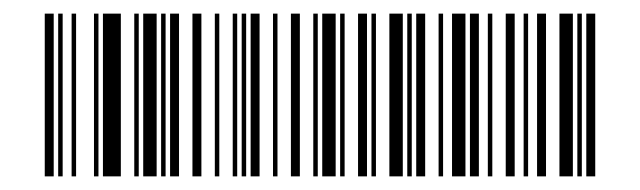
Read inverse (negative) codes only:
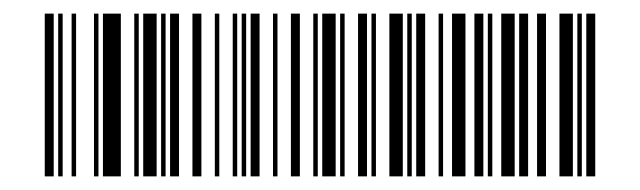
Read both normal and inverse codes:
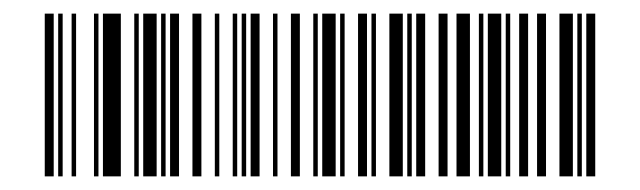
Normal Color:

Inverse Color:

Both (Normal/Inverse):

Start Character
None (Default):

STX:

Terminating Suffix
None:

Enter:

LF:

CR/LF (Default):

TAB:

ETX:

Custom Prefix
Enable prefix:
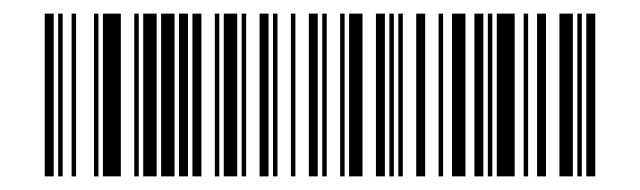
Disable prefix (default):
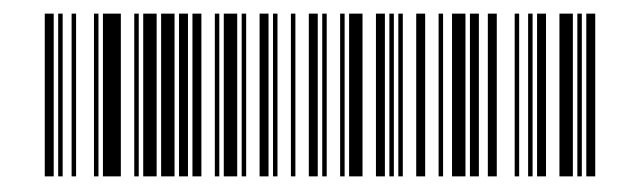
Clear all prefixes:
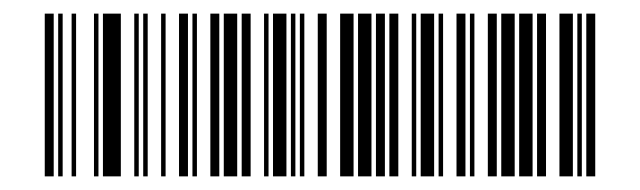
Program custom prefix:
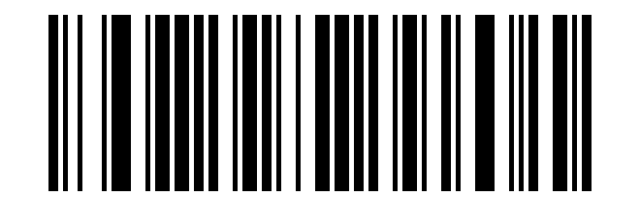
On:

Off (Default):

Clear all custom prefixes:

Set custom prefix:

Custom Suffix
Enable suffix:
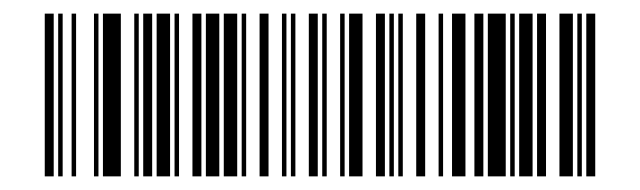
Disable suffix (default):
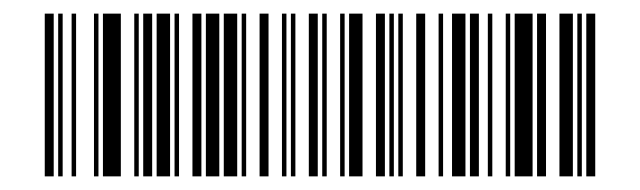
Clear all suffixes:
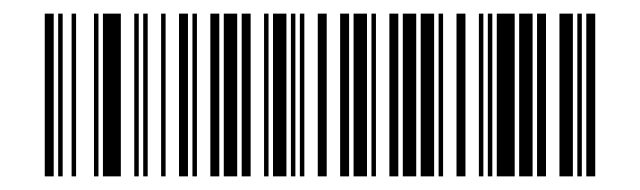
Program custom suffix:
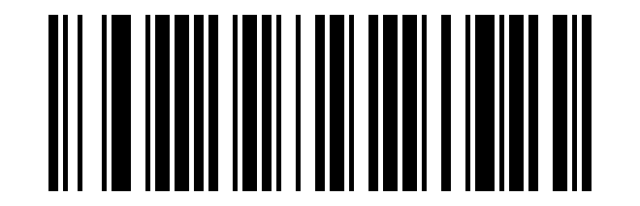
On:

Off (Default):

Clear all custom suffixes:

Set custom suffix:

Code ID
Off (Default):

Before Switch on:

After Switch On:

Set custom Code ID:

Clear custom Code ID:

AIM ID
Off (Default):

Before the barcode — on:

After Switch On:

Prefix / Suffix Sequence
Start Character+CODE ID+AIM ID+Custom Prefix (Default):

Start Character+Custom Prefix+CODE ID+AIM ID:

Custom Suffix+CODE ID+AIM ID+Terminal Character (Default):

CODE ID+AIM ID+Custom Suffix+Terminal Character:

Transmission Configuration
Transfer the full Data field:

Only transfer the Start field:

Only transfer the Center field:

Only transfer the End field:

Set Length for Start / End Field
Set start field length:

Set end field length:

Data editing
Transmit original barcode data (default):
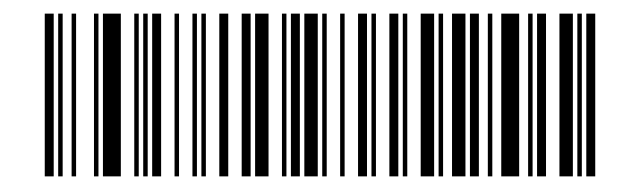
Transmit start segment of data only:
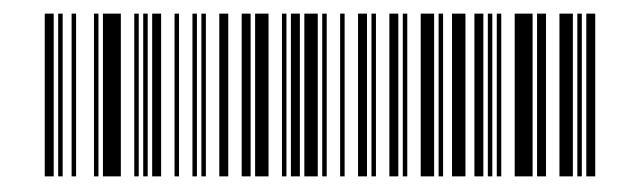
Transmit middle segment of data only:
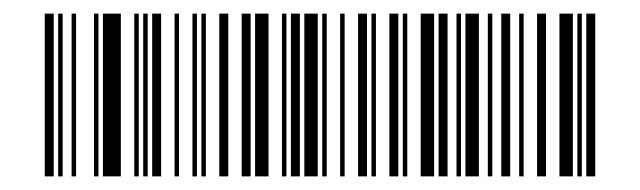
Transmit end segment of data only:
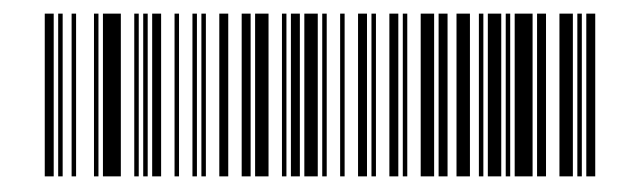
Field length: enable adjustment:
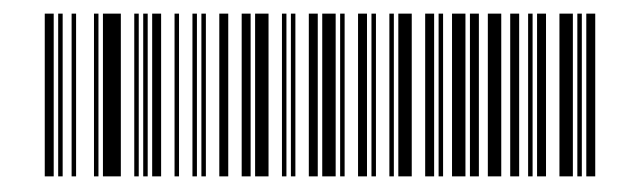
Field length: original (no adjustment):
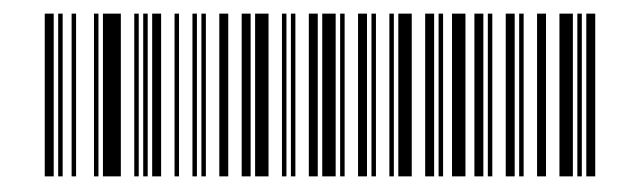
Symbology settings
All codes, 1D and 2D
Enable all symbologies:
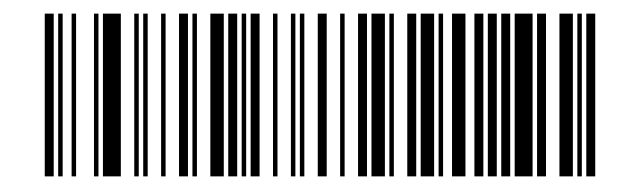
Disable all symbologies:
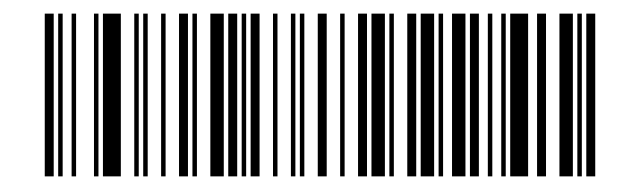
Enable all 1D codes:
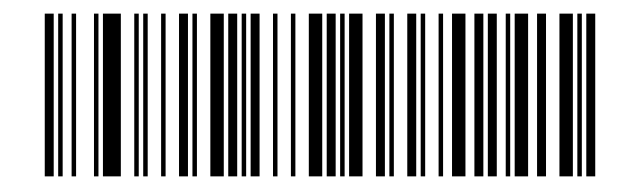
Disable all 1D codes:
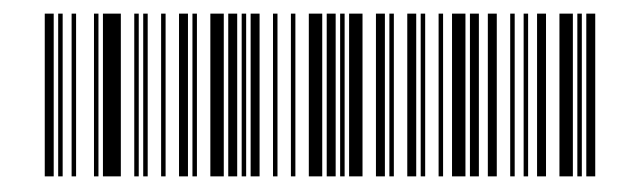
Enable all 2D codes:
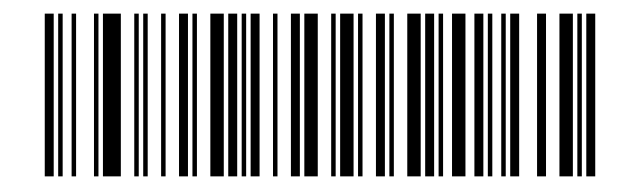
Disable all 2D codes:
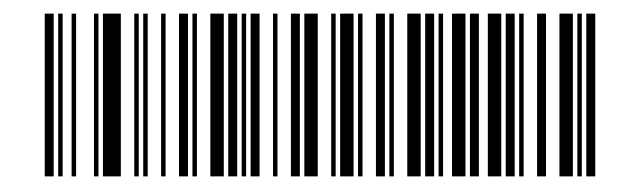
Enable all barcodes:

Disable all barcodes:

Enable all 1D barcodes:

Disable all 1D barcodes:

Enable all 2D barcodes:

Disable all 2D barcodes:

Codabar
Codabar on:
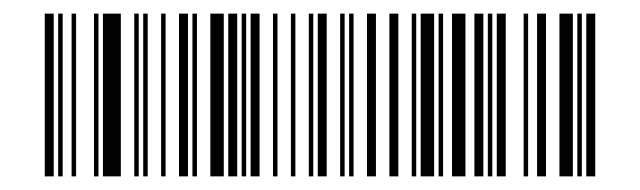
Codabar off:
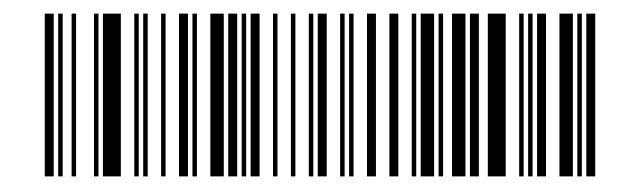
Codabar: do not transmit start/stop characters (default):
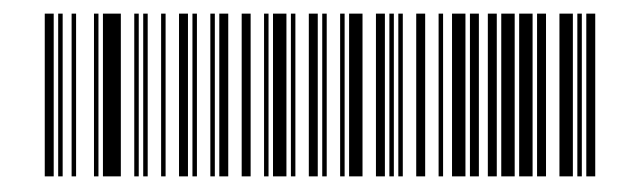
Codabar: transmit start/stop characters:
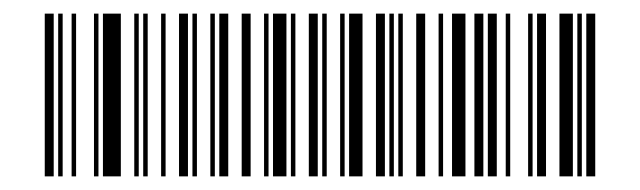
Codabar minimum length (0–50 characters):
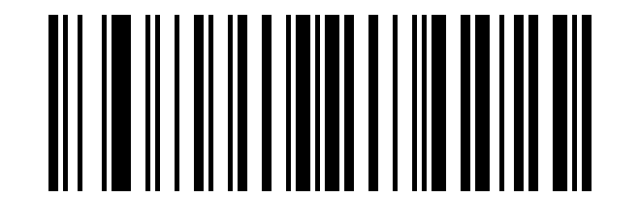
Codabar maximum length (0–50 characters):
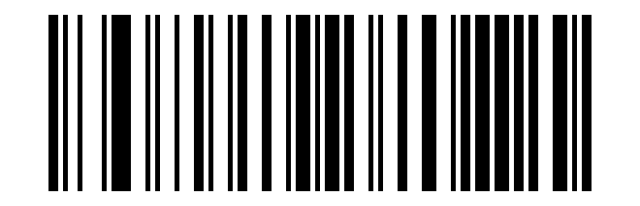
Enable:

Disable:

Not Send Codabar Start/Terminal Character (Default):

Send Codabar Start/Terminal Character:

Minimum length (0–50 characters):

Maximum length (0–50 characters):

Code 39
Code 39 on:
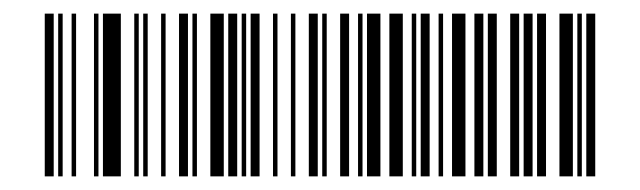
Code 39 off:
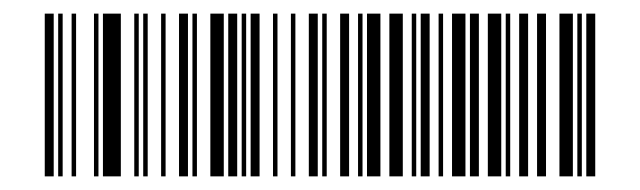
Code 39 Full ASCII on:
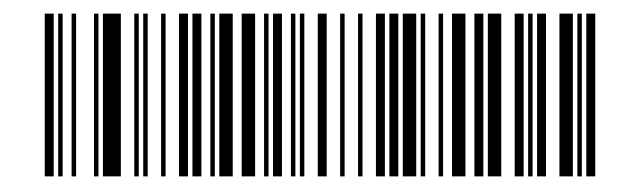
Code 39 Full ASCII off (default):
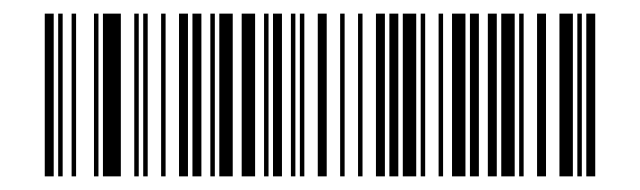
Code 39 minimum length (0–50 characters):
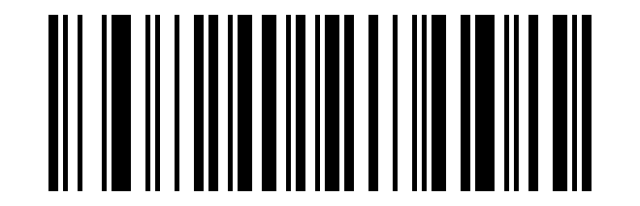
Code 39 maximum length (0–50 characters):
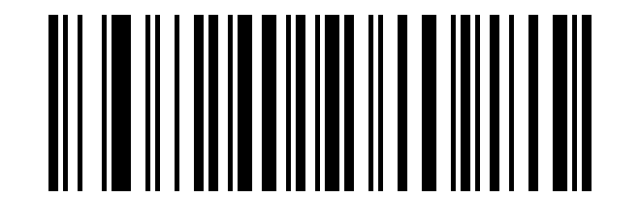
Enable:

Disable:

Disable (Default):

Verify but do not transmit check digit:

Verify and transmit check digit:

Enable:

Disable (Default):

Minimum length (0–50 characters):

Maximum length (0–50 characters):

Code 32
Code 32 on:
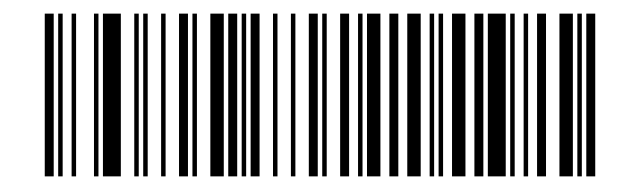
Code 32 off:
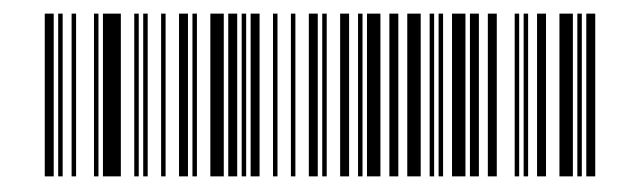
Enable:

Disable:

Enable:

Disable:

Code 11
Code 11 on:
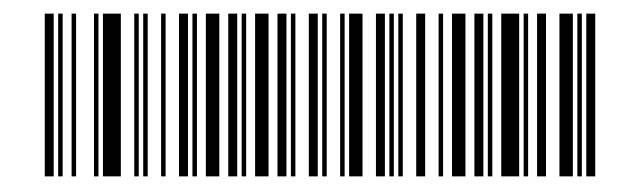
Code 11 off (default):
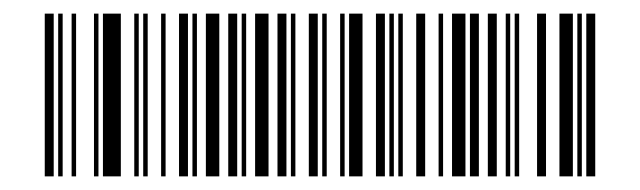
Enable:

Disable (Default):

Enable:

Disable (Default):

Disable (Default):

1 Bit:

2 Bit:

Minimum (0~50bit):

Maximum (0~50bit):

Interleaved 2 of 5 (ITF)
Interleaved 2 of 5: transmit check digit:
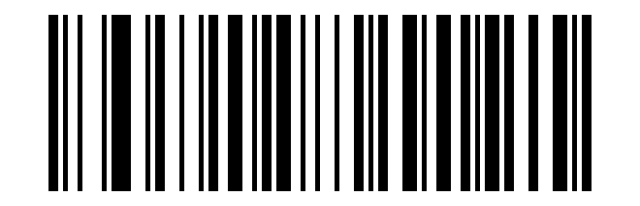
Interleaved 2 of 5: do not transmit check digit:
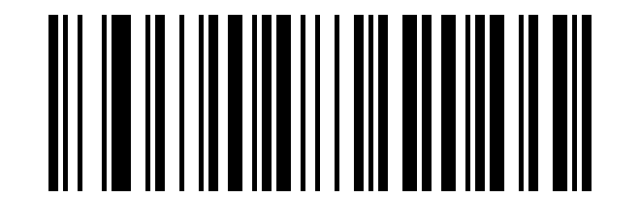
Interleaved 2 of 5 (ITF) on:
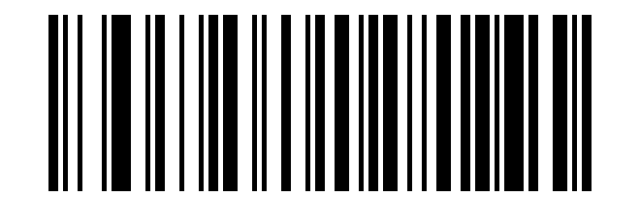
Interleaved 2 of 5 (ITF) off:
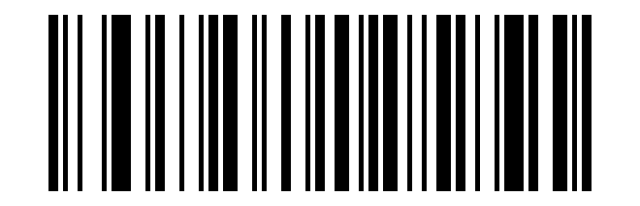
ITF: no fixed length (4–24 characters):
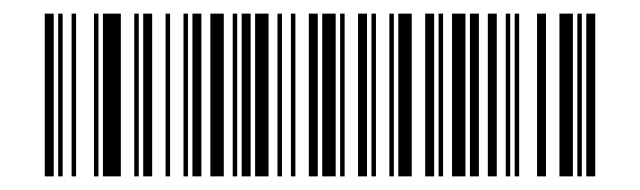
ITF: fixed length 6 characters:
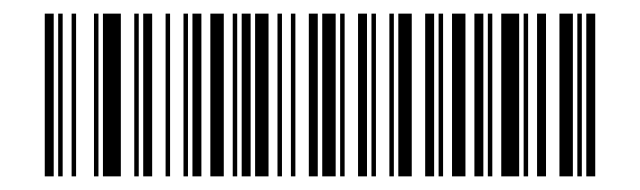
ITF: fixed length 8 characters:
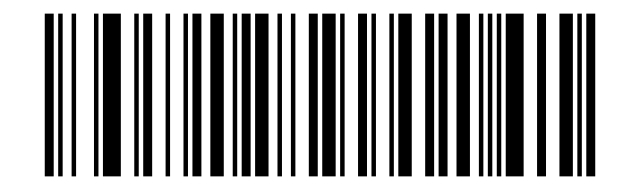
ITF: fixed length 10 characters:
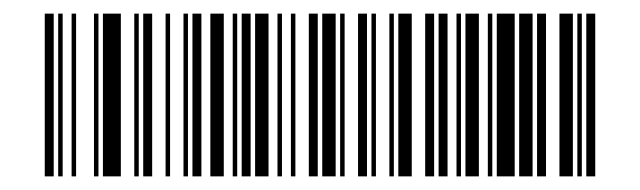
ITF: fixed length 12 characters:
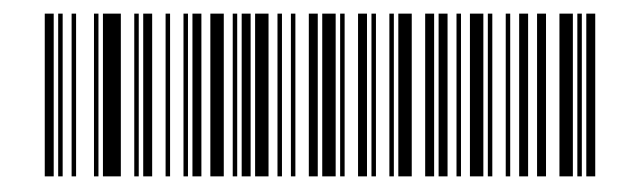
ITF: fixed length 14 characters:
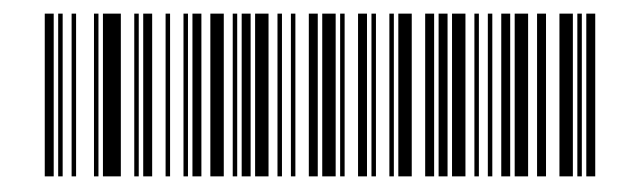
ITF: fixed length 16 characters:
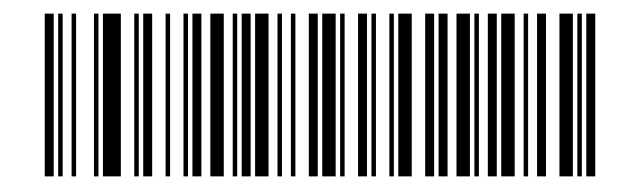
ITF: fixed length 18 characters:
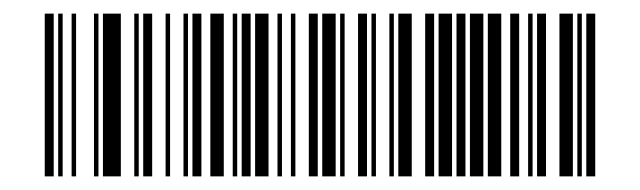
ITF: fixed length 20 characters:
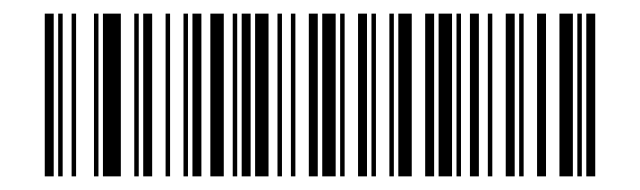
ITF: fixed length 24 characters:
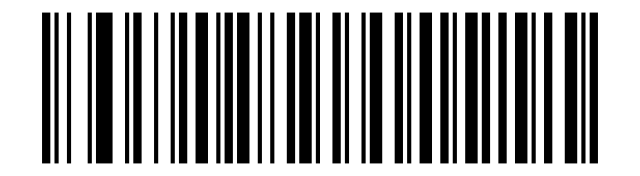
ITF maximum length (0–50 characters):
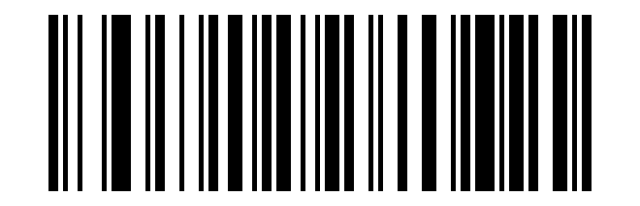
ITF minimum length (0–50 characters):

Enable:

Disable:

No check digit verification (Default):

Verify but do not transmit check digit:

Verify and transmit check digit:

Random Length (6-50bit) (Default):

6 Bit:

8 Bit:

10 Bit:

12 Bit:

14 Bit:

16 Bit:

18 Bit:

20 Bit:

22 Bit:

24 Bit:

Minimum (0~50bit):

Maximum (0~50bit):

Industrial 2 of 5
Industrial 2 of 5 on:
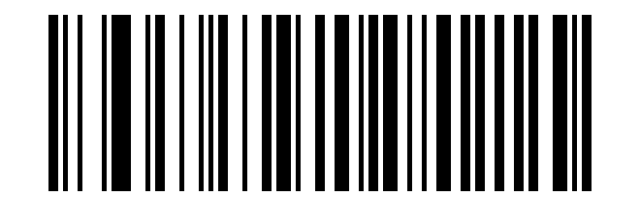
Industrial 2 of 5 off:
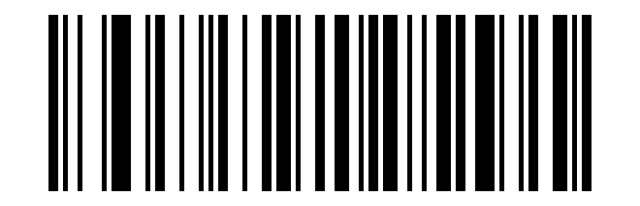
Industrial 2 of 5 minimum length (0–50 characters):
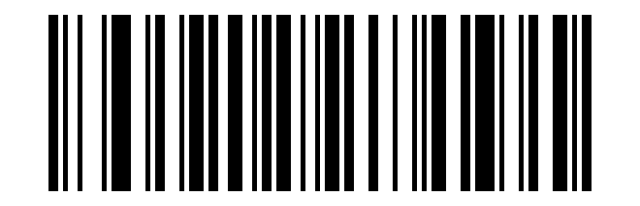
Industrial 2 of 5 maximum length (0–50 characters):
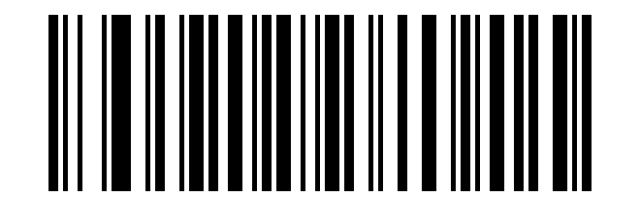
Enable:

Disable:

Minimum (0~50bit):

Maximum (0~50bit):

Matrix 2 of 5
Matrix 2 of 5 on:
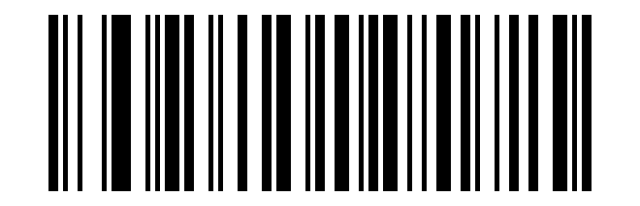
Matrix 2 of 5 off:
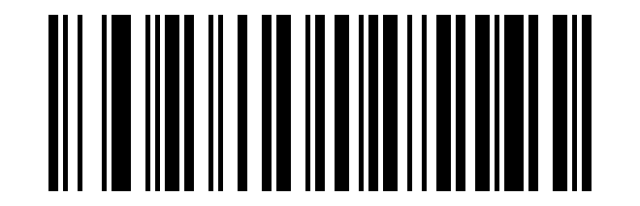
Matrix 2 of 5 minimum length (0–50 characters):

Matrix 2 of 5 maximum length (0–50 characters):
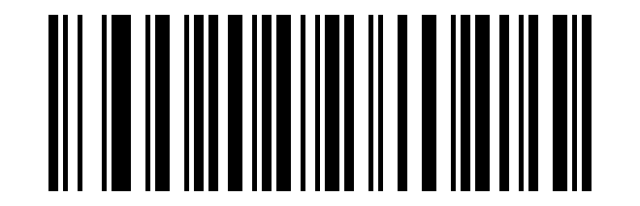
Enable:

Disable:

Minimum (0~50bit):

Maximum (0~50bit):

Code 93
Code 93 on:
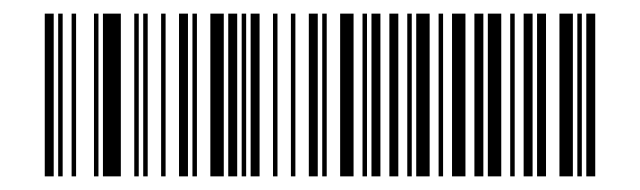
Code 93 off:
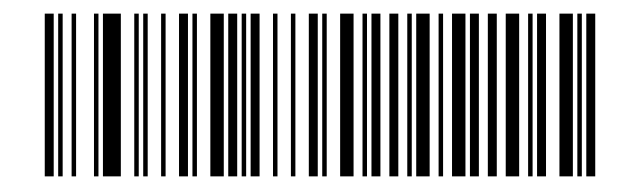
Code 93 minimum length (0–50 characters):
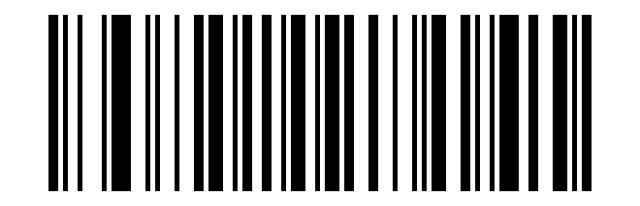
Code 93 maximum length (0–50 characters):
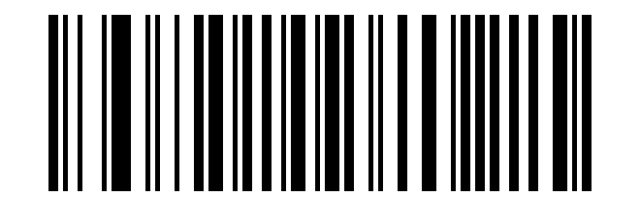
Enable:

Disable:

Minimum (0~50bit):

Maximum (0~50bit):

Code 128
Code 128 on:
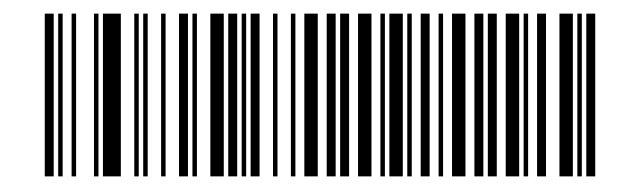
Code 128 off:
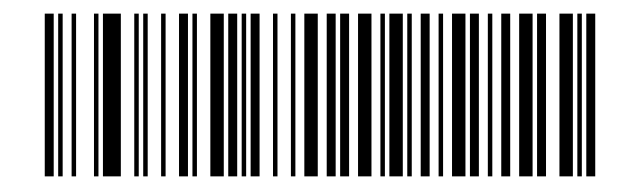
Enable:

Disable:

Minimum (0~50bit):

Maximum (0~50bit):

GS1-128
GS1-128 on:
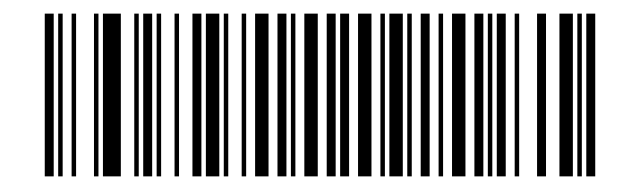
GS1-128 off:
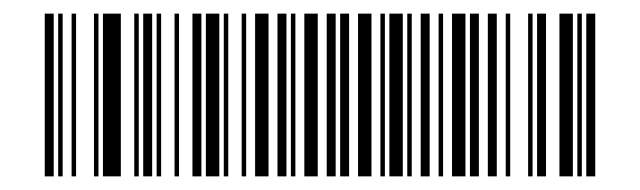
Enable:

Disable:

UPC-A
UPC-A on:

UPC-A off:

UPC-A: transmit check digit:
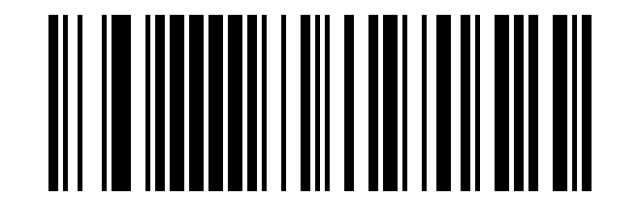
UPC-A: do not transmit check digit:
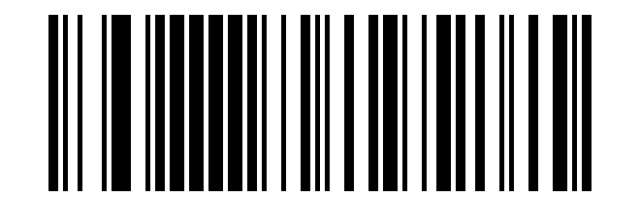
Convert UPC-A to EAN-13: on:
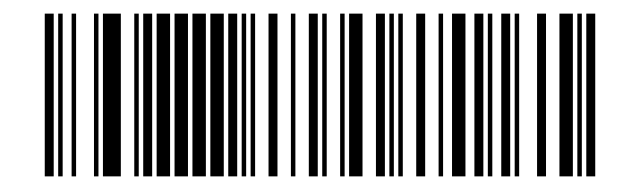
Convert UPC-A to EAN-13: off (default):
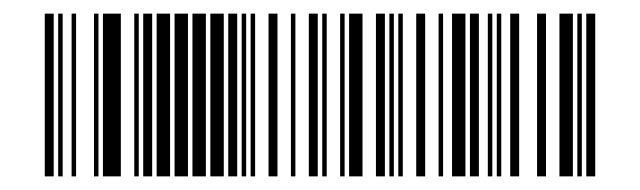
Enable:

Disable:

Send UPC-A Check Bit (Default):

Not send UPC-A Check Bit:

Enable UPC-A to EAN-13 conversion:

Disable UPC-A to EAN-13 conversion (Default):

UPC-E
UPC-E on:

UPC-E off:

UPC-E: do not transmit check digit:
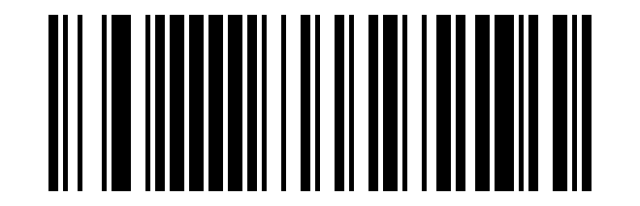
Convert UPC-E to UPC-A: on:
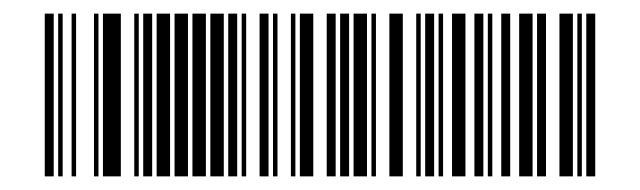
Enable:

Disable:

Send UPC-E Check Bit (Default):

Not send UPC-E Check bit:

Enable:

Disable (Default):

EAN-8
EAN/JAN-8 on:

EAN/JAN-8 off:

Enable:

Disable:

Disable EAN-8 to EAN-13 conversion:

Enable EAN-8 to EAN-13 conversion:

EAN-13
EAN/JAN-13 on:
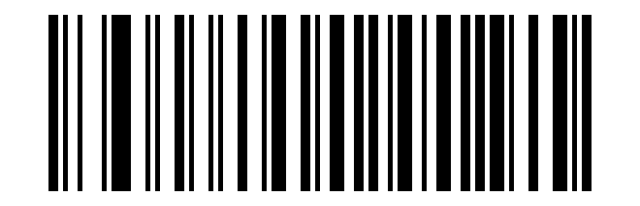
EAN/JAN-13 off:
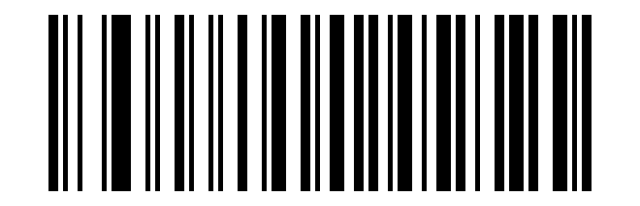
Enable:

Disable:

Send EAN13 Check Bit (Default):

Don't Send EAN13 Check Bit:

UPC/EAN add-on codes
UPC/EAN/JAN supplement (add-on): ignore:
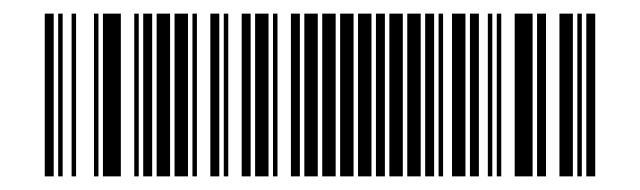
UPC/EAN/JAN supplement (add-on): decode (default):
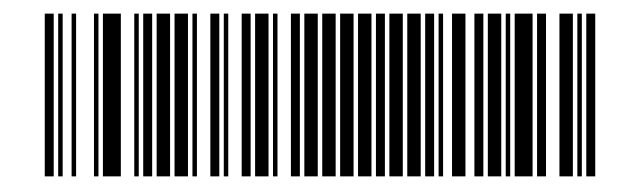
UPC/EAN/JAN supplement (add-on): autodiscriminate:
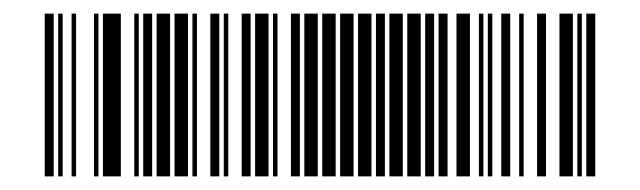
Ignore UPC/EAN/JAN (Default):

Decode UPC/EAN/JAN:

Custom UPC/EAN/JAN add on code:

ISBN
Convert EAN-13 to ISBN: on:

Convert EAN-13 to ISBN: off (default):

Enable:

Disable (Default):

ISSN
Convert EAN-13 to ISSN: on:

Convert EAN-13 to ISSN: off:

Enable:

Disable (Default):

GS1 DataBar
GS1 DataBar (RSS-14) on:
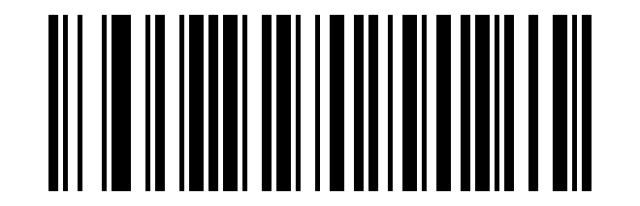
GS1 DataBar (RSS-14) off:
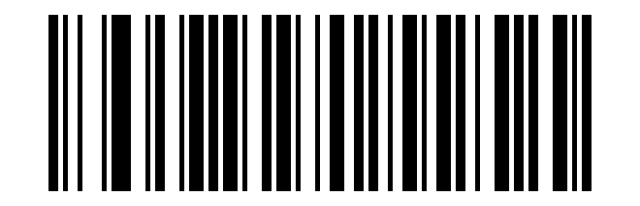
GS1 DataBar Limited on:
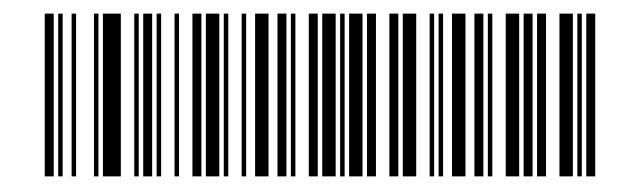
GS1 DataBar Limited off:
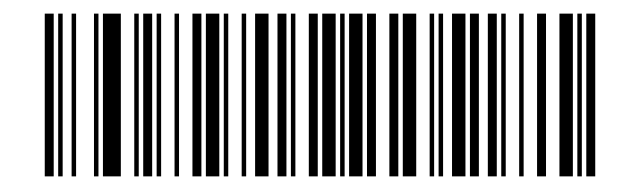
GS1 DataBar Expanded on:
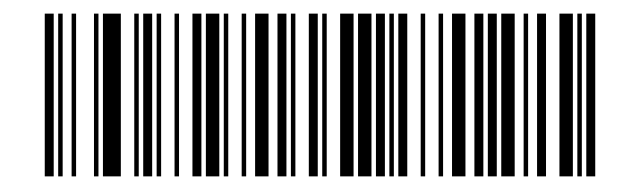
GS1 DataBar Expanded off:
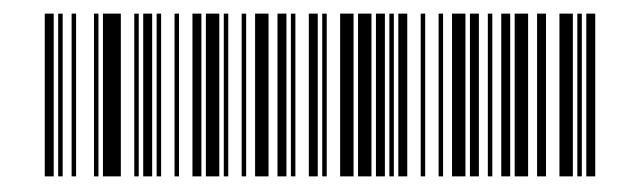
Enable:

Disable:

Enable:

Disable:

Enable:

Disable:

PDF417
PDF417 on:
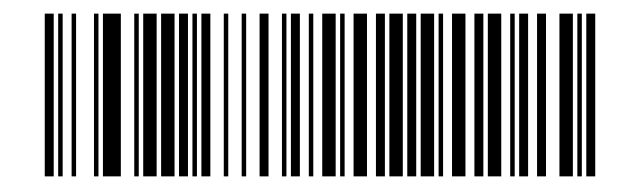
PDF417 off:
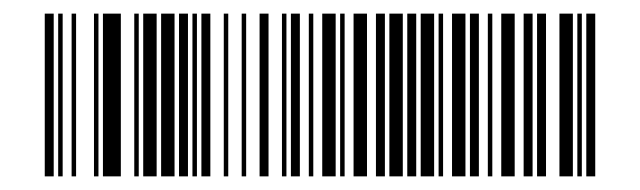
Enable:

Disable:

Micro PDF417
Micro PDF417 on:

Micro PDF417 off:

Enable:

Disable:

QR Code
QR Code on:
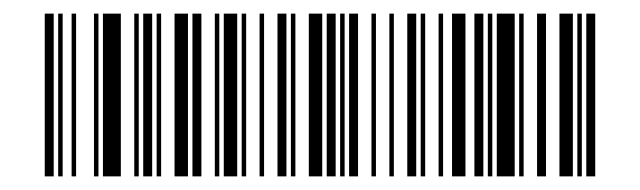
QR Code off:
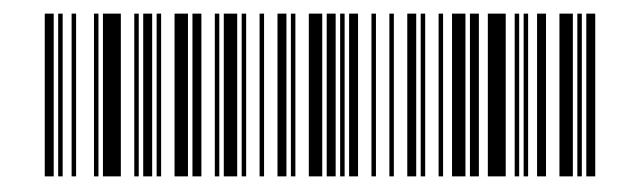
Enable:

Disable:

QR Code URL Link
Disable:

Enable:

Micro QR
Micro QR on:
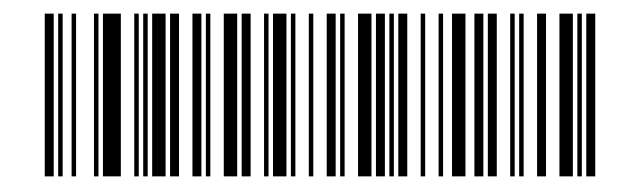
Micro QR off:
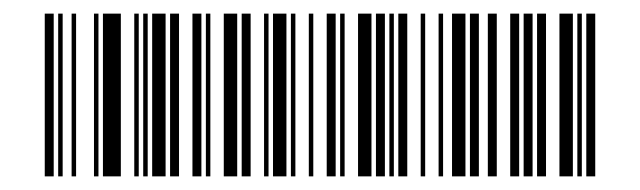
Enable:

Disable:

DataMatrix
DataMatrix on:
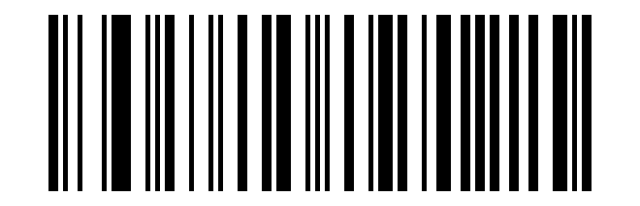
DataMatrix off:
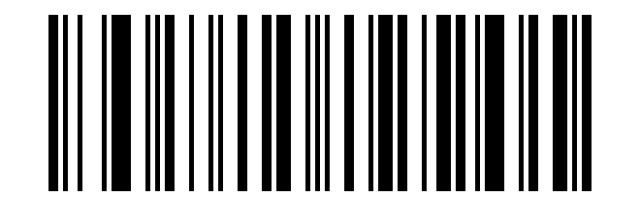
Enable:

Disable:

Aztec Code
Aztec Code on:

Aztec Code off:

Enable:

Disable:

Appendix: data and digit barcodes
0:

1:

2:

3:

4:

5:

6:

7:

8:

9:

A:

B:

C:

D:

E:

F:

Cancel current setting:

Cancel a string of data from previous read:

Cancel the data from previous read:

Save:

ASCII character map
Values used when programming a custom prefix or suffix (scan the "Set custom prefix/suffix" code, then the character codes per this table):
Full ASCII character map (0–126)
| Dec | Hex | Character |
|---|---|---|
| 0 | 00 | NUL |
| 1 | 01 | SOH |
| 2 | 02 | STX |
| 3 | 03 | ETX |
| 4 | 04 | EOT |
| 5 | 05 | ENQ |
| 6 | 06 | ACK |
| 7 | 07 | BEL |
| 8 | 08 | BS |
| 9 | 09 | HT |
| 10 | 0A | LF |
| 11 | 0B | VT |
| 12 | 0C | FF |
| 13 | 0D | CR |
| 14 | 0E | SO |
| 15 | 0F | SI |
| 16 | 10 | DLE |
| 17 | 11 | DC1 |
| 18 | 12 | DC2 |
| 19 | 13 | DC3 |
| 20 | 14 | DC4 |
| 21 | 15 | NAK |
| 22 | 16 | SYN |
| 23 | 17 | ETB |
| 24 | 18 | CAN |
| 25 | 19 | EM |
| 26 | 1A | SUB |
| 27 | 1B | ESC |
| 28 | 1C | FS |
| 29 | 1D | GS |
| 30 | 1E | RS |
| 31 | 1F | US |
| 32 | 20 | Space |
| 33 | 21 | ! |
| 34 | 22 | " |
| 35 | 23 | # |
| 36 | 24 | $ |
| 37 | 25 | % |
| 38 | 26 | & |
| 39 | 27 | ' |
| 40 | 28 | ( |
| 41 | 29 | ) |
| 42 | 2A | * |
| 43 | 2B | + |
| 44 | 2C | , |
| 45 | 2D | - |
| 46 | 2E | . |
| 47 | 2F | / |
| 48 | 30 | 0 |
| 49 | 31 | 1 |
| 50 | 32 | 2 |
| 51 | 33 | 3 |
| 52 | 34 | 4 |
| 53 | 35 | 5 |
| 54 | 36 | 6 |
| 55 | 37 | 7 |
| 56 | 38 | 8 |
| 57 | 39 | 9 |
| 58 | 3A | : |
| 59 | 3B | ; |
| 60 | 3C | < |
| 61 | 3D | = |
| 62 | 3E | > |
| 63 | 3F | ? |
| 64 | 40 | @ |
| 65 | 41 | A |
| 66 | 42 | B |
| 67 | 43 | C |
| 68 | 44 | D |
| 69 | 45 | E |
| 70 | 46 | F |
| 71 | 47 | G |
| 72 | 48 | H |
| 73 | 49 | I |
| 74 | 4A | J |
| 75 | 4B | K |
| 76 | 4C | L |
| 77 | 4D | M |
| 78 | 4E | N |
| 79 | 4F | O |
| 80 | 50 | P |
| 81 | 51 | Q |
| 82 | 52 | R |
| 83 | 53 | S |
| 84 | 54 | T |
| 85 | 55 | U |
| 86 | 56 | V |
| 87 | 57 | W |
| 88 | 58 | X |
| 89 | 59 | Y |
| 90 | 5A | Z |
| 91 | 5B | [ |
| 92 | 5C | \ |
| 93 | 5D | ] |
| 94 | 5E | ^ |
| 95 | 5F | _ |
| 96 | 60 | ``` |
| 97 | 61 | a |
| 98 | 62 | b |
| 99 | 63 | c |
| 100 | 64 | d |
| 101 | 65 | e |
| 102 | 66 | f |
| 103 | 67 | g |
| 104 | 68 | h |
| 105 | 69 | i |
| 106 | 6A | j |
| 107 | 6B | k |
| 108 | 6C | l |
| 109 | 6D | m |
| 110 | 6E | n |
| 111 | 6F | o |
| 112 | 70 | p |
| 113 | 71 | q |
| 114 | 72 | r |
| 115 | 73 | s |
| 116 | 74 | t |
| 117 | 75 | u |
| 118 | 76 | v |
| 119 | 77 | w |
| 120 | 78 | x |
| 121 | 79 | y |
| 122 | 7A | z |
| 123 | 7B | { |
| 124 | 7C | | |
| 125 | 7D | } |
| 126 | 7E | ~ |
Frequently asked questions
Is it possible to turn off the scanning sound on the HD-SL36A?
What to do when the HD-SL36A scanner does not work properly after a Windows 10 update?
Does the HD-SL36A read UDI (DataMatrix GS1) codes on medical devices?
Can the HD-SL36A read the Aztec code from a vehicle registration document?
How do I configure the HD-SL36A?
Downloads
Original manufacturer PDF manuals kept available as a legacy reference. Everything from them is already covered on this page — use the PDFs only if you need an offline copy.