Compact stationary 1D / 2D QR & barcode presentation scanner, metal housing, USB, HDWR HD203
GTIN: 5907614669843 · SKU: HD203
Table of contents
- Table of contents
- Specifications
- Set contents
- Features
- Factory setting
- Operating mode
- Illumination settings
- Aiming light settings
- Audio settings
- Interface settings
- End mark (terminator)
- Character encoding
- Keyboard language
- Decoder control — 1D and 2D
- Decoder control — QR and 2D symbologies
- Frequently asked questions
- Downloads
Specifications
- Light source: 617 nm LED
- Sensor: CMOS
- Scanning method: automatic (on code presentation) / manual (push button)
- Interface: USB, Virtual COM
- Cable length: 150 cm
- Drop resistance: up to 1.2 m
- Housing: metal
- Device dimensions: 5.5 × 4.5 × 2 cm
- Package dimensions: 21.5 × 10 × 7.5 cm
- Device weight: 170 g
- Package weight: 190 g
- Operating temperature: −20 to 50 °C
- Storage temperature: −40 to 70 °C
- Operating / storage humidity: 5 to 95%
- Readable 1D codes: UPC, EAN, ISBN, ISSN, Code 128, Code 39, Code 32, Code 93, Interleaved 2 of 5, Industrial 2 of 5, Matrix 2 of 5, IATA 2 of 5, MSI Plessey, Code 11, Codabar, GS1 DataBar, GS1 Composite, Plessey, Febraban
- Readable 2D codes: Maxicode, Data Matrix (ECC 200), QR Code, Micro QR, Aztec, Han Xin, GoCode
Set contents
- Wired code reader
- User manual
Features
- 1D and 2D reading: reads QR codes, Data Matrix, Aztec, Maxicode and all major 1D barcodes, including from phone and computer screens
- Presentation scanning: automatic auto-sensing mode reads codes hands-free as soon as they are placed in front of the scanner; manual button mode is also available
- Rugged metal housing: compact, durable casing, drop-resistant up to 1.2 m
- Plug and play: connects over USB as a standard keyboard (also Virtual COM / TTL) — no drivers required
- Configurable: operating mode, illumination, aiming light, beeper, interface and per-symbology decoder control — all codes below
Factory setting
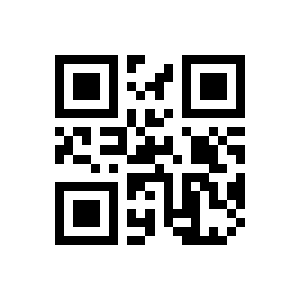
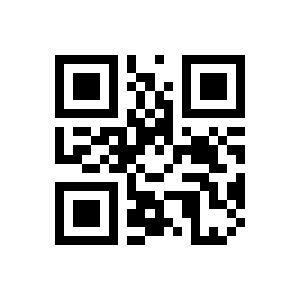
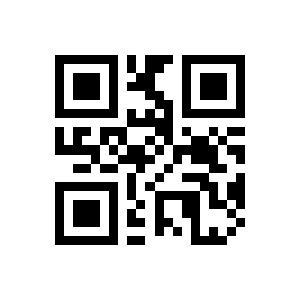
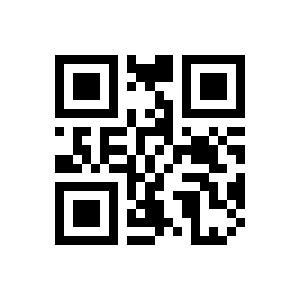
To change scanner settings, scan the appropriate code below directly with the HD203. All codes come from the supplier manual.
💡 Tip: print this page ("Download this page as PDF" button above) to keep the codes at hand during configuration.
Restore factory settings:
Operating mode
Manual mode (press to scan):
Continuous mode:
Automatic scanning (presentation):
Illumination settings
Illumination on while reading:
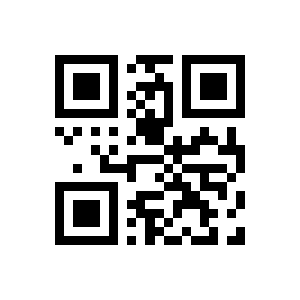
Illumination always on:
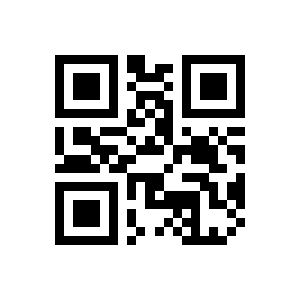
Illumination always off:
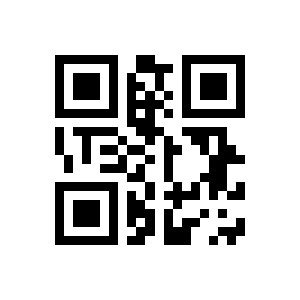
Aiming light settings
Aimer flashes while reading:
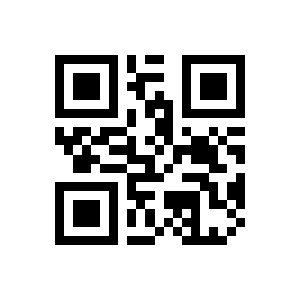
Aimer always on:
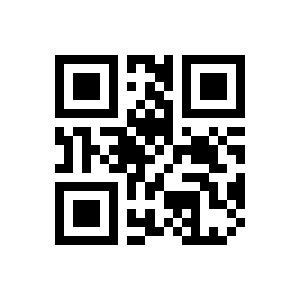
Aimer always off:
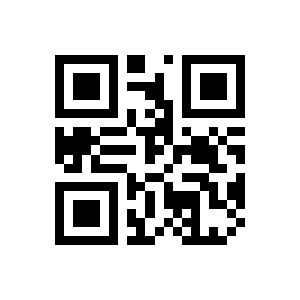
Audio settings
Sound on:
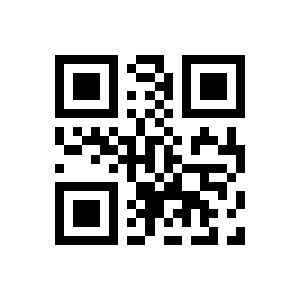
Sound off:
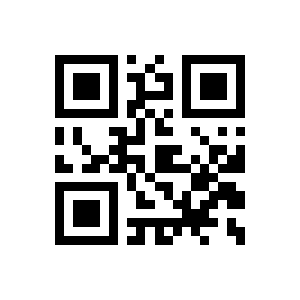
High volume:
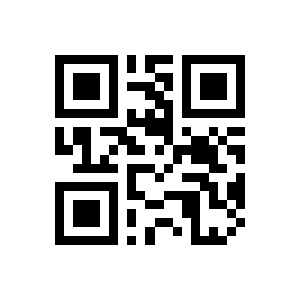
Medium volume:
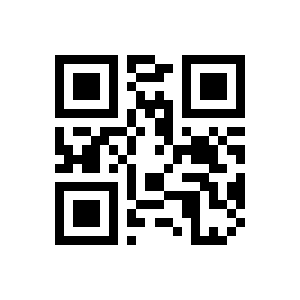
Low volume:
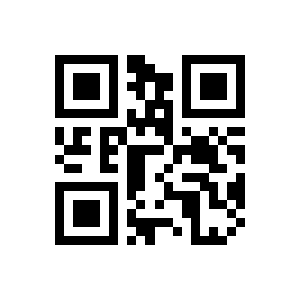
Interface settings
USB-HID:
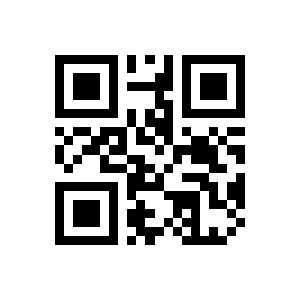
TTL (RS232):
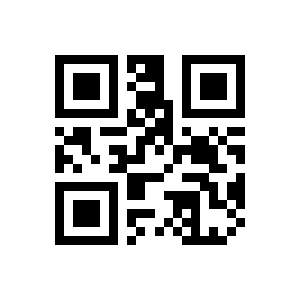
USB-COM (Virtual COM):
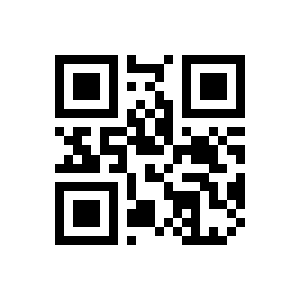
End mark (terminator)
CR (default):
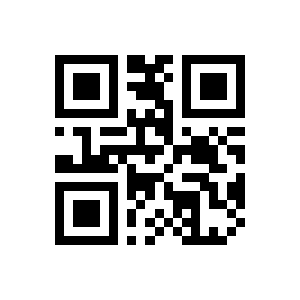
CR + LF:
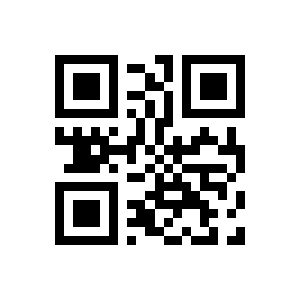
TAB:
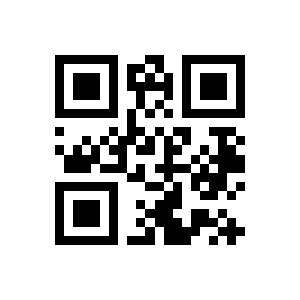
None:
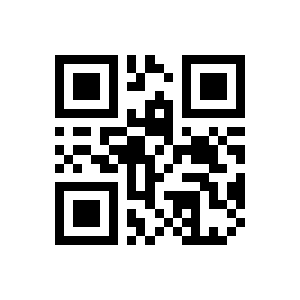
Character encoding
Primitive type:
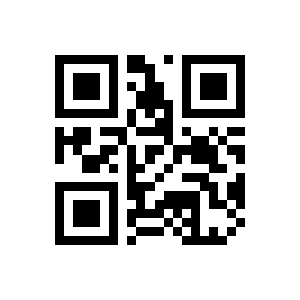
GBK (default):
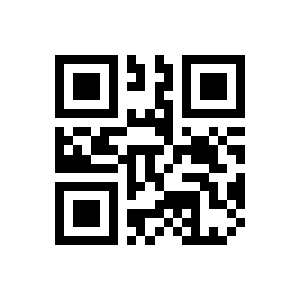
Unicode:
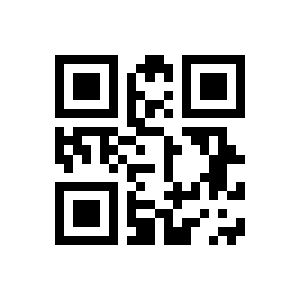
Keyboard language
United States (default):
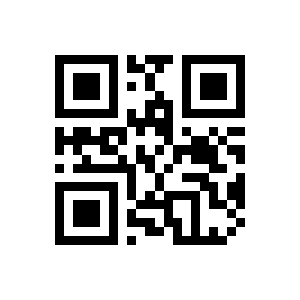
France:
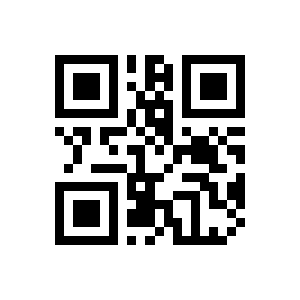
Spain:
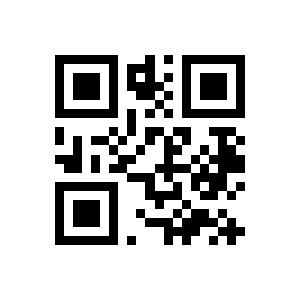
Decoder control — 1D and 2D
Enable reading of all 1D codes:
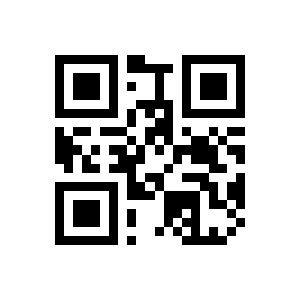
Disable reading of all 1D codes:
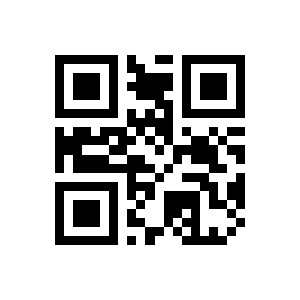
Enable reverse (inverted) 1D code reading:
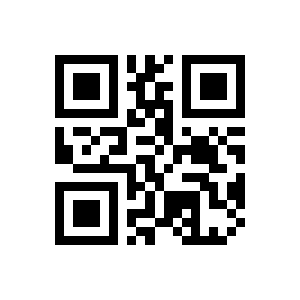
Disable reverse (inverted) 1D code reading:
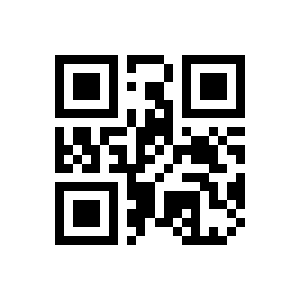
Enable reading of all 2D codes:
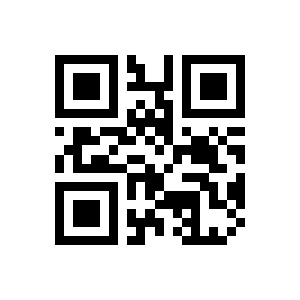
Disable reading of all 2D codes:
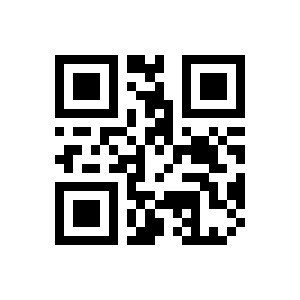
Decoder control — QR and 2D symbologies
Enable QR Code reading:
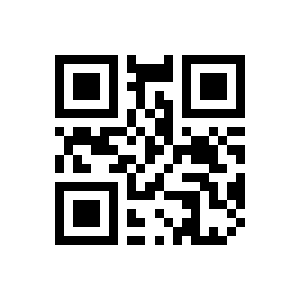
Disable QR Code reading:
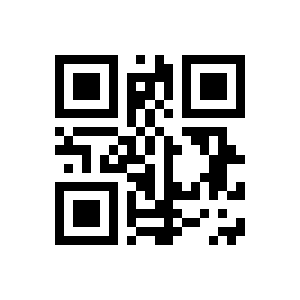
Enable reverse QR Code reading:
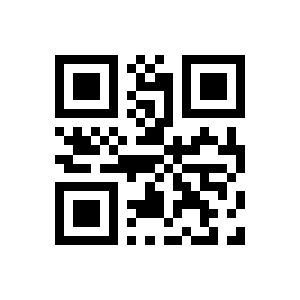
Disable reverse QR Code reading:
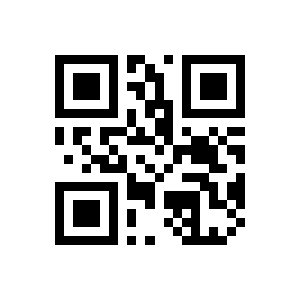
Enable Data Matrix reading:
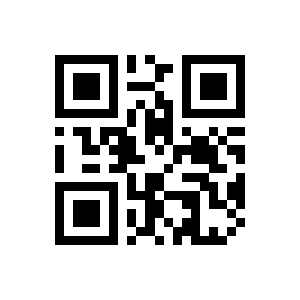
Disable Data Matrix reading:
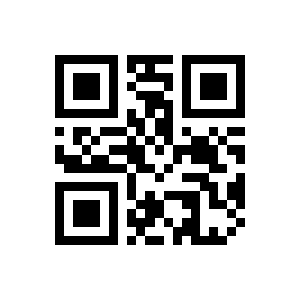
Enable reverse Data Matrix reading:
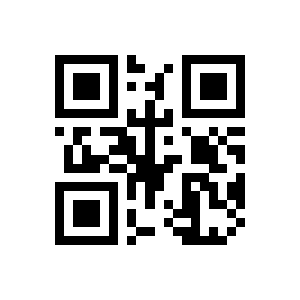
Disable reverse Data Matrix reading:
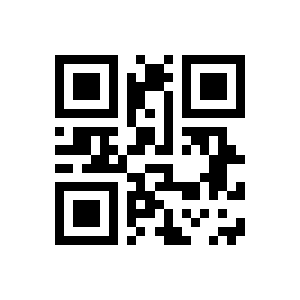
Enable Aztec reading:
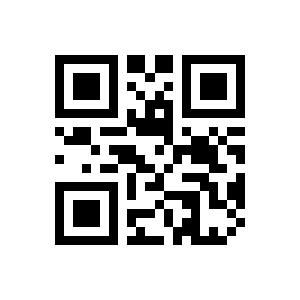
Disable Aztec reading:
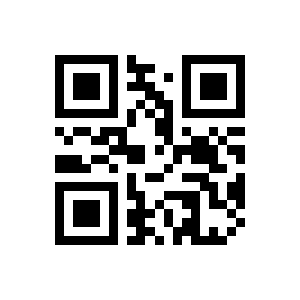
Enable Maxicode reading:
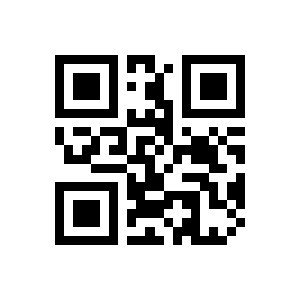
Disable Maxicode reading:
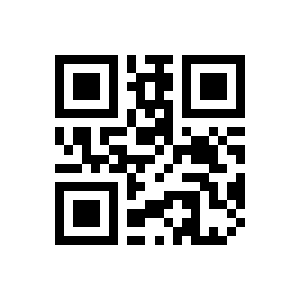
Frequently asked questions
How does the automatic (presentation) scanning work?
Does the HD203 need drivers?
Does the HD203 read codes from phone and computer screens?
How do I reset the HD203 to factory settings?
Downloads
The original supplier PDF manuals are kept as archival documentation. Everything they contain is already on this page — use the PDF only if you need an offline copy.