Stationary 1D / 2D QR & barcode presentation scanner, USB, HDWR HD340
GTIN: 5907614662448 · SKU: HD340
Table of contents
- Table of contents
- Specifications
- Set contents
- Features
- Configuration codes
- Communication interface settings
- Scan mode settings
- Illumination and aiming
- Beeper, LED and keyboard output
- Prefix, suffix and data formatting
- Quick operation
- Symbology settings
- Appendix: save, cancel and digit codes
- Frequently asked questions
- Downloads
Specifications
- Colour: black
- Material: ABS
- Light source: LED
- Sensor: CMOS
- Resolution: 644 × 488 px
- Scanning method: automatic (auto-sensing on code presentation)
- Scan confirmation: beep
- Scan speed: 200 scans/second
- Scanning angle: 360°
- Power supply: 5 V
- Interface: USB, Virtual COM
- Drop resistance: up to 1.6 m
- Device dimensions: 8 × 6.8 × 5.3 cm
- Package dimensions: 17 × 9 × 6 cm
- Device weight: 135 g
- Weight with packaging: 170 g
- Readable 1D codes: EAN-13, EAN-8, UPC-A, UPC-E, Code 128, Code 39, Code 93, Codabar, Interleaved 2 of 5, Industrial 25, Matrix 2 of 5, Code 11, MSI Plessey, GS1 DataBar (RSS-14 / Limited / Expanded)
- Readable 2D codes: QR Code, Micro QR, Data Matrix, PDF417
Set contents
- Stationary multi-dimensional barcode scanner
- USB cable
- User manual
Features
- Fast 1D and 2D reading: reads QR codes, Data Matrix, PDF417 and all major 1D barcodes, including from phone and mobile-device screens
- Presentation scanning: auto-sensing mode reads codes hands-free as soon as they are placed in front of the scanner
- 360° scan angle, 200 scans/s: fast omnidirectional reading for busy counters
- Plug and play: connects over USB as a standard HID keyboard (also Virtual COM) — no drivers required
- Highly configurable: communication interface, scan modes, illumination, beeper, keyboard layout, prefix/suffix, code ID and full per-symbology settings
Configuration codes
To change scanner settings, first scan Enter Setup, then the barcode(s) for the option you want, and finally Exit Setup. For parameters with a numeric value, scan Enter Setup, the option code, the required digit codes from the appendix, and finally Exit Setup.
💡 Tip: print this page ("Download this page as PDF" button above) to keep the codes at hand during configuration.
Setup mode
Entering Setup Mode:

Exiting Setup Mode:
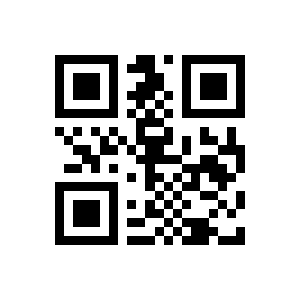
Use of Programming Barcode
Do Not Transmit Programming Barcode Data (default):

Transmit Programming Barcode Data :

User Default Settings
Restoring settings Factory:

Save the current configuration as Default settings:
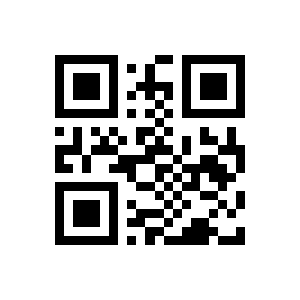
Restore default:

Communication interface settings
Output Mode of Communication Port
TTL:
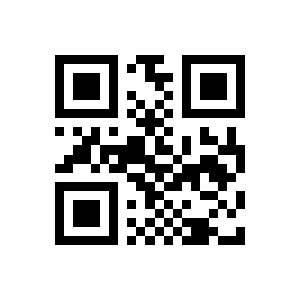
USB HID:
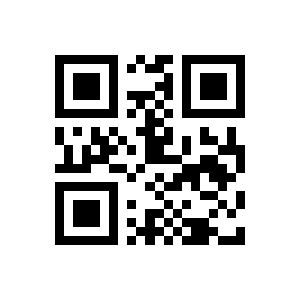
Baud Rate
USB Virtual COM:

HID & TTL Simultaneous Mode:
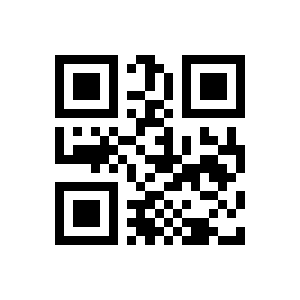
Parity Methods
115200bps:

57600bps:

38400bps:

19200bps:

14400bps:
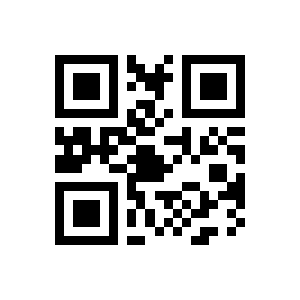
9600bps (default):

4800bps:

1200bps:
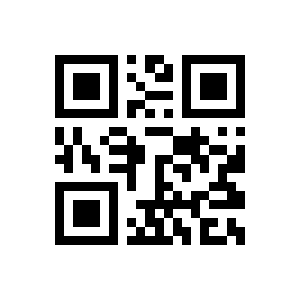
None (default):

Selection of HID Devices
HID (default):
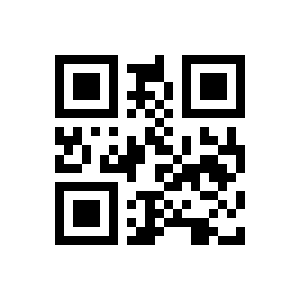
HID:

ODD Parity 2.3Configuration of USB:
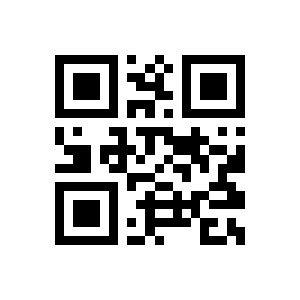
Even Parity 2.3Configuration of USB:
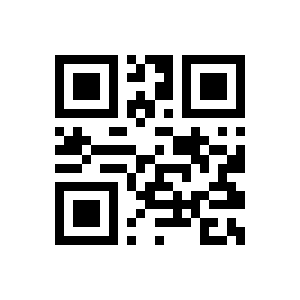
Timeout After HID Release
1ms (default):
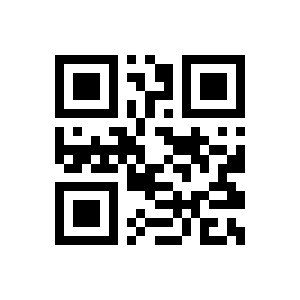
3ms:

5ms:
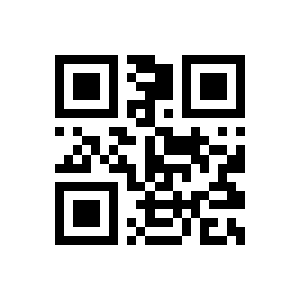
10ms:
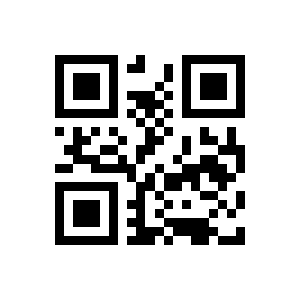
1ms (default):
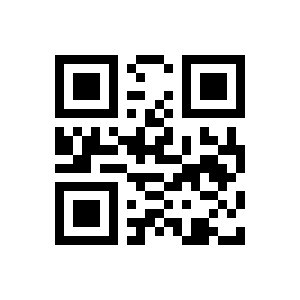
2ms:
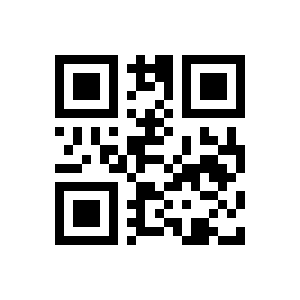
5ms:

10ms:

Leading Key Output
1ms (default):

2ms:
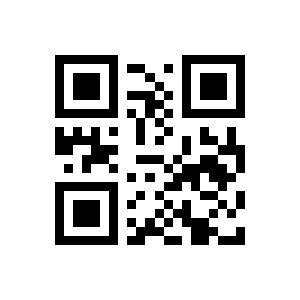
5ms:
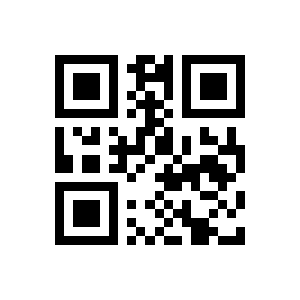
10ms:
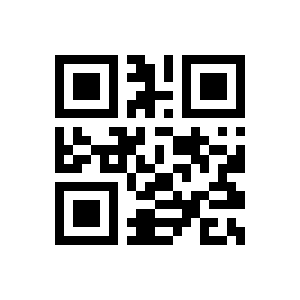
CapsLock (default):

CapsLock:

Disable HID Leading Key (default):

Enable HID Leading Key:
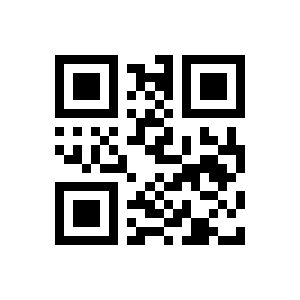
Scan mode settings
Decode Session Timeout
Manual Mode:
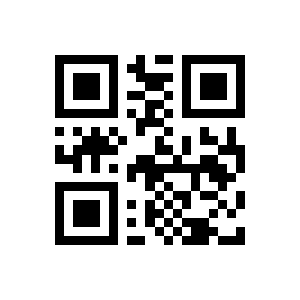
Level Trigger (default):

Edge Trigger:
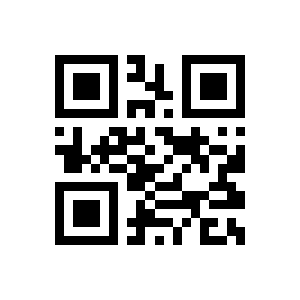
Command Trigger Mode
Command Trigger Mode :

Infinite:

1000ms:
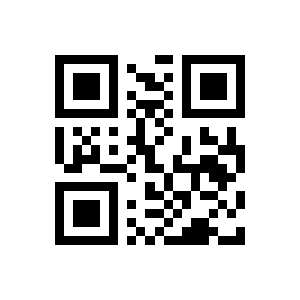
3000ms:

5000ms (default):

10000ms:
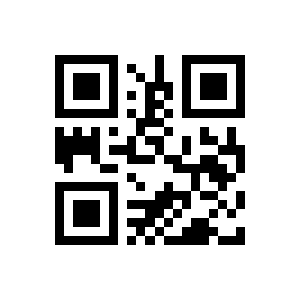
Timeout Between Decodes
Continuous mode:
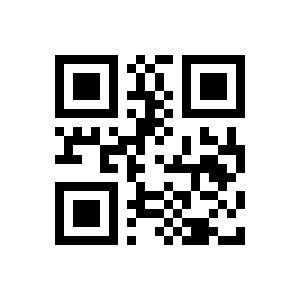
Trigger command response disable:
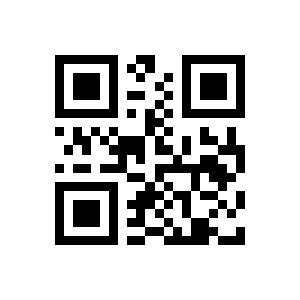
Trigger command response allowed (default):
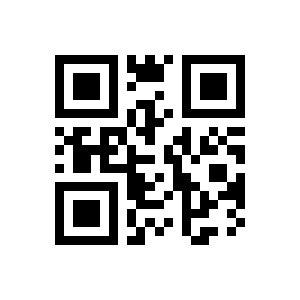
Timeout between Decodes (Same Barcode)
No delay:
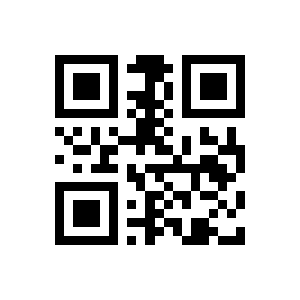
500ms:

1000ms (Default):

3000 ms:

500 ms Setting the delay time for scanning a repeating:

Delay Off (Default):

Delay Enabled:
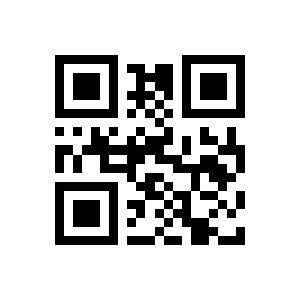
Continuous mode key pause switch
Delay on all the time:
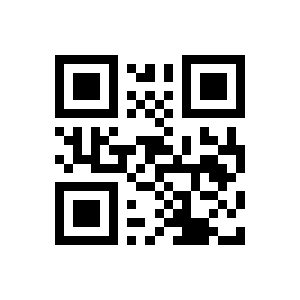
500ms:

1000ms:

3000ms:
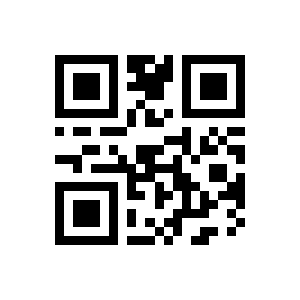
5000ms:
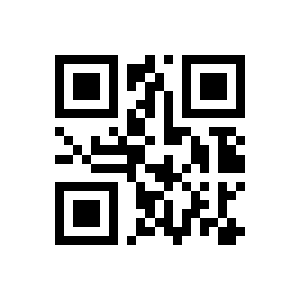
Continuous mode key pause is not:

Continuous mode key pause (default):
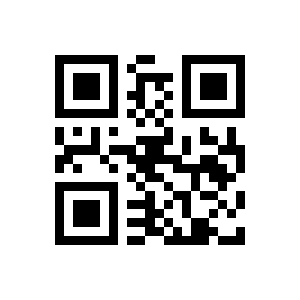
Sensitivity
Auto mode Time delay between barcode scans:

Image Stabilization Timeout
0ms (default):

100ms:
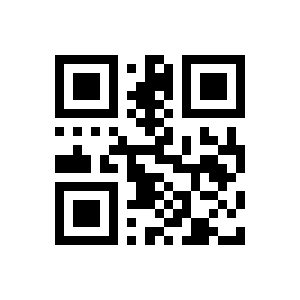
400ms:
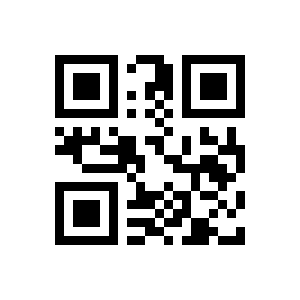
1000ms:

2000ms:
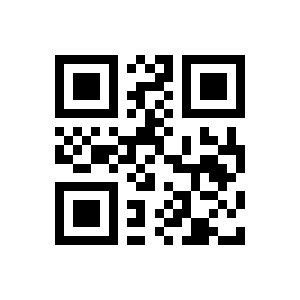
Enhanced Sensitivity:

High Sensitivity:
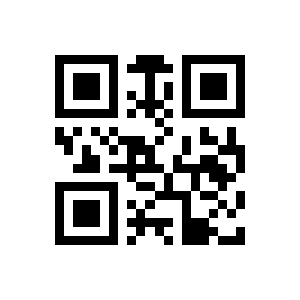
Low Sensitivity:
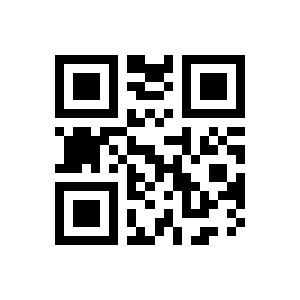
Medium Sensitivity (default):
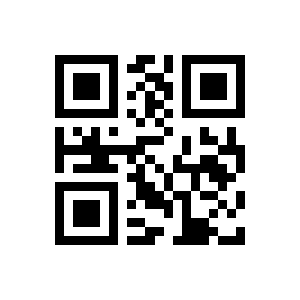
Illumination and aiming
Positioning
Backlight on during scan:
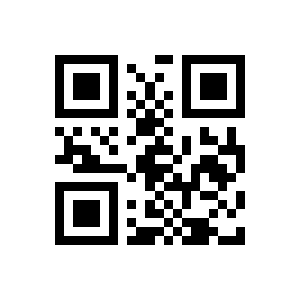
Backlight on All the time:
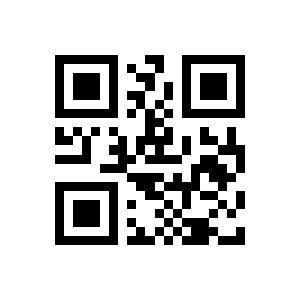
Backlight Disabled:
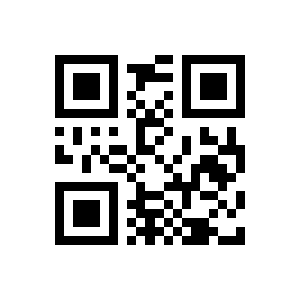
Positioning Light (default):

Enabled:
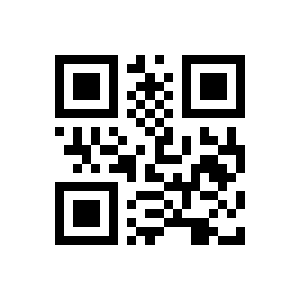
Disabled:
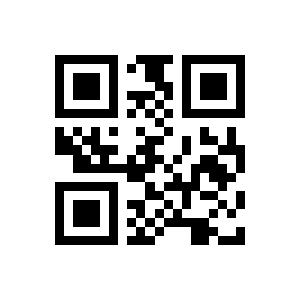
Positioning Light (default):
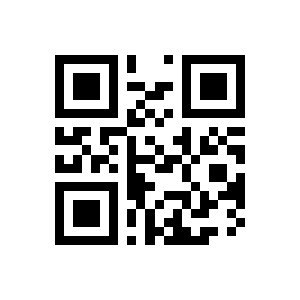
Beeper, LED and keyboard output
Active Buzze
Mute Enabled:
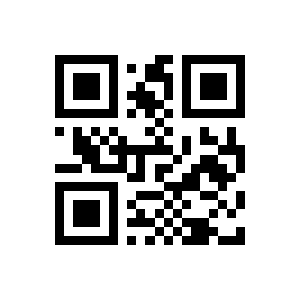
Mute off (Default):
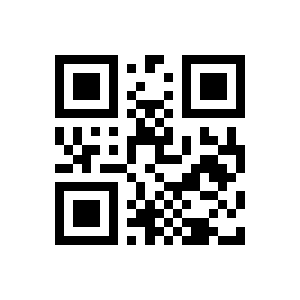
Passive_Low Frequency:

Passive_Intermediate Frequency (default):

Passive_High Frequency:

Passive Buzzer (default):

Good Read Beep for Programming Barcode
Loud beep (Default):
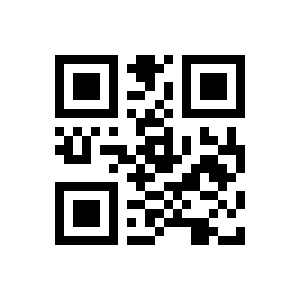
Silent signal Sound:

Active Buzzer:
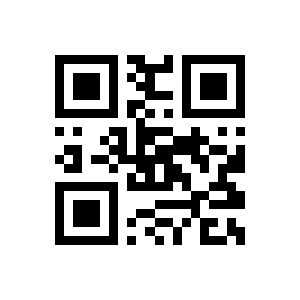
Beep for Programming Barcode_ON (default):
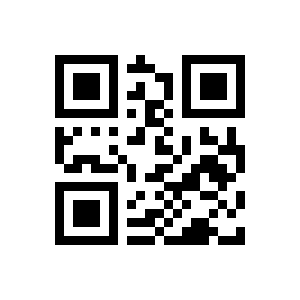
Beep for Programming Barcode _OFF:
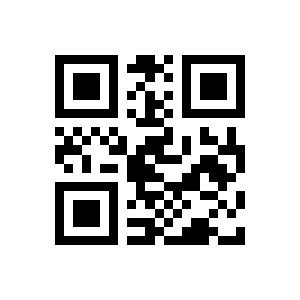
Beep during Startup enabled (default):
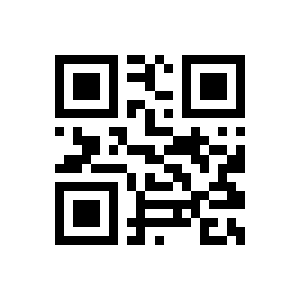
Beep during Startup Disabled:
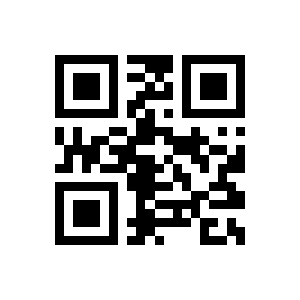
Good Read LED/Beep
LED during scanning enabled (default):
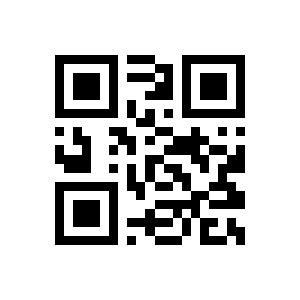
LED during scanning disabled:
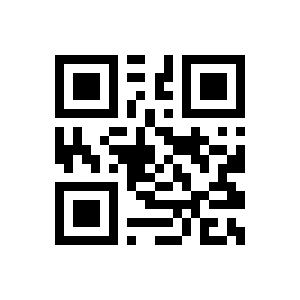
Sound during scanning enabled:
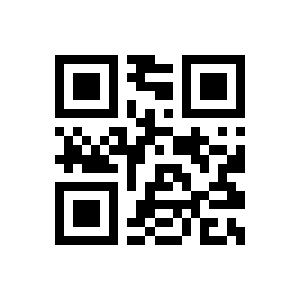
Sound:

30ms:

60ms (default):
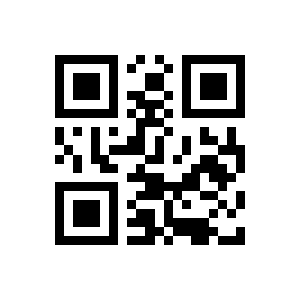
90ms:

120ms:

Different Country Keyboard Settings
GBK (default):

UTF8:
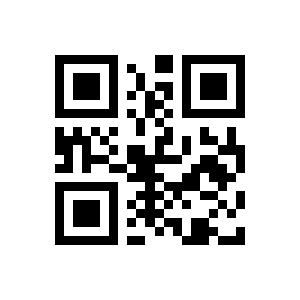
Original Data:
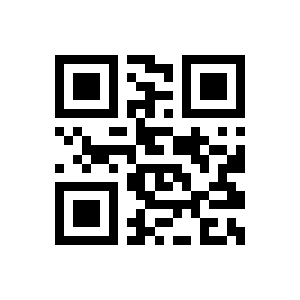
UNICODE:

US (default):
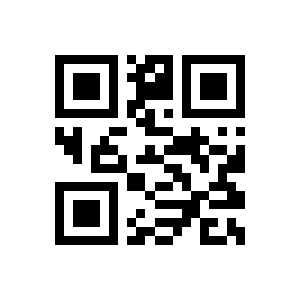
Czech:
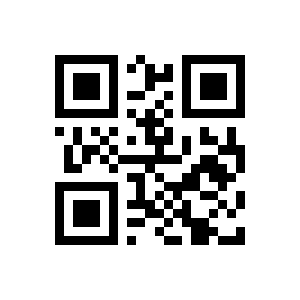
French:

Germany:
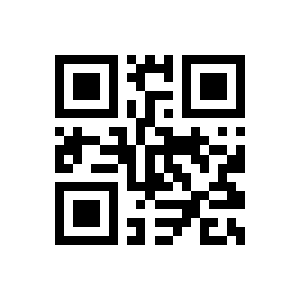
Hungary:
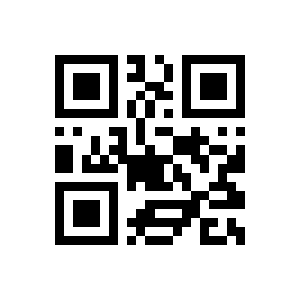
Italy:
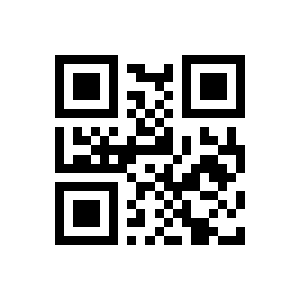
Japan:

Spain:

Turkey Q:
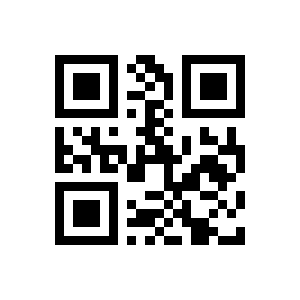
Turkey F:

Mexico (Latin America):
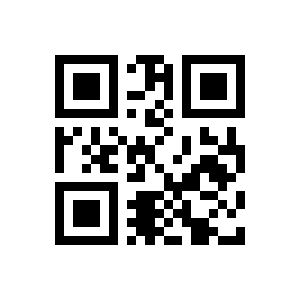
Virtual keyboard enable
Standard Keyboard (default):
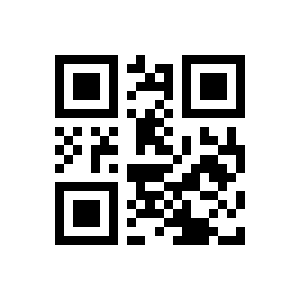
Virtual Keyboard:

Ctrl Mode:

Alt Mode:
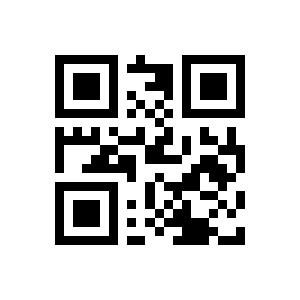
Control character (default):

Output of keypad operator function
Chinese:
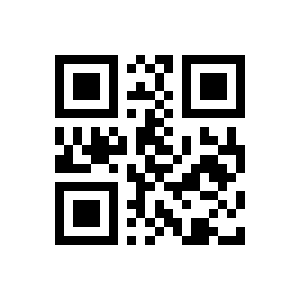
Chinese (default):
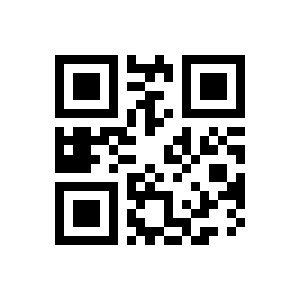
Keypad Numeric:

Keypad Numeric (default):

Reverse Scanning Module
Image Mirror Flip _ ON:

Image Mirror Flip_ OFF (default):

Disabled (default):
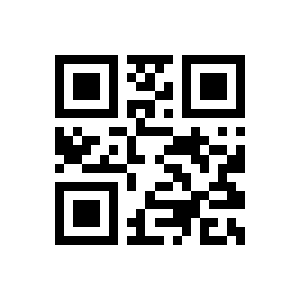
Enabled Setting Prefix and Suffix:
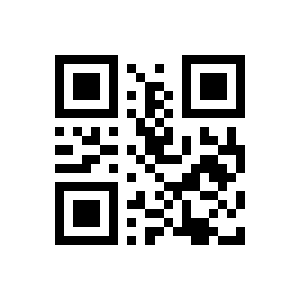
Keypad Operator:
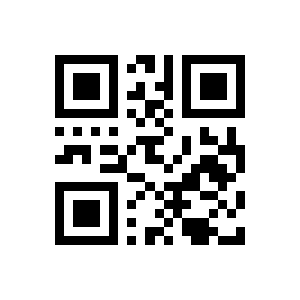
Keypad Operator (default):
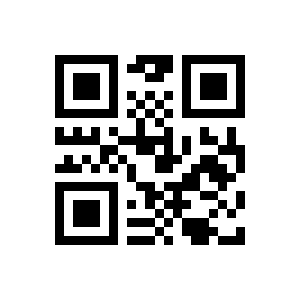
Read Device Version Information
Read device version information:
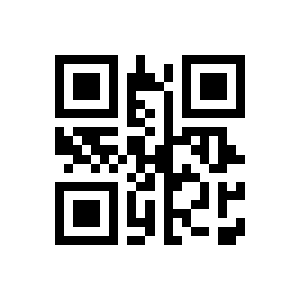
Read all device version information:
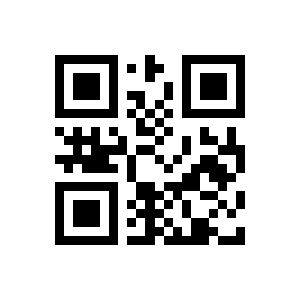
Invoicing Mode Enable After the invoice mode is opened (default):

Invoicing Mode Disable After the invoice mode is opened:
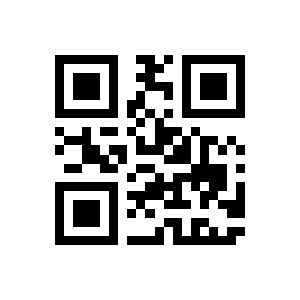
Local Invoicing Mode It should be noted that (default):

Online Invoicing Mode It should be noted that:

Read Chip SN
Read Device ID:

Read chip SN number:
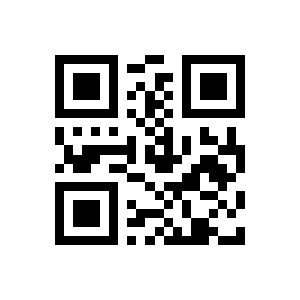
Prefix, suffix and data formatting
Prefix
Prefix Enabled:
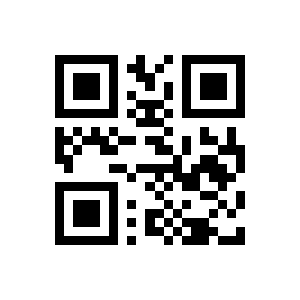
Prefix disabled (default):
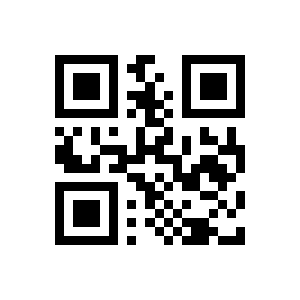
Setting Prefix:
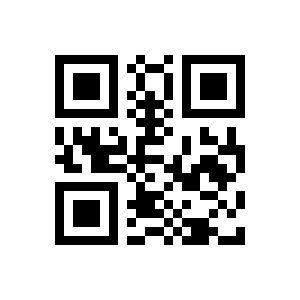
Custom Code ID
Suffix On:

Suffix disabled (default):
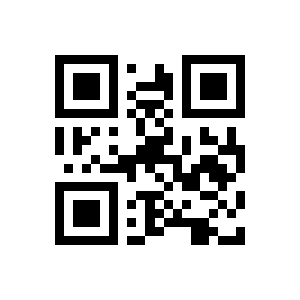
Setting Suffix:

Enable Code ID:

Disable Code ID (default):

Modify Code ID
Restore Default Code ID:
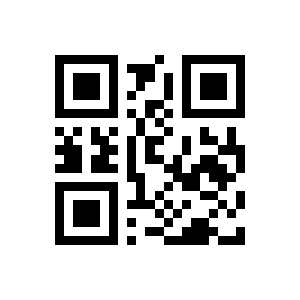
Modify EAN13 Code ID:
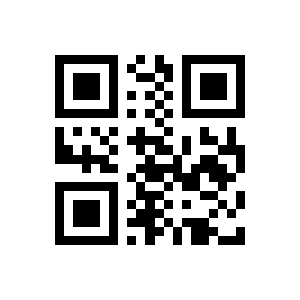
Modify EAN8 Code ID:
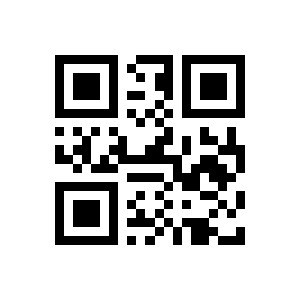
Modify UPC:
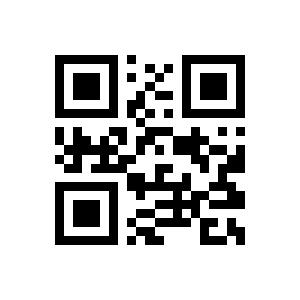
Modify UPC:
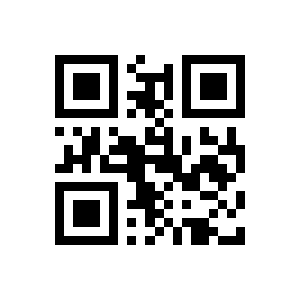
Modify UPC:

Modify Code 128 Code ID:
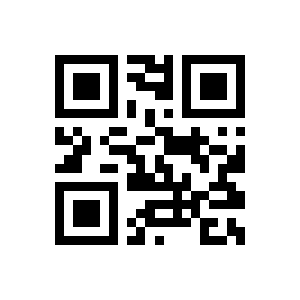
Modify Code 39 Code ID:
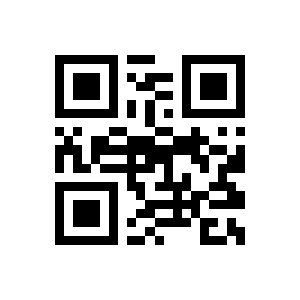
Modify Code 93 Code ID:
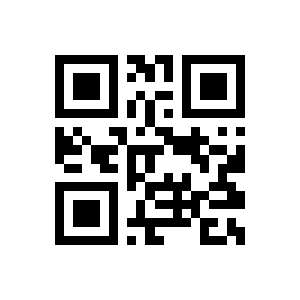
Modify Codabar Code ID:
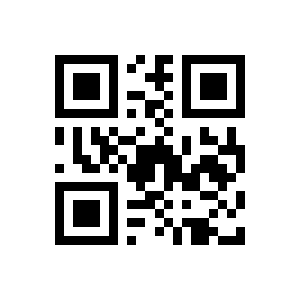
Modify Interleaved 2 of 5 Code ID:
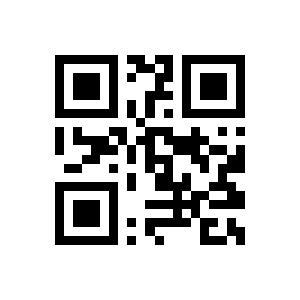
Modify Industrial 25 Code ID:
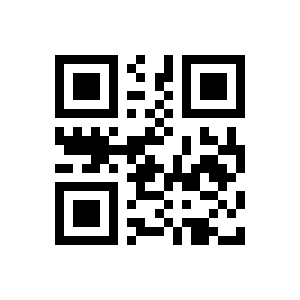
Modify Matrix 2 of 5 Code ID:
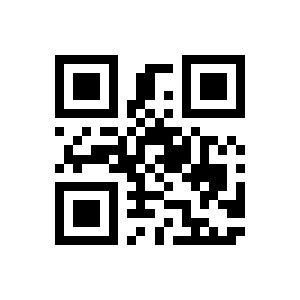
Modify Code11 Code ID:
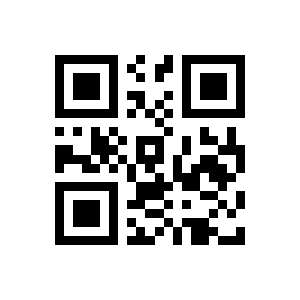
Modify MSI Code ID:

Modify RSS Code ID:

Modify RSS:
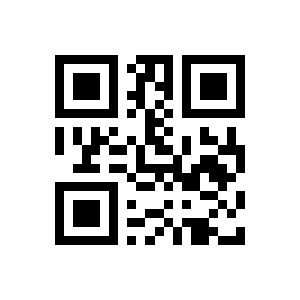
Tail
Modify RSS:
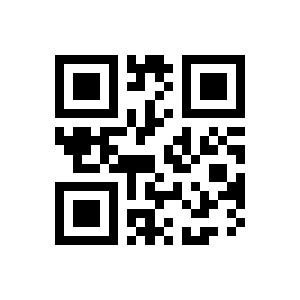
Modify QR Code Code ID:
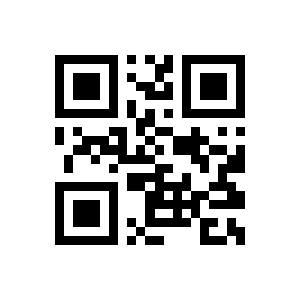
Modify Data Matrix Code ID:
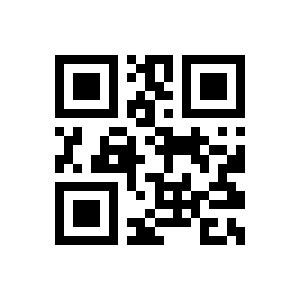
Modify PDF417 Code ID:
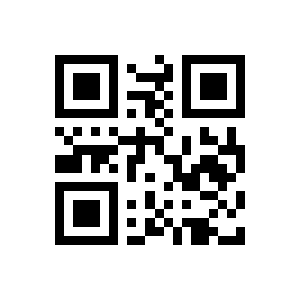
Modify Mico QR Code ID:
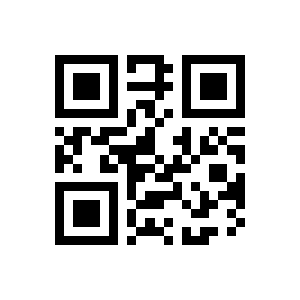
Modify Chinese Sensible(HanXin) Code ID:

Trails Off:
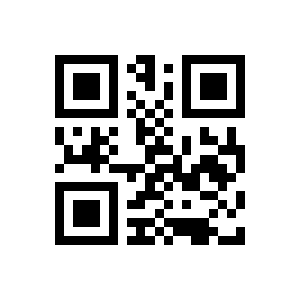
CR (default):
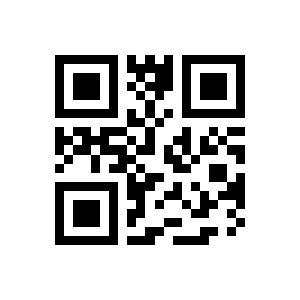
TAB:

CRLF Save and cancel settings:

Modify the Length for Data
Transmit all Data (default):

Tansmit the Start Data:
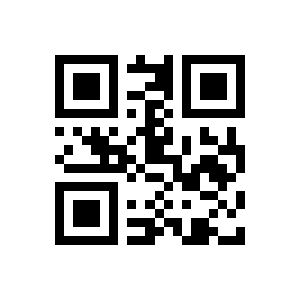
Tansmit the END Data:

Tansmit the Center Data:
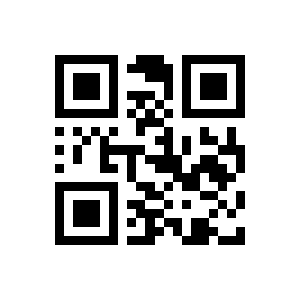
Modify the Length for Start Data:
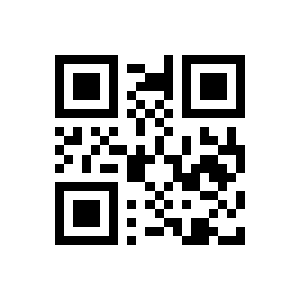
Modify the Length for End Data:

Output Protocol
Enable Transmitting RF Information:
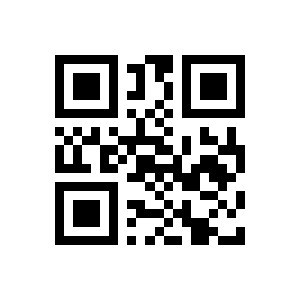
Disable Transmitting RF Information (default):
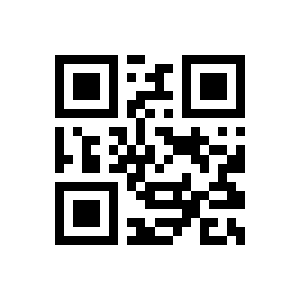
Modify RF Information :
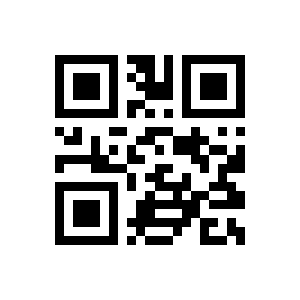
GS Character Replacement
Raw Data (default):
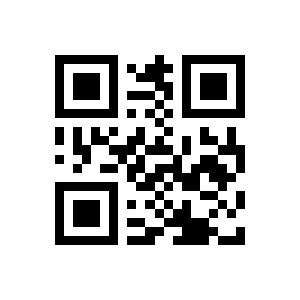
With Protocol:
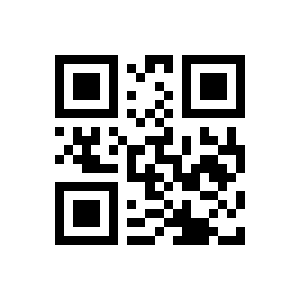
GS Character Replacement Enable:

GS Character Replacement Disable (default):
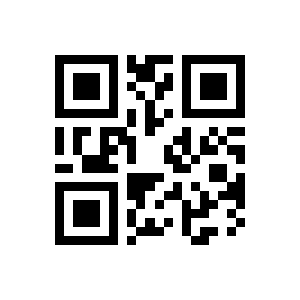
GS Alternate Character Modification:
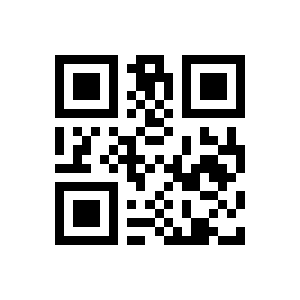
Web address code recognition
Enable Reading Of Web Address Codes (default):

DisablerReading Of Web Address Codes:
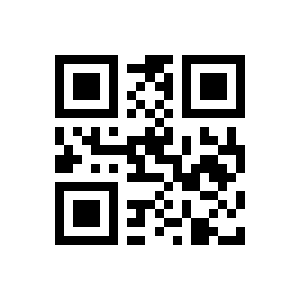
Quick operation
Serial Port & Full Codes On Mode
Fast POS Mode:
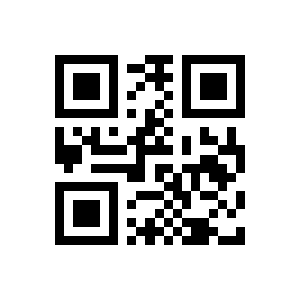
Serial Port & Full Codes ON:

Symbology settings
Enhancement of literacy
Enable Transmit Check Digit (default):

Disable Transmit Check Digit:
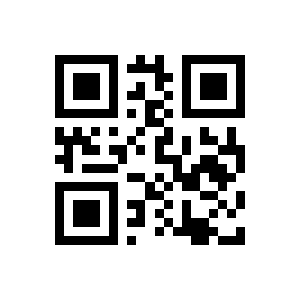
Enable All Symbologies:
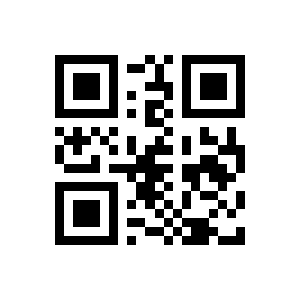
Disable All Symbologies:

Enable Default Symbologies (default):

EAN 13
Enhancement of literacy enable:
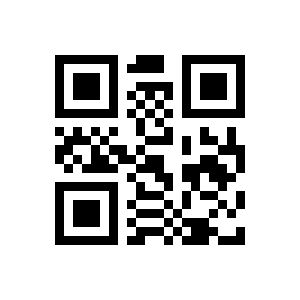
Enhancement of literacy prohibits (default):
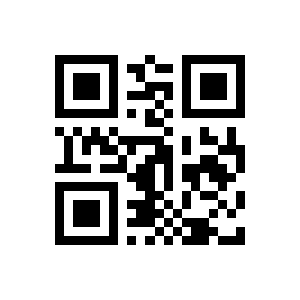
Enable EAN13 (default):

Disable EAN13:

EAN13 Add:

EAN13 Add (default):
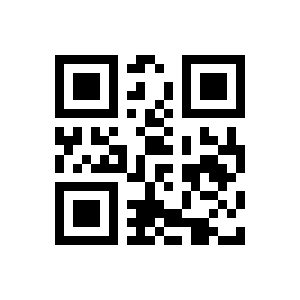
EAN 8
Enable EAN13:

Disable EAN13 (default):

Enable EAN13:

Disable EAN13 (default):

Enable Transmission ofEAN13 Parity Bits (default):

Disable Transmission of EAN13 Parity Bits:

Enable EAN8 (default):
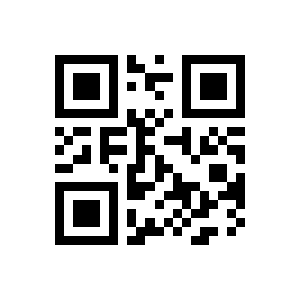
Disable EAN8:

UPC-A
EAN8 Add:
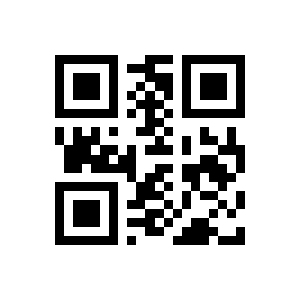
EAN8 Add (default):

Enable EAN8:
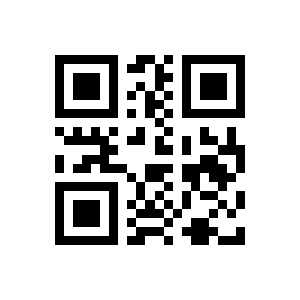
Disable EAN8 (default):
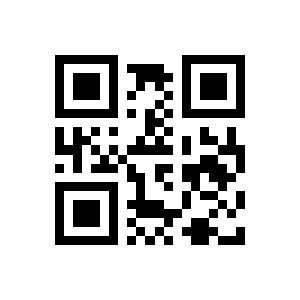
Enable EAN8:
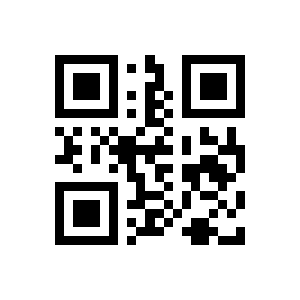
Disable EAN8 (default):
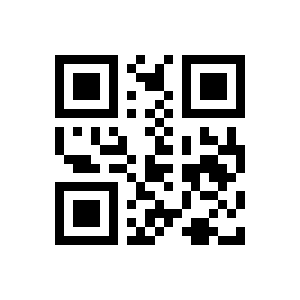
Enable Transmission ofEAN8Parity Bits (default):

Disable Transmission of EAN8Parity Bits:
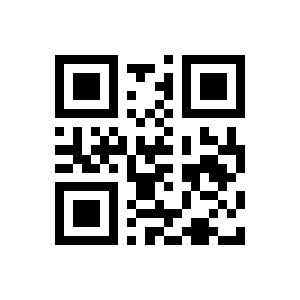
Enable UPC (default):
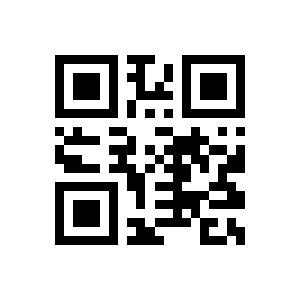
Disable UPC:

Enable UPC:
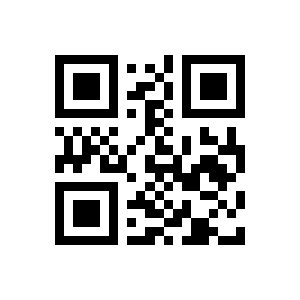
Disable UPC (default):
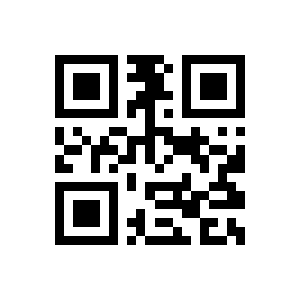
UPC:
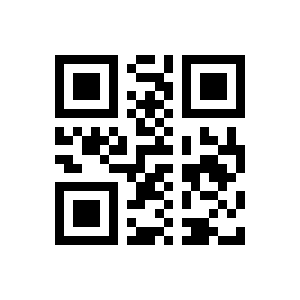
UPC (default):
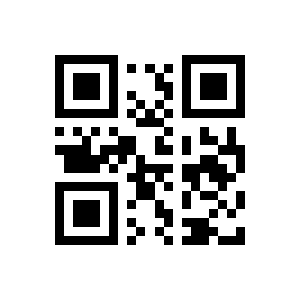
Enable UPC:

Disable UPC (default):

Enable UPC:
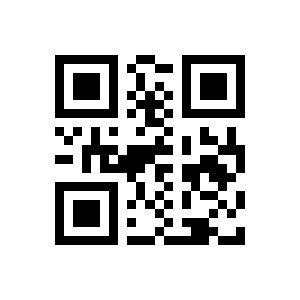
Disable UPC (default):
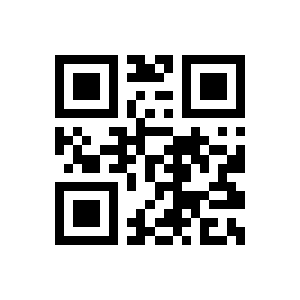
UPC-E0
Enable Transmission of UPCAParity Bits (default):
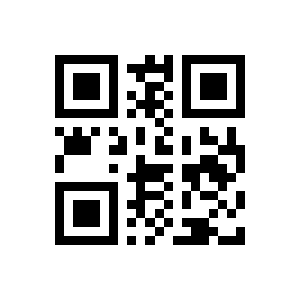
Disable Transmission of UPCAParity Bits:

Enable UPC (default):
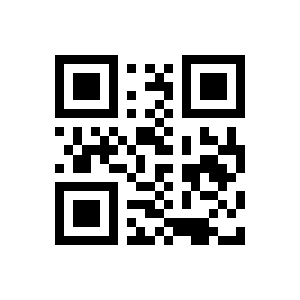
Disable UPC:
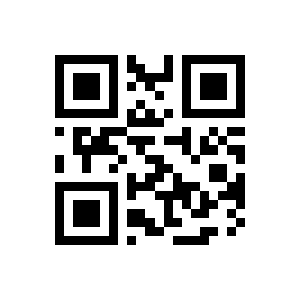
UPC:
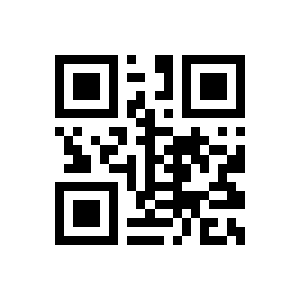
UPC (default):
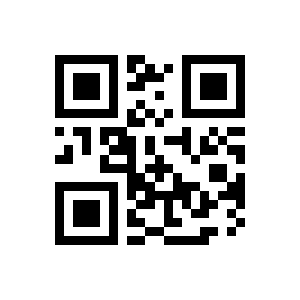
Enable UPC:
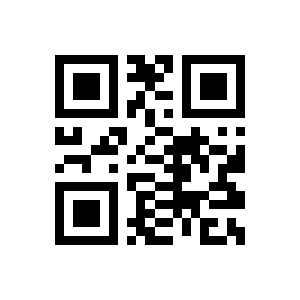
Disable UPC (default):

UPC-E1
Enable UPC:
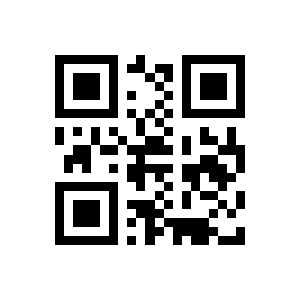
Disable UPC (default):
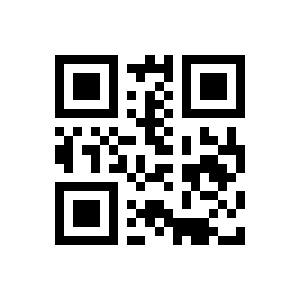
Enable Transmission of UPC (default):
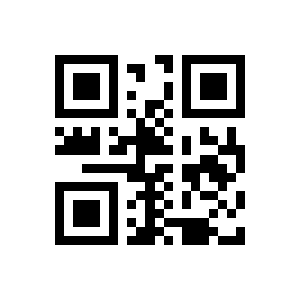
Disable Transmission of UPC:

Enable UPC (default):

Disable UPC:
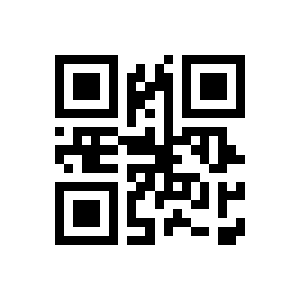
UPC:
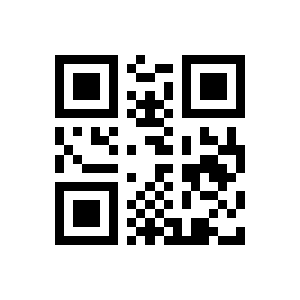
UPC (default):

Code128
Enable UPC:

Disable UPC (default):

Enable UPC:

Disable UPC (default):
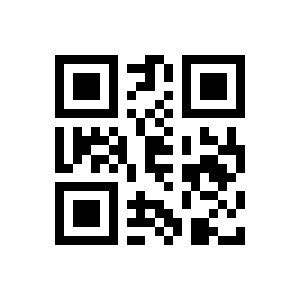
Enable Transmission of UPC (default):
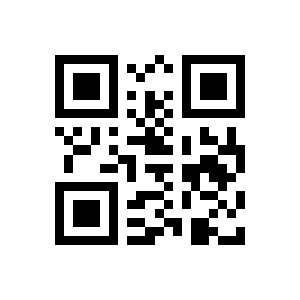
Disable Transmission of UPC:

Enable Code128 (default):
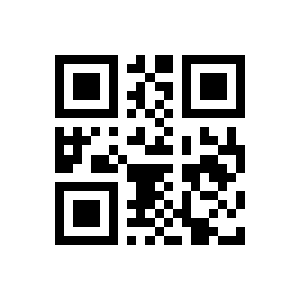
Disable Code128:
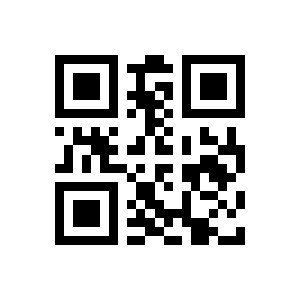
Set the Minimum Length for Code128 to 0 (default):
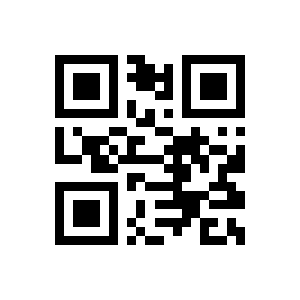
Set the Minimum Length for Code128 to 4:
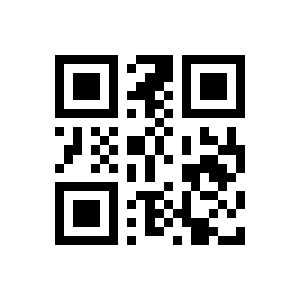
Code39
Set the Maximum Length for Code128 to 32:
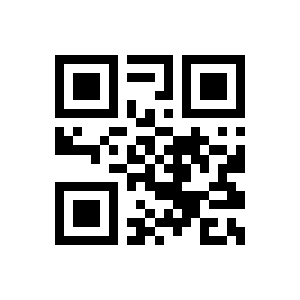
Set the Maximum Length for Code128 to 255 (default):

Code128 Prefix (11):
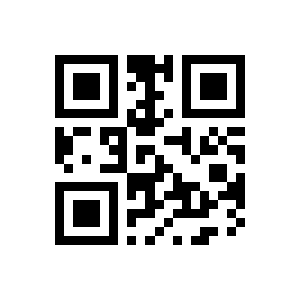
Code128 Prefix (11) (default):

Enable Code39 (default):
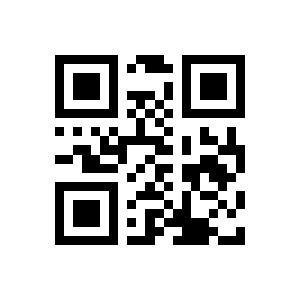
Disable Code39:

Set the Minimum Length for Code39 to 0 (default):

Set the Minimum Length for Code39 to 4:

Set the Maximum Length for Code39 to 32:

Set the Maximum Length for Code39 to 255 (default):
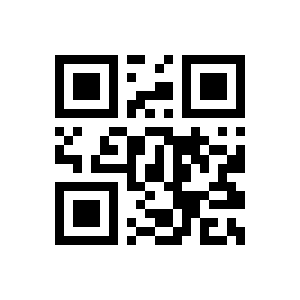
Output of Code39 Start Character:

Disable (default):

Output of Code39 Stop Character:
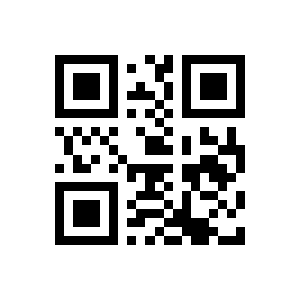
Disable (default):
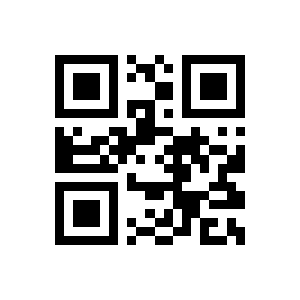
Support Code32 Mode:
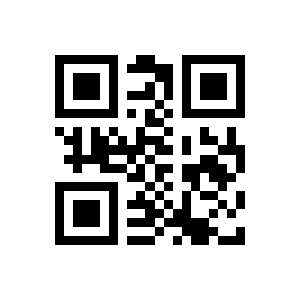
Disable (default):
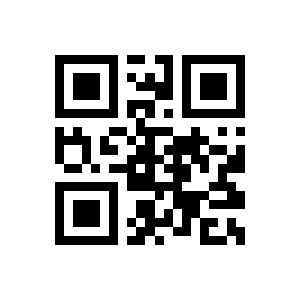
the (default):

Disable:
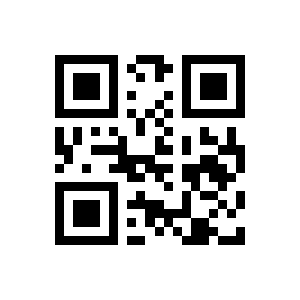
Code93
Support FullAsc Mode:
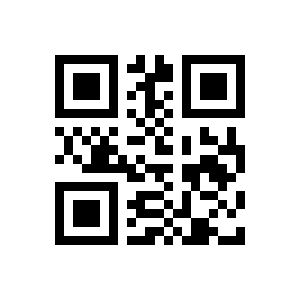
Disable (default):
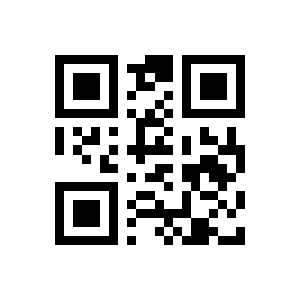
Code 39 Handles Verification:
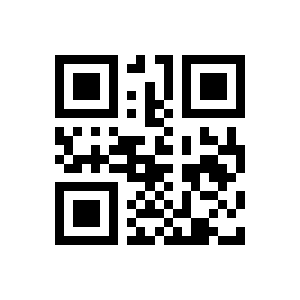
Code 39 Does Not Handle Verification (default):

Code39:
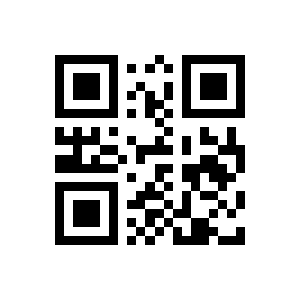
Code39 Does Not (default):

Enable Code93 (default):
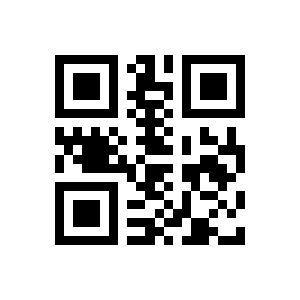
Disable Code93:
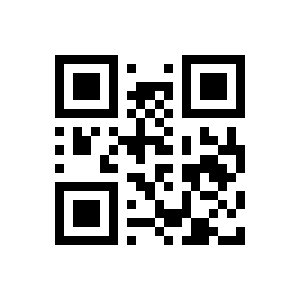
CodaBar
Set the Minimum Length for Code93 to 0 (default):

Set the Minimum Length for Code93 to 4:

Set the Maximum Length for Code93 to 32:
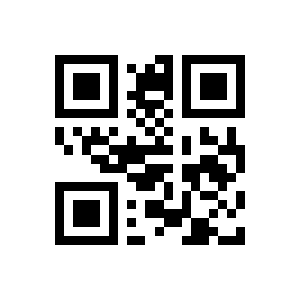
Set the Maximum Length for Code93 to 255 (default):
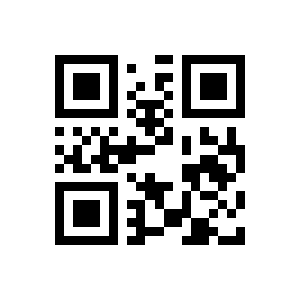
Enable CodaBar (default):

Disable CodaBar:
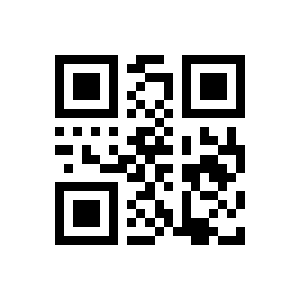
Set the Minimum Length for CodaBar to 0 (default):
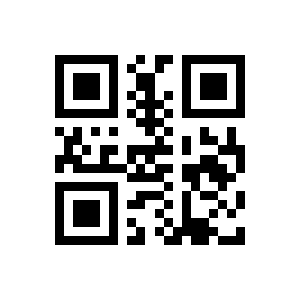
Set the Minimum Length for CodaBar to 4:
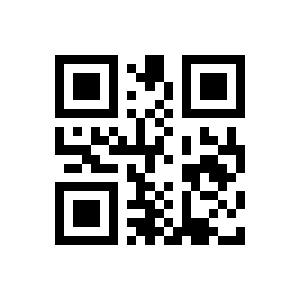
Set the Maximum Length for CodaBar to 32:
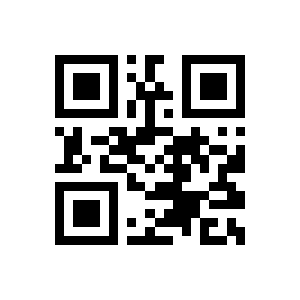
Set the Maximum Length for CodaBar to 255 (default):

Output of CodaBar Start/Stop Character:

Disable (default):
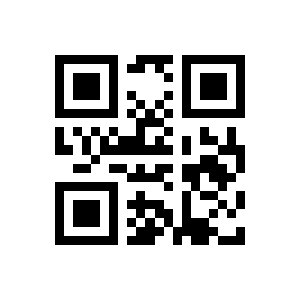
CodaBar Do Not Process Verification (default):
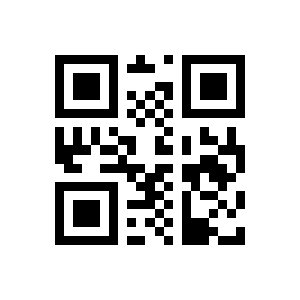
CodaBar Mod10 Check:
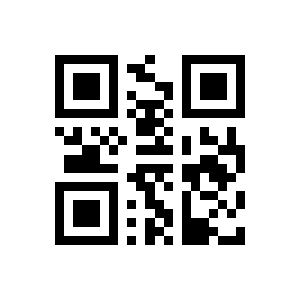
CodaBar Mod16 Check:
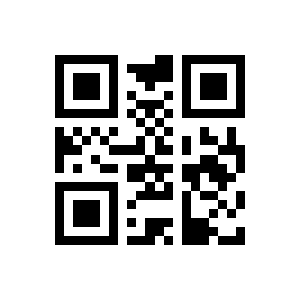
CodaBar Double Check:
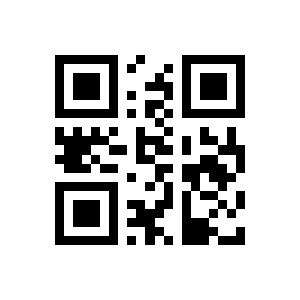
CodaBar Parity Bit:
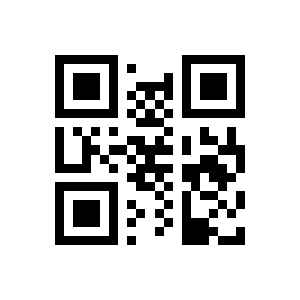
CodaBar Parity Bit Not (default):
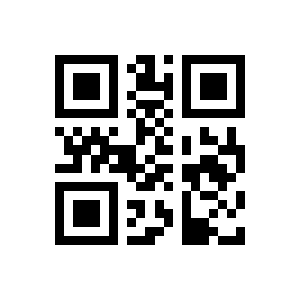
Interleaved 2 of 5
Enable Interleaved 2 of 5:

Disable Interleaved 2 of 5 (default):

Set the Minimum Length to 0:

Set the Minimum Length to 4 (default):
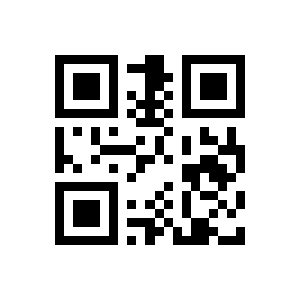
Set the Maximum Length to 32 (default):
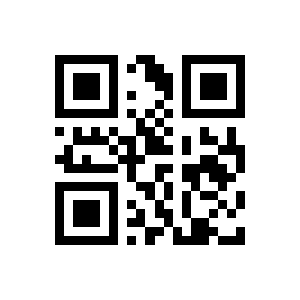
Set the Maximum Length to 255:

Interleaved 2 of 5 Verification Format Mod10:
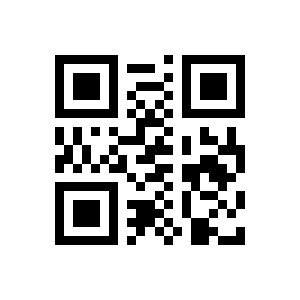
Interleaved 2 of 5 Verification Format NONE (default):
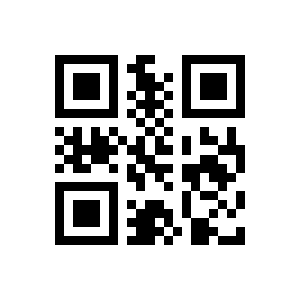
Industrial 25
Interleaved 2 of 5:
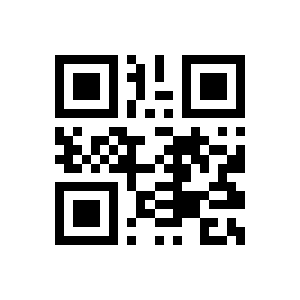
Interleaved 2 of 5 Does Not (default):
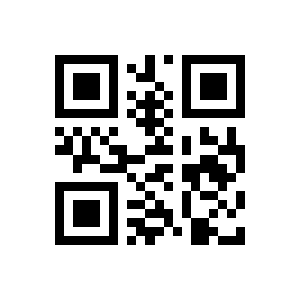
Enable Industrial 25:

Disable Industrial 25 (default):

Set the Minimum Length to 0:
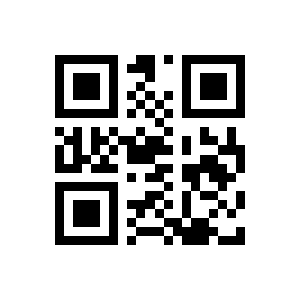
Set the Minimum Length to 4 (default):

Set the Maximum Length to 32 (default):
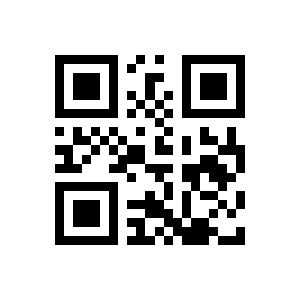
Set the Maximum Length to 255:
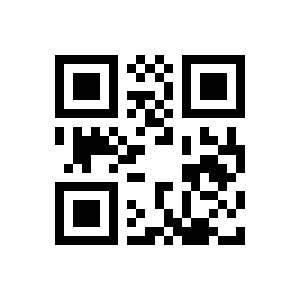
Matrix 2 of 5
Industrial 25 Verification Format Mod10:

Industrial 25 Verification Format NONE (default):
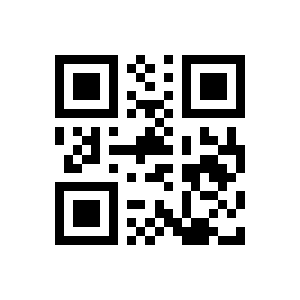
Industrial 25:

Industrial 25 Does Not (default):

Enable Matrix 2 of 5:

Disable Matrix 2 of 5 (default):
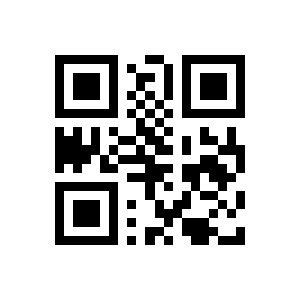
Set the Minimum Length to 0:
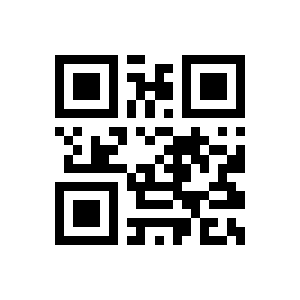
Set the Minimum Length to 4 (default):
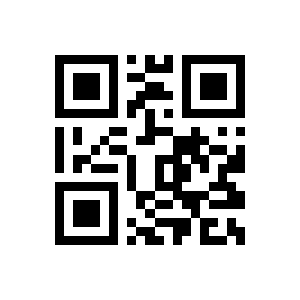
Code11
Set the Maximum Length to 32 (default):
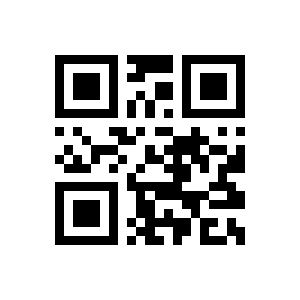
Set the Maximum Length to 255:
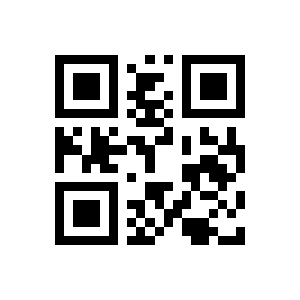
Enable Code11:
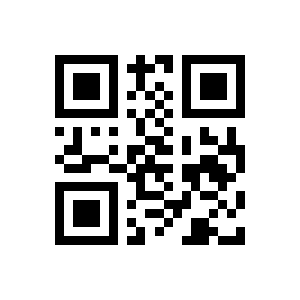
Disable Code11 (default):
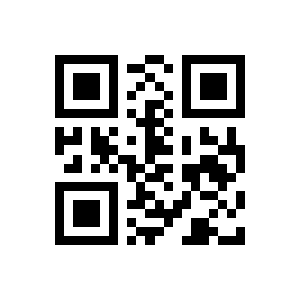
MSI Plessey
Set the Minimum Length for Code11 to 0:
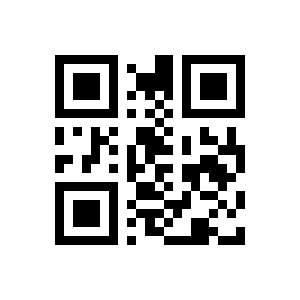
Set the Minimum Length for Code11 to 4 (default):
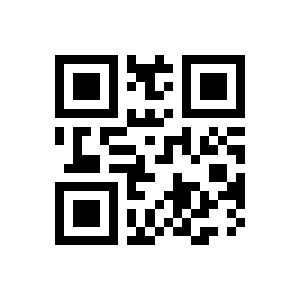
Set the Maximum Length for Code11 to 32 (default):

Set the Maximum Length for Code11 to 255:
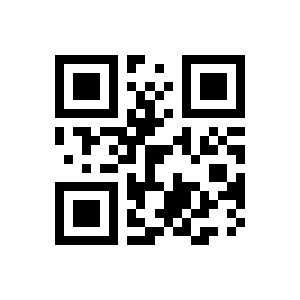
Check Code11 (default):
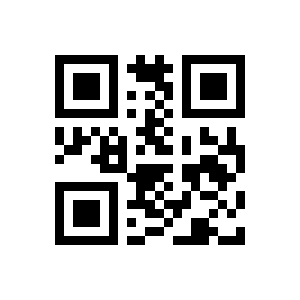
Check Code11:
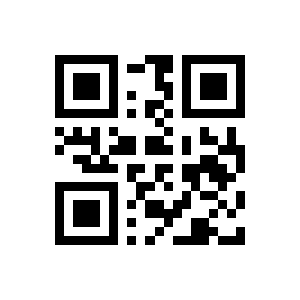
Code11:
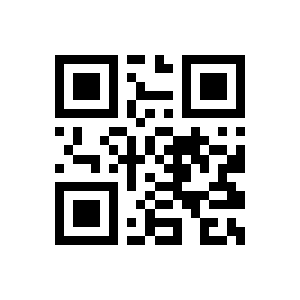
Code11 Does Not (default):

Enable MSI Plessey:

Disable MSI Plessey (default):
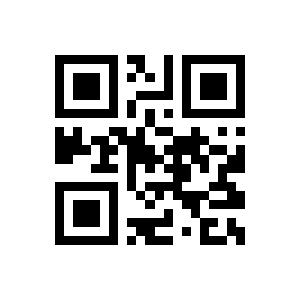
RSS-14
Single Mod10:
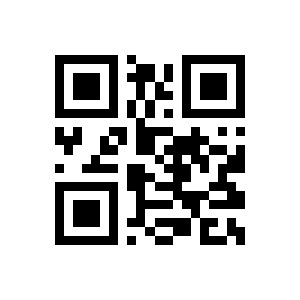
Double Mod10 (default):
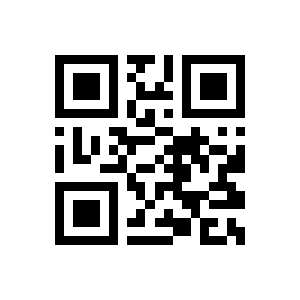
MSI PlesseyOutputs Parity Bits:

MSI Plessey Does Not (default):

Set the Minimum Length for MSI Plessey to 0:
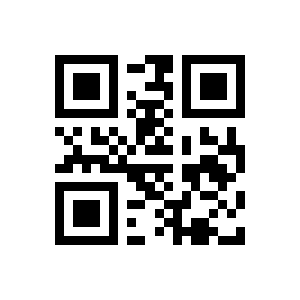
Set the Minimum Length for MSI Plesseyto 4 (default):
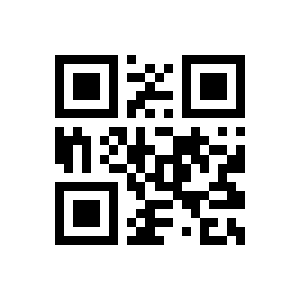
Set the Maximum Length for MSI Plessey to 32 (default):
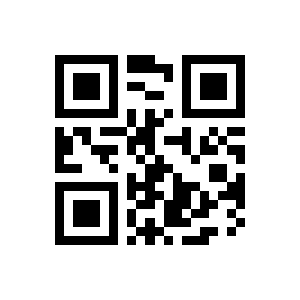
Set the Maximum Length for MSI Plessey to 255:
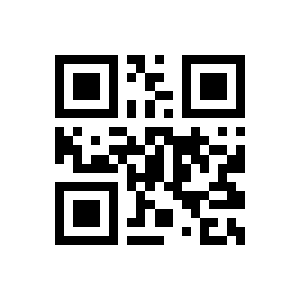
RSS-Limited
Enable RSS:
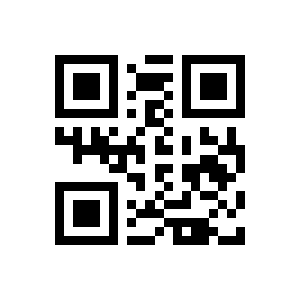
Disable RSS (default):

Enable RSS:

Disable RSS (default):
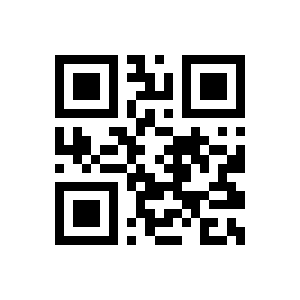
RSS:
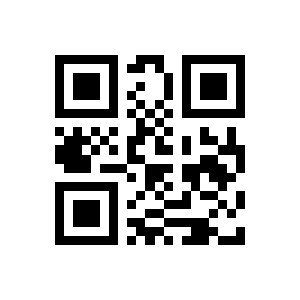
RSS (default):

RSS:
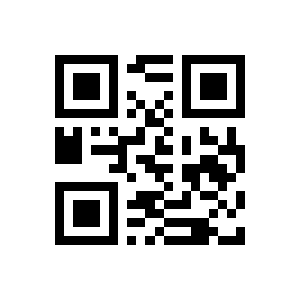
RSS (default):

RSS-Expanded
Enable RSS:
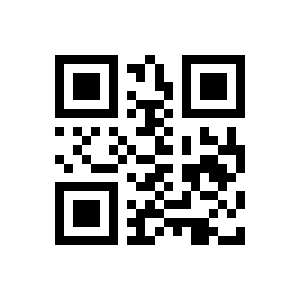
Disable RSS (default):

Set the Minimum Length to 0:
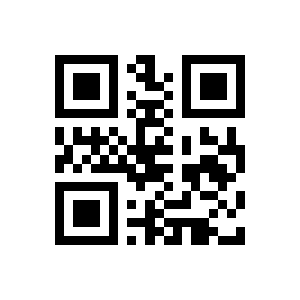
Set the Minimum Length to 4 (default):
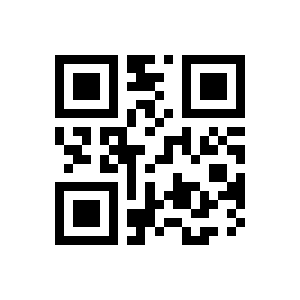
Set the Maximum Length to 32 (default):
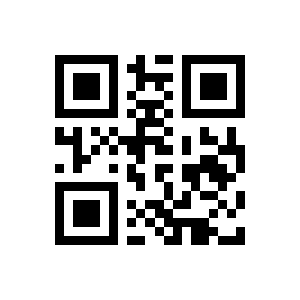
Set the Maximum Length to 255:

RSS:
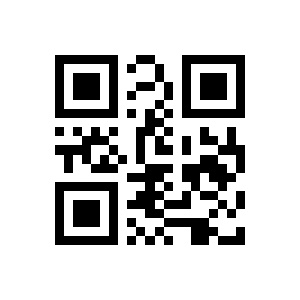
RSS (default):
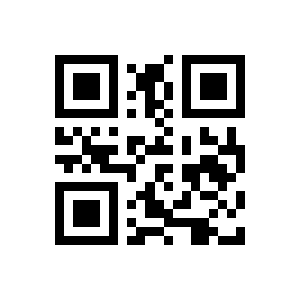
QR Code
Enable QR (default):

Disable QR:
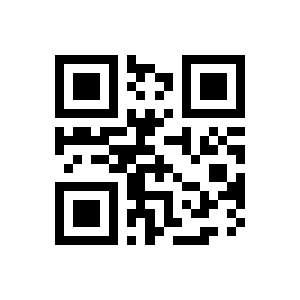
Enable QR Mode1:
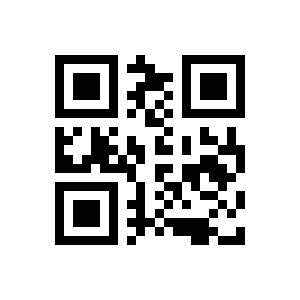
Disable QR Mode1 (default):
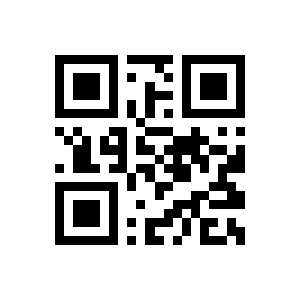
QR Prefix (11):
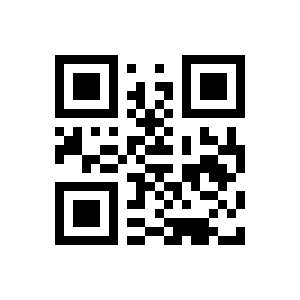
QR Prefix (11) (default):
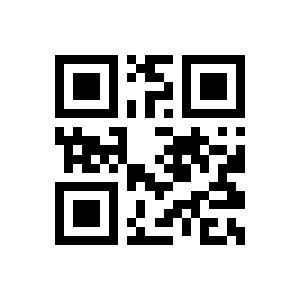
Mico QR
Enable DM (default):
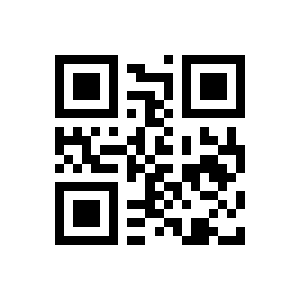
Disable DM:
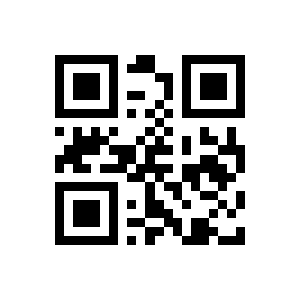
Enable Multiple DM:

Disable Multiple DM (default):
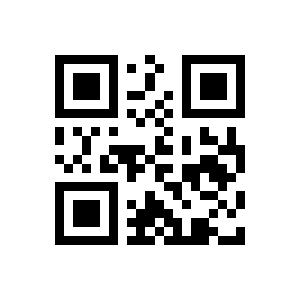
Enable PDF417 (default):
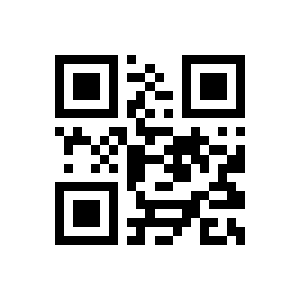
Disable PDF417:
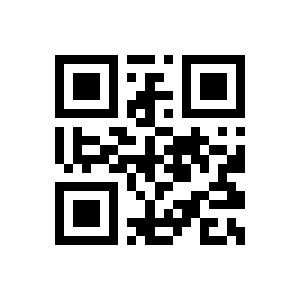
Enable Mico QR (default):
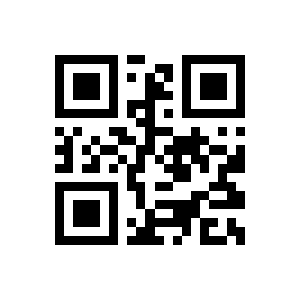
Disable Mico QR:

Chinese Sensible(HanXin) Code
EnableChinese Sensible(HanXin) Code:

DisableChinese Sensible(HanXin) Code (default):

Appendix: save, cancel and digit codes
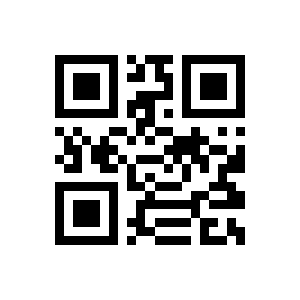
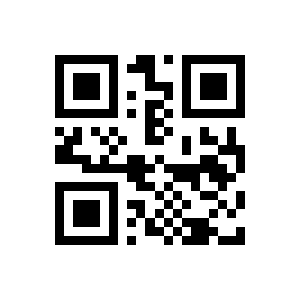
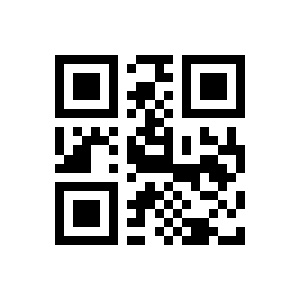
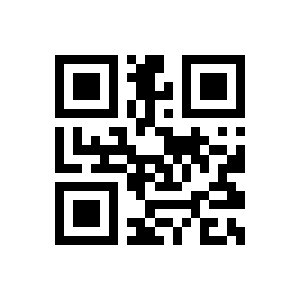
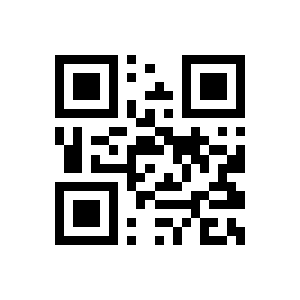
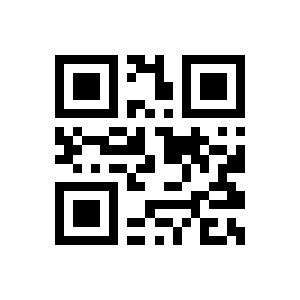
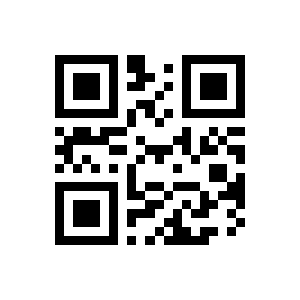
These building-block codes (save / cancel and numeric digits) are used together with the value-setting options above.
Show save, cancel and digit codes













Frequently asked questions
How do I enter and exit the HD340 configuration mode?
Does the HD340 need drivers?
Does the HD340 read codes from phone and computer screens?
How does the automatic (presentation) scanning work?
Downloads
Original manufacturer PDF manuals kept available as a legacy reference. Everything from them is already covered on this page — use the PDFs only if you need an offline copy.