Industrial fixed-mount 1D / 2D & Data Matrix barcode scanner, aluminium IP65, USB, HDWR HD360
GTIN: 5906935201077 · SKU: HD360
Table of contents
- Table of contents
- Specifications
- Set contents
- Features
- System and scan settings
- Factory reset
- Custom settings
- Pulse trigger mode
- Pulse trigger level
- Automatic sensing mode
- Auto-sensing sensitivity
- Repeated-code reading mode
- Decode time
- Reset decode time
- Decode area
- Decode data verification
- Read-failure message
- Good/NG signal output time
- Aiming light
- Illumination mode
- Illumination intensity
- Illumination area
- Power-on beep
- Decode beep
- Decode beep frequency
- Debug button
- Output mode
- Symbology (barcode) settings
- Enable all barcodes
- Enable 1D codes only
- Enable 2D codes only
- Disable all barcodes
- Disable 1D codes
- Disable 2D codes
- UPC-A
- Transmit leading digit
- Check digit
- Convert to EAN-13
- Enable/disable 2/5-digit add-on
- Require 2/5-digit add-on
- UPC-E
- Convert to UPC-A
- EAN-8
- Transmit check digit
- EAN-13
- ISBN conversion
- ISSN conversion
- Code 128 / GS1-128
- Code 128 — length range
- Code 39
- Code 39 Full ASCII
- Start/stop character
- Code 39 — length range
- Code 32
- Code 93
- Code 93 — length range
- Code 11
- Code 11 — length range
- Codabar
- Codabar — length range
- Plessey
- Plessey — length range
- MSI Plessey
- MSI Plessey — length range
- Interleaved 2 of 5
- Interleaved 2 of 5 — length range
- Matrix 2 of 5
- Matrix 2 of 5 — length range
- IATA 2 of 5
- Straight 2 of 5
- Pharmacode
- GS1 DataBar 14
- GS1 DataBar 14 Stacked
- AI (01) transmission
- GS1 DataBar Expanded
- GS1 DataBar Expanded Stacked
- GS1 DataBar Limited
- Composite Code-A
- Composite Code-B
- Composite Code-C
- PDF417
- Micro PDF417
- Data Matrix
- Rectangular Data Matrix
- Mirror decoding
- QR Code
- Micro QR
- Aztec
- Maxicode
- Data editing (prefix, suffix, terminator)
- Serial port commands
- Appendix 1. Decimal digit codes
- Appendix 2. Barcode setting codes
- Appendix 3. ASCII code table
- Appendix 4. Function keys
- Frequently asked questions
- Downloads
Specifications
- Material: aluminium
- CPU: ARM Cortex-A7 1.2 GHz, MIPI
- Sensor: CMOS, 1080 × 1280 px
- Light source: 10 red LEDs
- Scanning method: automatic (on code presentation)
- Read confirmation: light and sound
- Scan angle: 36° horizontal, 43° vertical
- Interface: USB
- Ingress protection: IP65
- Power supply: DC 5 V
- Operating temperature: −10 to 50 °C
- Storage temperature: −40 to 70 °C
- Operating humidity: 5–95% (non-condensing)
- Device dimensions: 4 × 4 × 2 cm
- Device weight: 50 g
- Package weight: 100 g
- Readable 1D codes: UPC-A, UPC-E, EAN-8, EAN-13, Code 128, GS1-128, Code 39, Code 32, Code 93, Code 11, Codabar, Plessey, MSI Plessey, Interleaved 2 of 5, Matrix 2 of 5, IATA 2 of 5, Straight 2 of 5, Pharmacode, GS1 DataBar, GS1 Composite, ISBN, ISSN
- Readable 2D codes: PDF417, Micro PDF417, Data Matrix, QR Code, Micro QR, Aztec, Maxicode
Set contents
- HD360 scan engine / code reader
- USB cable
- User manual
Features
- Industrial fixed-mount engine: rugged aluminium housing with IP65 protection, ARM Cortex-A7 CPU and high-resolution CMOS for fast, reliable reading on production lines
- 1D, 2D and Data Matrix: reads QR, Data Matrix, PDF417, Aztec and all major 1D barcodes, including Direct Part Marking and codes from screens
- Presentation scanning: automatic auto-sensing reads codes hands-free as soon as they are presented
- Flexible interfaces: USB (HID / virtual COM) and serial port, with external trigger and NG/OK I/O control signals
- Highly configurable: scan modes, sensitivity, illumination, beeper, communication, prefix/suffix, code ID and full per-symbology settings — all codes below
System and scan settings
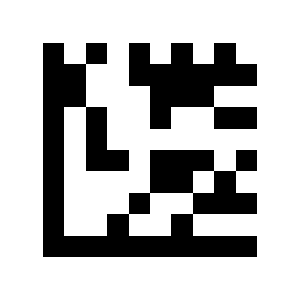
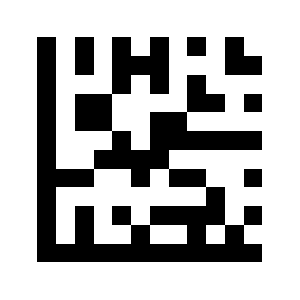
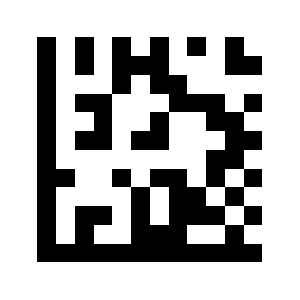
To change scanner settings, scan the appropriate Data Matrix code below directly with the HD360. All codes come from the supplier manual. Options marked (default) are the factory setting.
💡 Tip: print this page ("Download this page as PDF" button above) to keep the codes at hand during configuration. Settings that ask you to enter a value are completed with the numeric and barcode-setting codes in the appendix.
Factory reset
Enter setup mode:
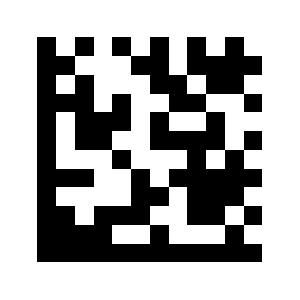
Factory reset:
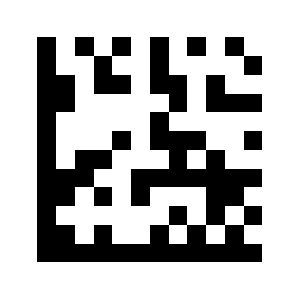
Exit setup mode:
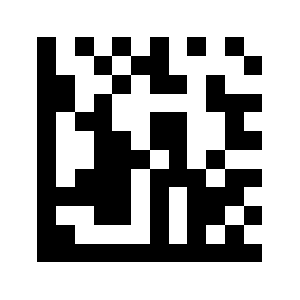
Custom settings
Save settings as custom:
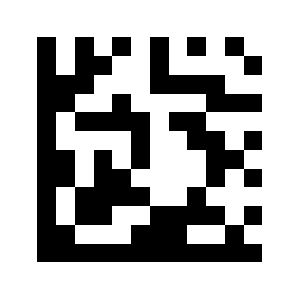
Loading custom settings:
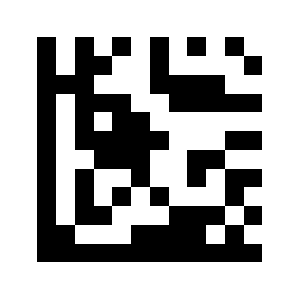
Pulse trigger mode
Pulse trigger (external trigger):
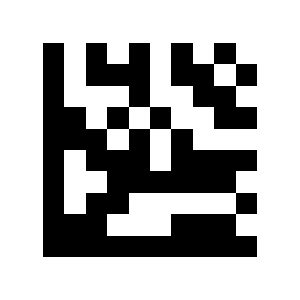
Pulse trigger level
Trigger scanning when high potential changes to low potential (default):
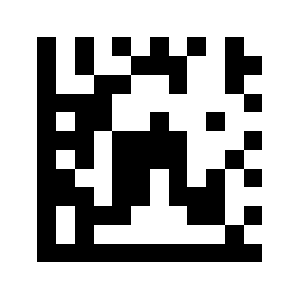
Trigger when low-to-high potential change:
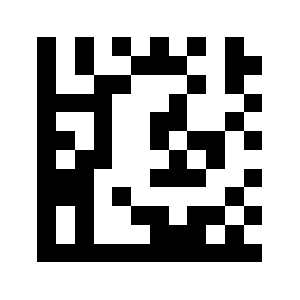
Automatic sensing mode
Automatic Sensing:

Auto-sensing sensitivity
Low sensitivity:
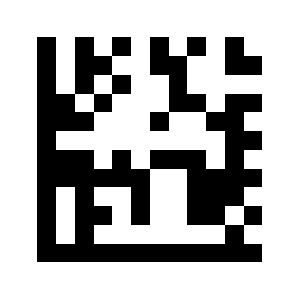
Medium sensitivity (default):
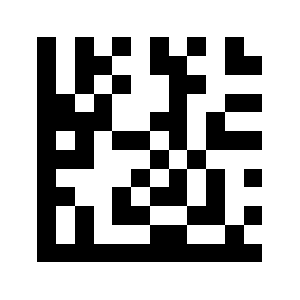
High sensitivity:
Repeated-code reading mode
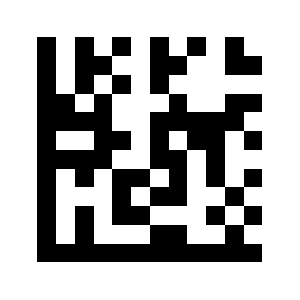
No reading of repeated code within a specified time:
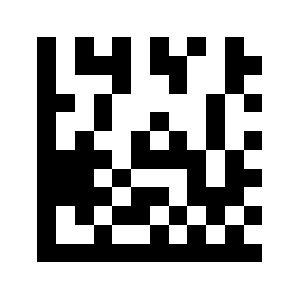
Not reading the last scanned code:
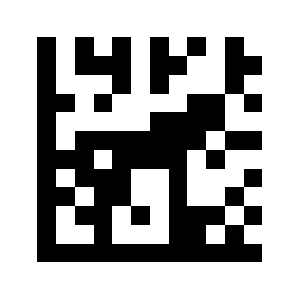
Failure to read the last two scanned codes:
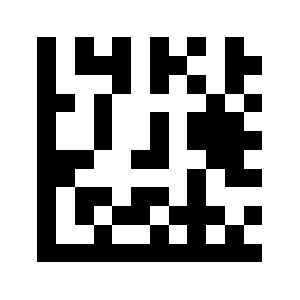
Setting the reading time:
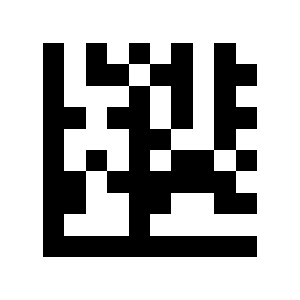
Decode time
Decode Time (ms):
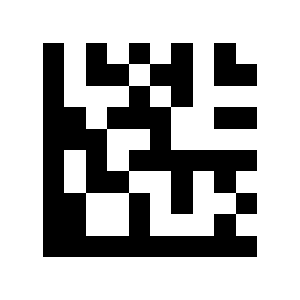
Reset decode time
Close scanning immediately after decoding is successful (default):
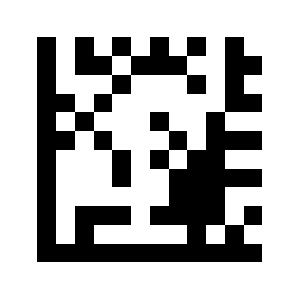
After successful decoding, reset the decoding time to continue decoding barcodes with different contents:
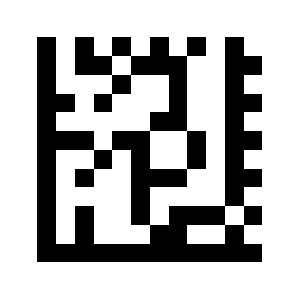
Decode area
Full region decoding (default):
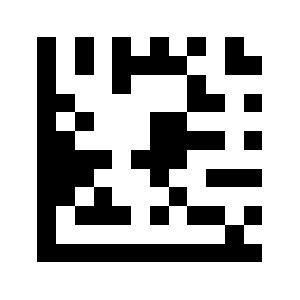
Central area decoding:
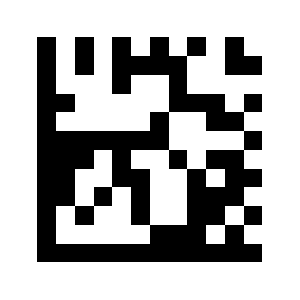
75% center area (default):
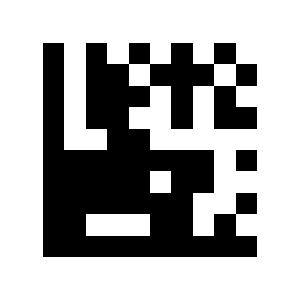
50% Central area:

25% Central area:
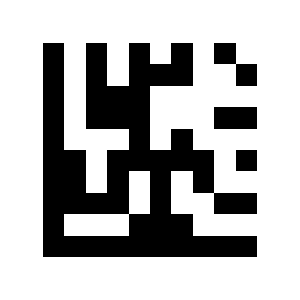
Decode data verification
Close (default):
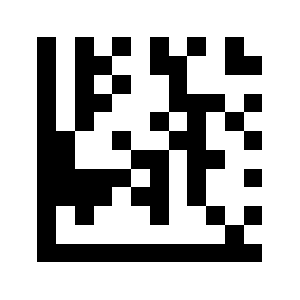
Read twice and output:
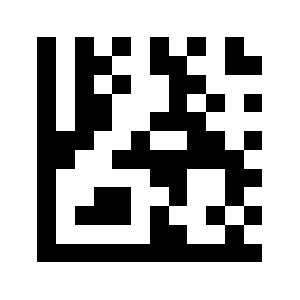
Output after reading three times:
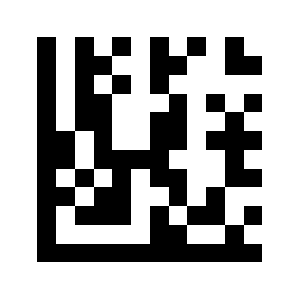
Read-failure message
Disable read-failure message:
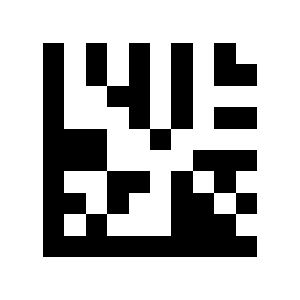
Enable read-failure message:
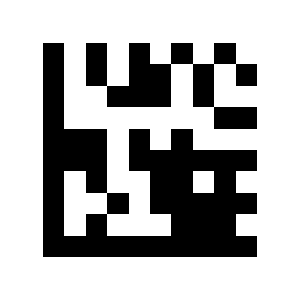
Custom read-failure message:
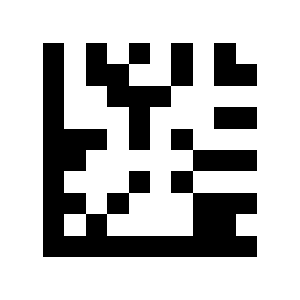
Good/NG signal output time
Signal output time (milliseconds):
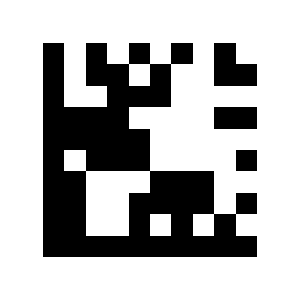
Aiming light
Light signal on all the time (default):
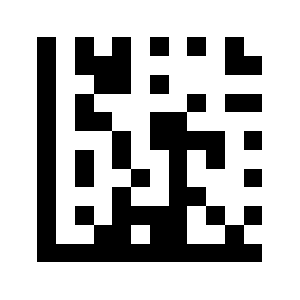
Light signal on during scanning:
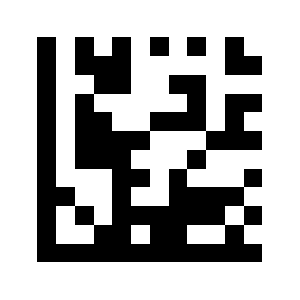
Light signal off all the time:
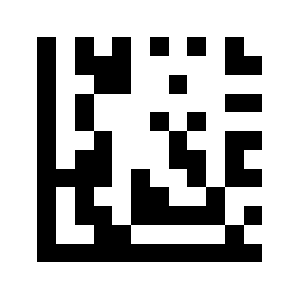
Illumination mode
Illumination enabled during scanning (default):
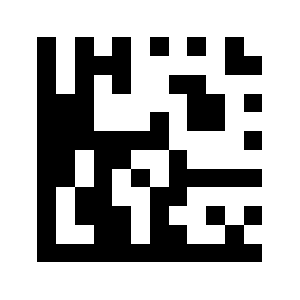
Lighting on all the time:
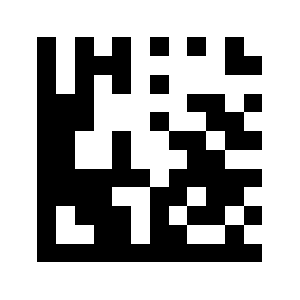
Fade lighting:
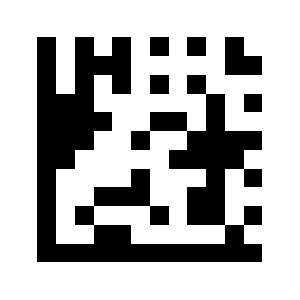
Lighting off Illumination intensity settings:
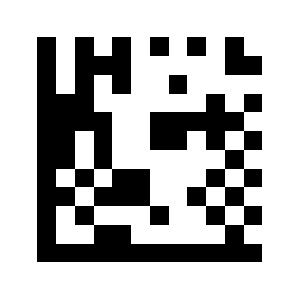
Illumination intensity
Low brightness:
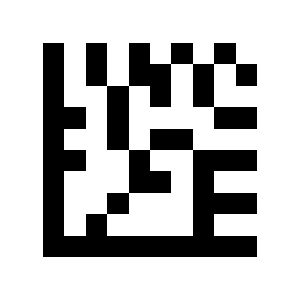
Medium brightness:
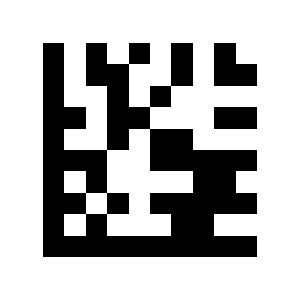
High brightness (default):
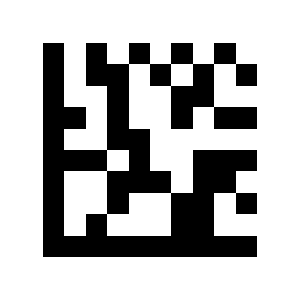
Illumination area
All Light Sources (default):
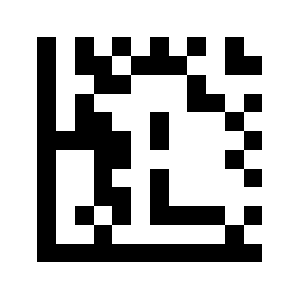
middle light source:
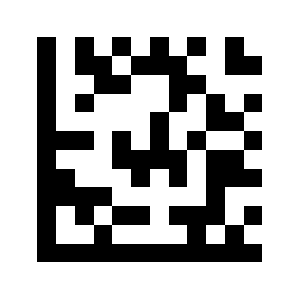
Upper light source:
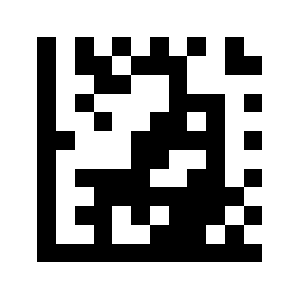
Lower light source:
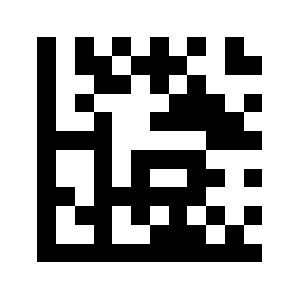
Upper + middle light:
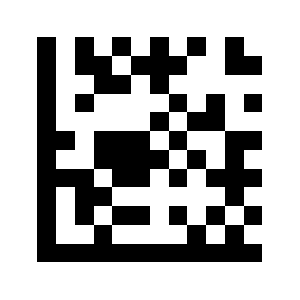
Lower + middle light source:
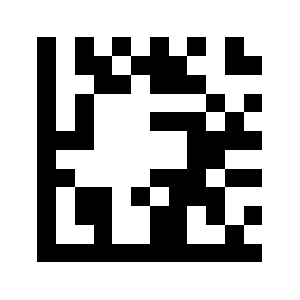
Upper + lower light source:
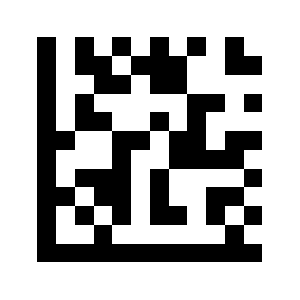
Power-on beep
Beep on startup (default):
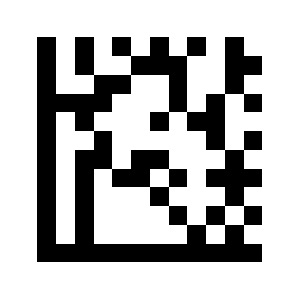
Beep during startup off Decode beep settings:
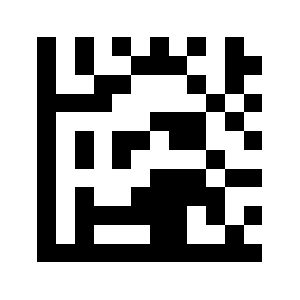
Decode beep
Beep during scan on (default):
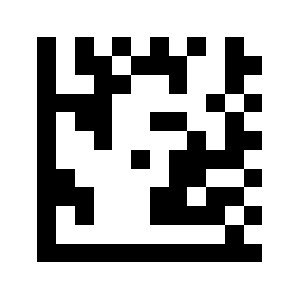
Beep during scan off:
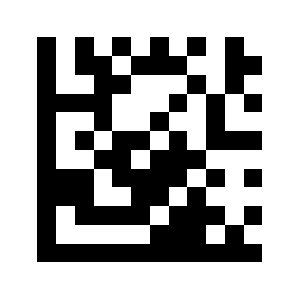
Decode beep frequency
lowest- 800 Hz:
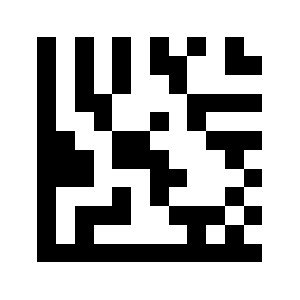
Low - 1600 Hz:
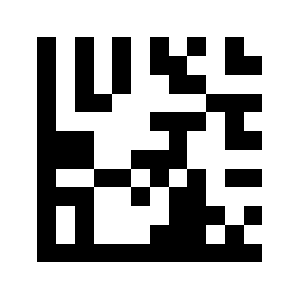
Midium - 2730 Hz (default):
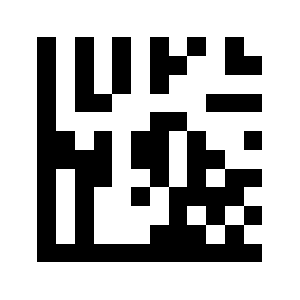
High - 4200 Hz:
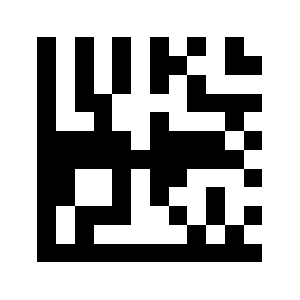
Debug button
On (default):
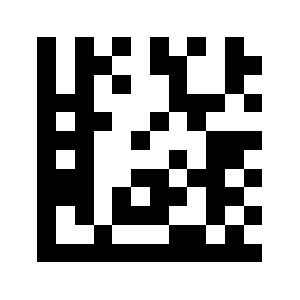
Off:
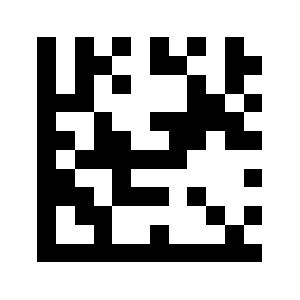
Output mode
USB keyboard port
USB keyboard port output (default):
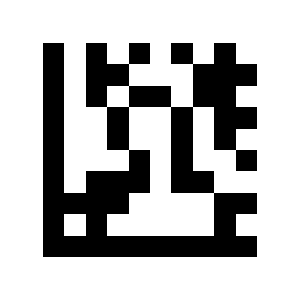
USB virtual serial port
USB Virtual Serial Port:
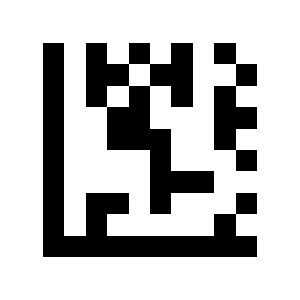
Serial port
Serial port output:
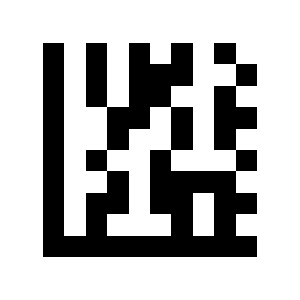
Serial port baud rate
9600 (default):
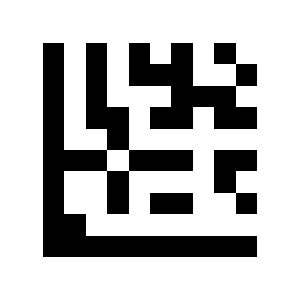
19200:
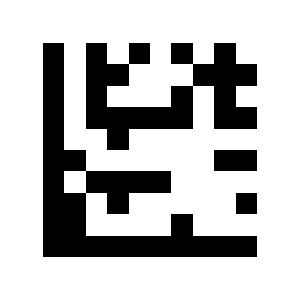
38400:
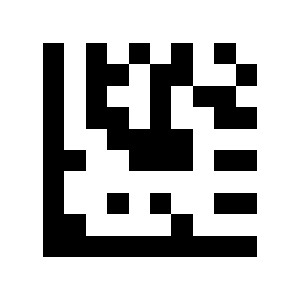
57600:
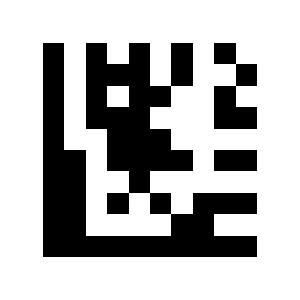
115200:
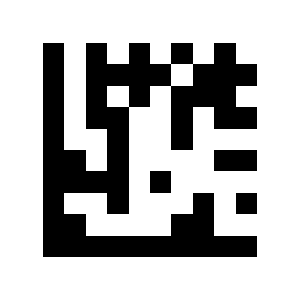
230400:
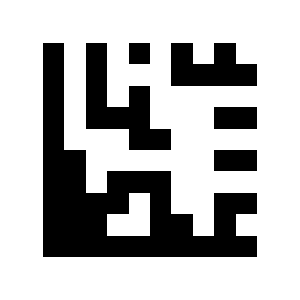
Serial data bits
7 bits of data:
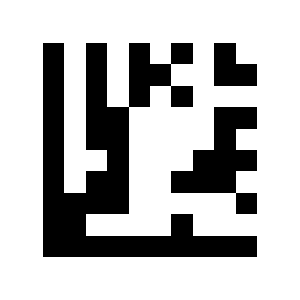
8 bits of data (default):
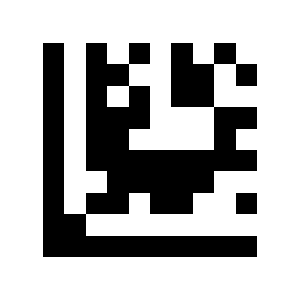
Serial parity
No check (default):
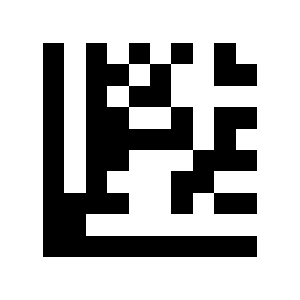
Odd check:
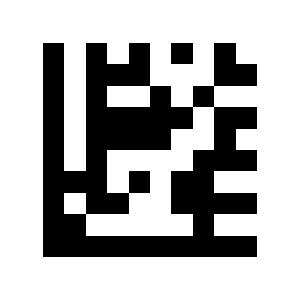
Check:
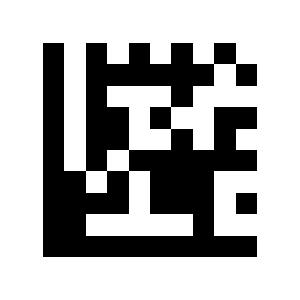
Serial stop bit
One stop bit (default):
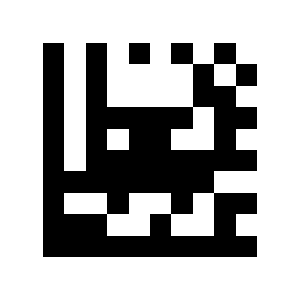
Two alloy bits Barcode Scan Settings:

Code Page character encoding
Simplified Chinese (GB2312) – Unicode:
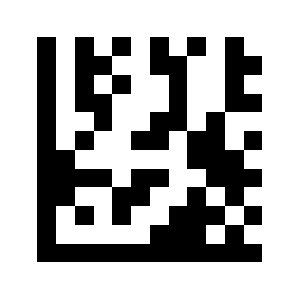
Simplified Chinese (GB2312) – Code Page:
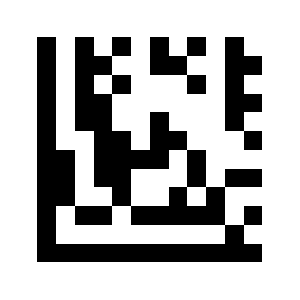
Symbology (barcode) settings
Enable all barcodes
Scan all codes:
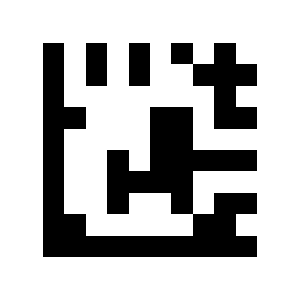
Enable 1D codes only
Scanning only 1D codes:
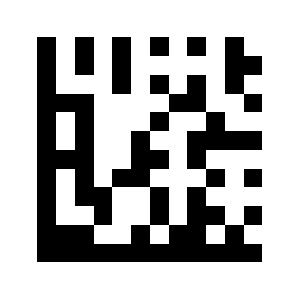
Enable 2D codes only
Scan only 2D codes:
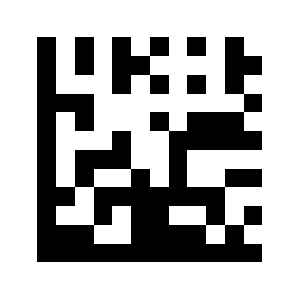
Disable all barcodes
Scanning of all barcodes disabled:
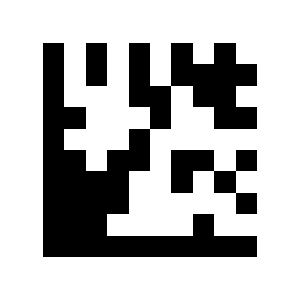
Disable 1D codes
Disable 1D Code Scanning:
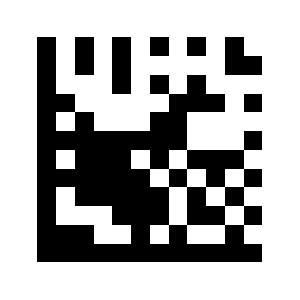
Disable 2D codes
Disable 2D Code Scanning:
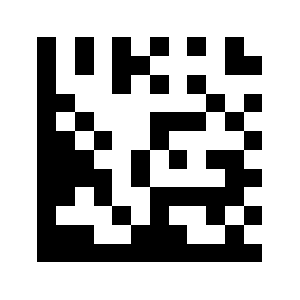
UPC-A
Enable UPCA (default):
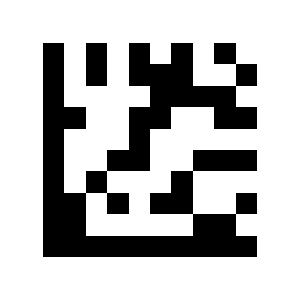
CloseUPC A:
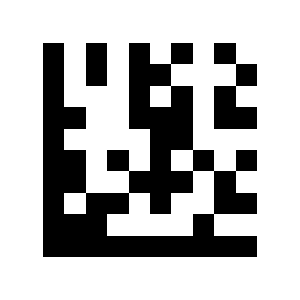
Transmit leading digit
Transmit first bit (default):
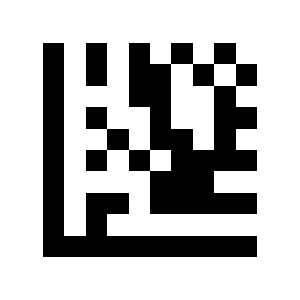
Do not transmit the first bit:
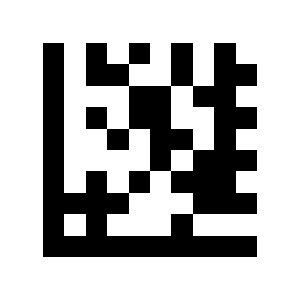
Transmit first bit (default):
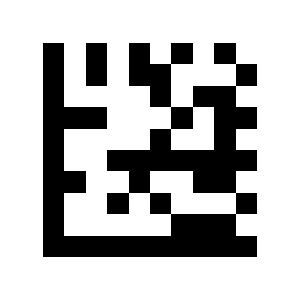
Do not transmit the first bit:

Check digit
Enable check code (default):
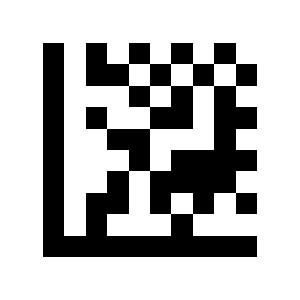
Close Check code:
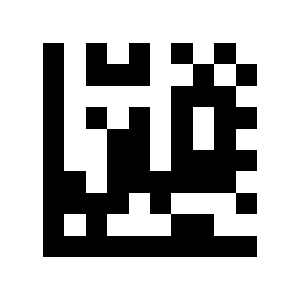
Enable check code (default):
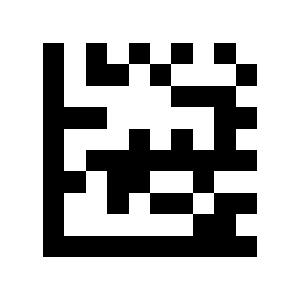
Close Check code:
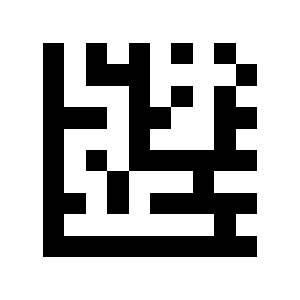
Not Check (default):
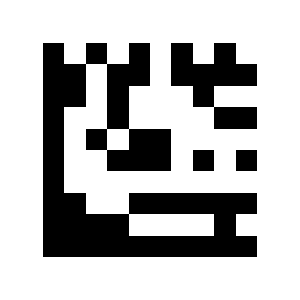
Check and transmit:
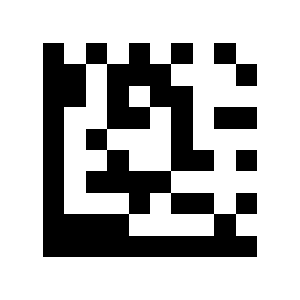
Check but not transmit:
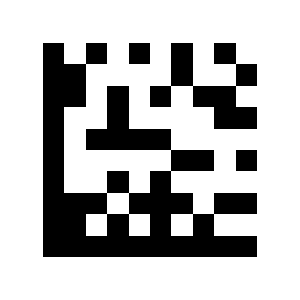
Not Checked (default):
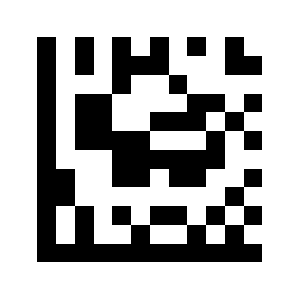
Check and transmit:
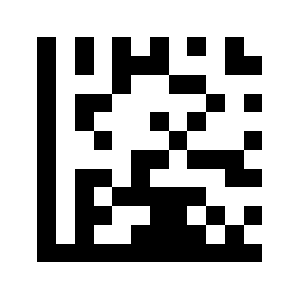
Check not transmitting:
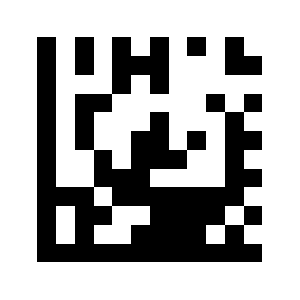
Not Check:
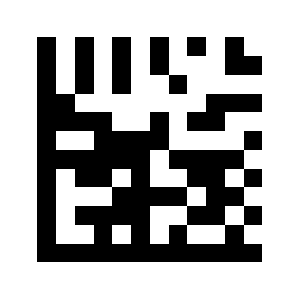
Mod 10 Check (default):
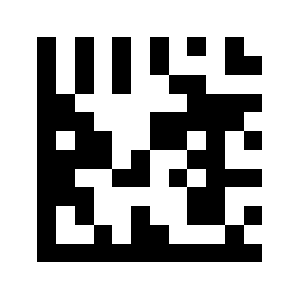
Mod 10/10 Check:
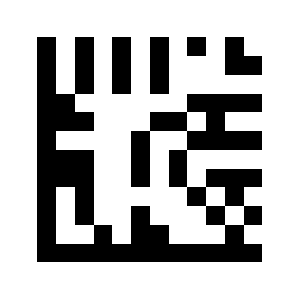
Mod 11/10 Check:
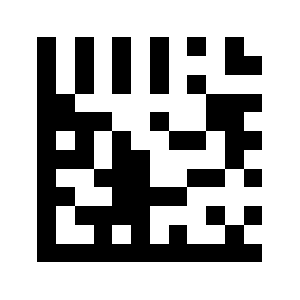
Not Check (default):
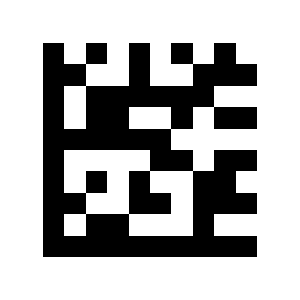
Check and transmit:
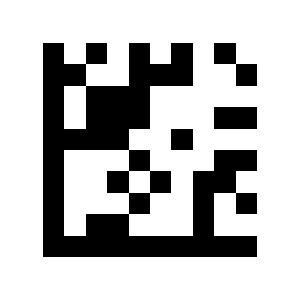
Convert to EAN-13
Enable EAN13 conversion:
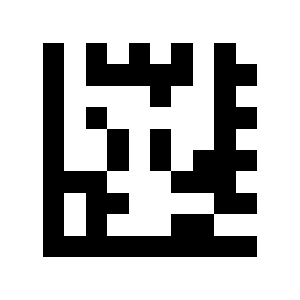
Close EAN13 conversion (default):

Enable EAN13 conversion:
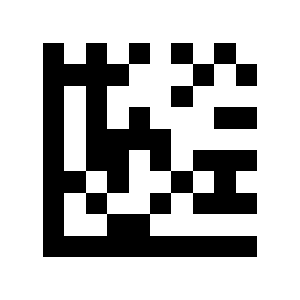
Close EAN13 conversion:
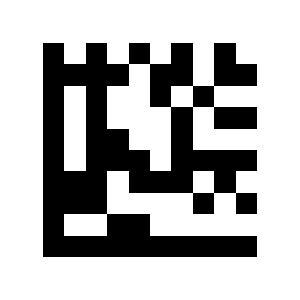
Enable/disable 2/5-digit add-on
Enable UPCA2/5-digit additional code:

Close UPCA2/5-digit additional code (default):
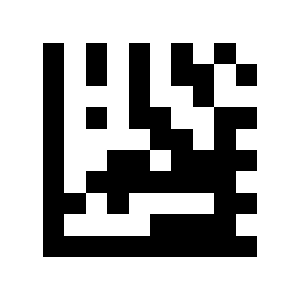
Enable UPCE2/5 digit additional code:
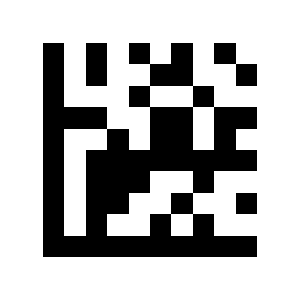
Close UPCE2/5 digit additional code (default):
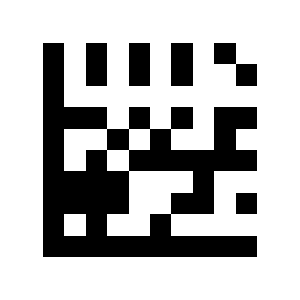
Enable EAN8 2/5-digit additional code:
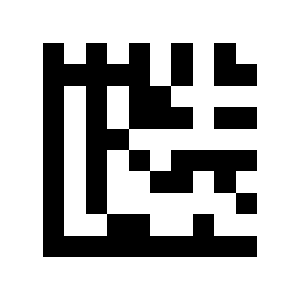
CloseEAN8 2/5-digit additional code (default):
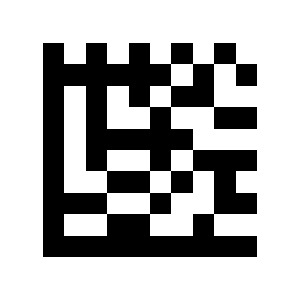
Enable EAN132/5-digit additional code:
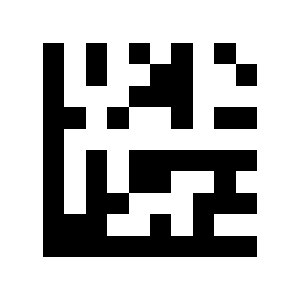
Close EAN13 2/5-digit additional code (default):
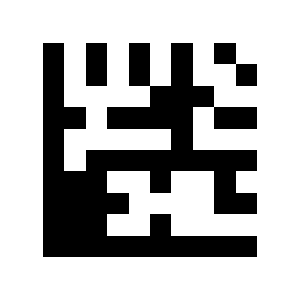
Require 2/5-digit add-on
Only read UPCA2/5 digit additional code:

Read UPCA and UPCA2/5 digit additional code (default):
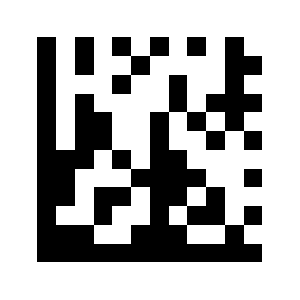
Only read UPC E 2/5 digit additional code:
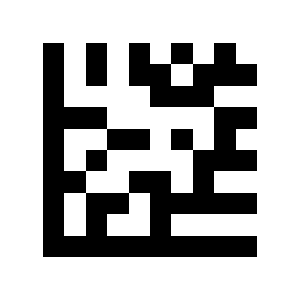
Read UPC E and UPC E 2/5 digit additional code (default):
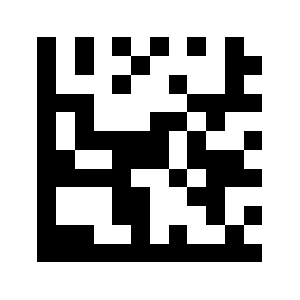
Only read EAN82/5-digit additional code:

Read EAN8 and EAN8 2/5-digit additional code (default):
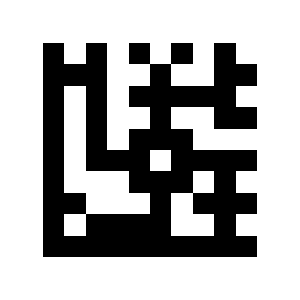
Only read EAN132/5-digit additional code:
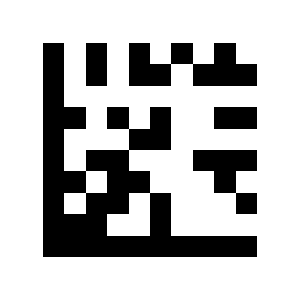
Read EAN13 and EAN13 2/5-digit additional code (default):
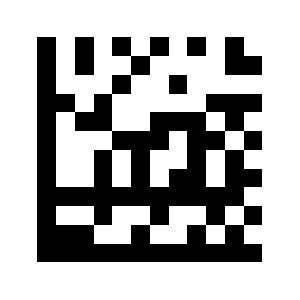
UPC-E
Enable UPC E (default):
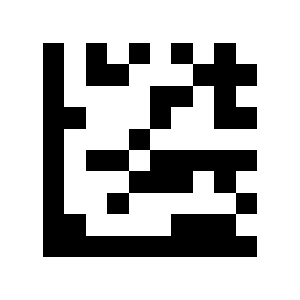
CloseUPC A:
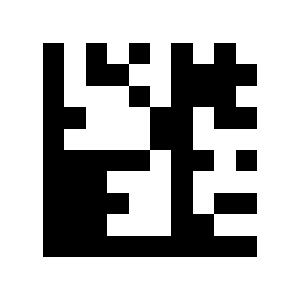
Convert to UPC-A
Enable UPCA conversion:
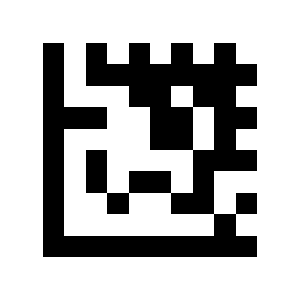
Close UPC A conversion (default):
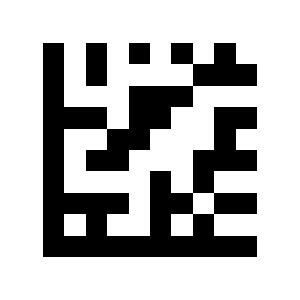
EAN-8
Enable EAN8 (default):
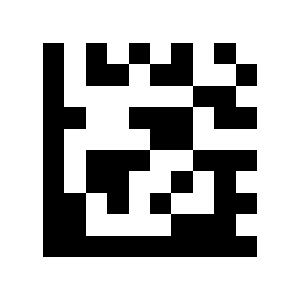
Close EAN 8:
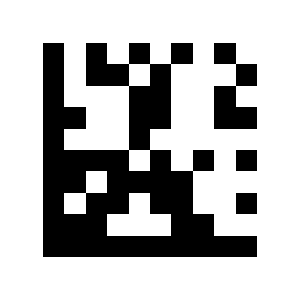
Transmit check digit
Transmit Check bit (default):
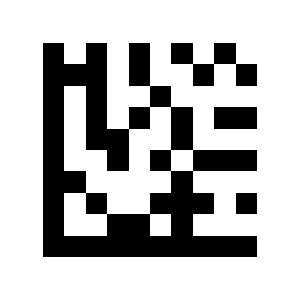
Do not transmit the Check bit:
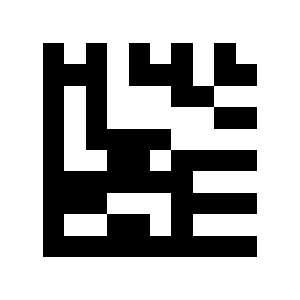
Transmit Check bit (default):
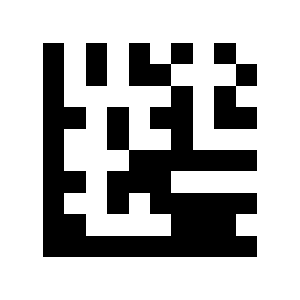
Do not transmit the Check bit:
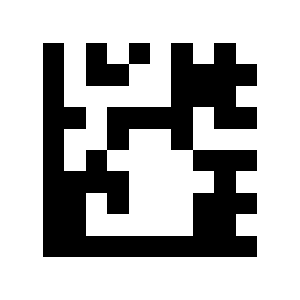
Transmit Check bit (default):
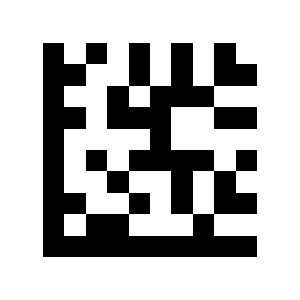
Do not transmit the Check bit:
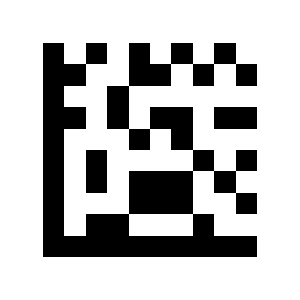
Transmit Check bit (default):
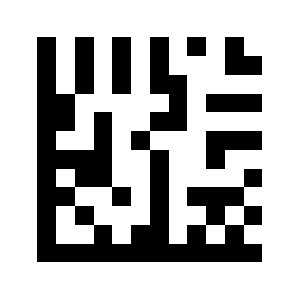
Not Transmit Check bit:
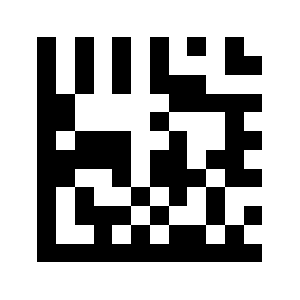
EAN-13
Enable EAN13 (default):
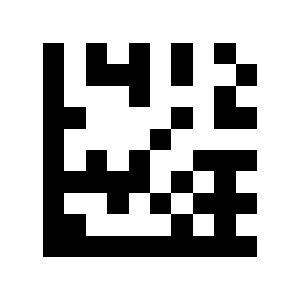
CloseEAN 13:
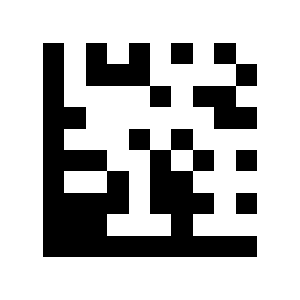
ISBN conversion
Enable ISBN conversion:
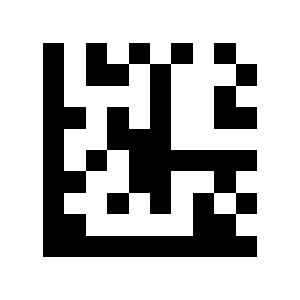
Close ISBN conversion ) (default):
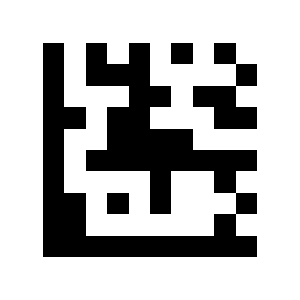
ISSN conversion
Start ISSN conversion:
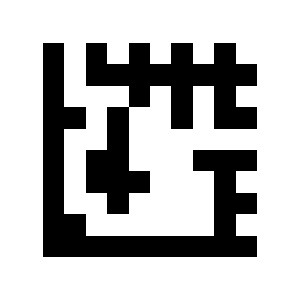
Close ISSN conversion (default):
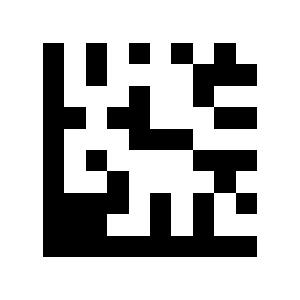
Code 128 / GS1-128
Enable Code128/GS1-128 (default):
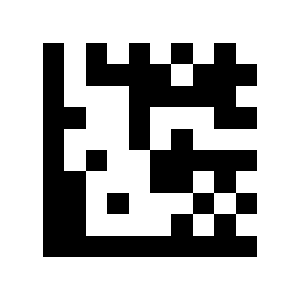
Close Code 128 / GS1-128:
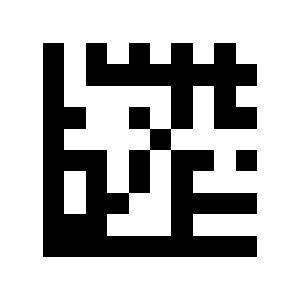
Code 128 — length range
Limit single length:
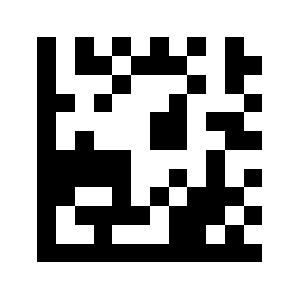
Limit two different lengths:
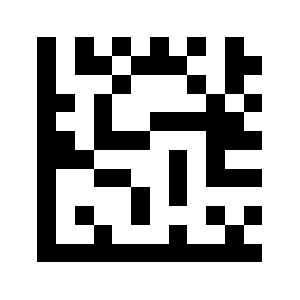
Limit length range:
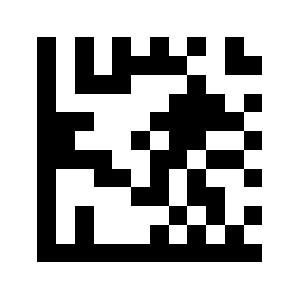
Unlimited length (default):
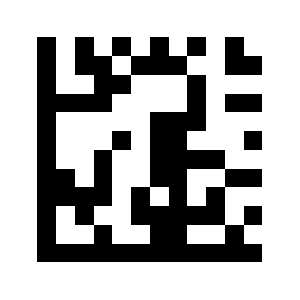
Code 39
Enable Code39 (default):
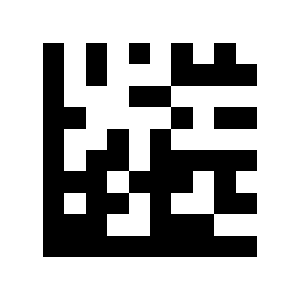
Close Code 39:
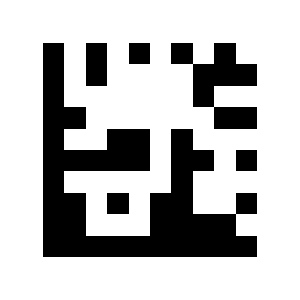
Code 39 Full ASCII
Enable Code39 Full ASCII function:

Close Code39 Full ASCII function (default):

Start/stop character
transmit Start character/end character:

Not transmit Start character/end character (default):
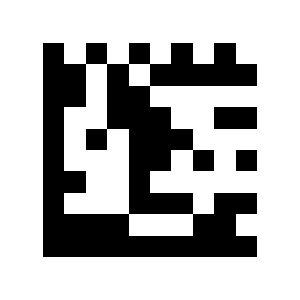
Transmit Start character/end character:

Not transmit Start character/end character (default):
Transmit Start character/end character:
Not transmit Start character/end character (default):
Code 39 — length range
Limit single length:
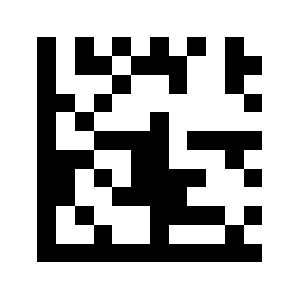
Limit two different lengths:
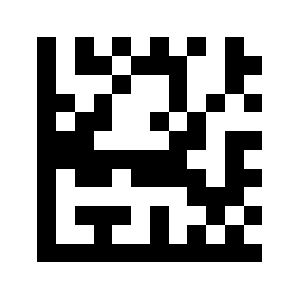
Limit length range:
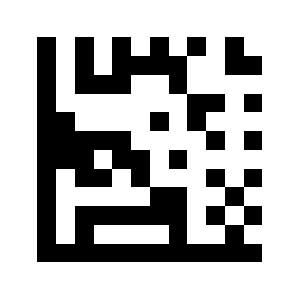
Unlimited length (default):
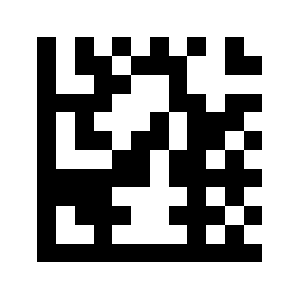
Code 32
Enable Code32:
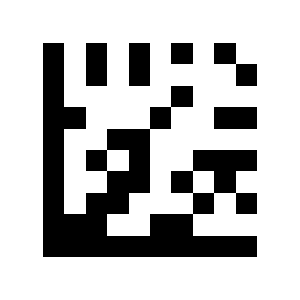
Close Code32 (default):
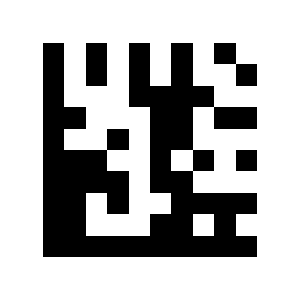
Code 93
Enable Code93:
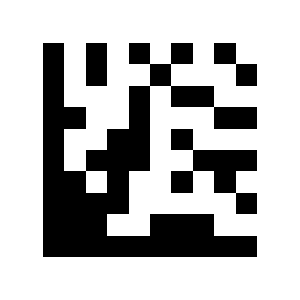
CloseCode93 (default):
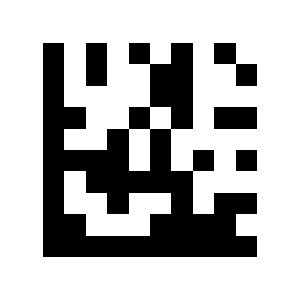
Code 93 — length range
Limit single length:
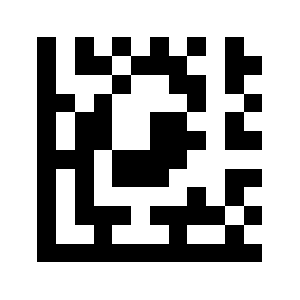
Limit two different lengths:
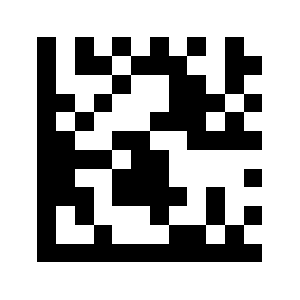
Limit length range:
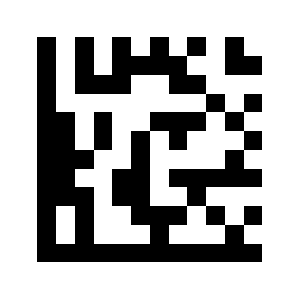
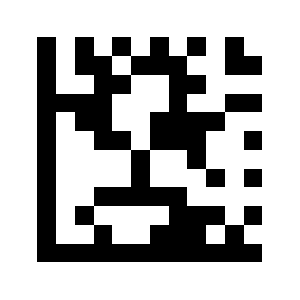
Unlimited length (default):
Code 11
Enable Code11:
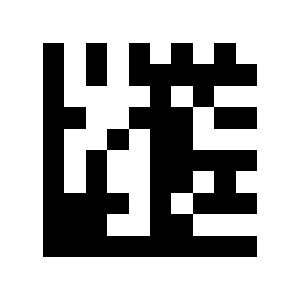
Close Code11 (default):
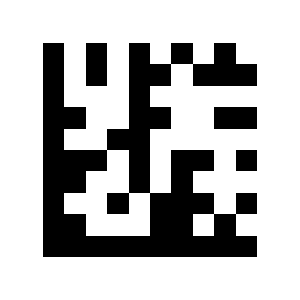
Code 11 — length range
Limit single length:
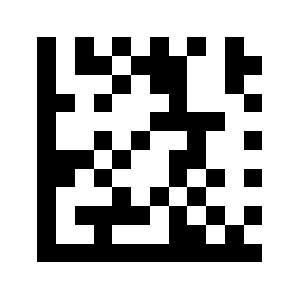
Limit two different lengths:
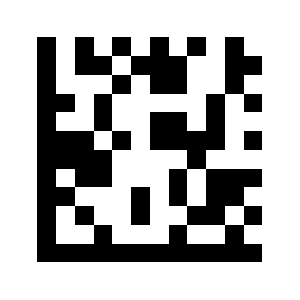
Limit length range:
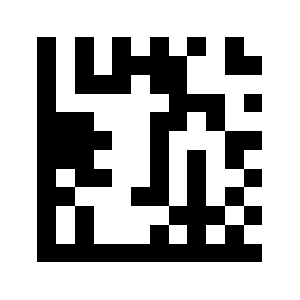
Unlimited length (default):
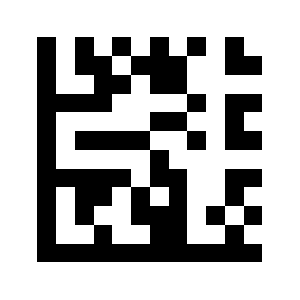
Codabar
Enable Codabar:
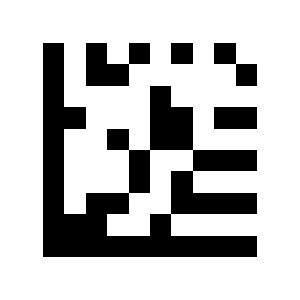
CloseCodabar (default):

Codabar — length range
Limit single length:
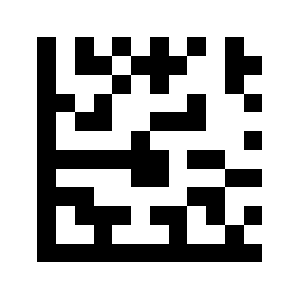
Limit two different lengths:
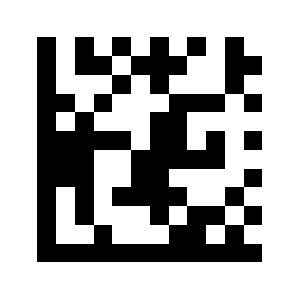
Limit length range:
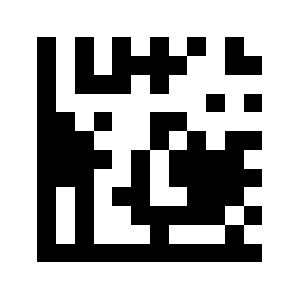
Unlimited length (default):
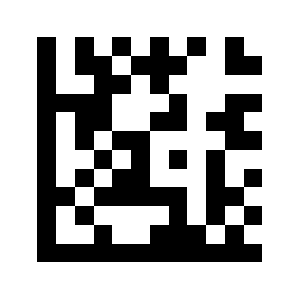
Plessey
Enable Plessey:
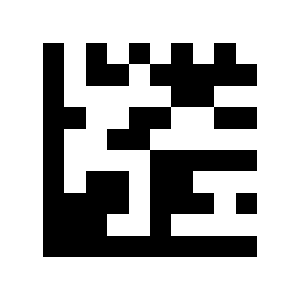
Disable Plessey (default):
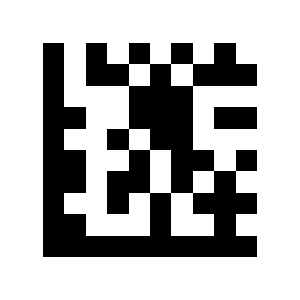
Plessey — length range
Limit single length:
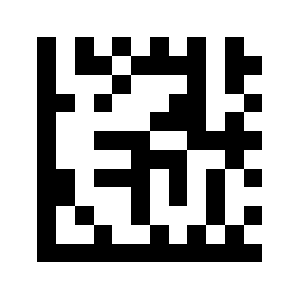
Limit two different lengths:
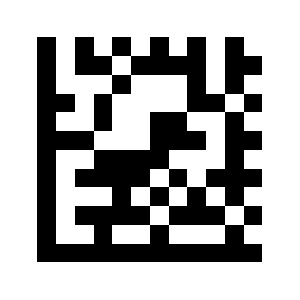
Limit length range:
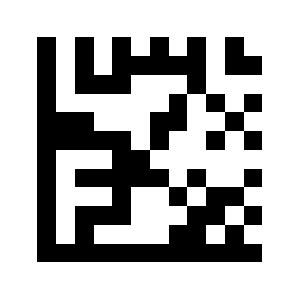
Unlimited length (default):
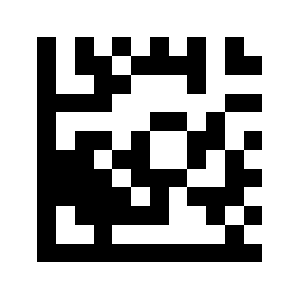
MSI Plessey
Enable MSIPlessey:
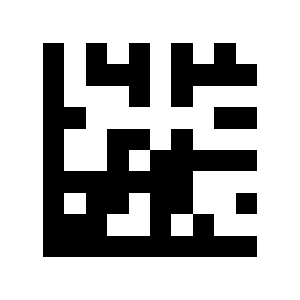
Disable MSIPlessey (default):
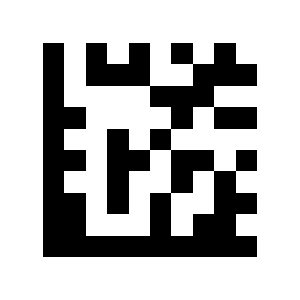
MSI Plessey — length range
Limit single length:
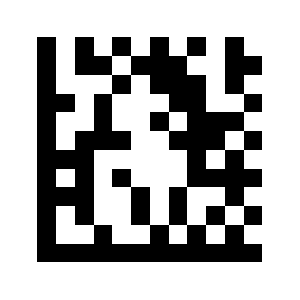
Limit two different lengths:
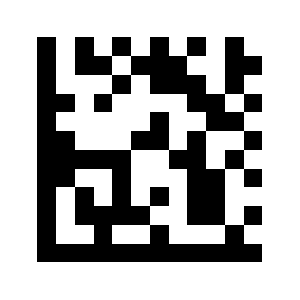
Limit length range:
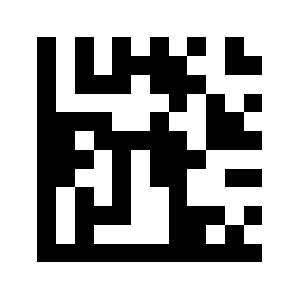
Unlimited length (default):
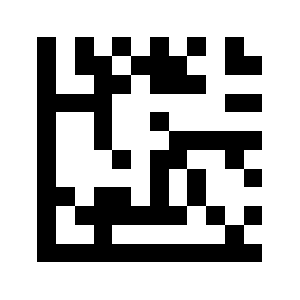
Interleaved 2 of 5
Enable Interleaved 2of5 (default):
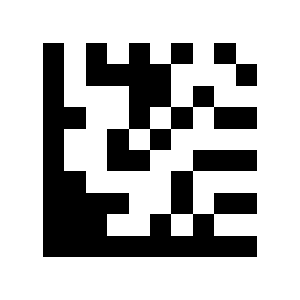
Close Interleaved 2of5:
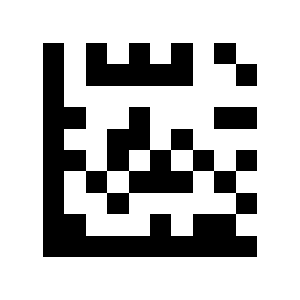
Interleaved 2 of 5 — length range
Limit single length:
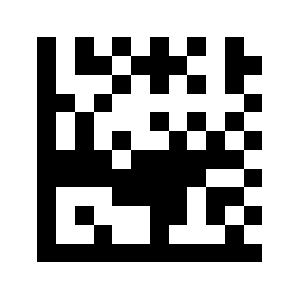
Limit two different lengths:
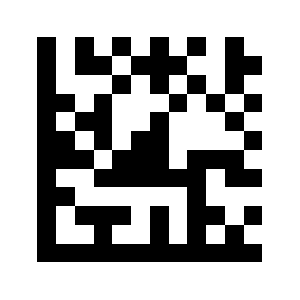
Limit length range:
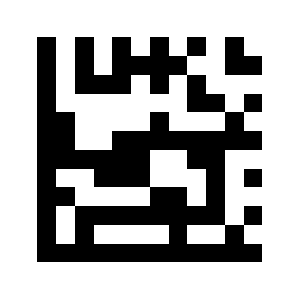
Unlimited length (default):
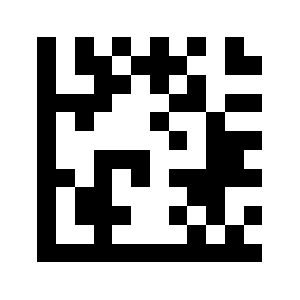
Matrix 2 of 5
Enable Matrix 2of5:
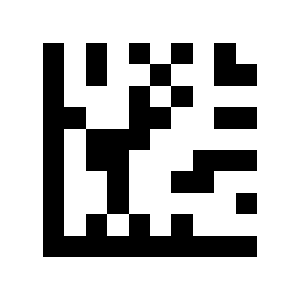
Disable Matrix 2of5 (default):
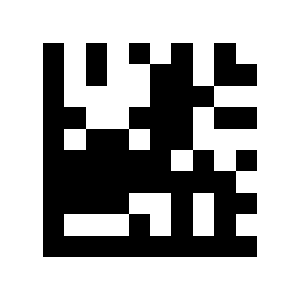
Matrix 2 of 5 — length range
Limit single length:
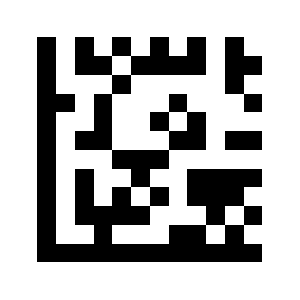
Limit two different lengths:
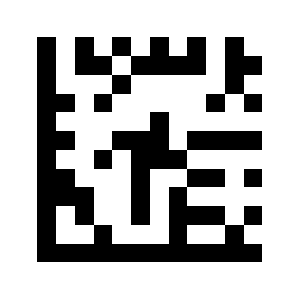
Limit length range:
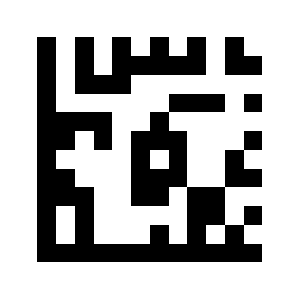
Unlimited length (default):
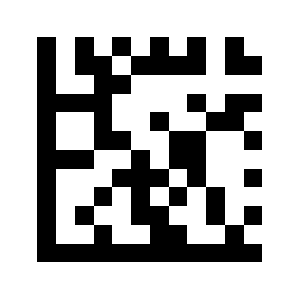
IATA 2 of 5
Enable IATA 2 of 5:
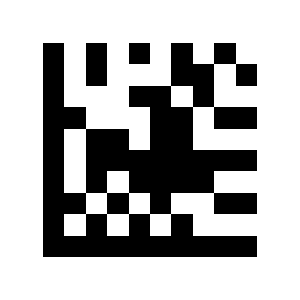
Disable IATA 2of5 (default):

Straight 2 of 5
Enable Straight 2 of 5:
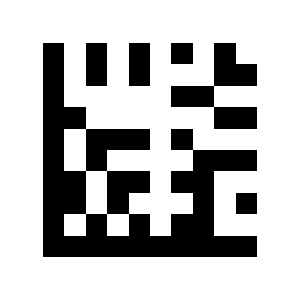
DisableStraight 2 of 5 (default):
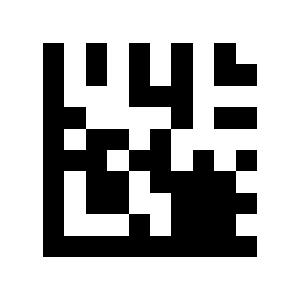
Pharmacode
Enable Pharmacode:
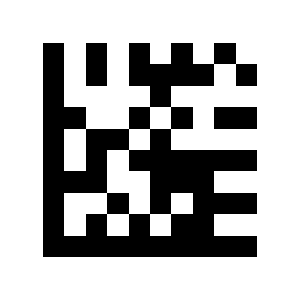
Disable Pharmacode (default):
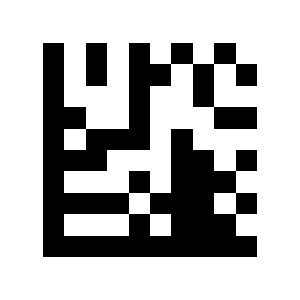
GS1 DataBar 14
Enable GS1 DataBar 14:
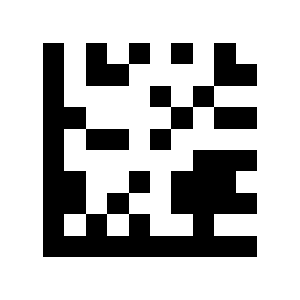
Disable GS1 DataBar 14 (default):
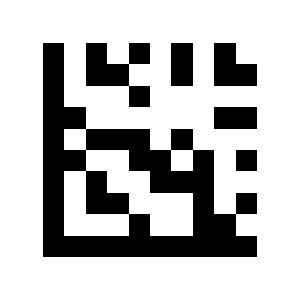
GS1 DataBar 14 Stacked
Enable GS1 DataBar 14 Stacked:
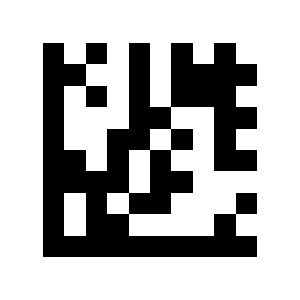
Disable GS1 DataBar 14 Stacked (default):
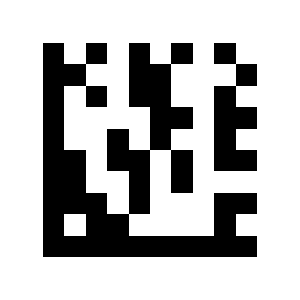
AI (01) transmission
Output AI (01) character (default):
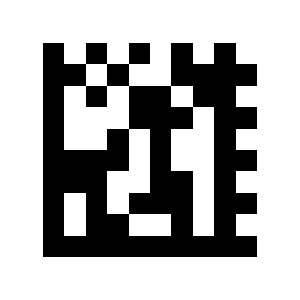
AI (01) characters are not output:
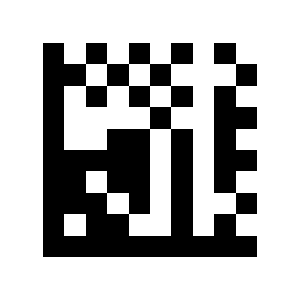
Output AI (01) character (default):
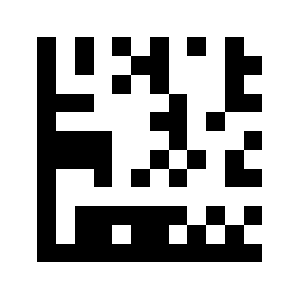
AI (01) characters are not output:
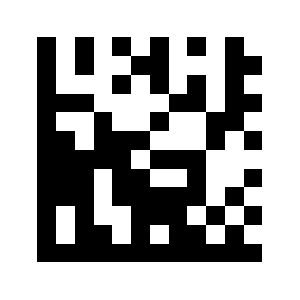
Output AI (01) character (default):
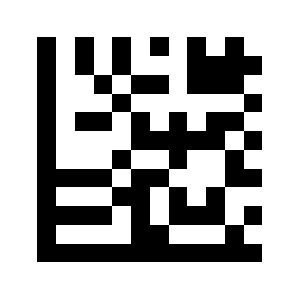
AI (01) characters are not output:
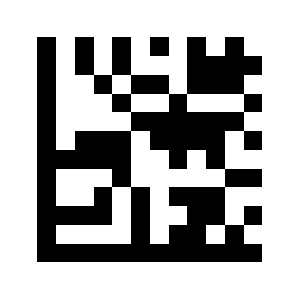
GS1 DataBar Expanded
Enable GS1 DataBar Expanded:
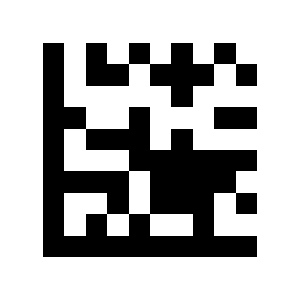
Disable GS1 DataBar Expanded (default):
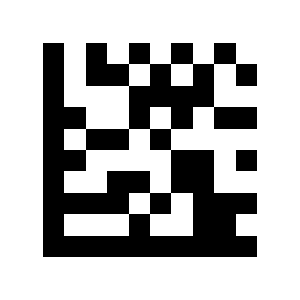
GS1 DataBar Expanded Stacked
Enable GS1 DataBar Expanded Stacked:
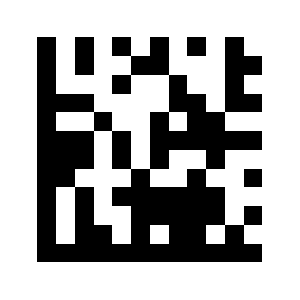
Disable GS1 DataBar Expanded Stacked (default):
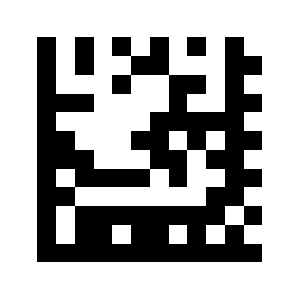
GS1 DataBar Limited
Enable GS1 DataBar Limited:

Disable GS1 DataBar Limited (default):
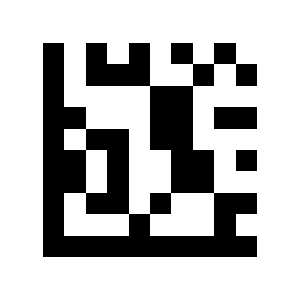
Composite Code-A
Enable Composite Code-A:
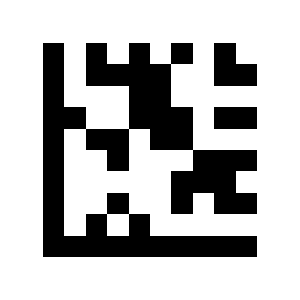
Disable Composite Code-A (default):
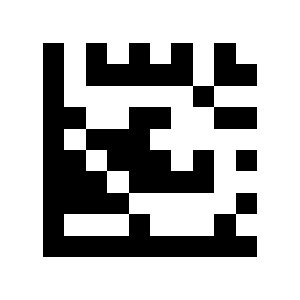
Composite Code-B
Enable Composite Code-B:
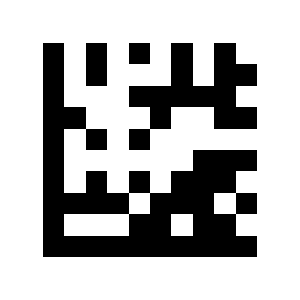
Disable Composite Code-B (default):
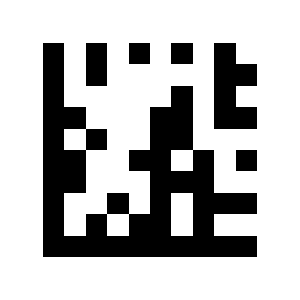
Composite Code-C
Enable Composite Code-C:

Disable Composite Code-C (default):
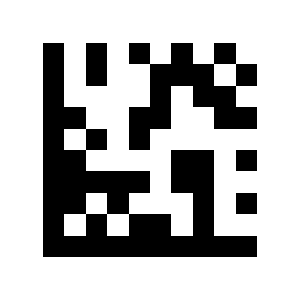
PDF417
Enable PDF417:
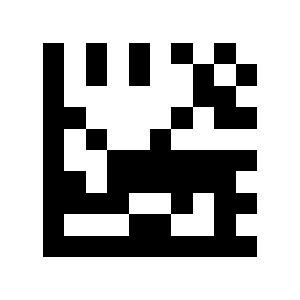
Disable PDF417 (default):
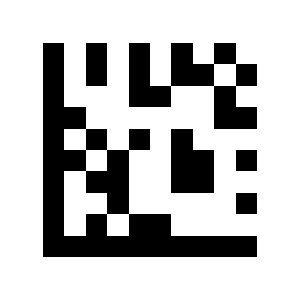
Micro PDF417
Enable Micro PDF417:
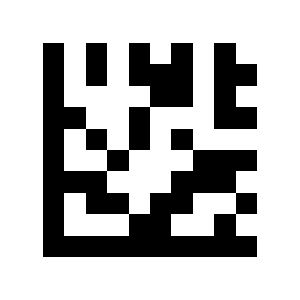
Disable Micro PDF417 (default):
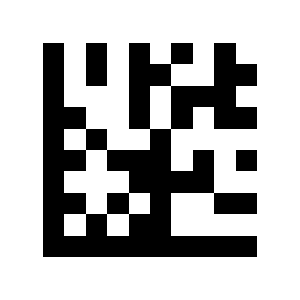
Data Matrix
Enable Data Matrix (default):

Disable Data Matrix:
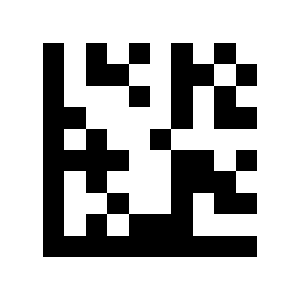
Rectangular Data Matrix
Enable Rectangular Data Matrix (default):
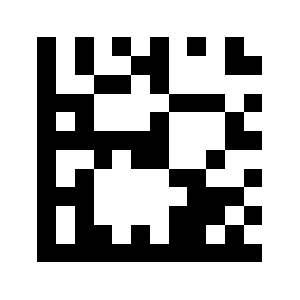
Disable Rectangular Data Matrix:
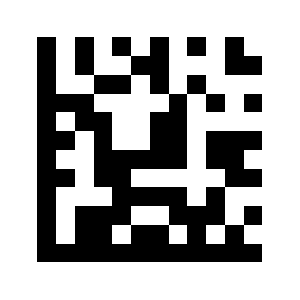
Mirror decoding
Enable Mirror decoding (default):
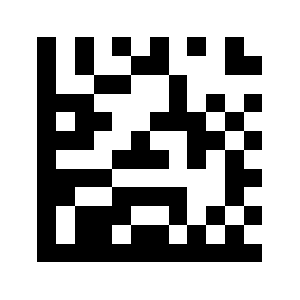
Disable Mirror decoding:
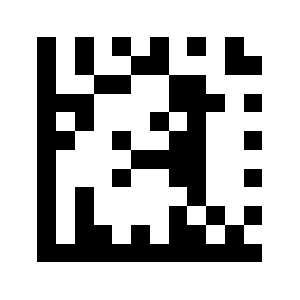
Enable Mirror decoding (default):
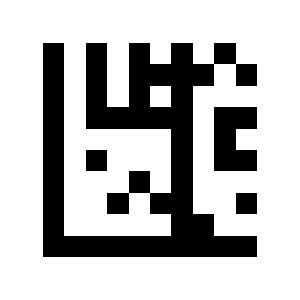
Disable Mirror decoding:
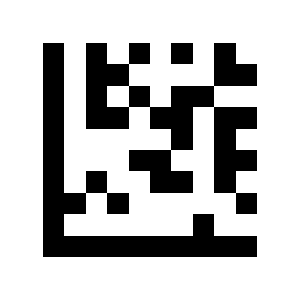
Enable Mirror decoding (default):

Disable Mirror decoding:
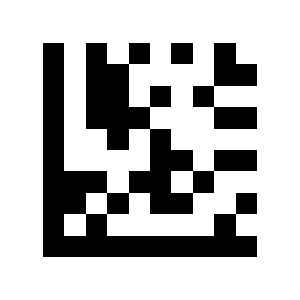
QR Code
Enable QR (default):
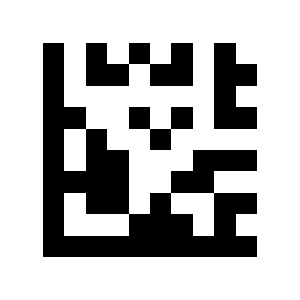
Disable QR:
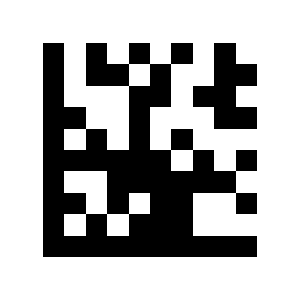
Micro QR
Enable Micro QR:
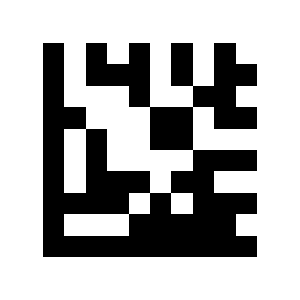
Disable Micro QR (default):
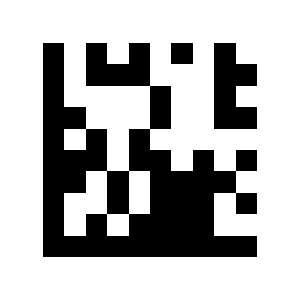
Aztec
Enable Aztec:
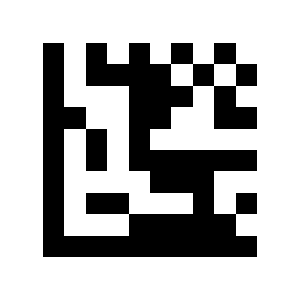
Disable Aztec (default):

Maxicode
Enable MaxiCode:
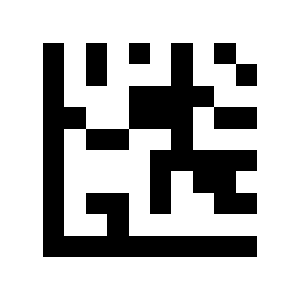
Disable MaxiCode (default):
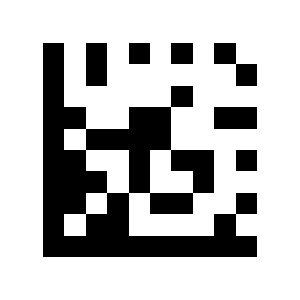
Data editing (prefix, suffix, terminator)
Barcode message
Disable (default):
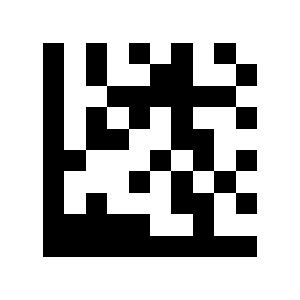
Open:

Code ID
Disable barcode identification code (default):
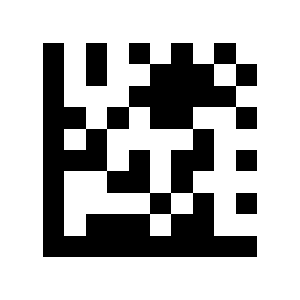
Enable AIM ID:
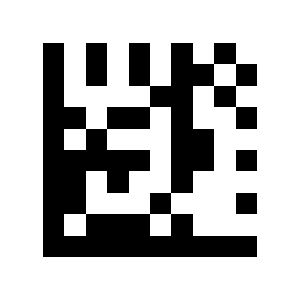
Enable Mexxen ID:
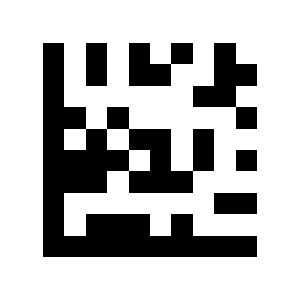
Prefix
Disable all prefixes (default):
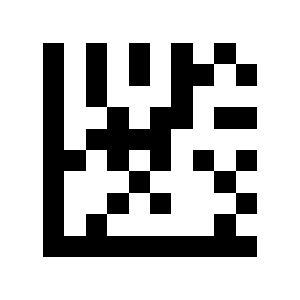
Setting all prefixes:
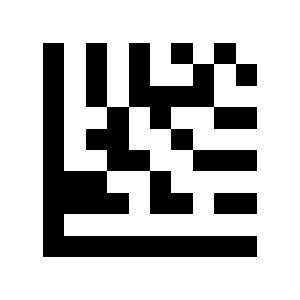
Barcode prefix setting:
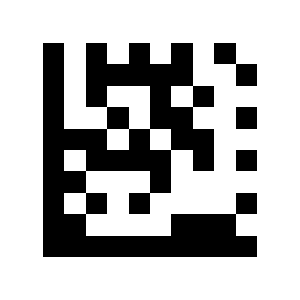
Disable barcode suffix:
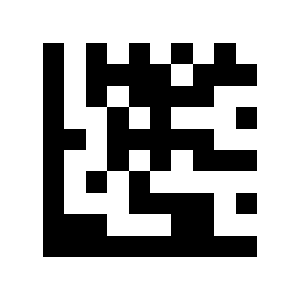
Suffix
Disable all code suffixes (default):
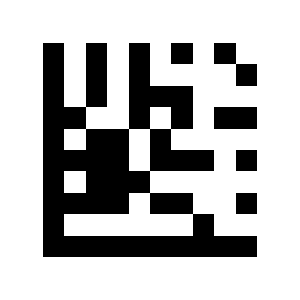
Set all code suffixes:
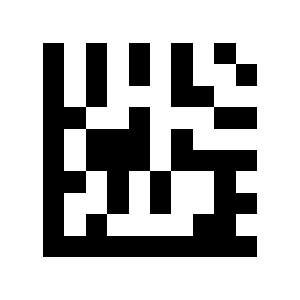
Set barcode suffix:
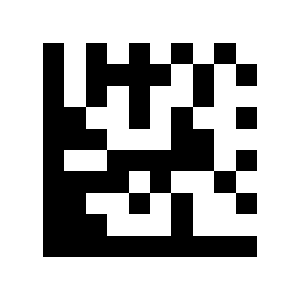
Disable barcode suffix:
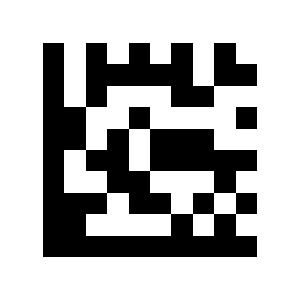
Remove leading characters
Remove all leading characters:
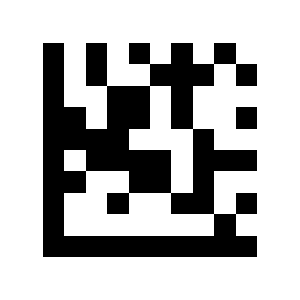
Remove leading characters from barcode:
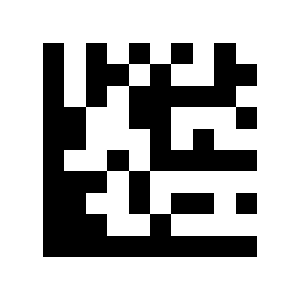
Remove trailing characters
Remove all barcode end characters:
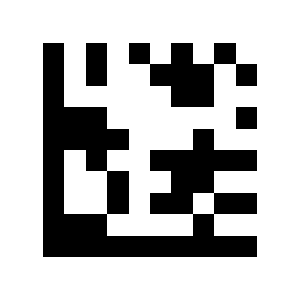
Remove the end character of the barcode:
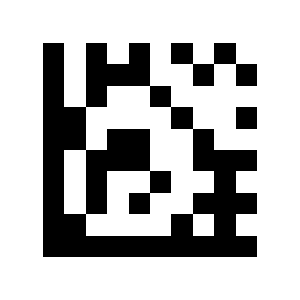
Terminator character
No end sign:
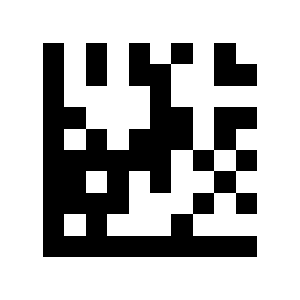
CR (default):
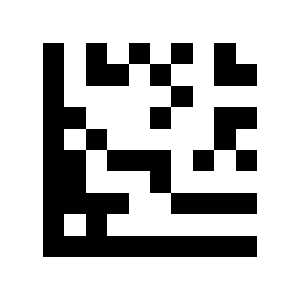
CR/LF:
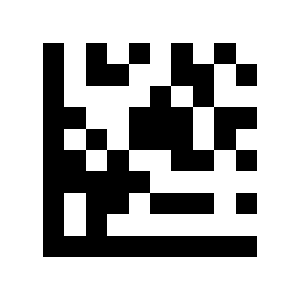
TAB Case settings (CapsLock):
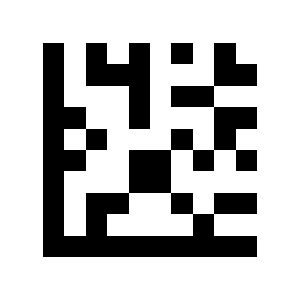
Caps Lock
CapsLock disabled (default):
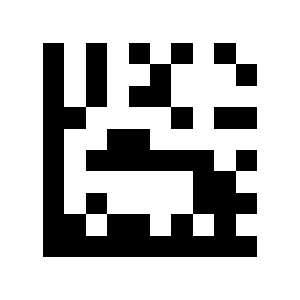
CapsLock On:
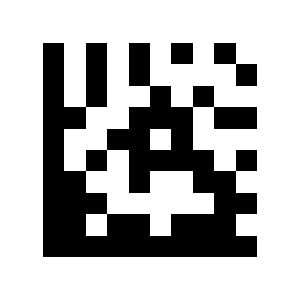
GS character conversion
Disable GS character conversion (default):
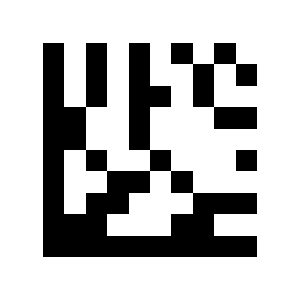
Convert GS character:
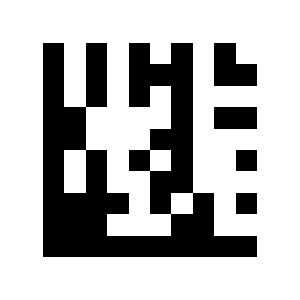
Function key mapping
Disable:
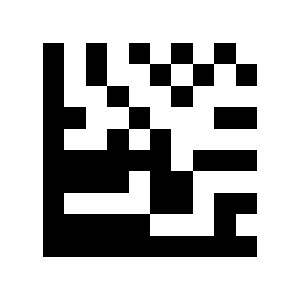
Enable (default):
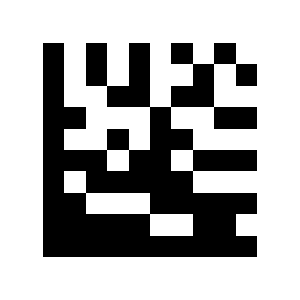
CtrlChar mode (default):
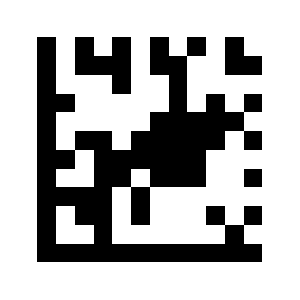
Alt+Unicode mode:
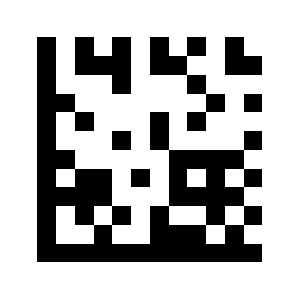
Serial port commands
Set scan-trigger string
Disable:
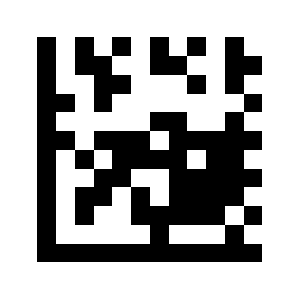
Set the scan trigger string:
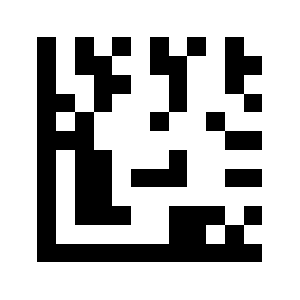
Set stop-scan string
Disable:
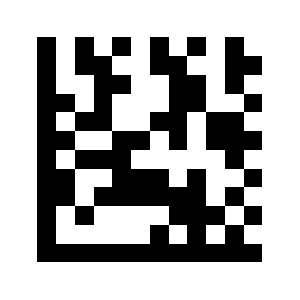
Set the scan trigger string:
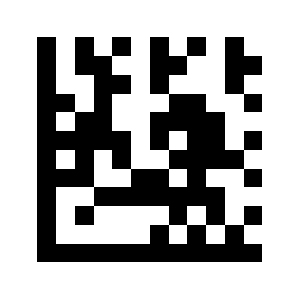
Appendix 1. Decimal digit codes
Decimal digit codes
0:
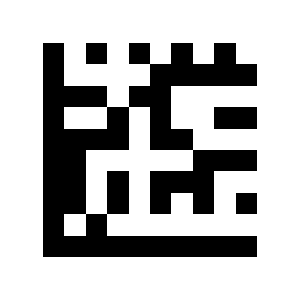
1:
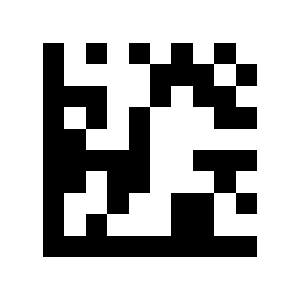
2:
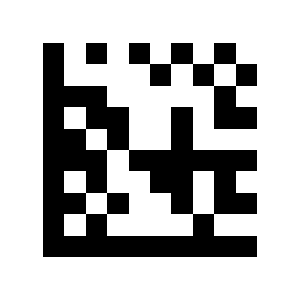
3:
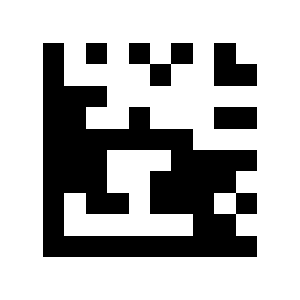
40:
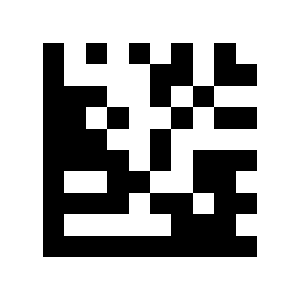
5:
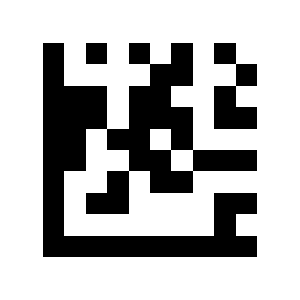
6:

7:
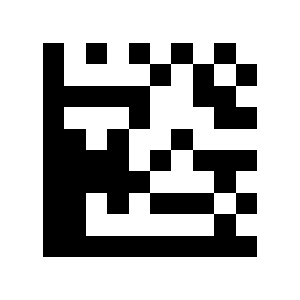
41:
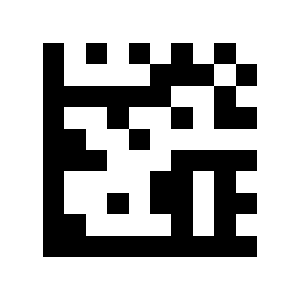
9:
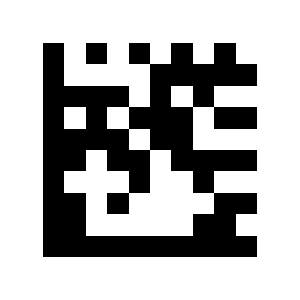
Appendix 2. Barcode setting codes
Barcode setting codes
UPC A:
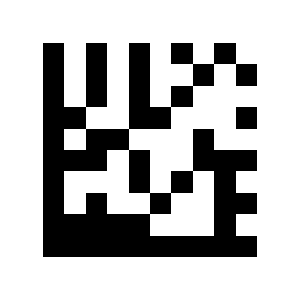
UPC E:
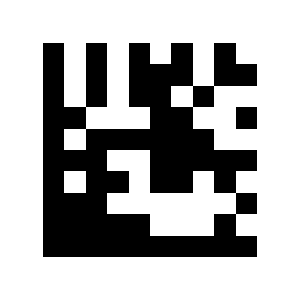
EAN 8:
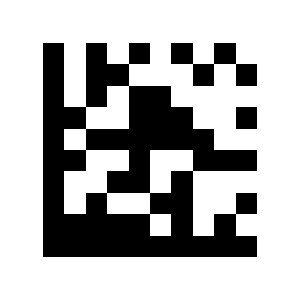
EAN 13:
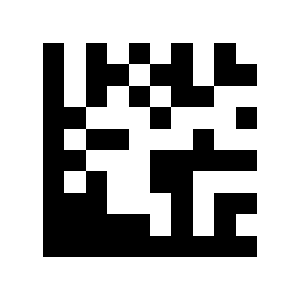
Code 128:
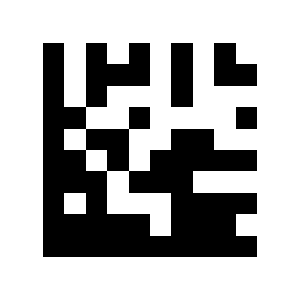
Code 39:

Code 93:
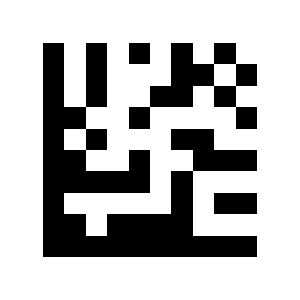
Code 32:

Code 11:
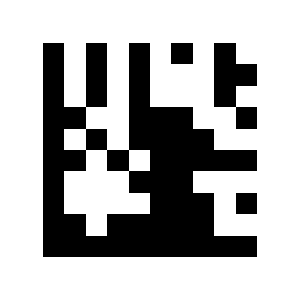
Codabar:

Plessey:
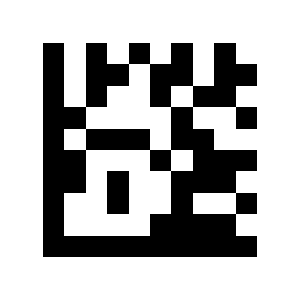
MSI Plessey:
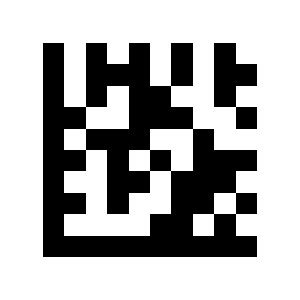
Interleaved 2 of 5:

IATA 2 of 5:
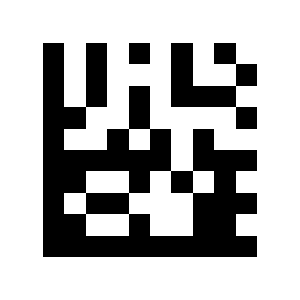
Matrix 2 of 5:
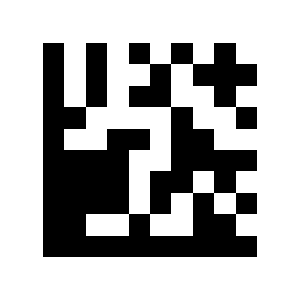
Straight 2 of 5:
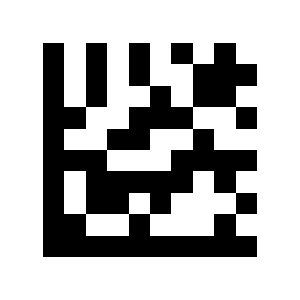
Pharmacode:
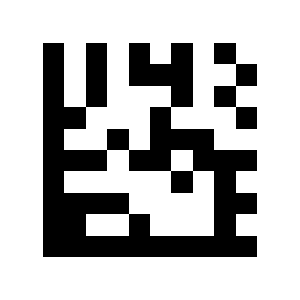
GS1 DataBar 14:
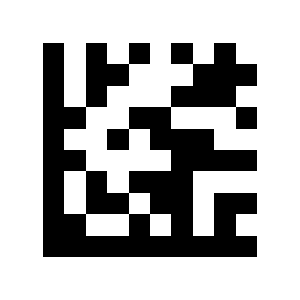
GS1 DataBar Expanded:
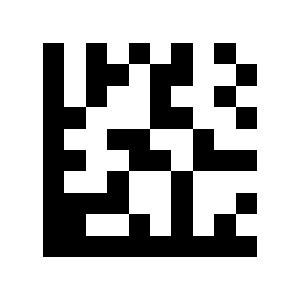
GS1 DataBar Limited:
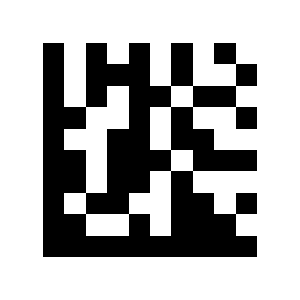
GS1 DataBar 14 Stacked:
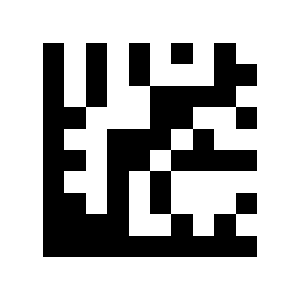
GS1 DataBar Expanded Stacked:
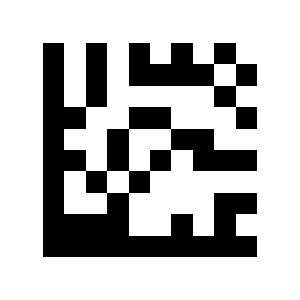
Composite Code-A:

Composite Code-B:
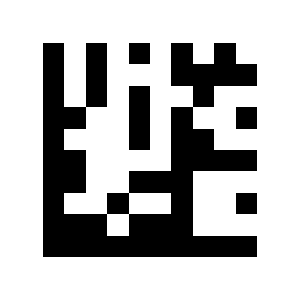
Composite Code-C:
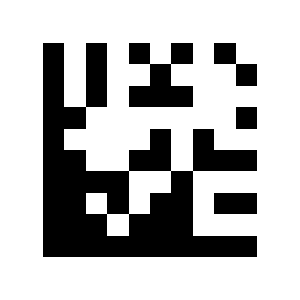
PDF417:
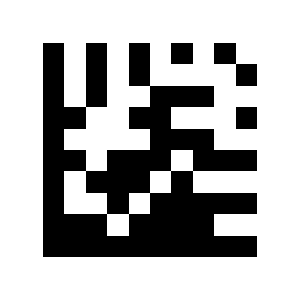
Micro PDF417:
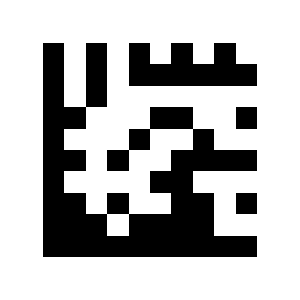
Data Matrix:
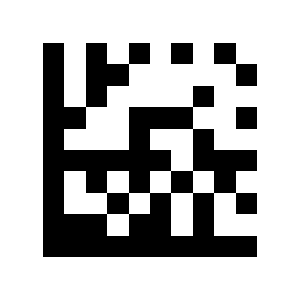
QR:
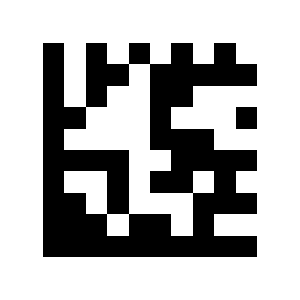
Micro QR:
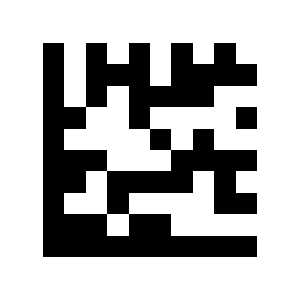
Aztec:

MaxiCode:

Appendix 3. ASCII code table
ASCII code table
NUL:
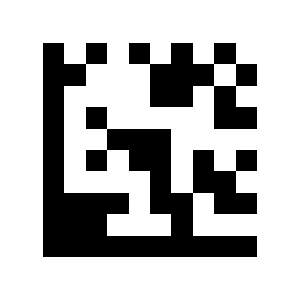
SOH:
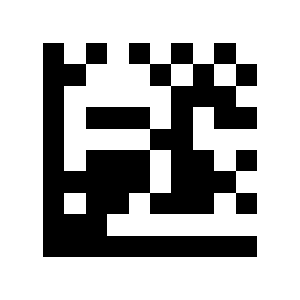
STX:
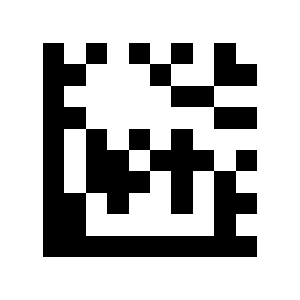
ETX:

EOT:
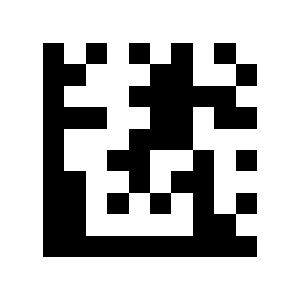
ENQ:
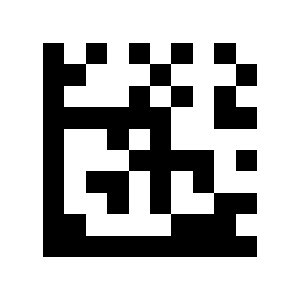
ACK:

BEL:

BS:

TAB:
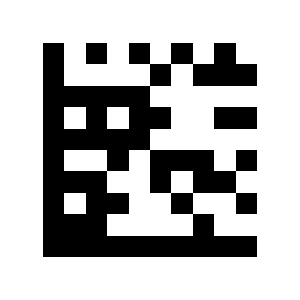
LF:
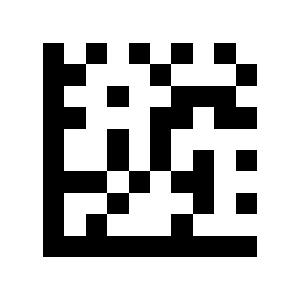
VT:

FF:
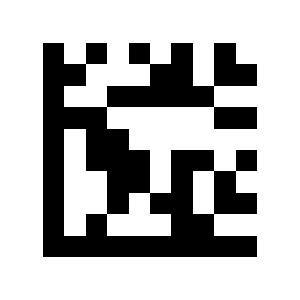
CR:
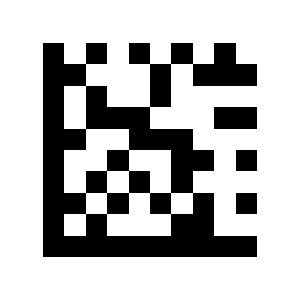
SO:
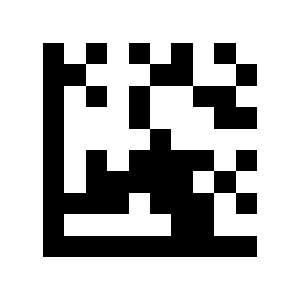
SI:
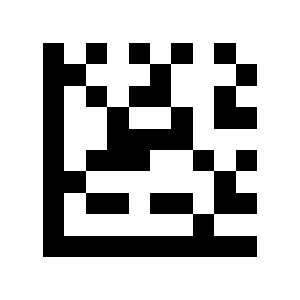
DLE:
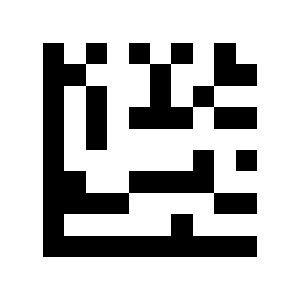
DC1:

DC2:

DC3:

DC4:

NAK:

SYN:
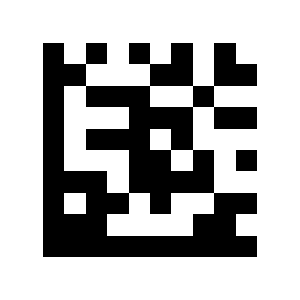
ETB:
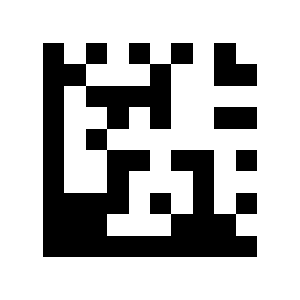
CAN:

EM:

SUB:
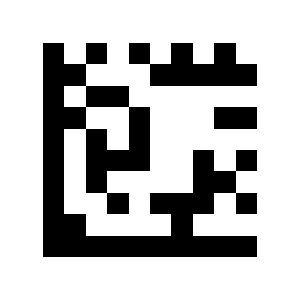
ESC:
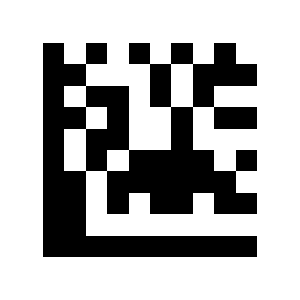
FS:
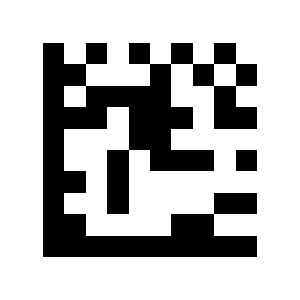
GS:
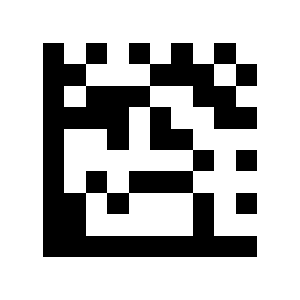
RS:
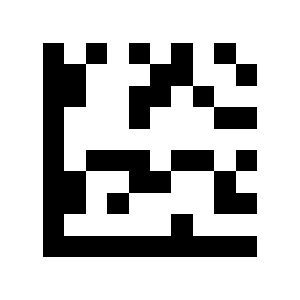
US:

S0:
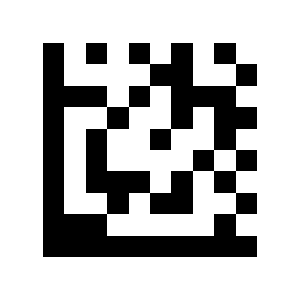
S1:
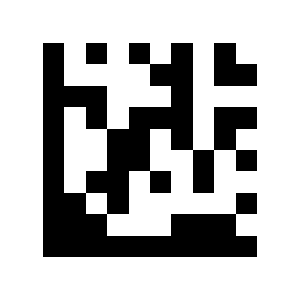
S2:
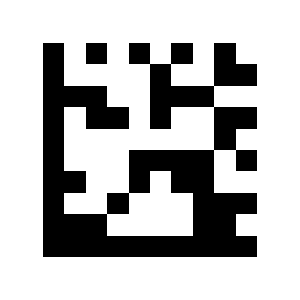
S3:
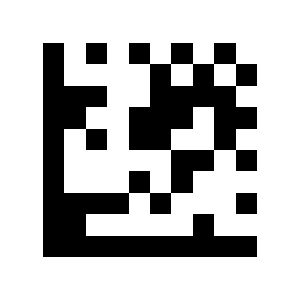
36:
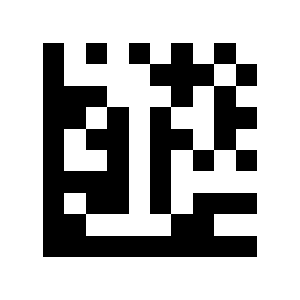
S5:
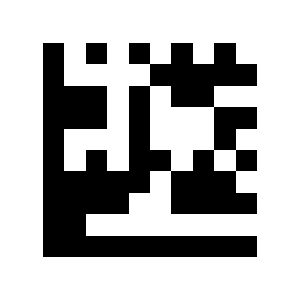
S6:
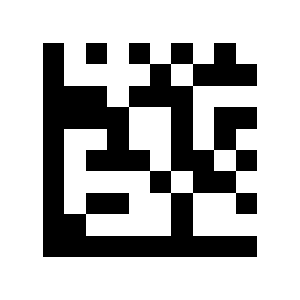
S7:

S8:
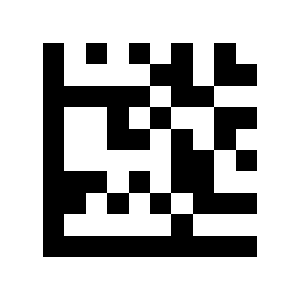
S9:
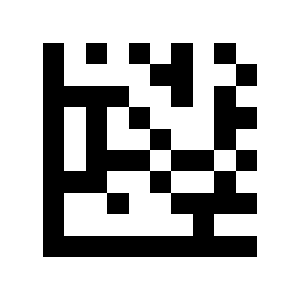
S10:
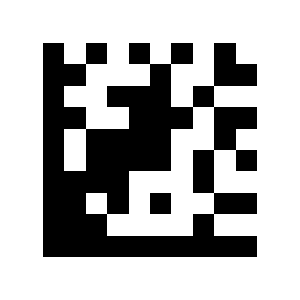
S11:
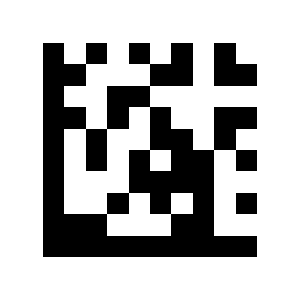
S12:

S13:
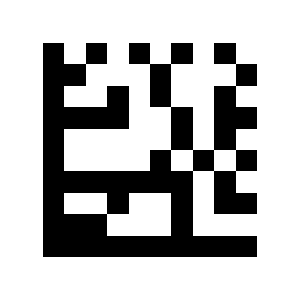
S14:

S15:
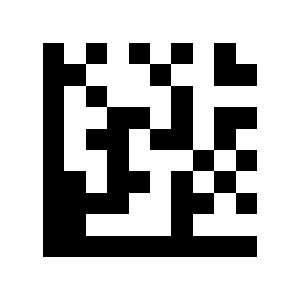
B0:
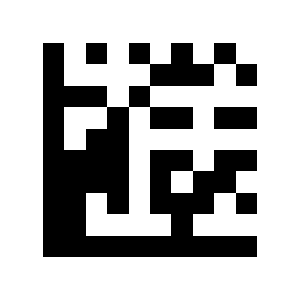
B1:
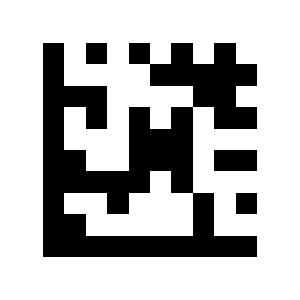
B2:
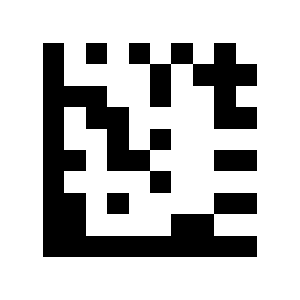
B3:
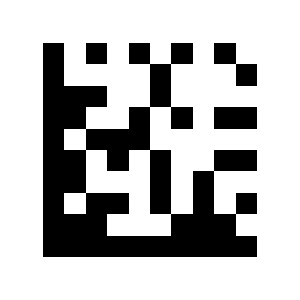
B4:
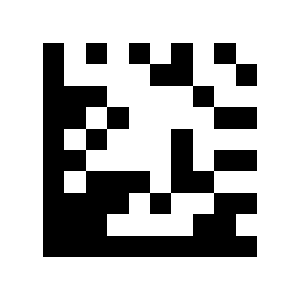
B5:
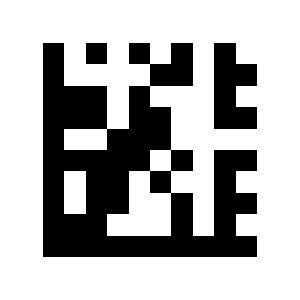
43:
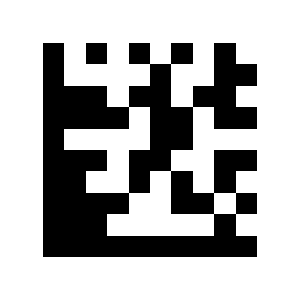
$A:
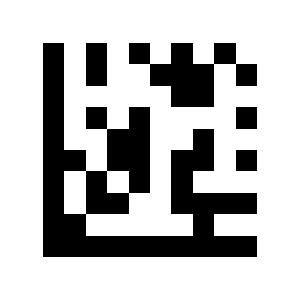
$B:
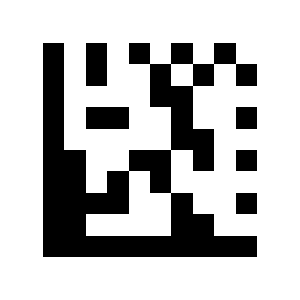
$C:
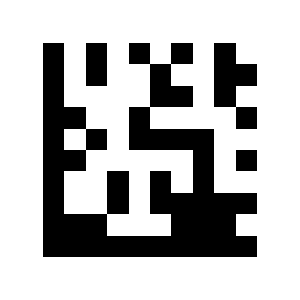
$D:
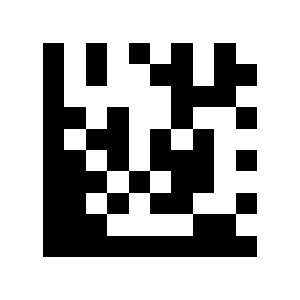
$E:
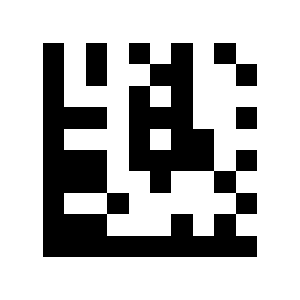
$F:
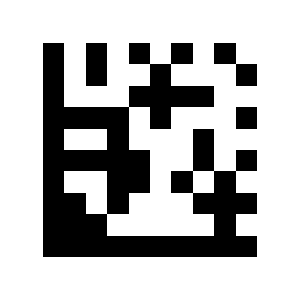
$G:
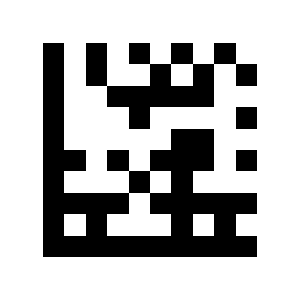
$H:
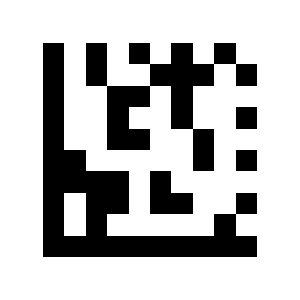
$I:
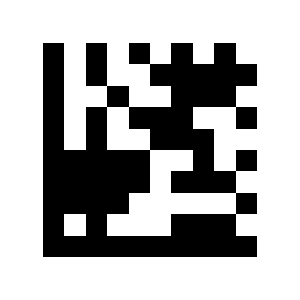
$J:
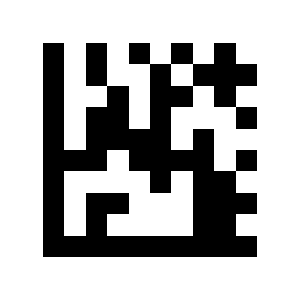
$K:

$L:

$M:
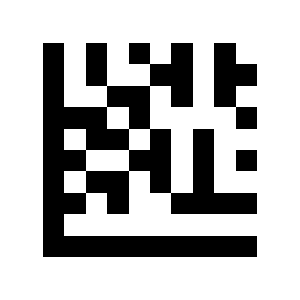
$N:
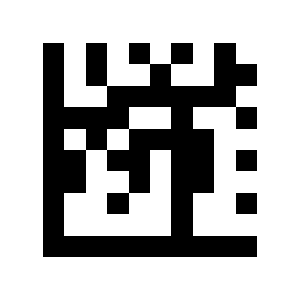
$O:
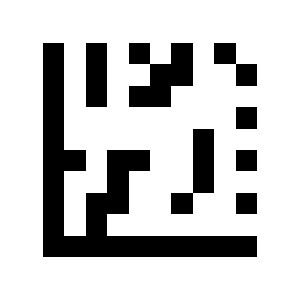
$P:
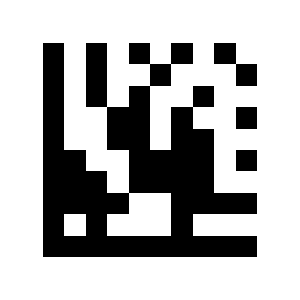
$Q:
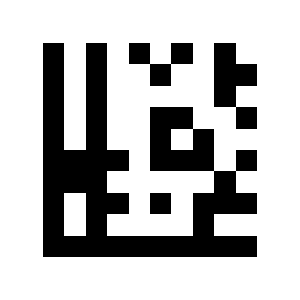
$R:
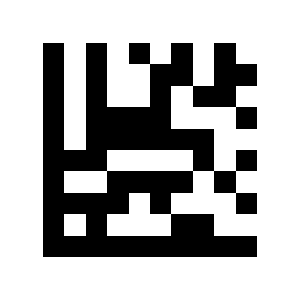
$S:
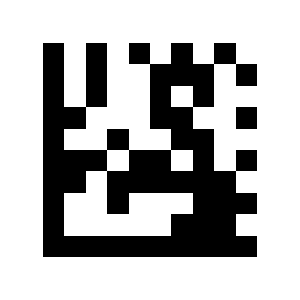
$T:
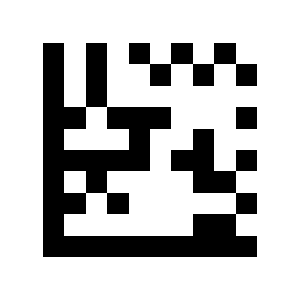
$U:
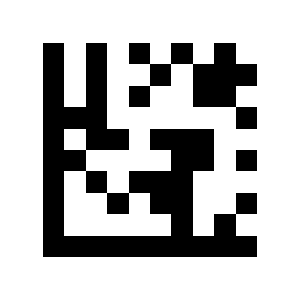
$V:
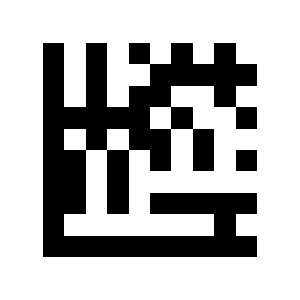
$W:
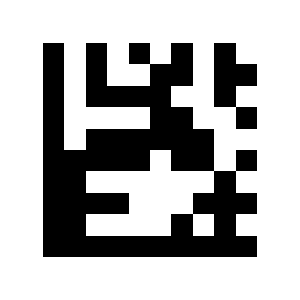
$X:
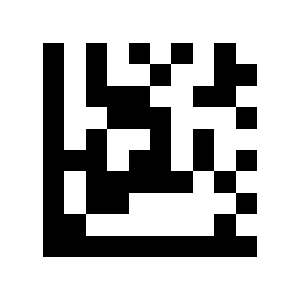
$Y:
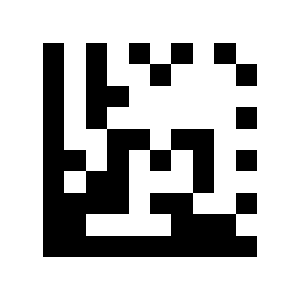
$Z:
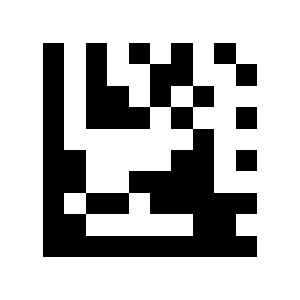
S20:

S21:

S22:
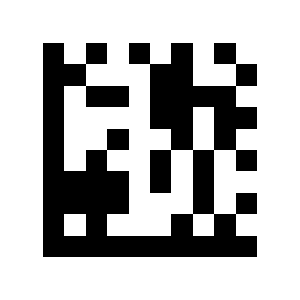
S23:

S24:
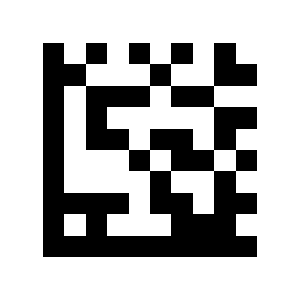
S25:
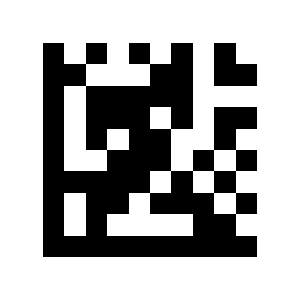
+A:
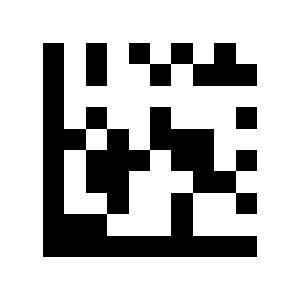
+B:
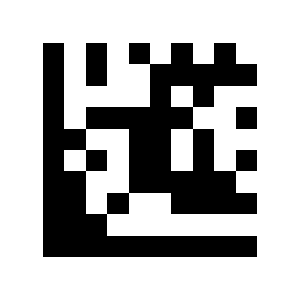
+C:
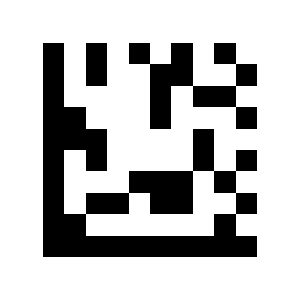
52:
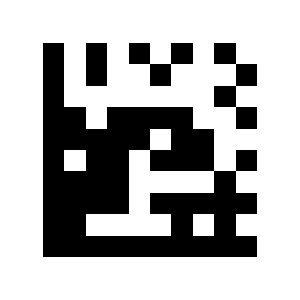
+E:

+F:
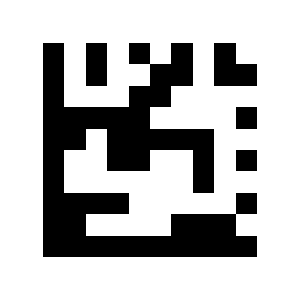
+G:
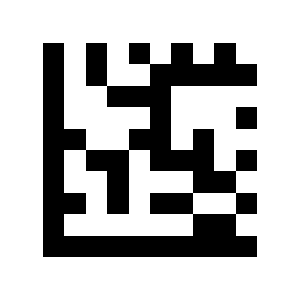
+H:
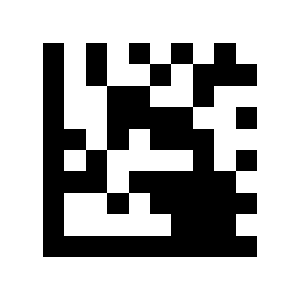
+I:

+J:

+K:
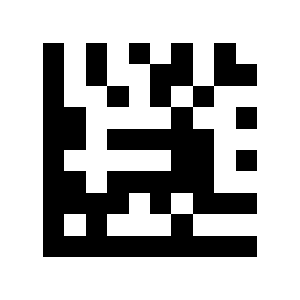
+L:
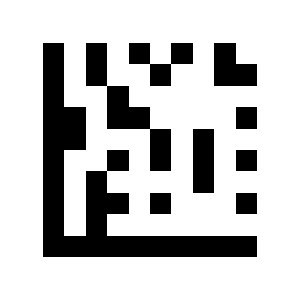
+M:
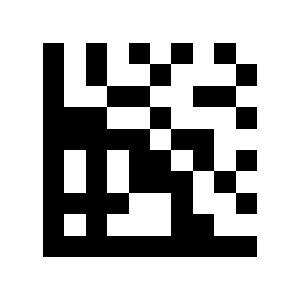
+N:
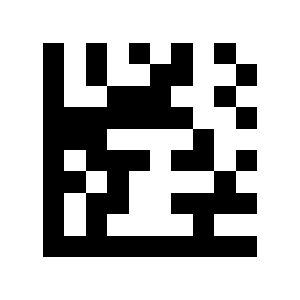
+O:
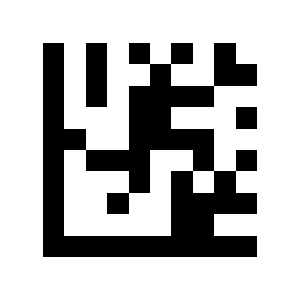
+P:
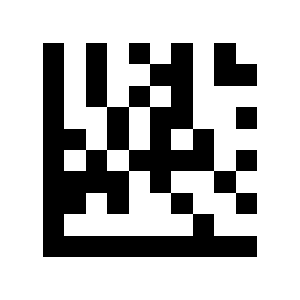
+Q:
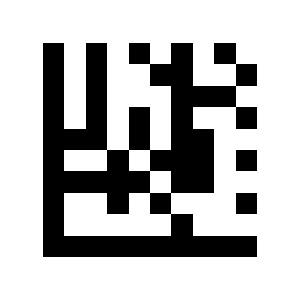
+R:
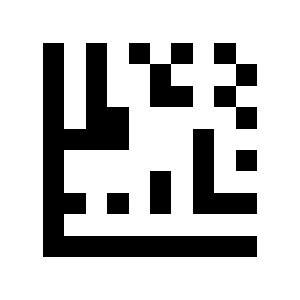
+S:
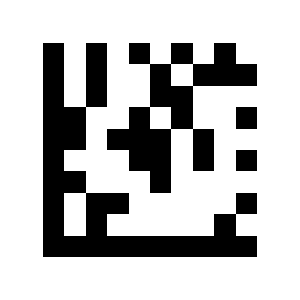
+T:
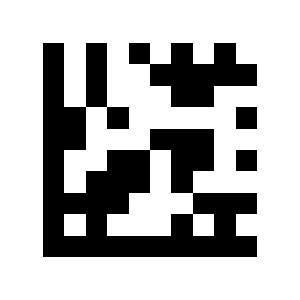
+U:
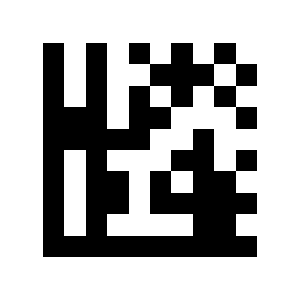
+V:
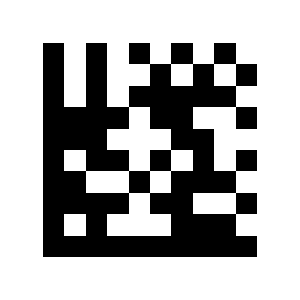
+W:
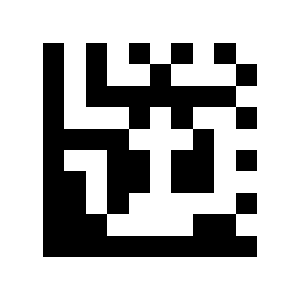
+X:
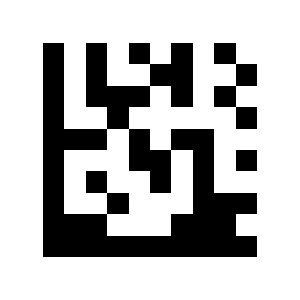
+Y:
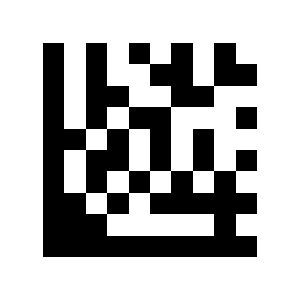
+Z:
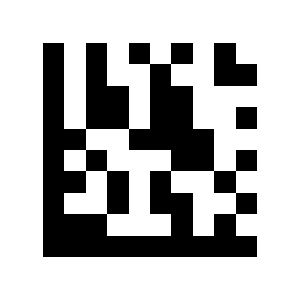
S30:
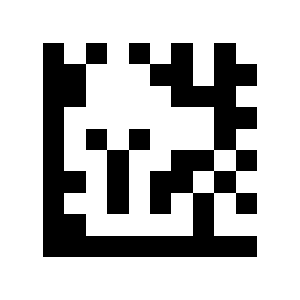
58:
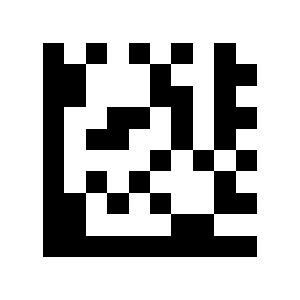
S32:
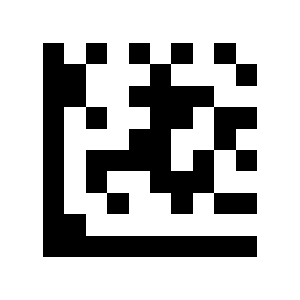
S33:
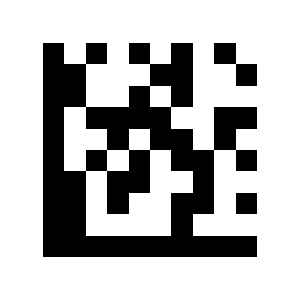
Appendix 4. Function keys
Function keys
Delete:

Insert:
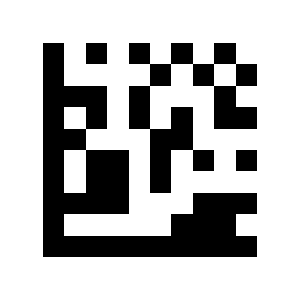
Home:
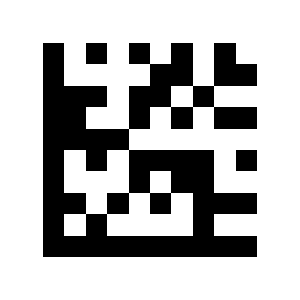
End:
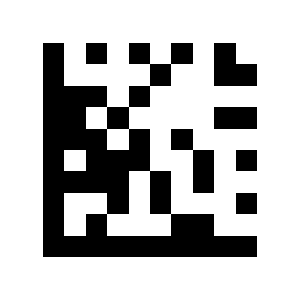
Up Arrow:

Down Arrow:
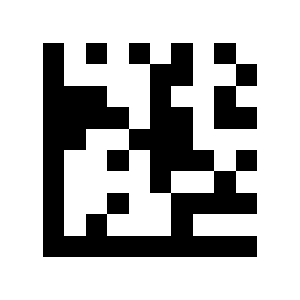
60:
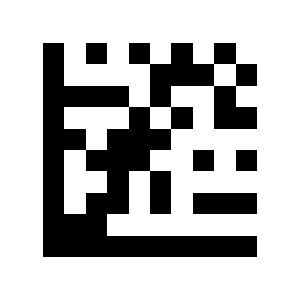
Right Arrow:

Shift:

ESC:
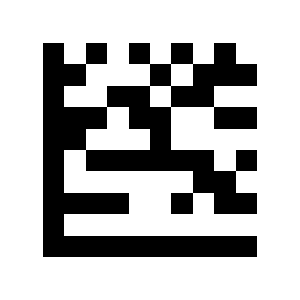
Ctrl:
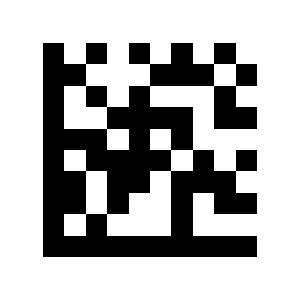
Alt:
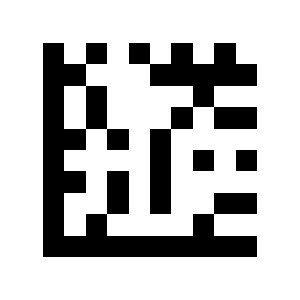
61:
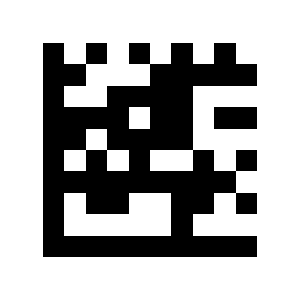
Page Down:
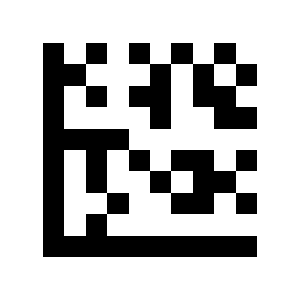
F1:
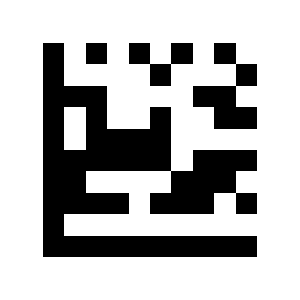
F2:
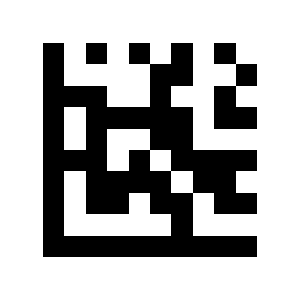
F3:
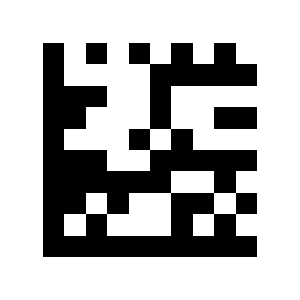
F4:
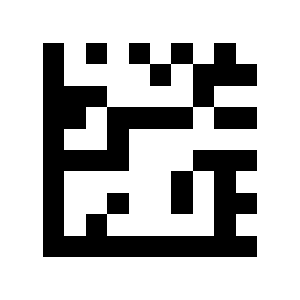
62:
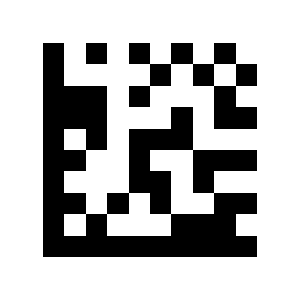
F6:
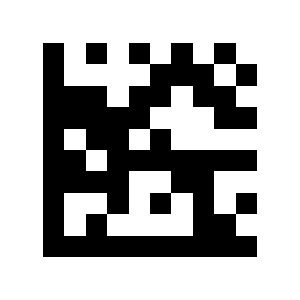
F7:
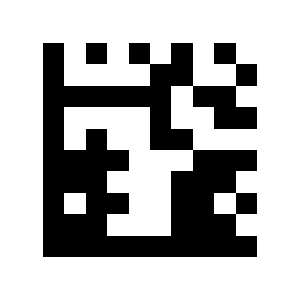
F8:
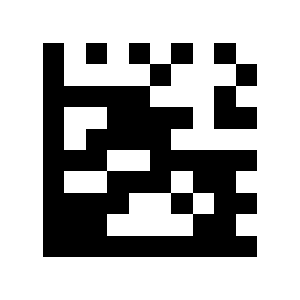
F9:
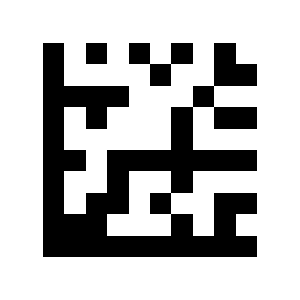
F10:
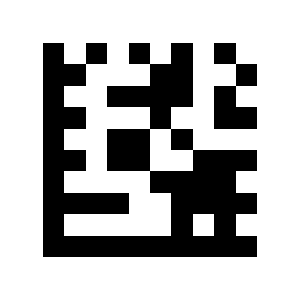
F11:

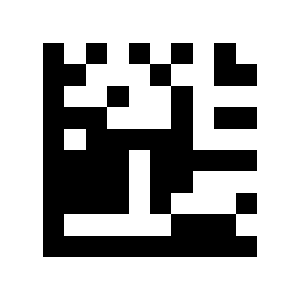
F12:
Frequently asked questions
What is the HD360 designed for?
Which codes does it configure with?
Can the HD360 read Data Matrix and DPM codes?
How does the HD360 connect?
Downloads
The original supplier PDF manuals are kept as archival documentation. Everything they contain is already on this page — use the PDF only if you need an offline copy.