Industrial stationary 1D / 2D QR & barcode scanner, Ethernet, HDWR HD650-ETH
GTIN: 5906935201183 · SKU: HD650-ETH
Table of contents
- Table of contents
- Specifications
- Set contents
- Features
- Configuration codes
- Setup mode
- Default settings
- Custom settings
- Scan mode
- Pulse trigger mode
- Pulse trigger level
- Automatic (sense) mode
- Auto-sensing sensitivity
- Repeat-barcode read mode
- Decode session time
- Reset decode time
- Decode area
- Decode area size
- Read-failure (NG) message
- Aiming light
- Illumination mode
- Illumination brightness
- Decode working area
- Power-on beep
- Good-read beep
- Good-read beep frequency
- Debug button
- Output and interface settings
- Symbology settings
- Global symbology switches
- UPC-A
- UPC-E
- EAN-8
- EAN-13
- Code 128 / GS1-128
- Code 39
- Code 32
- Code 93
- Code 11
- Codabar
- Plessey
- MSI Plessey
- Interleaved 2 of 5
- Matrix 2 of 5
- IATA 2 of 5
- Straight 2 of 5
- Pharmacode
- GS1 DataBar 14
- GS1 DataBar Expanded
- GS1 DataBar Limited
- Composite Code-A
- Composite Code-B
- Composite Code-C
- PDF417
- Micro PDF417
- Data Matrix
- QR Code
- Micro QR
- Aztec
- MaxiCode
- Data formatting, prefix and suffix
- Serial port commands
- Appendix: data, ASCII and function-key codes
- First-time startup guide (EA100 network module)
- About the EA100 network module
- Hardware parameters
- Device description
- Connecting external devices
- Communication output cable
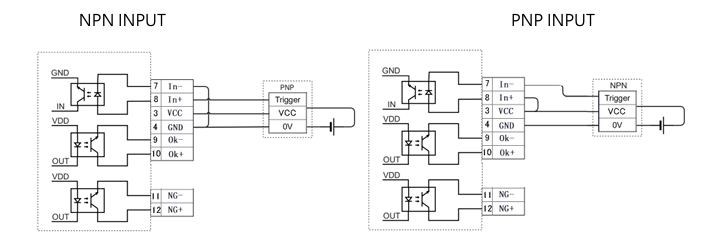
- External interface — input wiring instructions (TRIG)
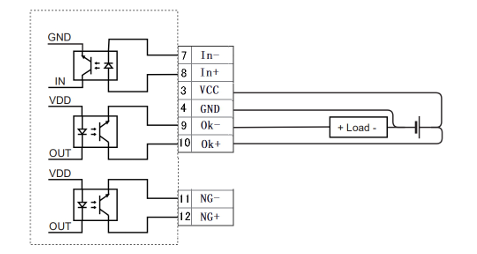
- Output wiring instructions (OUTPUT)
- First startup of the device
- Setting the network module as a TCP client in the USR-MO software
- Receiving data on the TCP client
- Frequently asked questions
- Downloads
Specifications
- Material: aluminium housing
- Resolution: 1280 × 800 px
- Sensor: CMOS
- Scanning method: automatic (auto-sensing on code presentation)
- Scan confirmation: light and sound
- Scan angle: 46° horizontal, 29° vertical
- Print contrast: ≥ 20%
- Interfaces: Ethernet, PoE, RS-232 and USB-C (via the included EA100 TCP/IP network module)
- Power supply: 5–36 V DC (scanner); PoE or 12–24 V DC (network module)
- Operating current: 300 mA ±5% (typical), 450 mA ±5% (max)
- Standby current: 100 mA ±5%
- Ingress protection: IP65
- Operating temperature: −20 to 50 °C
- Storage temperature: −40 to 70 °C
- Device dimensions: 3.6 × 4.3 × 2.4 cm
- Device weight: 75 g
- Package dimensions: 19 × 10 × 7.2 cm
- Weight with packaging: 1 kg (scanner with EA100 network module and accessories)
- Readable 1D codes: UPC-A, UPC-E, EAN-8, EAN-13, Code 128, GS1-128, Code 39, Code 32, Code 93, Code 11, Codabar, Plessey, MSI Plessey, Interleaved 2 of 5, Matrix 2 of 5, IATA 2 of 5, Straight 2 of 5, Pharmacode, GS1 DataBar (14 / Expanded / Limited)
- Readable 2D codes: PDF417, Micro PDF417, Data Matrix, QR Code, Micro QR, Aztec, MaxiCode
Set contents
- Stationary QR & barcode scanner
- RS-232 cable
- Power supply
- TCP/IP network module (EA100)
- Mounting bracket
- Mounting screws
Features
- Industrial build: rugged aluminium housing with IP65 protection against dust and water jets
- 1D and 2D reading: reads QR, Data Matrix, PDF417 and all major 1D barcodes, including from screens
- Automatic scanning: auto-sensing (presentation) mode reads codes hands-free as soon as they appear
- Ethernet / TCP/IP connectivity: the included EA100 network module converts the scanner's RS-232 output to Ethernet, with PoE, USB-C and RS-232 options and external trigger (TRIG) and OK/NG outputs for industrial integration
- Wide power input: 5–36 V DC supply suited to industrial installations
- Highly configurable: scan modes, illumination, beeper, serial parameters, prefix/suffix, code ID, data editing and full per-symbology settings
Configuration codes
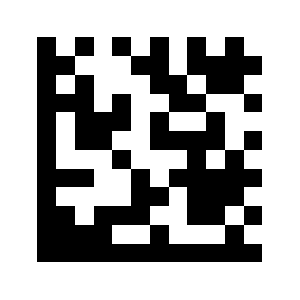
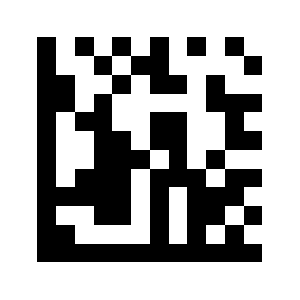
To change scanner settings, first scan Enter Setup, then the barcode(s) for the option you want, and finally Exit Setup. For parameters with a numeric value, scan Enter Setup, the option code, the required numeric codes from the appendix, and finally Exit Setup.
💡 Tip: print this page ("Download this page as PDF" button above) to keep the codes at hand during configuration.
Setup mode
Entering Setup Mode:
Exiting Setup Mode:
Default settings
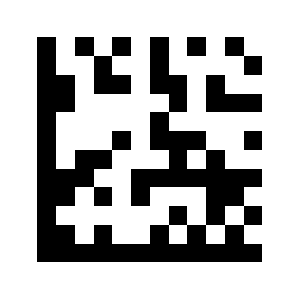
Factory reset:
Custom settings
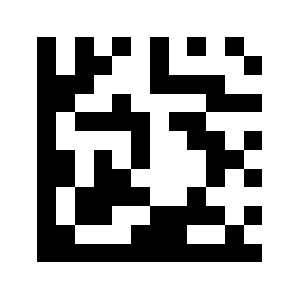
Save custom settings:
Scan mode
Restore custom (saved) settings:
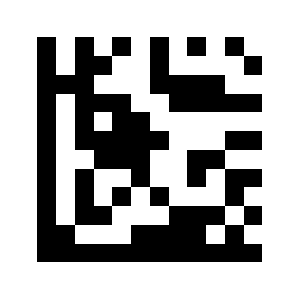
Pulse trigger mode
Continuous scan mode (default):
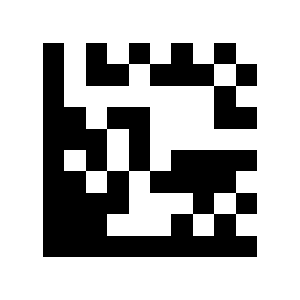
Pulse trigger level
Pulse Scan Triggering (External):
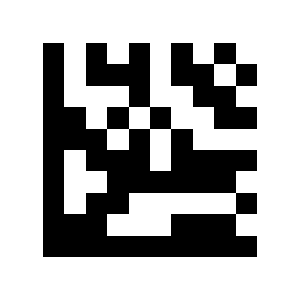
Automatic (sense) mode
Trigger scan on rising edge (low→high):
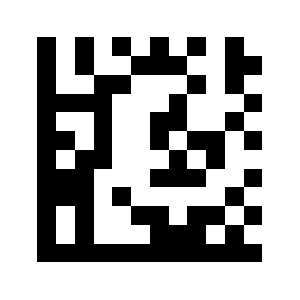
Trigger scan on falling edge (high→low) (default):
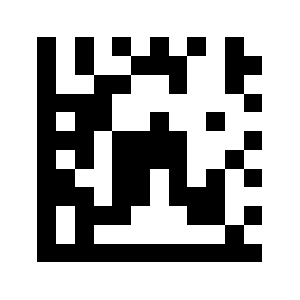
Auto-sensing sensitivity
Auto Scan Mode:
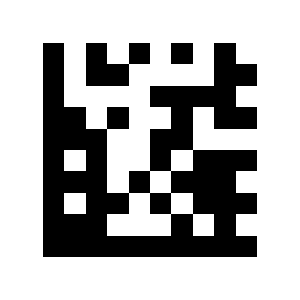
Repeat-barcode read mode
Low sensitivity level:
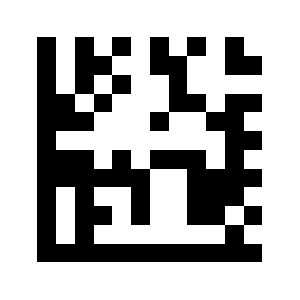
Medium sensitivity level (default):
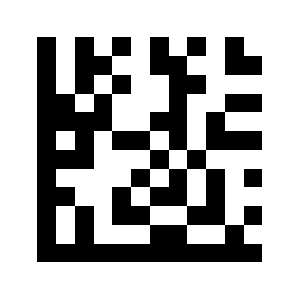
High sensitivity level:
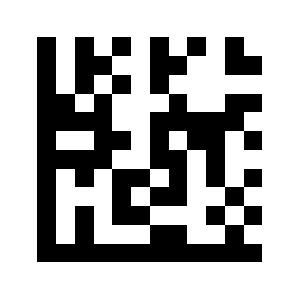
Reading Repeated Barcode at a Specified Time Off (Default):
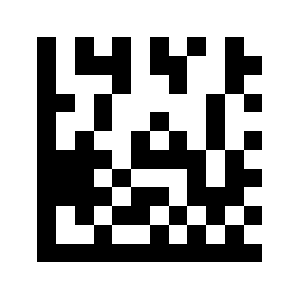
Reading Repeating Barcode Enabled:
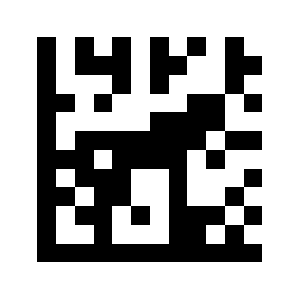
No reading of repeated last:
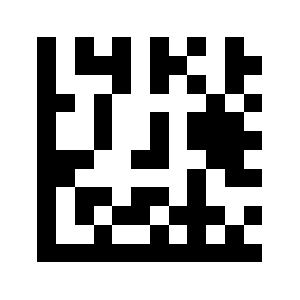
Decode session time
Time setting (in milliseconds):
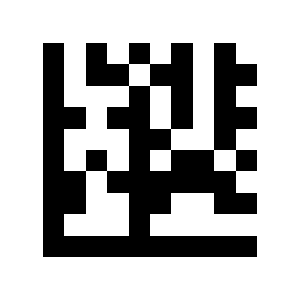
Reset decode time
Decode time (in milliseconds):
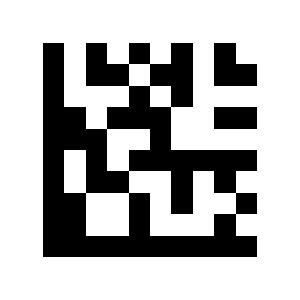
Decode area
Decoding disabled immediately after successful:
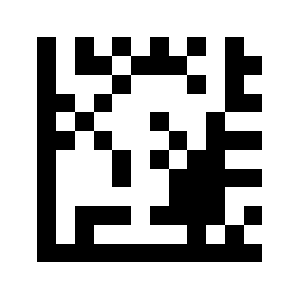
Decode time reset to continuously decode:
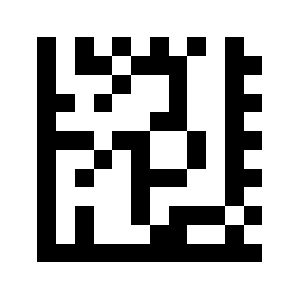
Full-area decoding (default):
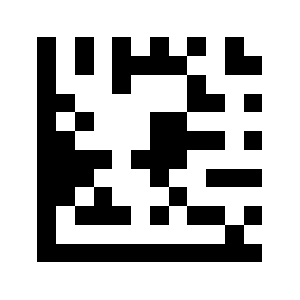
Central-area decoding:
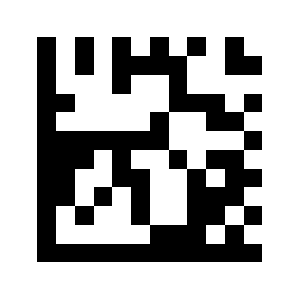
Decode area size
25% central decode area:
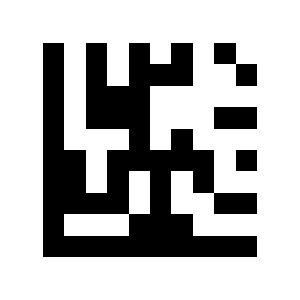
50% central decode area:
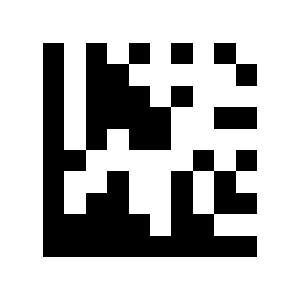
75% central decode area (default):
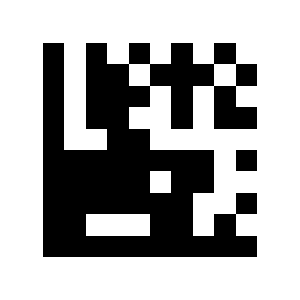
Read-failure (NG) message
Read-failure message off (default):
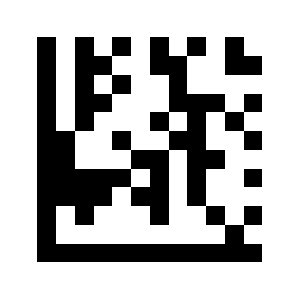
Output read-failure message after 2 reads:
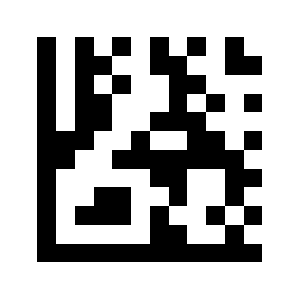
Output read-failure message after 3 reads:
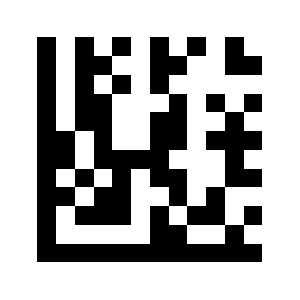
Turn off read-failure message:
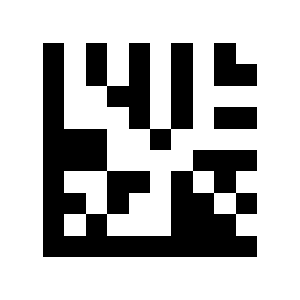
Turn on read-failure message:
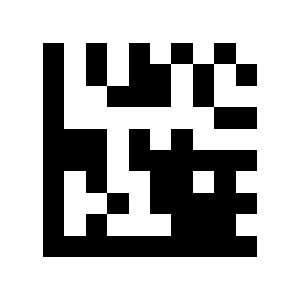
Set read-failure message:
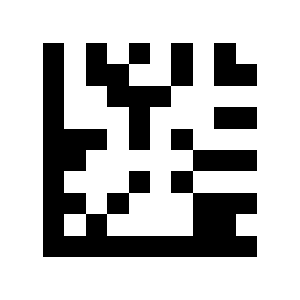
Aiming light
Message output time (ms):
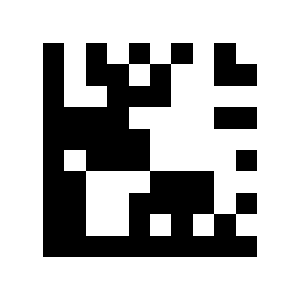
Illumination mode
Disabled:
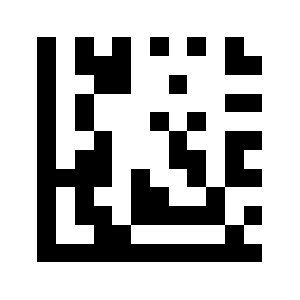
Triggered during scan:
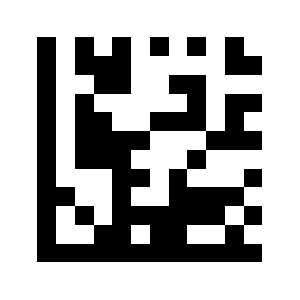
On all the time (default):
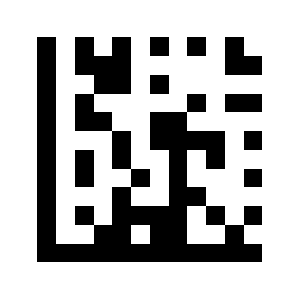
Illumination brightness
Disabled:
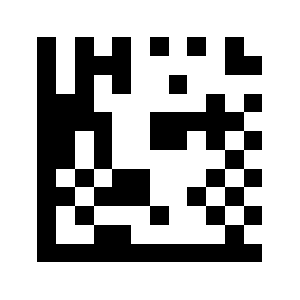
Enabled during scan (default):
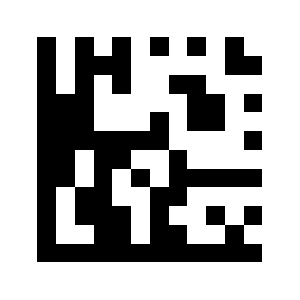
On all the time:
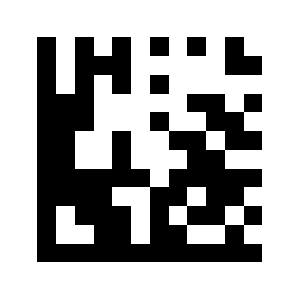
Fade:
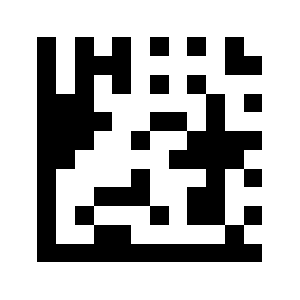
Decode working area
Low brightness:
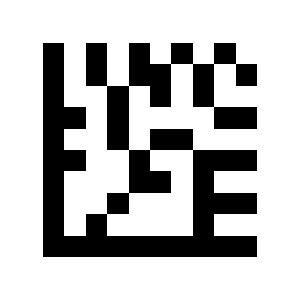
Medium brightness:
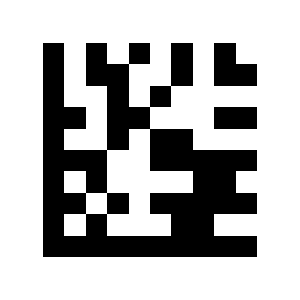
High brightness (default):
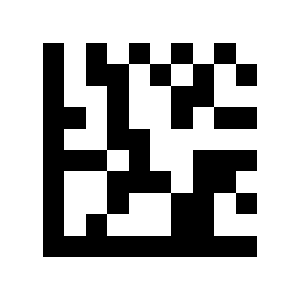
All light sources (default):
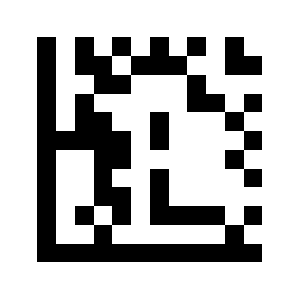
Upper light source:
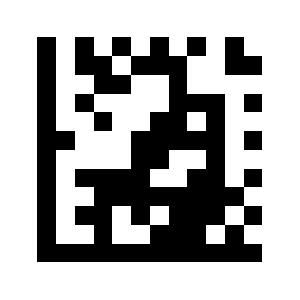
Middle light source:
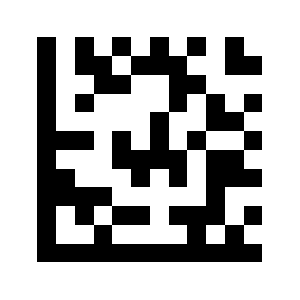
Lower light source:
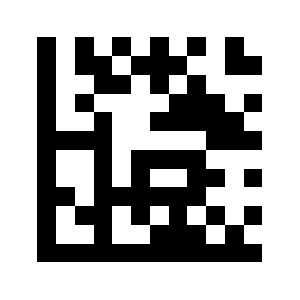
Power-on beep
Upper + middle light source:
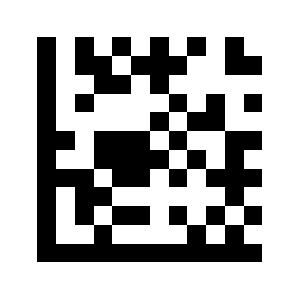
Upper + lower light source:
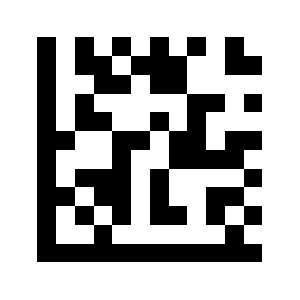
Lower + middle light source:
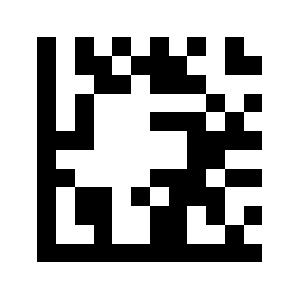
Good-read beep
Good-read beep off:
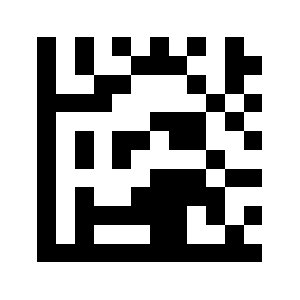
Good-read beep on (default):
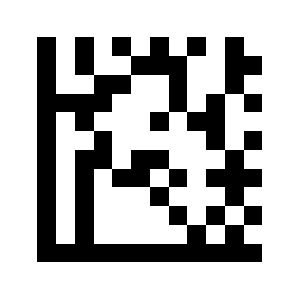
Good-read beep frequency
Good-read beep frequency off:
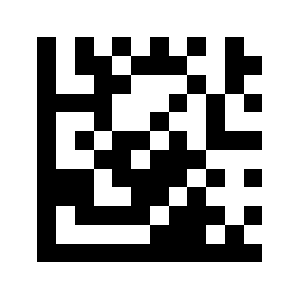
Good-read beep frequency on (default):
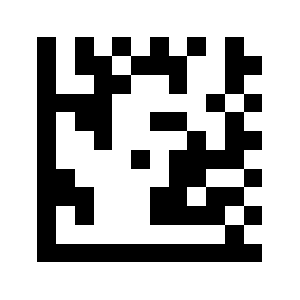
Debug button
Minimum 800 Hz:
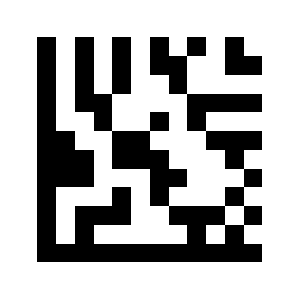
Low 1,600 Hz:
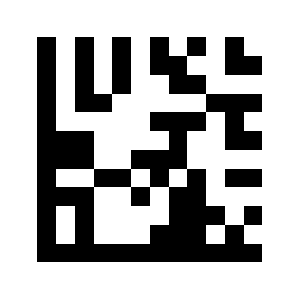
2730Hz average (default):
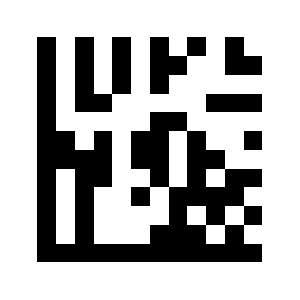
High 4,200 Hz:
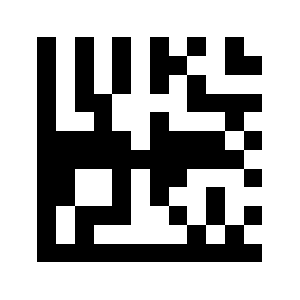
Debug button off:
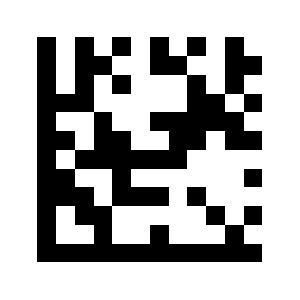
Debug button on (default):
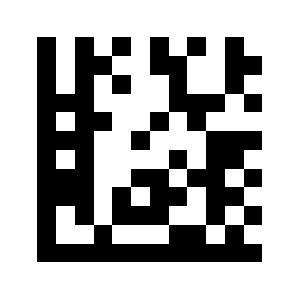
Output and interface settings
USB keyboard (HID) output
USB keyboard (HID) output (default):
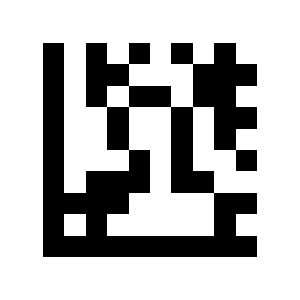
Serial port (RS-232)
USB virtual COM (CDC) output:
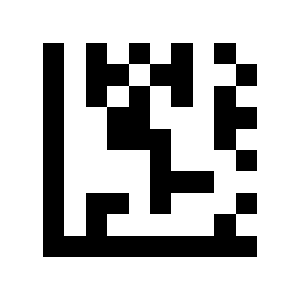
Serial port output:
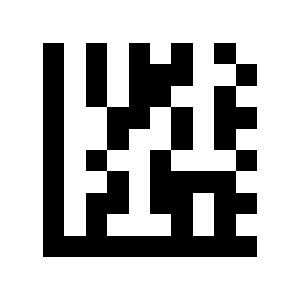
9600 (default):
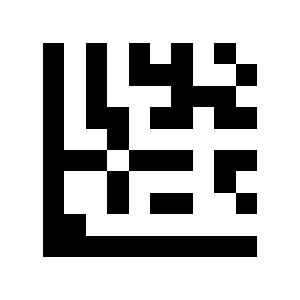
19200:
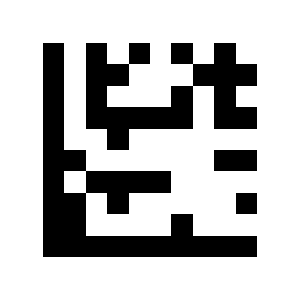
38400:
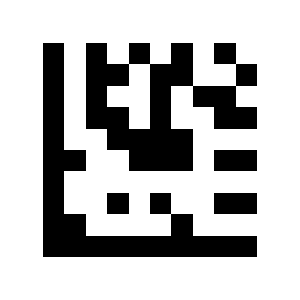
57600:
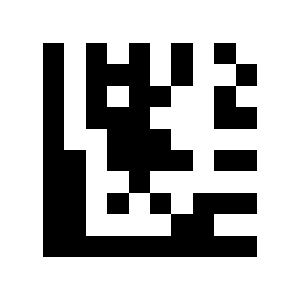
115200:
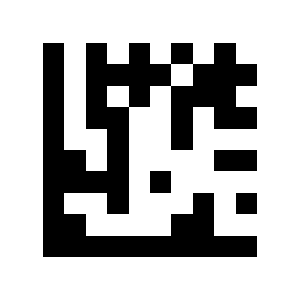
230400:
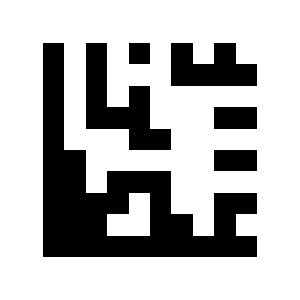
7 data bits:
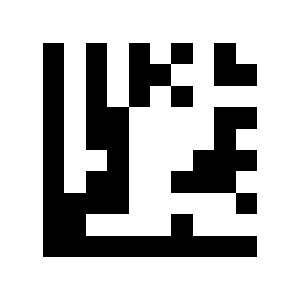
8 data bits:
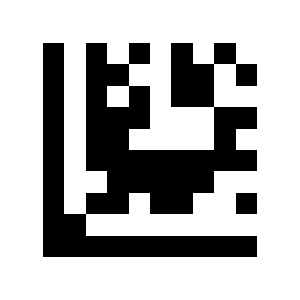
No parity:
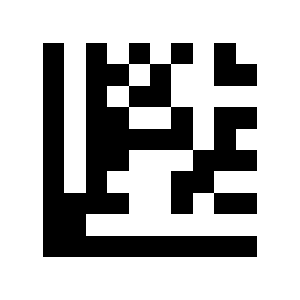
Odd parity:
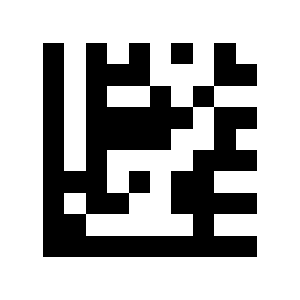
Even parity:
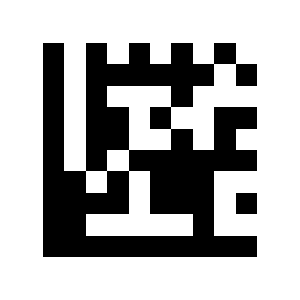
Code page (character encoding)
1 stop bit:
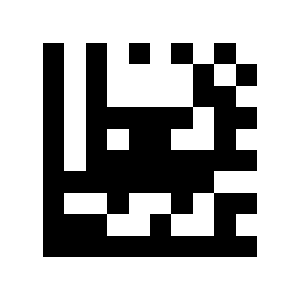
2 stop bits:
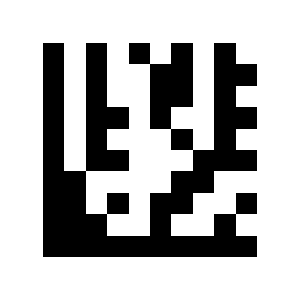
GB2312 Code Page (Word):
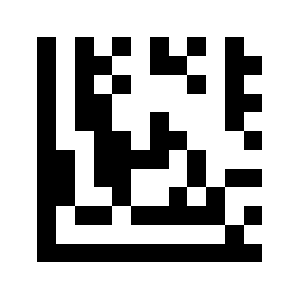
GB2312 Unicode (Excel / Notepad):
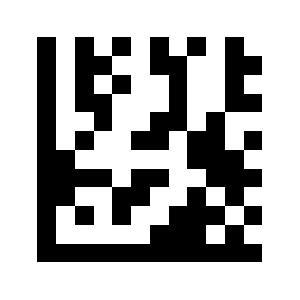
Symbology settings
Global symbology switches
Enable all barcodes:
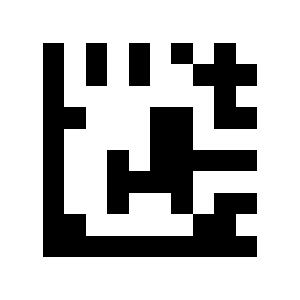
Enable 1D codes only:
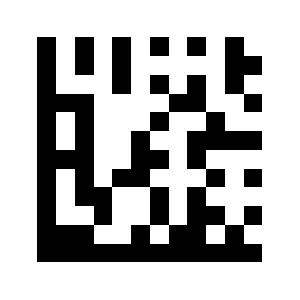
Enable 2D codes only:
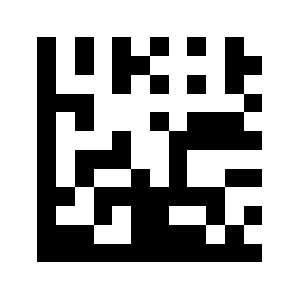
Disable all barcodes:
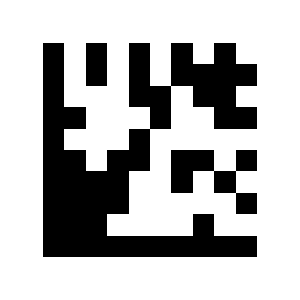
Disable 1D codes:
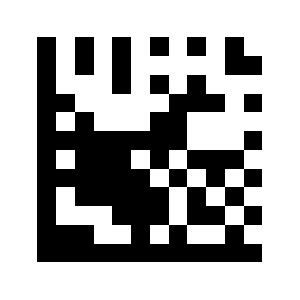
UPC-A
Disable 2D codes:
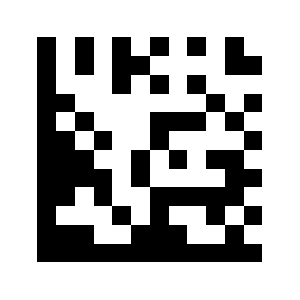
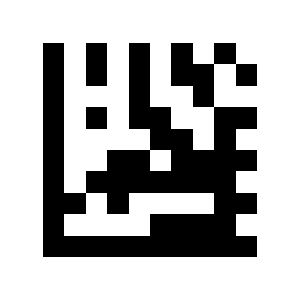
Disable UPC-A:
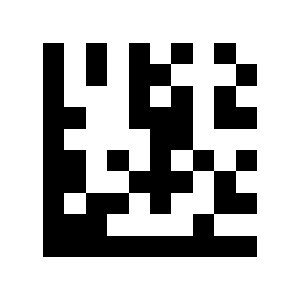
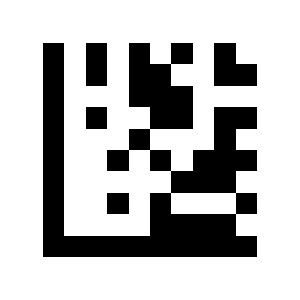
Enable UPC-A (default):
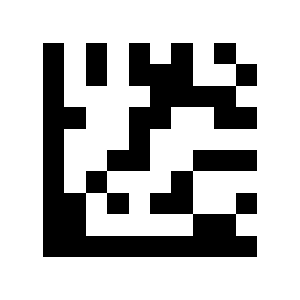
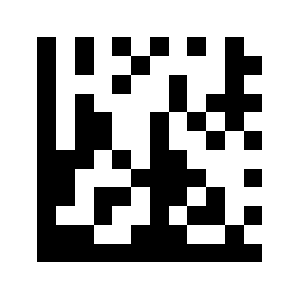
Transmit leading character (default):
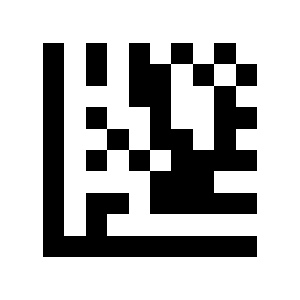
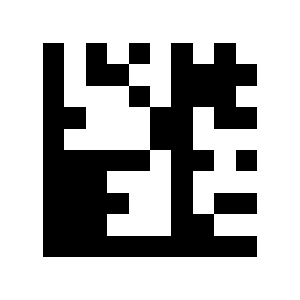
Do not transmit leading character:
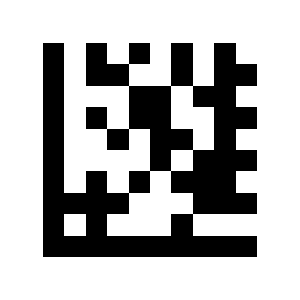
Verify check digit (default):
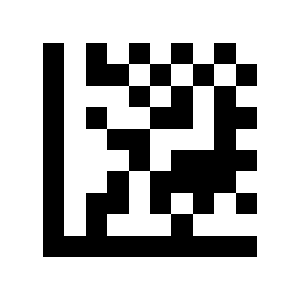
Do not verify check digit:
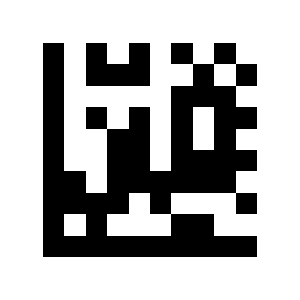
Convert UPC-A to EAN-13:
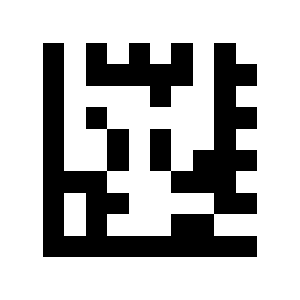
Do not convert UPC-A to EAN-13 (default):
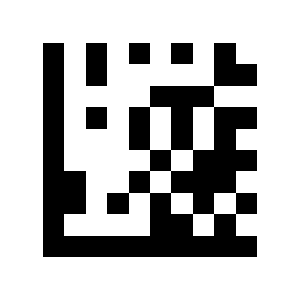
Enable UPC-A 2/5-digit add-on:
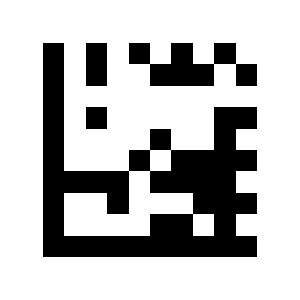
Disable UPC-A 2/5-digit add-on (default):
UPC-E
Require UPC-A 2/5-digit add-on:
Read UPC-A with or without add-on (default):
Disable UPC-E:
Enable UPC-E (default):
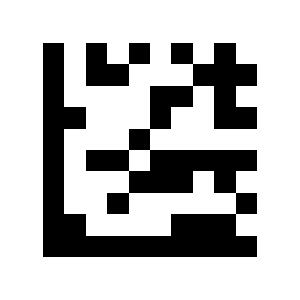
Transmit leading character (default):
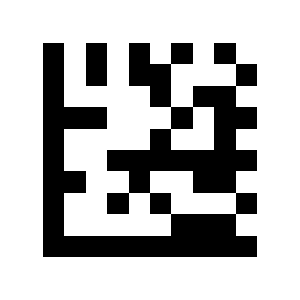
Do not transmit leading character:
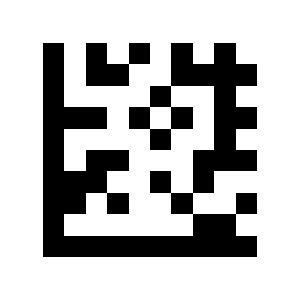
Verify check digit (default):
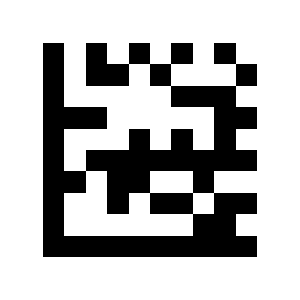
Do not verify check digit:
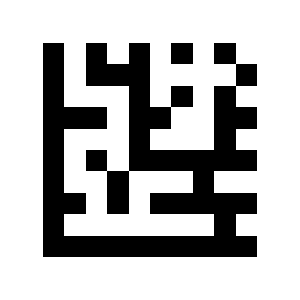
Convert UPC-E to UPC-A:
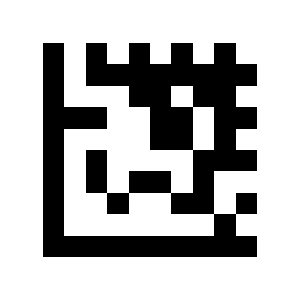
Do not convert UPC-E to UPC-A (default):
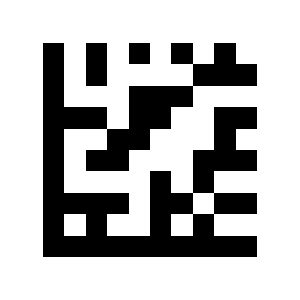
Enable UPC-E 2/5-digit add-on:
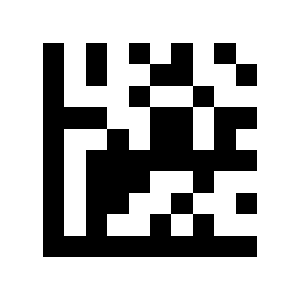
Disable UPC-E 2/5-digit add-on (default):
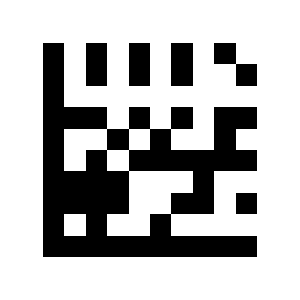
EAN-8
Require UPC-E 2/5-digit add-on:
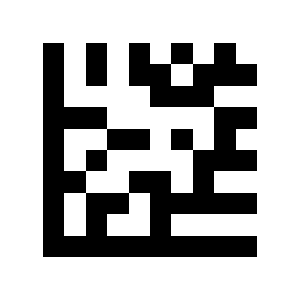
Read UPC-E with or without add-on (default):
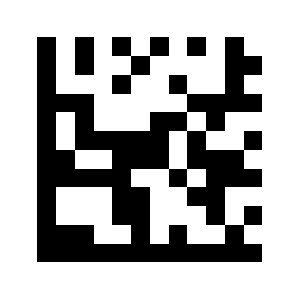
Disable EAN-8:
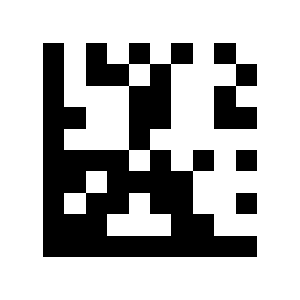
Enable EAN-8 (default):
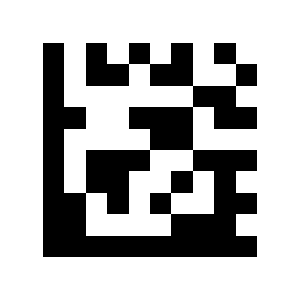
Transmit check digit (default):
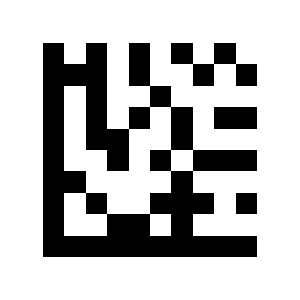
Do not transmit check digit:
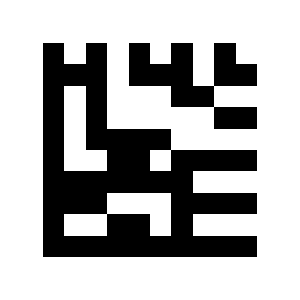
Convert EAN-8 to EAN-13:
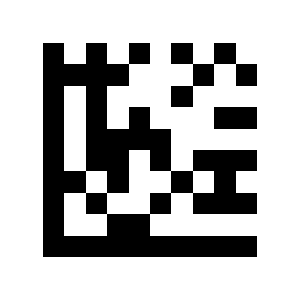
Do not convert EAN-8 to EAN-13 (default):
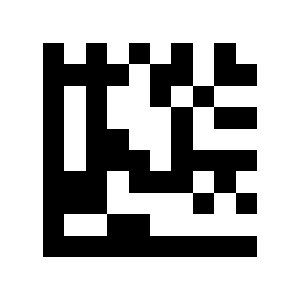
Enable EAN-8 2/5-digit add-on:
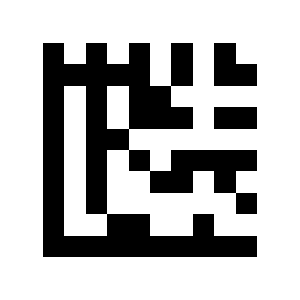
Disable EAN-8 2/5-digit add-on (default):
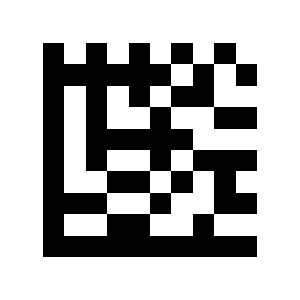
EAN-13
Require EAN-8 2/5-digit add-on:
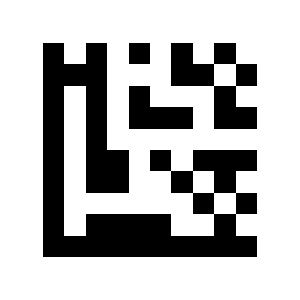
Read EAN-8 with or without add-on (default):
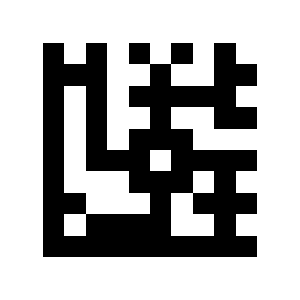
Disable EAN-13:
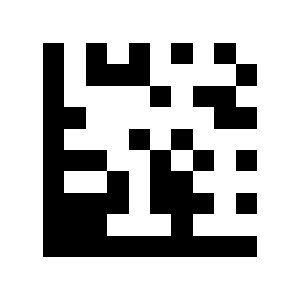
Enable EAN-13 (default):
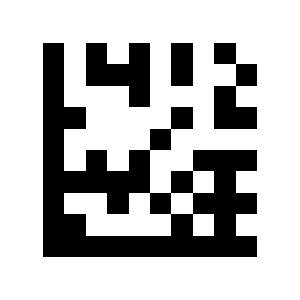
Transmit check digit (default):
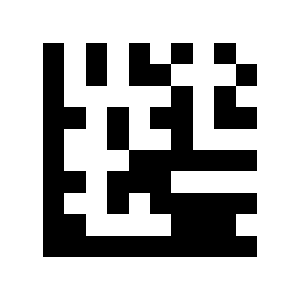
Do not transmit check digit:
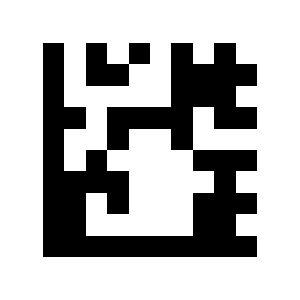
Convert EAN-13 to ISBN:
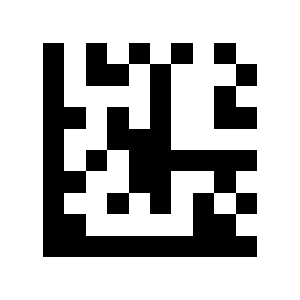
Do not convert to ISBN (default):
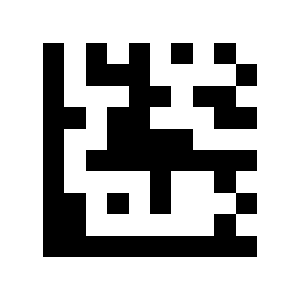
Convert EAN-13 to ISSN:
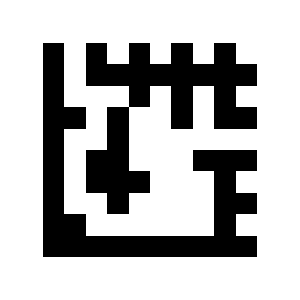
Do not convert to ISSN (default):
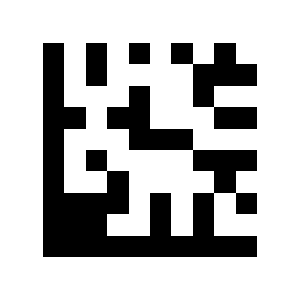
Enable EAN-13 2/5-digit add-on:
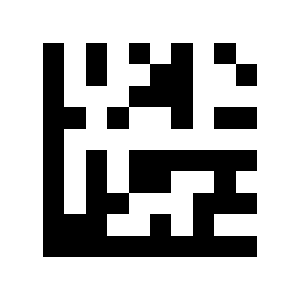
Disable EAN-13 2/5-digit add-on (default):
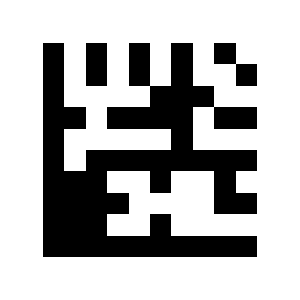
Code 128 / GS1-128
Require EAN-13 2/5-digit add-on:
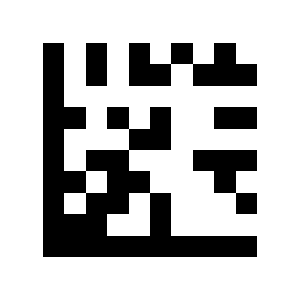
Read EAN-13 with or without add-on (default):
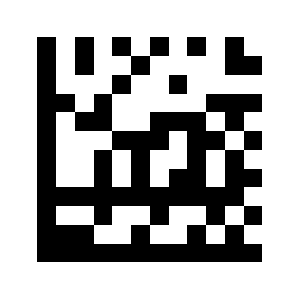
Disable Code 128 / GS1-128:
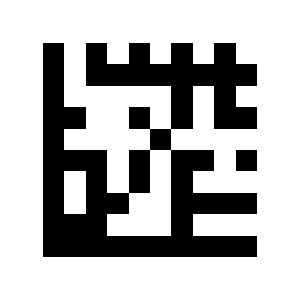
Enable Code 128 / GS1-128 (default):
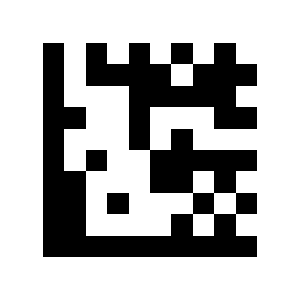
Code 39
No length limit (default):
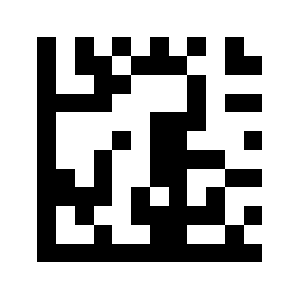
Limit to a length range:
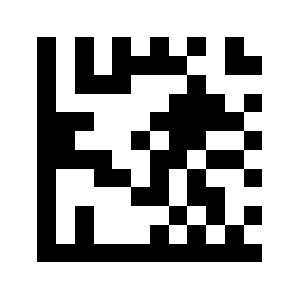
Limit to a single length:
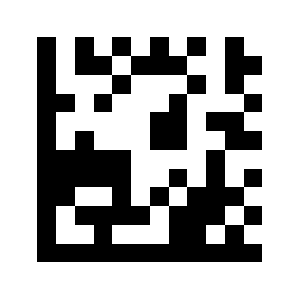
Limit to two lengths:
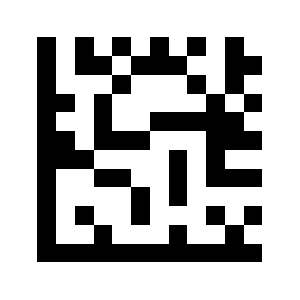
Disable Code 39:
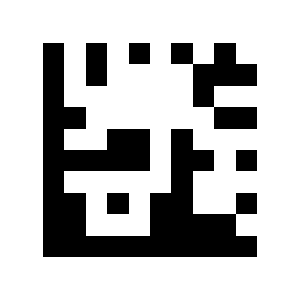
Enable Code 39 (default):
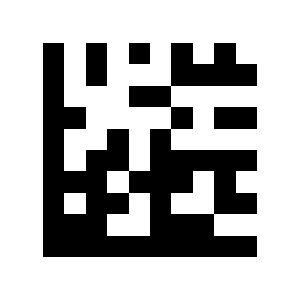
Enable Code 39 Full ASCII:
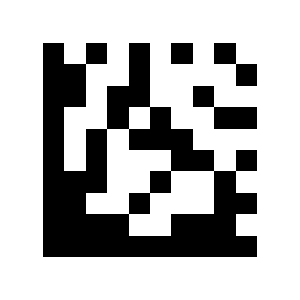
Disable Code 39 Full ASCII (default):
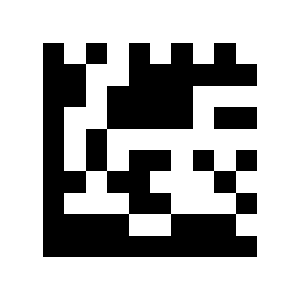
Transmit start/stop character:
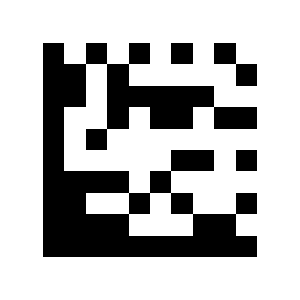
Do not transmit start/stop character (default):
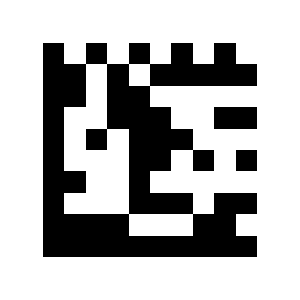
No check digit (default):
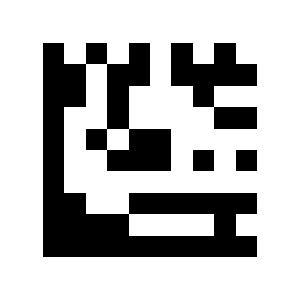
Verify and transmit check digit:
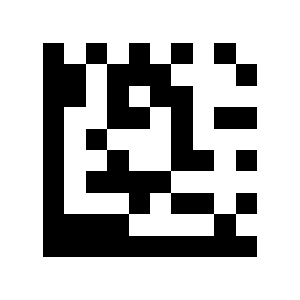
Verify but do not transmit check digit:
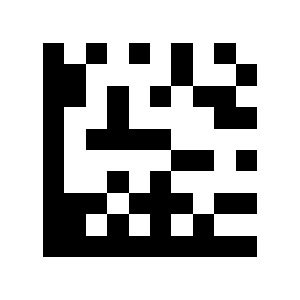
Code 32
No length limit (default):
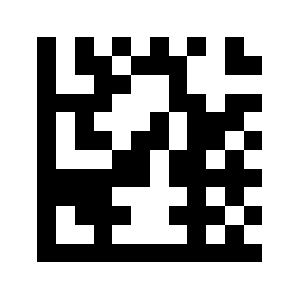
Limit to a length range:
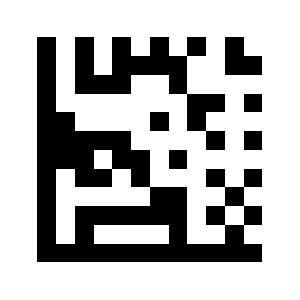
Limit to a single length:
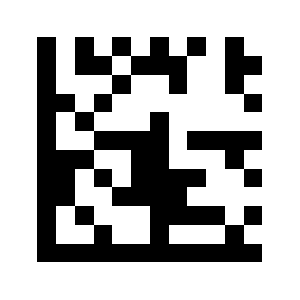
Limit to two lengths:
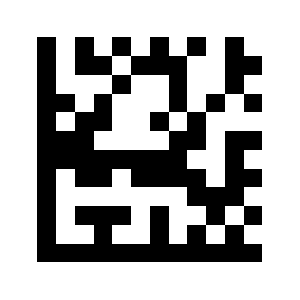
Disable Code 32 (default):
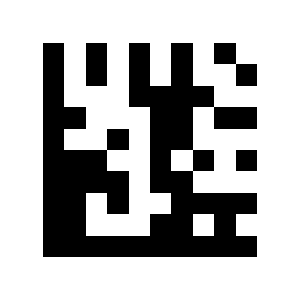
Enable Code 32:
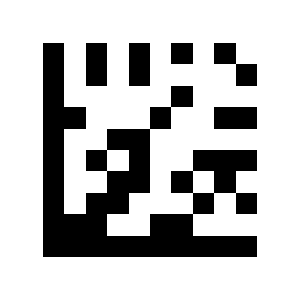
Code 93
Transmit start/stop character:
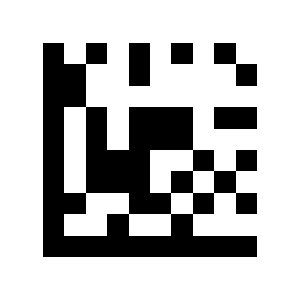
Do not transmit start/stop character (default):
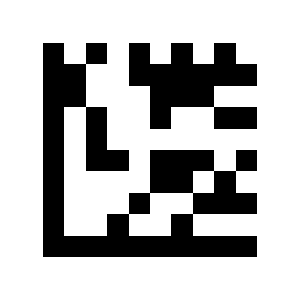
Disable Code 93 (default):
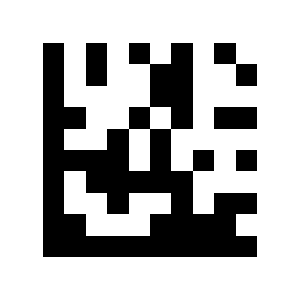
Enable Code 93:
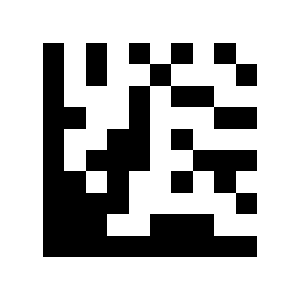
Code 11
No length limit (default):
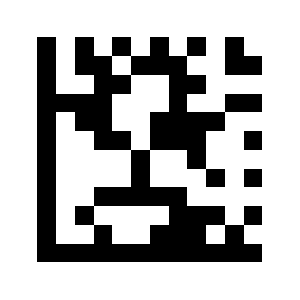
Limit to a length range:
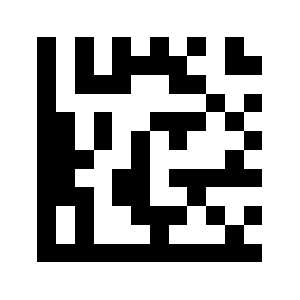
Limit to a single length:
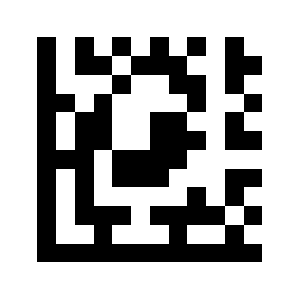
Limit to two lengths:
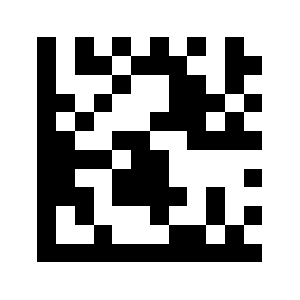
Disable Code 11 (default):
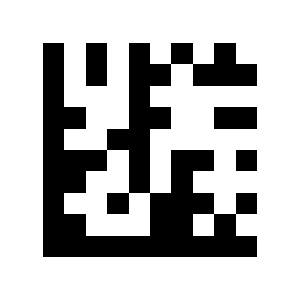
Enable Code 11:
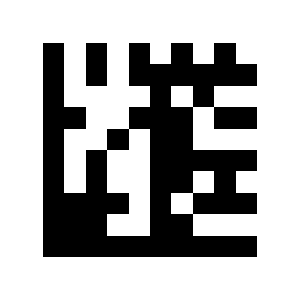
Transmit check digit (default):
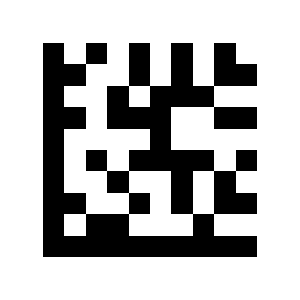
Do not transmit check digit:
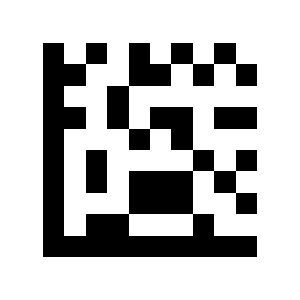
Codabar
No length limit (default):
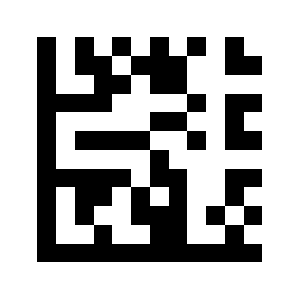
Limit to a length range:
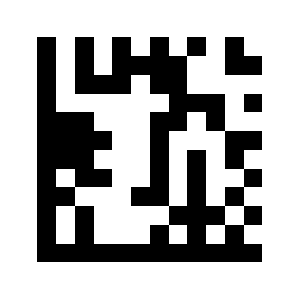
Limit to a single length:
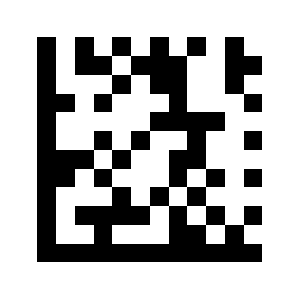
Limit to two lengths:
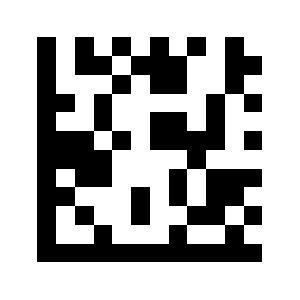
Disable Codabar (default):
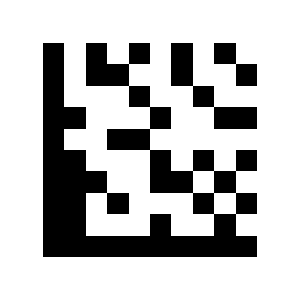
Enable Codabar:
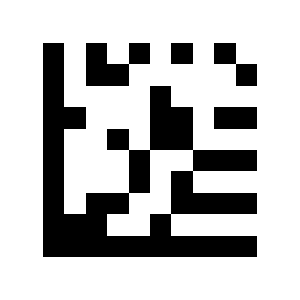
No check digit (default):
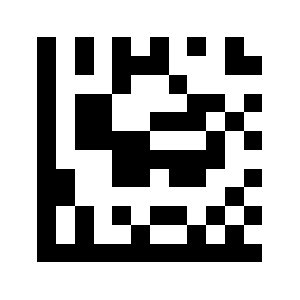
Verify and transmit check digit:
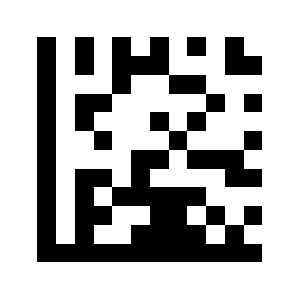
Verify but do not transmit check digit:
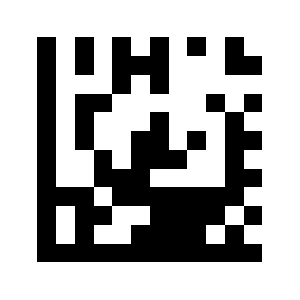
Transmit start/stop character:
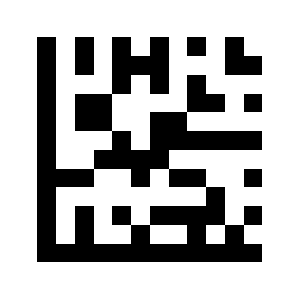
Do not transmit start/stop character (default):
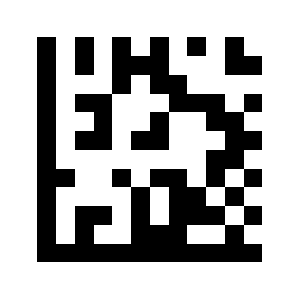
Plessey
No length limit (default):
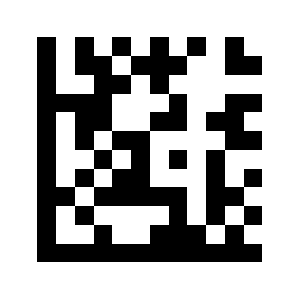
Limit to a length range:
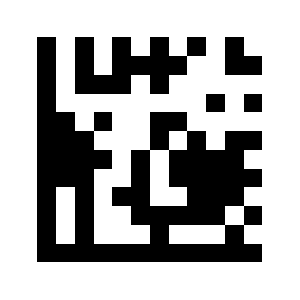
Limit to a single length:
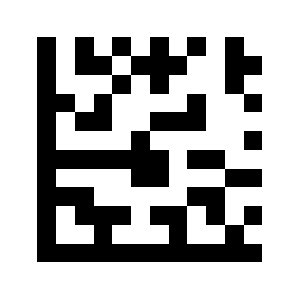
Limit to two lengths:
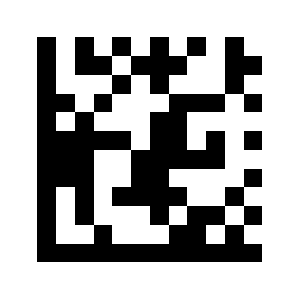
Disable Plessey (default):
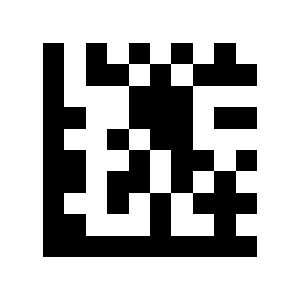
Enable Plessey:
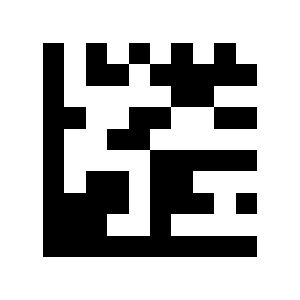
MSI Plessey
No length limit (default):
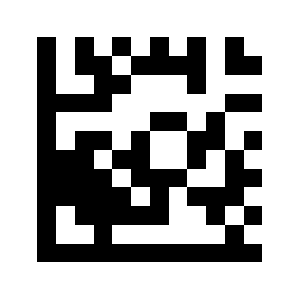
Limit to a length range:
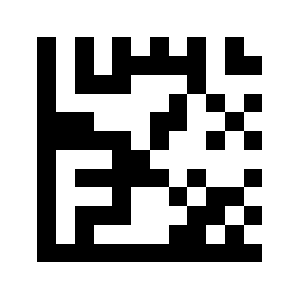
Limit to a single length:
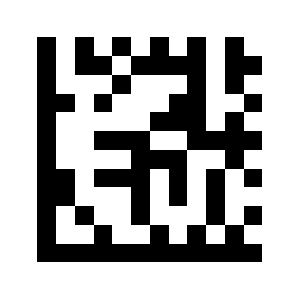
Limit to two lengths:
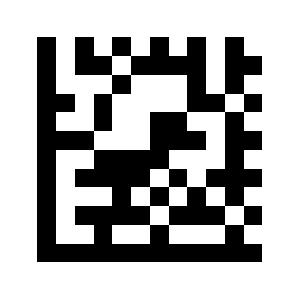
Disable MSI Plessey (default):
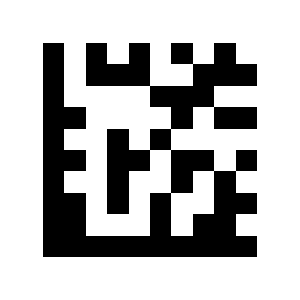
Enable MSI Plessey:
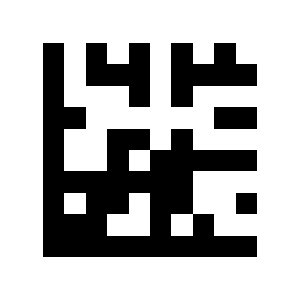
No check digit:
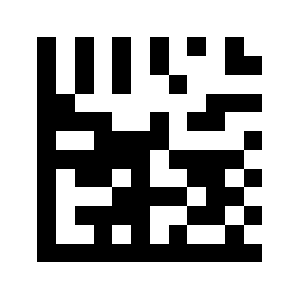
Mod 10 check (default):
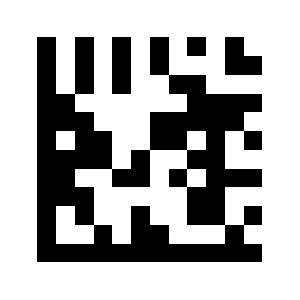
Mod 10/10 check:
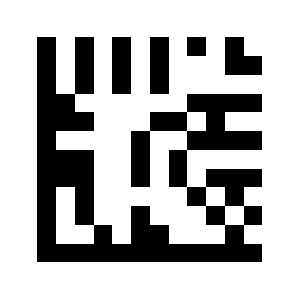
Mod 11/10 check:
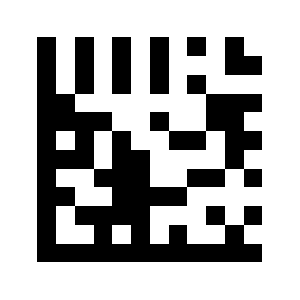
Transmit check digit (default):
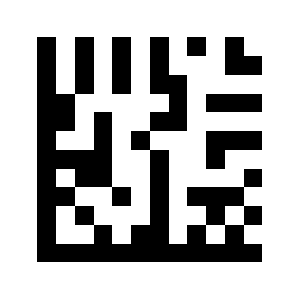
Do not transmit check digit:
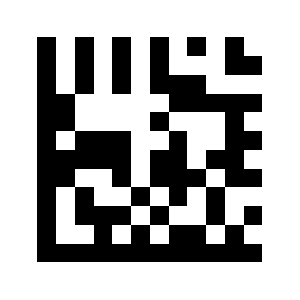
Interleaved 2 of 5
No length limit (default):
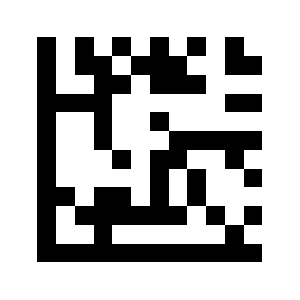
Limit to a length range:
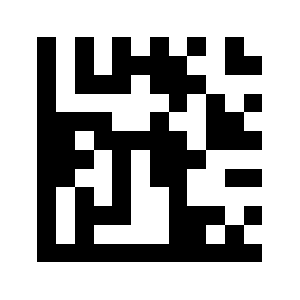
Limit to a single length:
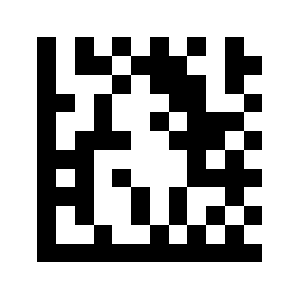
Limit to two lengths:
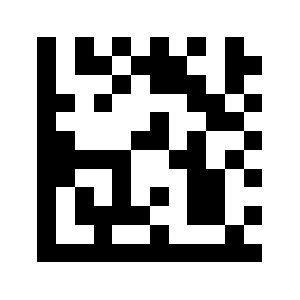
Disable Interleaved 2 of 5:
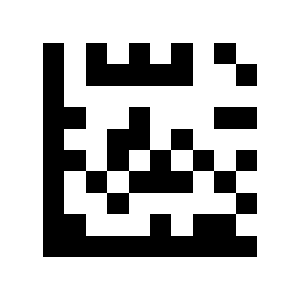
Enable Interleaved 2 of 5 (default):
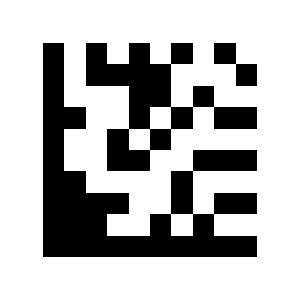
No check digit (default):
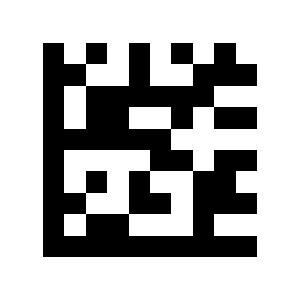
Verify and transmit check digit:
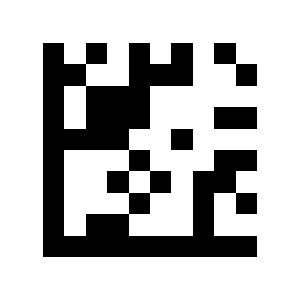
Matrix 2 of 5
No length limit (default):
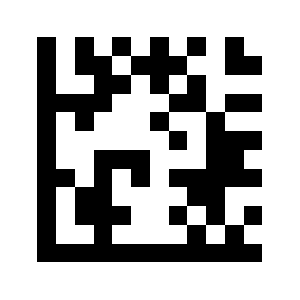
Limit to a length range:
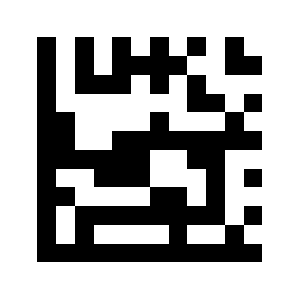
Limit to a single length:
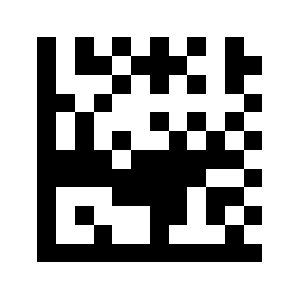
Limit to two lengths:
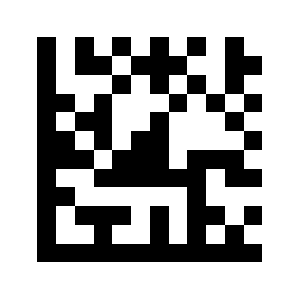
Disable Matrix 2 of 5 (default):
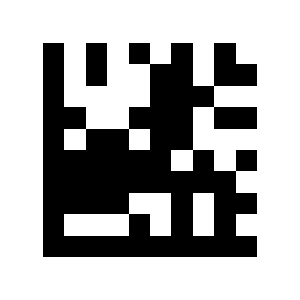
Enable Matrix 2 of 5:
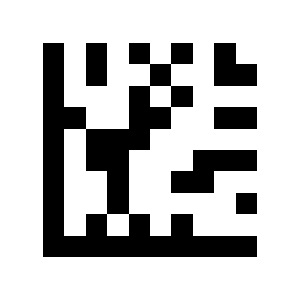
IATA 2 of 5
No length limit (default):
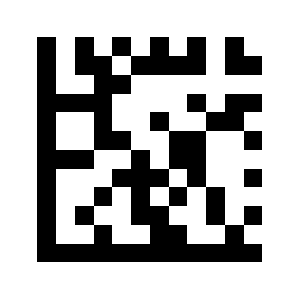
Limit to a length range:
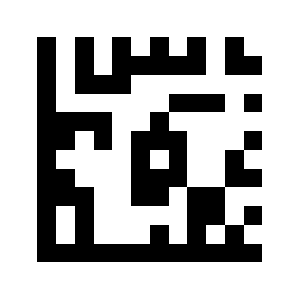
Limit to a single length:
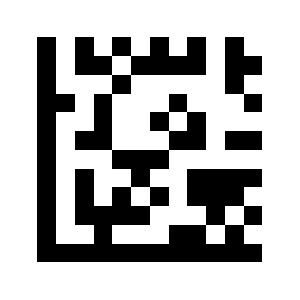
Limit to two lengths:
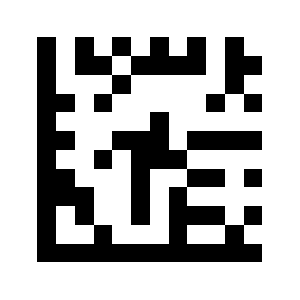
Straight 2 of 5
Disable IATA 2 of 5 (default):
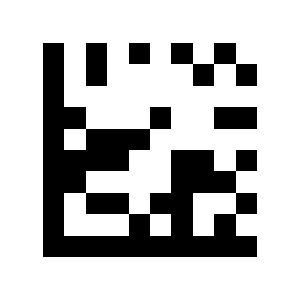
Enable IATA 2 of 5:
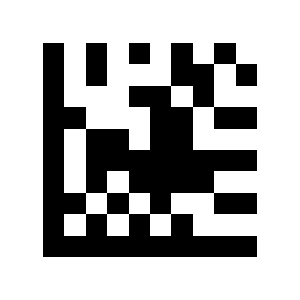
Pharmacode
Disable Straight 2 of 5 (default):
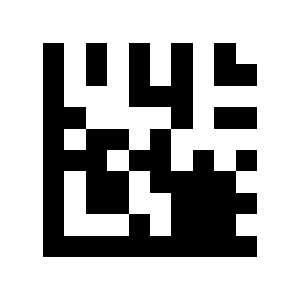
Enable Straight 2 of 5:
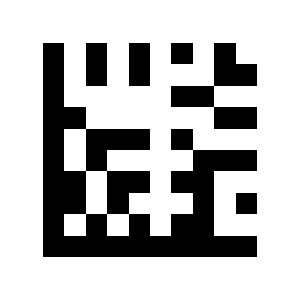
GS1 DataBar 14
Disable Pharmacode (default):
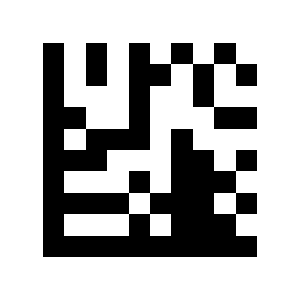
Enable Pharmacode:
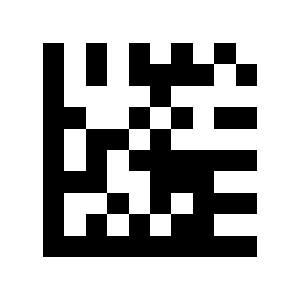
Disable GS1 DataBar 14 (default):
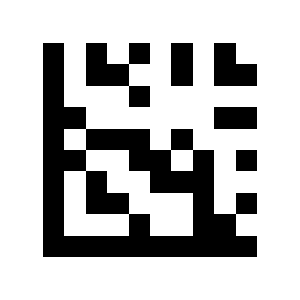
Enable GS1 DataBar 14:
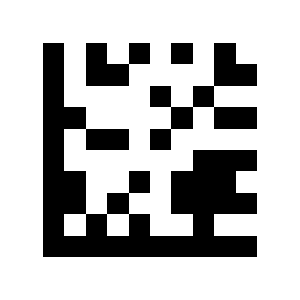
Enable GS1 DataBar 14 Stacked:
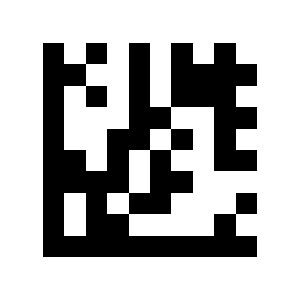
Disable GS1 DataBar 14 Stacked (default):
GS1 DataBar Expanded
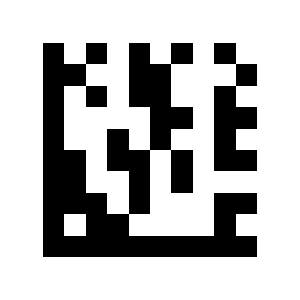
Transmit AI (01) characters (default):
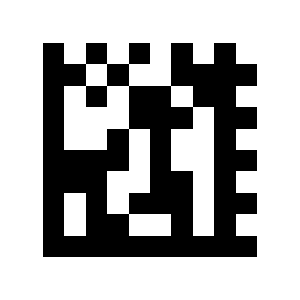
Do not transmit AI (01) characters:
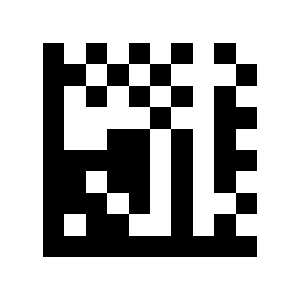
Disable GS1 DataBar Expanded (default):
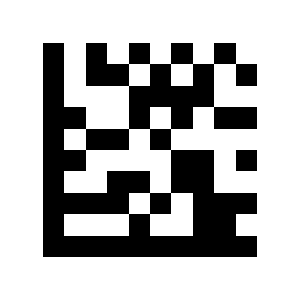
Enable GS1 DataBar Expanded:
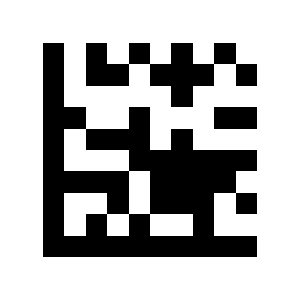
Enable GS1 DataBar Expanded Stacked:
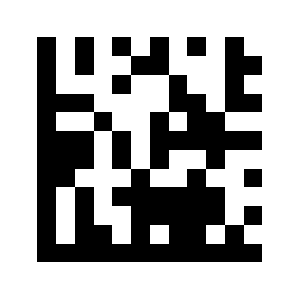
Disable GS1 DataBar Expanded Stacked (default):
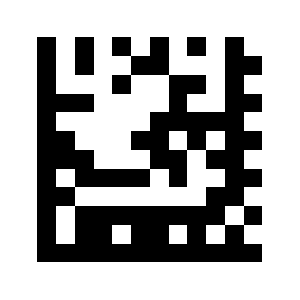
GS1 DataBar Limited
Transmit AI (01) characters (default):
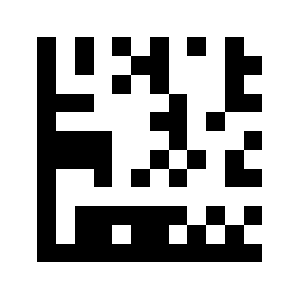
Do not transmit AI (01) characters:
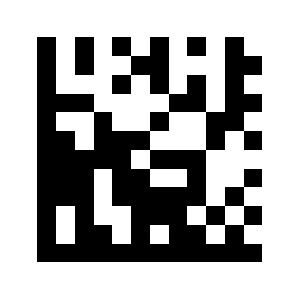
Disable GS1 DataBar Limited (default):
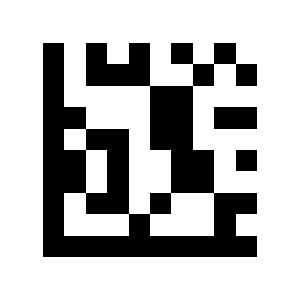
Enable GS1 DataBar Limited:
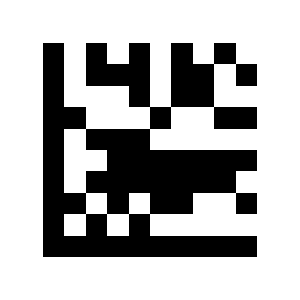
Composite Code-A
Transmit AI (01) characters (default):
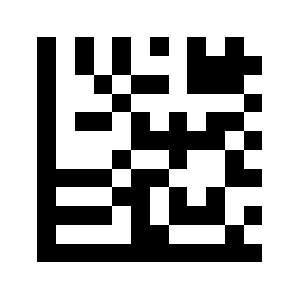
Do not transmit AI (01) characters:
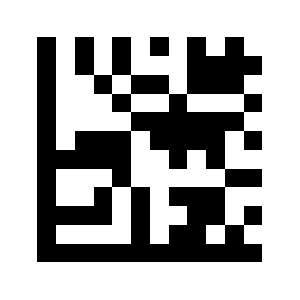
Composite Code-B
Disable Composite Code-A (default):
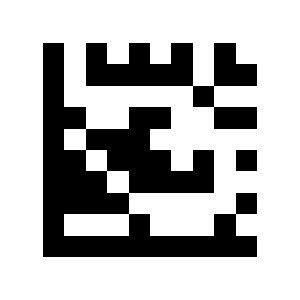
Enable Composite Code-A:
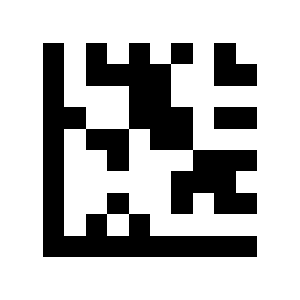
Composite Code-C
Disable Composite Code-B (default):
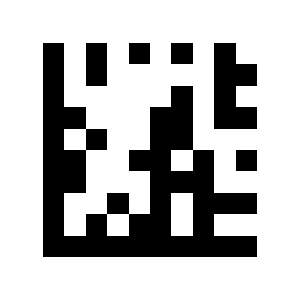
Enable Composite Code-B:
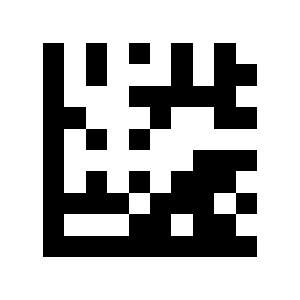
PDF417
Disable Composite Code-C (default):
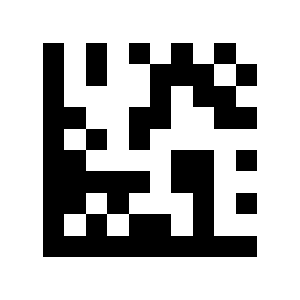
Enable Composite Code-C:
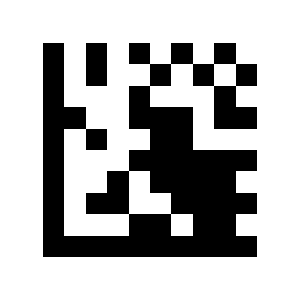
Micro PDF417
Disable PDF417 (default):
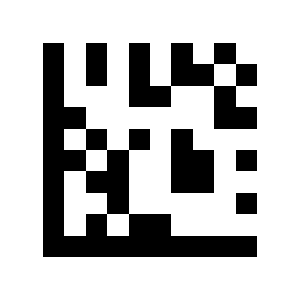
Enable PDF417:
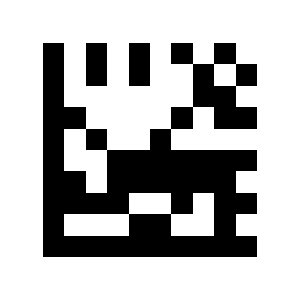
Data Matrix
Disable Micro PDF417 (default):
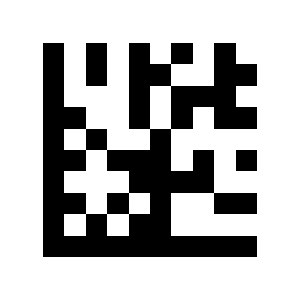
Enable Micro PDF417:
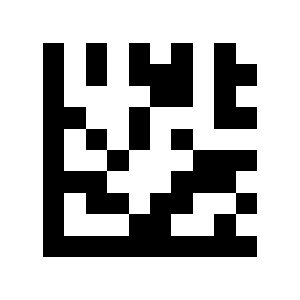
Disable Data Matrix:
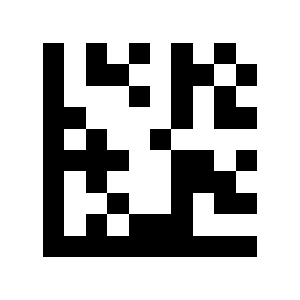
Enable Data Matrix (default):
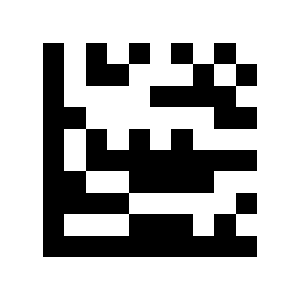
Enable Rectangular Data Matrix (default):
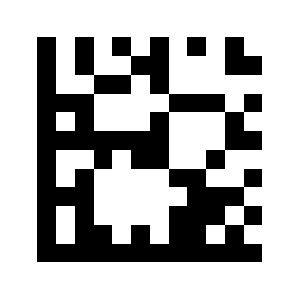
Disable Rectangular Data Matrix:
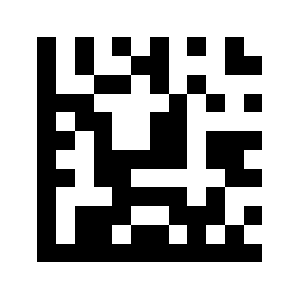
QR Code
Enable mirror image decoding (default):
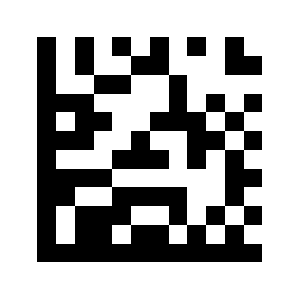
Disable mirror image decoding:
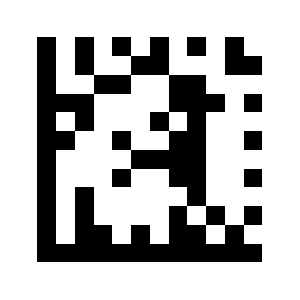
Disable QR:
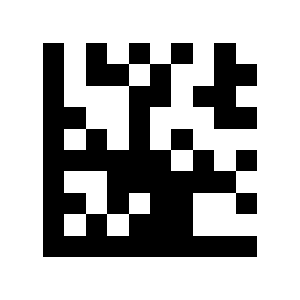
Enable QR (default):
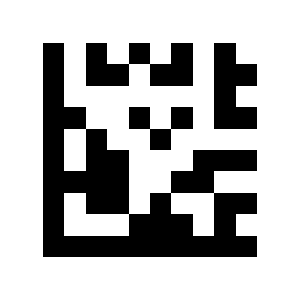
Micro QR
Enable mirror image decoding (default):
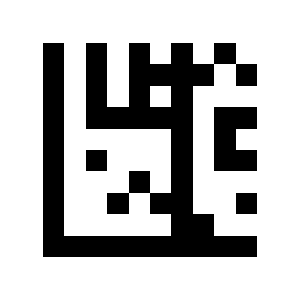
Disable mirror image decoding:
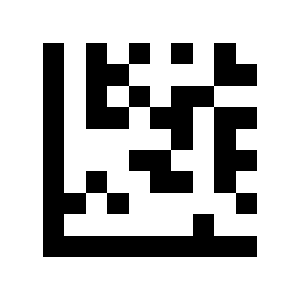
Aztec
Disable Micro QR (default):
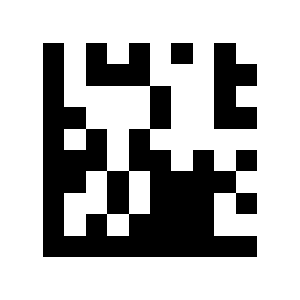
Enable Micro QR:
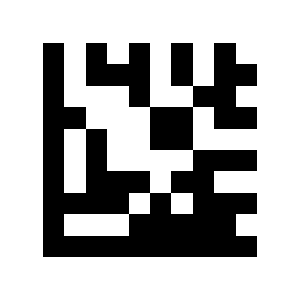
Disable Aztec (default):
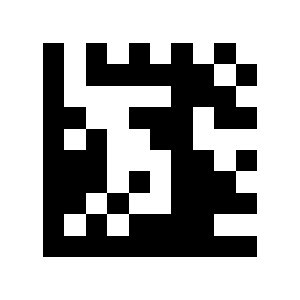
Enable Aztec:
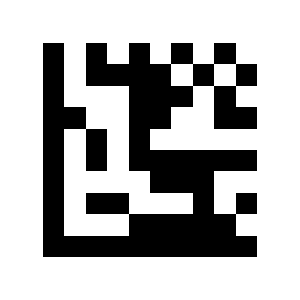
MaxiCode
Enable mirror image decoding (default):
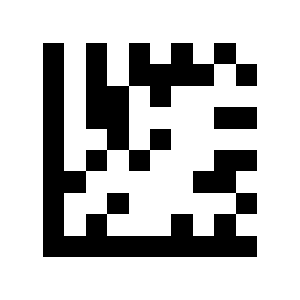
Disable mirror image decoding:
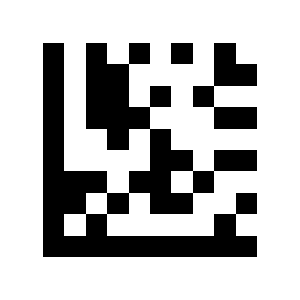
Data formatting, prefix and suffix
Output format
Disable MaxiCode (default):
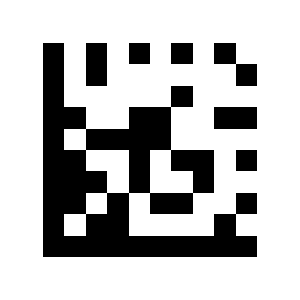
Enable MaxiCode:
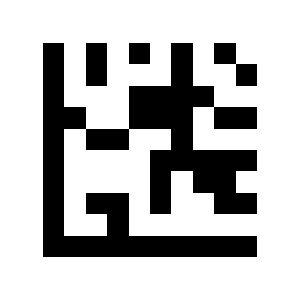
Barcode data transmission
Barcode length output:
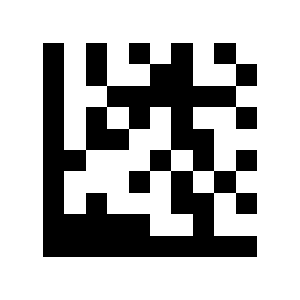
Code ID
Disable barcode ID code:
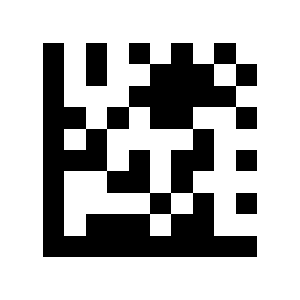
Enable standard barcode ID code:
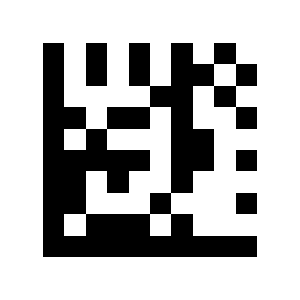
Enable barcode ID code:
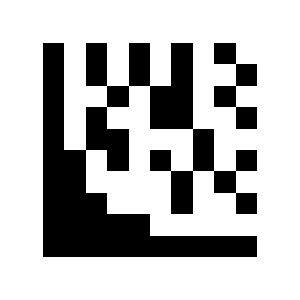
Enable AIM barcode ID code:
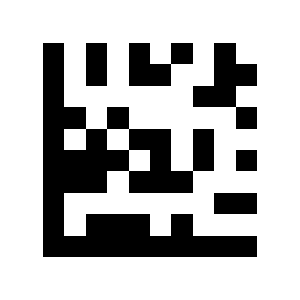
Prefix
Prefix setting:
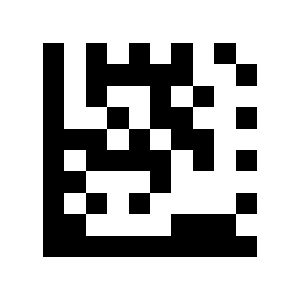
Cancel a set prefix:
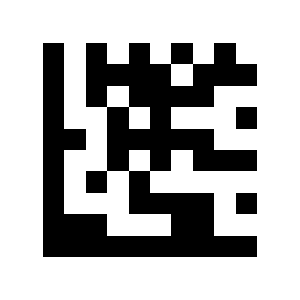
Prefix disabled (default):
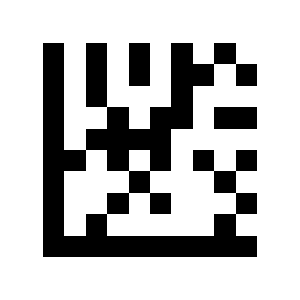
Prefix Enabled:
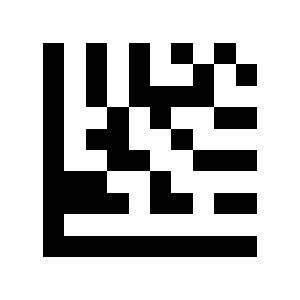
Remove leading characters
Suffix setting:
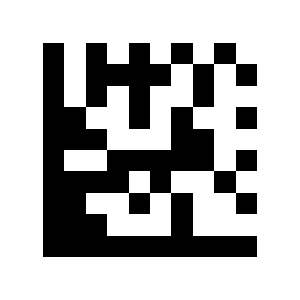
Cancel a set suffix:
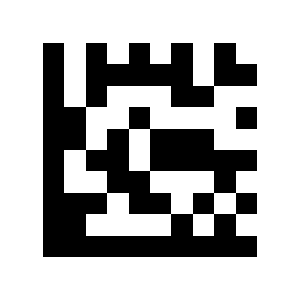
Suffix Off:
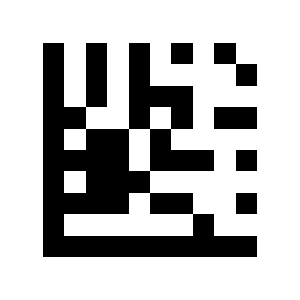
Suffix On:
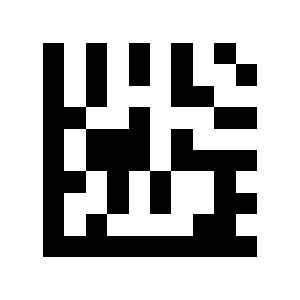
Remove all leading characters:
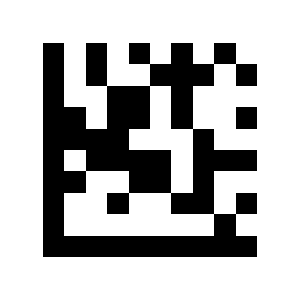
Remove trailing characters
Remove specified leading characters:
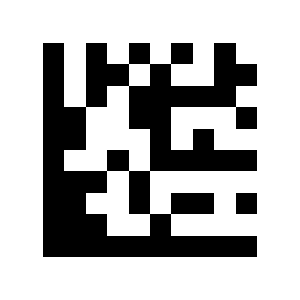
Remove all trailing characters:
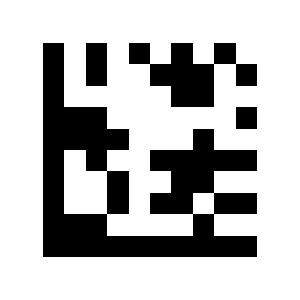
Remove specified trailing characters:
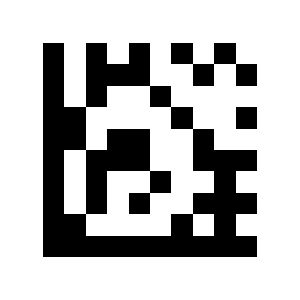
Terminator character
No end sign:
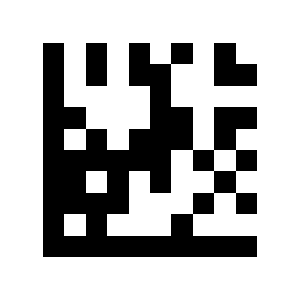
CR:
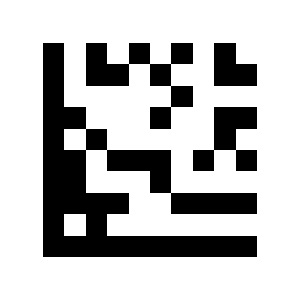
CR/ LF:
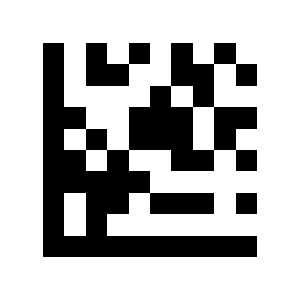
TAB:
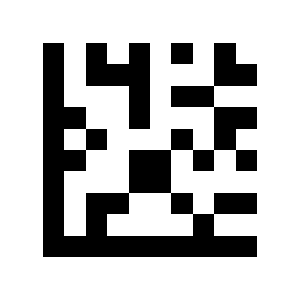
Caps Lock
CapsLock disabled (default):
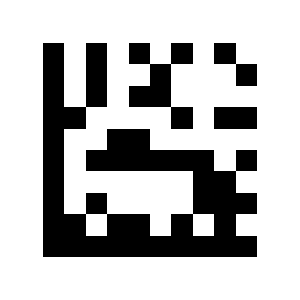
CapsLock On:
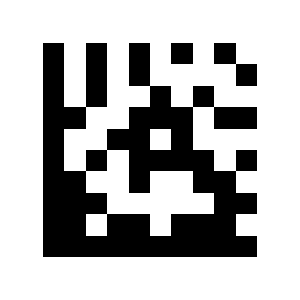
GS character conversion
Turn off GS character conversion (default):
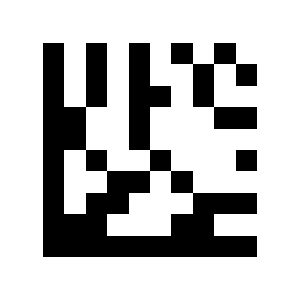
Convert GS characters:
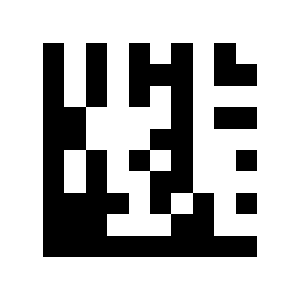
Function key mapping
Function key mapping off:
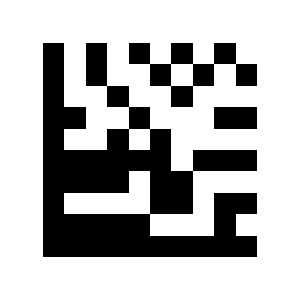
Function key mapping on (default):
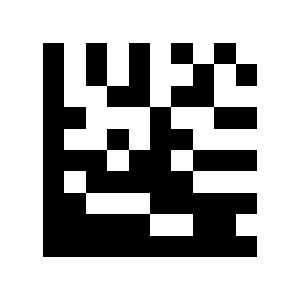
Alt + Unicode mode:
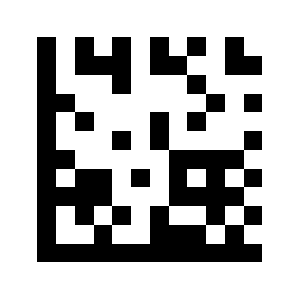
Ctrl Char mode (default):
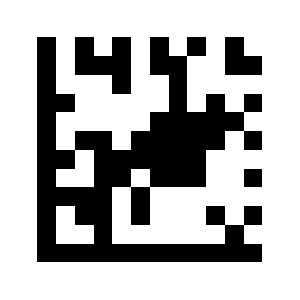
Serial port commands
Scan trigger string
Scan trigger string off:
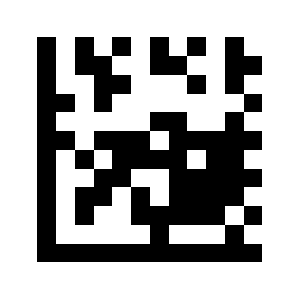
Set scan trigger string:
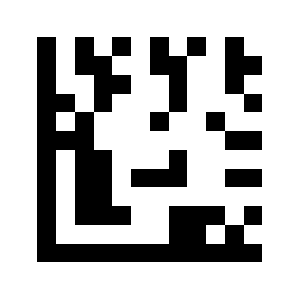
Stop-scan string
Stop scan string off:
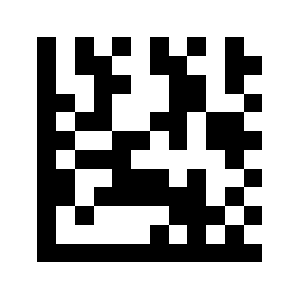
Set stop scan string:
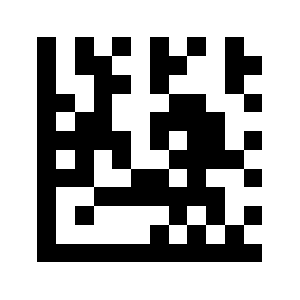
Appendix: data, ASCII and function-key codes
These building-block codes (numeric digits, symbology selectors, ASCII characters and function keys) are used together with the value-setting options above.
Show data, ASCII and function-key codes
Numeric codes
N0:
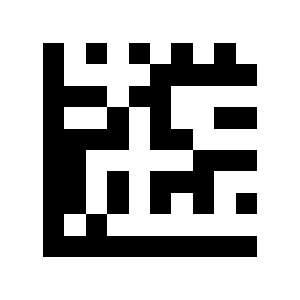
N1:
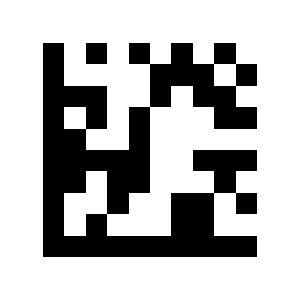
N2:
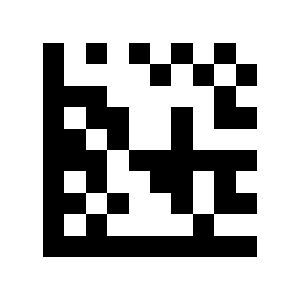
N3:
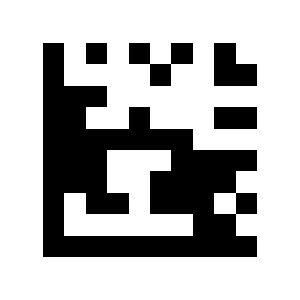
N4:
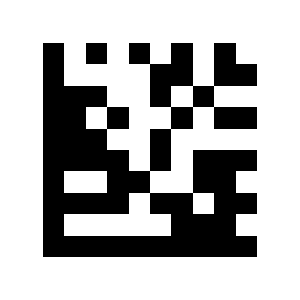
N5:
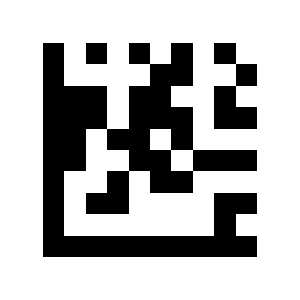
N6:
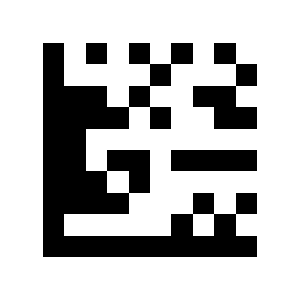
N7:
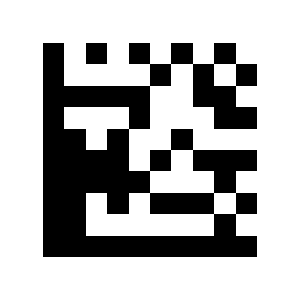
N8:
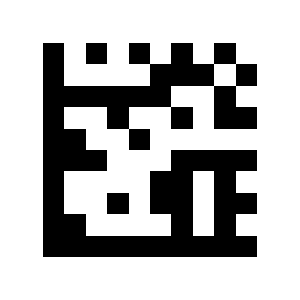
N9:
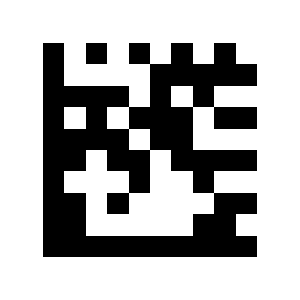
Symbology selection codes
UPC A:
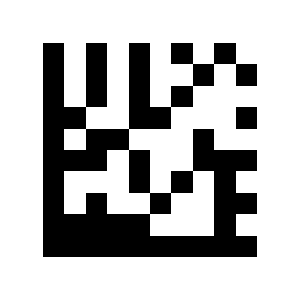
UPC E:
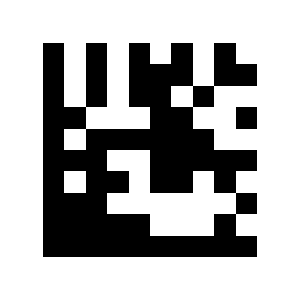
EAN 8:
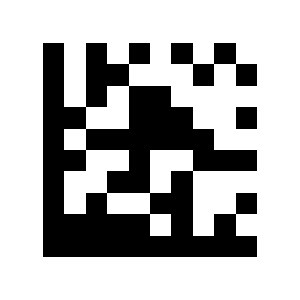
EAN 13:
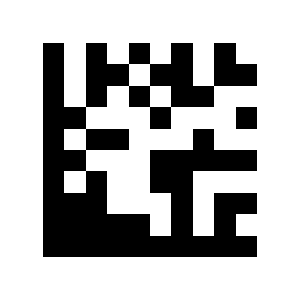
Code 128:
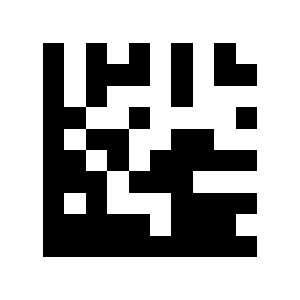
Code 39:
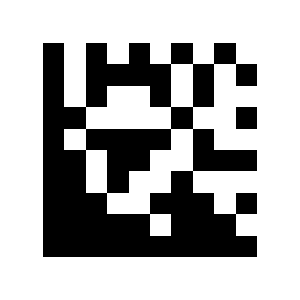
Code 93:
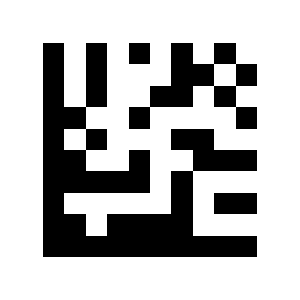
Code 32:
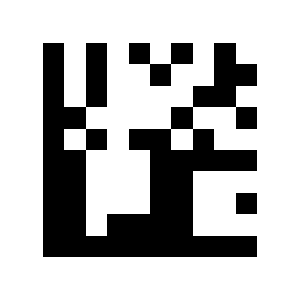
Codabar:
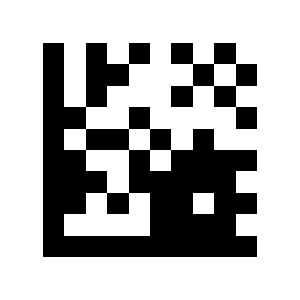
Plessey:
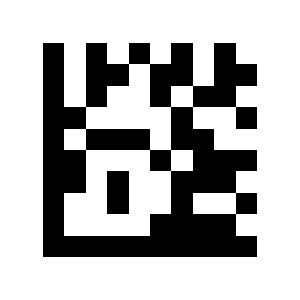
MSI Plessey:
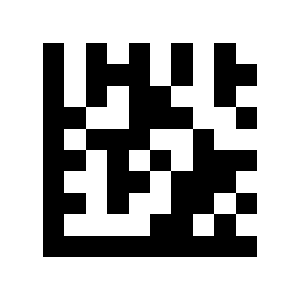
Interleaved 2 of 5:
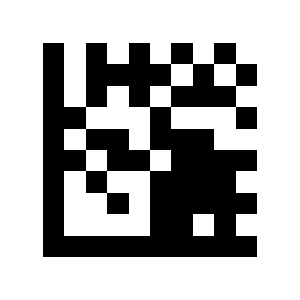
IATA 2 of 5:
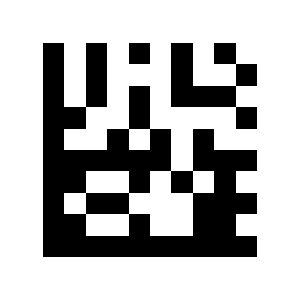
Matrix 2 of 5:
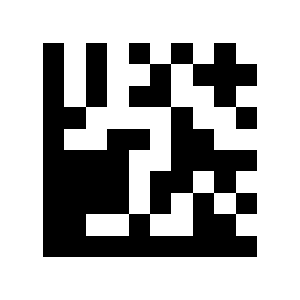
Straight 2 of 5:
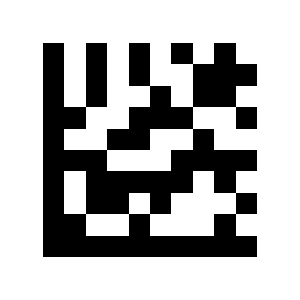
Code 11:
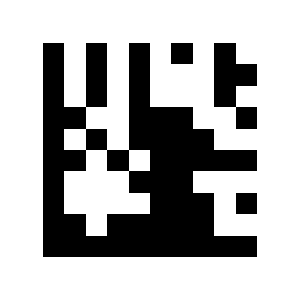
Pharmacode:
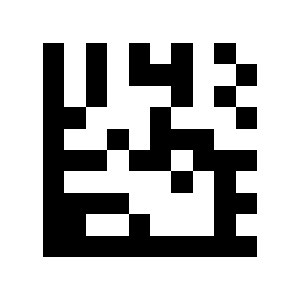
GS1 DataBar 14:
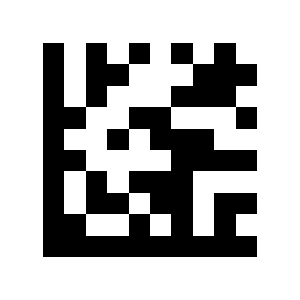
GS1 DataBar Expanded:
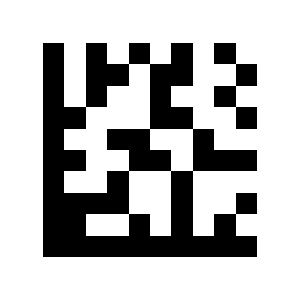
GS1 DataBar Limited:
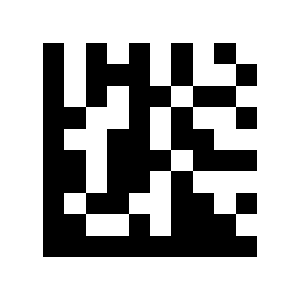
Composite Code-A:
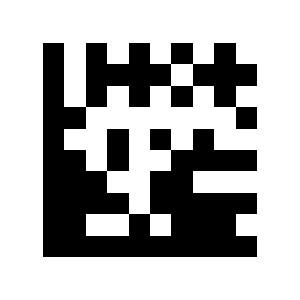
Composite Code-B:
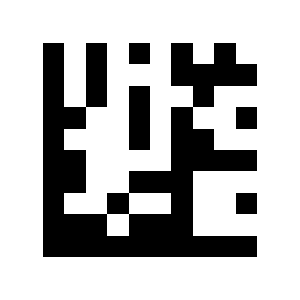
GS1 DataBar 14 Stacked:
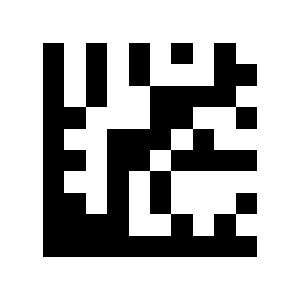
GS1 DataBar Expanded Stacked:
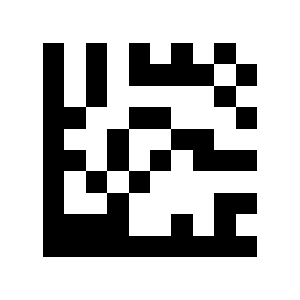
Composite Code-C:
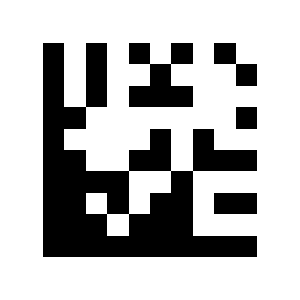
PDF417:
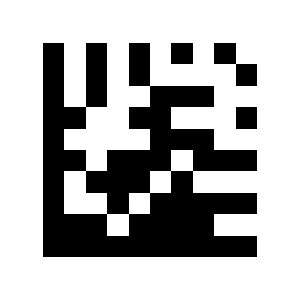
Micro PDF417:
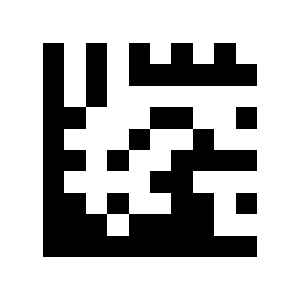
Data Matrix:
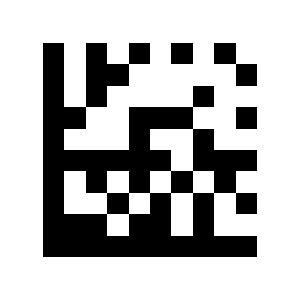
QR:
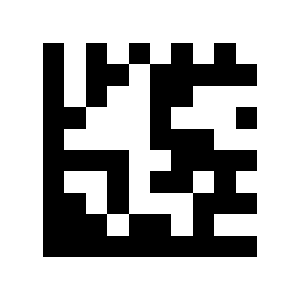
Micro QR:
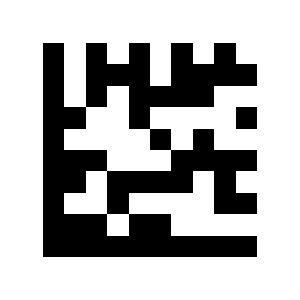
Aztec:
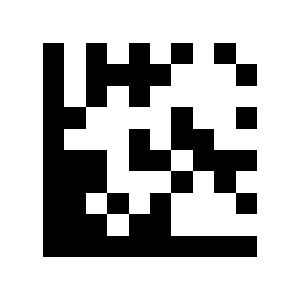
MaxiCode:
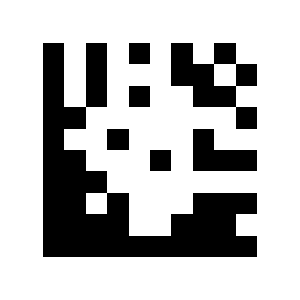
ASCII code table
C00:
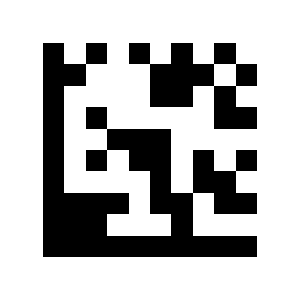
SOH:
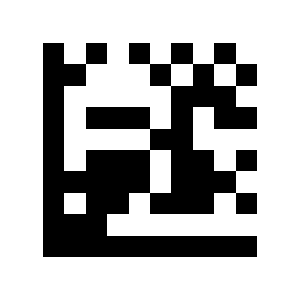
STX:
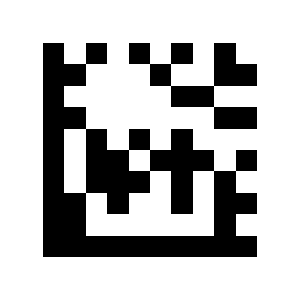
ETX:
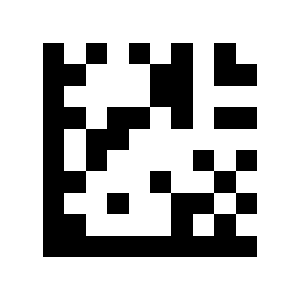
C04:
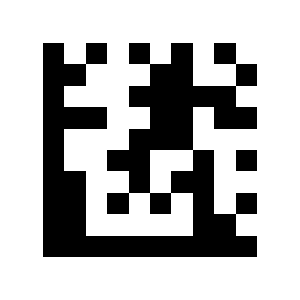
ENQ:
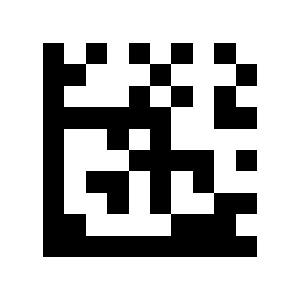
ACK:
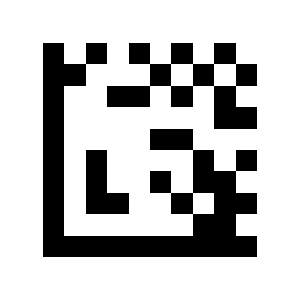
BEL:
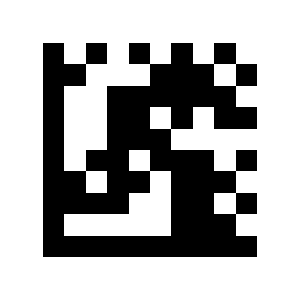
LF:
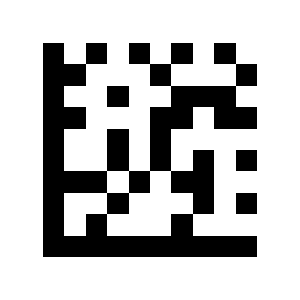
VT:
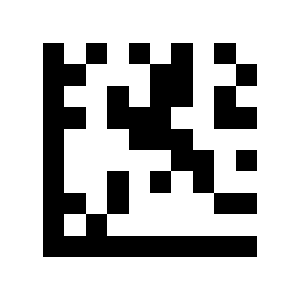
BS:

TAB:
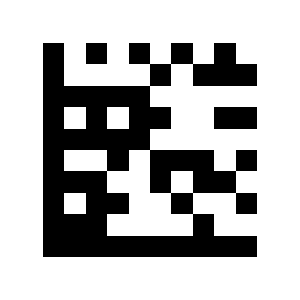
FF:
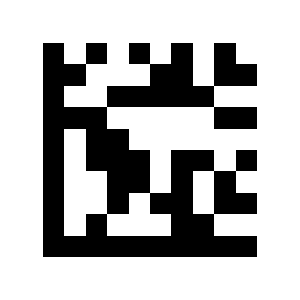
SO:
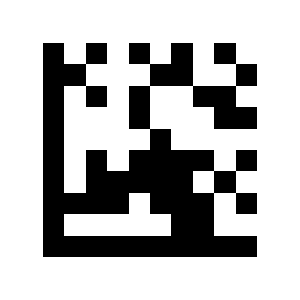
CR:
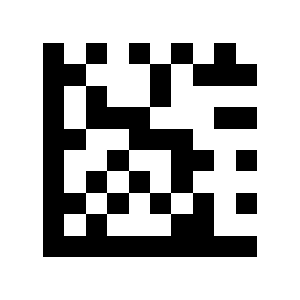
DLE:
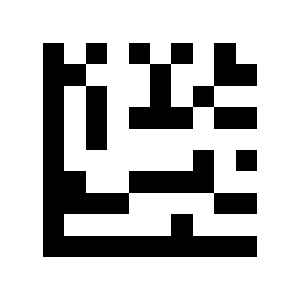
DC1:
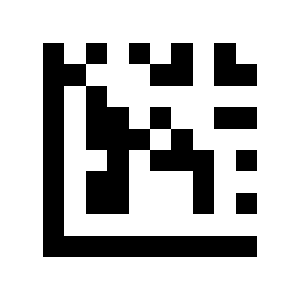
DC2:
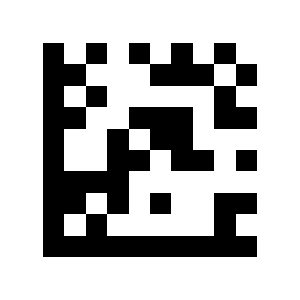
DC3:
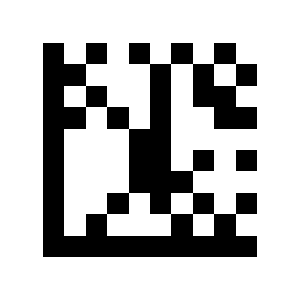
DC4:
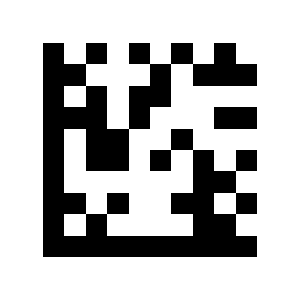
NAK:
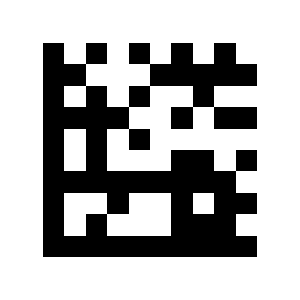
SYN:
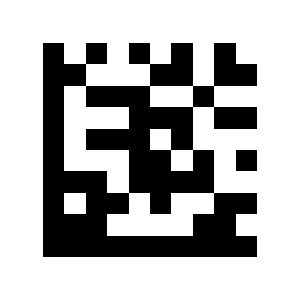
ETB:
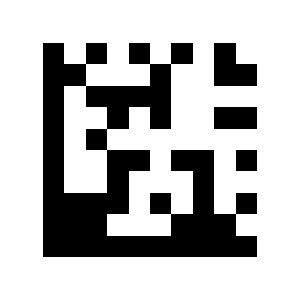
CAN:
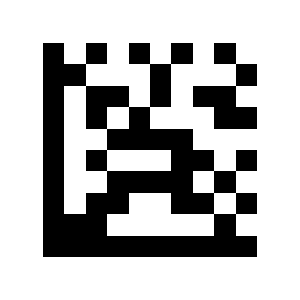
EM:
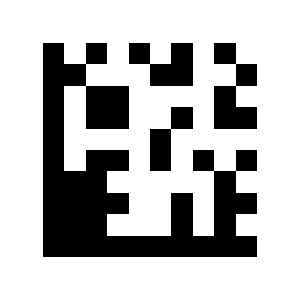
SUB:
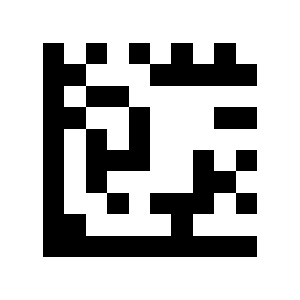
ESC:
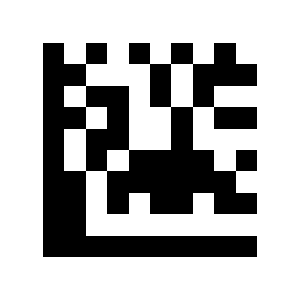
FS:
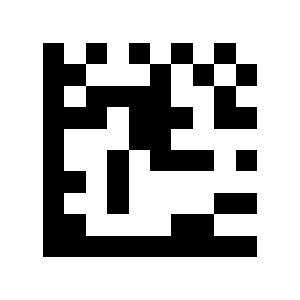
GS:
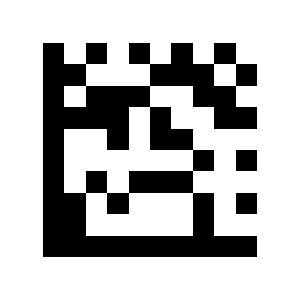
RS:
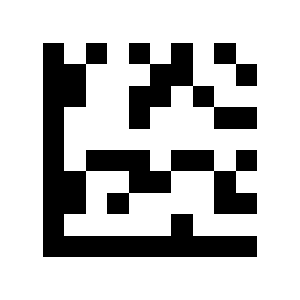
US:
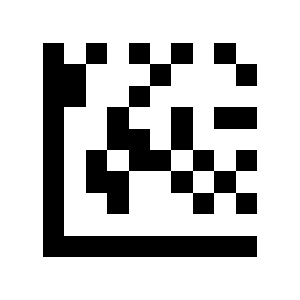
S0:
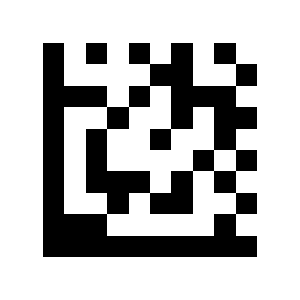
S1:
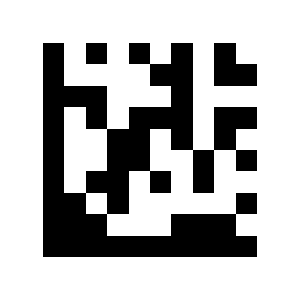
S2:
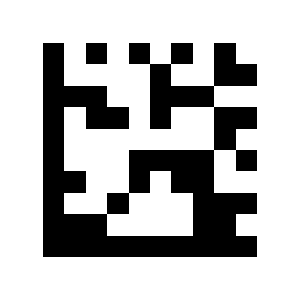
S3:
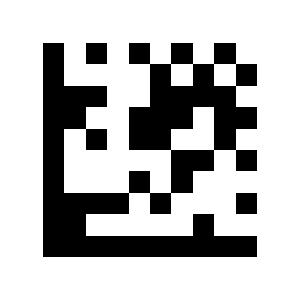
S4:
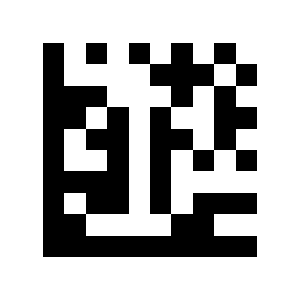
S5:
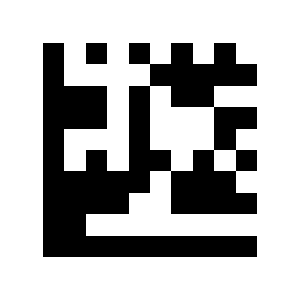
S6:
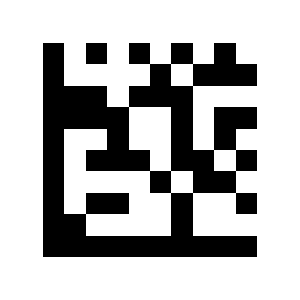
S7:
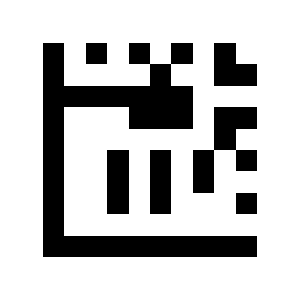
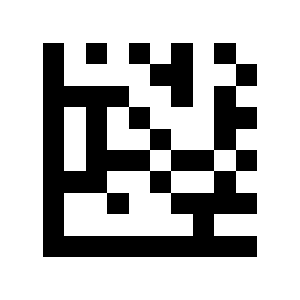
S10:
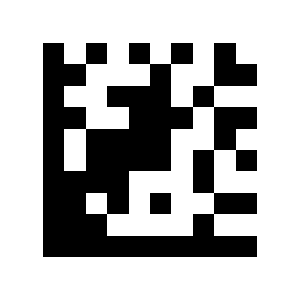
S11:
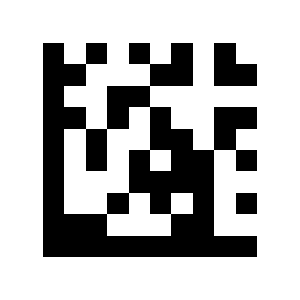
S8:
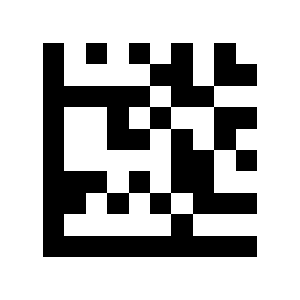
S9:
S12:
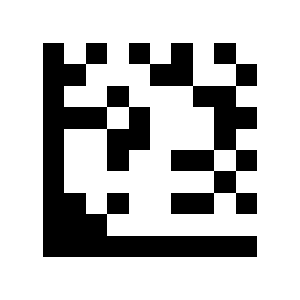
S13:
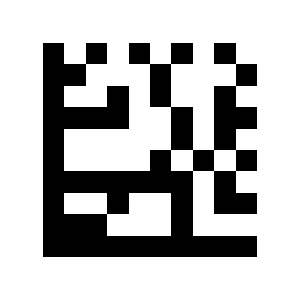
S14:
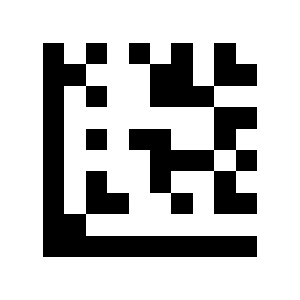
S15:
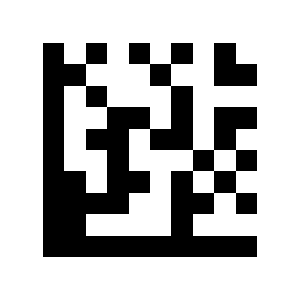
B0:
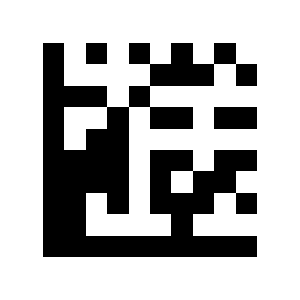
B1:
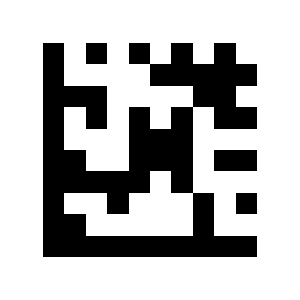
B2:
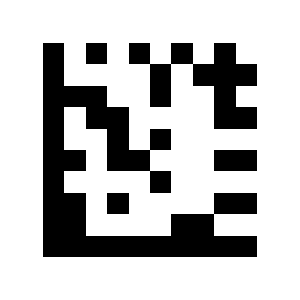
B3:
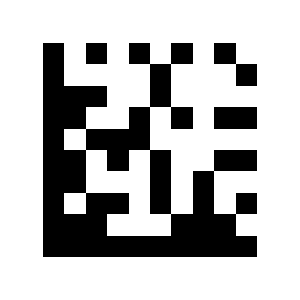
B4:
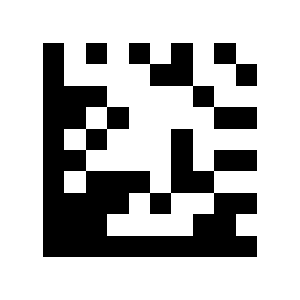
B5:
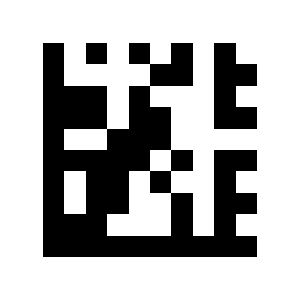
$A:
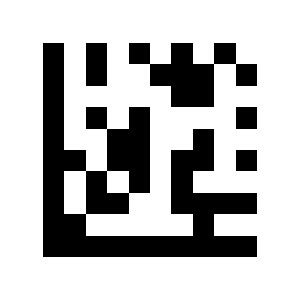
$B:
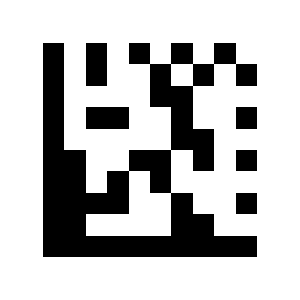
$C:
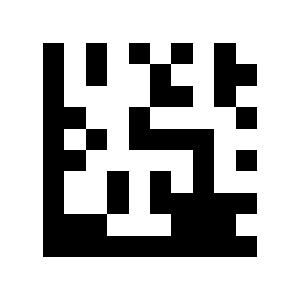
B6:
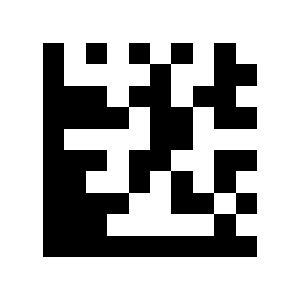
$D:
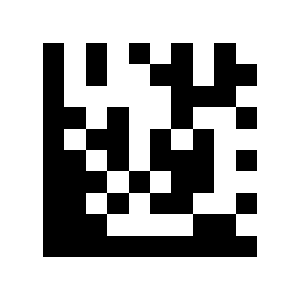
$E:
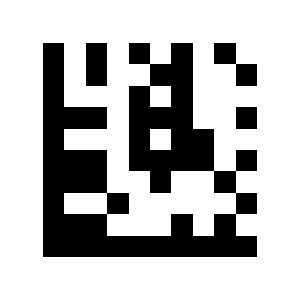
$F:
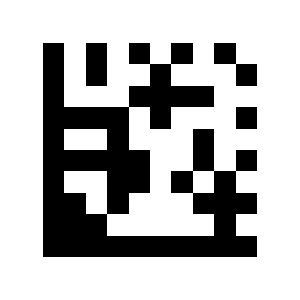
$G:
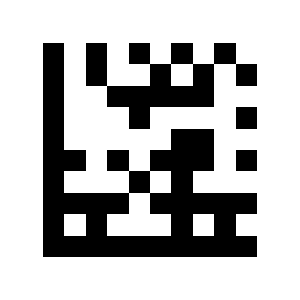
$H:
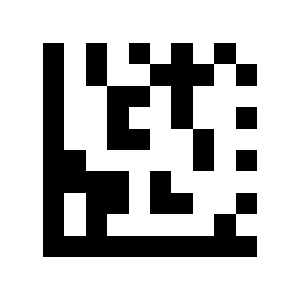
$I:
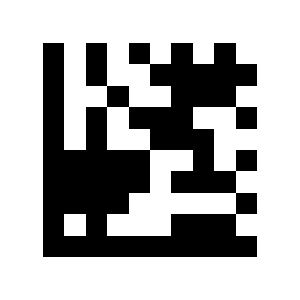
$J:
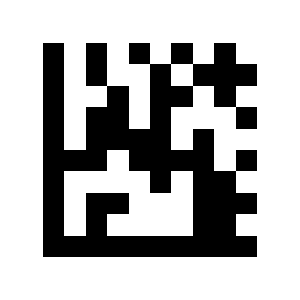
$K:
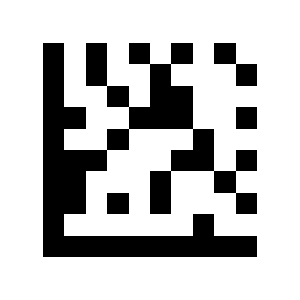
$L:
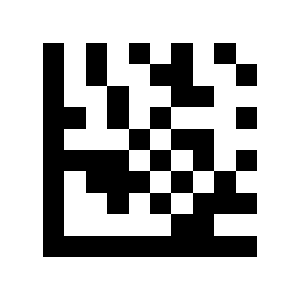
$M:
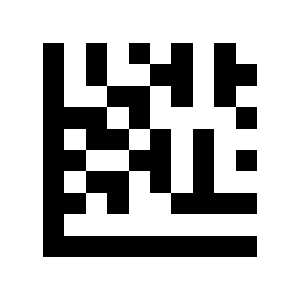
$N:
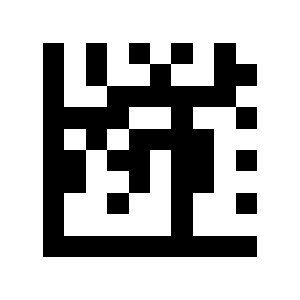
$O:
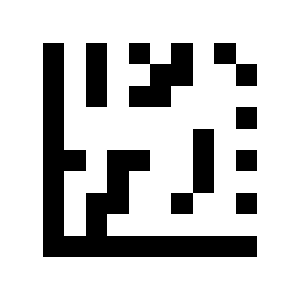
$P:
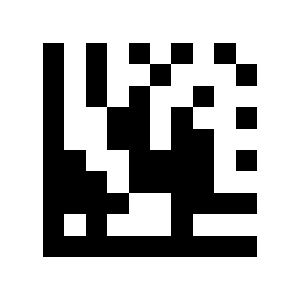
$Q:
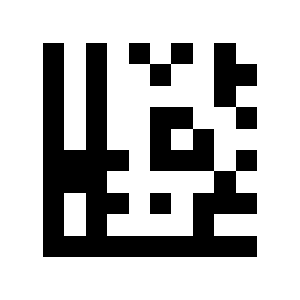
$R:
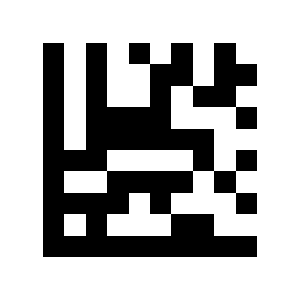
$S:
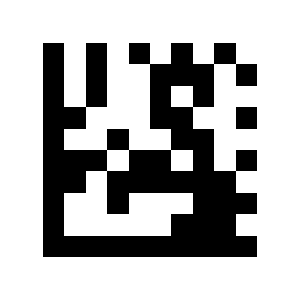
$T:
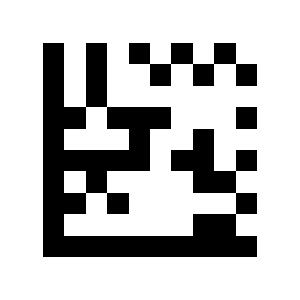
$U:
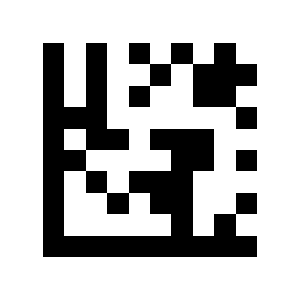
$V:
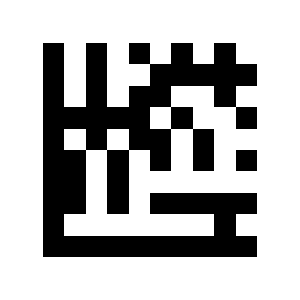
$W:
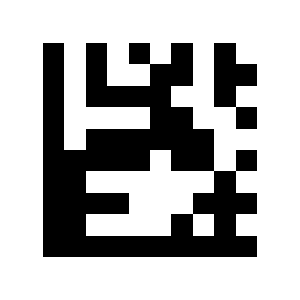
$X:
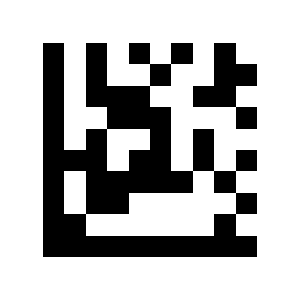
$Y:
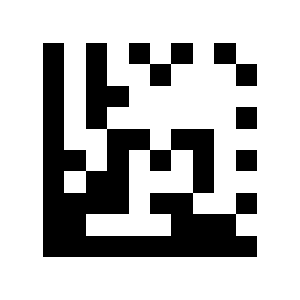
$Z:
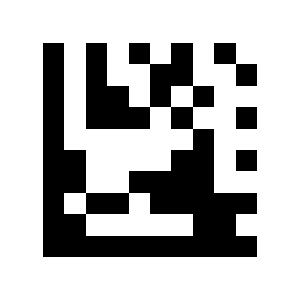
S20:
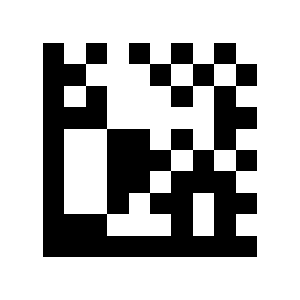
S21:
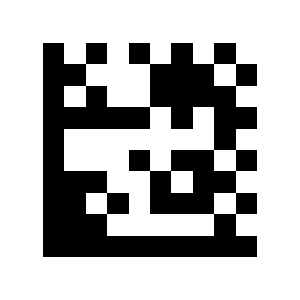
S22:
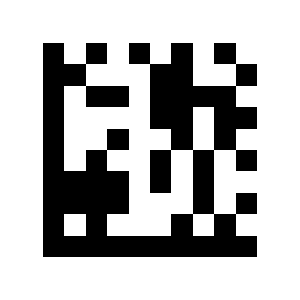
S23:
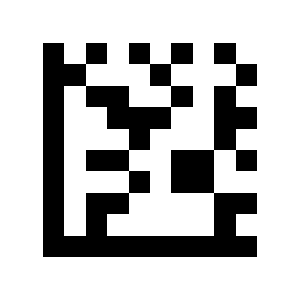
S24:
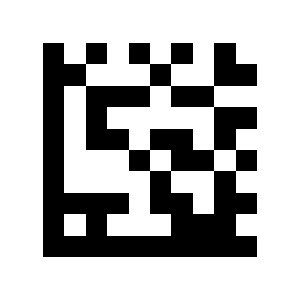
+A:
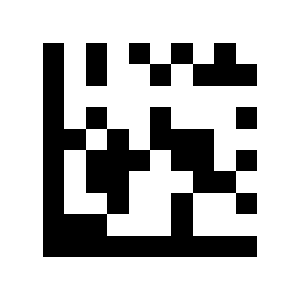
+B:
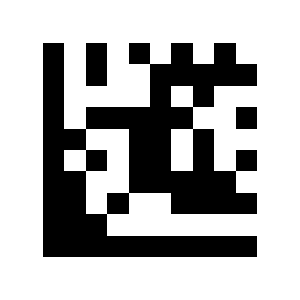
+C:
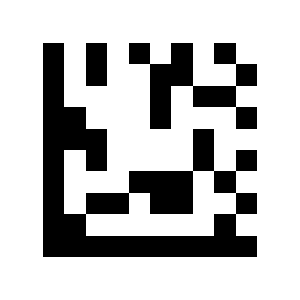
S25:
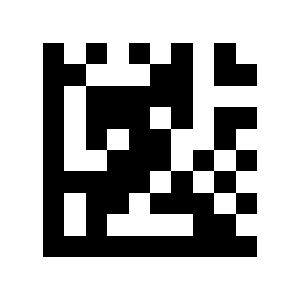
+D:
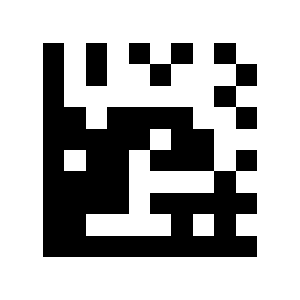
+E:
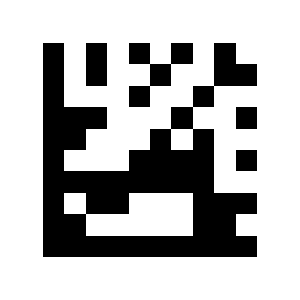
+F:
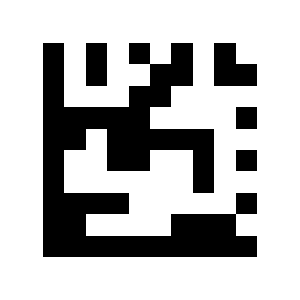
+G:
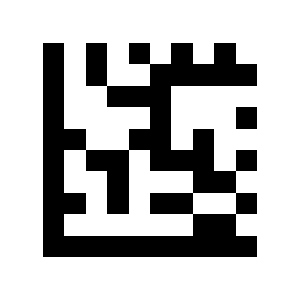
+H:
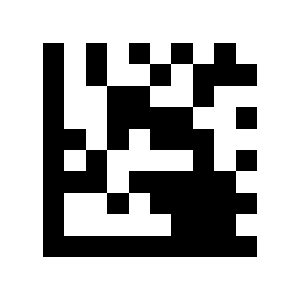
+I:
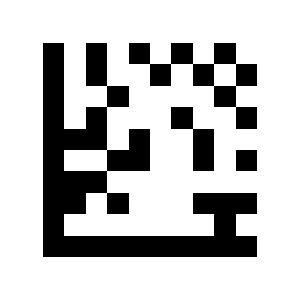
+J:
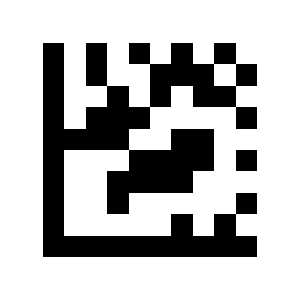
+K:
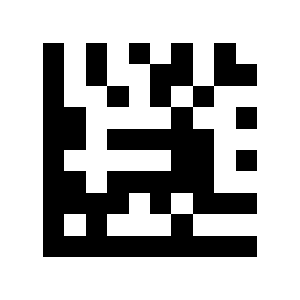
+L:
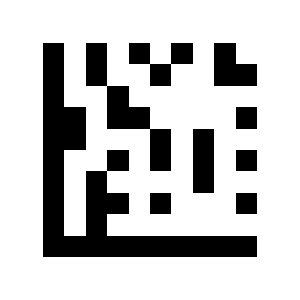
+M:
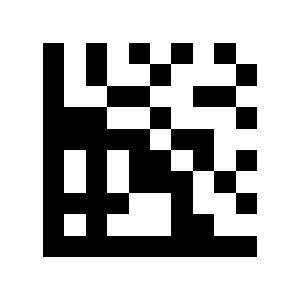
+N:
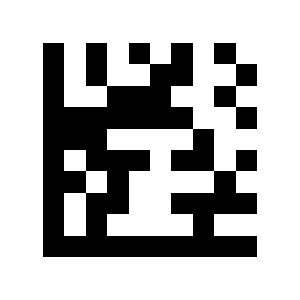
+O:
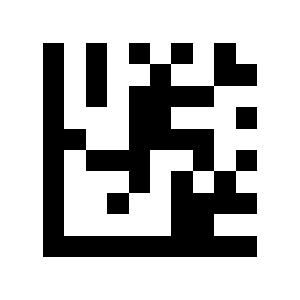
+P:
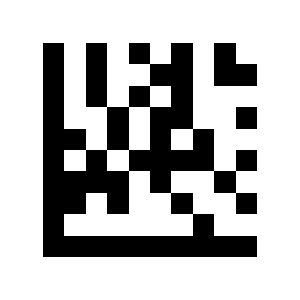
+Q:
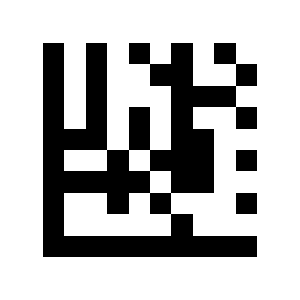
+R:
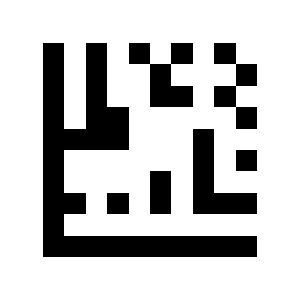
+S:
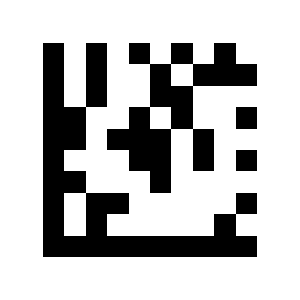
+T:
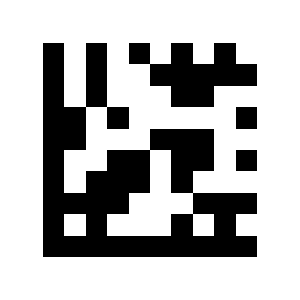
+U:
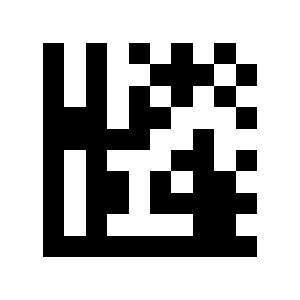
+V:
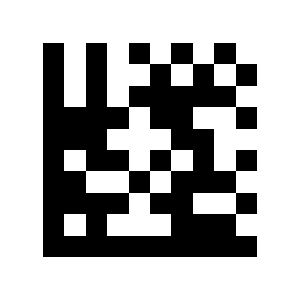
+W:
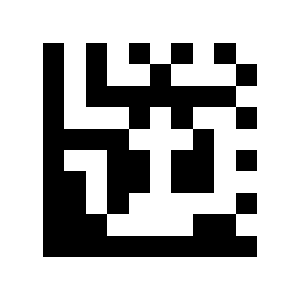
+X:
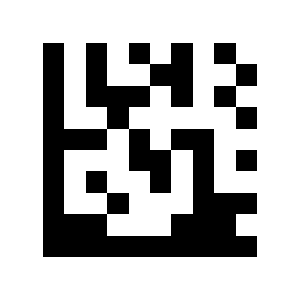
+Y:
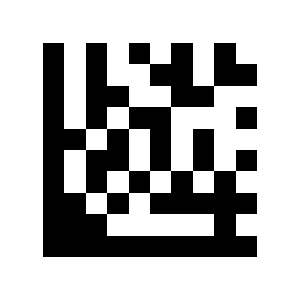
+Z:
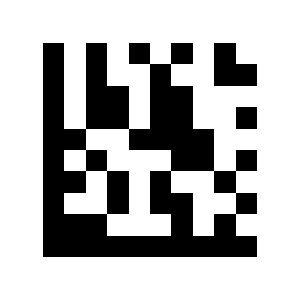
S30:
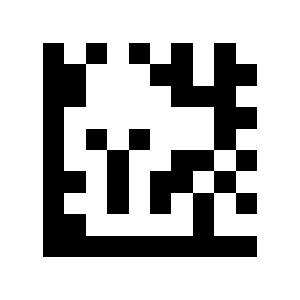
S31:
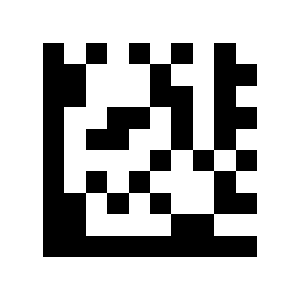
S32:
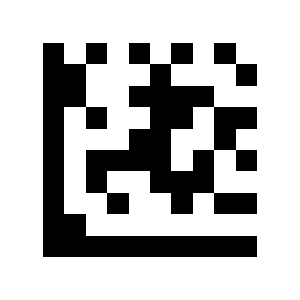
S33:
Function-key codes
K1:
Delete:
Home:
End:
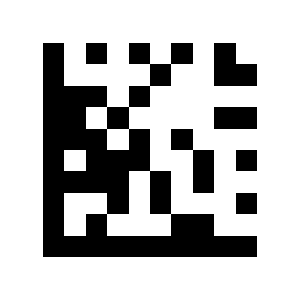
Up Arrow:
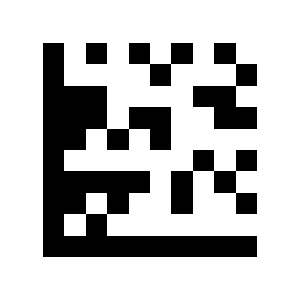
Down Arrow:
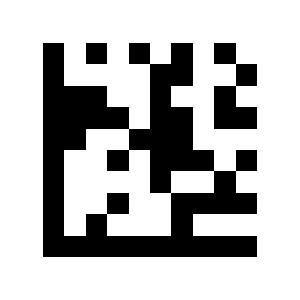
Shift:
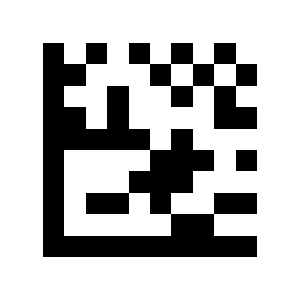
ESC:
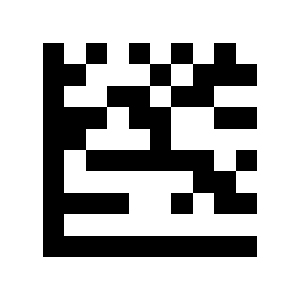
Ctrl:
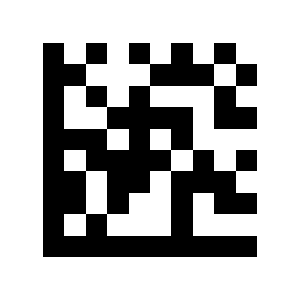
Alt:
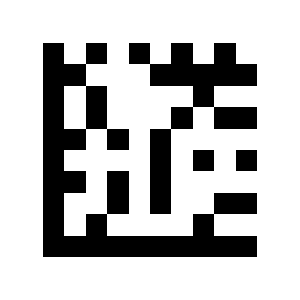
Left Arrow:
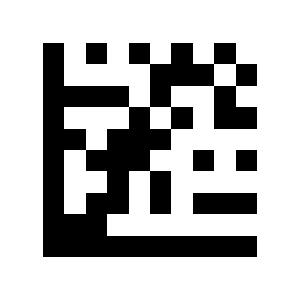
Right Arrow:
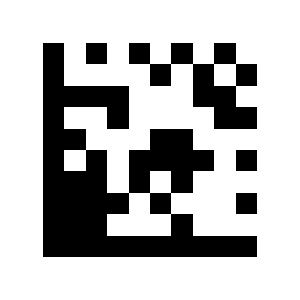
F2:
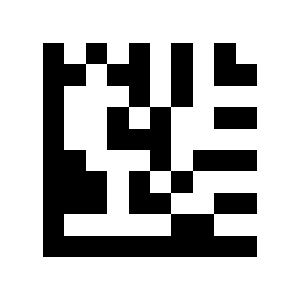
F1:
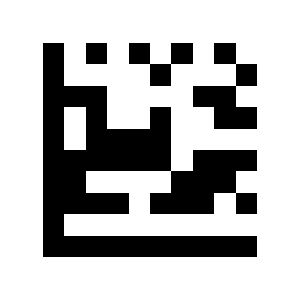
F3:
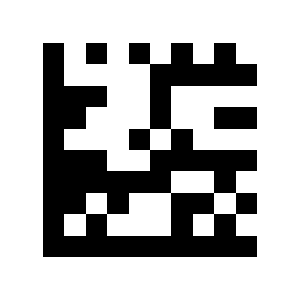
F4:
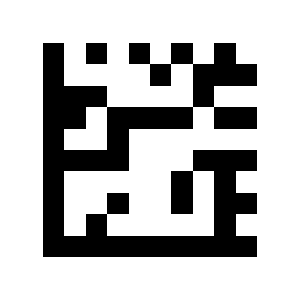
K13:
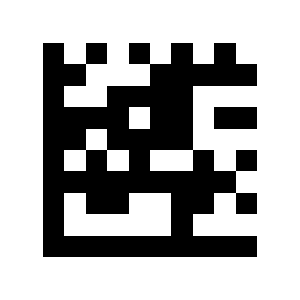
Page Down:
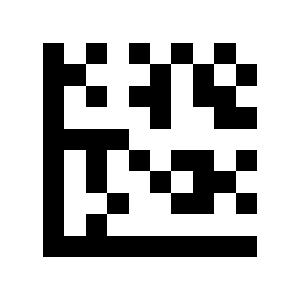
F11:
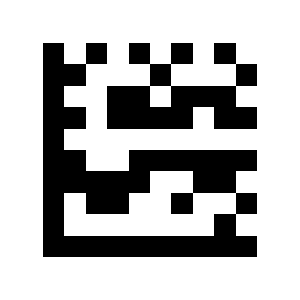
F12:
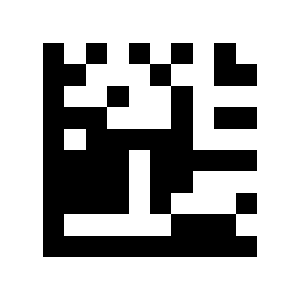
F5:
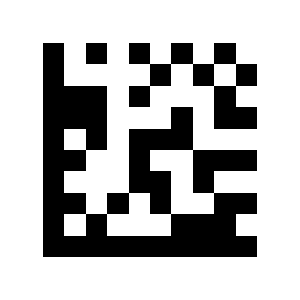
F6:
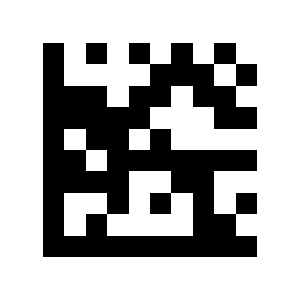
F7:
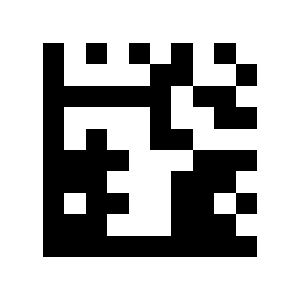
F8:
F9:
First-time startup guide (EA100 network module)
The HD650-ETH ships with the EA100 TCP/IP network module, which transfers data between the Ethernet interface and the scanner's serial port (protocol converter). Below is the complete network-module manual — from the hardware description and wiring, through the scanner's first startup, to configuring TCP communication.
About the EA100 network module
The EA-100 network module transfers data between the Ethernet interface and the serial port and acts as a protocol converter. On the serial port the data is RS232; on the Ethernet interface it is a network data packet. You can configure the parameters through the web page or the configuration software — set once and saved permanently.
Hardware parameters
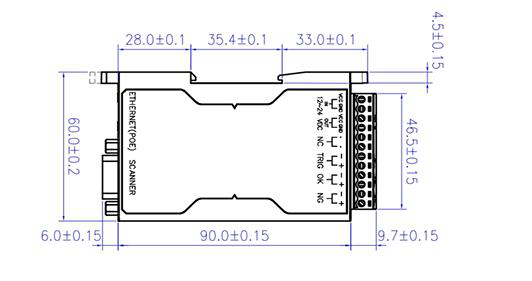
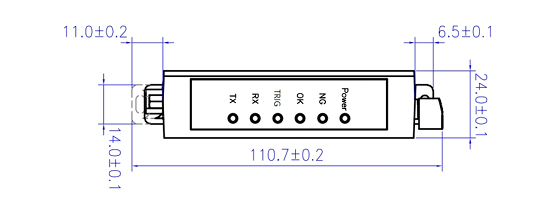
Device description
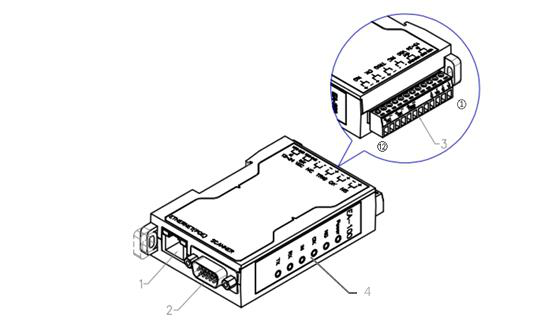
1. Network port:
- Green LED — proper connection to the Ethernet line
- Yellow LED flashing — normal signal, communication
- Yellow LED on continuously — network short circuit
- Yellow LED off — no communication
2. DB15 terminal port — scanner interface access.
3. External interfaces — let you connect various external devices (see the table below).
| Pin | Definition | Description |
|---|---|---|
| 1 | VCC (+) input | 12 ~ 24 VDC input |
| 2 | GND (−) | Connection to ground |
| 3 | VCC (+) output | Fixed 12 V DC output |
| 4 | GND (−) | Connection to ground |
| 5 | NC | Do not connect the plug |
| 6 | NC | Do not connect the plug |
| 7 | Optoelectronic switch input (−) | INPUT trigger signal |
| 8 | Optoelectronic switch input (+) | INPUT trigger signal |
| 9 | Decode successful (−) | Successful decode OK OUTPUT |
| 10 | Decode successful (+) | Successful decode OK OUTPUT |
| 11 | Decode unsuccessful (−) | Unsuccessful decode NG OUTPUT |
| 12 | Decode unsuccessful (+) | Unsuccessful decode NG OUTPUT |
4. Indicator lights:
- power indicator (orange)
- decode-failure signal indicator (red)
- decode signal indicator (red)
- decode-success signal indicator (green)
- trigger signal indicator (blue)
- scanner serial-port input signal indicator (green)
- scanner serial-port output signal indicator (green)
Connecting external devices
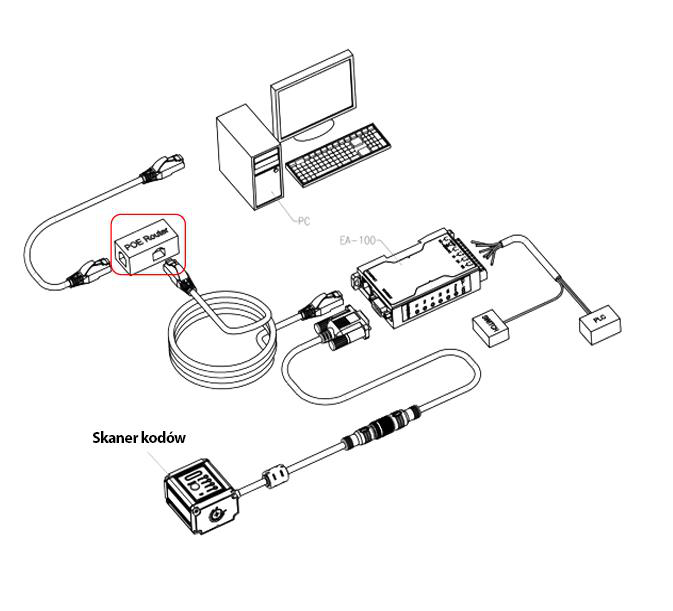
PoE:
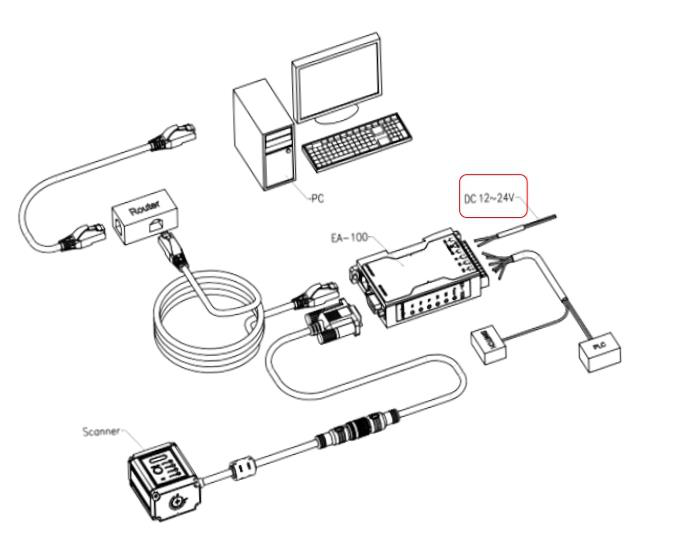
DC IN:
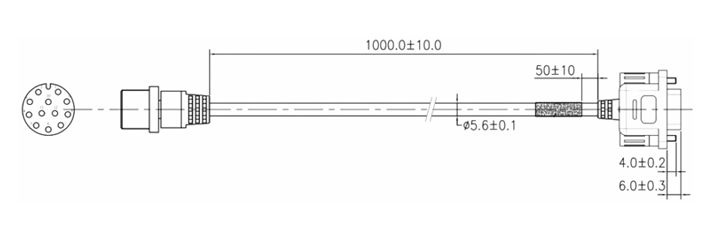
Communication output cable
External interface — input wiring instructions (TRIG)
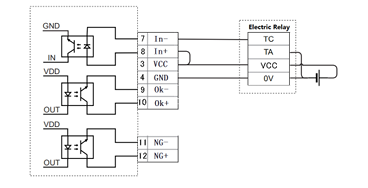
Electric relay input:
Output wiring instructions (OUTPUT)
Decode-success output signal (OK indication):
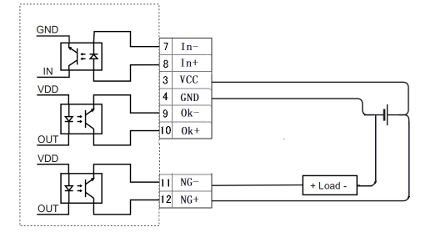
Decode-error output signal (NG indication):
First startup of the device
To work correctly, the scanner needs a dedicated program in which it is configured. Before you start using the device, follow the steps below. On the hdwr.pl shop, from the product page, download the two programs in the "Downloads" section: the NetWork debugging assistant and the USR-MO application (you will also find the links in the "Downloads" section on this page).
Then scan the following barcodes one by one to set the scanner to RS232 serial-port mode and set the baud rate to 9600.
1. Enter configuration mode:
2. RS232 serial port:
3. 9600:
4. Save settings:
Setting the network module as a TCP client in the USR-MO software
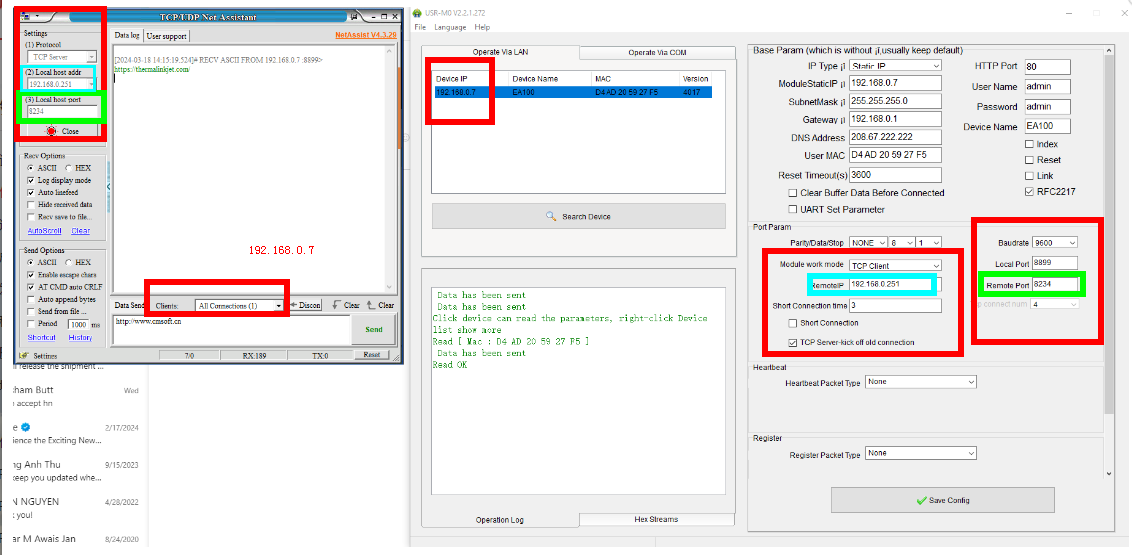
- In the USR-MO software the IP address is 192.168.0.7. Set the EA100 network module as a TCP client (TCP Client), then set the host address, e.g. 192.168.0.251.
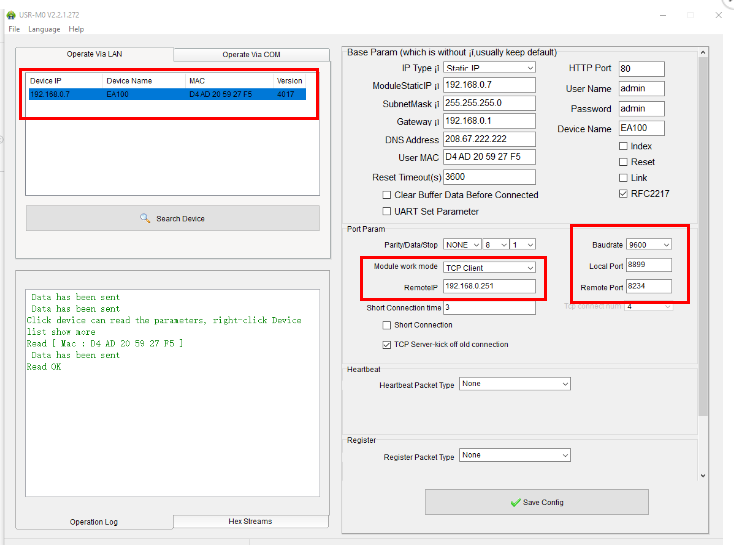
- Next, set the local port and the remote port (the remote port in the software should be the same as the local host address in the network debugging assistant).
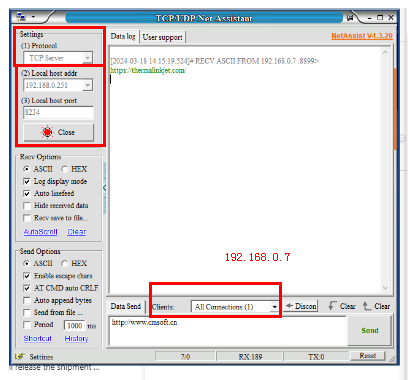
- Set the network assistant as a TCP server and its IP address:
- After installing the NetWork assistant you can change the language to English in the left corner.
- Then select TCP server (TCP Server) and enter the local host IP address, e.g. 192.168.0.251.
- The local host address in the NetWork Assistant should be the same as the remote port in the USR-MO software.
- Then select TCP client (TCP Client): 192.168.0.7.
- Select "Open", and after scanning a barcode you will receive the data.
Receiving data on the TCP client
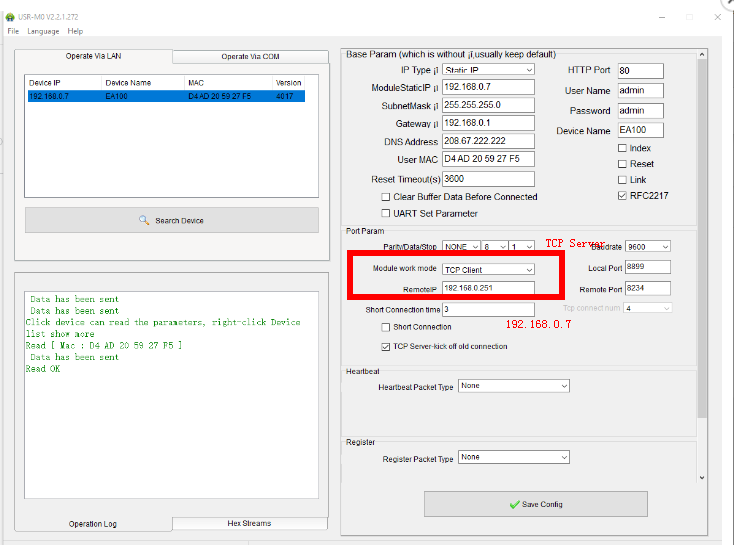
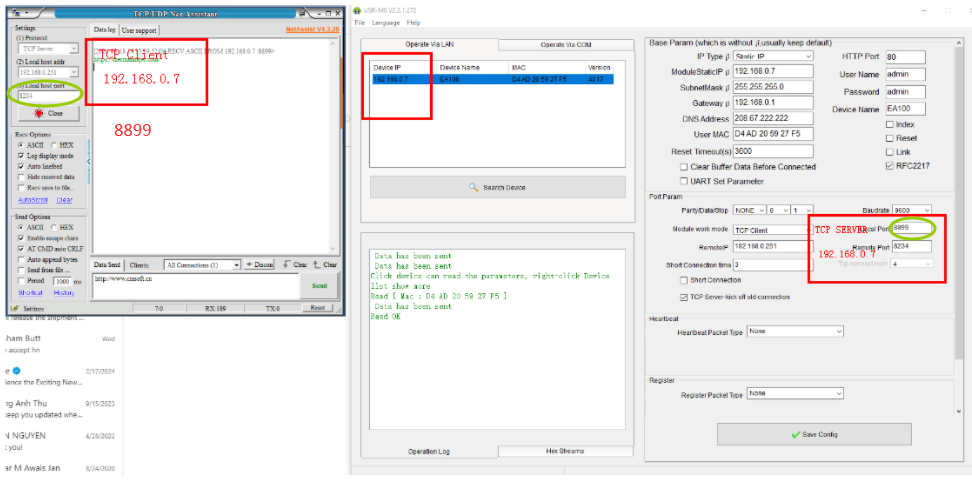
In the USR-MO software the IP address is 192.168.0.7. Then set the EA100 module as a TCP server with IP 192.168.0.7, and the local port to 8899, as in the picture below.
Set the network debugging assistant: TCP client and IP address 192.168.0.7, and the local port should be the same — 8899 — as the local port in the USR software.
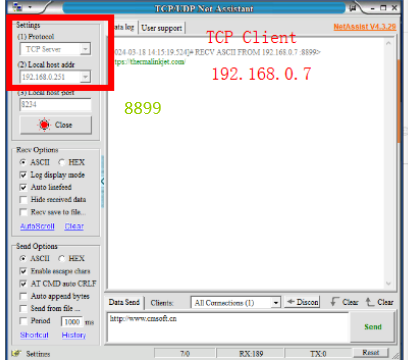
Preview of the received data in both programs:
Frequently asked questions
How do I enter and exit the HD650-ETH configuration mode?
How do I connect the HD650-ETH over Ethernet?
Does the HD650-ETH support PoE?
Is the HD650-ETH suitable for industrial environments?
Which barcodes does the HD650-ETH read?
Downloads
Original manufacturer PDF manuals kept available as a legacy reference. Everything from them is already covered on this page — use the PDFs only if you need an offline copy.
- User Manual HD650-ETH — English (PDF)
- Network module manual HD650-ETH — English (PDF)
- Data sheet HD650-ETH — English (PDF)
- Instrukcja obsługi HD650-ETH — polska (PDF)
- Instrukcja modułu sieciowego HD650-ETH — polska (PDF)
- Karta katalogowa HD650-ETH — polska (PDF)
- Bedienungsanleitung HD650-ETH — Deutsch (PDF)
- Netzwerkmodul-Handbuch HD650-ETH — Deutsch (PDF)
- USR-M0 configuration software (EXE)
- Network Debugging Assistant (EXE)