Industrial stationary 1D / 2D QR & barcode scanner, RS-232, HDWR HD650-RS232
GTIN: 5906935201152 · SKU: HD650-RS232
Table of contents
- Table of contents
- Specifications
- Set contents
- Features
- Configuration codes
- Setup mode
- Default settings
- Custom settings
- Scan mode
- Pulse trigger mode
- Pulse trigger level
- Automatic (sense) mode
- Auto-sensing sensitivity
- Repeat-barcode read mode
- Decode session time
- Reset decode time
- Decode area
- Decode area size
- Read-failure (NG) message
- Aiming light
- Illumination mode
- Illumination brightness
- Decode working area
- Power-on beep
- Good-read beep
- Good-read beep frequency
- Debug button
- Output and interface settings
- Symbology settings
- Global symbology switches
- UPC-A
- UPC-E
- EAN-8
- EAN-13
- Code 128 / GS1-128
- Code 39
- Code 32
- Code 93
- Code 11
- Codabar
- Plessey
- MSI Plessey
- Interleaved 2 of 5
- Matrix 2 of 5
- IATA 2 of 5
- Straight 2 of 5
- Pharmacode
- GS1 DataBar 14
- GS1 DataBar Expanded
- GS1 DataBar Limited
- Composite Code-A
- Composite Code-B
- Composite Code-C
- PDF417
- Micro PDF417
- Data Matrix
- QR Code
- Micro QR
- Aztec
- MaxiCode
- Data formatting, prefix and suffix
- Serial port commands
- Appendix: data, ASCII and function-key codes
- Frequently asked questions
- Downloads
Specifications
- Material: aluminium housing
- Resolution: 1280 × 800 px
- Sensor: CMOS
- Scanning method: automatic (auto-sensing on code presentation)
- Scan confirmation: light and sound
- Scan angle: 46° horizontal, 29° vertical
- Print contrast: ≥ 20%
- Interface: RS-232
- Power supply: 5–36 V DC
- Operating current: 300 mA ±5% (typical), 450 mA ±5% (max)
- Standby current: 100 mA ±5%
- Ingress protection: IP65
- Operating temperature: −20 to 50 °C
- Storage temperature: −40 to 70 °C
- Device dimensions: 3.6 × 4.3 × 2.4 cm
- Device weight: 75 g
- Package dimensions: 19 × 10 × 7.2 cm
- Weight with packaging: 100 g
- Readable 1D codes: UPC-A, UPC-E, EAN-8, EAN-13, Code 128, GS1-128, Code 39, Code 32, Code 93, Code 11, Codabar, Plessey, MSI Plessey, Interleaved 2 of 5, Matrix 2 of 5, IATA 2 of 5, Straight 2 of 5, Pharmacode, GS1 DataBar (14 / Expanded / Limited)
- Readable 2D codes: PDF417, Micro PDF417, Data Matrix, QR Code, Micro QR, Aztec, MaxiCode
Set contents
- Stationary QR & barcode scanner
- RS-232 cable
- Power supply
- Mounting bracket
- Mounting screws
Features
- Industrial build: rugged aluminium housing with IP65 protection against dust and water jets
- 1D and 2D reading: reads QR, Data Matrix, PDF417 and all major 1D barcodes, including from screens
- Automatic scanning: auto-sensing (presentation) mode reads codes hands-free as soon as they appear
- RS-232 serial interface: connects to a host serial / COM port; configurable baud rate, parity and stop bits
- Wide power input: 5–36 V DC supply suited to industrial installations
- Highly configurable: scan modes, illumination, beeper, serial parameters, prefix/suffix, code ID, data editing and full per-symbology settings
Configuration codes
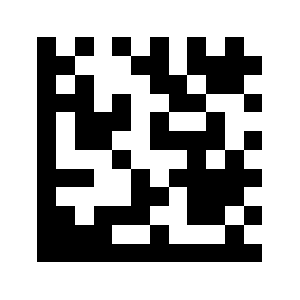
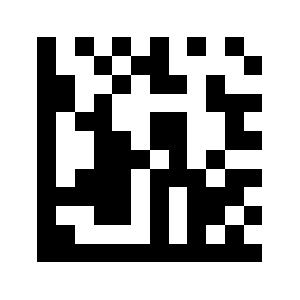
To change scanner settings, first scan Enter Setup, then the barcode(s) for the option you want, and finally Exit Setup. For parameters with a numeric value, scan Enter Setup, the option code, the required numeric codes from the appendix, and finally Exit Setup.
💡 Tip: print this page ("Download this page as PDF" button above) to keep the codes at hand during configuration.
Setup mode
Entering Setup Mode:
Exiting Setup Mode:
Default settings
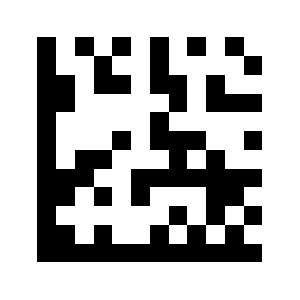
Factory reset:
Custom settings
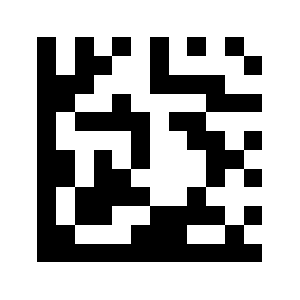
Save custom settings:
Scan mode
Restore custom (saved) settings:
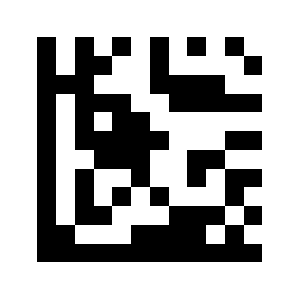
Pulse trigger mode
Continuous scan mode (default):
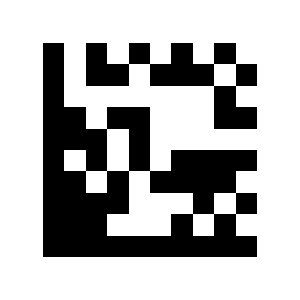
Pulse trigger level
Pulse Scan Triggering (External):
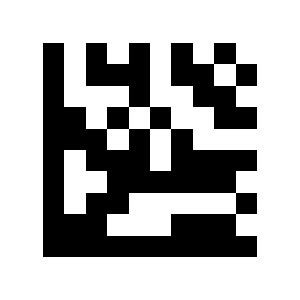
Automatic (sense) mode
Trigger scan on rising edge (low→high):
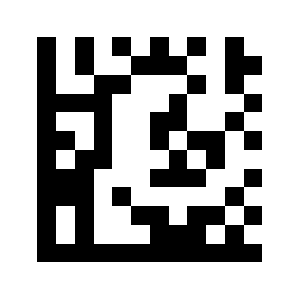
Trigger scan on falling edge (high→low) (default):
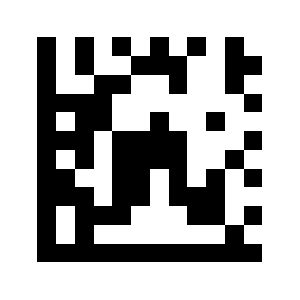
Auto-sensing sensitivity
Auto Scan Mode:
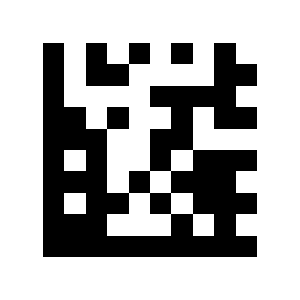
Repeat-barcode read mode
Low sensitivity level:
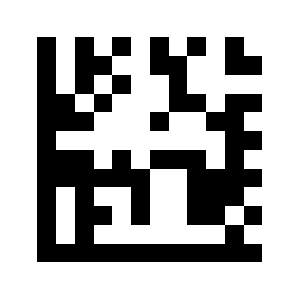
Medium sensitivity level (default):
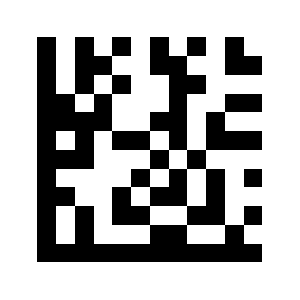
High sensitivity level:
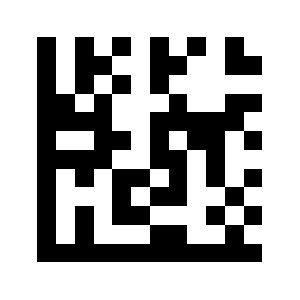
Reading Repeated Barcode at a Specified Time Off (Default):
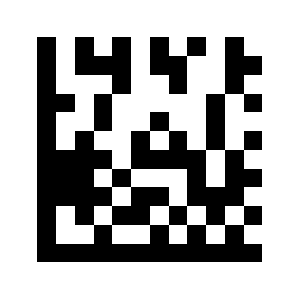
Reading Repeating Barcode Enabled:
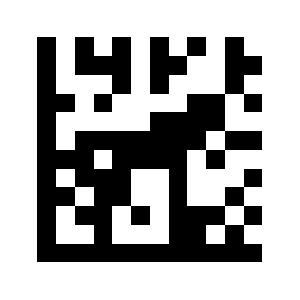
No reading of repeated last:
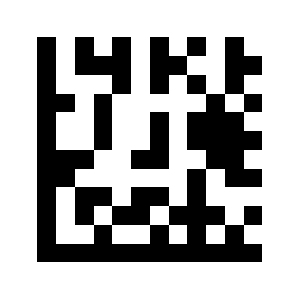
Decode session time
Time setting (in milliseconds):
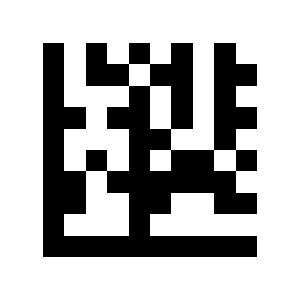
Reset decode time
Decode time (in milliseconds):
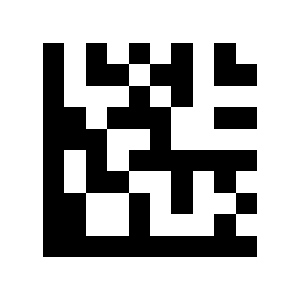
Decode area
Decoding disabled immediately after successful:
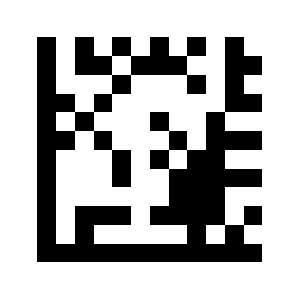
Decode time reset to continuously decode:
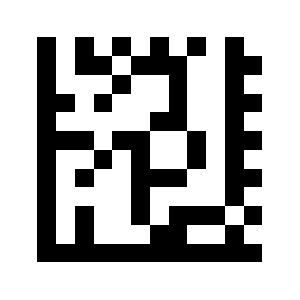
Full-area decoding (default):
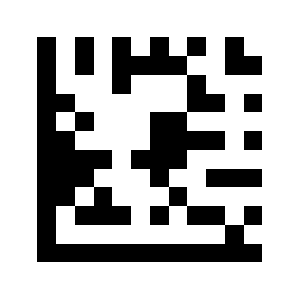
Central-area decoding:
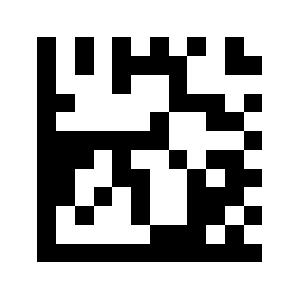
Decode area size
25% central decode area:
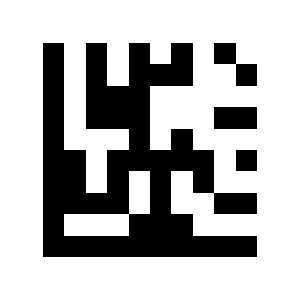
50% central decode area:
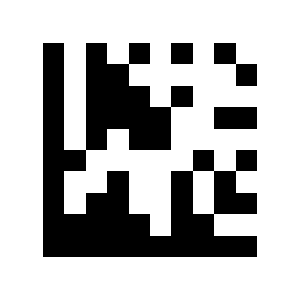
75% central decode area (default):
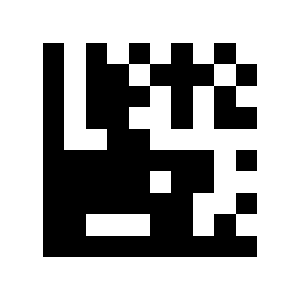
Read-failure (NG) message
Read-failure message off (default):
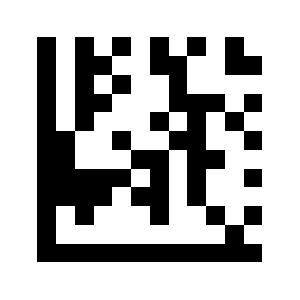
Output read-failure message after 2 reads:
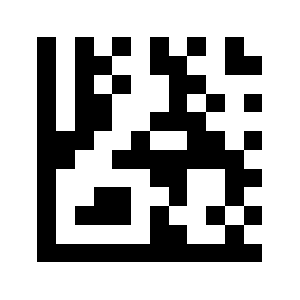
Output read-failure message after 3 reads:
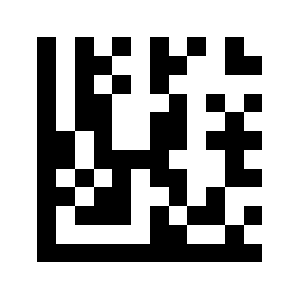
Turn off read-failure message:
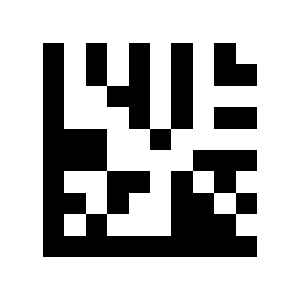
Turn on read-failure message:
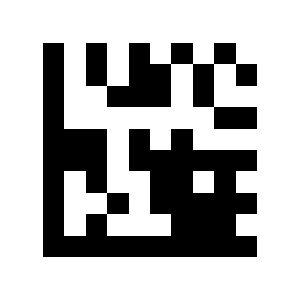
Set read-failure message:
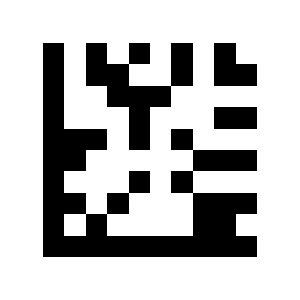
Aiming light
Message output time (ms):
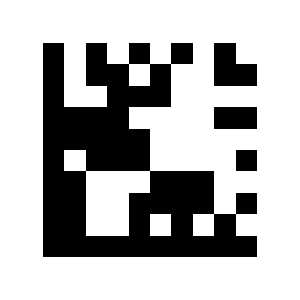
Illumination mode
Disabled:
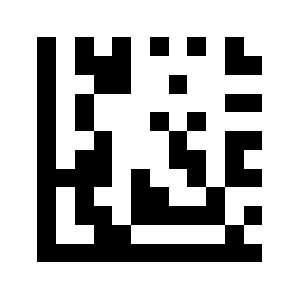
Triggered during scan:
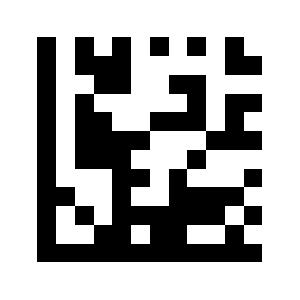
On all the time (default):
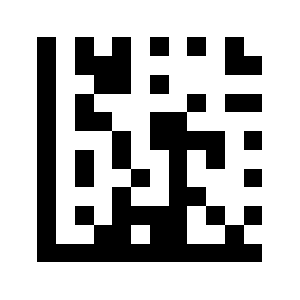
Illumination brightness
Disabled:
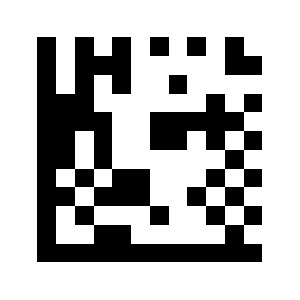
Enabled during scan (default):
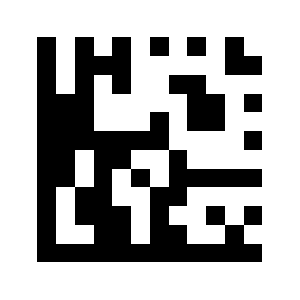
On all the time:
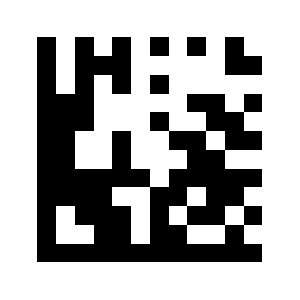
Fade:
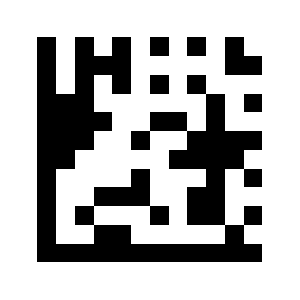
Decode working area
Low brightness:
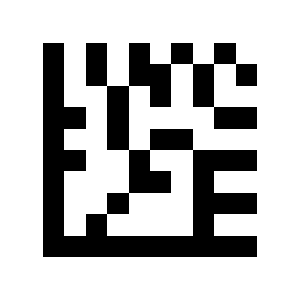
Medium brightness:
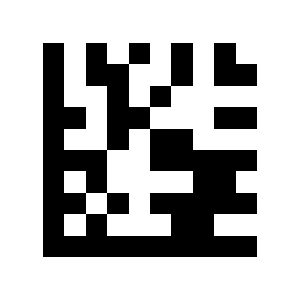
High brightness (default):
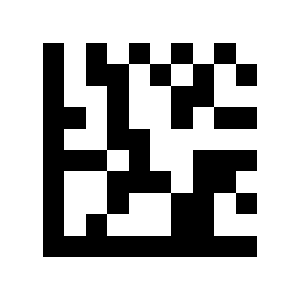
All light sources (default):
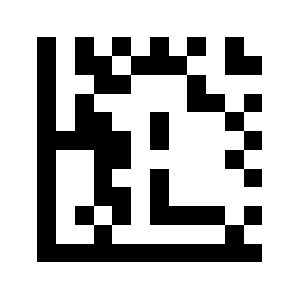
Upper light source:
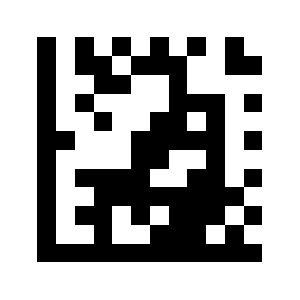
Middle light source:
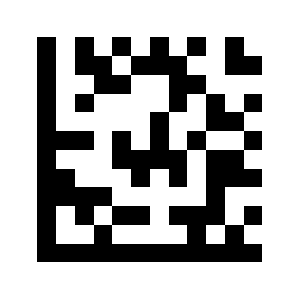
Lower light source:
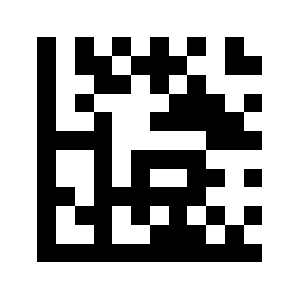
Power-on beep
Upper + middle light source:
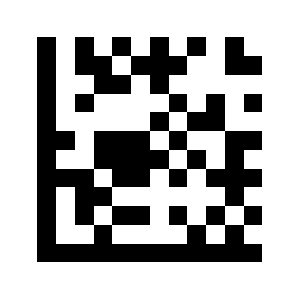
Upper + lower light source:
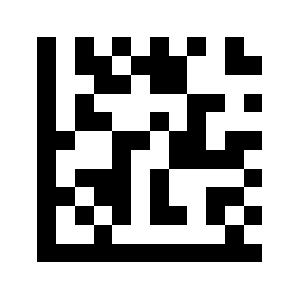
Lower + middle light source:
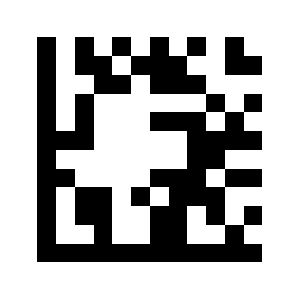
Good-read beep
Good-read beep off:
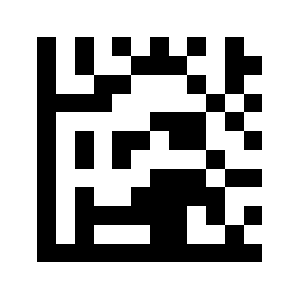
Good-read beep on (default):
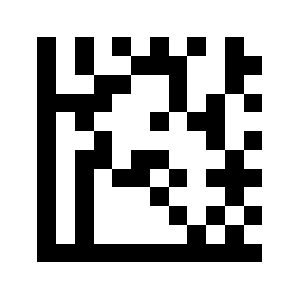
Good-read beep frequency
Good-read beep frequency off:
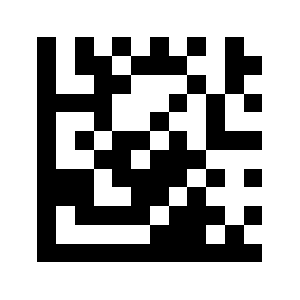
Good-read beep frequency on (default):
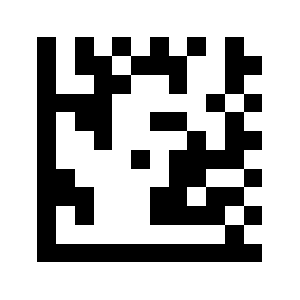
Debug button
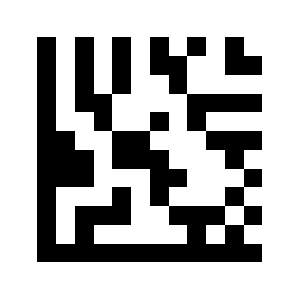
Minimum 800 Hz:
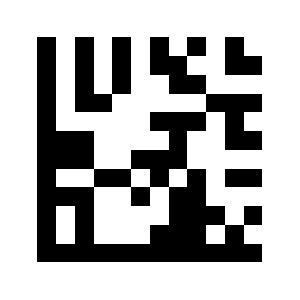
Low 1,600 Hz:
2730Hz average (default):
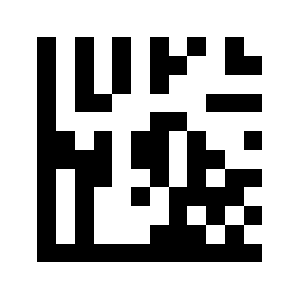
High 4,200 Hz:
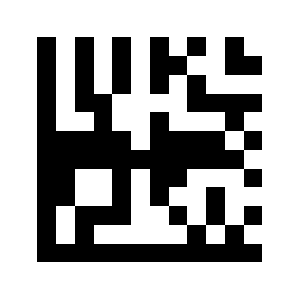
Debug button off:
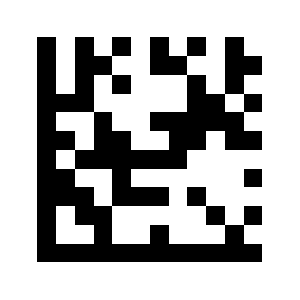
Debug button on (default):
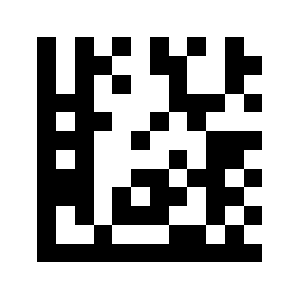
Output and interface settings
USB keyboard (HID) output
USB keyboard (HID) output (default):
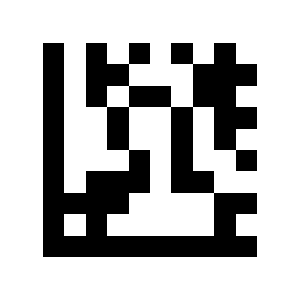
Serial port (RS-232)
USB virtual COM (CDC) output:
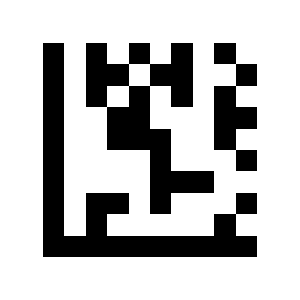
Serial port output:
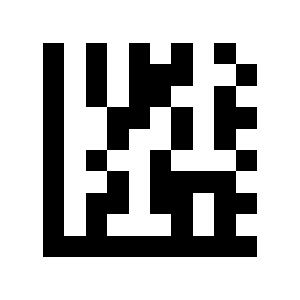
9600 (default):
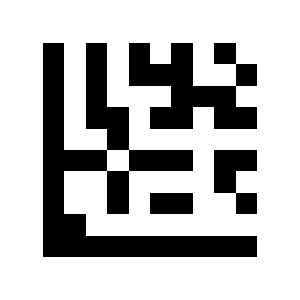
19200:
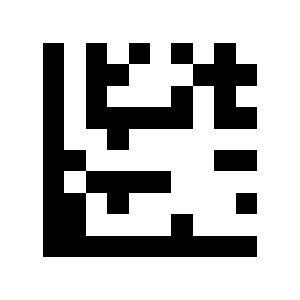
38400:
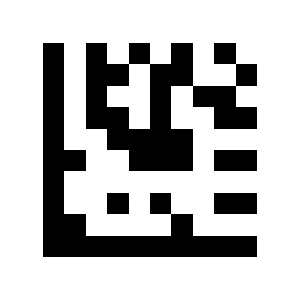
57600:
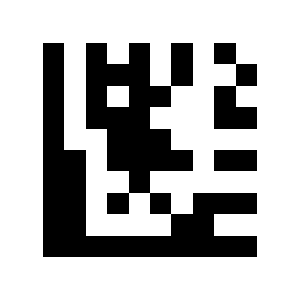
115200:
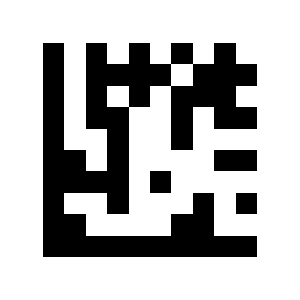
230400:
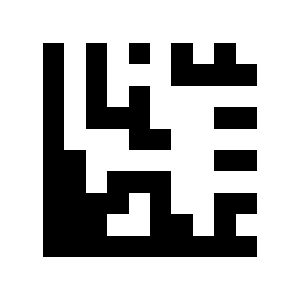
7 data bits:
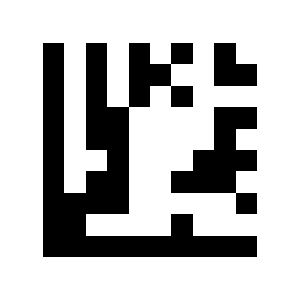
8 data bits:
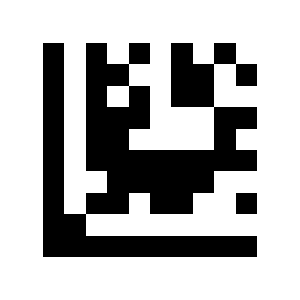
No parity:
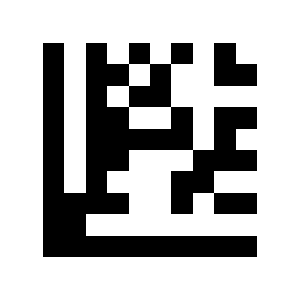
Odd parity:
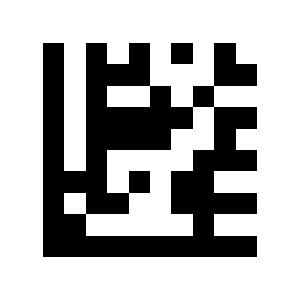
Even parity:
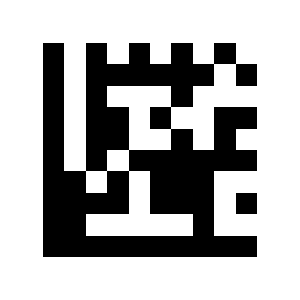
Code page (character encoding)
1 stop bit:
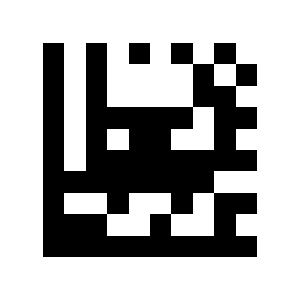
2 stop bits:
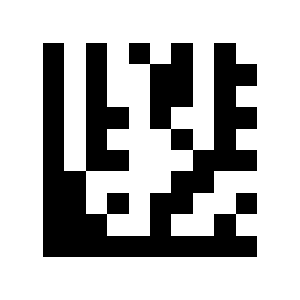
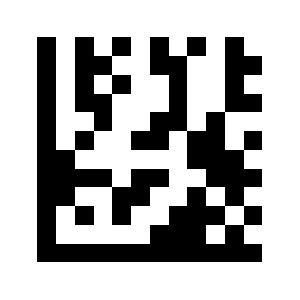
GB2312 Code Page (Word):
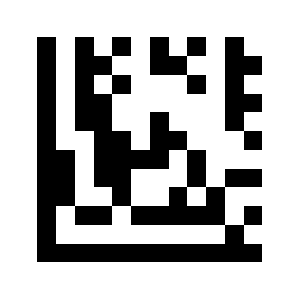
GB2312 Unicode (Excel / Notepad):
Symbology settings
Global symbology switches
Enable all barcodes:
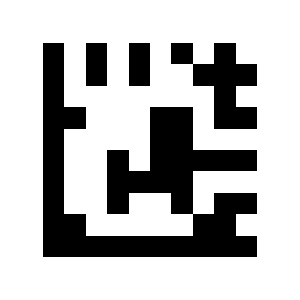
Enable 1D codes only:
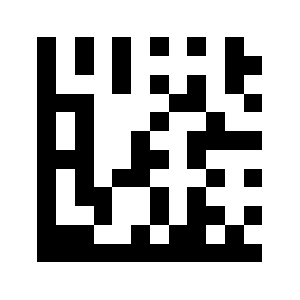
Enable 2D codes only:
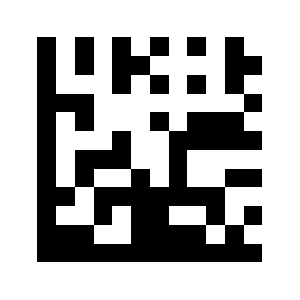
Disable all barcodes:
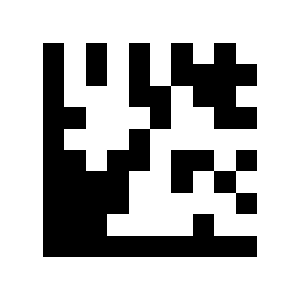
Disable 1D codes:
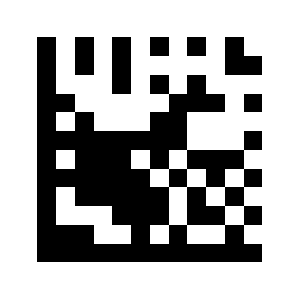
UPC-A
Disable 2D codes:
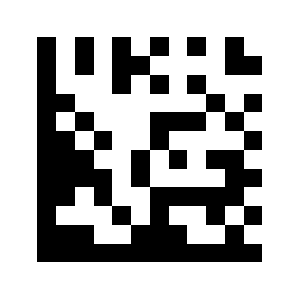
Disable UPC-A:
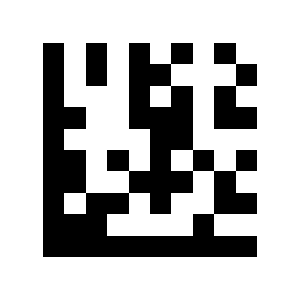
Enable UPC-A (default):
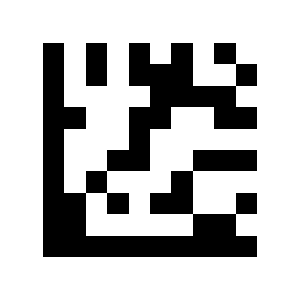
Transmit leading character (default):
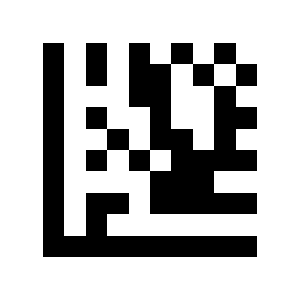
Do not transmit leading character:
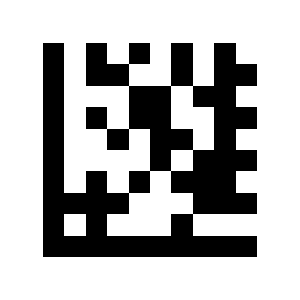
Verify check digit (default):
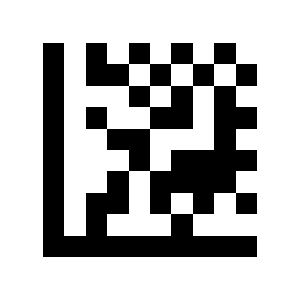
Do not verify check digit:
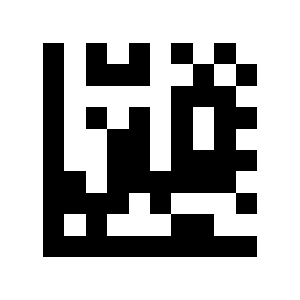
Convert UPC-A to EAN-13:
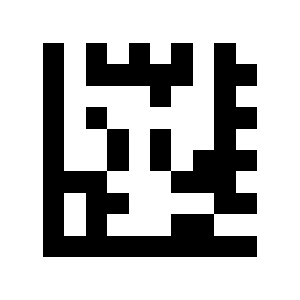
Do not convert UPC-A to EAN-13 (default):
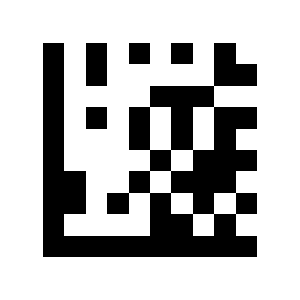
Enable UPC-A 2/5-digit add-on:
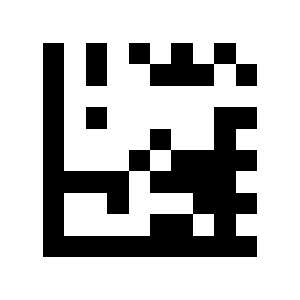
Disable UPC-A 2/5-digit add-on (default):
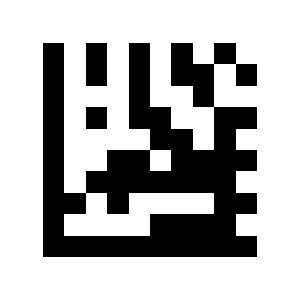
UPC-E
Require UPC-A 2/5-digit add-on:
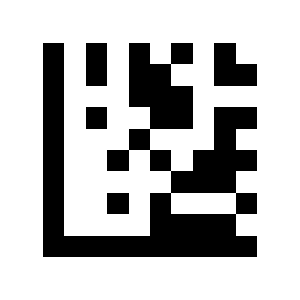
Read UPC-A with or without add-on (default):
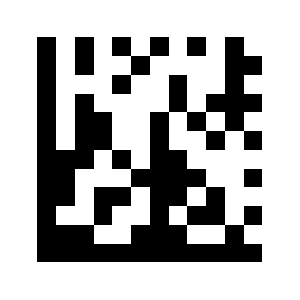
Disable UPC-E:
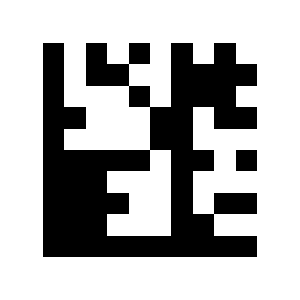
Enable UPC-E (default):
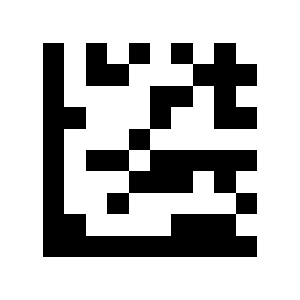
Transmit leading character (default):
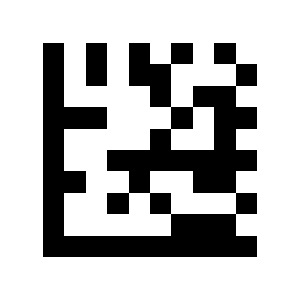
Do not transmit leading character:
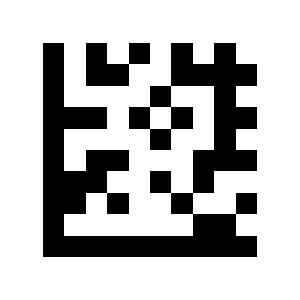
Verify check digit (default):
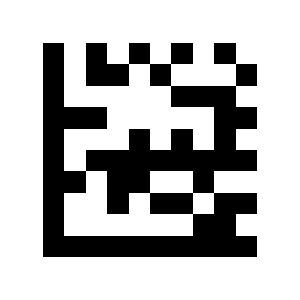
Do not verify check digit:
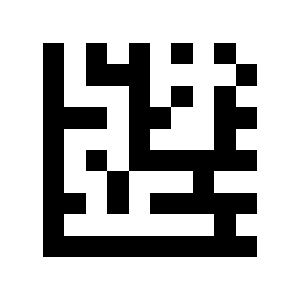
Convert UPC-E to UPC-A:
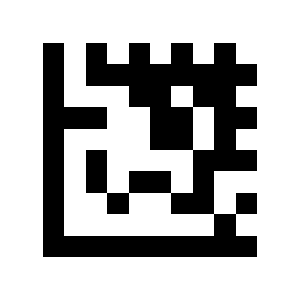
Do not convert UPC-E to UPC-A (default):
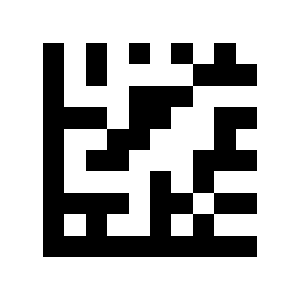
Enable UPC-E 2/5-digit add-on:
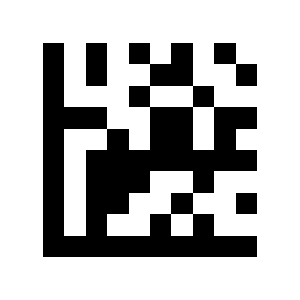
Disable UPC-E 2/5-digit add-on (default):
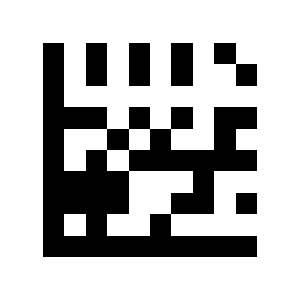
EAN-8
Require UPC-E 2/5-digit add-on:
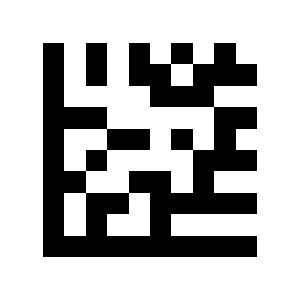
Read UPC-E with or without add-on (default):
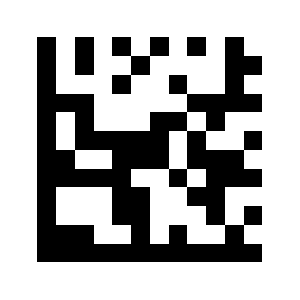
Disable EAN-8:
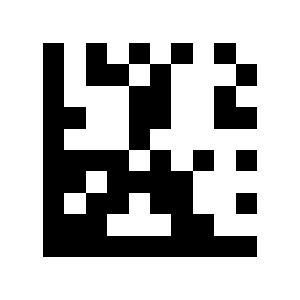
Enable EAN-8 (default):
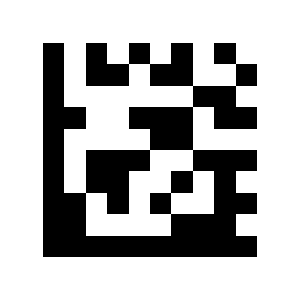
Transmit check digit (default):
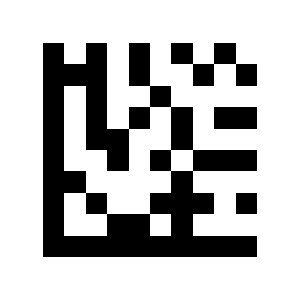
Do not transmit check digit:
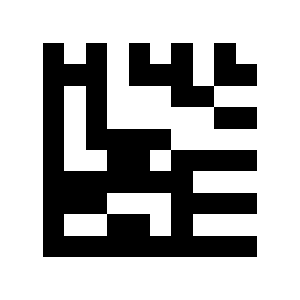
Convert EAN-8 to EAN-13:
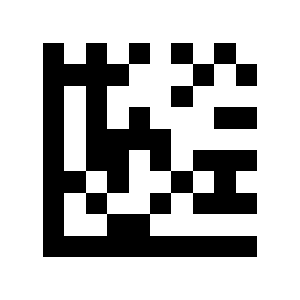
Do not convert EAN-8 to EAN-13 (default):
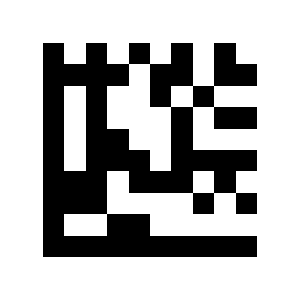
Enable EAN-8 2/5-digit add-on:
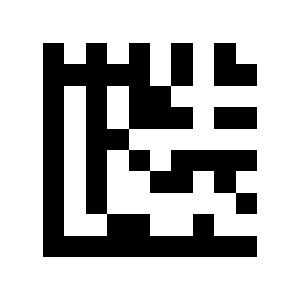
Disable EAN-8 2/5-digit add-on (default):
EAN-13
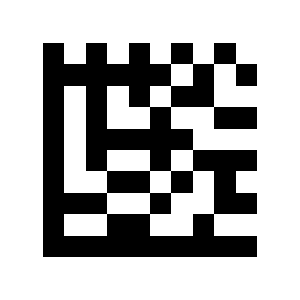
Require EAN-8 2/5-digit add-on:
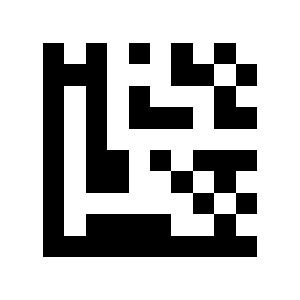
Read EAN-8 with or without add-on (default):
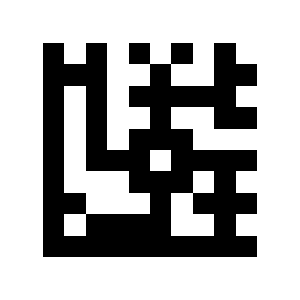
Disable EAN-13:
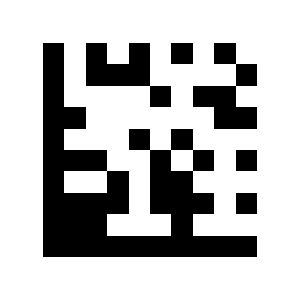
Enable EAN-13 (default):
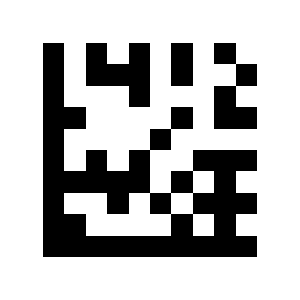
Transmit check digit (default):
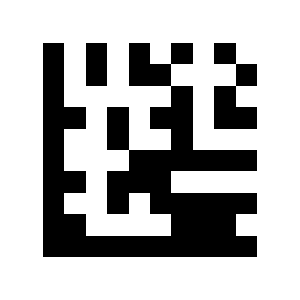
Do not transmit check digit:
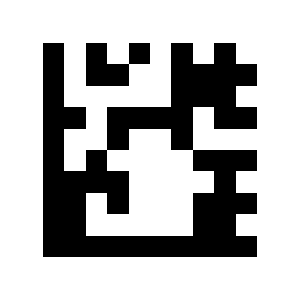
Convert EAN-13 to ISBN:
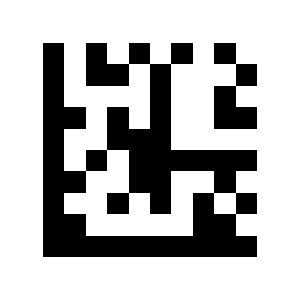
Do not convert to ISBN (default):
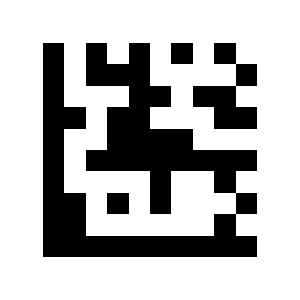
Convert EAN-13 to ISSN:
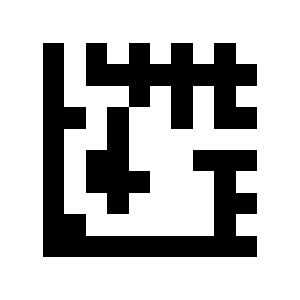
Do not convert to ISSN (default):
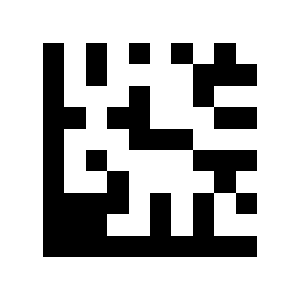
Enable EAN-13 2/5-digit add-on:
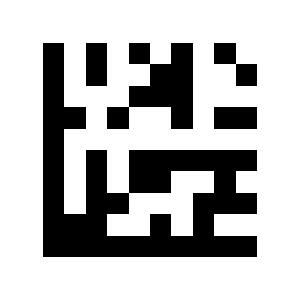
Disable EAN-13 2/5-digit add-on (default):
Code 128 / GS1-128
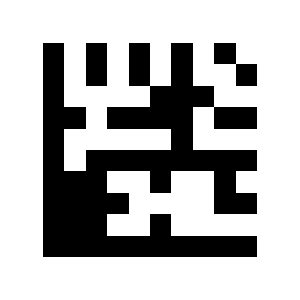
Require EAN-13 2/5-digit add-on:
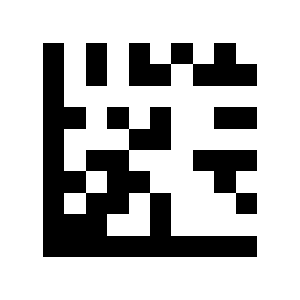
Read EAN-13 with or without add-on (default):
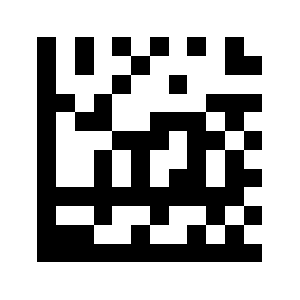
Disable Code 128 / GS1-128:
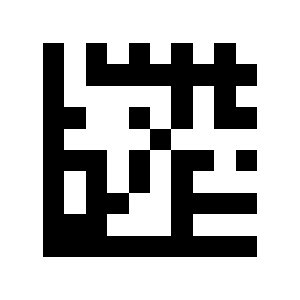
Enable Code 128 / GS1-128 (default):
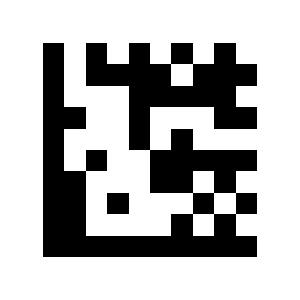
Code 39
No length limit (default):
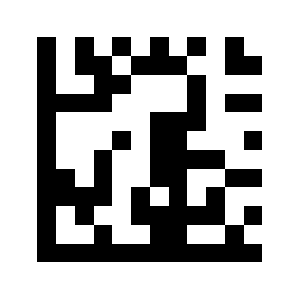
Limit to a length range:
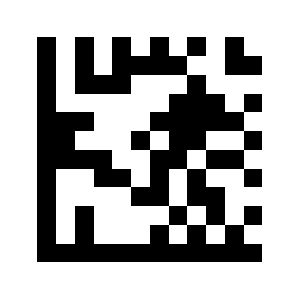
Limit to a single length:
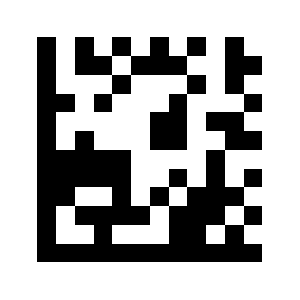
Limit to two lengths:
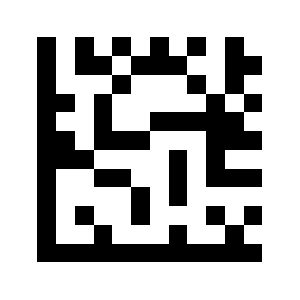
Disable Code 39:
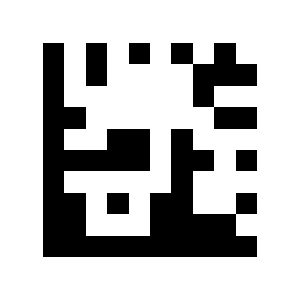
Enable Code 39 (default):
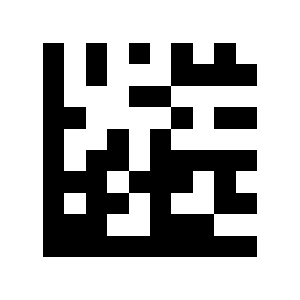
Enable Code 39 Full ASCII:
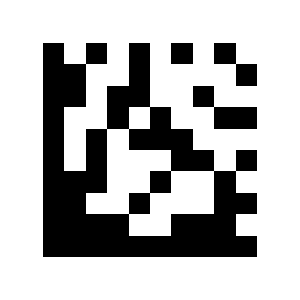
Disable Code 39 Full ASCII (default):
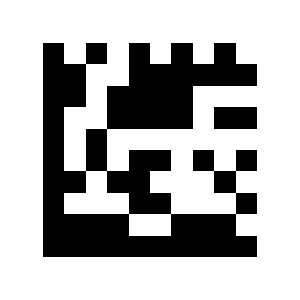
Transmit start/stop character:
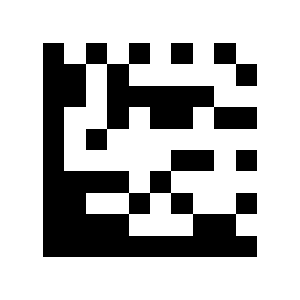
Do not transmit start/stop character (default):
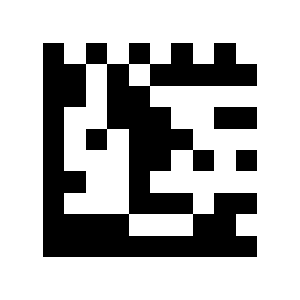
No check digit (default):
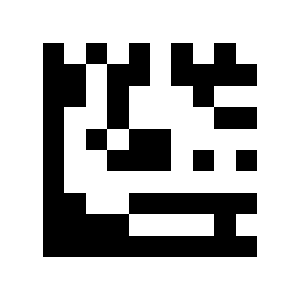
Verify and transmit check digit:
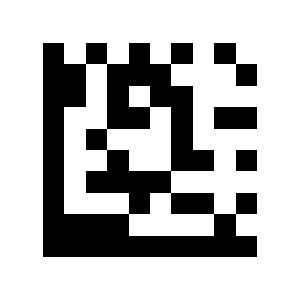
Verify but do not transmit check digit:
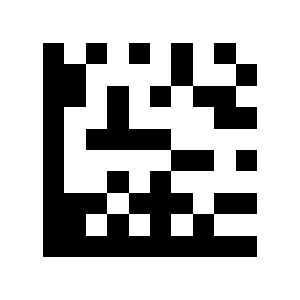
Code 32
No length limit (default):
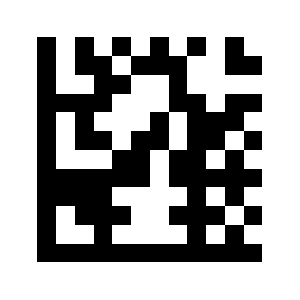
Limit to a length range:
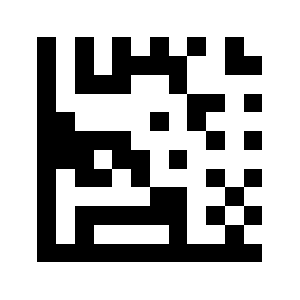
Limit to a single length:
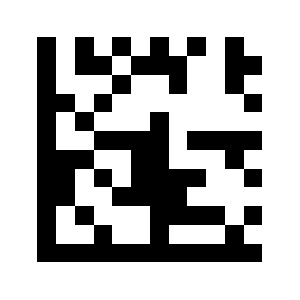
Limit to two lengths:
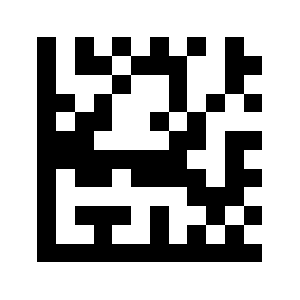
Disable Code 32 (default):
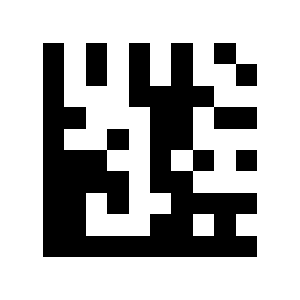
Enable Code 32:
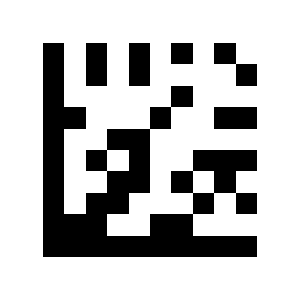
Code 93
Transmit start/stop character:
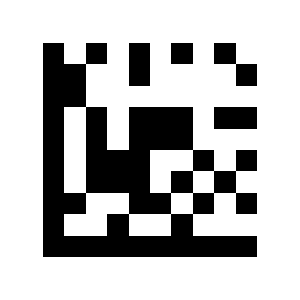
Do not transmit start/stop character (default):
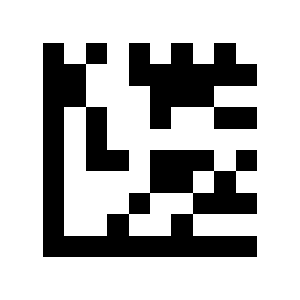
Disable Code 93 (default):
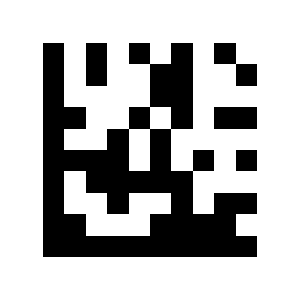
Enable Code 93:
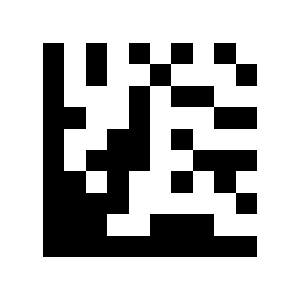
Code 11
No length limit (default):
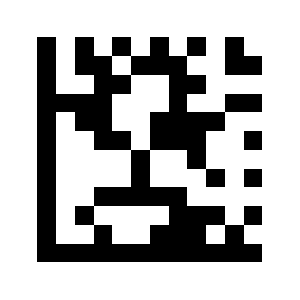
Limit to a length range:
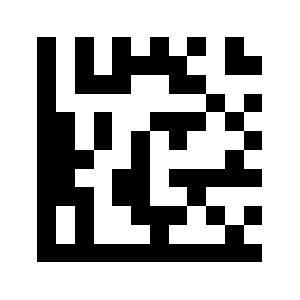
Limit to a single length:
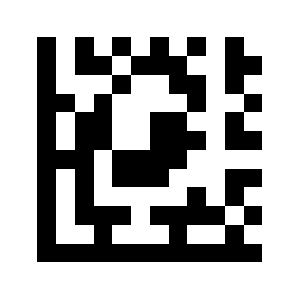
Limit to two lengths:
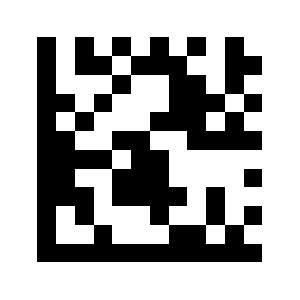
Disable Code 11 (default):
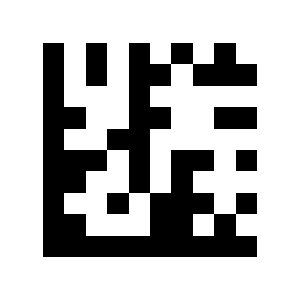
Enable Code 11:
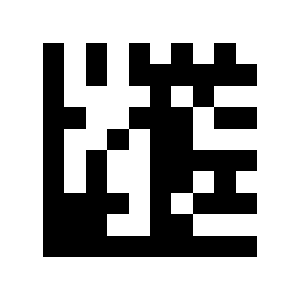
Transmit check digit (default):
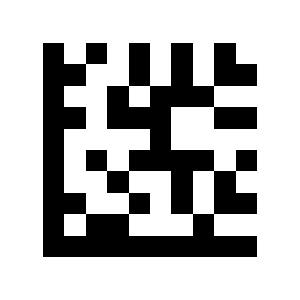
Do not transmit check digit:
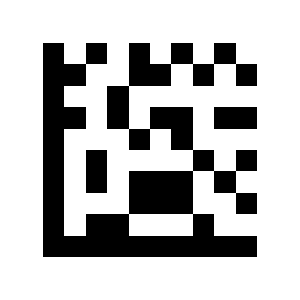
Codabar
No length limit (default):
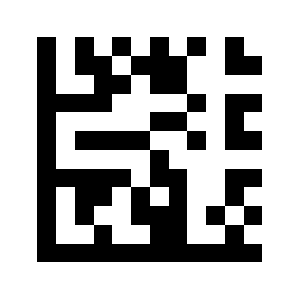
Limit to a length range:
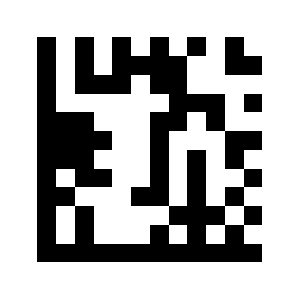
Limit to a single length:
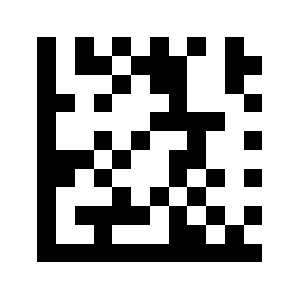
Limit to two lengths:
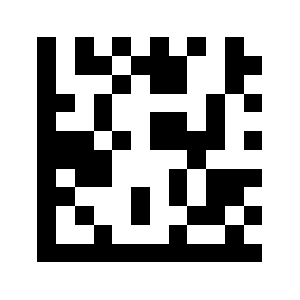
Disable Codabar (default):
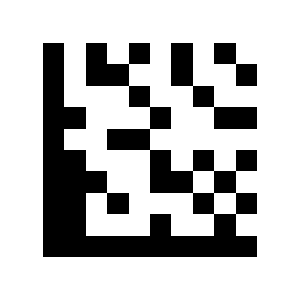
Enable Codabar:
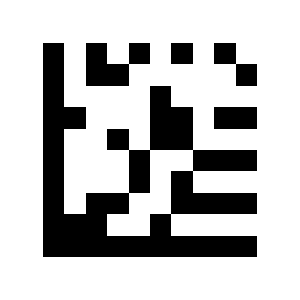
No check digit (default):
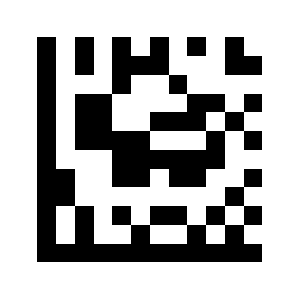
Verify and transmit check digit:
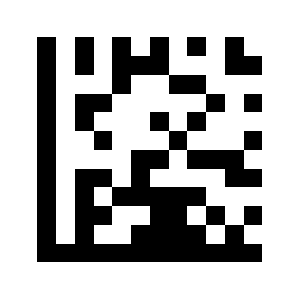
Verify but do not transmit check digit:
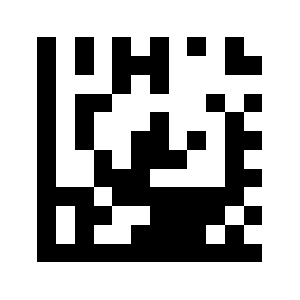
Transmit start/stop character:
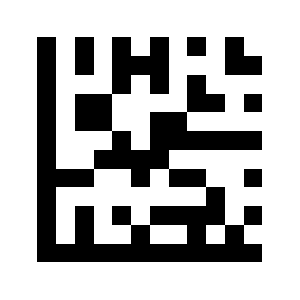
Do not transmit start/stop character (default):
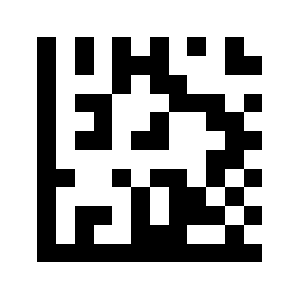
Plessey
No length limit (default):
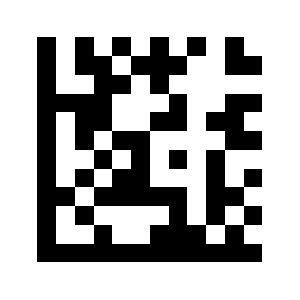
Limit to a length range:
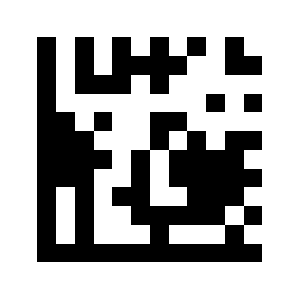
Limit to a single length:
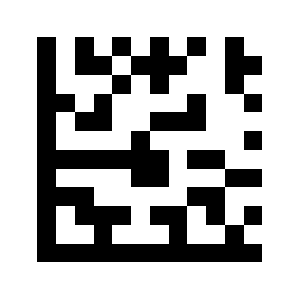
Limit to two lengths:
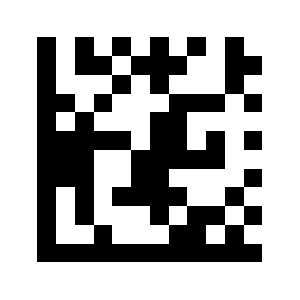
Disable Plessey (default):
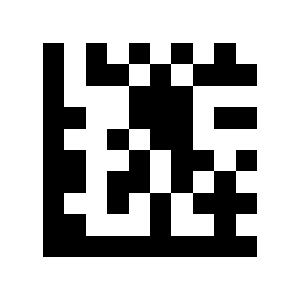
Enable Plessey:
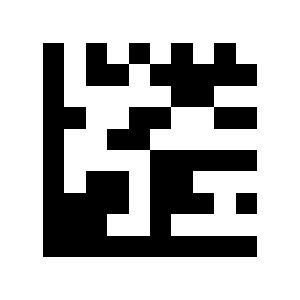
MSI Plessey
No length limit (default):
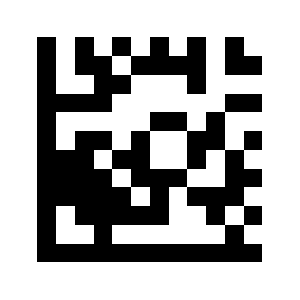
Limit to a length range:
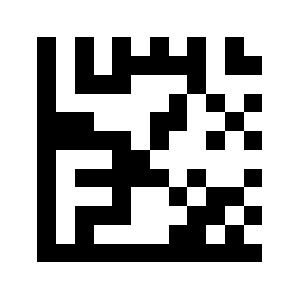
Limit to a single length:
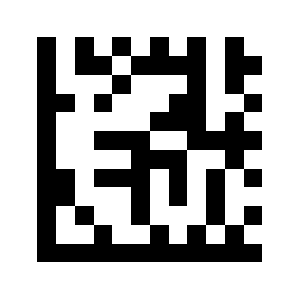
Limit to two lengths:
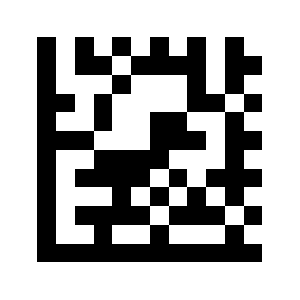
Disable MSI Plessey (default):
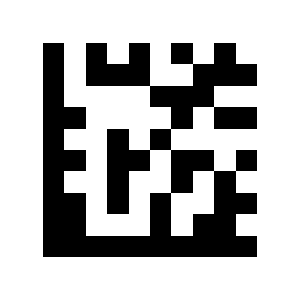
Enable MSI Plessey:
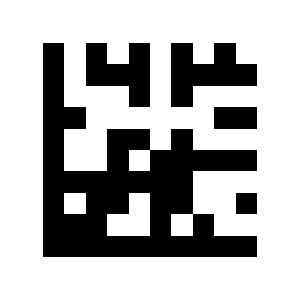
No check digit:
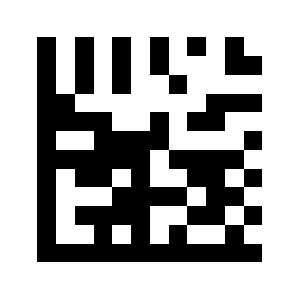
Mod 10 check (default):
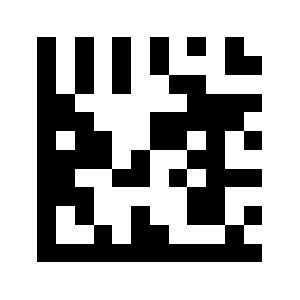
Mod 10/10 check:
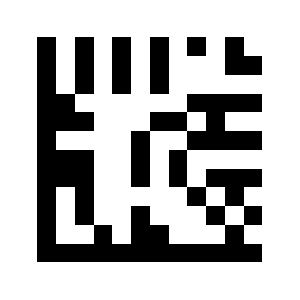
Mod 11/10 check:
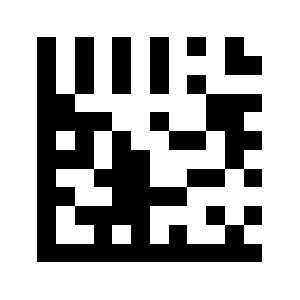
Transmit check digit (default):
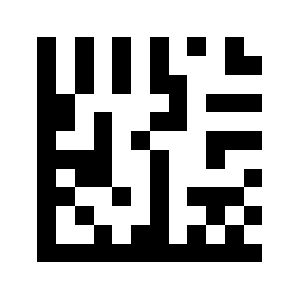
Do not transmit check digit:
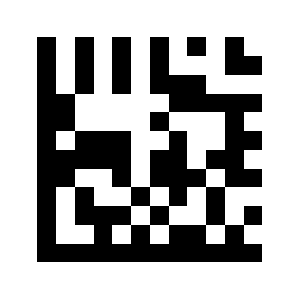
Interleaved 2 of 5
No length limit (default):
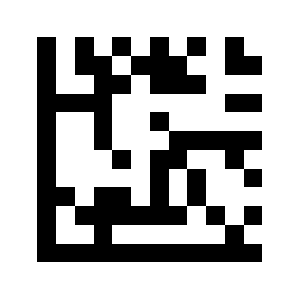
Limit to a length range:
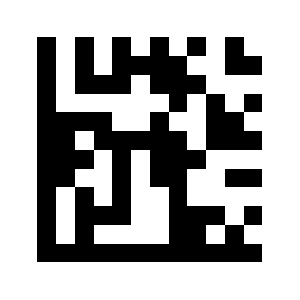
Limit to a single length:
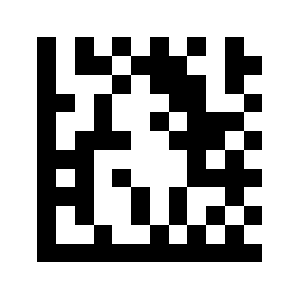
Limit to two lengths:
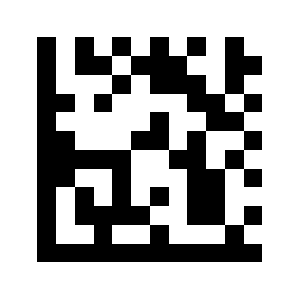
Disable Interleaved 2 of 5:
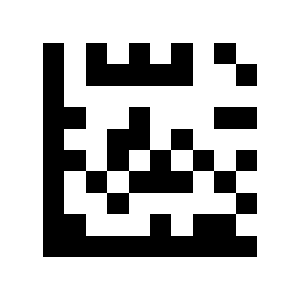
Enable Interleaved 2 of 5 (default):
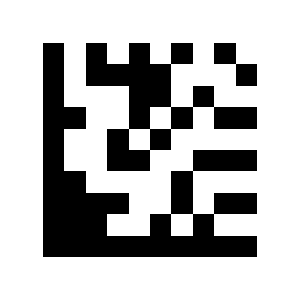
No check digit (default):
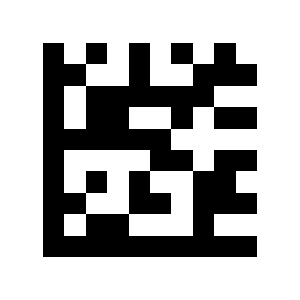
Verify and transmit check digit:
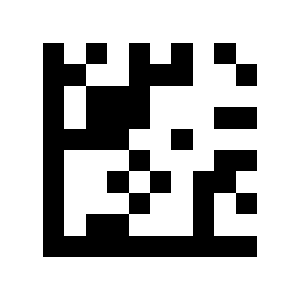
Matrix 2 of 5
No length limit (default):
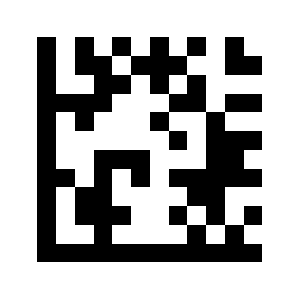
Limit to a length range:
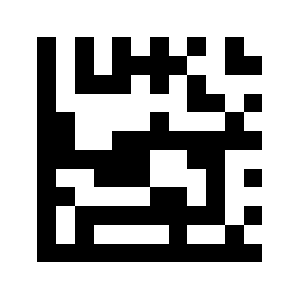
Limit to a single length:
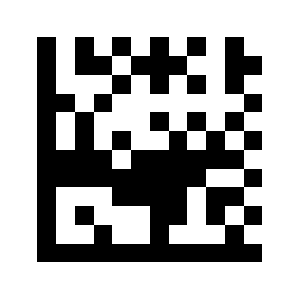
Limit to two lengths:
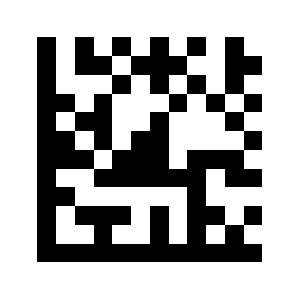
Disable Matrix 2 of 5 (default):
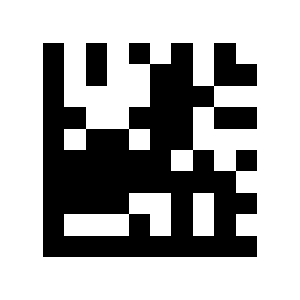
Enable Matrix 2 of 5:
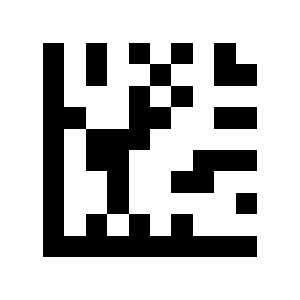
IATA 2 of 5
No length limit (default):
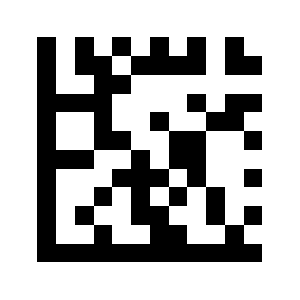
Limit to a length range:
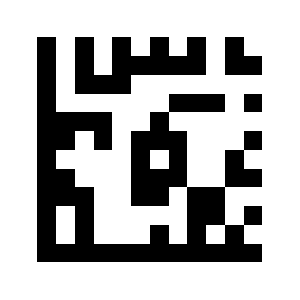
Limit to a single length:
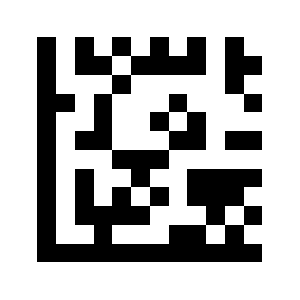
Limit to two lengths:
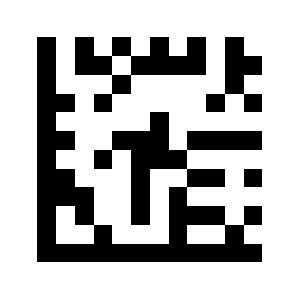
Straight 2 of 5
Disable IATA 2 of 5 (default):
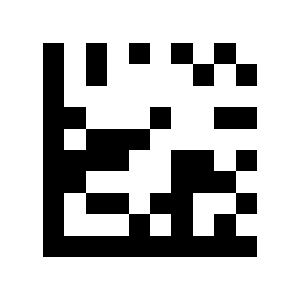
Enable IATA 2 of 5:
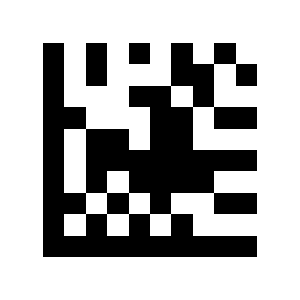
Pharmacode
Disable Straight 2 of 5 (default):
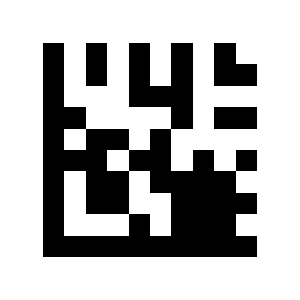
Enable Straight 2 of 5:
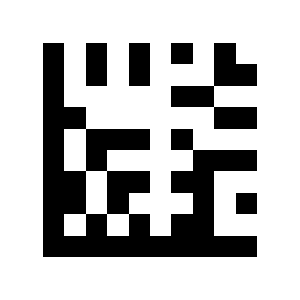
GS1 DataBar 14
Disable Pharmacode (default):
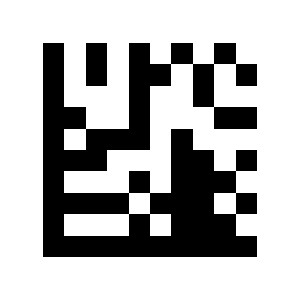
Enable Pharmacode:
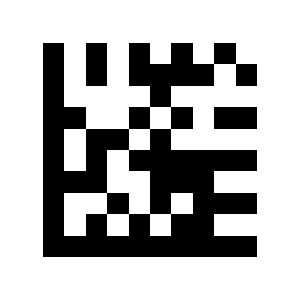
Disable GS1 DataBar 14 (default):
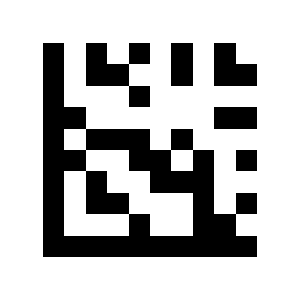
Enable GS1 DataBar 14:
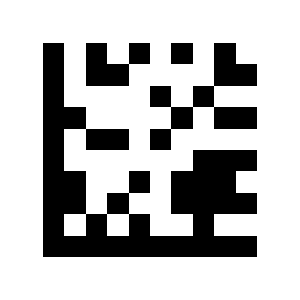
Enable GS1 DataBar 14 Stacked:
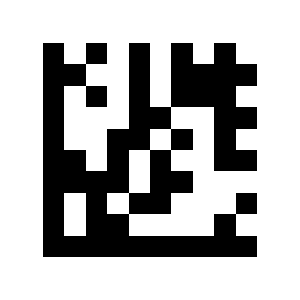
Disable GS1 DataBar 14 Stacked (default):
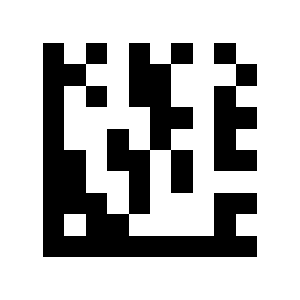
GS1 DataBar Expanded
Transmit AI (01) characters (default):
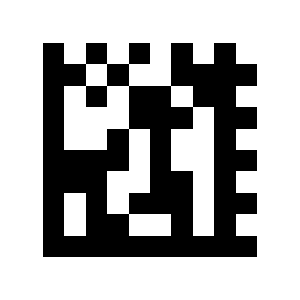
Do not transmit AI (01) characters:
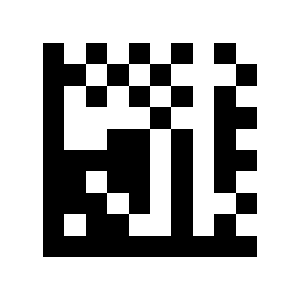
Disable GS1 DataBar Expanded (default):
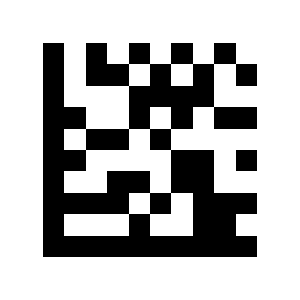
Enable GS1 DataBar Expanded:
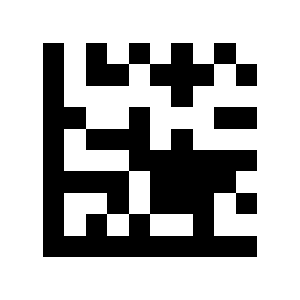
Enable GS1 DataBar Expanded Stacked:
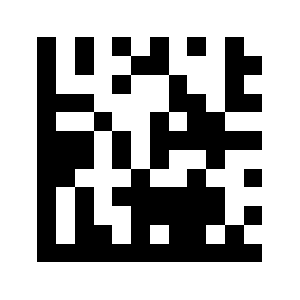
Disable GS1 DataBar Expanded Stacked (default):
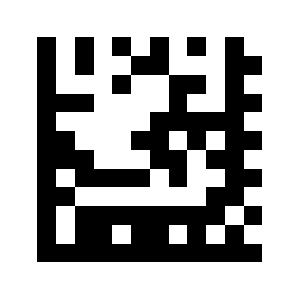
GS1 DataBar Limited
Transmit AI (01) characters (default):
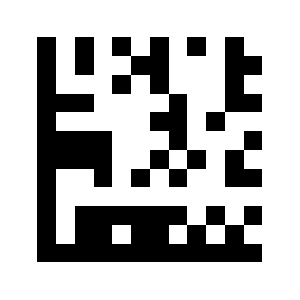
Do not transmit AI (01) characters:
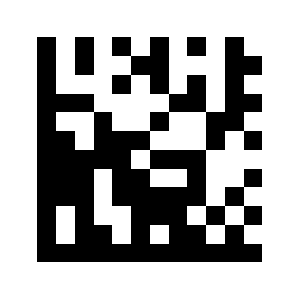
Disable GS1 DataBar Limited (default):
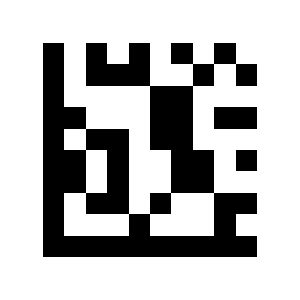
Enable GS1 DataBar Limited:
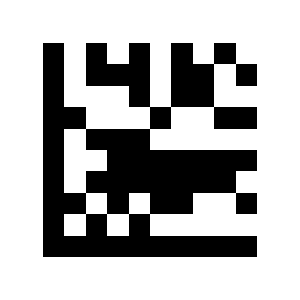
Composite Code-A
Transmit AI (01) characters (default):
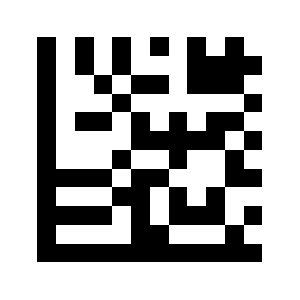
Do not transmit AI (01) characters:
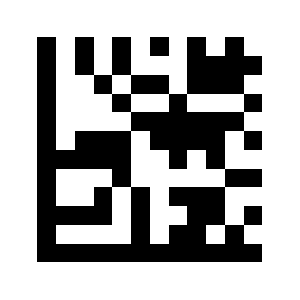
Composite Code-B
Disable Composite Code-A (default):
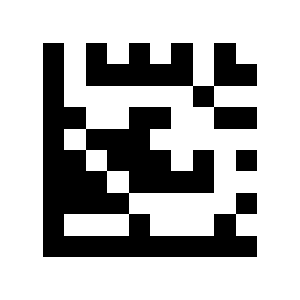
Enable Composite Code-A:
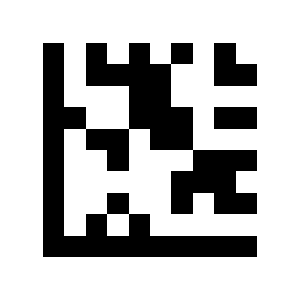
Composite Code-C
Disable Composite Code-B (default):
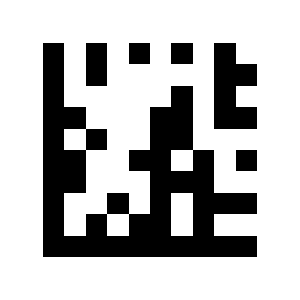
Enable Composite Code-B:
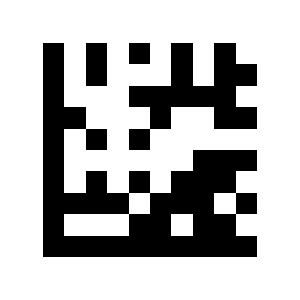
PDF417
Disable Composite Code-C (default):
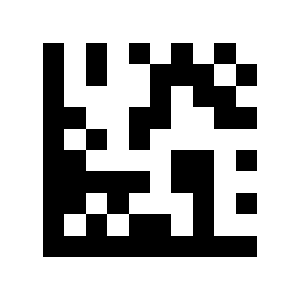
Enable Composite Code-C:
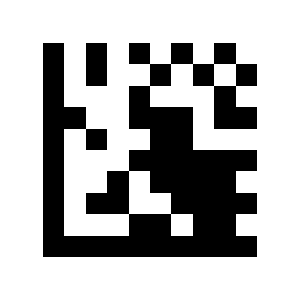
Micro PDF417
Disable PDF417 (default):
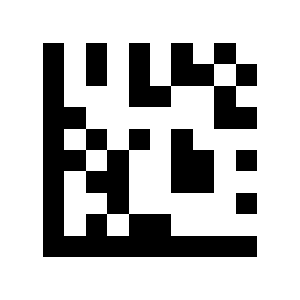
Enable PDF417:
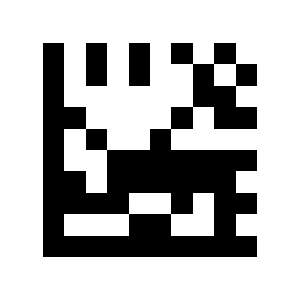
Data Matrix
Disable Micro PDF417 (default):
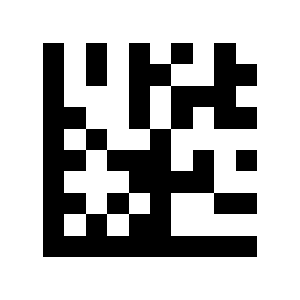
Enable Micro PDF417:
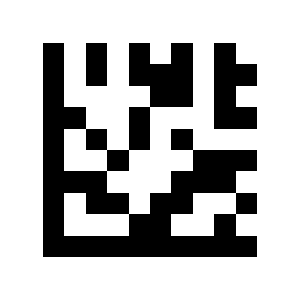
Disable Data Matrix:
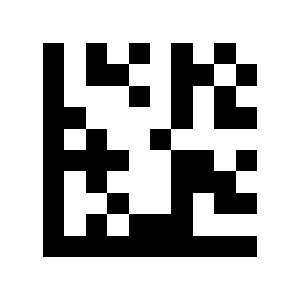
Enable Data Matrix (default):
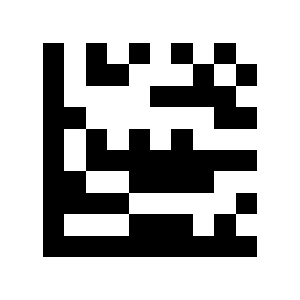
Enable Rectangular Data Matrix (default):
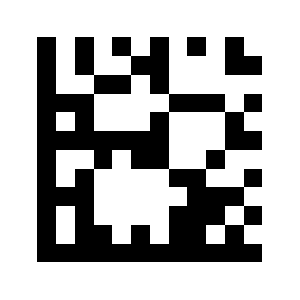
Disable Rectangular Data Matrix:
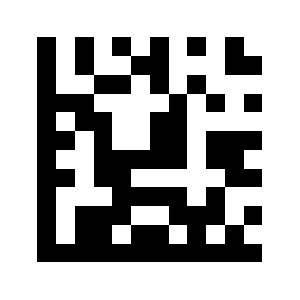
QR Code
Enable mirror image decoding (default):
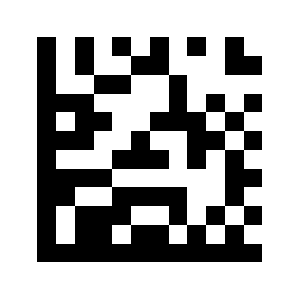
Disable mirror image decoding:
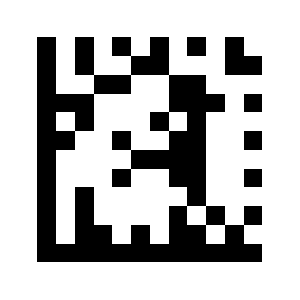
Disable QR:
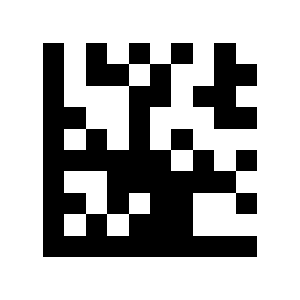
Enable QR (default):
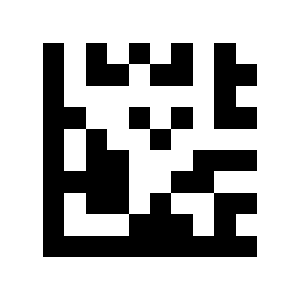
Micro QR
Enable mirror image decoding (default):
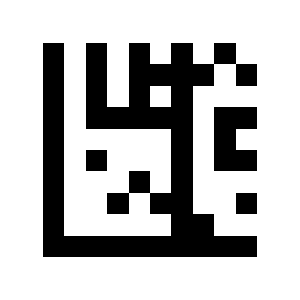
Disable mirror image decoding:
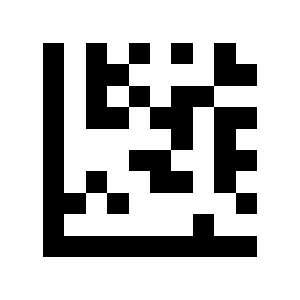
Aztec
Disable Micro QR (default):
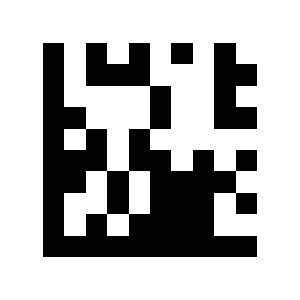
Enable Micro QR:
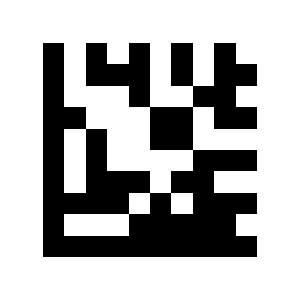
Disable Aztec (default):
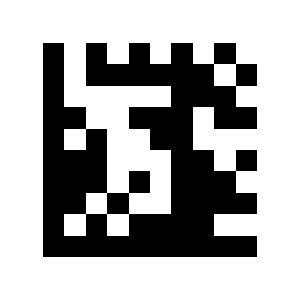
Enable Aztec:
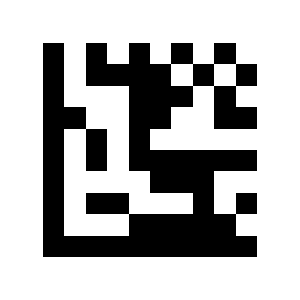
MaxiCode
Enable mirror image decoding (default):
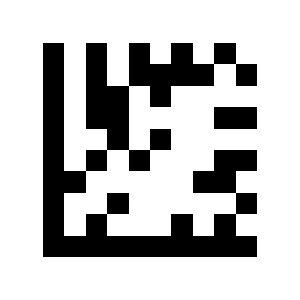
Disable mirror image decoding:
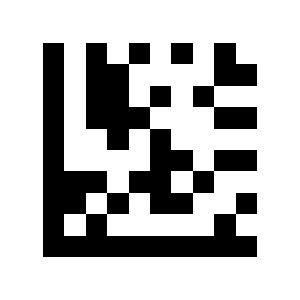
Data formatting, prefix and suffix
Output format
Disable MaxiCode (default):
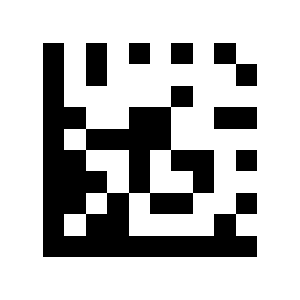
Enable MaxiCode:
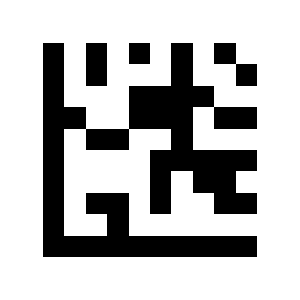
Barcode data transmission
Barcode length output:
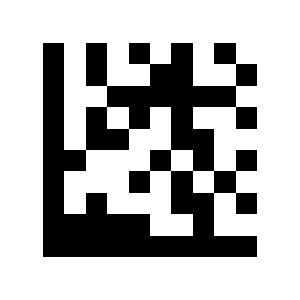
Code ID
Disable barcode ID code:
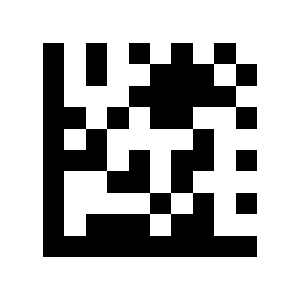
Enable standard barcode ID code:
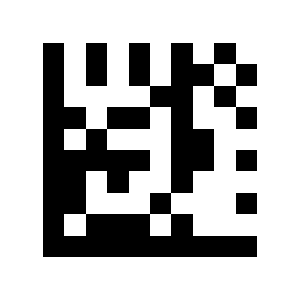
Enable barcode ID code:
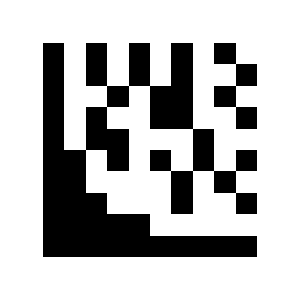
Enable AIM barcode ID code:
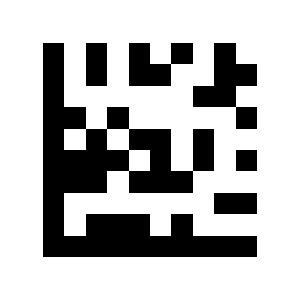
Prefix
Prefix setting:
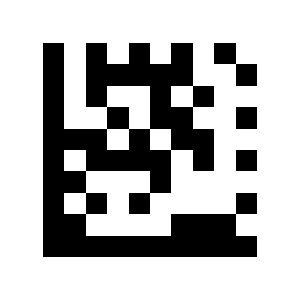
Cancel a set prefix:
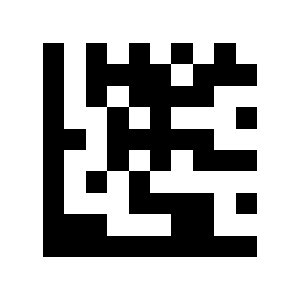
Prefix disabled (default):
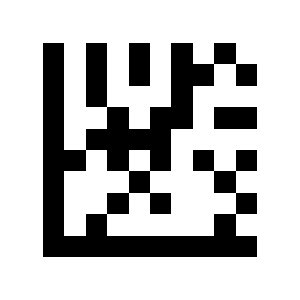
Prefix Enabled:
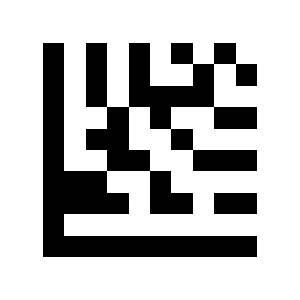
Remove leading characters
Suffix setting:
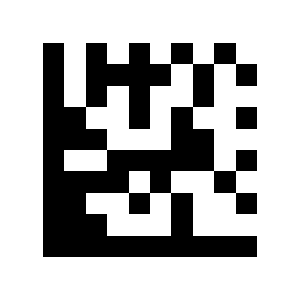
Cancel a set suffix:
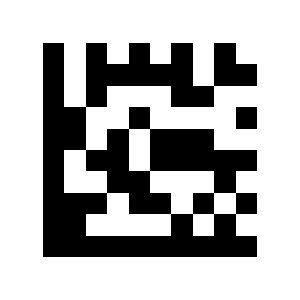
Suffix Off:
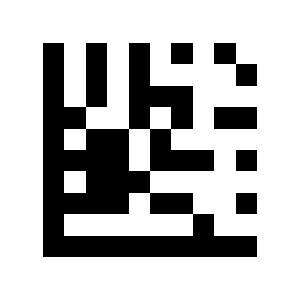
Suffix On:
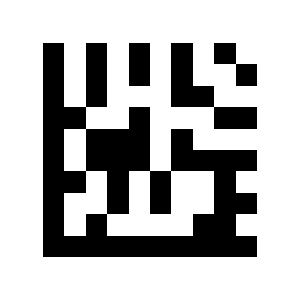
Remove all leading characters:
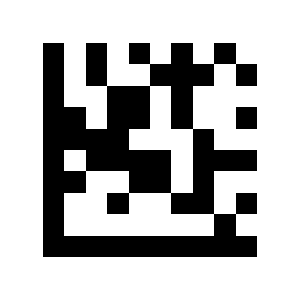
Remove trailing characters
Remove specified leading characters:
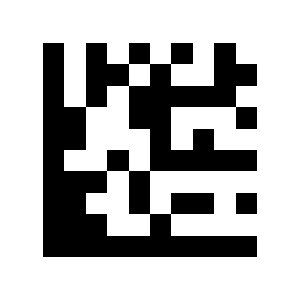
Remove all trailing characters:
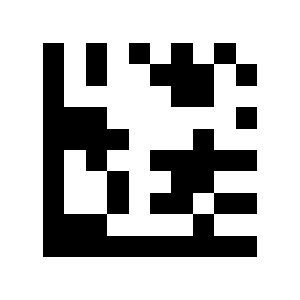
Remove specified trailing characters:
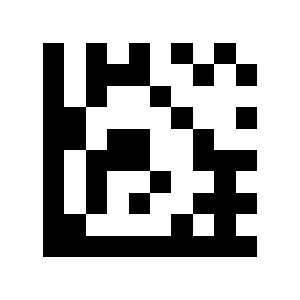
Terminator character
No end sign:
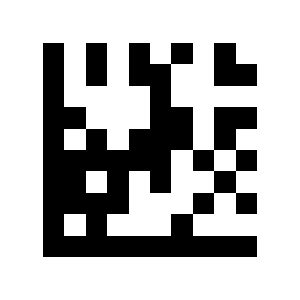
CR:
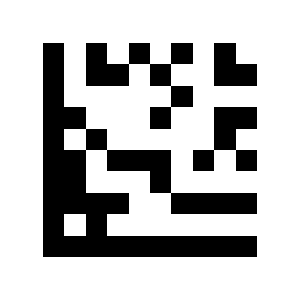
CR/ LF:
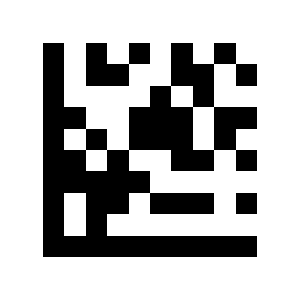
TAB:
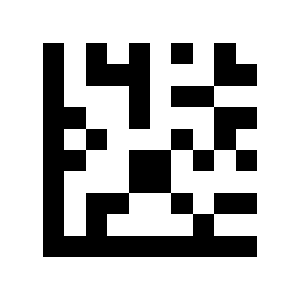
Caps Lock
CapsLock disabled (default):
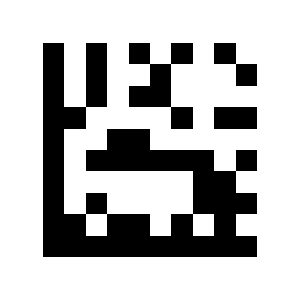
CapsLock On:
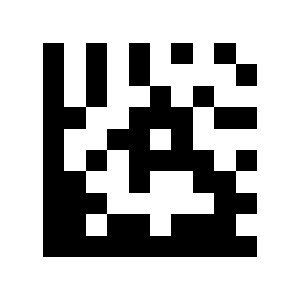
GS character conversion
Turn off GS character conversion (default):
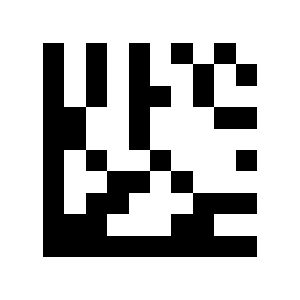
Convert GS characters:
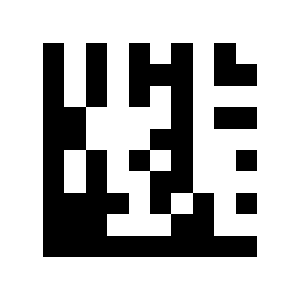
Function key mapping
Function key mapping off:
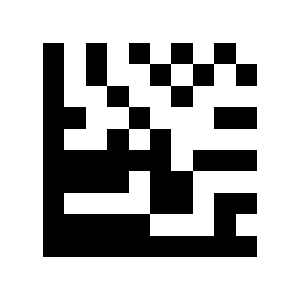
Function key mapping on (default):
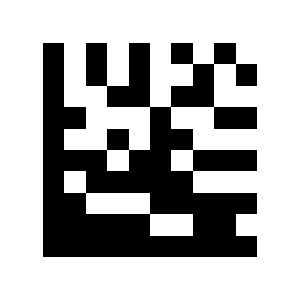
Alt + Unicode mode:
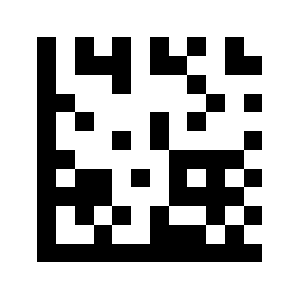
Ctrl Char mode (default):
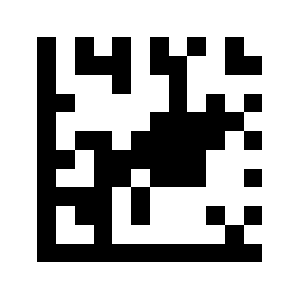
Serial port commands
Scan trigger string
Scan trigger string off:
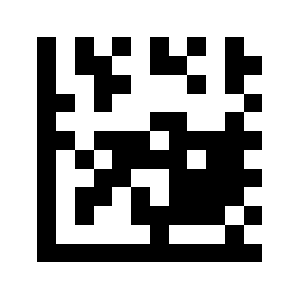
Set scan trigger string:
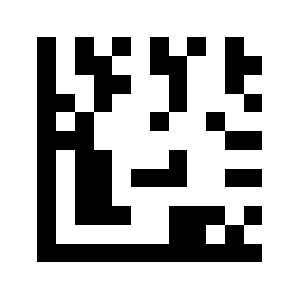
Stop-scan string
Stop scan string off:
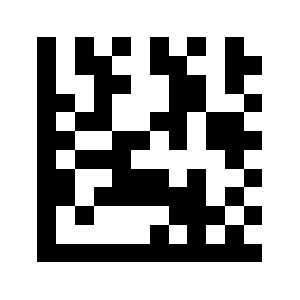
Set stop scan string:
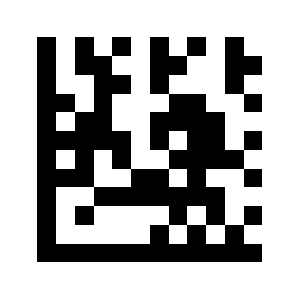
Appendix: data, ASCII and function-key codes
These building-block codes (numeric digits, symbology selectors, ASCII characters and function keys) are used together with the value-setting options above.
Show data, ASCII and function-key codes
Numeric codes
N0:
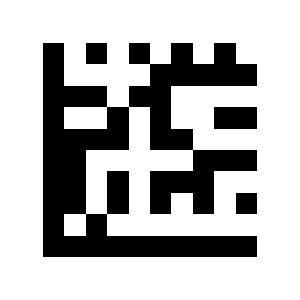
N1:
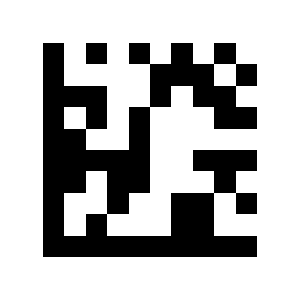
N2:
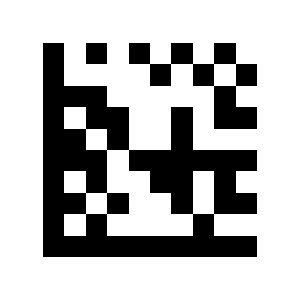
N3:
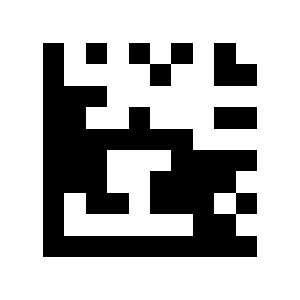
N4:
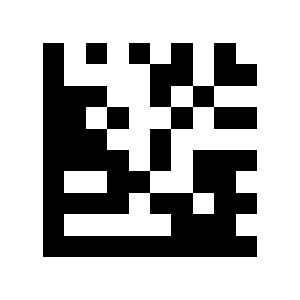
N5:
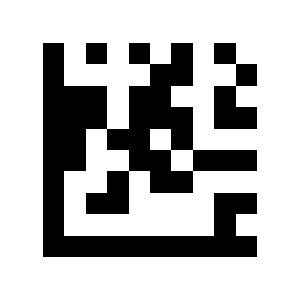
N6:
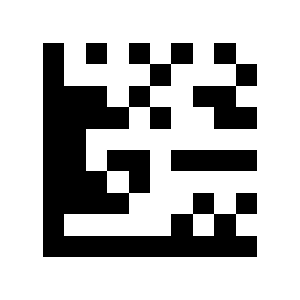
N7:
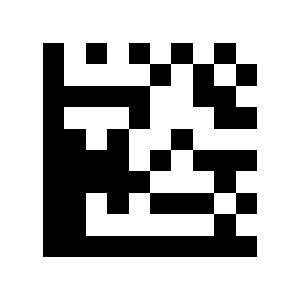
N8:
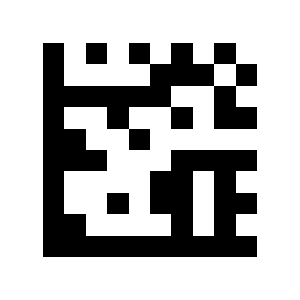
N9:
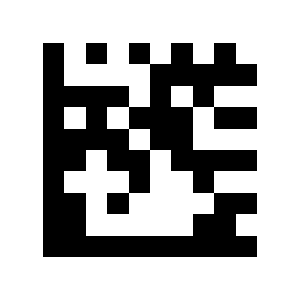
Symbology selection codes
UPC A:
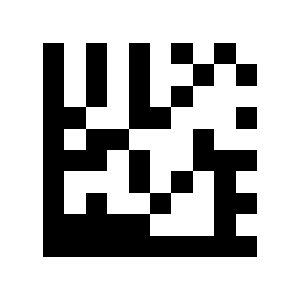
UPC E:
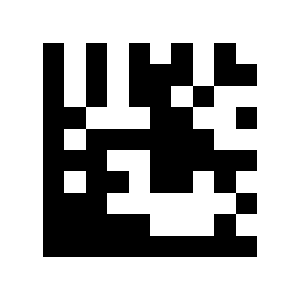
EAN 8:
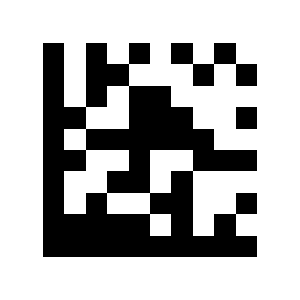
EAN 13:
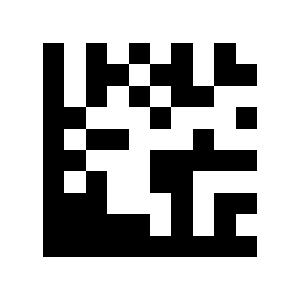
Code 128:
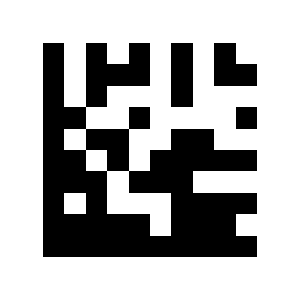
Code 39:
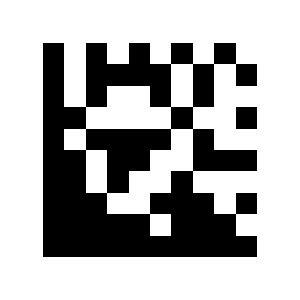
Code 93:
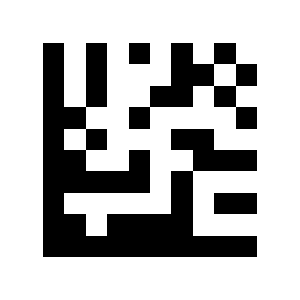
Code 32:
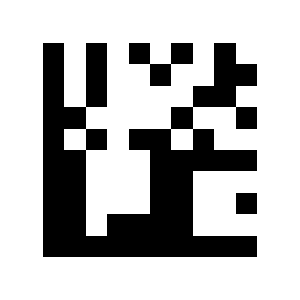
Codabar:

Plessey:
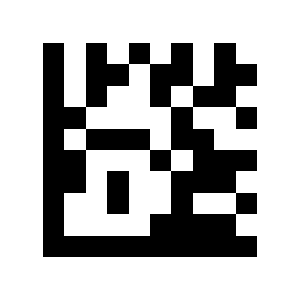
MSI Plessey:
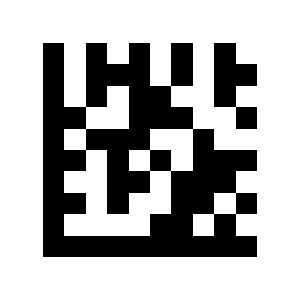
Interleaved 2 of 5:
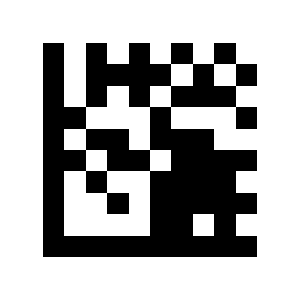
IATA 2 of 5:
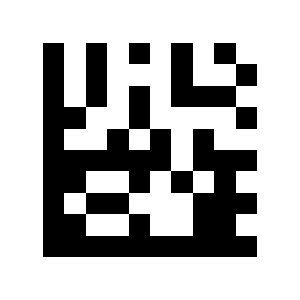
Matrix 2 of 5:
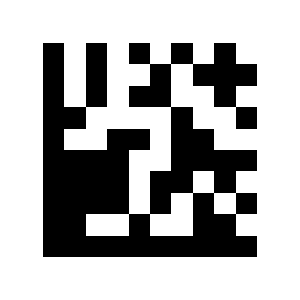
Straight 2 of 5:
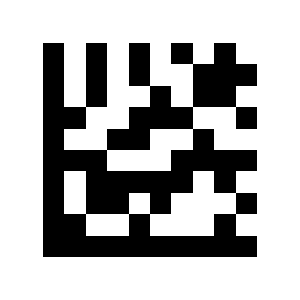
Code 11:
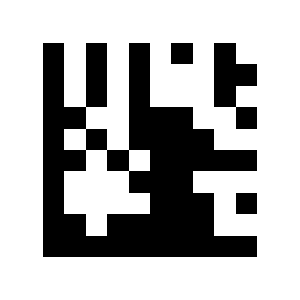
Pharmacode:
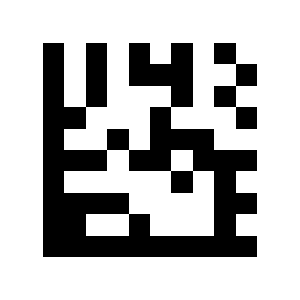
GS1 DataBar 14:
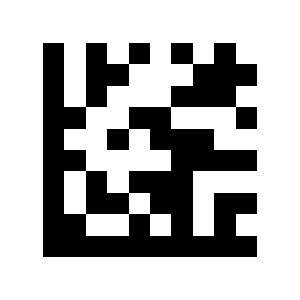
GS1 DataBar Expanded:
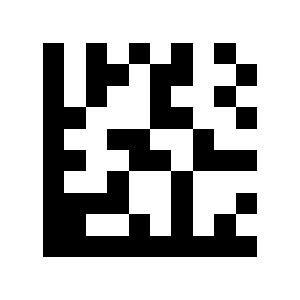
GS1 DataBar Limited:
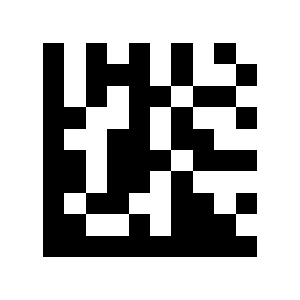
Composite Code-A:
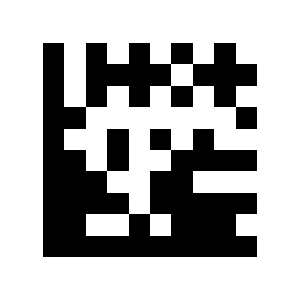
Composite Code-B:
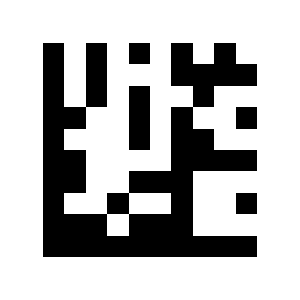
GS1 DataBar 14 Stacked:
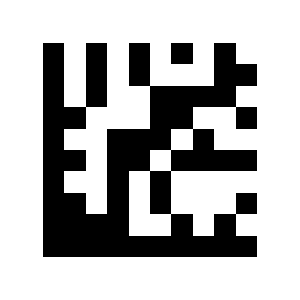
GS1 DataBar Expanded Stacked:
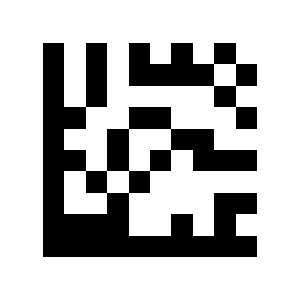
Composite Code-C:
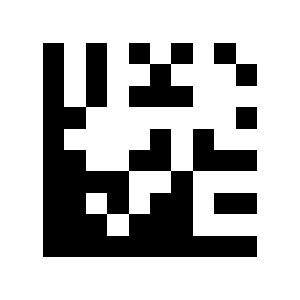
PDF417:
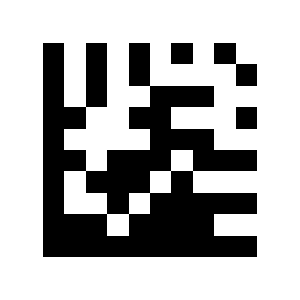
Micro PDF417:
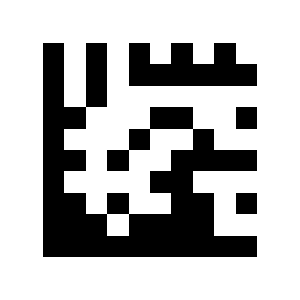
Data Matrix:
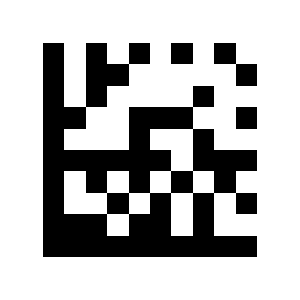
QR:
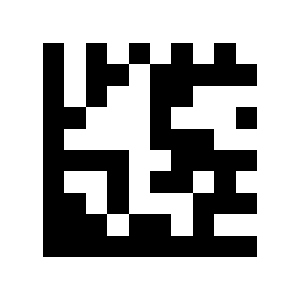
Micro QR:
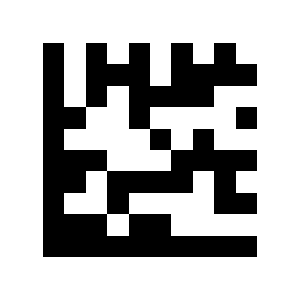
Aztec:
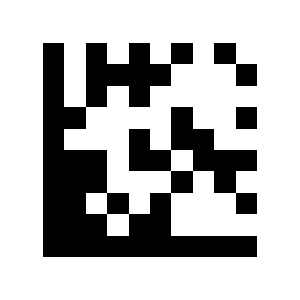
MaxiCode:
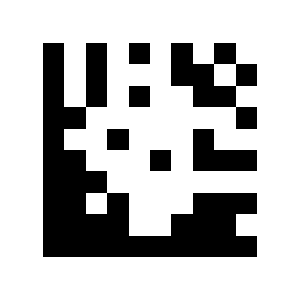
ASCII code table
C00:
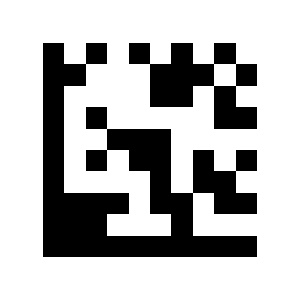
SOH:
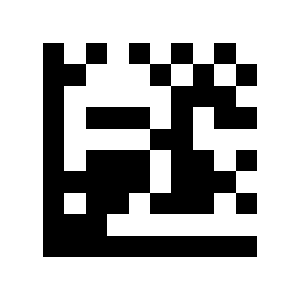
STX:
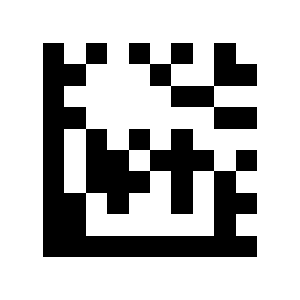
ETX:
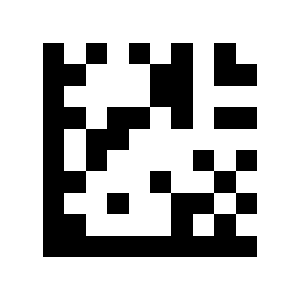
C04:
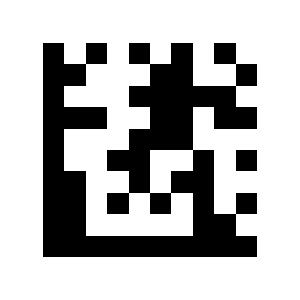
ENQ:
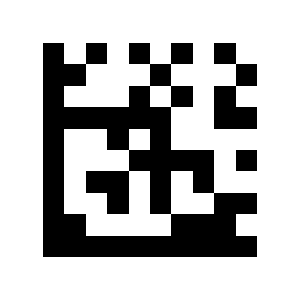
ACK:
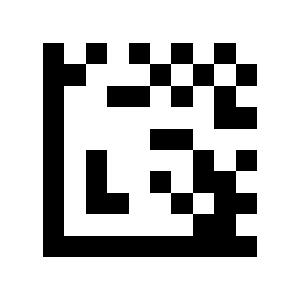
BEL:
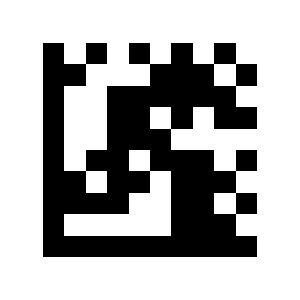
LF:
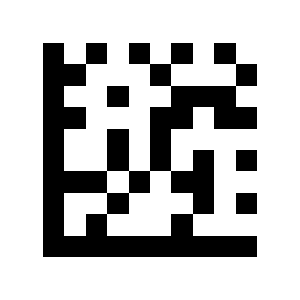
VT:
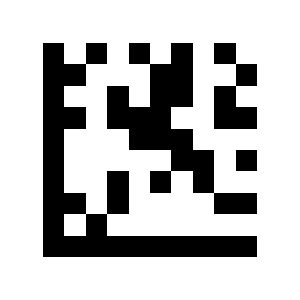
BS:
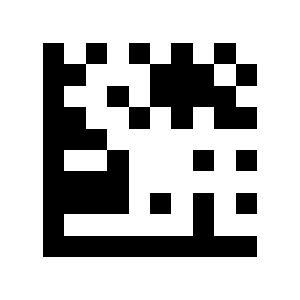
TAB:
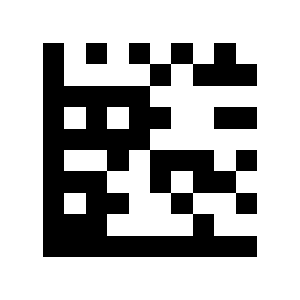
FF:
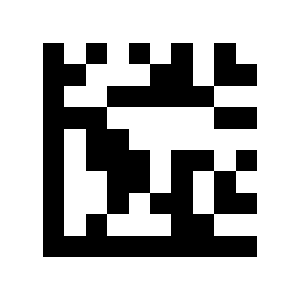
SO:
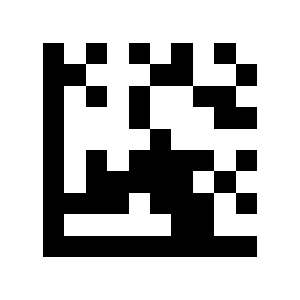
CR:
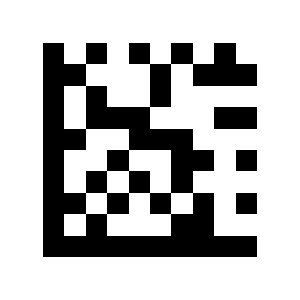
DLE:
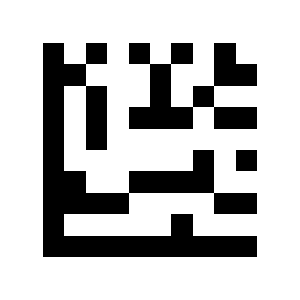
DC1:
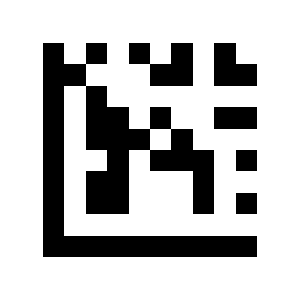
DC2:
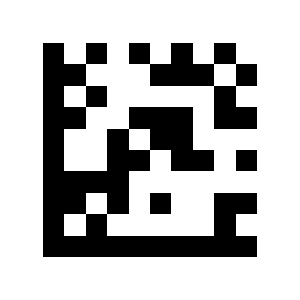
DC3:
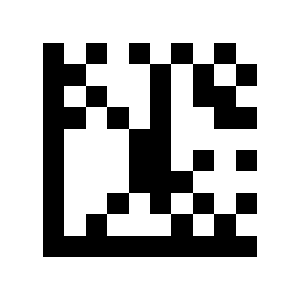
DC4:
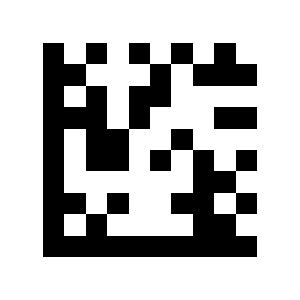
NAK:
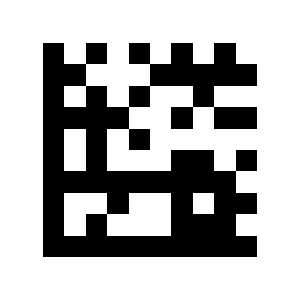
SYN:
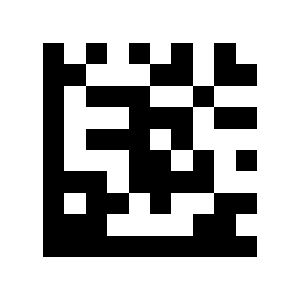
ETB:
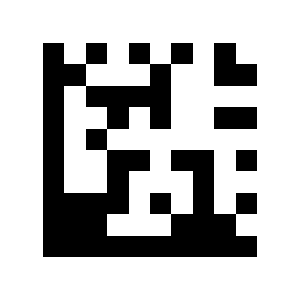
CAN:
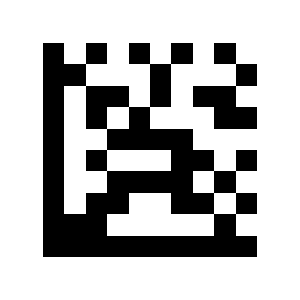
EM:
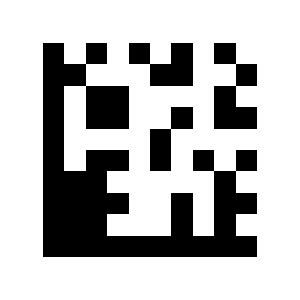
SUB:
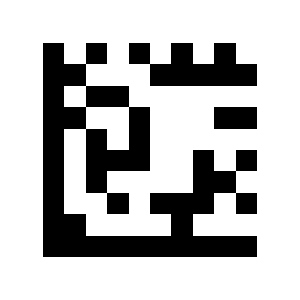
ESC:
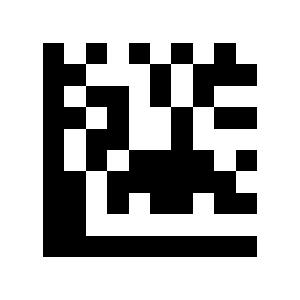
FS:
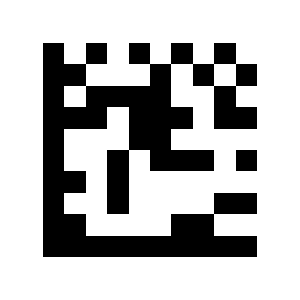
GS:
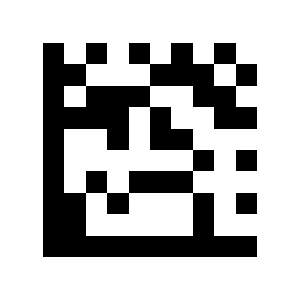
RS:
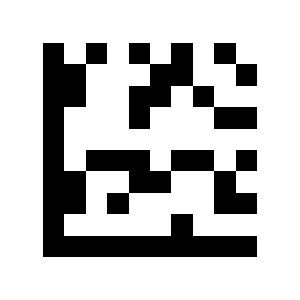
US:

S0:
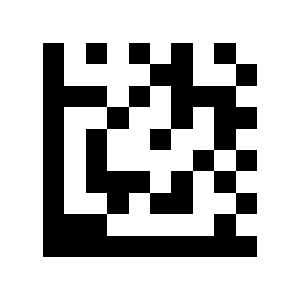
S1:
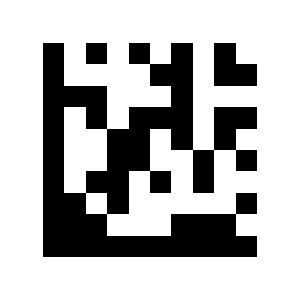
S2:
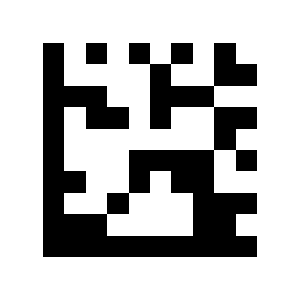
S3:
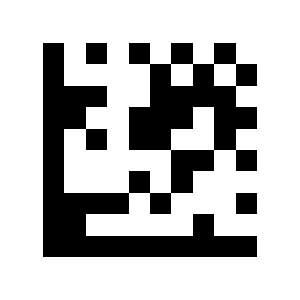
S4:
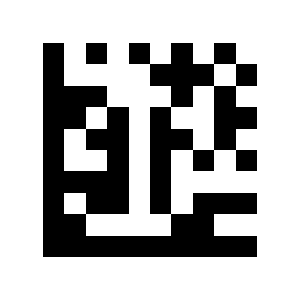
S5:
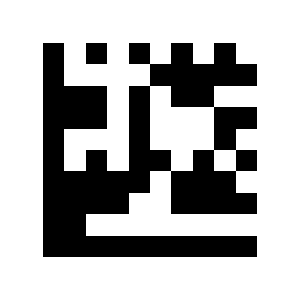
S6:
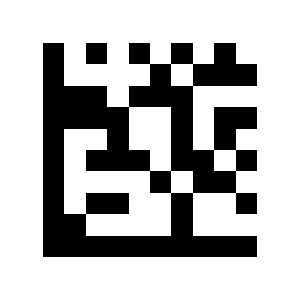
S7:
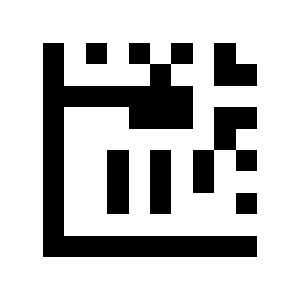
S10:
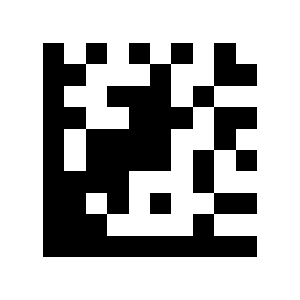
S11:
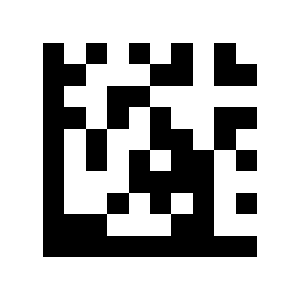
S8:
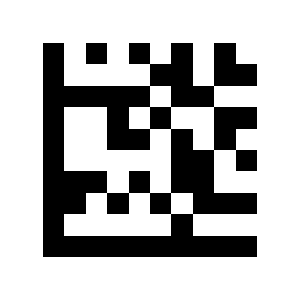
S9:
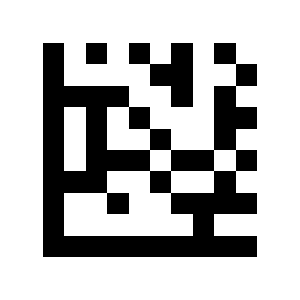
S12:

S13:
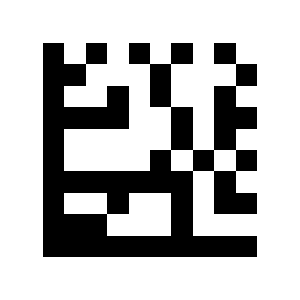
S14:
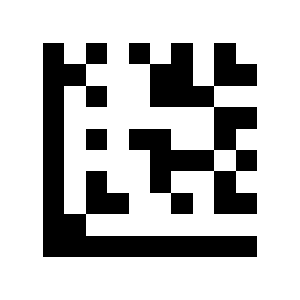
S15:
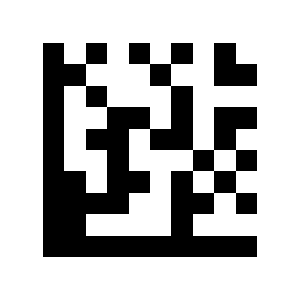
B0:
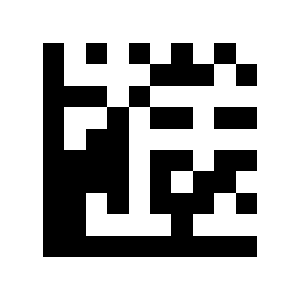
B1:
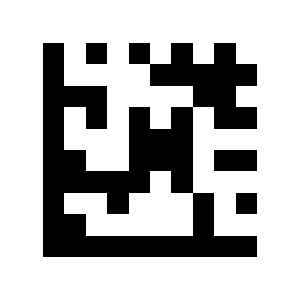
B2:
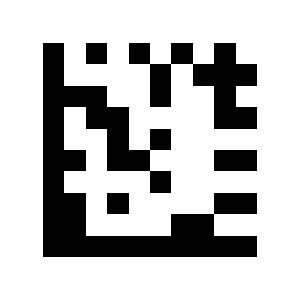
B3:
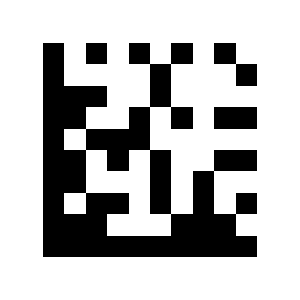
B4:
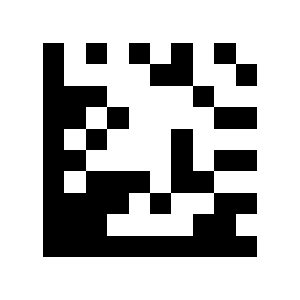
B5:
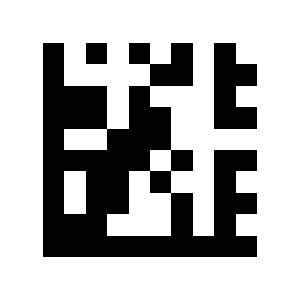
$A:
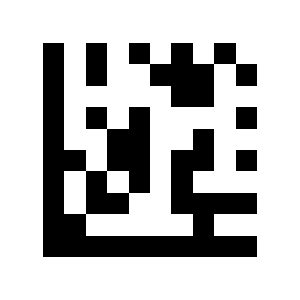
$B:
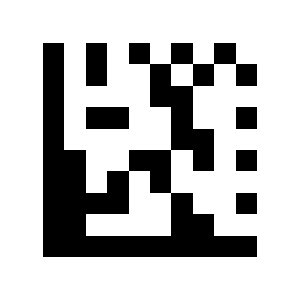
$C:
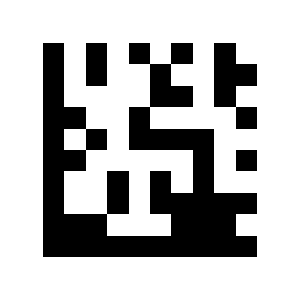
B6:
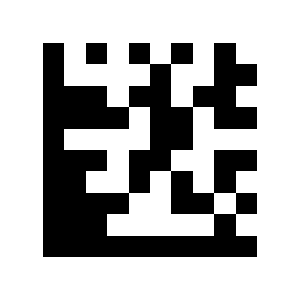
$D:
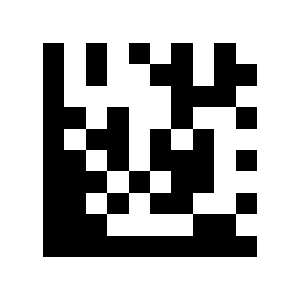
$E:
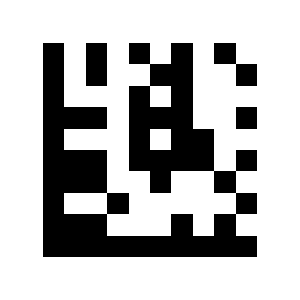
$F:
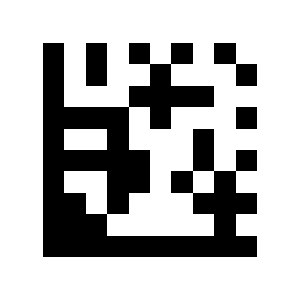
$G:
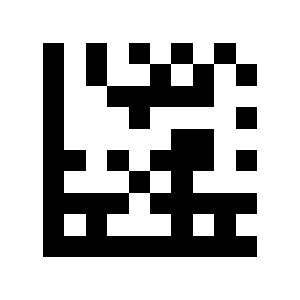
$H:
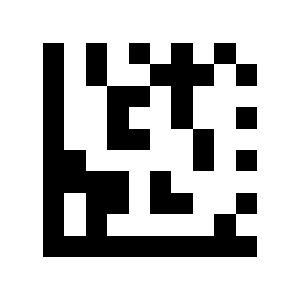
$I:
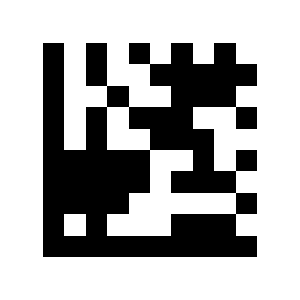
$J:
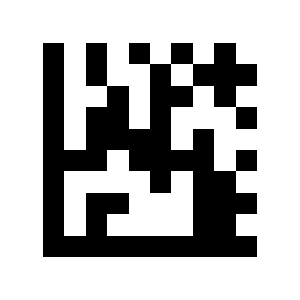
$K:
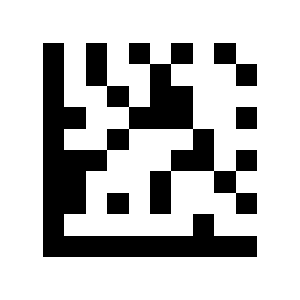
$L:
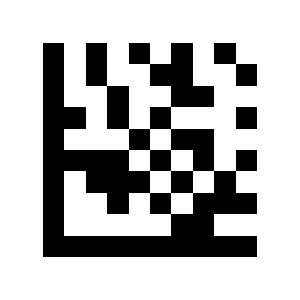
$M:
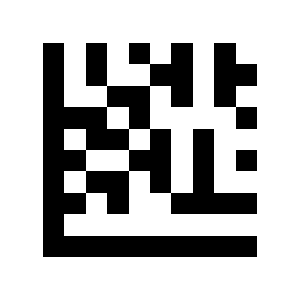
$N:
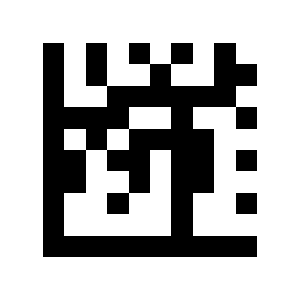
$O:
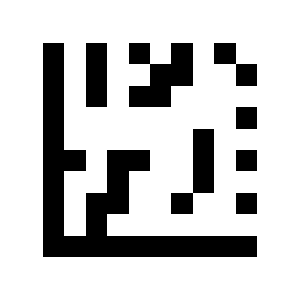
$P:
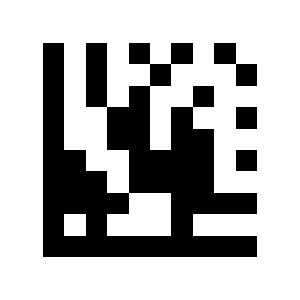
$Q:
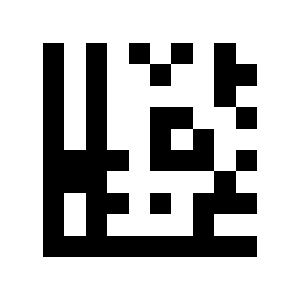
$R:
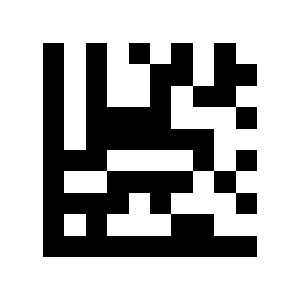
$S:
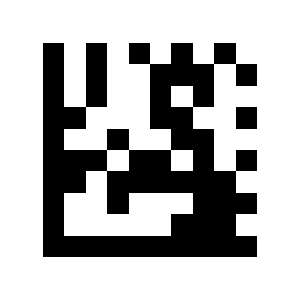
$T:
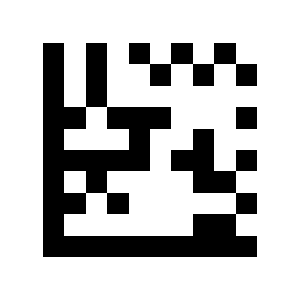
$U:
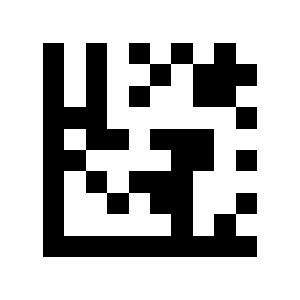
$V:
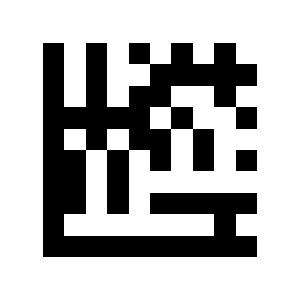
$W:
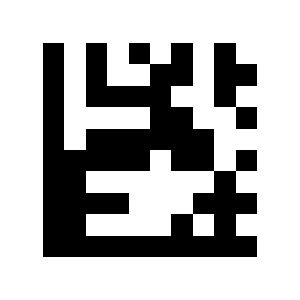
$X:
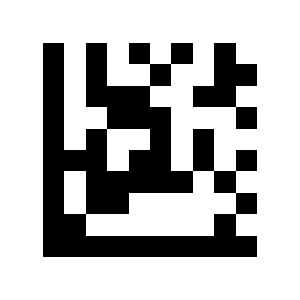
$Y:
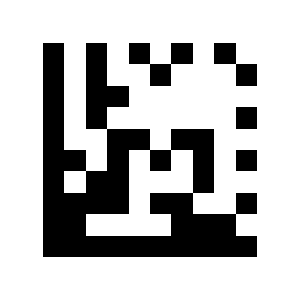
$Z:
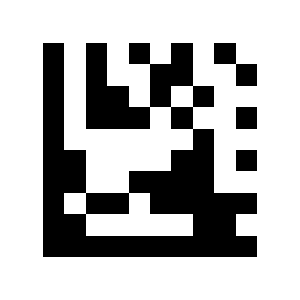
S20:
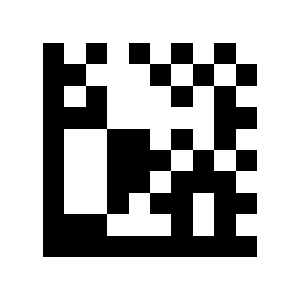
S21:
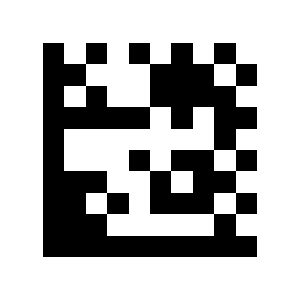
S22:
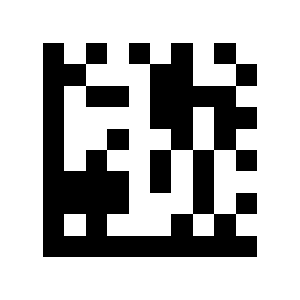
S23:
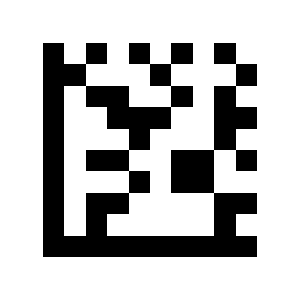
S24:
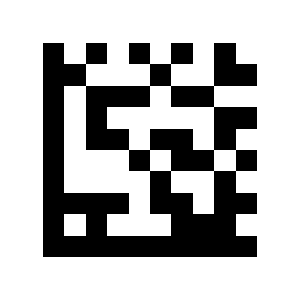
+A:
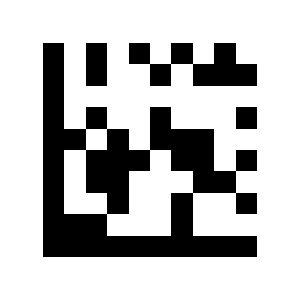
+B:
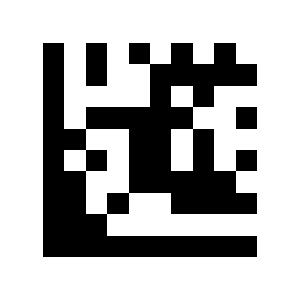
+C:
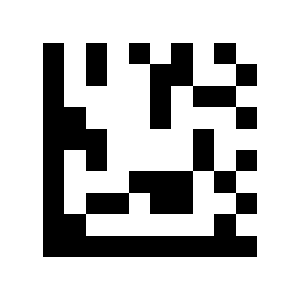
S25:
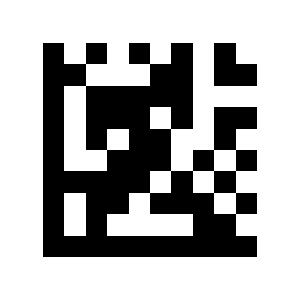
+D:
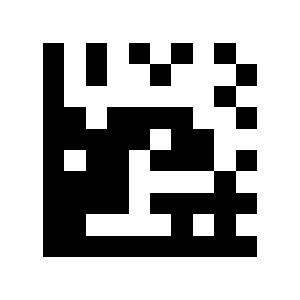
+E:
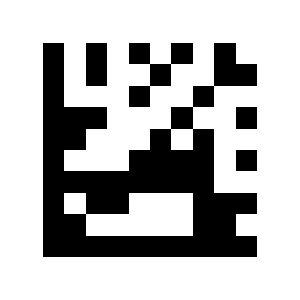
+F:
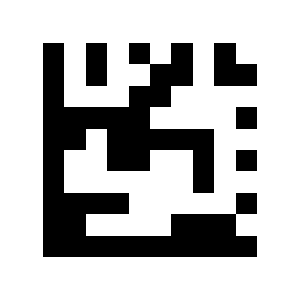
+G:
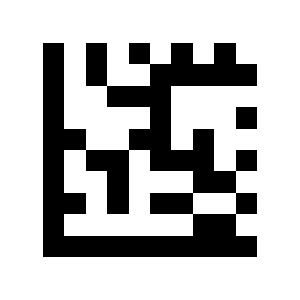
+H:
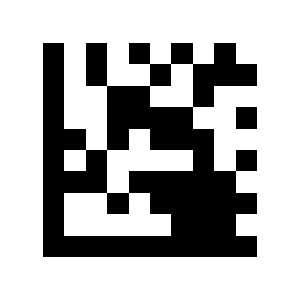
+I:
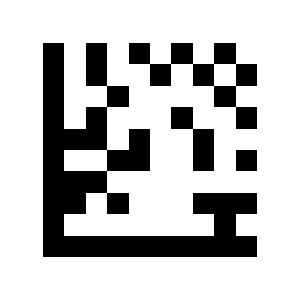
+J:
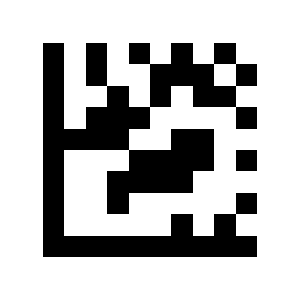
+K:
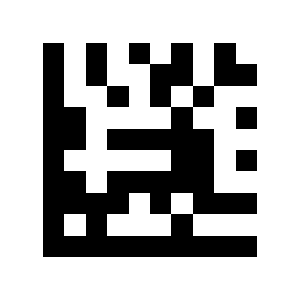
+L:
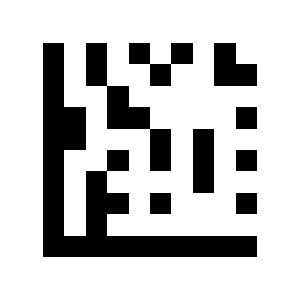
+M:
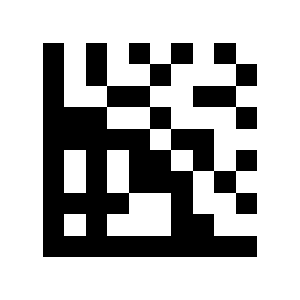
+N:
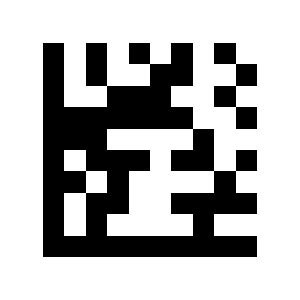
+O:
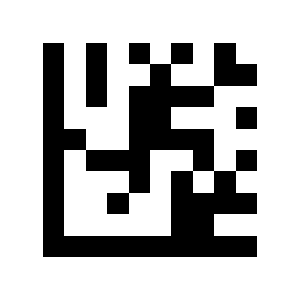
+P:
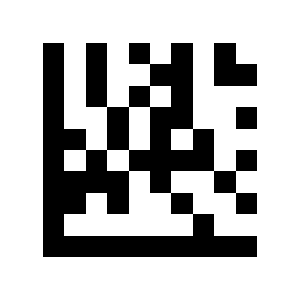
+Q:
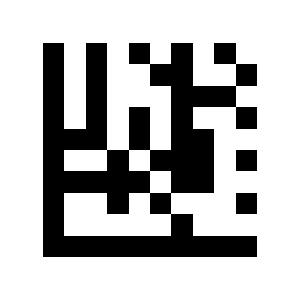
+R:
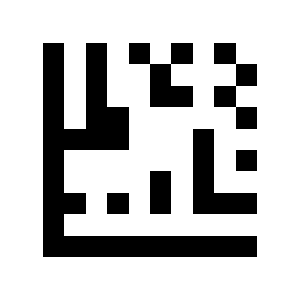
+S:
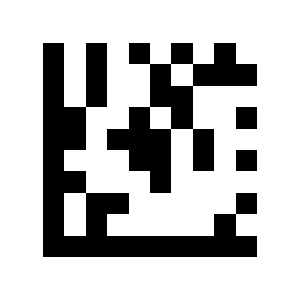
+T:
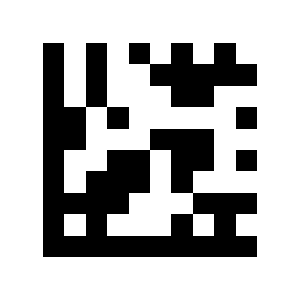
+U:
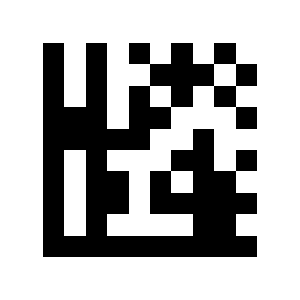
+V:
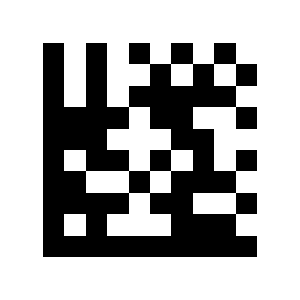
+W:
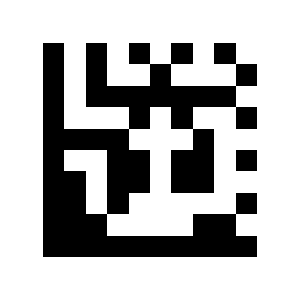
+X:
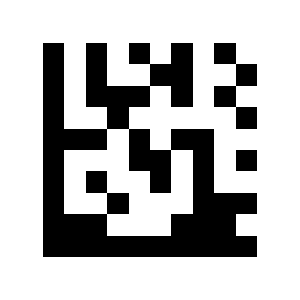
+Y:
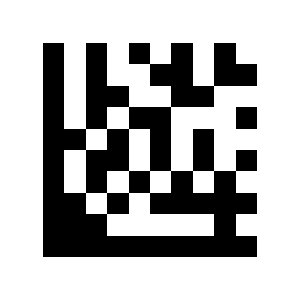
+Z:
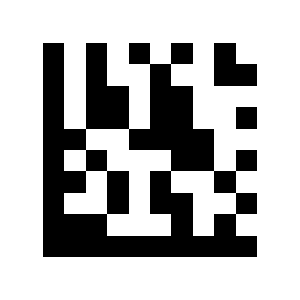
S30:
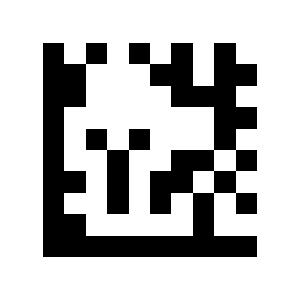
S31:
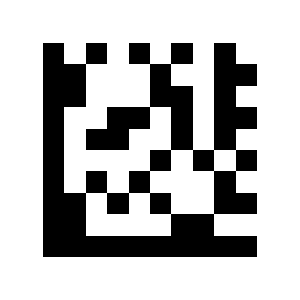
S32:
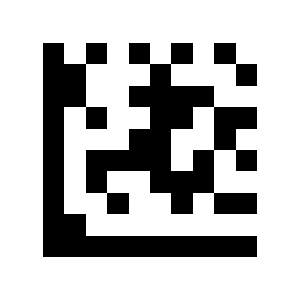
S33:
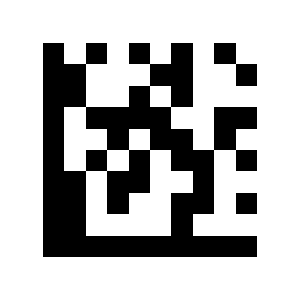
Function-key codes
K1:
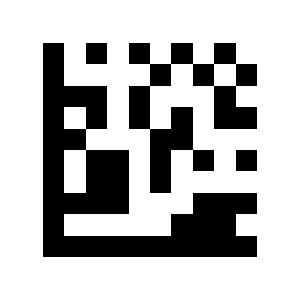
Delete:
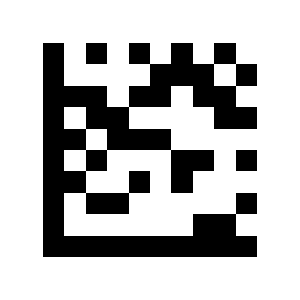
Home:
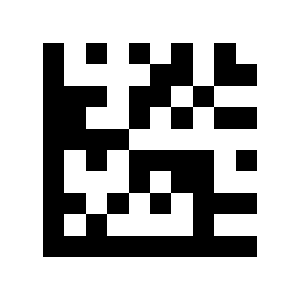
End:
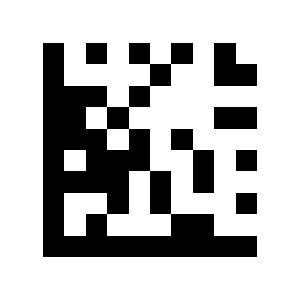
Up Arrow:
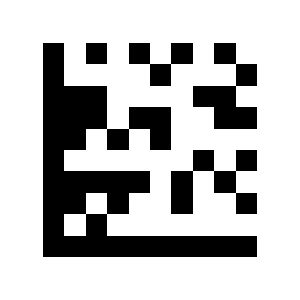
Down Arrow:
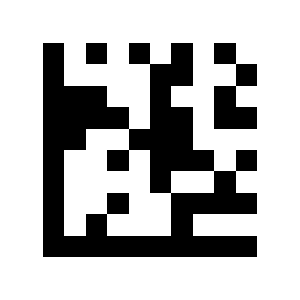
Shift:
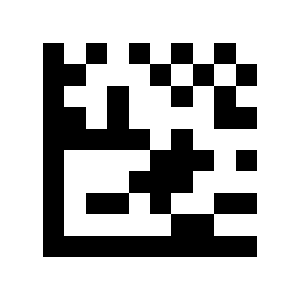
ESC:
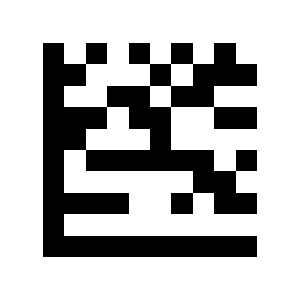
Ctrl:
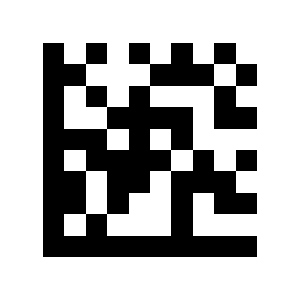
Alt:
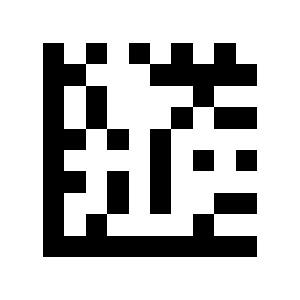
Left Arrow:
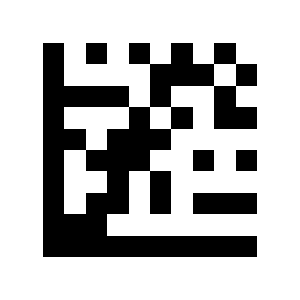
Right Arrow:
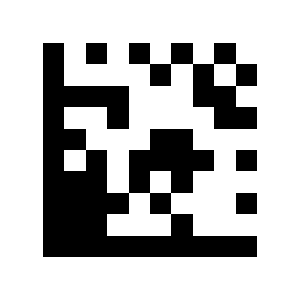
F2:
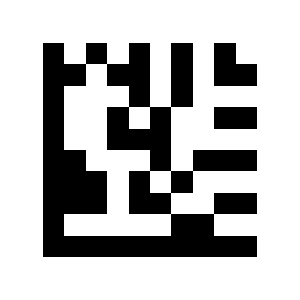
F1:
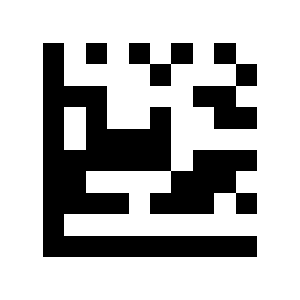
F3:
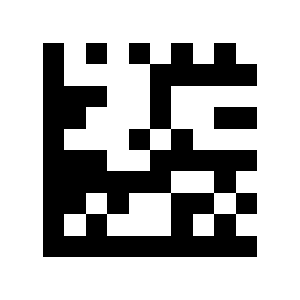
F4:
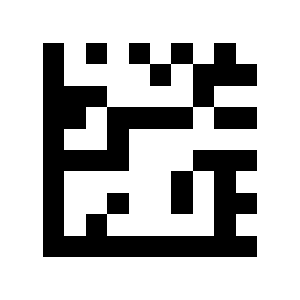
K13:
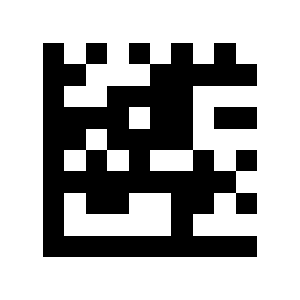
Page Down:
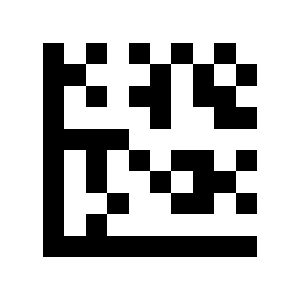
F11:
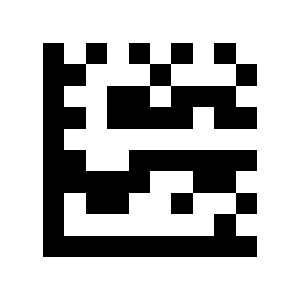
F12:
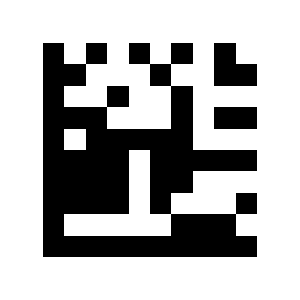
F5:
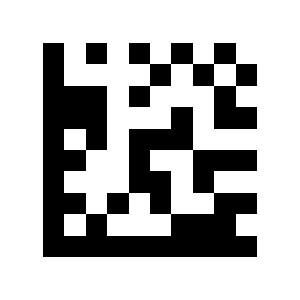
F6:
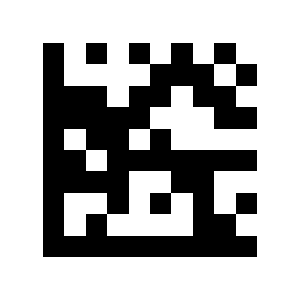
F7:
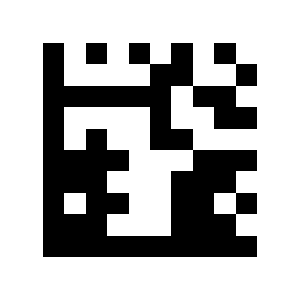
F8:
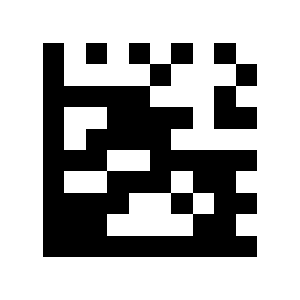
F9:
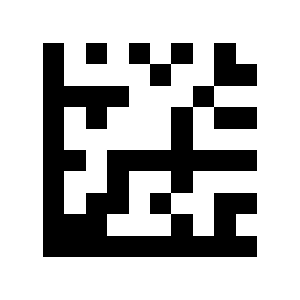
Frequently asked questions
How do I enter and exit the HD650-RS232 configuration mode?
How do I set the RS-232 baud rate and parity?
Is the HD650-RS232 suitable for industrial environments?
Which barcodes does the HD650-RS232 read?
Downloads
Original manufacturer PDF manuals kept available as a legacy reference. Everything from them is already covered on this page — use the PDFs only if you need an offline copy.