Mini QR code scanner with onboard memory, 2.4 GHz and Bluetooth, pocket-sized HDWR HD6600
GTIN: 5907614660338 · SKU: HD6600
Table of contents
- Table of contents
- Specifications
- Set contents
- Features
- Configuration codes
- Factory defaults and basic codes
- Interface
- Trigger modes
- Illumination and aimer
- Keyboard layout
- Sound signals
- LED indicators
- "No Read" message
- Letter case
- Character set
- Code ID
- Terminator (end mark)
- Multiple prefixes and suffixes
- Hiding characters
- STX / ETX framing
- Character replacement
- Enabling and disabling code types
- 1D symbologies
- 2D symbologies
- Numeric codes
- Code ID table
- Character equivalents table
- Frequently asked questions
- Downloads
Specifications
- Sensor: CMOS
- Light source: 650 nm ±10 nm LED
- Scanning method: manual (push button)
- Scan confirmation: LED indicator, beep and vibration
- Onboard memory: up to 5000 codes
- Wireless communication: 2.4 GHz radio and Bluetooth
- Wireless range: up to 20 m in open space
- Interface: USB
- Battery capacity: 650 mAh
- Cable length: 100 cm
- Device dimensions: 7.7 × 3.9 × 1.8 cm
- Receiver dimensions: 2 × 1.5 × 0.5 cm
- Package dimensions: 13.5 × 10.5 × 5.5 cm
- Device weight: 60 g
- Weight with packaging: 100 g
- Operating temperature: 0 to 40 °C
- Storage temperature: −40 to 80 °C
- Operating humidity: 5 to 95%
- Storage humidity: 5 to 95%
- Readable 1D codes: CodaBar, Code 11, Code 32, Code 39, Code 93, Code 128, IATA 2 of 5, Interleaved 2 of 5 (ITF), GS1 DataBar, HongKong 2 of 5, Matrix 2 of 5, MSI Plessey, NEC 2 of 5, Pharmacode Plessey, Straight 2 of 5, Telepen, Trioptic, UPC/EAN/JAN, Codablock F, microPDF, GS1 Composite
- Readable 2D codes: PDF417, Micro PDF417, QR Code, Micro QR, DataMatrix, Maxicode
Set contents
- Wireless HD6600 barcode scanner
- USB receiver (2.4 GHz dongle)
- USB cable
- User manual
Features
- Pocket size: shaped like a car key, weighs only 60 g — easy to carry anywhere
- 1D and 2D scanning: a CMOS sensor with an illuminating LED and aimer reads classic barcodes as well as QR Code, DataMatrix, PDF417 and other 2D codes
- Onboard memory: stores up to 5000 scanned codes offline for later transfer to a computer
- Dual wireless: a bundled 2.4 GHz USB receiver (plug-and-play keyboard) plus built-in Bluetooth for direct pairing with phones, tablets and laptops
- Highly configurable: 26 keyboard layouts, terminator, prefixes/suffixes including function keys (F1–F12), hiding and replacing characters, per-symbology switches
- Scan feedback: LED, beep and vibration confirm every successful read
Configuration codes
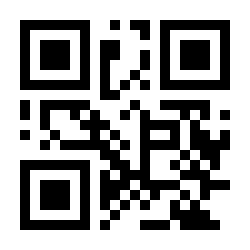
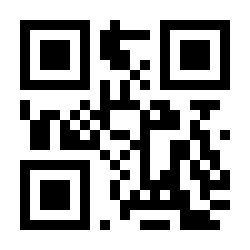
To change scanner settings, scan the QR configuration code below directly with the HD6600. The new setting is applied immediately.
💡 Tip: print this page ("Download this page as PDF" button above) to keep the codes at hand during configuration.
Factory defaults and basic codes
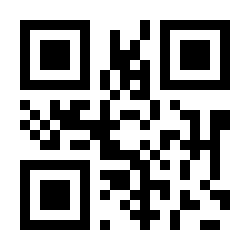
If the scanner does not behave as expected, scan the code below to restore all settings to their default values:
Restore factory defaults:
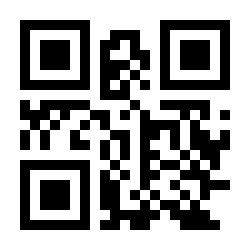
Save the current configuration as default:
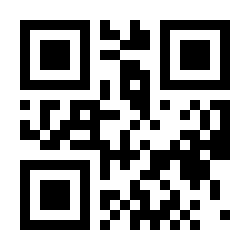
Default configuration — restore the saved customer configuration:
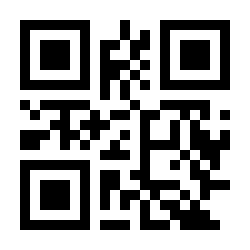
Parameter codes on — default (the scanner accepts configuration codes):
Parameter codes off (configuration codes are ignored):
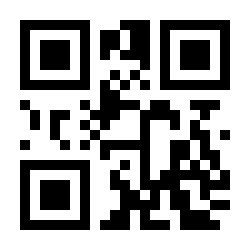
Product information (output the firmware version):
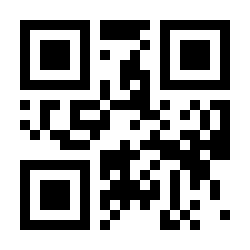
Interface
By default the scanner works as a USB keyboard (USB KBW) — both over the 2.4 GHz receiver and a USB cable. For software that expects a serial device, switch to USB COM; TTL-232 is for direct serial wiring (9600 baud, 8 data bits, no parity, 1 stop bit).
USB KBW (USB keyboard) — default:
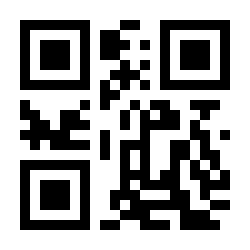
USB COM (virtual serial port):
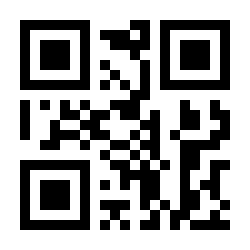
TTL-232 (serial port):
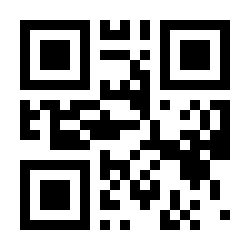
Serial port parameters
Used in TTL-232 mode.
Baud rate 1200 bps:
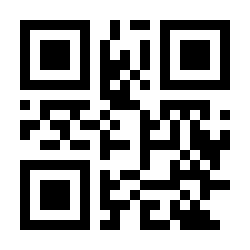
Baud rate 2400 bps:
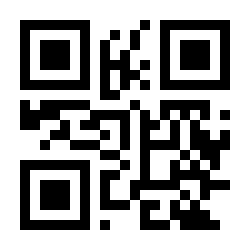
Baud rate 4800 bps:
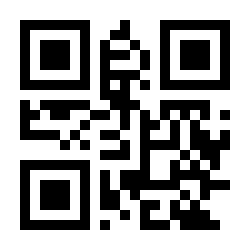
Baud rate 9600 bps — default:
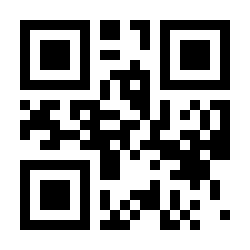
Baud rate 19200 bps:
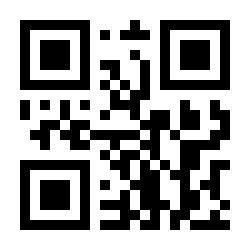
Baud rate 38400 bps:
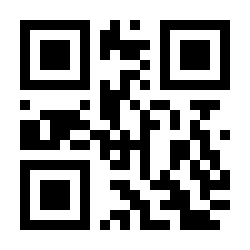
Baud rate 57600 bps:
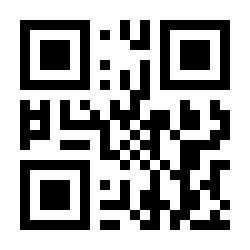
Baud rate 115200 bps:
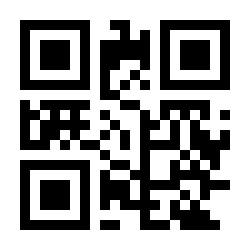
Parity: none — default:
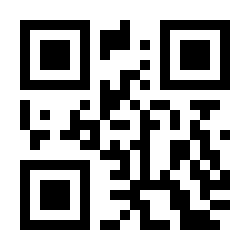
Parity: odd:
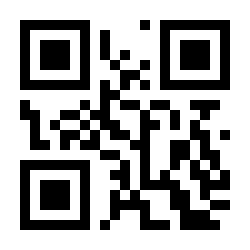
Parity: even:
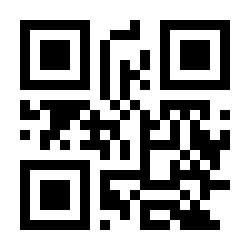
1 stop bit — default:
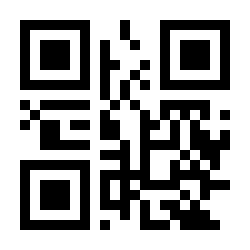
2 stop bits:
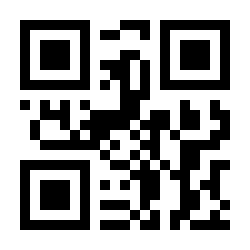
Trigger modes
Manual mode, key holding — default (hold the button to scan, release to stop):
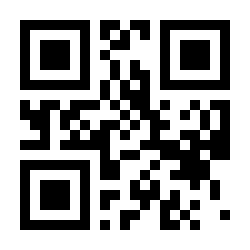
Manual mode, single key trigger (press to start scanning, press again to stop):
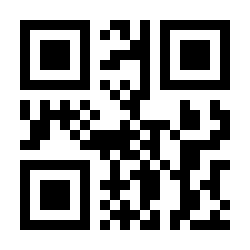
Continuous mode (the scanner reads codes one after another):
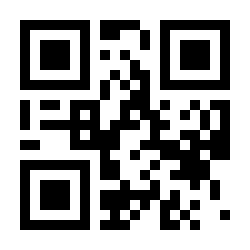
Interval time between reads in continuous mode (default 500 ms, unit 100 ms, range 0–9900 ms). Scan the code below, then two numeric codes from the numeric codes section — e.g. for 0.5 s scan 0 and 5:
Set the interval time (continuous mode):
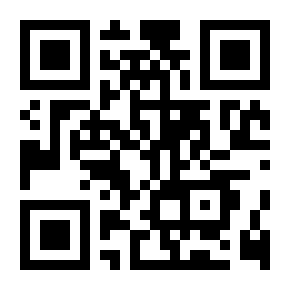
Automatic induction mode (scanning starts when the ambient brightness changes):
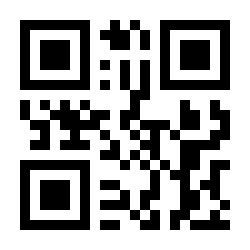
Stability of induction time (default 500 ms, unit 100 ms, range 0–9900 ms). Scan the code below, then two numeric codes:
Set the stability of induction time:
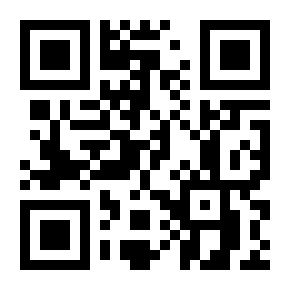
Induction sensitivity: high — default:
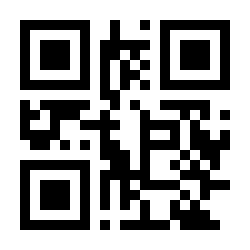
Induction sensitivity: medium:
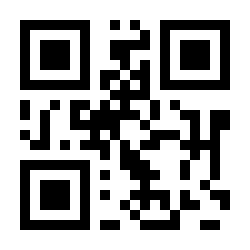
Induction sensitivity: low:
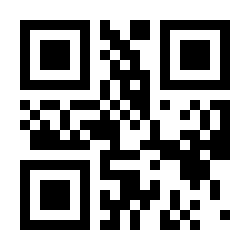
Host mode (scanning is triggered by a command from the host):
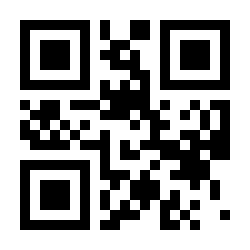
Maximum duration of a single scan attempt (default 3.0 s, unit 0.1 s, range 0.5–25.5 s). Scan the code below, then three numeric codes — e.g. for 0.5 s scan 0, 0 and 5; for 10.5 s scan 1, 0 and 5:
Set the scan duration:
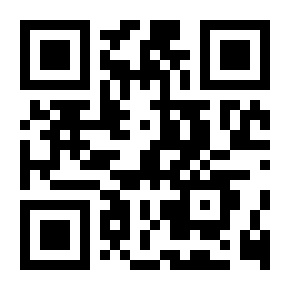
Output interval of the same code — refuse to read the same barcode again within the set time (default 500 ms, unit 100 ms, range 0–9900 ms). Scan the code below, then two numeric codes:
Set the output interval of the same code:
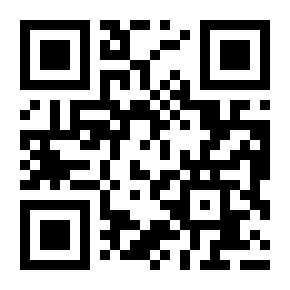
Quick presets:
Same-code delay: none:
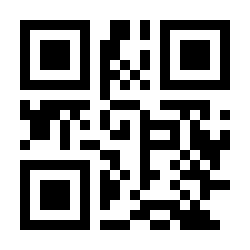
Same-code delay: 1 s:
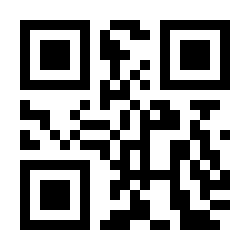
Same-code delay: 3 s:
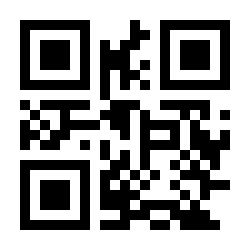
Same-code delay: 5 s:
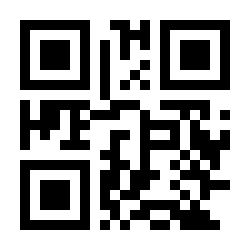
Same-code delay: 7 s:
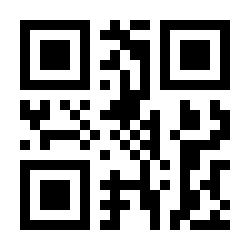
Same-code delay: forever:
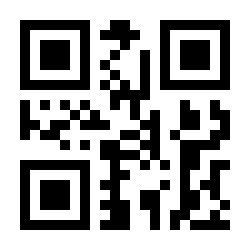
Continuous power mode — the engine stays awake after each decode:
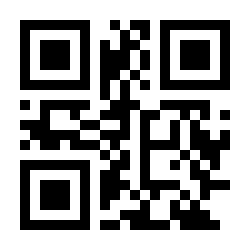
Low power mode — the engine sleeps whenever possible:
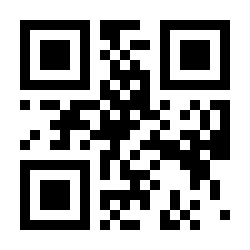
Illumination and aimer
Floodlight on while reading — default:
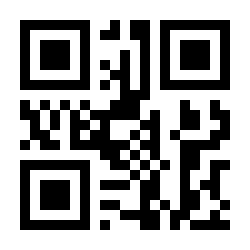
Floodlight always on:
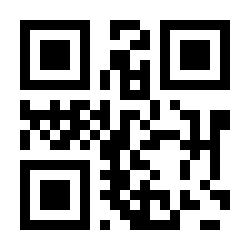
Floodlight off:
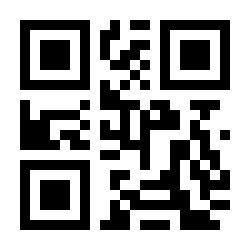
Aimer on while reading — default:
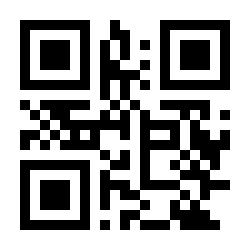
Aimer always on:
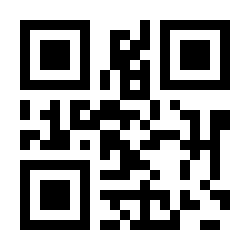
Aimer off:
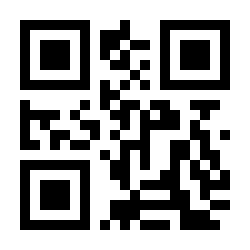
Keyboard layout
Match the scanner's keyboard layout to the language set on the host (used in USB-keyboard mode).
American (US) — default:
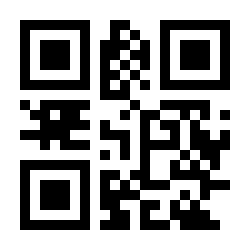
Belgian:
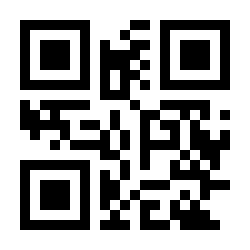
Brazilian (ABNT2):
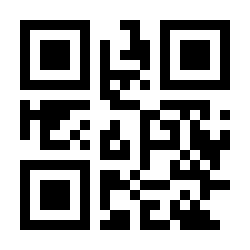
Czech:
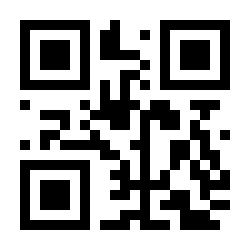
Danish:
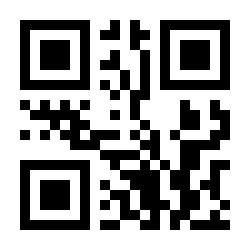
Finnish:
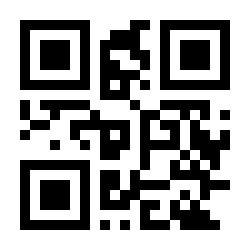
French:
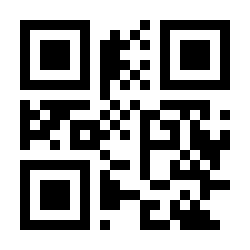
German:
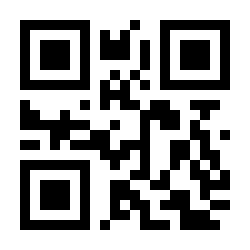
Greek:
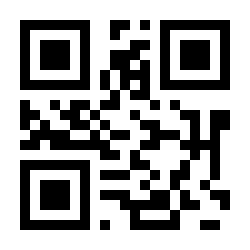
Hungarian:
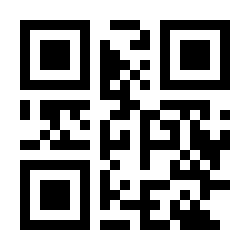
Italian:
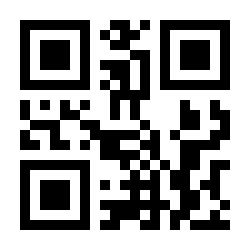
Japanese:
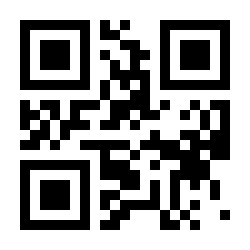
Dutch:
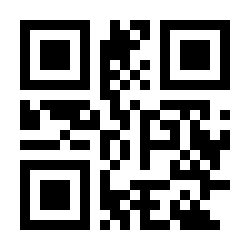
Norwegian:
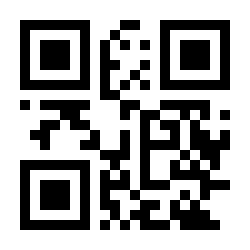
Polish (programmer's 214):
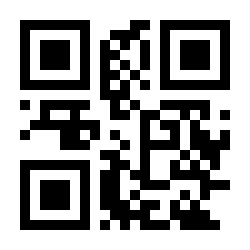
Portuguese:
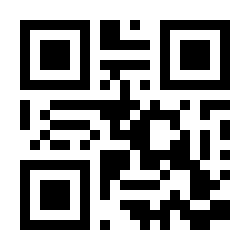
Romanian (standard):
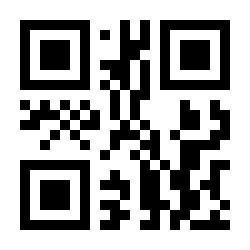
Russian:
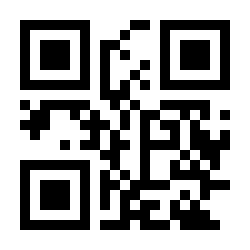
Slovak:
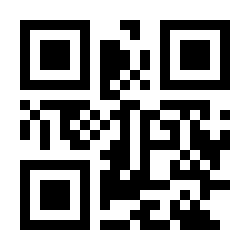
Spanish:
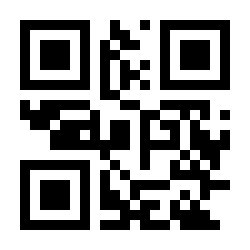
Swedish:
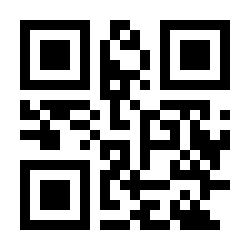
Thai:
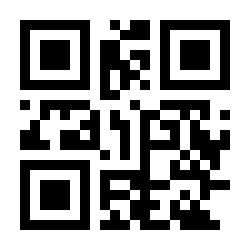
Turkish F:
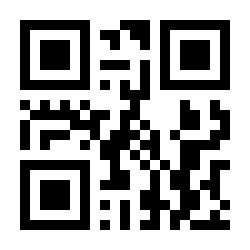
Turkish Q:
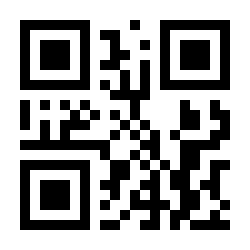
English (UK):
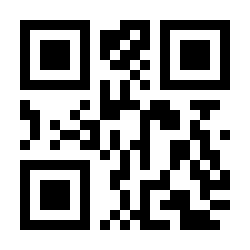
Ukrainian:
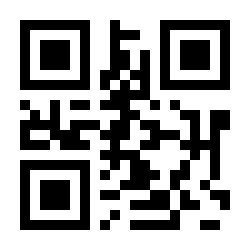
Keyboard options
Standard keyboard — default:
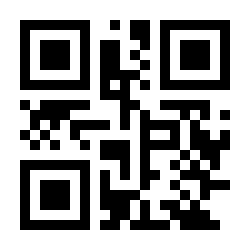
Virtual keyboard (outputs correct data in any keyboard-language mode):
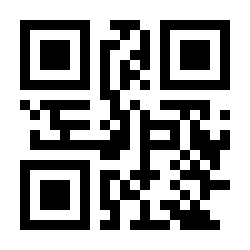
Keyboard output interval: 0 ms — default:
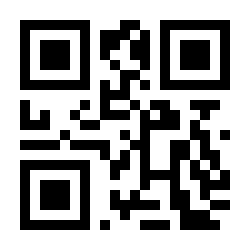
Keyboard output interval: 10 ms:
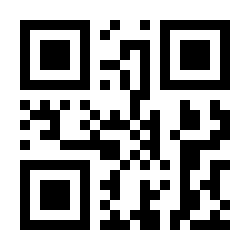
Ctrl combination keys — when enabled, ASCII control characters 0x00–0x1F are sent as Ctrl key combinations (see the character equivalents table):
Ctrl combination output off — default:
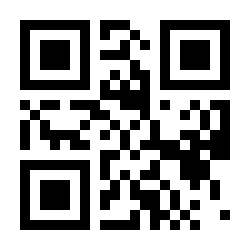
Ctrl combination output on:
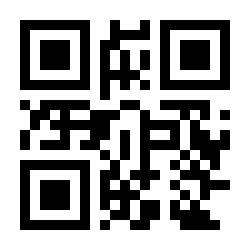
Sound signals
Passive buzzer — default:
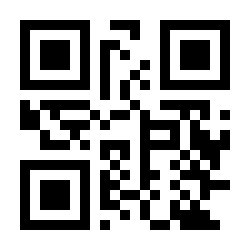
Active buzzer:
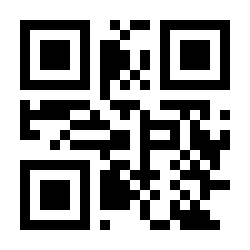
Mute on:
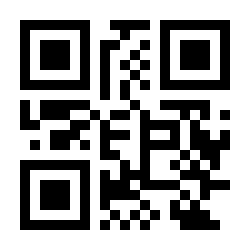
Mute off — default:
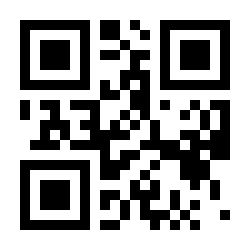
Volume: high — default:
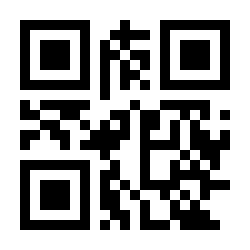
Volume: medium:
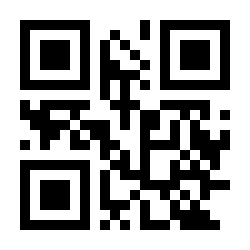
Volume: low:
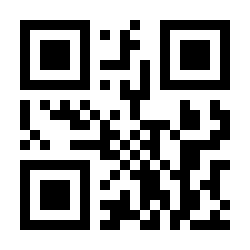
Beep after a successful scan: on — default:
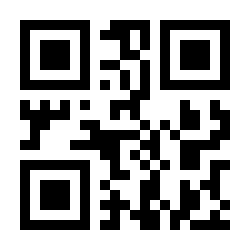
Beep after a successful scan: off:
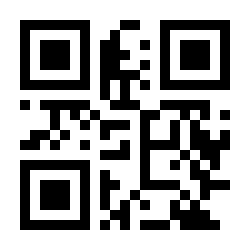
Power-on sound: on — default:
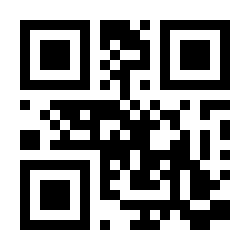
Power-on sound: off:
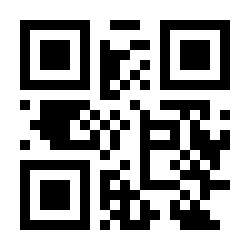
Beep after scanning a configuration code: on — default:
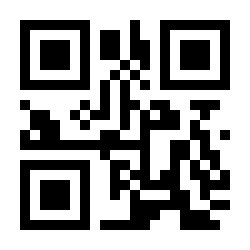
Beep after scanning a configuration code: off:
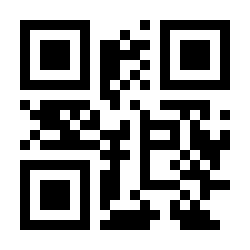
LED indicators
LED after a successful scan: on — default:
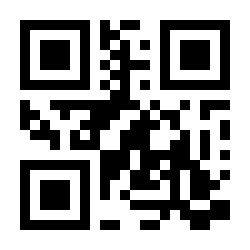
LED after a successful scan: off:
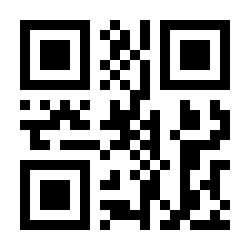
Decode LED always on — default:
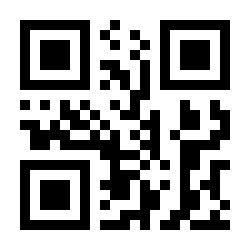
Decode LED always off:
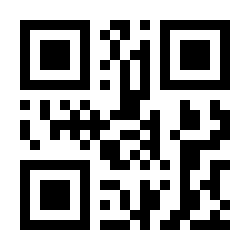
"No Read" message
When enabled, the scanner sends "NR" to the host whenever a code cannot be decoded (prefixes/suffixes are appended around the message).
No Read message off — default:
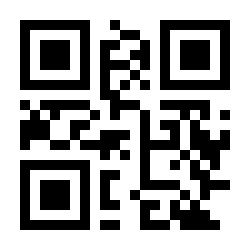
No Read message on:
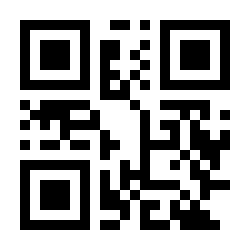
Letter case
Normal letter case — default (as encoded in the barcode):
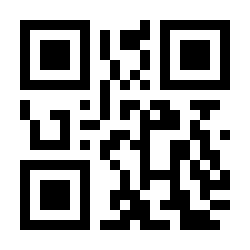
All uppercase:
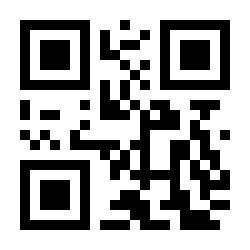
All lowercase:
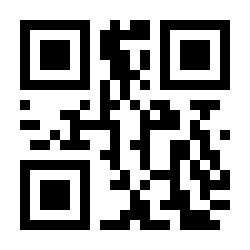
Case inversion:
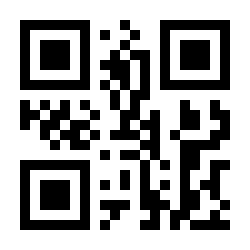
Character set
Output character set: primitive (raw):
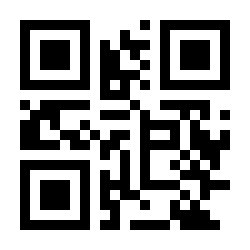
Output character set: GBK (GB2312) — default:
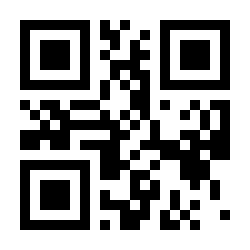
Output character set: Unicode (UTF-8):
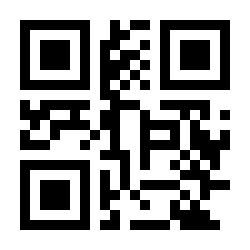
Input character set: auto — default:
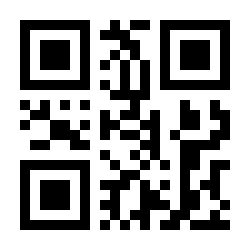
Input character set: GBK (GB2312):
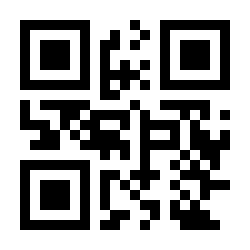
Input character set: UTF-8:
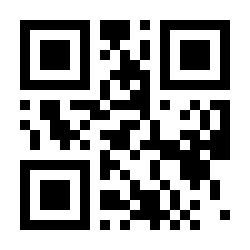
Input character set: ASCII:
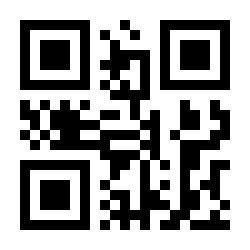
Input character set: Japanese:
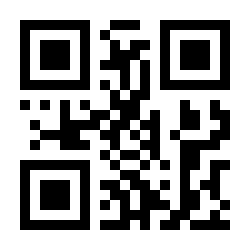
Code ID
When enabled, each transmitted barcode is preceded by a one-letter Code ID identifying its symbology — see the Code ID table.
Code ID off — default:
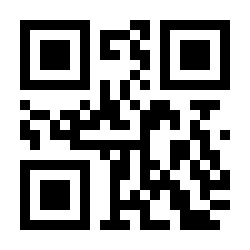
Code ID on:
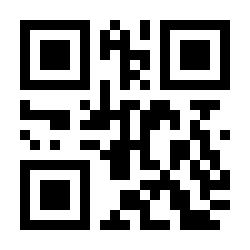
Terminator (end mark)
The terminator is appended after the decoded data.
No terminator:
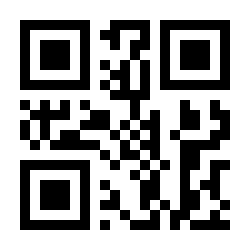
CR + LF:
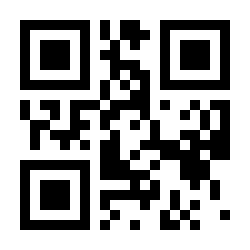
CR — default:
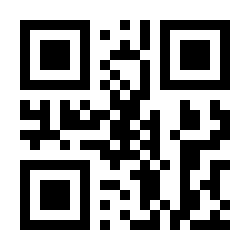
TAB:
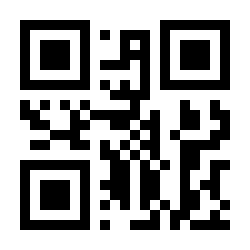
CR CR:
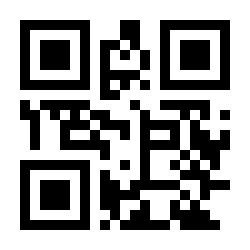
CR LF CR LF:
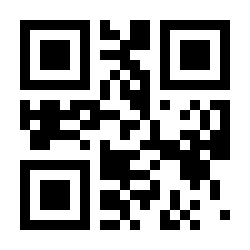
Multiple prefixes and suffixes
You can prepend/append up to several characters (including function keys such as F1–F12) to every scanned code. Procedure:
- Scan Set multiple prefixes (or Set multiple suffixes).
- For each character, scan four numeric codes from the numeric codes section corresponding to its scan value in the character equivalents table — e.g. F1 = 1022,
A= 1065. - Scan Complete setup to save.
Set multiple prefixes:
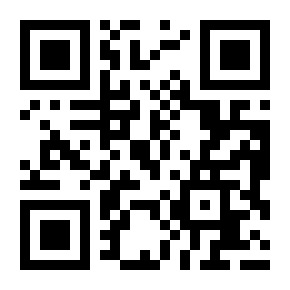
Set multiple suffixes:
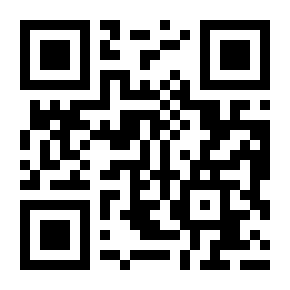
Complete setup (save the prefix/suffix):
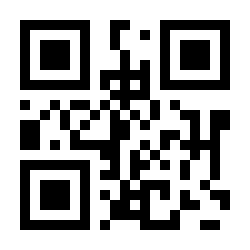
Output format
Output decoded data only — default:
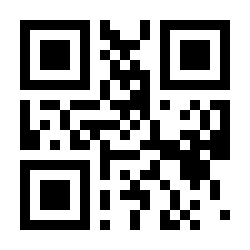
Output prefixes + data:
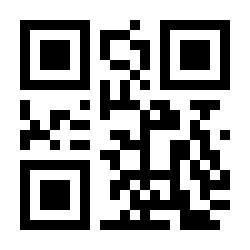
Output data + suffixes:
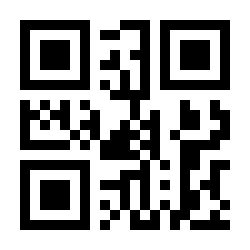
Output prefixes + data + suffixes:
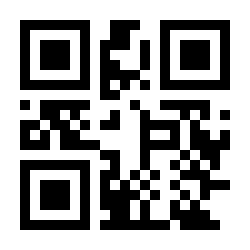
Hiding characters
Hide leading characters
Hide leading characters: off — default:
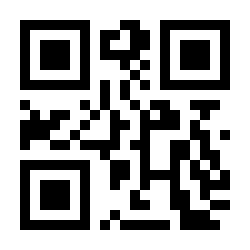
Hide leading characters: on:
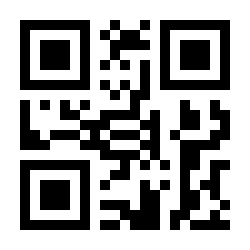
Number of hidden characters (1–255): scan the code below, then three numeric codes — e.g. to hide 16 characters scan 0, 1, 6:
Set the number of hidden leading characters:
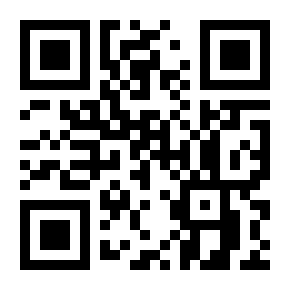
Hide middle characters
Hide middle characters: off — default:
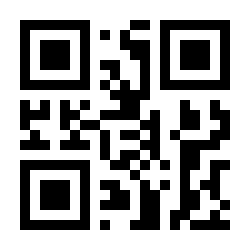
Hide middle characters: on:
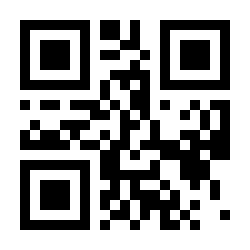
Start position (1–255): scan the code below, then three numeric codes — e.g. to hide after the 3rd character scan 0, 0, 3. Then set the number of hidden characters the same way:
Set the start position of hidden middle characters:
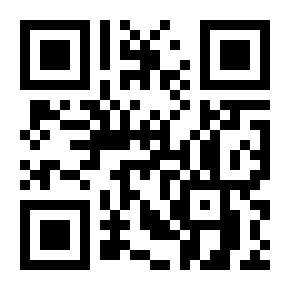
Set the number of hidden middle characters:
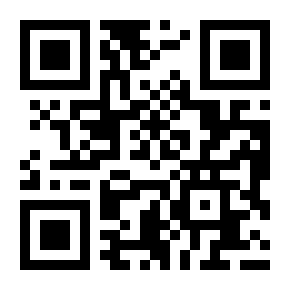
Hide trailing characters
Hide trailing characters: off — default:
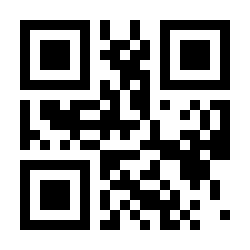
Hide trailing characters: on:
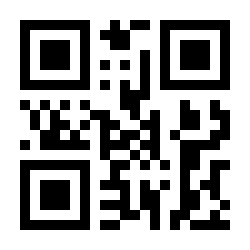
Number of hidden characters (1–255): scan the code below, then three numeric codes:
Set the number of hidden trailing characters:
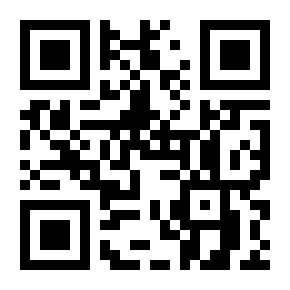
STX / ETX framing
Wrap the transmitted data in STX (0x02) / ETX (0x03) control characters.
STX/ETX off — default:
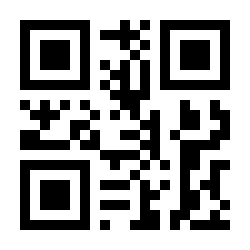
Add STX (before the data):
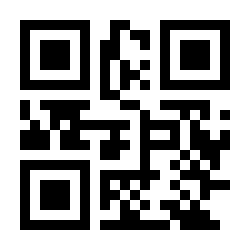
Add ETX (after the data):
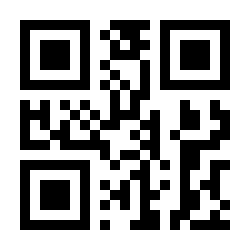
Add STX and ETX:
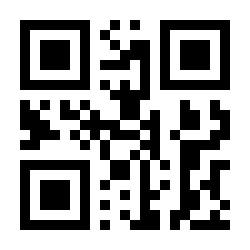
Character replacement
Replace any character in the barcode data with another one. Procedure:
- Scan Set the character to be replaced, then four numeric codes with its scan value from the character equivalents table — e.g. GS (0x1D) = 1029.
- Scan Set the replacement character, then four numeric codes — e.g.
}= 1125. - Scan Complete setup, then enable the replacement.
Set the character to be replaced:
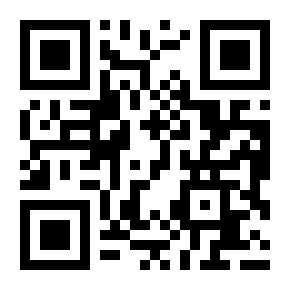
Set the replacement character:
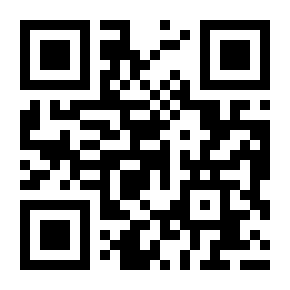
Complete setup (save the replacement):
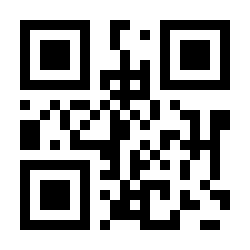
Character replacement on:
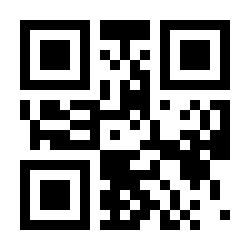
Character replacement off — default:
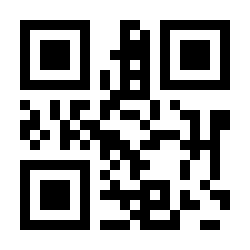
Enabling and disabling code types
All barcodes on:
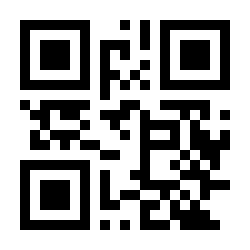
All barcodes off:
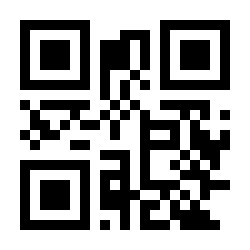
1D codes on:
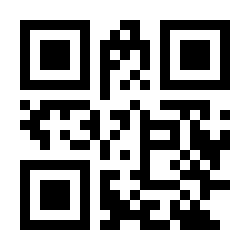
1D codes off:
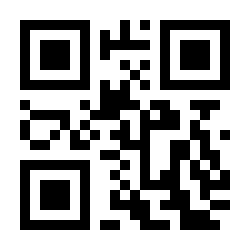
2D codes on:
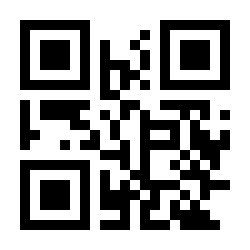
2D codes off:
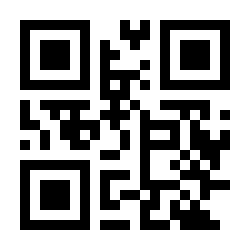
Reverse (inverted) code reading on:
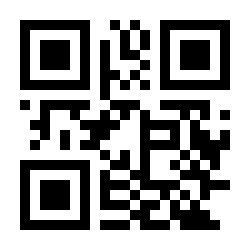
Reverse (inverted) code reading off:
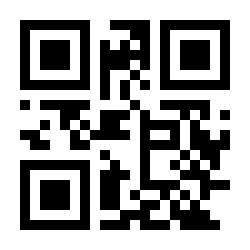
1D symbologies
UPC-A
UPC-A on — default:
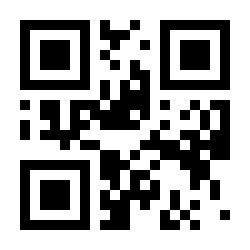
UPC-A off:
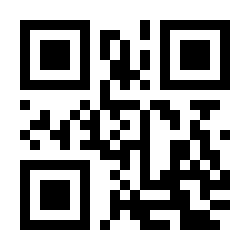
UPC-A preamble: none:
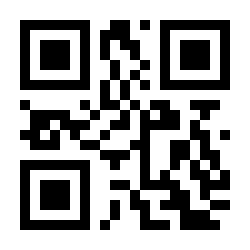
UPC-A preamble: system character — default:
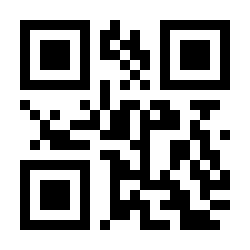
UPC-A preamble: system character and country code:
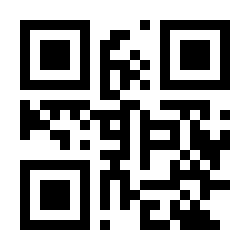
Transmit UPC-A check digit — default:
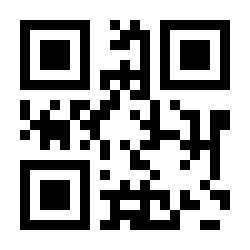
Do not transmit UPC-A check digit:
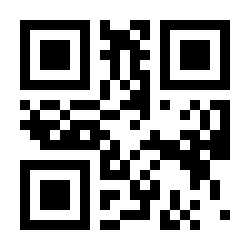
UPC-A 2-digit add-on on:
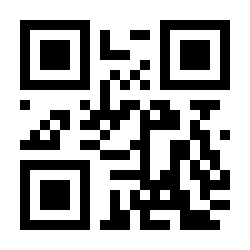
UPC-A 2-digit add-on off — default:
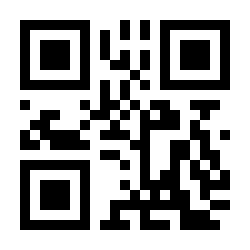
UPC-A 5-digit add-on on:
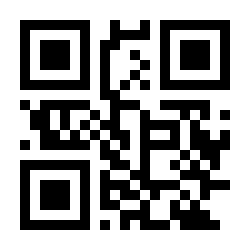
UPC-A 5-digit add-on off — default:
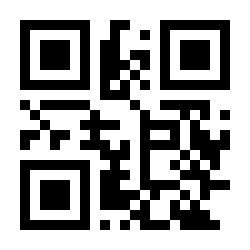
UPC-A: require the add-on code:
UPC-A: add-on code optional — default:
UPC-E
UPC-E on — default:
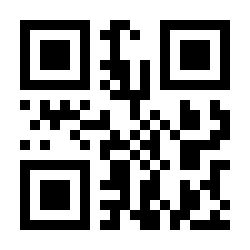
UPC-E off:
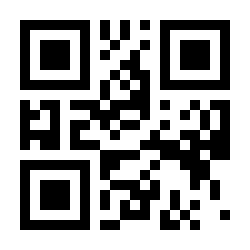
UPC-E preamble: none:
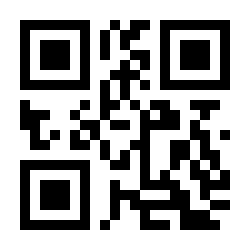
UPC-E preamble: system character — default:
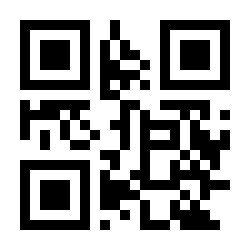
UPC-E preamble: system character and country code:
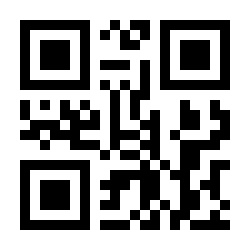
Transmit UPC-E check digit — default:
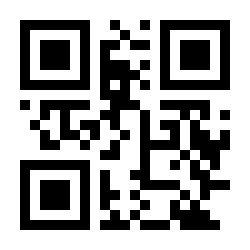
Do not transmit UPC-E check digit:
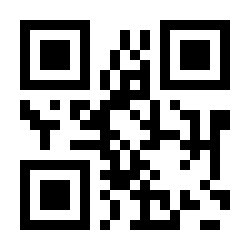
UPC-E 2-digit add-on on:
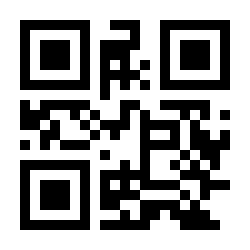
UPC-E 2-digit add-on off — default:
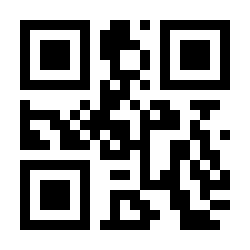
UPC-E 5-digit add-on on:
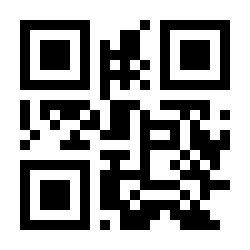
UPC-E 5-digit add-on off — default:
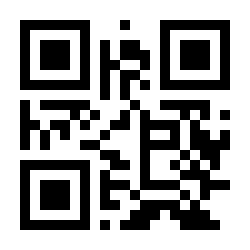
UPC-E: require the add-on code:
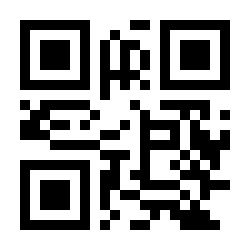
UPC-E: add-on code optional — default:
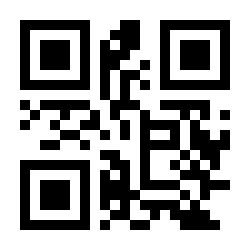
UPC-E1 on:
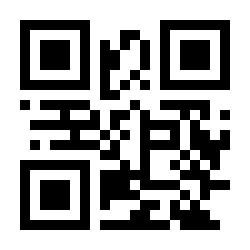
UPC-E1 off — default:
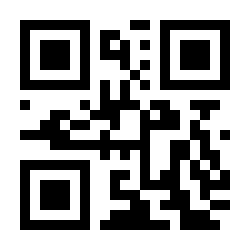
UPC conversions
Convert UPC-E to UPC-A: on:
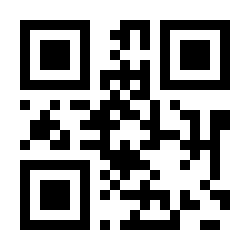
Convert UPC-E to UPC-A: off — default:
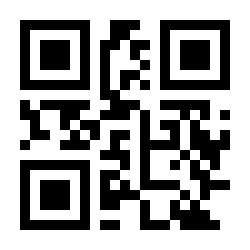
Convert UPC-A to EAN-13: on:
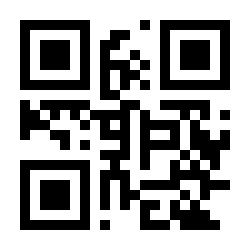
Convert UPC-A to EAN-13: off — default:
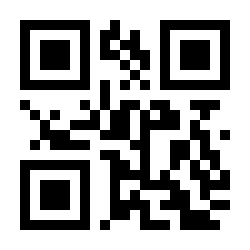
EAN-8
EAN-8 on — default:
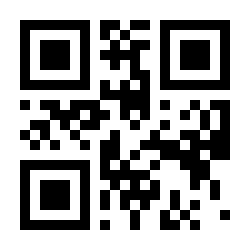
EAN-8 off:
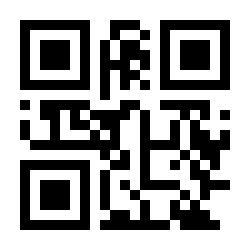
EAN-8 2-digit add-on on:
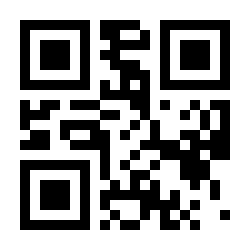
EAN-8 2-digit add-on off — default:
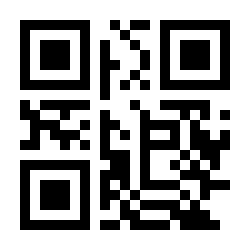
EAN-8 5-digit add-on on:
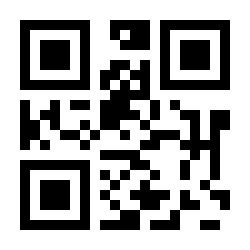
EAN-8 5-digit add-on off — default:
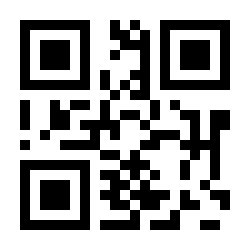
EAN-8: require the add-on code:
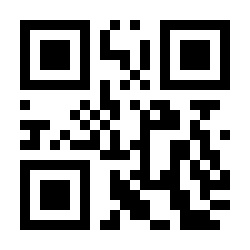
EAN-8: add-on code optional — default:
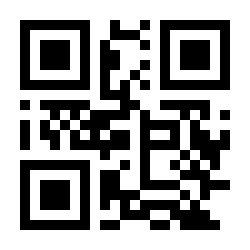
EAN-13
EAN-13 on — default:
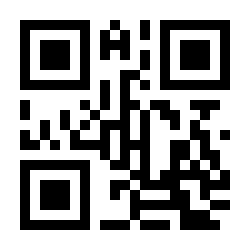
EAN-13 off:
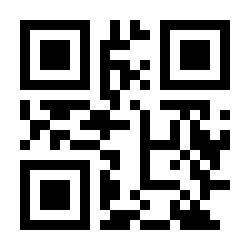
Transmit EAN-13 check digit — default:
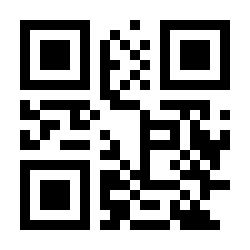
Do not transmit EAN-13 check digit:
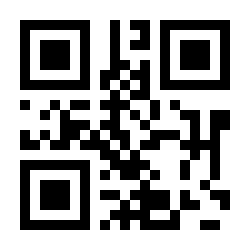
EAN-13 2-digit add-on on:
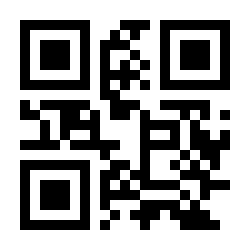
EAN-13 2-digit add-on off — default:
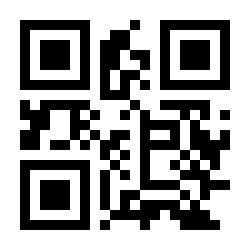
EAN-13 5-digit add-on on:
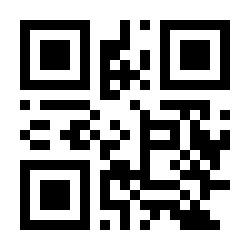
EAN-13 5-digit add-on off — default:
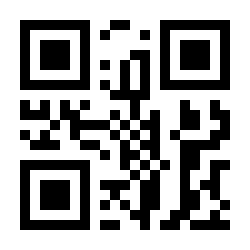
EAN-13: require the add-on code:
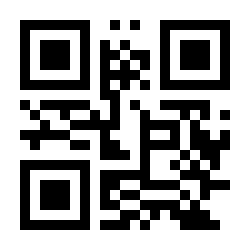
EAN-13: add-on code optional — default:
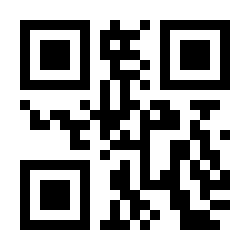
Bookland EAN (ISBN) on:
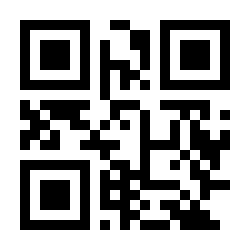
Bookland EAN (ISBN) off — default (ISBN read as EAN-13):
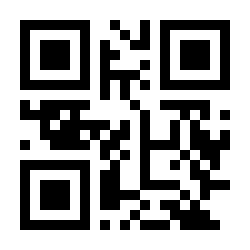
Code 128 / GS1-128
Code 128 on — default:
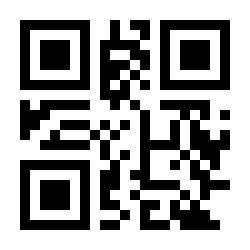
Code 128 off:
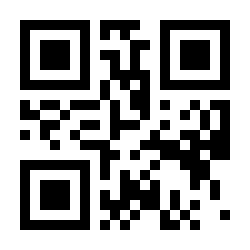
GS1-128 on — default:
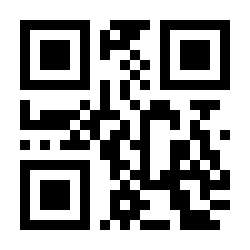
GS1-128 off:
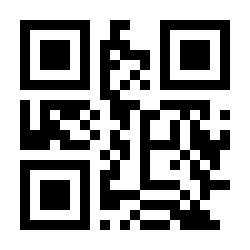
Interleaved 2 of 5 (ITF)
Interleaved 2 of 5 on — default:
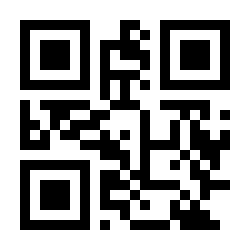
Interleaved 2 of 5 off:
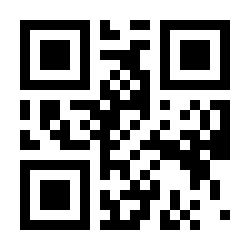
Interleaved 2 of 5: length within range:
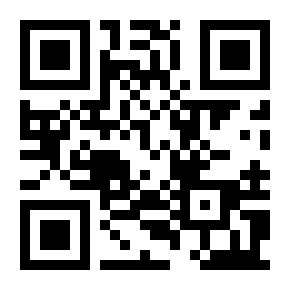
Interleaved 2 of 5: any length:
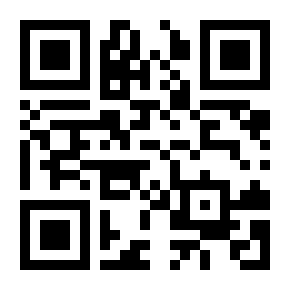
Interleaved 2 of 5 check digit verification on:
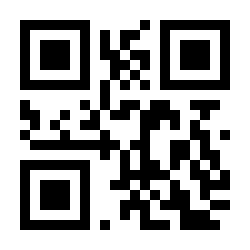
Interleaved 2 of 5 check digit verification off — default:
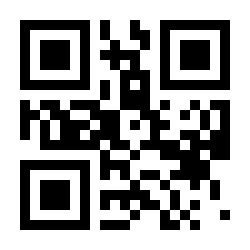
Transmit Interleaved 2 of 5 check digit:
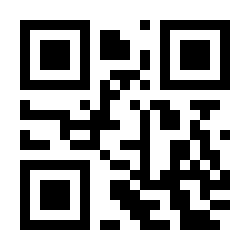
Do not transmit Interleaved 2 of 5 check digit — default:
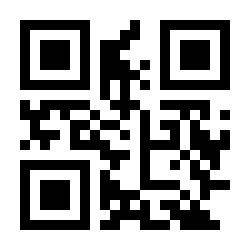
Matrix 2 of 5
Matrix 2 of 5 on:
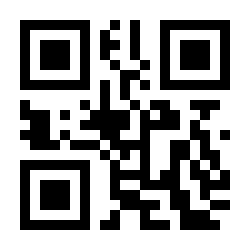
Matrix 2 of 5 off — default:
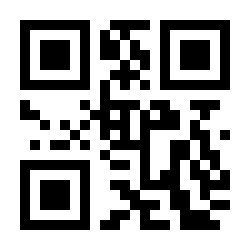
Matrix 2 of 5: length within range:
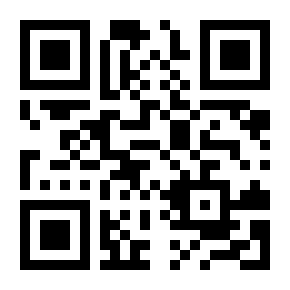
Matrix 2 of 5: any length:
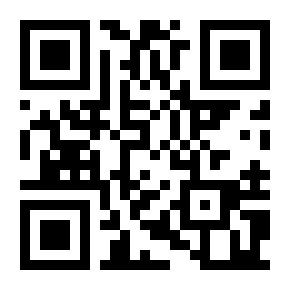
Matrix 2 of 5 check digit verification on:
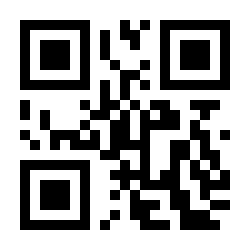
Matrix 2 of 5 check digit verification off — default:
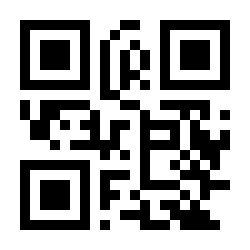
Transmit Matrix 2 of 5 check digit:
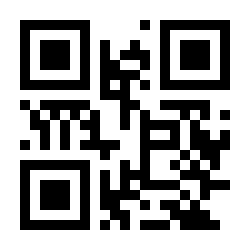
Do not transmit Matrix 2 of 5 check digit — default:
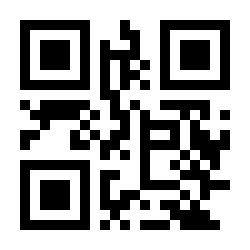
Industrial 2 of 5
Industrial 2 of 5 on:
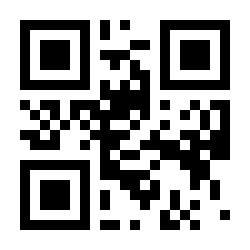
Industrial 2 of 5 off — default:
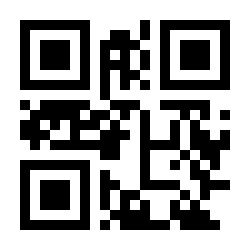
Industrial 2 of 5: length within range:
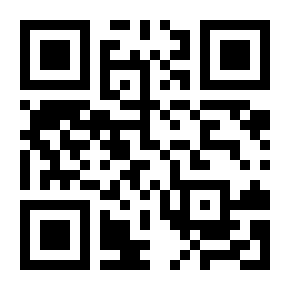
Industrial 2 of 5: any length:
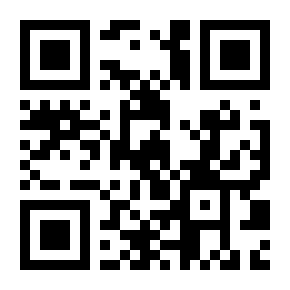
Standard 2 of 5
Standard 2 of 5 on:
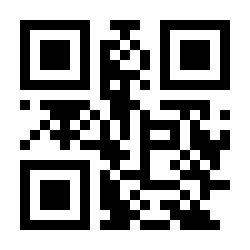
Standard 2 of 5 off — default:
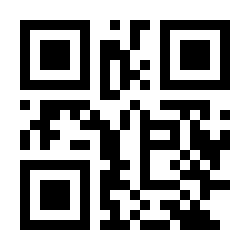
Standard 2 of 5: length within range:
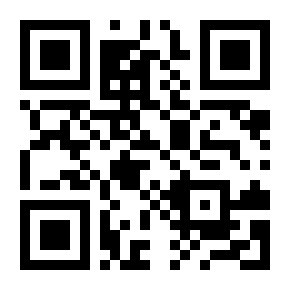
Standard 2 of 5: any length:
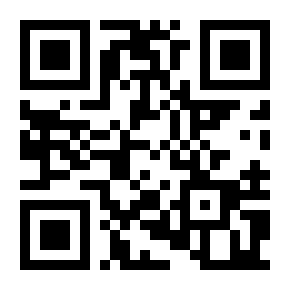
Code 39
Code 39 on — default:
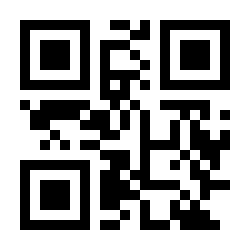
Code 39 off:
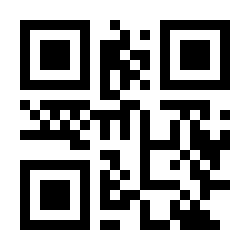
Code 39: any length:
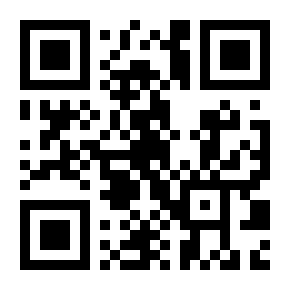
Code 39 check digit verification on:
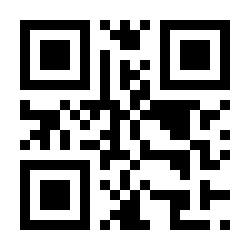
Code 39 check digit verification off — default:
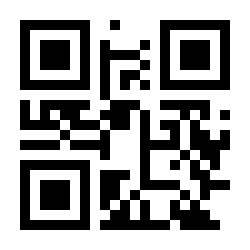
Transmit Code 39 check digit — default:
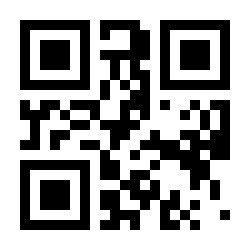
Do not transmit Code 39 check digit:
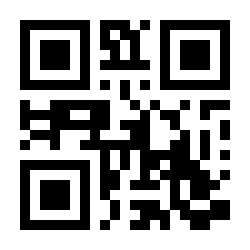
Do not transmit Code 39 start/stop characters — default:
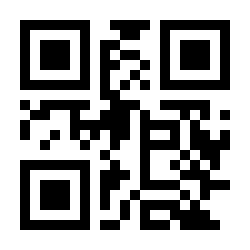
Transmit Code 39 start/stop characters:
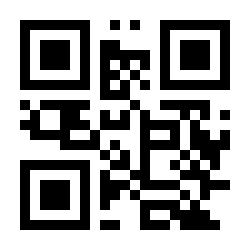
Code 39 Full ASCII on:
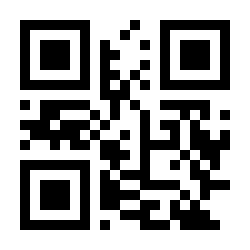
Code 39 Full ASCII off — default:
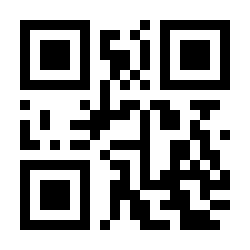
Code 32
Code 32 on:
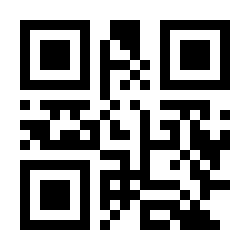
Code 32 off — default:
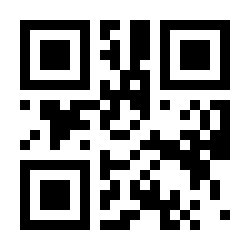
Code 32: add prefix A on:
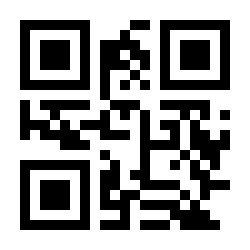
Code 32: add prefix A off:
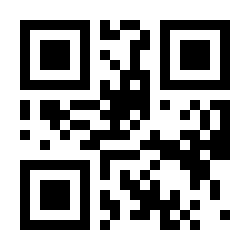
Code 93
Code 93 on:
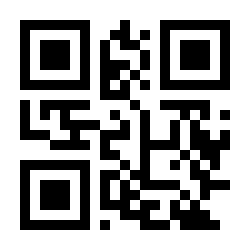
Code 93 off:
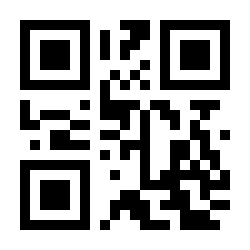
Code 93: any length:
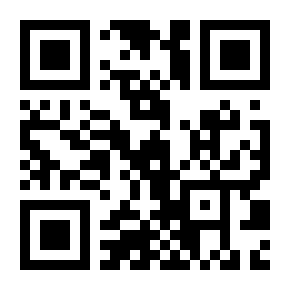
Code 11
Code 11 on:
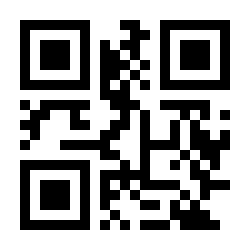
Code 11 off:
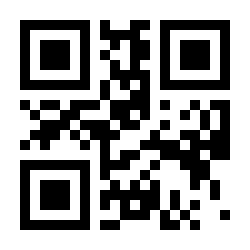
Code 11: any length:
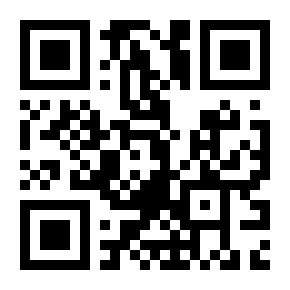
Code 11 check digit verification off:
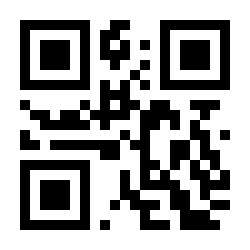
Code 11: one check digit:
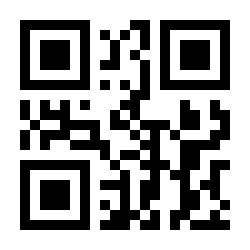
Code 11: two check digits:
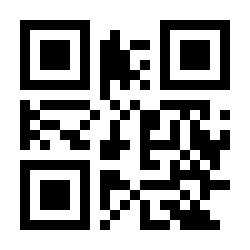
Transmit Code 11 check digit — default:
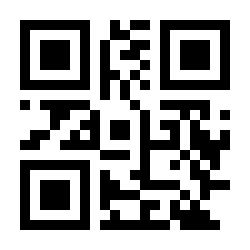
Do not transmit Code 11 check digit:
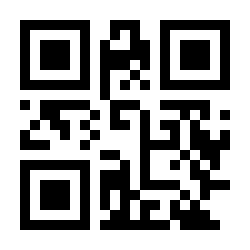
Codabar
Codabar on:
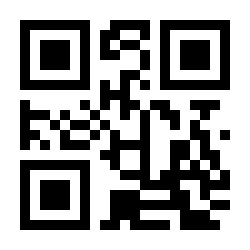
Codabar off:
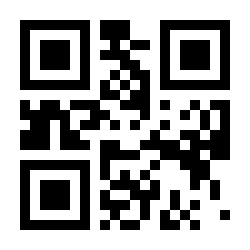
Codabar: any length:
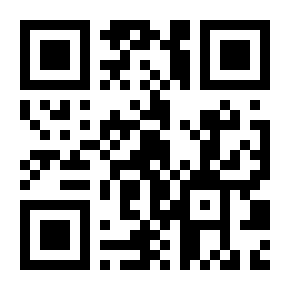
Codabar start/stop characters: ABCD/ABCD — default:
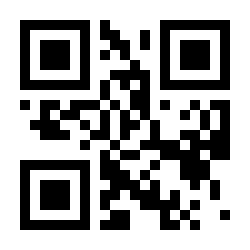
Codabar start/stop characters: ABCD/TN*E:
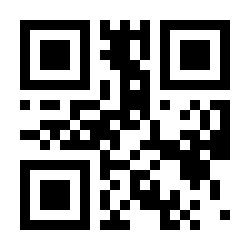
Transmit Codabar start/stop characters — default:
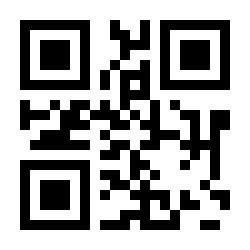
Do not transmit Codabar start/stop characters:
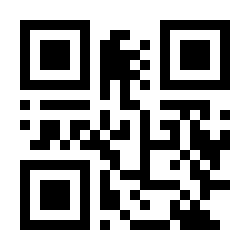
MSI
MSI on:
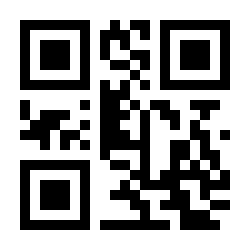
MSI off — default:
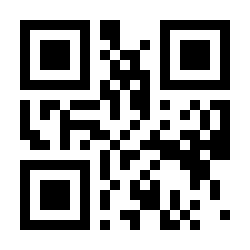
MSI: any length:
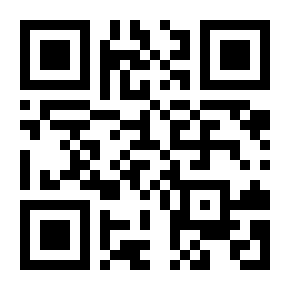
GS1 DataBar
GS1 DataBar on:
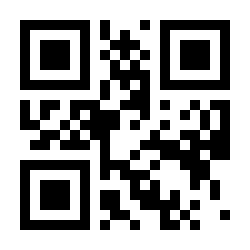
GS1 DataBar off:
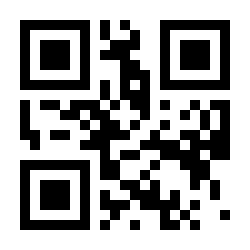
GS1 composite code on:
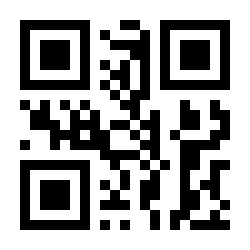
GS1 composite code off — default:
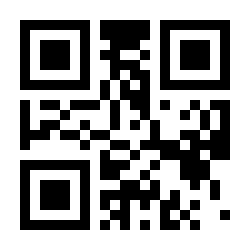
2D symbologies
QR Code
QR Code on — default:
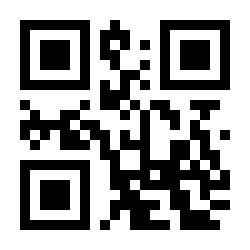
QR Code off:
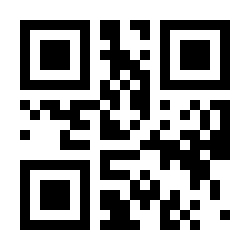
QR: read normal codes only — default:
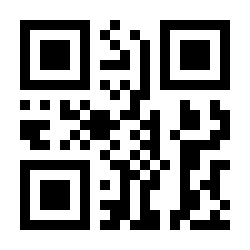
QR: read normal and reverse codes:
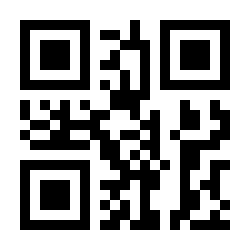
QR mirror: off — default:
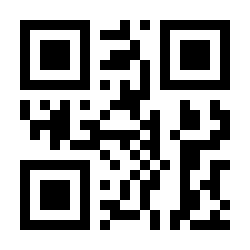
QR mirror: on:
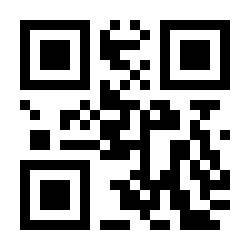
DataMatrix
DataMatrix on — default:
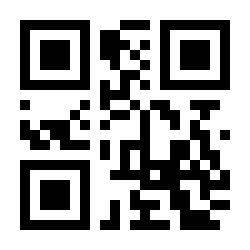
DataMatrix off:
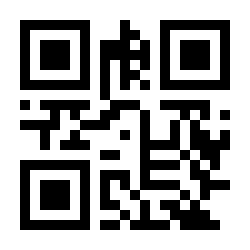
DataMatrix: read normal codes only — default:
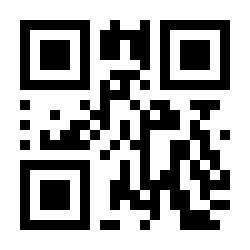
DataMatrix: read reverse codes only:
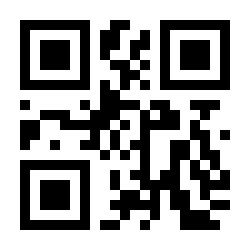
DataMatrix: read normal and reverse codes:
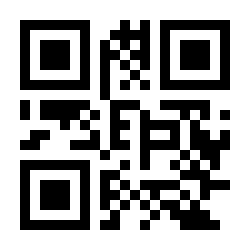
DataMatrix mirror: off — default:
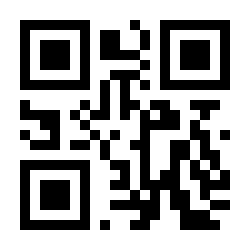
DataMatrix mirror: on:
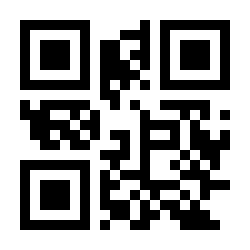
PDF417 / Aztec / MaxiCode / Han Xin
PDF417 on — default:
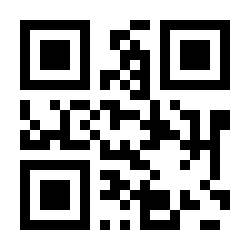
PDF417 off:
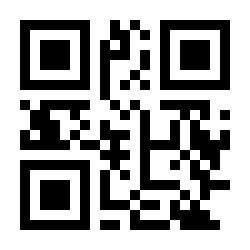
Aztec on:
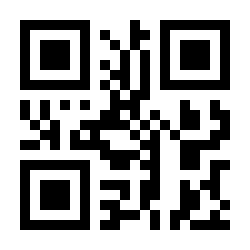
Aztec off — default:
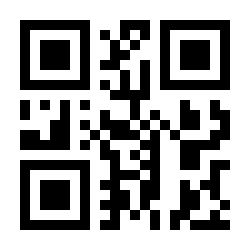
MaxiCode on:
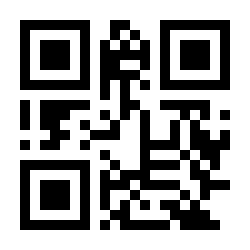
MaxiCode off — default:
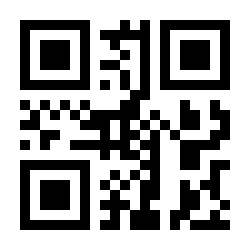
Han Xin on:
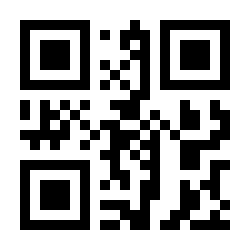
Han Xin off — default:
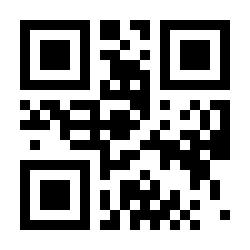
Numeric codes
For parameters that require numeric values (times, character counts, scan values of characters), scan the appropriate numbered codes below.
Digit 0:
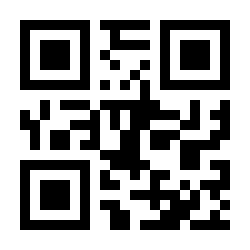
Digit 1:
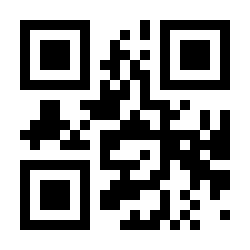
Digit 2:
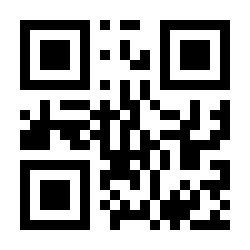
Digit 3:
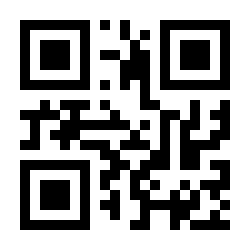
Digit 4:
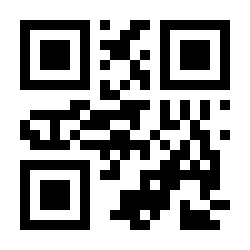
Digit 5:
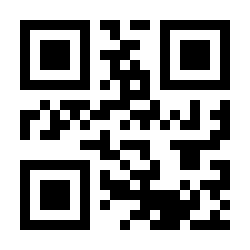
Digit 6:
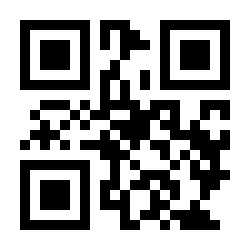
Digit 7:
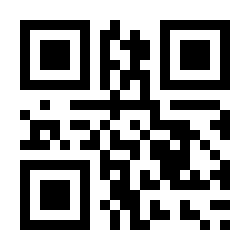
Digit 8:
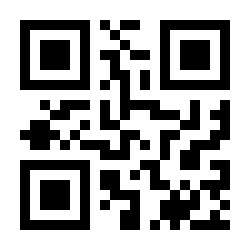
Digit 9:
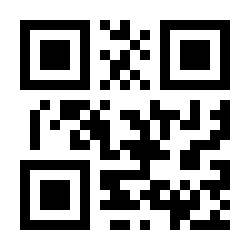
Cancel (abort an incorrect entry):
Code ID table
| Code ID | Symbology |
|---|---|
| A | UPC-A, UPC-E, EAN-8, EAN-13 |
| B | Code 39, Code 32 |
| C | Codabar |
| D | Code 128, GS1-128, ISBT 128 |
| E | Code 93 |
| F | Interleaved 2 of 5 / ITF, ITF-14 |
| G | Industrial 2 of 5, Standard 2 of 5 |
| H | Code 11 |
| J | MSI, MSI/Plessey |
| R | GS1 DataBar-14, GS1 DataBar Limited, GS1 DataBar Expanded, RSS |
| V | Matrix 2 of 5 |
| r | PDF417 |
| u | DataMatrix (DM) |
| q | QR |
| a | Aztec Code |
| x | Maxi Code |
| c | HanXin |
Character equivalents table
Scan values used when setting prefixes/suffixes and character replacement (four numeric codes per character). Control characters 0x00–0x1F list the keyboard function key and the Ctrl combination (used when Ctrl combination output is enabled).
Full character equivalents table (127 entries)
| Scan value | HEX | Function key | Ctrl combination |
|---|---|---|---|
| 1000 | 00h | Null | CTRL 2 |
| 1001 | 01h | Keypad Enter | CTRL A |
| 1002 | 02h | Caps Lock | CTRL B |
| 1003 | 03h | Right Arrow | CTRL C |
| 1004 | 04h | Up Arrow | CTRL D |
| 1005 | 05h | Null | CTRL E |
| 1006 | 06h | Null | CTRL F |
| 1007 | 07h | Enter | CTRL G |
| 1008 | 08h | Left Arrow | CTRL H |
| 1009 | 09h | Horizontal Tab | CTRL I |
| 1010 | 0Ah | Down Arrow | CTRL J |
| 1011 | 0Bh | Vertical Tab | CTRL K |
| 1012 | 0Ch | Backspace | CTRL L |
| 1013 | 0Dh | Enter | CTRL M |
| 1014 | 0Eh | Insert | CTRL N |
| 1015 | 0Fh | Esc | CTRL O |
| 1016 | 10h | F11 | CTRL P |
| 1017 | 11h | Home | CTRL Q |
| 1018 | 12h | Print Screen | CTRL R |
| 1019 | 13h | Delete | CTRL S |
| 1020 | 14h | Tab+Shift | CTRL T |
| 1021 | 15h | F12 | CTRL U |
| 1022 | 16h | F1 | CTRL V |
| 1023 | 17h | F2 | CTRL W |
| 1024 | 18h | F3 | CTRL X |
| 1025 | 19h | F4 | CTRL Y |
| 1026 | 1Ah | F5 | CTRL Z |
| 1027 | 1Bh | F6 | CTRL [ |
| 1028 | 1Ch | F7 | CTRL \ |
| 1029 | 1Dh | F8 | CTRL ] |
| 1030 | 1Eh | F9 | CTRL 6 |
| 1031 | 1Fh | F10 | CTRL - |
| 1032 | 20h | Space | |
| 1033 | 21h | ! | |
| 1034 | 22h | " | |
| 1035 | 23h | # | |
| 1036 | 24h | $ | |
| 1037 | 25h | % | |
| 1038 | 26h | & | |
| 1039 | 27h | ' | |
| 1040 | 28h | ( | |
| 1041 | 29h | ) | |
| 1042 | 2Ah | * | |
| 1043 | 2Bh | + | |
| 1044 | 2Ch | , | |
| 1045 | 2Dh | - | |
| 1046 | 2Eh | . | |
| 1047 | 2Fh | / | |
| 1048 | 30h | 0 | |
| 1049 | 31h | 1 | |
| 1050 | 32h | 2 | |
| 1051 | 33h | 3 | |
| 1052 | 34h | 4 | |
| 1053 | 35h | 5 | |
| 1054 | 36h | 6 | |
| 1055 | 37h | 7 | |
| 1056 | 38h | 8 | |
| 1057 | 39h | 9 | |
| 1058 | 3Ah | : | |
| 1059 | 3Bh | ; | |
| 1060 | 3Ch | < | |
| 1061 | 3Dh | = | |
| 1062 | 3Eh | > | |
| 1063 | 3Fh | ? | |
| 1064 | 40h | @ | |
| 1065 | 41h | A | |
| 1066 | 42h | B | |
| 1067 | 43h | C | |
| 1068 | 44h | D | |
| 1069 | 45h | E | |
| 1070 | 46h | F | |
| 1071 | 47h | G | |
| 1072 | 48h | H | |
| 1073 | 49h | I | |
| 1074 | 4Ah | J | |
| 1075 | 4Bh | K | |
| 1076 | 4Ch | L | |
| 1077 | 4Dh | M | |
| 1078 | 4Eh | N | |
| 1079 | 4Fh | O | |
| 1080 | 50h | P | |
| 1081 | 51h | Q | |
| 1082 | 52h | R | |
| 1083 | 53h | S | |
| 1084 | 54h | T | |
| 1085 | 55h | U | |
| 1086 | 56h | V | |
| 1087 | 57h | W | |
| 1088 | 58h | X | |
| 1089 | 59h | Y | |
| 1090 | 5Ah | Z | |
| 1091 | 5Bh | [ | |
| 1092 | 5Ch | \ | |
| 1093 | 5Dh | ] | |
| 1094 | 5Eh | ^ | |
| 1095 | 5Fh | _ | |
| 1096 | 60h | ``` | |
| 1097 | 61h | a | |
| 1098 | 62h | b | |
| 1099 | 63h | c | |
| 1100 | 64h | d | |
| 1101 | 65h | e | |
| 1102 | 66h | f | |
| 1103 | 67h | g | |
| 1104 | 68h | h | |
| 1105 | 69h | i | |
| 1106 | 6Ah | j | |
| 1107 | 6Bh | k | |
| 1108 | 6Ch | l | |
| 1109 | 6Dh | m | |
| 1110 | 6Eh | n | |
| 1111 | 6Fh | o | |
| 1112 | 70h | p | |
| 1113 | 71h | q | |
| 1114 | 72h | r | |
| 1115 | 73h | s | |
| 1116 | 74h | t | |
| 1117 | 75h | u | |
| 1118 | 76h | v | |
| 1119 | 77h | w | |
| 1120 | 78h | x | |
| 1121 | 79h | y | |
| 1122 | 7Ah | z | |
| 1123 | 7Bh | { | |
| 1124 | 7Ch | | | |
| 1125 | 7Dh | } | |
| 1126 | 7Eh | ~ |
Frequently asked questions
Can the HD6600 work without being paired to a device?
What is the difference between 2.4 GHz and Bluetooth mode?
Which code symbologies does the HD6600 read?
How do I configure the HD6600?
Can I add a function key (e.g. F1) as a prefix or suffix?
Downloads
Original manufacturer PDF manuals kept available as a legacy reference. Everything from them is already covered on this page — use the PDFs only if you need an offline copy.