Mobile QR and barcode scanner with phone holder, 2.4 GHz and Bluetooth, onboard memory, HDWR HD7700
GTIN: 5907614662431 · SKU: HD7700
Table of contents
- Table of contents
- Specifications
- Set contents
- Features
- Configuration codes
- Restore factory defaults
- Scanning mode
- Connection and pairing
- Operating modes
- End mark
- Transmission speed and delay
- Buzzer and vibration
- Letter case
- iOS keyboard
- Standby timer
- Hide leading / trailing characters
- Keyboard layout
- Add prefix / suffix
- Character table
- Reverse output
- Clock calibration
- Symbology settings (v6000 QR codes)
- Frequently asked questions
- Downloads
Specifications
- Processor: ARM Cortex 32-bit
- Light source: CMOS sensor
- Scan confirmation: LED indicator, beep and vibration
- Scanning method: manual (push button) or automatic (proximity-triggered)
- Scanning speed: 200 scans per second
- Error rate: 1/5 million
- Onboard memory: 16 Mb (up to 50,000 scanned codes)
- Wireless communication: Bluetooth and 2.4 GHz radio
- Wireless range: 10–15 m
- Battery capacity: 3000 mAh
- Charging voltage: 5 V
- Charging time: 4 hours
- Standby time: 30 days
- Interface: USB
- Drop resistance: up to 1.5 m
- Device dimensions: 14.7 × 6.8 × 3.1 cm
- Mounted phone height: 14 to 17.5 cm
- Maximum mounted phone thickness: up to 1 cm
- Package dimensions: 22 × 12 × 4 cm
- Device weight: 125 g
- Weight with packaging: 180 g
- Operating temperature: 0 to 40 °C
- Storage temperature: −40 to 80 °C
- Readable 1D codes: Codabar, Code 11, Code 93, MSI, Code 128, UCC/EAN-128, Code 39, EAN-8, EAN-13, UPC-A, ISBN, Industrial 2 of 5, Interleaved 2 of 5 (ITF), Standard 2 of 5, Matrix 2 of 5
- Readable 2D codes: QR, DataMatrix, PDF417, Hanxin, Micro PDF417
Set contents
- Wireless HD7700 QR scanner with phone holder
- USB cable
- USB-C cable
- USB receiver (2.4 GHz dongle)
- Paper user manual (English)
Features
- Phone holder: a slide-and-clamp mechanism holds phones 14–17.5 cm tall and up to 1 cm thick; an anti-slip insert protects the case
- 1D and 2D scanning: a CMOS sensor reads classic barcodes as well as QR, DataMatrix and PDF417 — from paper labels and LCD/LED/OLED screens, including phones
- Dual wireless: a bundled 2.4 GHz USB receiver (plug-and-play keyboard) plus Bluetooth HID/SPP/BLE for direct pairing with phones, tablets and laptops
- Onboard memory (storage mode): store up to 50,000 codes while out of range and upload them later in one batch
- No-loss mode: guaranteed delivery in 2.4G and virtual-Bluetooth modes
- Wired over USB-C: transfer data to the mounted phone, or scan and charge at the same time
- Highly configurable: 22 keyboard layouts, iOS keyboard, end mark, transmission speed and delay, hide characters, prefix/suffix (including scan time), letter case, an ASCII character table and the v6000 symbology switches
Configuration codes
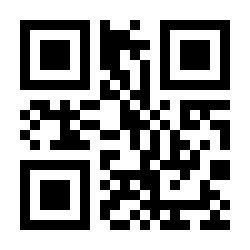
To change scanner settings, scan the barcode below directly with the HD7700.
💡 Tip: print this page ("Download this page as PDF" button above) to keep the codes at hand during configuration.
Restore factory defaults
If the scanner does not behave as expected, scan the code below to restore all settings to their default values:
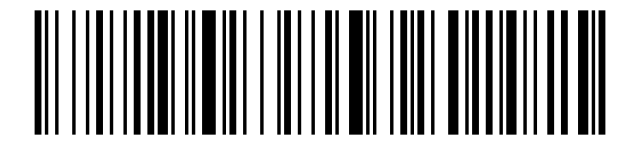
Version information (output the firmware version):
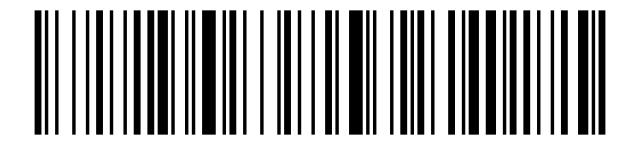
Battery level (output the current battery charge):
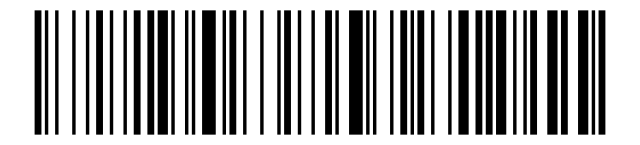
Scanning mode
The scanner supports three trigger modes (v6000 QR family):
Manual mode — push button (default):
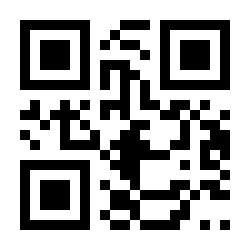
Continuous mode (one scan after another):
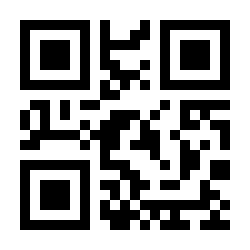
Automatic mode (proximity-triggered):
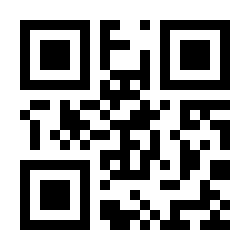
Connection and pairing
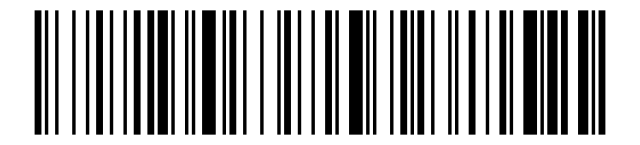
The HD7700 connects to the host in several ways. By default the bundled 2.4 GHz USB receiver works as a keyboard (HID) — just plug it in.
2.4 GHz
2.4 GHz mode (pair with the USB receiver):
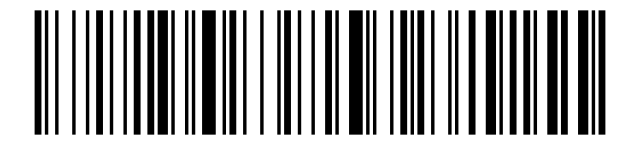
Enter pairing mode:
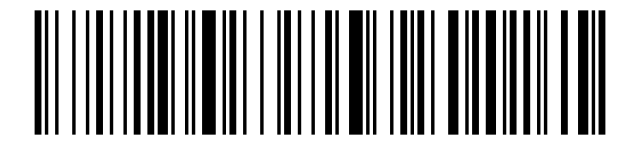
2.4 GHz Virtual COM port
Use this when your software expects a serial (COM) device: scan COM port mode, then Enter pairing mode, plug in the receiver — a COM port is created on the host.
COM port mode:
Bluetooth
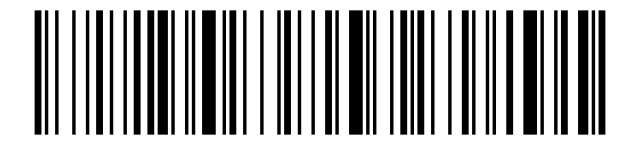
Bluetooth HID mode (Bluetooth keyboard):
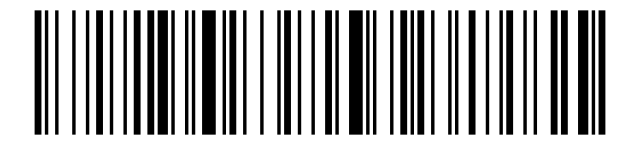
Bluetooth SPP mode (serial port profile):
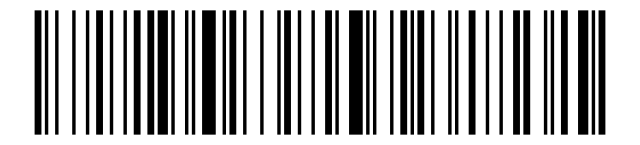
Bluetooth BLE mode (Bluetooth Low Energy):
Bluetooth name change
- Scan Change Bluetooth name. 2. Scan a barcode whose data is the new name (the example below sets "Scanner123"; you can generate your own code in any barcode generator). 3. Scan Save name.
Change Bluetooth name:
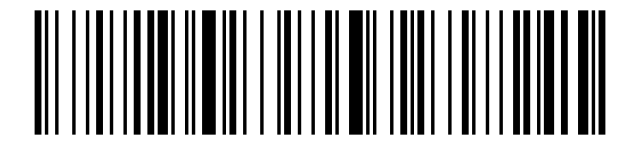
Example: name Scanner123:

Save name (set as default):
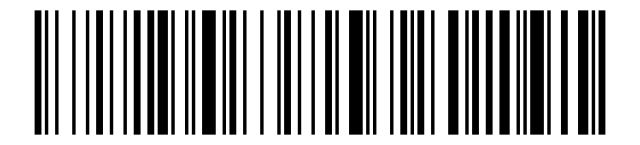
HID searching by button
When enabled, holding the scan button for 8 seconds starts Bluetooth HID pairing:
HID searching by button (8 s) on:
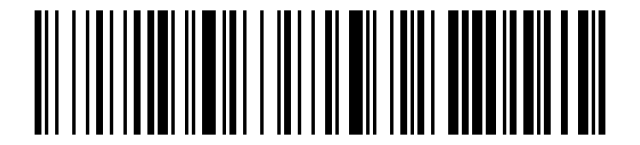
HID searching by button (8 s) off:
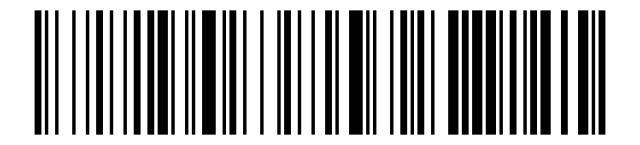
Operating modes
Normal mode (real-time — each scan is transmitted to the host immediately):
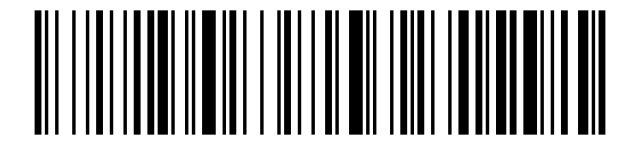
Storage mode (scans are saved to onboard memory; upload them later):
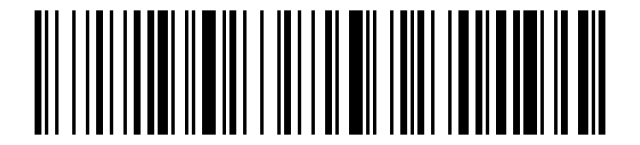
Total amount of stored data:
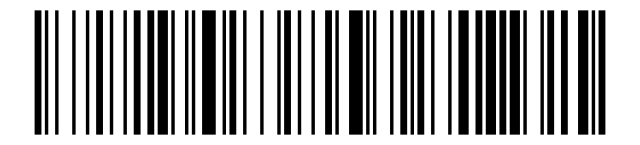
Data transmission (data is kept in memory afterwards):
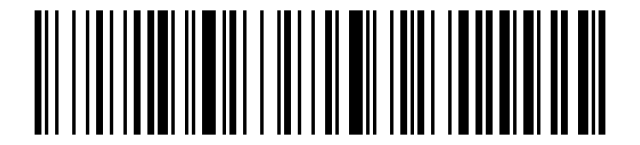
Clear data (upload the data first):
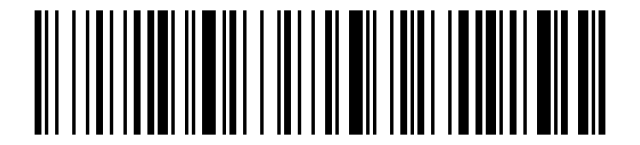
No-loss mode (guaranteed delivery — recommended only for 2.4G and virtual Bluetooth, not recommended for Bluetooth HID/SPP/BLE):
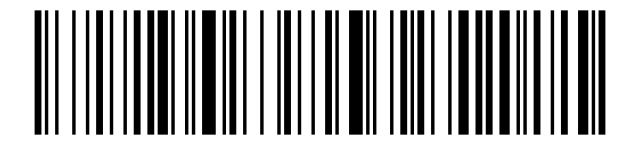
End mark
Character automatically appended after each scanned code.
CR (Carriage Return):
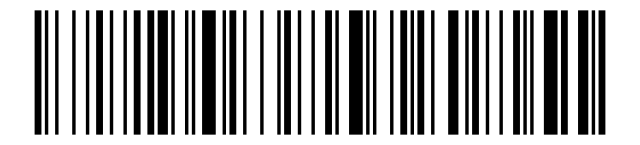
LF (Line Feed):
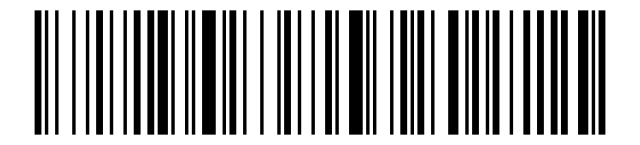
CR + LF:
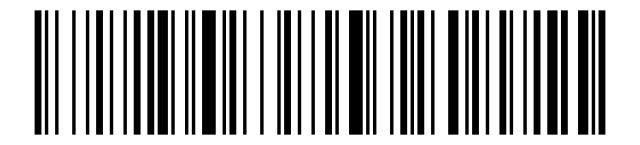
Remove CR + LF (no end mark):
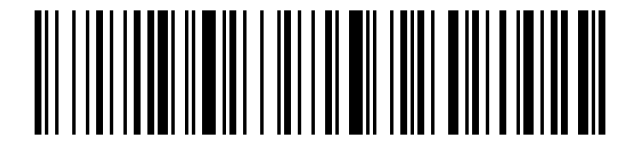
TAB:
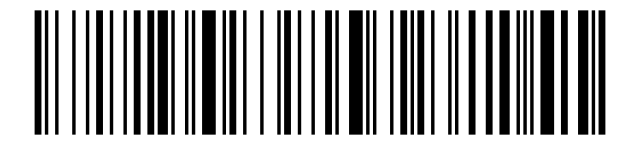
Transmission speed and delay
Add a delay or slow the transmission down if the host receives data too fast to keep up.
Enable 2.4 GHz delay:

Disable 2.4 GHz delay:

Inter-character delay: 5 ms:

Inter-character delay: 10 ms:

Inter-character delay: 20 ms:

Inter-character delay: 30 ms:

Inter-character delay: 40 ms:

Inter-character delay: 50 ms:

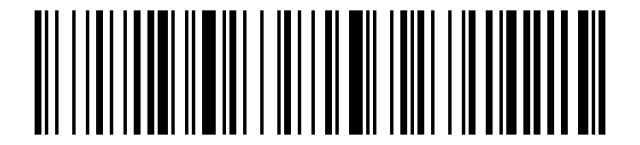
Speed — Fast:
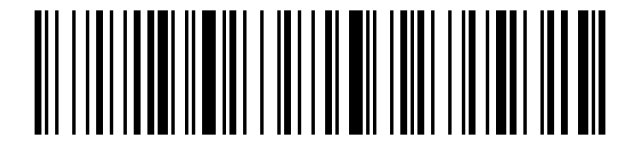
Speed — Middle:
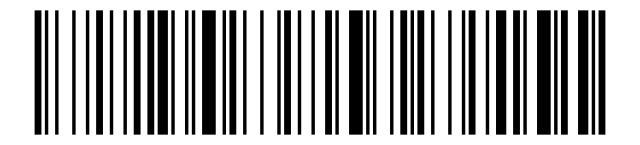
Speed — Slow:
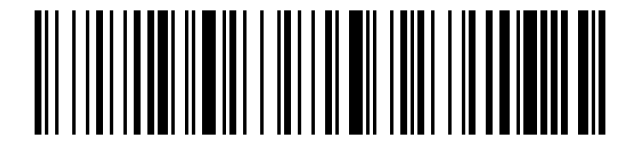
Speed — Super slow:
Buzzer and vibration
Buzzer off:
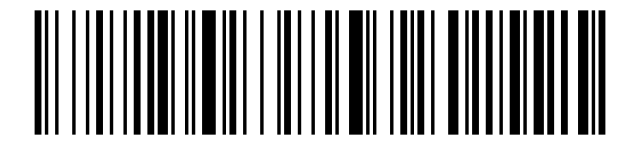
Buzzer on:
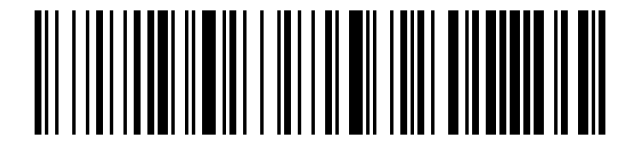
Vibration off (optional):
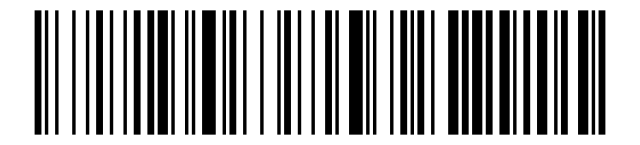
Vibration on (optional):
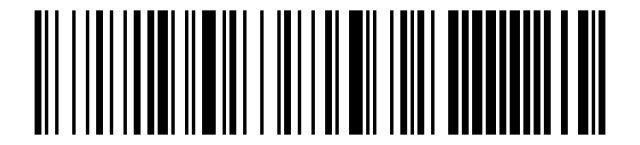
Letter case
Convert to lowercase:
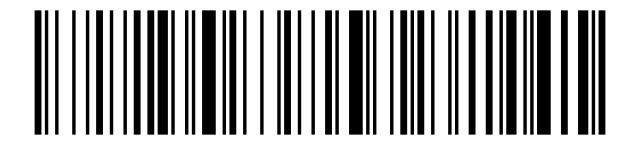
Convert to uppercase:
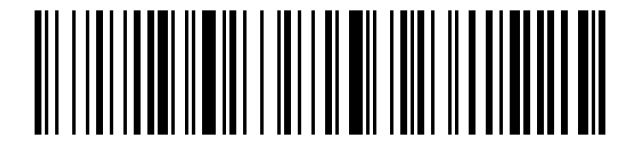
No case change:
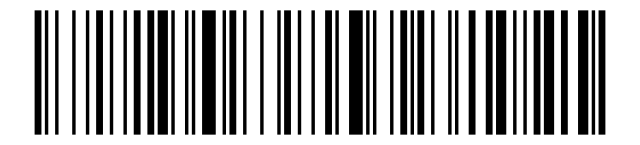
Swap upper ↔ lower case:
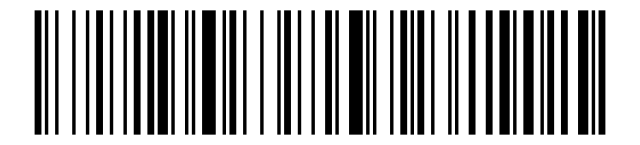
iOS keyboard
Control the on-screen keyboard on iOS devices.
Show / hide the iOS keyboard:
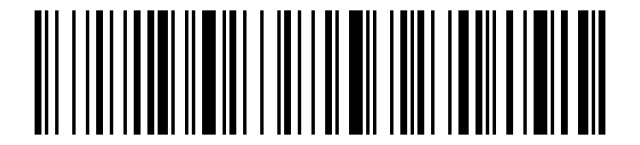
Double-click to pull up the iOS keyboard:
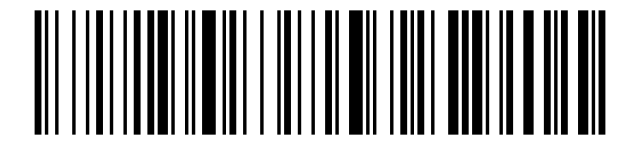
Double-click to hide the iOS keyboard:
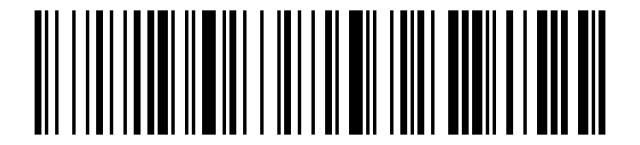
Standby timer
Standby after 1 minute:
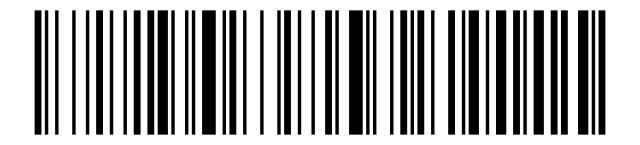
Standby after 5 minutes:
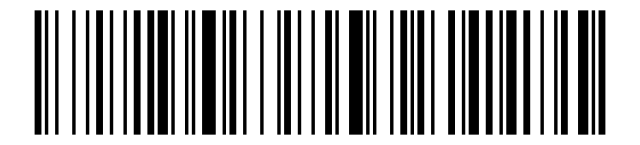
Standby after 10 minutes:
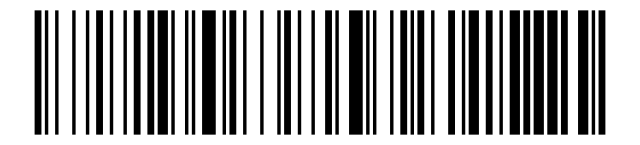
Standby after 30 minutes:
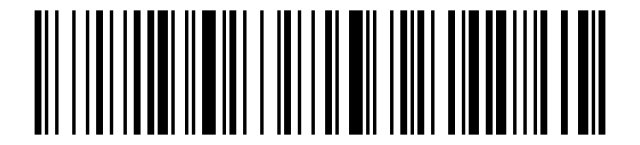
Never enter standby:
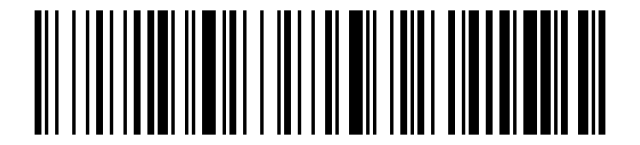
Standby immediately:
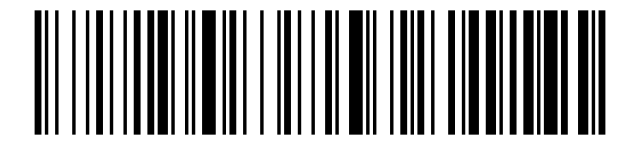
Hide leading / trailing characters
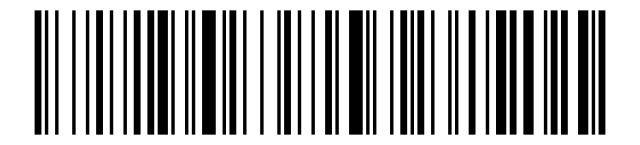
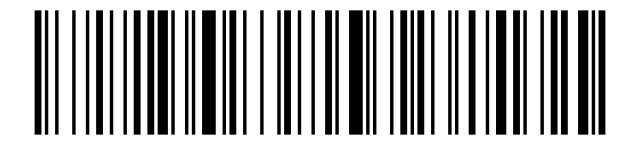
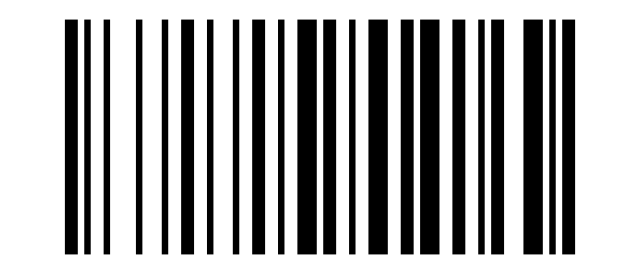
Scan Hide leading characters (prefix) or Hide trailing characters (suffix), then scan one count code below. Re-scan the same prefix / suffix code to cancel hiding.
Hide leading characters (prefix):
Hide trailing characters (suffix):
Show all 16 character-count codes (hide 1–16)
Hide 1:
Hide 2:

Hide 3:
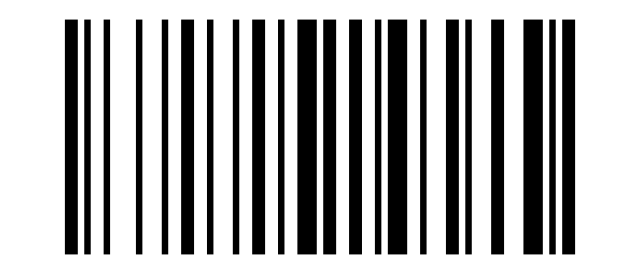
Hide 4:

Hide 5:
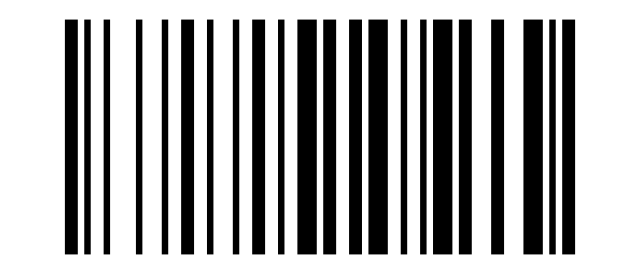
Hide 6:

Hide 7:
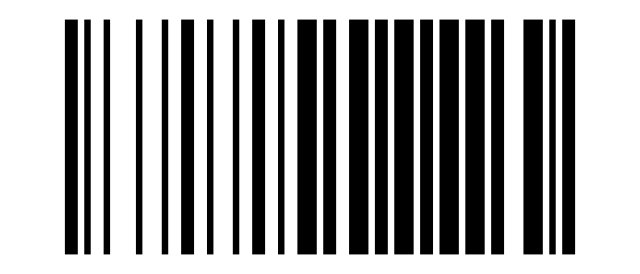
Hide 8:
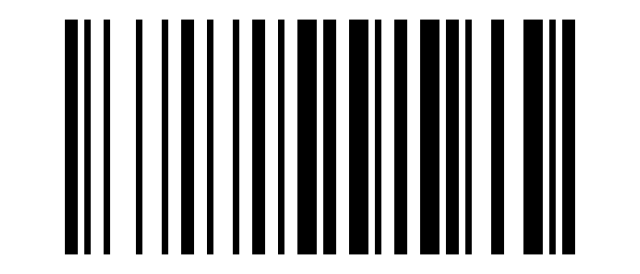
Hide 9:
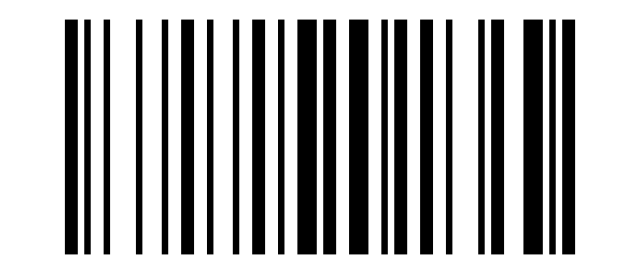
Hide 10:

Hide 11:

Hide 12:
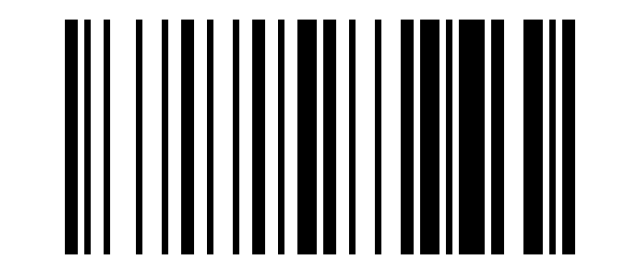
Hide 13:

Hide 14:

Hide 15:

Hide 16:

Keyboard layout
Set the scanner's keyboard layout to match the host operating system.
Show all 22 keyboard layouts
English (USA):
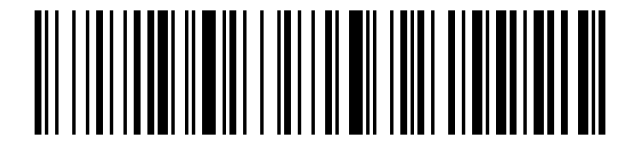
German:
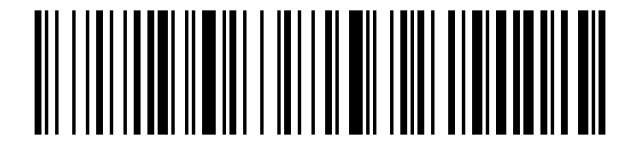
French:
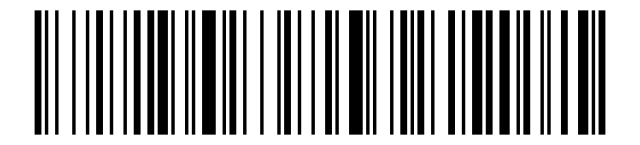
Spanish:
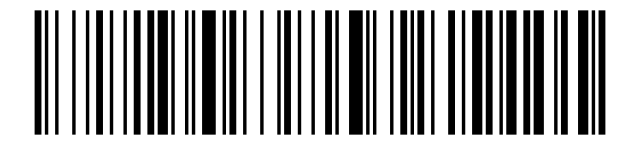
Italian:
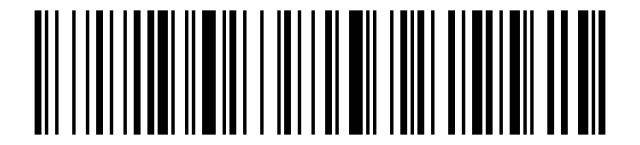
Japanese:
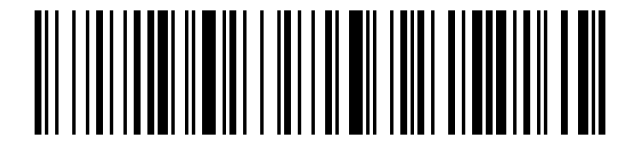
International universal keyboard:
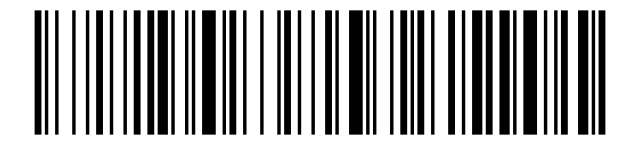
Belgian:
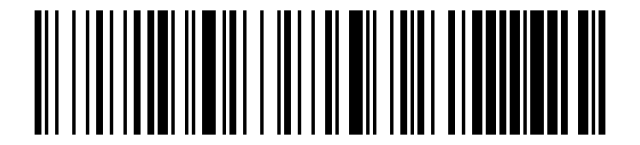
Portuguese:
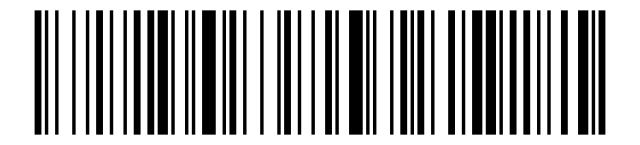
English (UK):
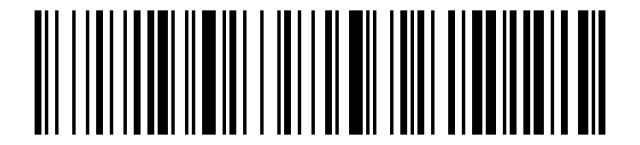
Portuguese (Brazil):
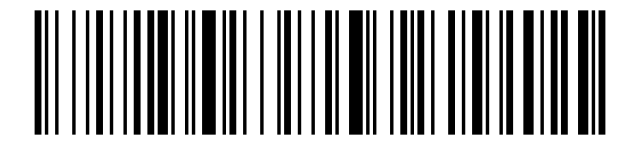
French (Switzerland):
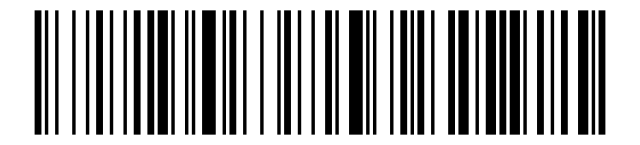
Russian:
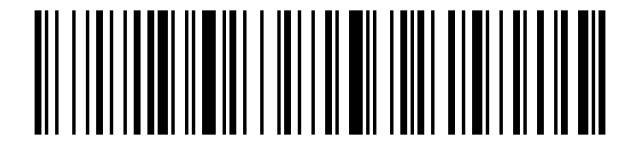
Czech:
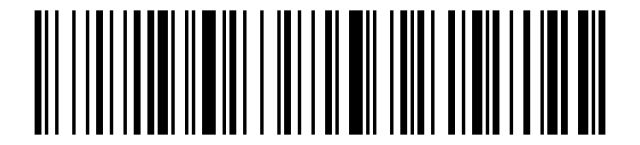
French (Canada):
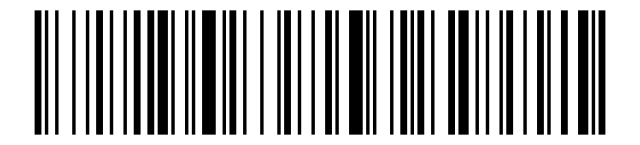
Hungarian:
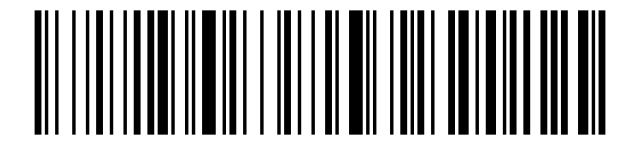
Polish:
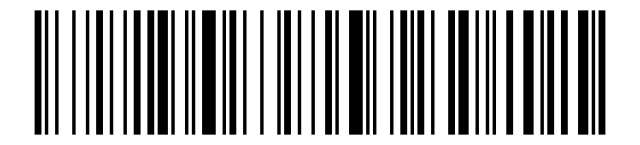
Sweden / Finland:
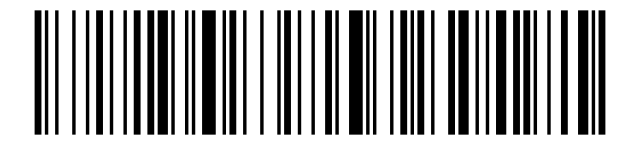
Spanish (Mexico):
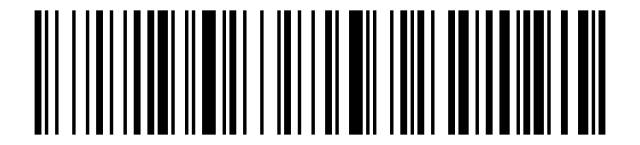
Argentine (Latin America):
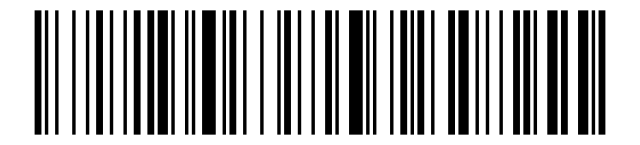
Norwegian:
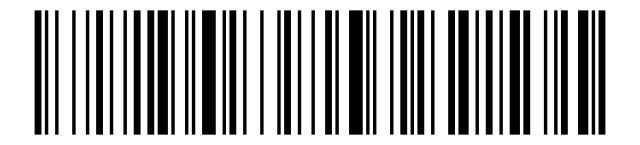
German (Switzerland):
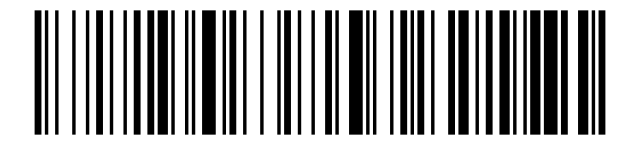
Add prefix / suffix
To add a prefix or suffix made of one or more characters before / after every scanned barcode:
- Scan Allow for prefix adding (or Allow for suffix adding).
- Scan one or more character codes from the character table below.
- To cancel, scan Allow for prefix adding (or Allow for suffix adding) once more.
Allow for prefix adding:
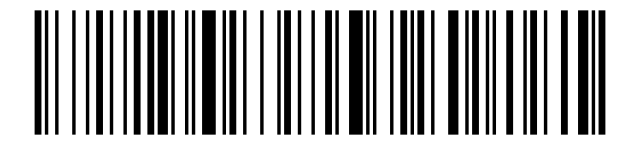
Allow for suffix adding:
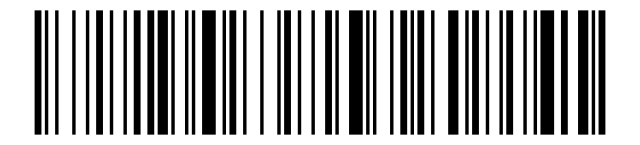
Characters beyond the basic table are selected by scanning a character-set code first (Character Set 0–4 per appendix A of the supplier manual), then the character code:
Character set 0:

Character set 1:

Character set 2:

Character set 3:

Character set 4:

Scan time as prefix or suffix
Add scan time as prefix:
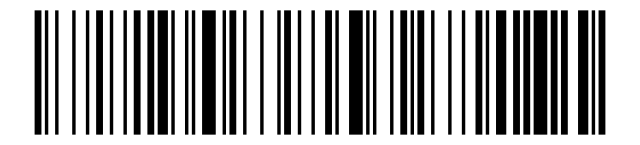
Add scan time as suffix:
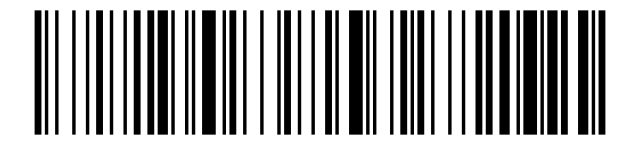
Cancel time as prefix/suffix:
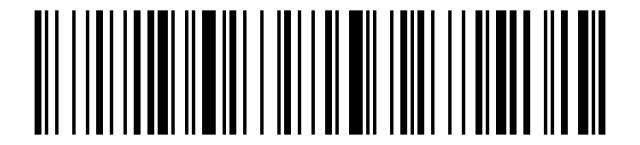
For the clock to show the right time, calibrate it — see Clock calibration.
Character table
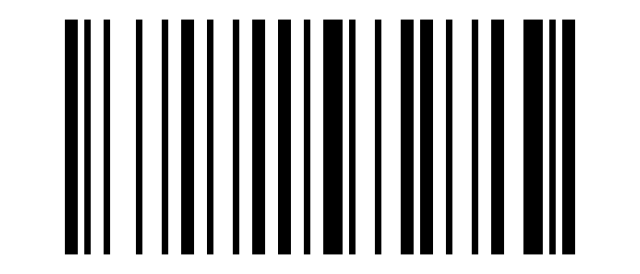
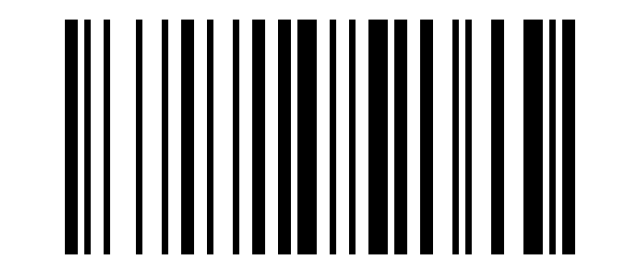
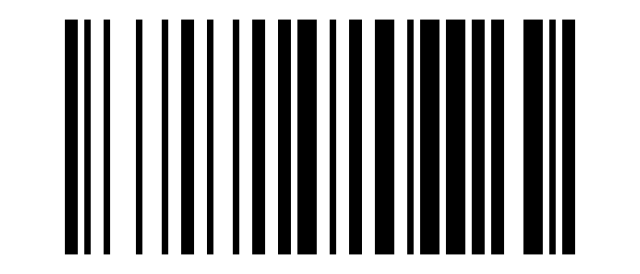
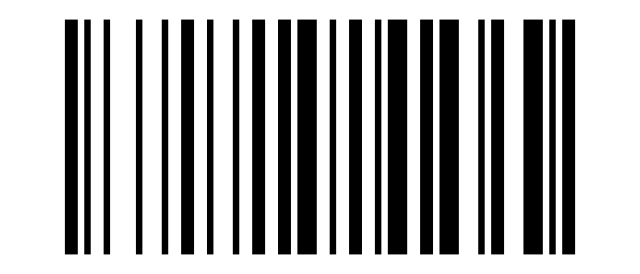
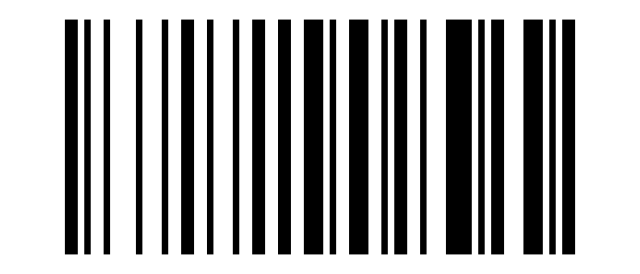
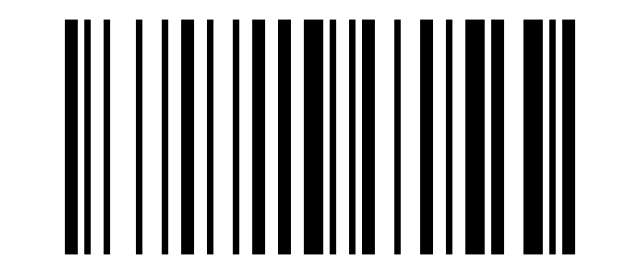
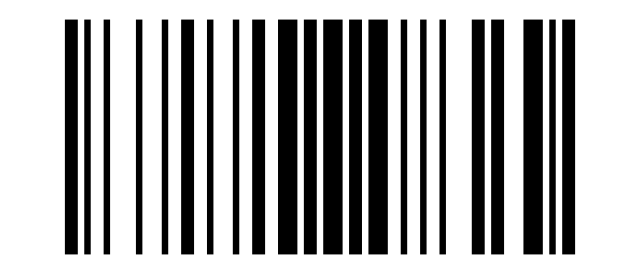
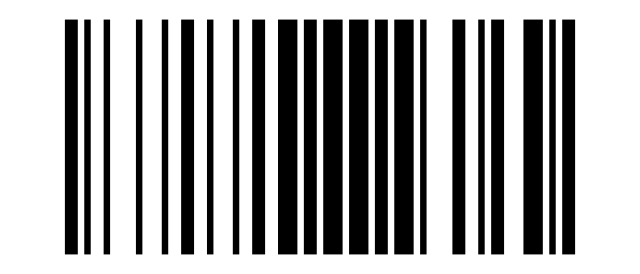
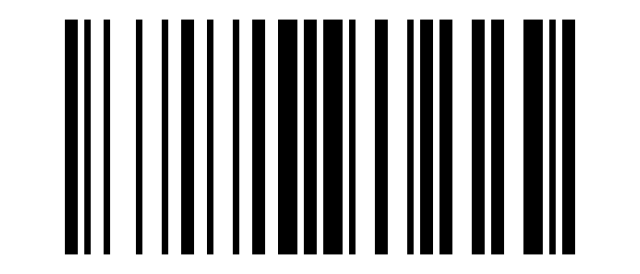
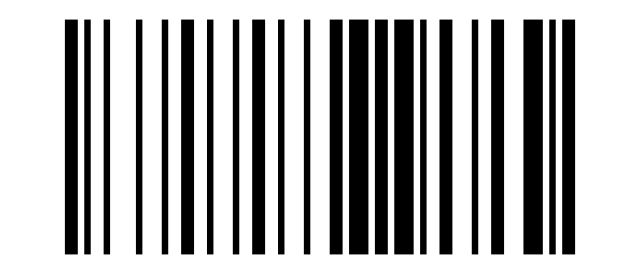
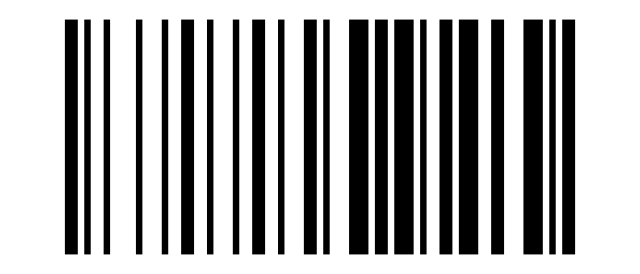
Each code below represents a single character used to compose prefixes or suffixes. Scan them after Allow for prefix / suffix adding above.
Show all 127 character codes (control characters and printable ASCII)
Control characters
SOH (0x01):
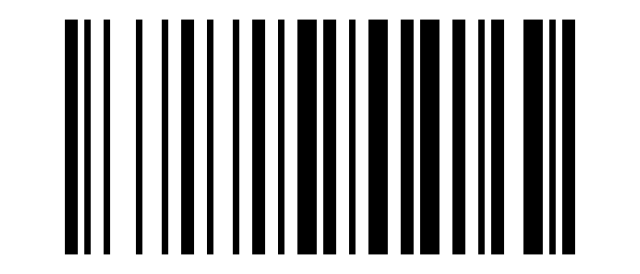
STX (0x02):

ETX (0x03):
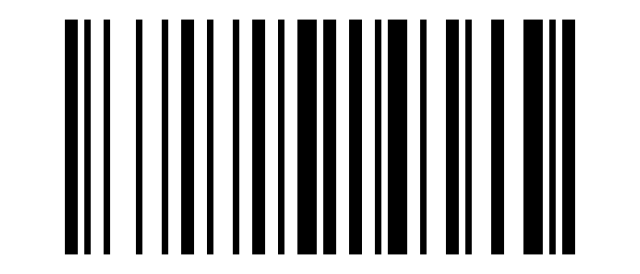
EOT (0x04):

ENQ (0x05):
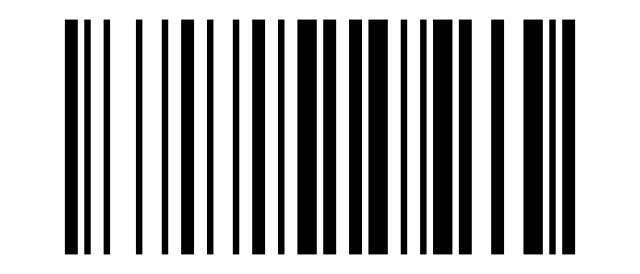
ACK (0x06):

BEL (0x07):
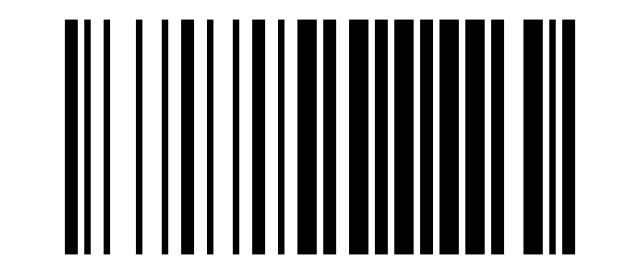
BS (0x08):
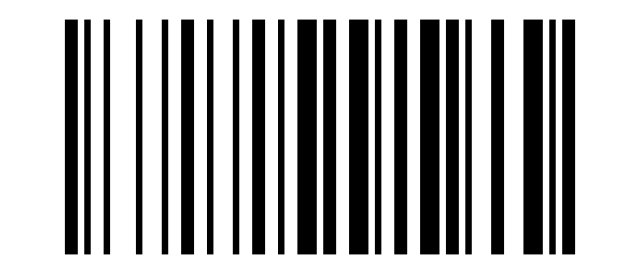
HT (0x09):
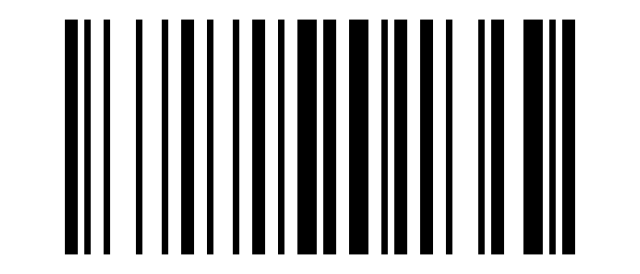
LF (0x0A):

VT (0x0B):

FF (0x0C):
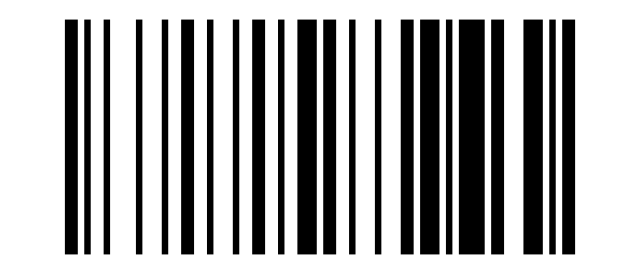
CR (0x0D):

SO (0x0E):

SI (0x0F):

DLE (0x10):

DC1 (0x11):
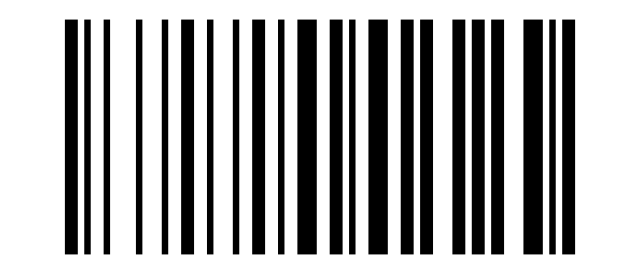
DC2 (0x12):

DC3 (0x13):
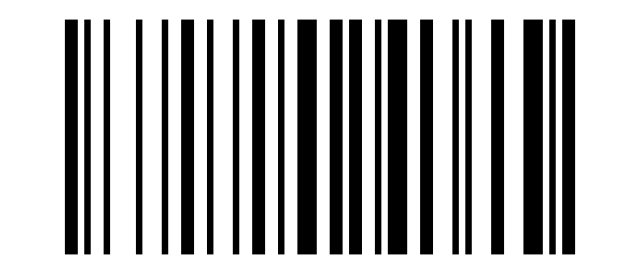
DC4 (0x14):
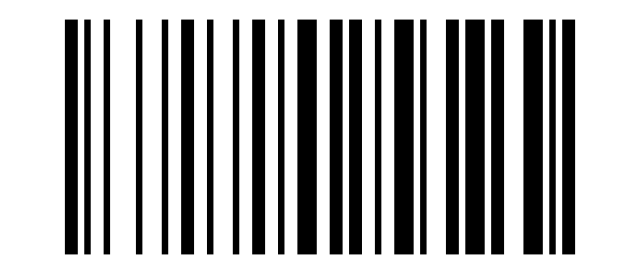
NAK (0x15):
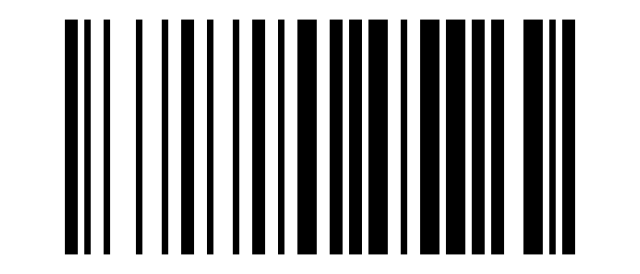
SYN (0x16):

ETB (0x17):
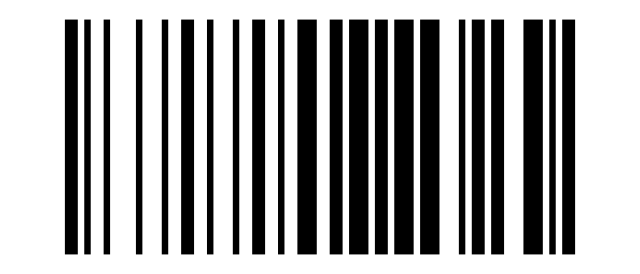
CAN (0x18):

EM (0x19):

SUB (0x1A):

ESC (0x1B):

FS (0x1C):

GS (0x1D):

RS (0x1E):

US (0x1F):

Printable ASCII
Space:
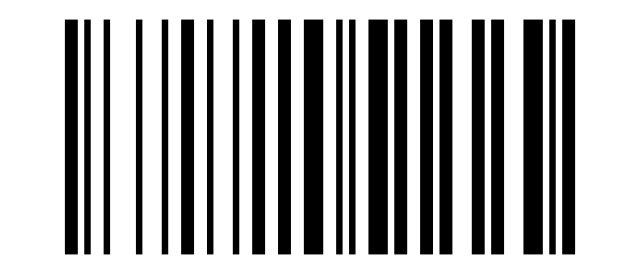
!:
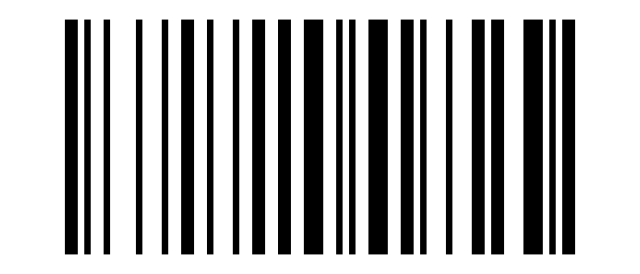
":

#:

$:
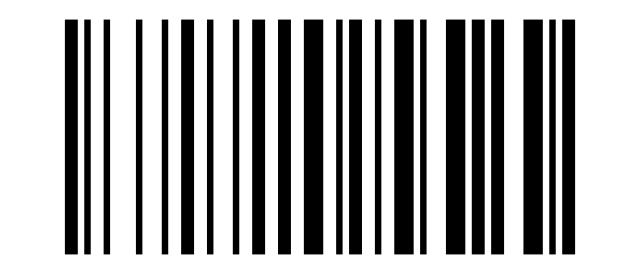
%:
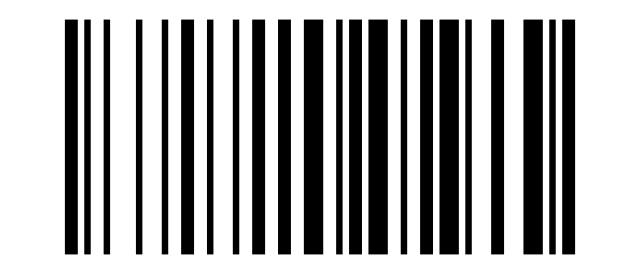
&:

':
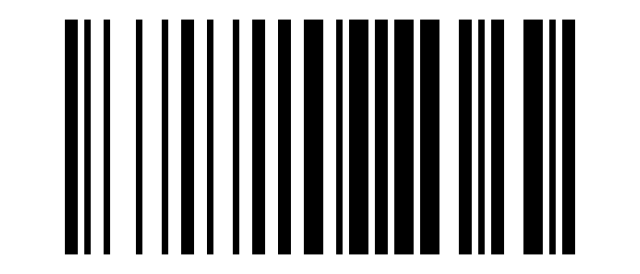
(:

):
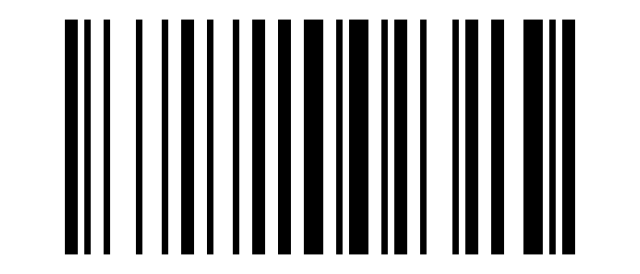
*:
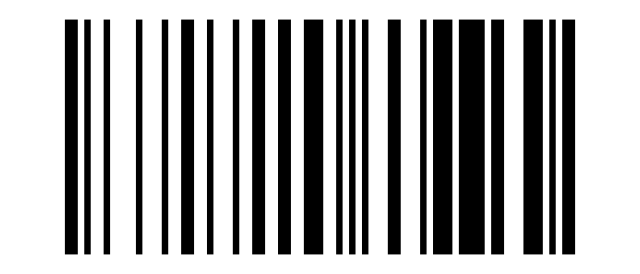
+:

,:

-:

.:

/:

0:
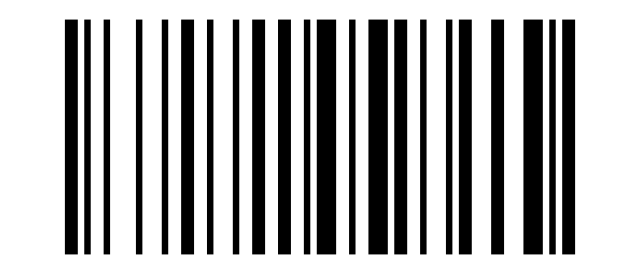
1:

2:

3:
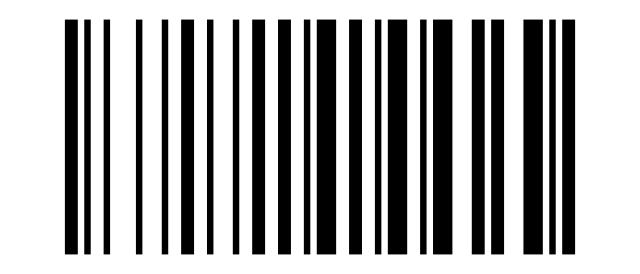
4:
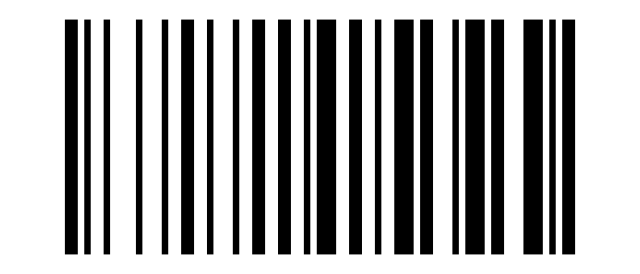
5:

6:

7:
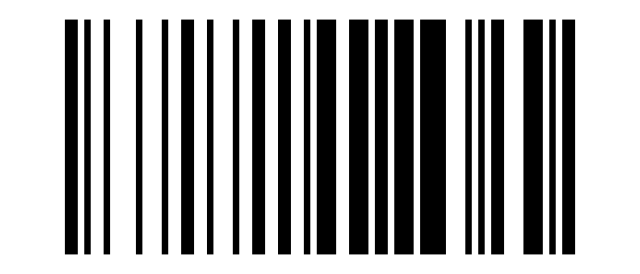
8:
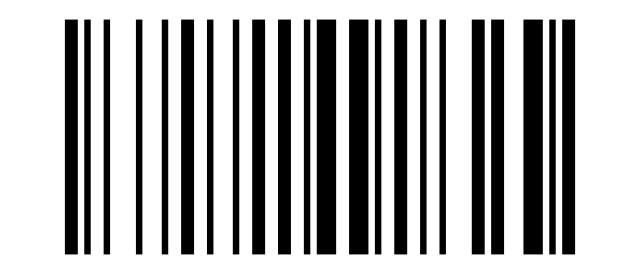
9:
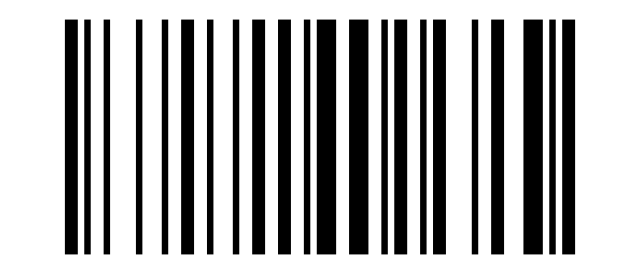
::

;:

<:

=:

>:

?:

@:
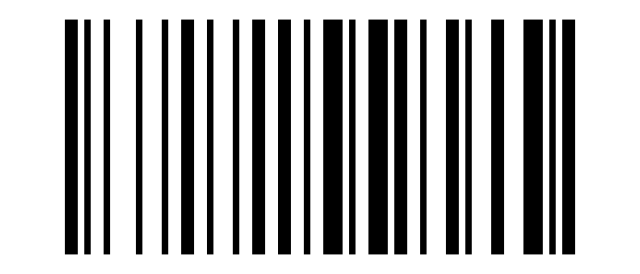
A:

B:

C:
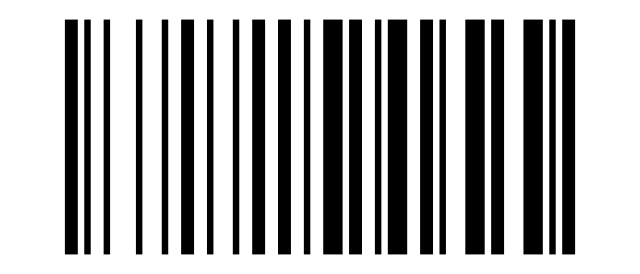
D:
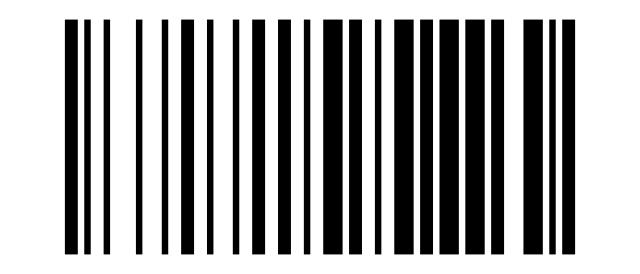
E:
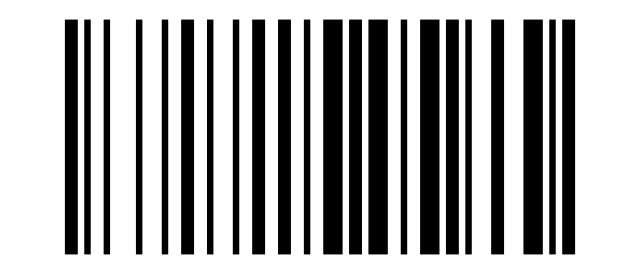
F:

G:
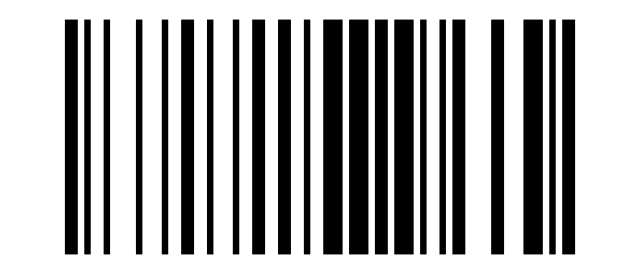
H:
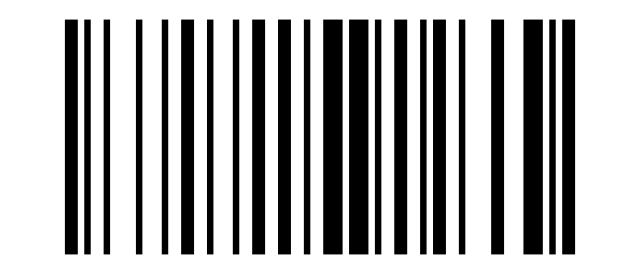
I:
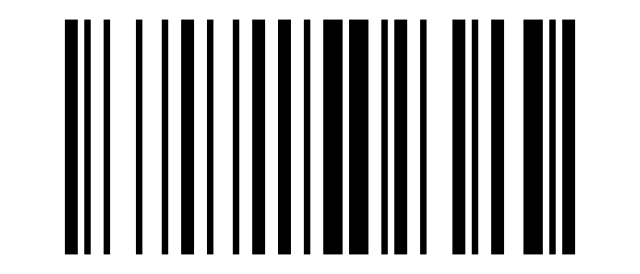
J:

K:

L:
M:

N:

O:

P:
Q:

R:
S:
T:

U:
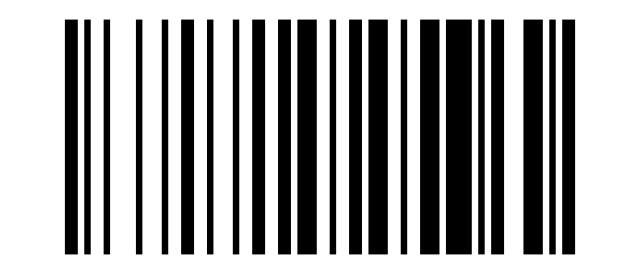
V:

W:
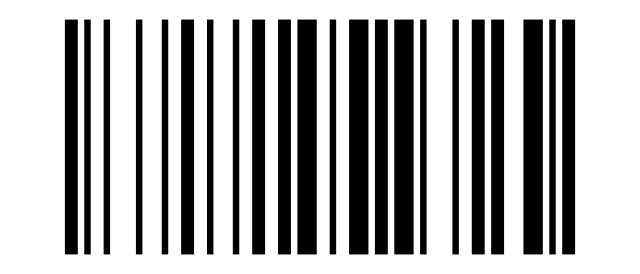
X:
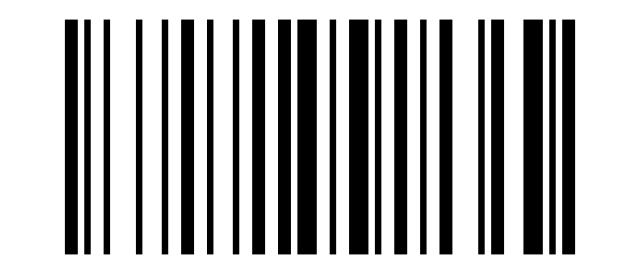
Y:
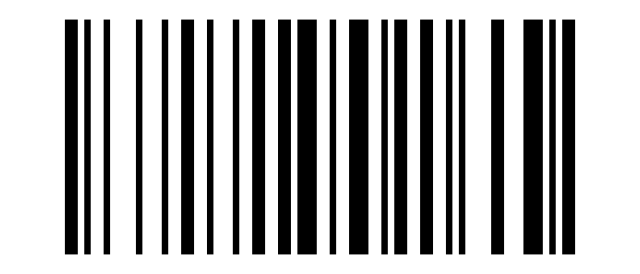
Z:

[:

\:

]:

^:

_:

`:

a:
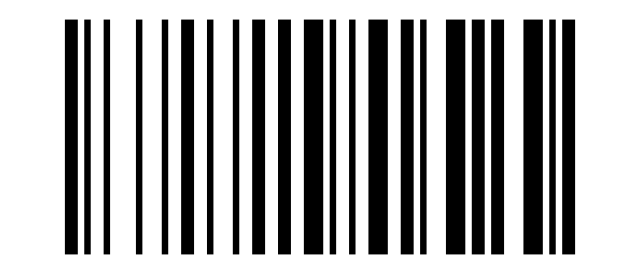
b:
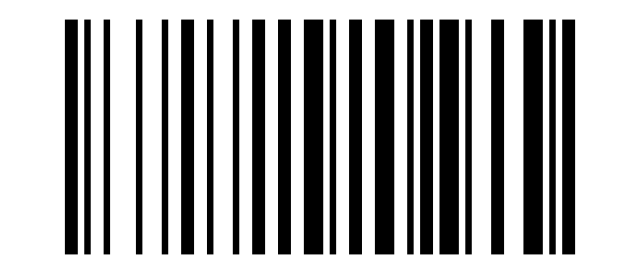
c:
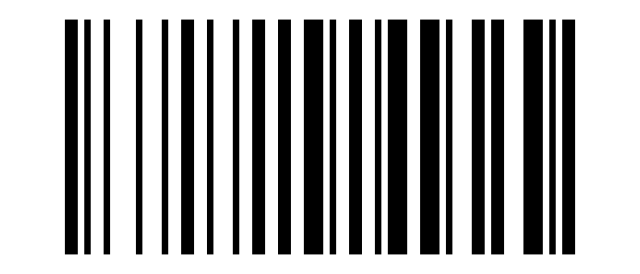
d:

e:

f:

g:
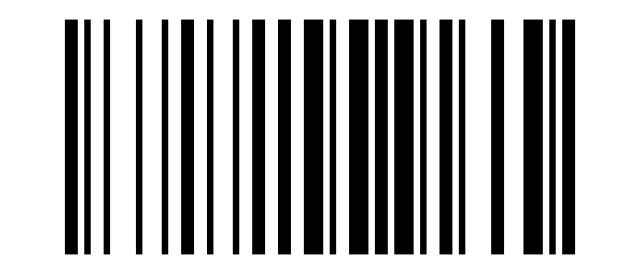
h:

i:
j:

k:

l:

m:
n:

o:

p:

q:

r:

s:

t:

u:
v:

w:
x:

y:

z:

{:

|:

}:
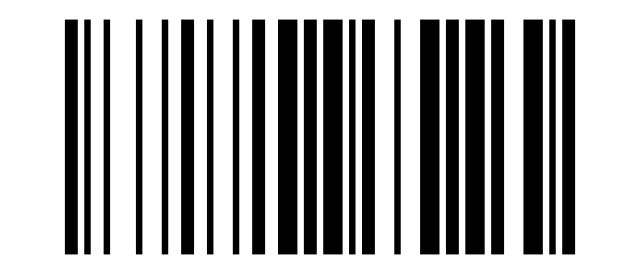
~:

Delete:
Ç (0xC7):
ç (0xE7):
Reverse output
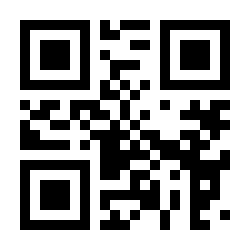
Reverse (inverted) code reading — light on dark (QR code):
Clock calibration
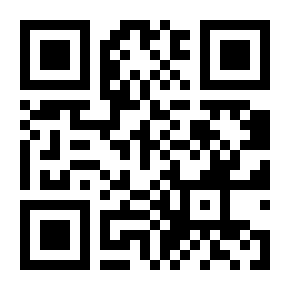
The time encoded in the code below comes from the supplier manual (an example). To set the current date and time, generate your own code with the supplier's "Scanner Time Setting Offline Web Version" tool (downloadable from symcode.cn) and scan it:
Symbology settings (v6000 QR codes)
The QR codes below enable/disable individual code types and their options (check digit, supplementals, length limits). They come from the supplier's supplementary manual "BARCODE FAMILY ENABLE/DISABLE (v6000)". For length parameters, scan "Set Length Limit" first, then the value code.
Code 128
Restore Code 128 Default:
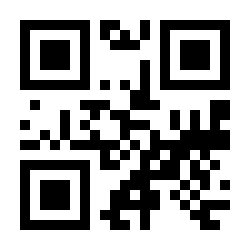
Enable Code 128:
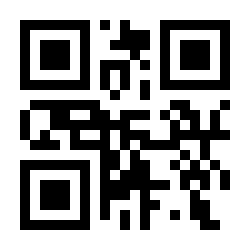
Disable Code 128:
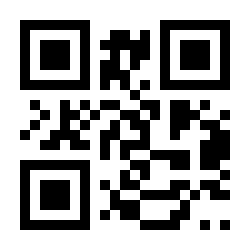
Minimum Length Limit 00:
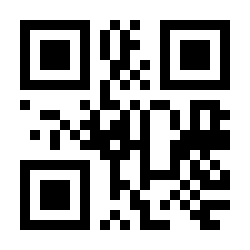
Minimum Length Limit 04:
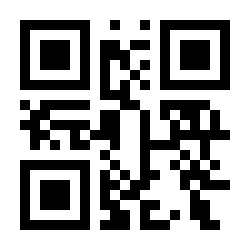
Maximum Length Limit 32:
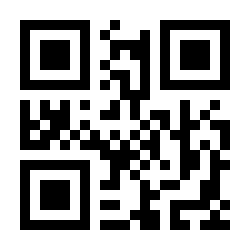
Maximum Length Limit 255:
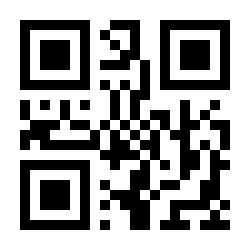
Customize Minimum Length Limit:
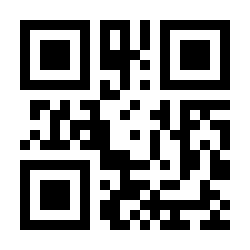
Customize Maximum Length Limit:
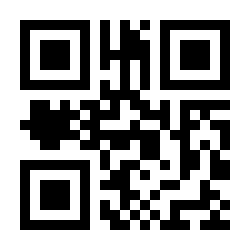
EAN-8
Restore EAN-8 Default:
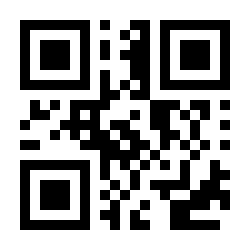
Enable EAN-8:
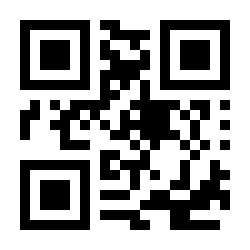
Disable EAN-8:
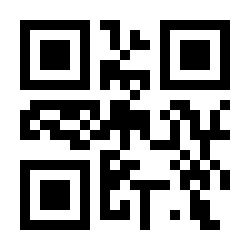
Output Check Digit:
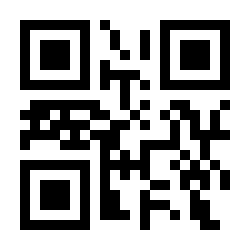
Do Not Output Check Digit:
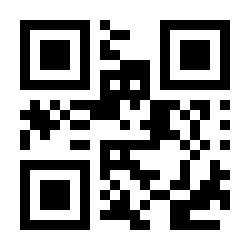
Ignore 2 Digit Supplementals:
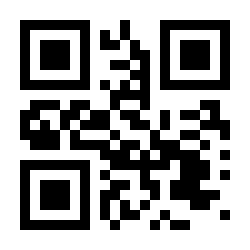
Decode 2 Digit Supplementals:
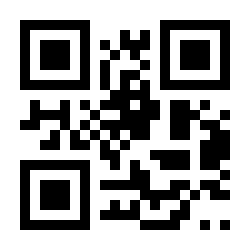
Ignore 5 Digit Supplementals:
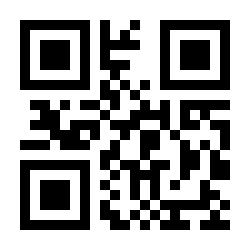
Decode 5 Digit Supplementals:
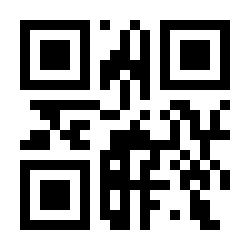
EAN-13
Restore EAN-13 Default:
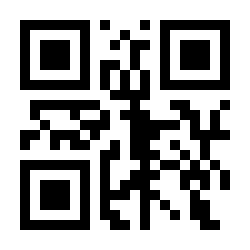
Enable EAN-13:
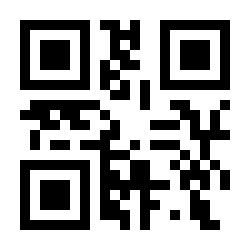
Disable EAN-13:
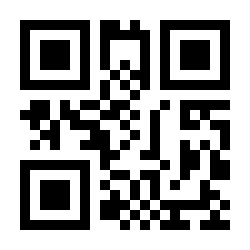
Output Check Digit:
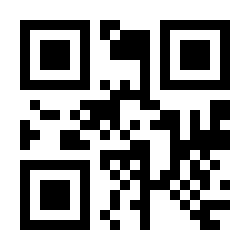
Do Not Output Check Digit:
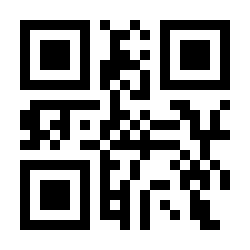
Ignore 2 Digit Supplementals:
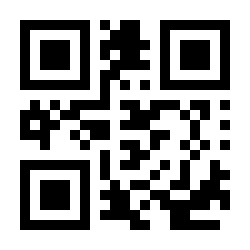
Decode 2 Digit Supplementals:
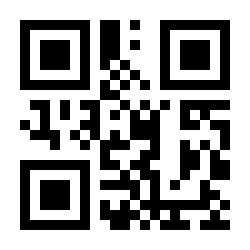
Ignore 5 Digit Supplementals:
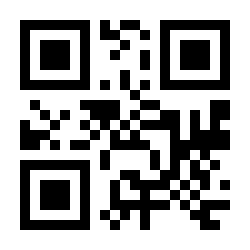
Decode 5 Digit Supplementals:
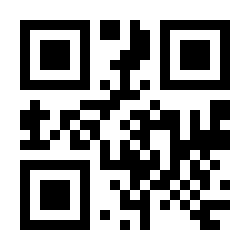
Enable EAN13 Convert to ISBN:
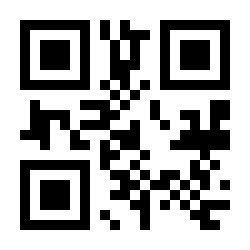
Disable EAN13 Convert to ISBN:
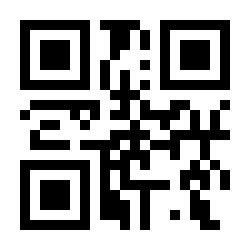
Enable EAN13 Convert to ISSN:
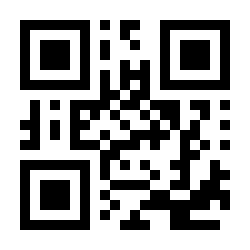
Disable EAN13 Convert to ISSN:
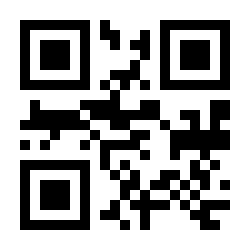
UPCE1
Restore UPCE1 Default:
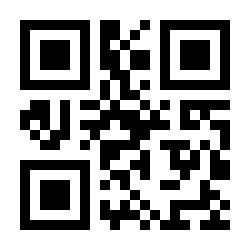
Enable UPCE1:
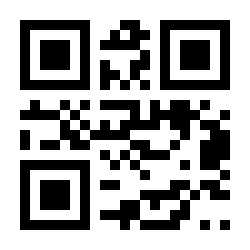
Disable UPCE1:
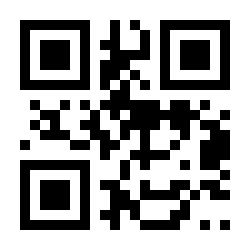
Output Check Digit:
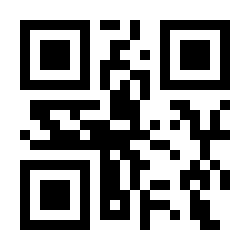
Do Not Output Check Digit:
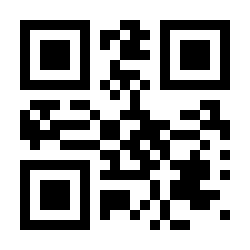
Output System Characters:
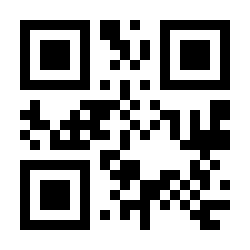
Do Not Output System Characters:
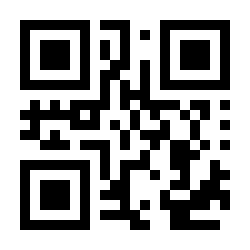
Ignore 2 Digit Supplementals:
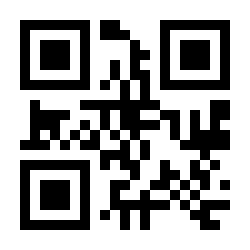
Decode 2 Digit Supplementals:
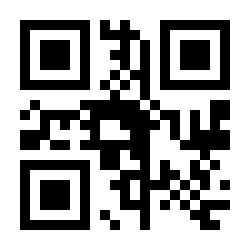
Ignore 5 Digit Supplementals:
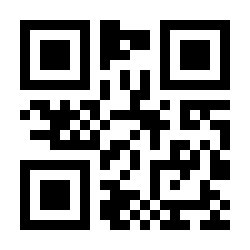
Decode 5 Digit Supplementals:
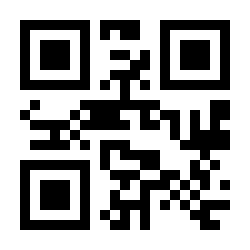
UPCE0
Restore UPCE0 Default:
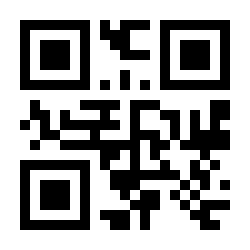
Enable UPCE0:
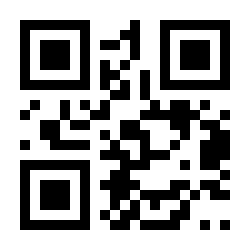
Disable UPCE0:
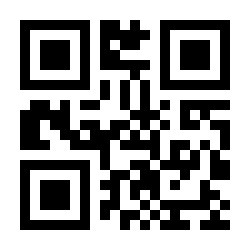
Output Check Digit:
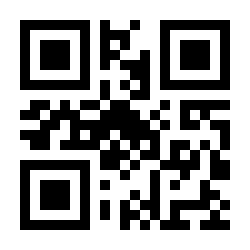
Do Not Output Check Digit:
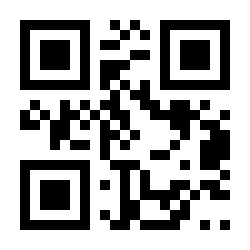
Output System Characters:
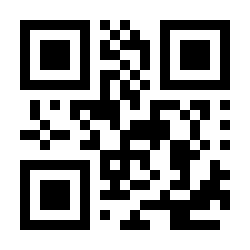
Do Not Output System Characters:
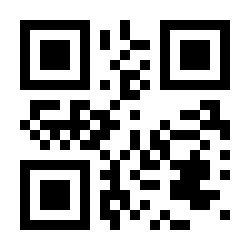
UPCA
Restore UPCA Default:
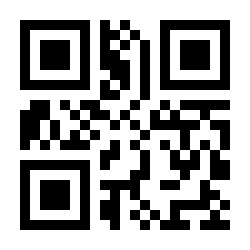
Enable UPCA:
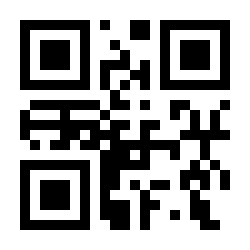
Disable UPCA:
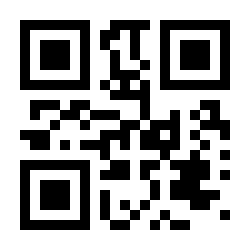
Enable UPCA Convert to EAN13:
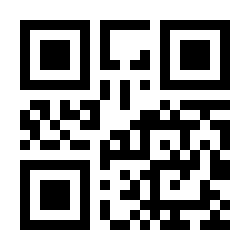
Disable UPCA Convert to EAN13:
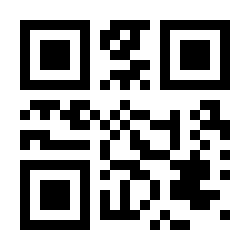
Output Check Digit:
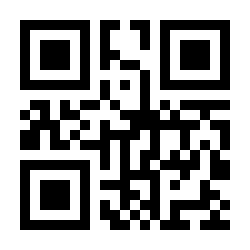
Do Not Output Check Digit:
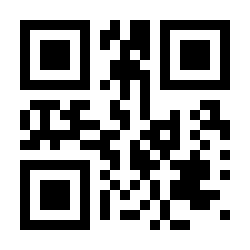
Output System Characters:
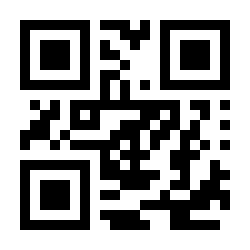
Do Not Output System Characters:
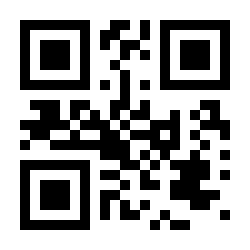
Ignore 2 Digit Supplementals:
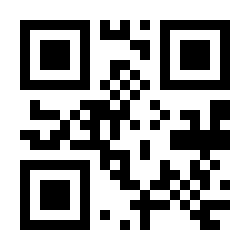
Decode 2 Digit Supplementals:
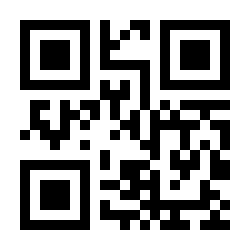
Ignore 5 Digit Supplementals:
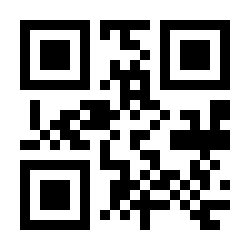
Decode 5 Digit Supplementals:
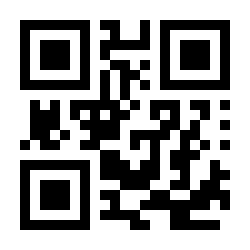
Interleaved 2 of 5
Restore Interleaved 2 of 5 Default:
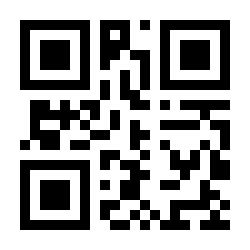
Enable Interleaved 2 of 5:
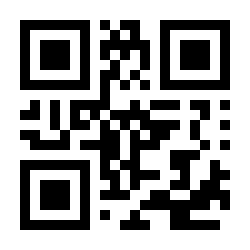
Disable Interleaved 2 of 5:
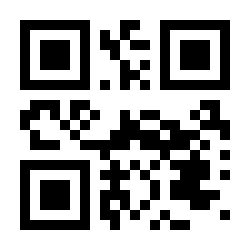
Minimum Length Limit 00:
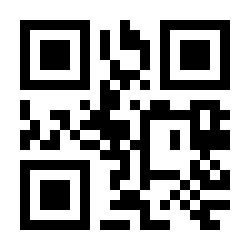
Minimum Length Limit 04:
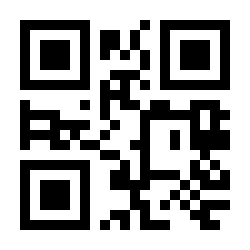
Maximum Length Limit 32:
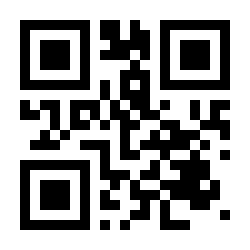
Maximum Length Limit 255:
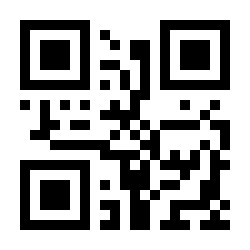
Customize Minimum Length Limit:
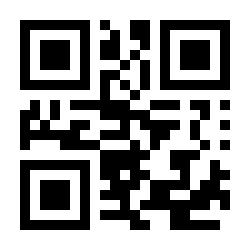
Customize Maximum Length Limit:
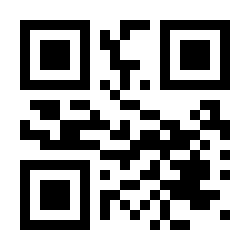
Do Not Output Check Digit:
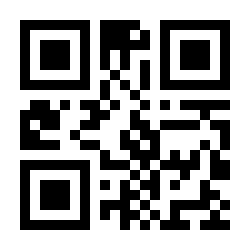
USS Checking and Output:
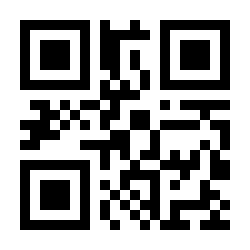
USS Checking and No Output:
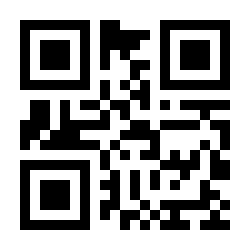
Matrix 2 of 5
Enable Matrix 2 of 5:
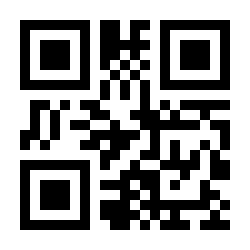
Disable Matrix 2 of 5:
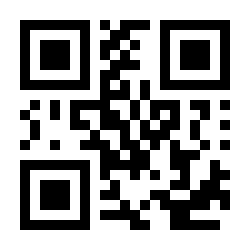
Minimum Length Limit 00:
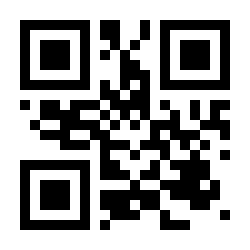
Minimum Length Limit 04:
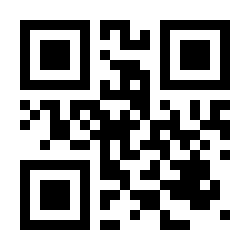
Maximum Length Limit 32:
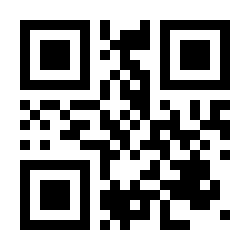
Maximum Length Limit 255:
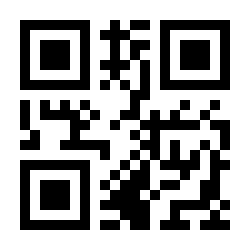
Customize Minimum Length Limit:
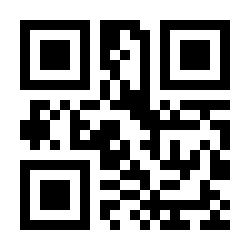
Customize Maximum Length Limit:
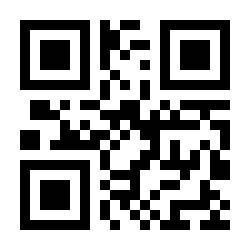
No Check:
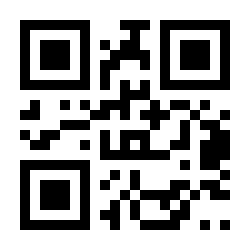
Check and Output:
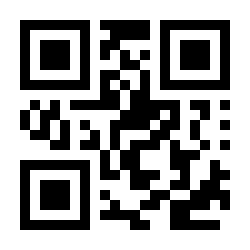
Check and No Output:
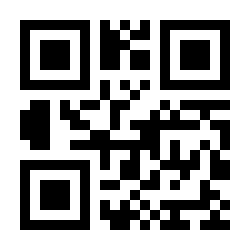
Industrial 2 of 5
Restore Industrial 2 of 5 Default:
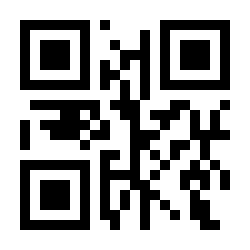
Enable Industrial 2 of 5:
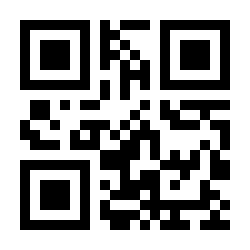
Disable Industrial 2 of 5:
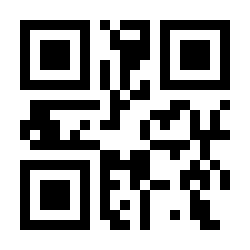
Minimum Length Limit 00:
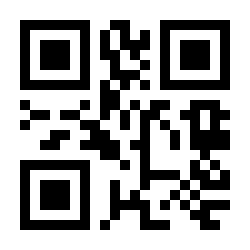
Minimum Length Limit 04:
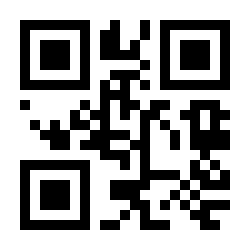
Maximum Length Limit 32:
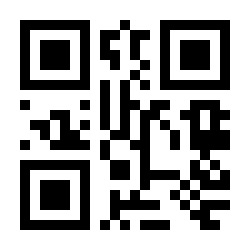
Maximum Length Limit 255:
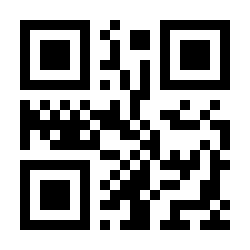
Customize Minimum Length Limit:
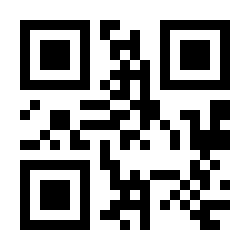
Customize Maximum Length Limit:
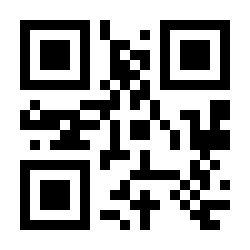
No Check:
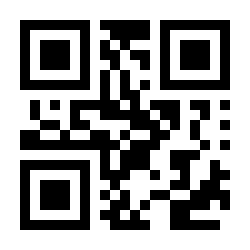
Check and No Output:
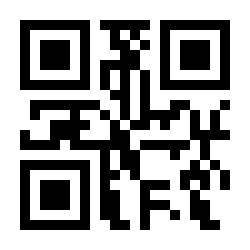
Check and Output:
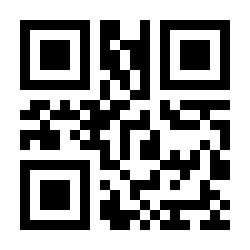
IATA 2 of 5
Restore IATA 2 of 5 Default:
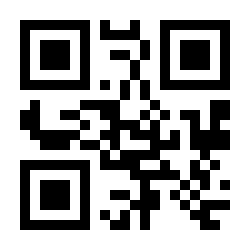
Enable IATA 2 of 5:
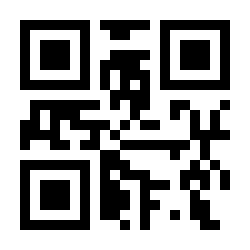
Disable IATA 2 of 5:
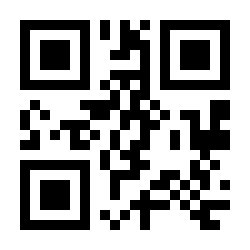
Minimum Length Limit 00:
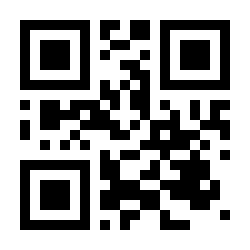
Minimum Length Limit 04:
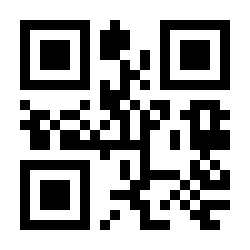
Maximum Length Limit 32:
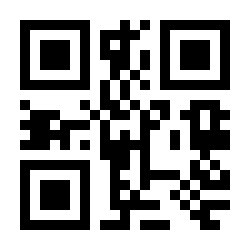
Maximum Length Limit 255:
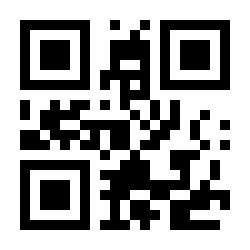
Customize Minimum Length Limit:
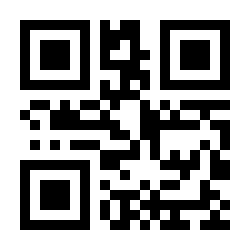
Customize Maximum Length Limit:
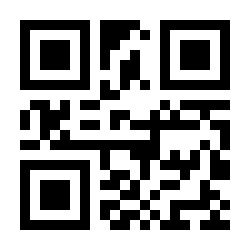
No Check:
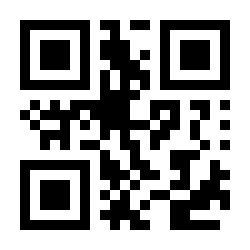
Check and No Output:
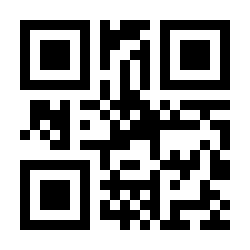
Check and Output:
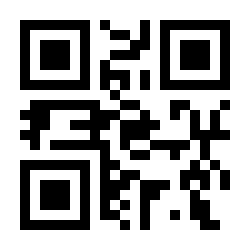
Code 39
Restore Code 39 Default:
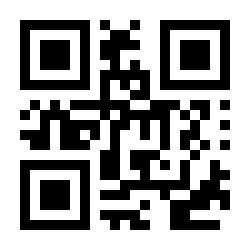
Enable Code 39:
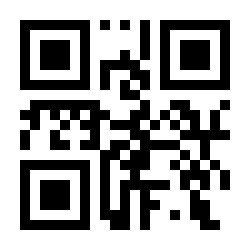
Disable Code 39:
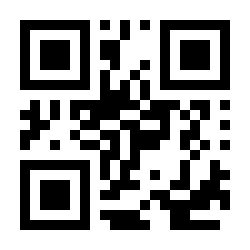
Output Start Character and End Character:
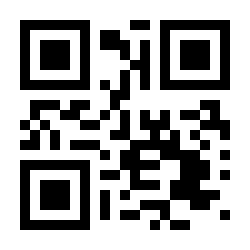
Do Not Output Start Character and End Character:
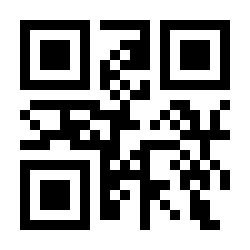
Minimum Length Limit 00:
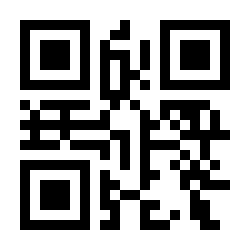
Minimum Length Limit 04:
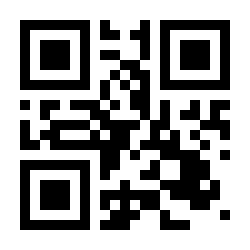
Maximum Length Limit 32:
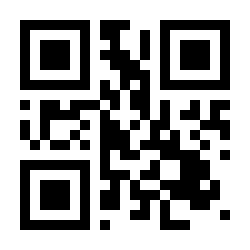
Maximum Length Limit 255:
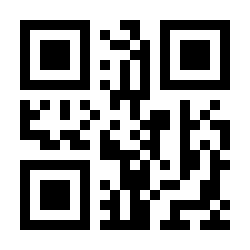
Customize Minimum Length Limit:
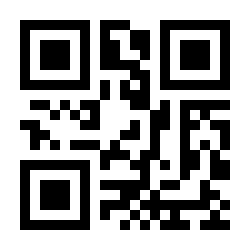
Customize Maximum Length Limit:
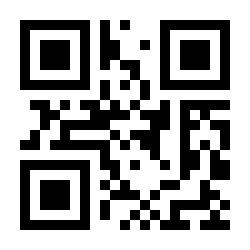
No Check:
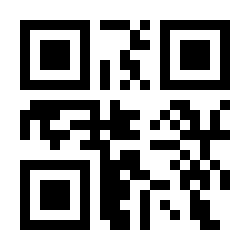
Check and No Output:
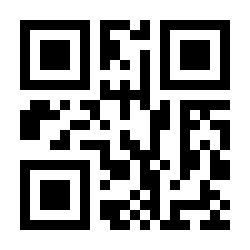
Check and Output:
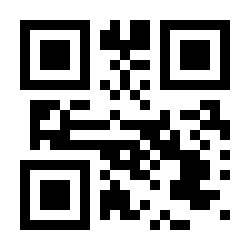
Enable Code 32:
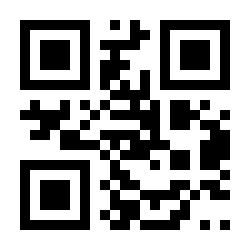
Disable Code 32:
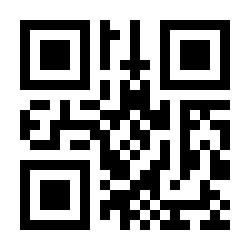
Enable Full ASCII:
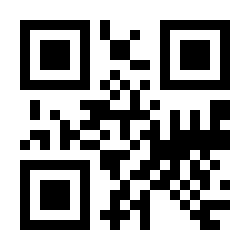
Disable Full ASCII:
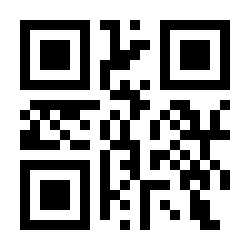
Codabar
Restore Codabar Default:
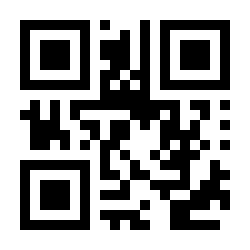
Enable Codabar:
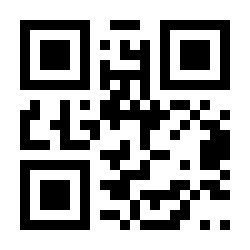
Disable Codabar:
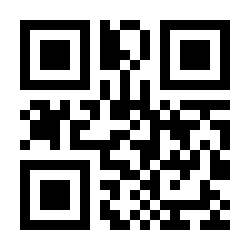
Minimum Length Limit 00:
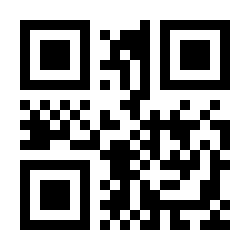
Minimum Length Limit 04:
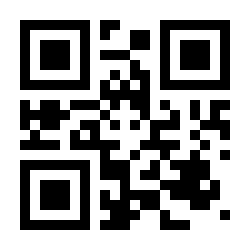
Maximum Length Limit 32:
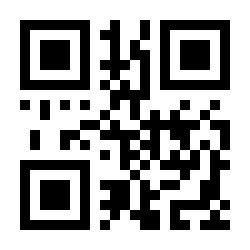
Maximum Length Limit 255:
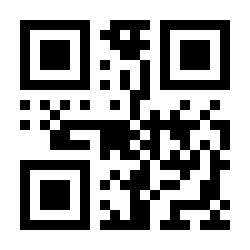
Customize Minimum Length Limit:
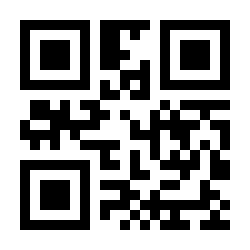
Customize Maximum Length Limit:
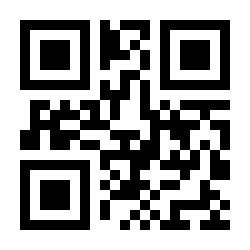
No Check:
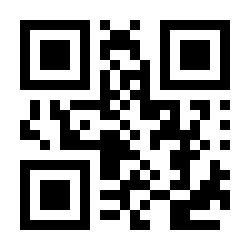
Mod 10 Check and Output:
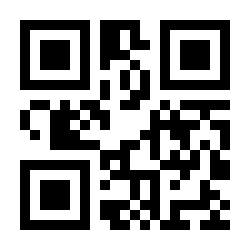
Mod 10 Check and No Output:
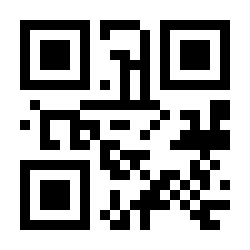
Mod 16 Check and Output:
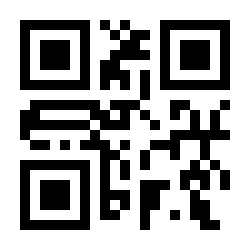
Mod 16 Check and No Output:
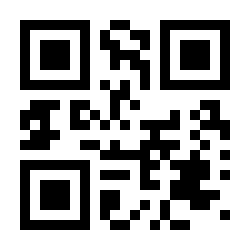
Do Not Output Start Character and End Character:
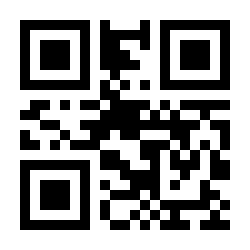
Output Start Character ABCD / End Character ABCD:
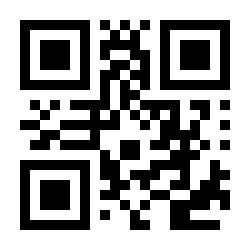
Output Start Character ABCD / End Character TN*E:
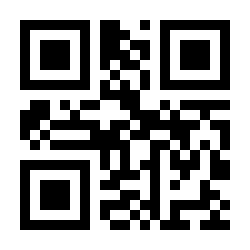
Output Start Character abcd / End Character abcd:
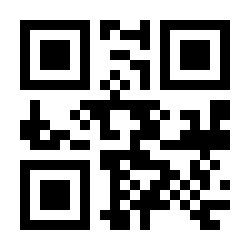
Output Start Character abcd / End Character tn*e:
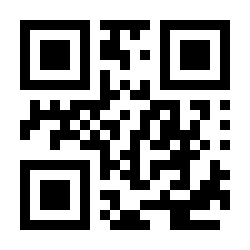
Code 93
Restore Code 93 Default:
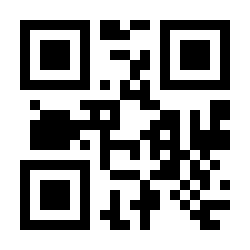
Enable Code 93:
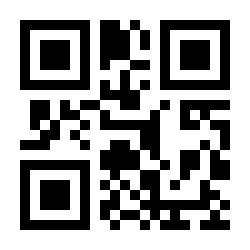
Disable Code 93:
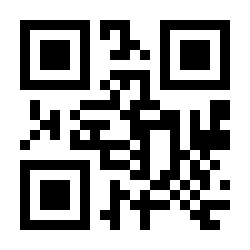
Minimum Length Limit 00:
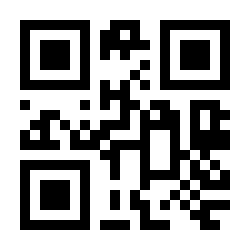
Minimum Length Limit 04:
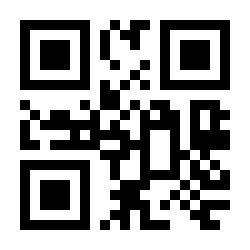
Maximum Length Limit 32:
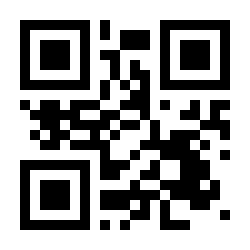
Maximum Length Limit 255:
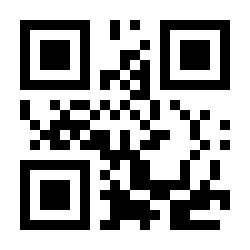
Customize Minimum Length Limit:
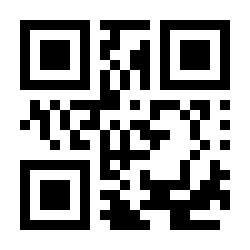
Customize Maximum Length Limit:
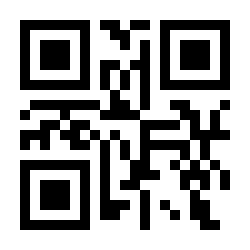
Code 11
Restore Code 11 Default:
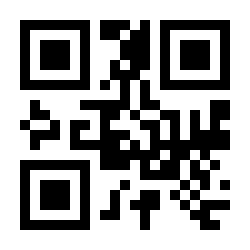
Enable Code 11:
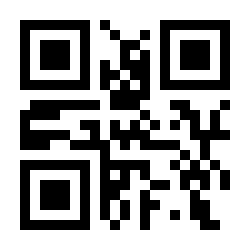
Disable Code 11:
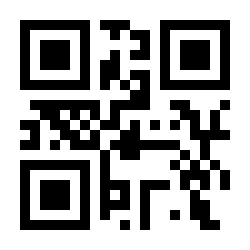
Minimum Length Limit 00:
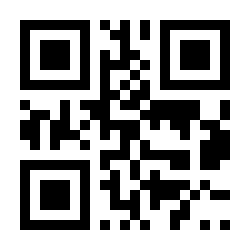
Minimum Length Limit 04:
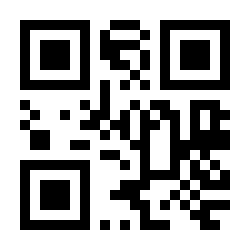
Maximum Length Limit 32:
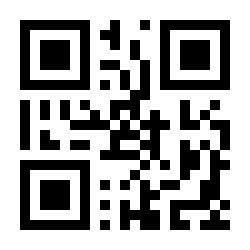
Maximum Length Limit 255:
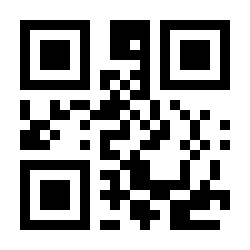
Customize Minimum Length Limit:
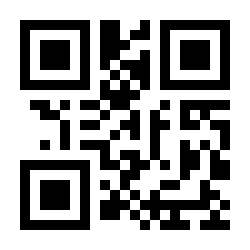
Customize Maximum Length Limit:
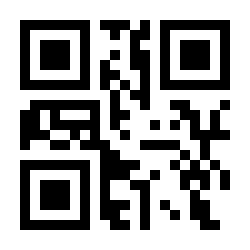
MSI Plessey
Restore MSI Plessey Default:
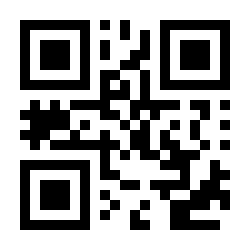
Enable MSI Plessey:
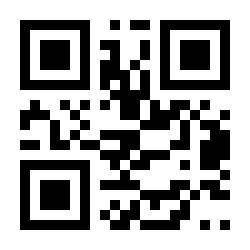
Disable MSI Plessey:
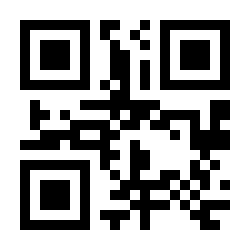
Minimum Length Limit 00:
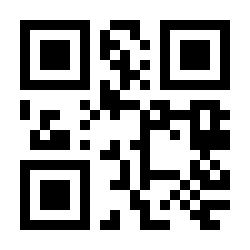
Minimum Length Limit 04:
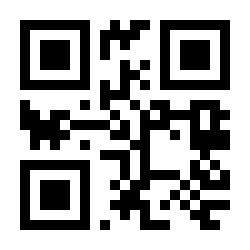
Maximum Length Limit 32:
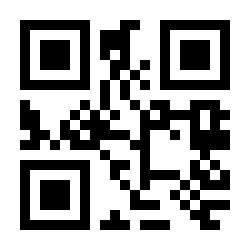
Maximum Length Limit 255:
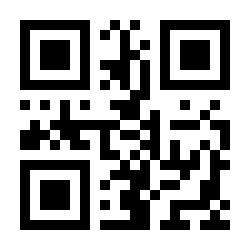
Customize Minimum Length Limit:
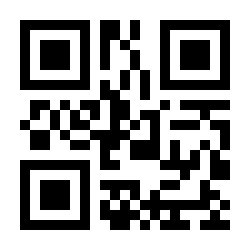
Customize Maximum Length Limit:
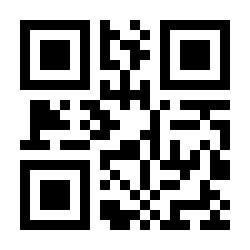
PDF 417
Enable PDF 417:
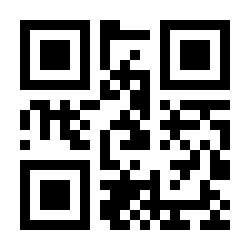
Disable PDF 417:
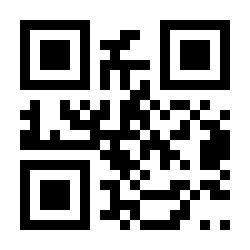
QR Code
Enable QR Code:
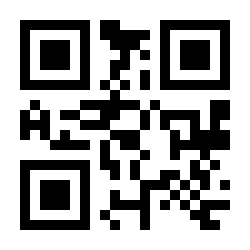
Disable QR Code:
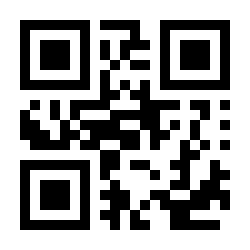
Micro QR
Enable Micro QR:
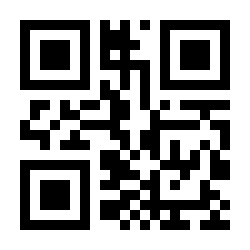
Disable Micro QR:
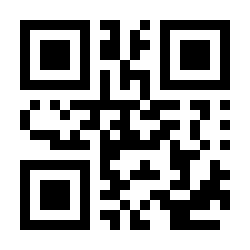
Data Matrix
Enable Data Matrix:
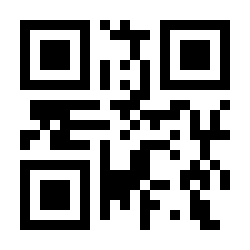
Disable Data Matrix:
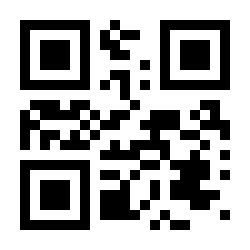
Micro PDF417
Enable Micro PDF417:
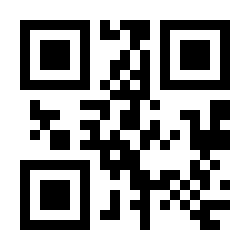
Disable Micro PDF417:
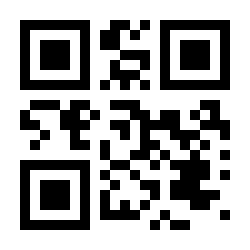
Aztec
Enable Aztec:
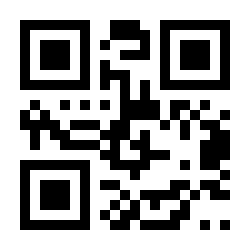
Disable Aztec:
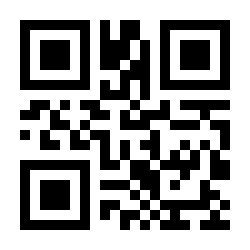
Data Code
Data Code 0:
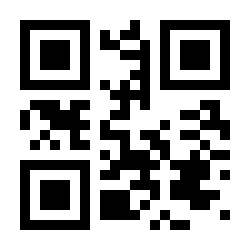
Data Code 1:
Frequently asked questions
What is the difference between the HD7700 and the HD770?
Can the HD7700 scan QR codes from a phone screen?
How many codes can be stored in memory mode?
How do I mount a phone in the holder?
How do I configure the HD7700?
Downloads
Original manufacturer PDF manuals kept available as a legacy reference. Everything from them is already covered on this page — use the PDFs only if you need an offline copy.