Long-range wireless 2D QR scanner with 433 MHz radio, Bluetooth, docking station and built-in memory, HDWR HD9100B
GTIN: 5906935201305 · SKU: HD9100B
Table of contents
- Table of contents
- Specifications
- Set contents
- Features
- Configuration codes
- Master codes
- Pairing via Bluetooth
- Case settings
- Pairing via radio communication
- Beep settings
- Vibration settings
- Sleep time settings
- Endpoint settings
- Bitrate settings
- Bluetooth connection settings
- Hide start and end characters
- Prefix and Suffix settings
- Virtual COM connection setting
- Appendix 1. Control characters
- Appendix 2. Display signs (ASCII)
- Frequently asked questions
- Downloads
Specifications
- Sensor: CMOS
- Processor: ARM Cortex 32-bit
- Scanning method: manual (push button)
- Scan confirmation: light, sound and vibration
- Scanning speed: 500 scans per second
- Error rate: 1 in 5 million
- Built-in memory: 16 MB
- Memory capacity: up to 50,000 code reads
- Wireless communication: 433 MHz radio, Bluetooth 4.1
- Wireless range: 100–800 m indoors and up to 1200 m in open areas (433 MHz radio), up to 10–15 m (Bluetooth)
- Battery capacity: 1800 mAh
- Charging voltage: 5 V
- Operating current: 1 A
- Operating time: up to 24 h (1D codes), up to 16 h (2D codes)
- Charging time: 4 h
- Standby time: 30 days
- Interface: USB
- Drop resistance: up to 1.5 m
- Device dimensions: 18.5 × 7 × 10 cm
- Docking station dimensions: 18 × 10 × 7.5 cm
- Package dimensions: 19.5 × 22 × 8.5 cm
- Device weight: 590 g
- Package weight: 770 g
- Operating temperature: 0 to 40 °C
- Storage temperature: 0 to 60 °C
- Operating humidity: 5 to 95%
- Readable 1D codes: Codabar, Code 11, Code 93, MSI, Code 128, UCC/EAN-128, Code 39, EAN-13, UPC-A, ISBN, Industrial 2 of 5, Interleaved 2 of 5 (ITF), Standard 2 of 5, Matrix 2 of 5
- Readable 2D codes: QR, Data Matrix, PDF417, Han Xin, Micro PDF417
Set contents
- HD9100B QR code reader
- Docking station and stand in one
- USB cable
- User manual
Features
- Long-range 433 MHz radio: the docking station acts as a radio receiver — range of 100–800 m indoors and up to 1200 m in open space, far beyond Bluetooth
- Bluetooth 4.1: for short-range pairing (up to 10–15 m) with phones, tablets and computers
- Built-in 16 MB memory: stores up to 50,000 scans for inventory work out of range; upload later with a control code
- 2D codes, also from screens: the CMOS engine reads 1D and 2D codes (QR, PDF417, Data Matrix and more) from paper and from LCD/LED/OLED screens
- Long battery life: up to 24 h scanning 1D codes (16 h for 2D), 30-day standby
- Light, sound and vibration feedback: clear confirmation even in noisy environments
- Fully configurable: pairing, case, beeper, vibration, sleep, terminator, prefix/suffix — all codes below
Configuration codes
To change scanner settings, scan the appropriate code below directly with the HD9100B. All codes come from the supplier manual.
💡 Tip: print this page ("Download this page as PDF" button above) to keep the codes at hand during configuration. The control-character and ASCII data codes at the end are used together with settings that ask you to enter characters (e.g. prefixes, suffixes).
Master codes
Restore to settings Factory:

Software version:
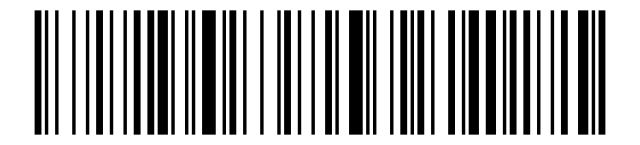
Battery level:
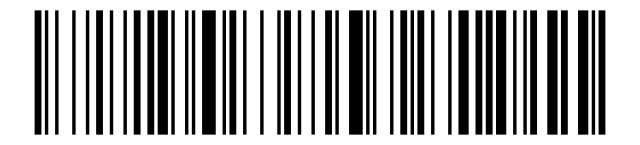
Pairing via Bluetooth
Pairing via Bluetooth:

Case settings
Lowercase:

Uppercase letters:
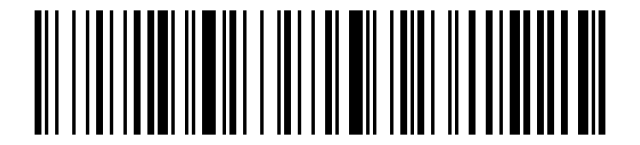
No case conversion:
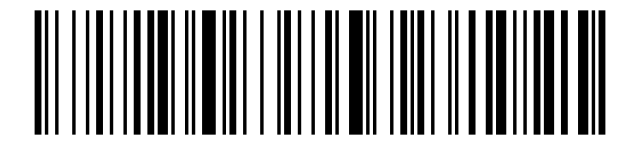
Case Conversion:

Pairing via radio communication
2. Then you need to scan the code below.:
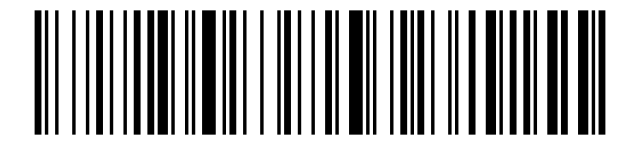
3. Finally, connect the docking station to the USB port of your computer. A single beep indicates that the pairing is correct.:
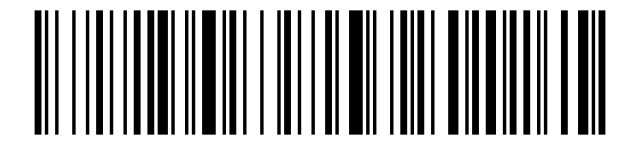
Beep settings
Beep off:
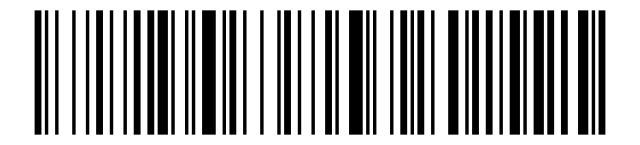
Beep on:
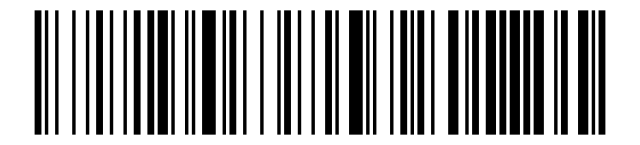
Vibration settings
Vibration off:

Vibration On:
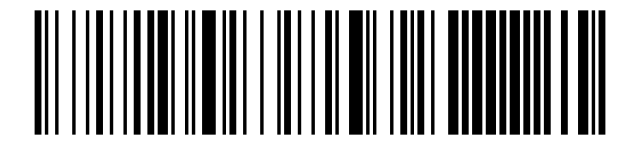
Sleep time settings
Sleep after 1 minute:
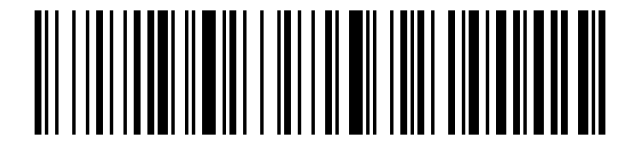
Sleep after 5 minutes:

Sleep after 10 minutes:
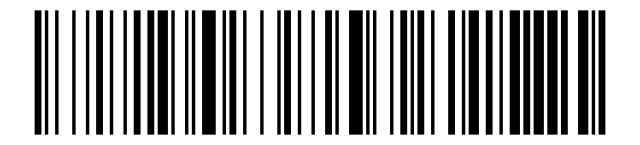
Sleep after 30 minutes:
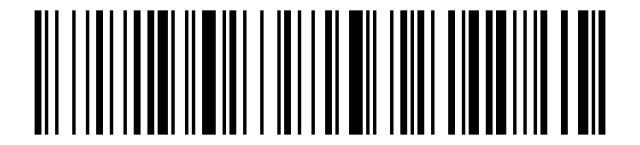
Sleep off:

Instant Sleep:
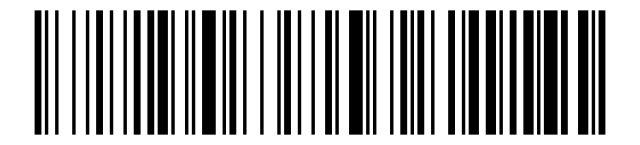
Endpoint settings
CR:

LF:
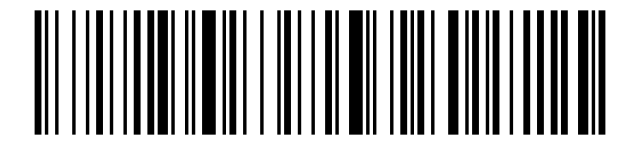
CR+LF:

CR + LF cancellation:
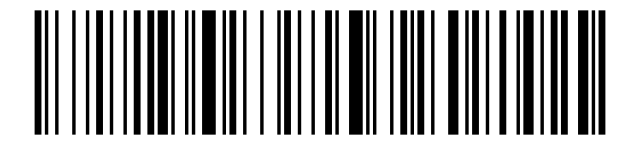
TAB:

Bitrate settings
High transmission speed:
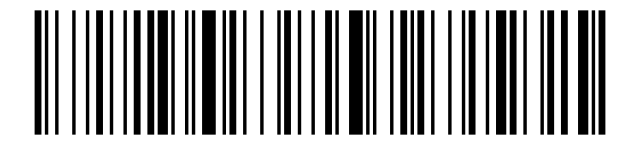
Average transmission speed:

Slow transmission speed:

Very slow speed Transmission:

Bluetooth connection settings
Bluetooth HID:

Bluetooth SPP:
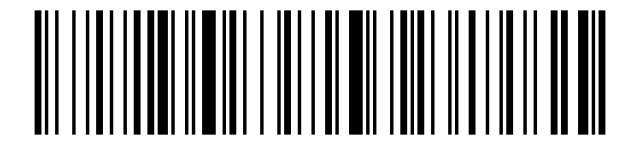
Bluetooth BLE:
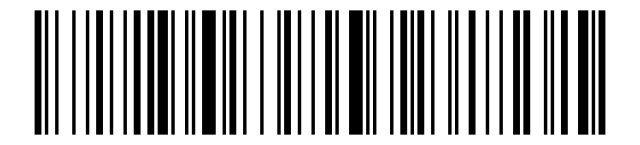
Real-world mode:

Storage mode:

Amount of data stored:
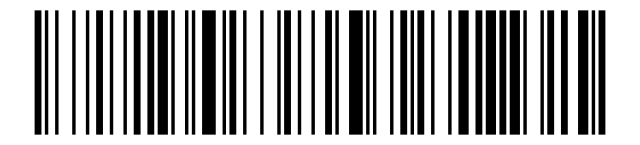
Data transfer:
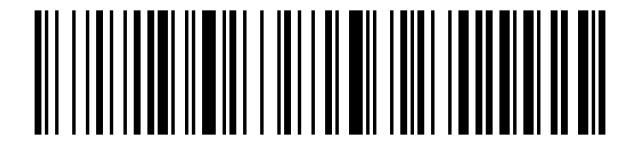
Deleting data:
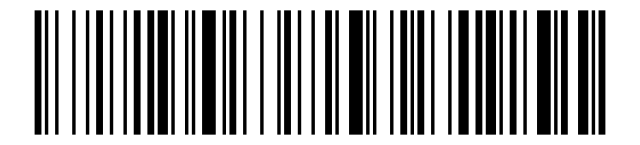
Hide start and end characters
Hiding initial:

Hiding trailing characters:
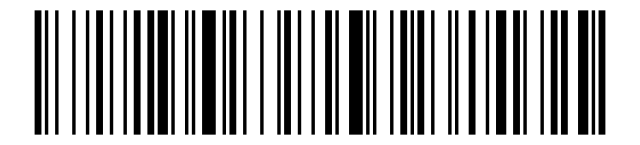
Unhide starting characters:

Unhide end characters:
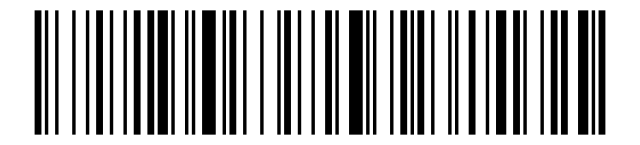
Prefix and Suffix settings
Adding a prefix:
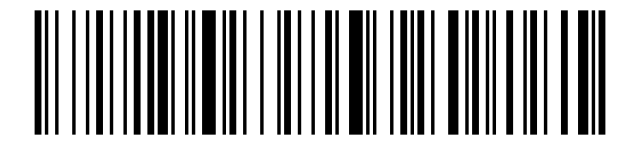
Add a suffix:

Character Set 0:

Character Set 1:

Character Set 2:

Character Set 4:

Adding a prefix:
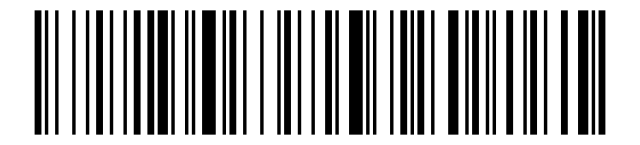
Add a suffix:

Cancel a prefix:
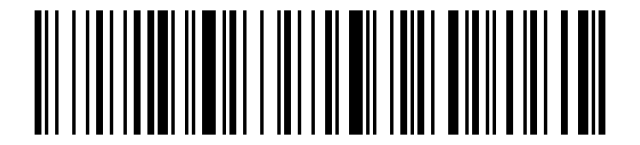
Cancel a suffix:

Virtual COM connection setting
Virtual COM:

Pairing devices After scanning the two barcodes above, connect the docking:
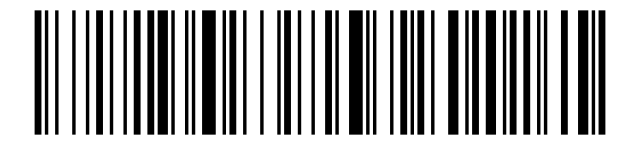
Appendix 1. Control characters
SOH:

STX:

ETX:

EOT:

ENQ:

ACK:

BEL:

BS:

HT:

LF:

VT:

FF:

CR:

SO:

SI:

DLE:

DC1:

DC2:

DC3:

DC4:

NAK:

SYN:

ETB:

CAN:

EM:

SUB:

ESC:

FS:

GS:

RS:

US:

Appendix 2. Display signs (ASCII)
Space:

!:

":

#:

$:

%:

&:

':

(:

):

*:

+:

,:

-:

.:

/:

0:

1:

2:

3:

4:

5:

6:

7:

8:

9:

::

;:

<:

=:

>:

?:

@:

A:

B:

C:

D:

E:

F:

G:

H:

I:

J:

K:

L:

M:

N:

O:

P:

Q:

R:

S:

T:

U:

V:

W:

X:

Y:

Z:

[:

\:

]:
![Code: ]](/img/products/HD9100B/codes/appendix-2-display-signs-ascii-5d.svg)
^:

_:

Backtick `:

a:

b:

c:

d:

e:

f:

g:

h:

i:

j:

k:

l:

m:

n:

o:

p:

q:

r:

s:

t:

u:

v:

w:

x:

y:

z:

{:

|:

}:

~:

DEL:

Frequently asked questions
What is the wireless range of the HD9100B?
How many codes can the built-in memory store?
Can it read codes from screens?
How long does the battery last?
Downloads
The original supplier PDF manuals are kept as archival documentation. Everything they contain is already on this page — use the PDF only if you need an offline copy.