Wireless industrial 1D/2D DPM and QR scanner with docking station, 2.4G radio and Bluetooth, HDWR HD9900
GTIN: 5906935201084 · SKU: HD9900
Table of contents
- Table of contents
- Specifications
- Set contents
- Features
- Configuration codes
- Basic control codes
- Code scan modes
- Keyboard language
- Character encoding
- Beep volume
- Beep sound source and frequency
- Real-time and storage mode
- Device sleep time
- Vibration settings
- Wireless transmission speed
- Wireless and Bluetooth mode
- HID keyboard pop-up
- GS character conversion
- Prefix and suffix settings
- Hiding characters
- Endpoint (terminator) settings
- Case settings
- Serial port baud rate
- Timestamp settings
- Setup mode
- Appendix. Data character codes
- Frequently asked questions
- Downloads
Specifications
- Resolution: 1280 × 1024 px
- Sensor: CMOS
- Scanning method: manual (push button)
- Scan confirmation: light, sound, vibration
- Scan angle: 41° horizontal, 35° vertical
- Print contrast: ≥20%
- Interface: USB
- Wireless communication: 2.4G radio, Bluetooth
- Wireless range: up to 100 m in open areas (2.4G radio)
- Built-in memory: up to 10,000 codes
- Cable length: 2 m
- Drop resistance: up to 1.8 m
- Ingress protection: IP65
- Voltage: DC 5 V ±5%
- Operating current: 300 mA ±5% (typical), 400 mA ±5% (max)
- Standby current: 100 mA ±5%
- Operating temperature: −20 °C to 50 °C
- Storage temperature: −40 °C to 70 °C
- Operating humidity: 5% to 95% (non-condensing)
- Device weight: 400 g
- Device dimensions: 18.1 × 10.2 × 7.7 cm
- Package weight: 600 g
- Package dimensions: 26 × 16.2 × 10.6 cm
- Readable 1D codes: UPC-A, UPC-E, EAN-8, EAN-13, Code 128, Code 39, Code 93, Code 32, Code 11, Codabar, Plessey, MSI, Interleaved 2 of 5, IATA 2 of 5, Matrix 2 of 5, Straight 2 of 5, Pharmacode, RSS-14, RSS-14 Expanded, RSS-14 Limited, Composite Code-A, Composite Code-B
- Readable 2D codes: Data Matrix, QR Code, Micro QR, PDF417, Micro PDF417, Aztec, Maxicode
Set contents
- HD9900 wireless industrial QR scanner
- Docking station
- USB cable for communication with a computer
- Power supply for the docking station
Features
- Advanced DPM engine: reads Direct Part Marking (DPM), QR and 1D/2D barcodes, even low-contrast or etched marks
- Reads from paper and screens: the CMOS engine handles labels as well as LCD, LED and OLED screens
- Two wireless modes: 2.4G radio through the docking station (up to 100 m in open areas) and Bluetooth
- Storage mode: collect up to 10,000 codes offline in built-in memory and upload them later
- Rugged IP65 housing: dust- and water-resistant, drop-resistant up to 1.8 m — built for production lines and warehouses
- Light, sound and vibration feedback: clear confirmation of each successful scan
- Fully configurable: keyboard layout, beeper, scan and storage modes, sleep, wireless, prefix/suffix, terminator, case and more — all codes below
Configuration codes
To change scanner settings, scan the appropriate code below directly with the HD9900. All codes come from the supplier manual. Each code is shown as a Code 128 barcode; the scanner also accepts the equivalent QR form printed in the supplier manual.
💡 Tip: print this page ("Download this page as PDF" button above) to keep the codes at hand during configuration. Settings that ask you to enter characters (e.g. a prefix, suffix or escape set) are completed with the ASCII data codes in the appendix at the end of this page.
Basic control codes
View version information:
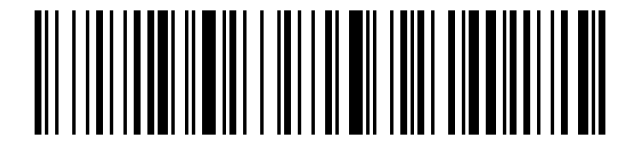
Battery level:
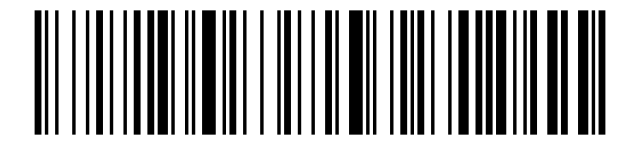
Factory reset:
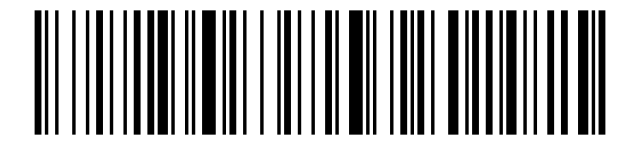
Set to default mode:
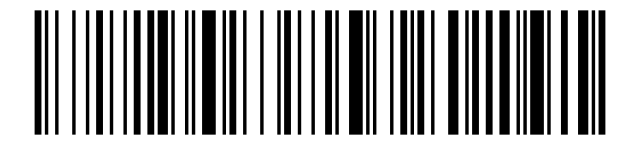
Code scan modes
Manual mode (push-button scanning):

Continuous mode (scan while a code is detected):

Keyboard language
USA / English (default):
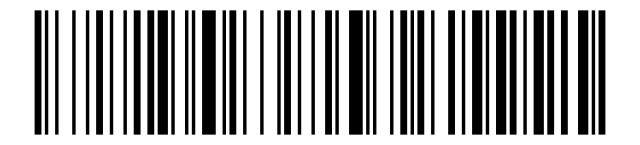
German:
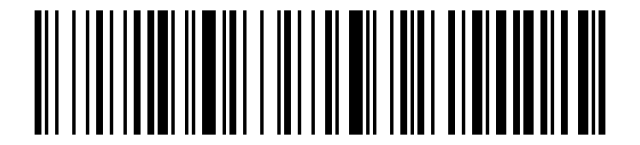
French:
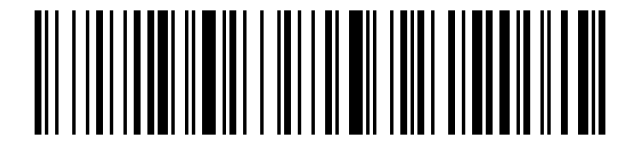
Spanish:
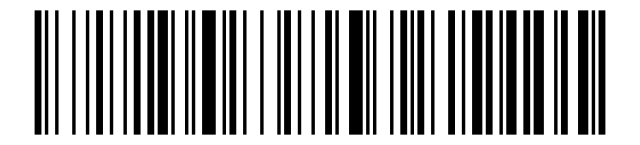
Italian:
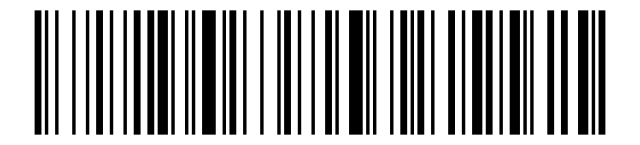
Japanese:
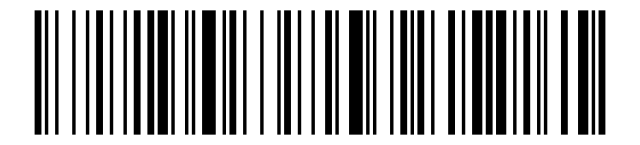
International universal keyboard:
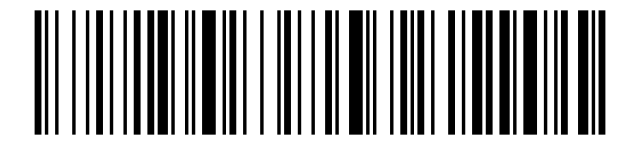
Belgian French:
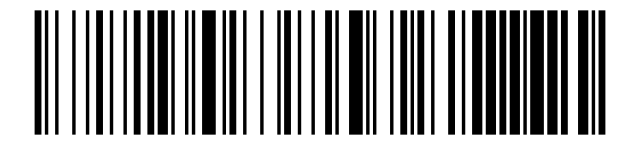
Portuguese:
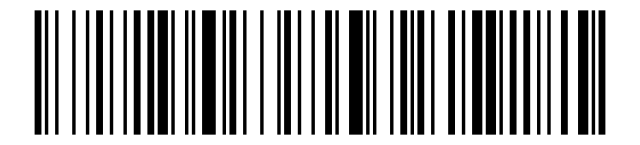
British English (UK):
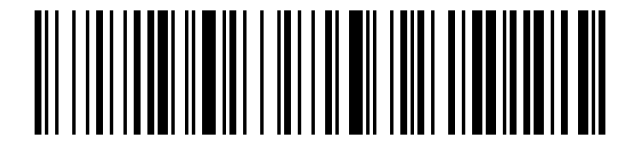
German (Apple / iOS keyboard):
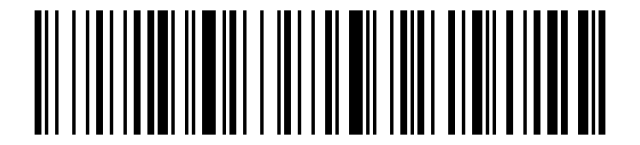
Brazilian Portuguese:
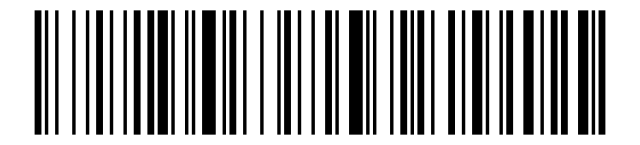
Russian:
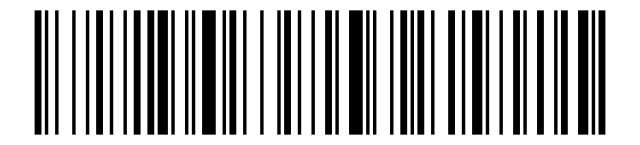
Czech:
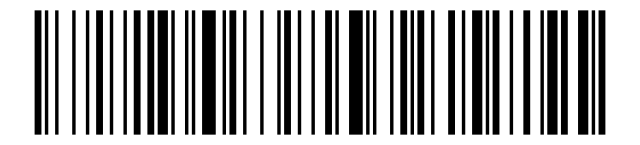
Italy (142):
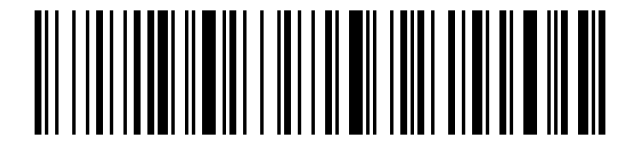
Turkey Q:
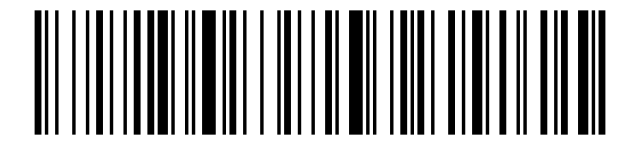
Turkey F:
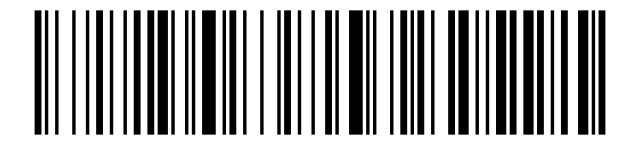
Sweden / Finland:
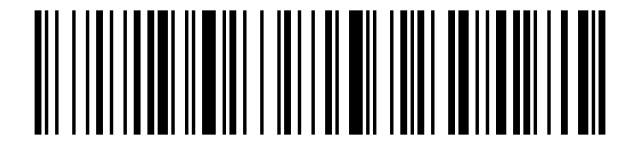
Mexican Spanish:
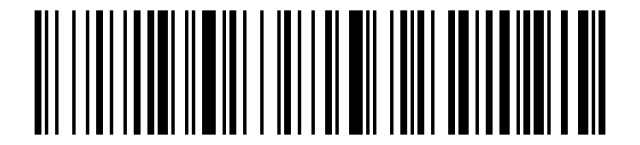
Danish:
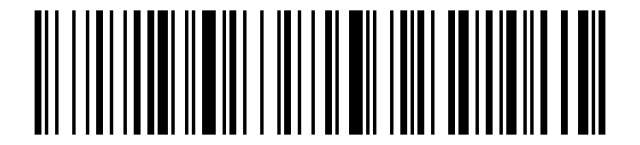
Norwegian:
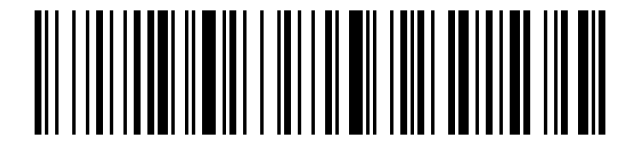
Croatian / Serbian:
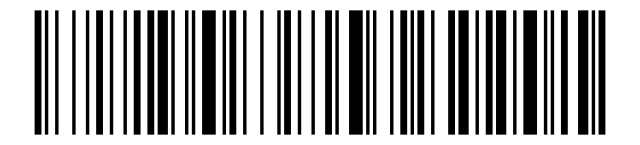
Swiss German:
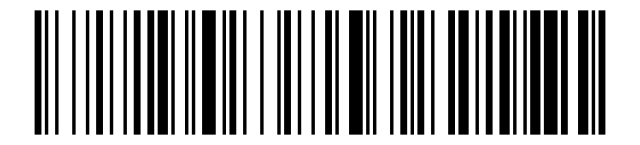
Swiss French:
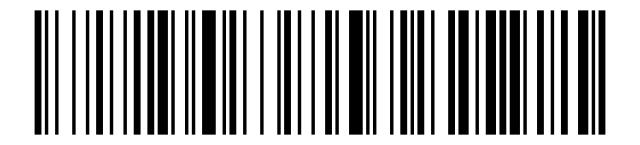
Dutch:
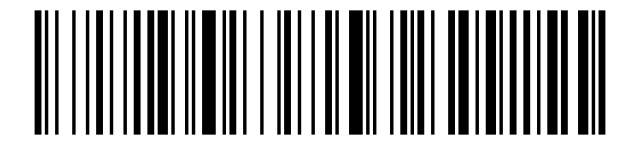
Hungarian:
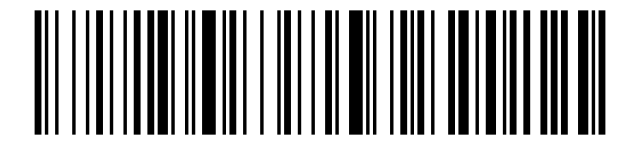
Polish:
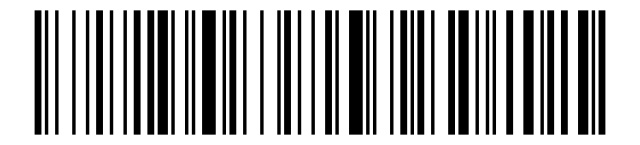
Canadian French:
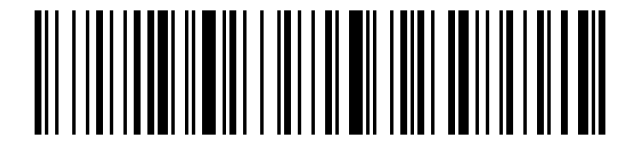
Argentina (Latin American):
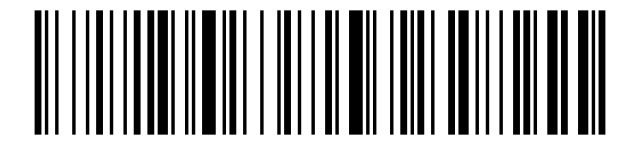
Slovak:
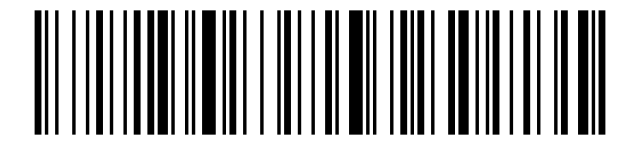
Character encoding
GBK encoding:
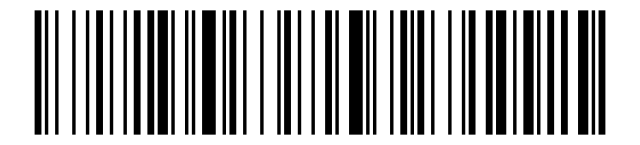
UTF-8 encoding:
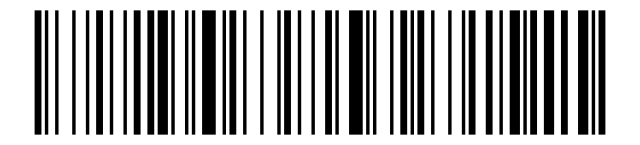
UTF-8 raw data output:
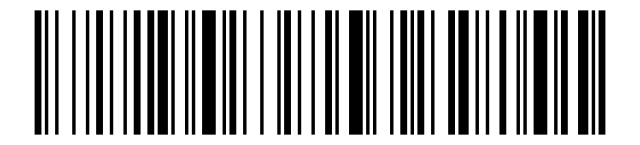
Russian CP1251:

Russian KOI8-R:

Beep volume
Beep muted:
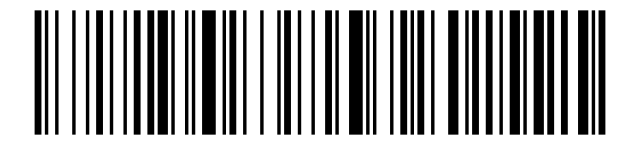
Low volume:
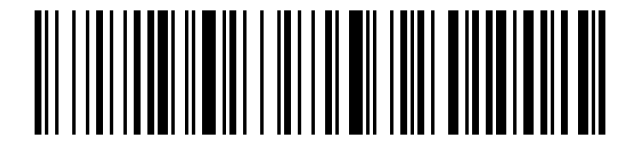
Medium volume:
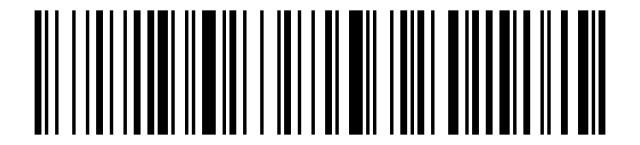
High volume:
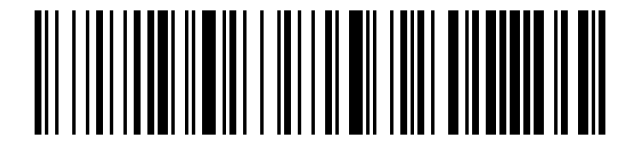
Beep sound source and frequency
Scan-head sound:
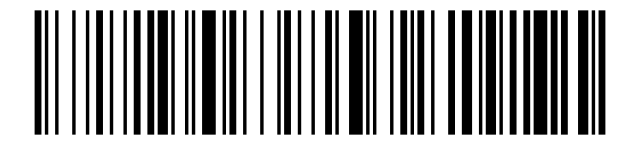
MCU control sound:
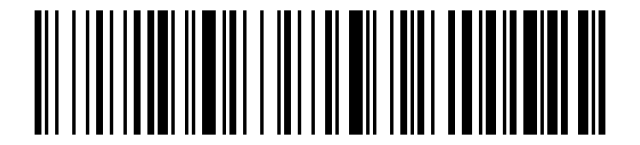
Buzzer frequency 2 kHz:
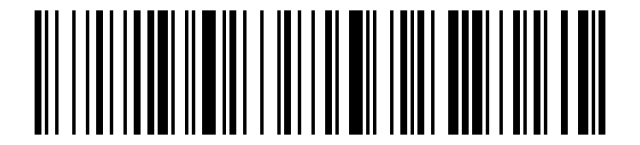
Buzzer frequency 2.7 kHz:
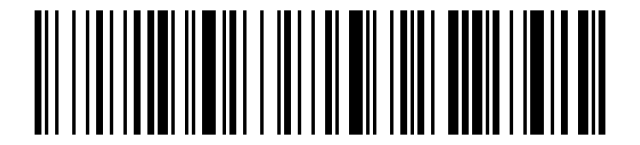
Real-time and storage mode
Real-time mode:
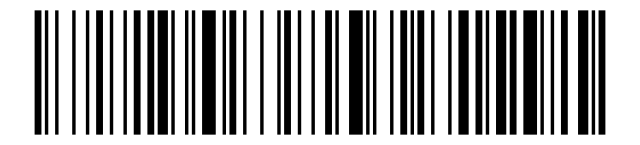
Storage (inventory) mode:
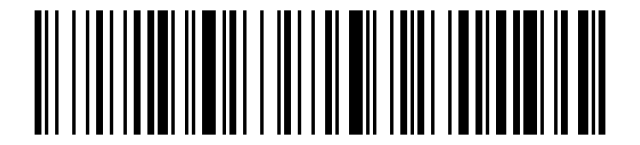
Upload stored data:
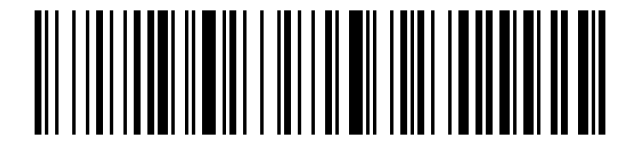
Show total stored entries:
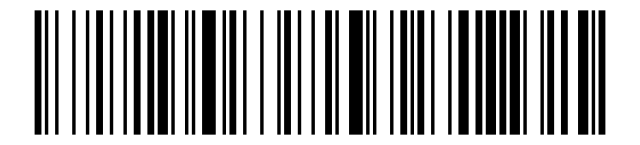
Clear stored data:
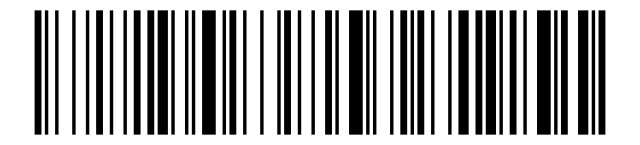
Non-loss mode (recommended):
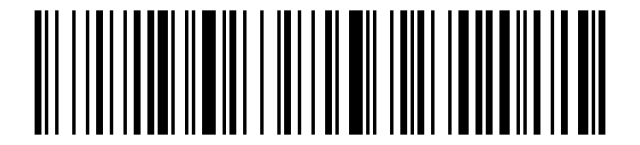
Device sleep time
Sleep after 30 s:
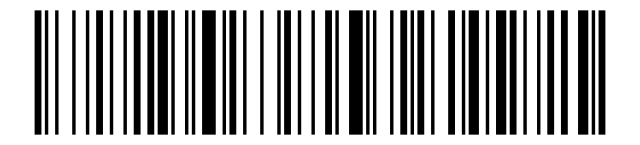
Sleep after 1 min:
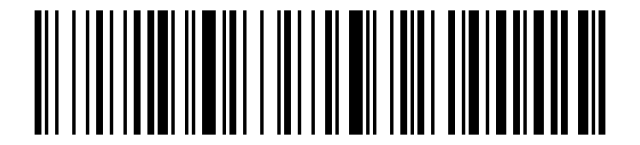
Sleep after 2 min:
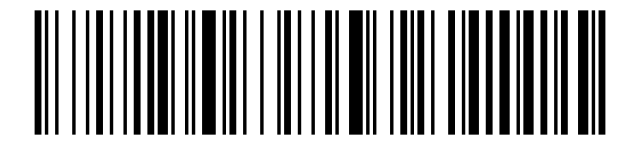
Sleep after 5 min:
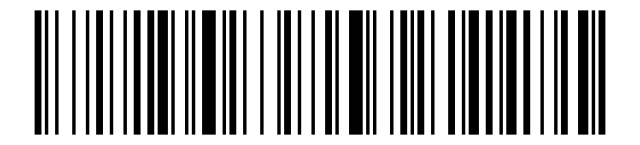
Sleep after 10 min:
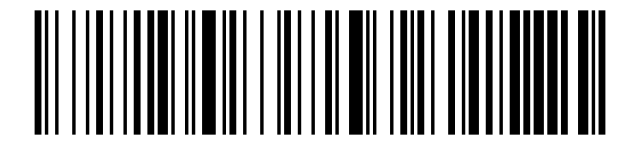
Sleep after 30 min:
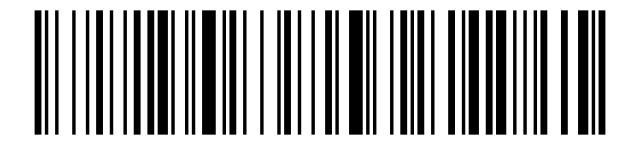
Sleep after 1 h:

Sleep after 2 h:

Sleep after 3 h:

Sleep after 4 h:

Sleep after 5 h:

Sleep after 6 h:

Sleep after 12 h:

Never sleep:
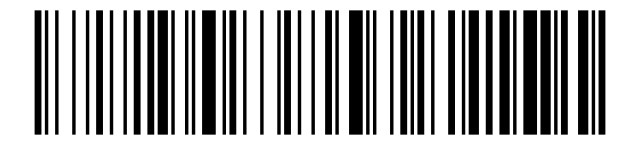
Sleep immediately:
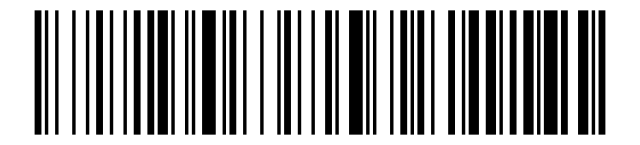
Vibration settings
Vibration on:
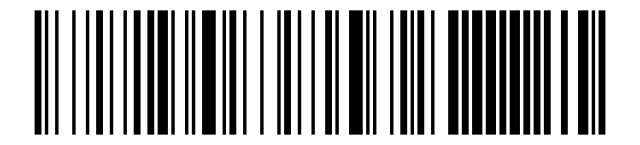
Vibration off:
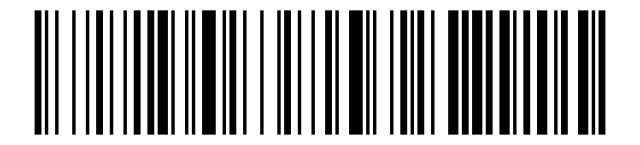
Wireless transmission speed
Fast transmission:
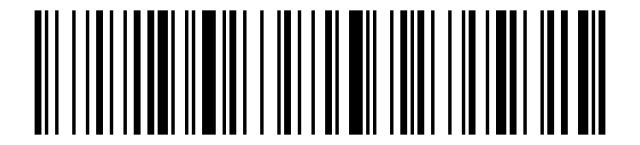
Medium speed transmission:
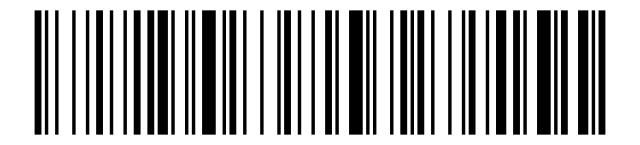
Low speed transmission:
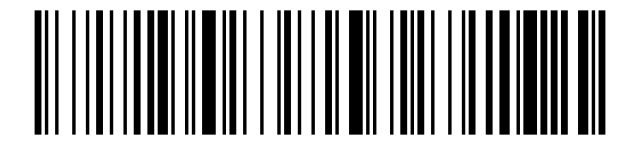
Ultra-low speed transmission:
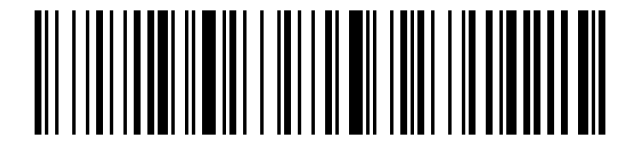
Wireless and Bluetooth mode
2.4G mode:
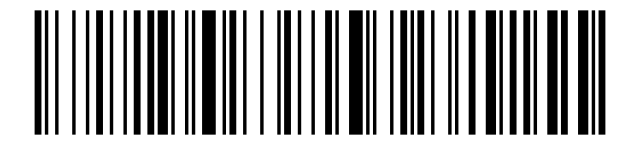
Bluetooth virtual mode:
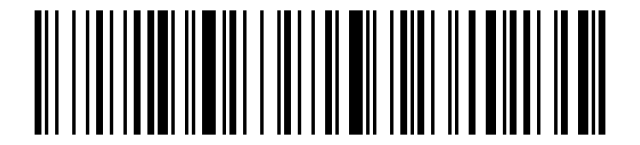
Bluetooth HID mode:
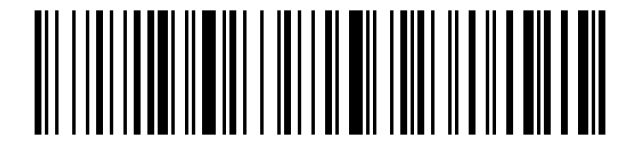
Bluetooth SPP mode:
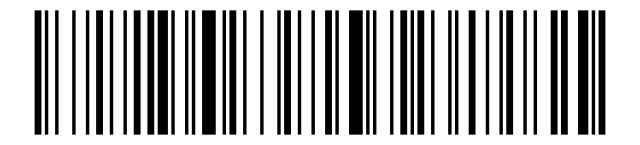
Bluetooth BLE mode:
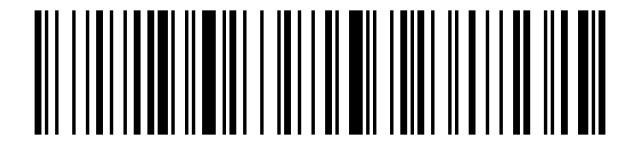
Bluetooth HOG mode:
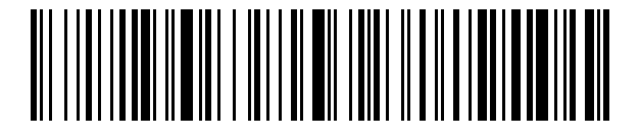
Android input mode:
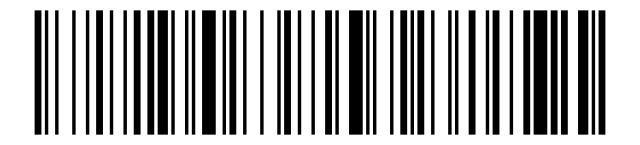
Virtual COM (virtual serial port):
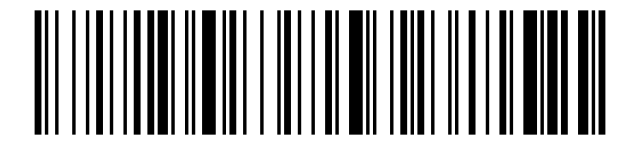
Real serial port mode:
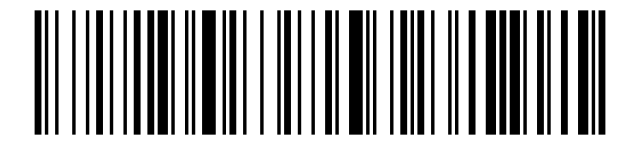
Enter pairing state:
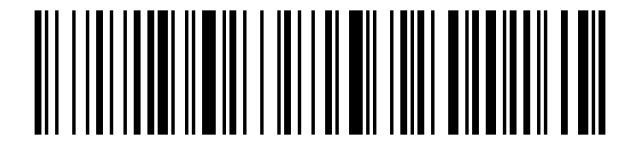
Set Bluetooth name:
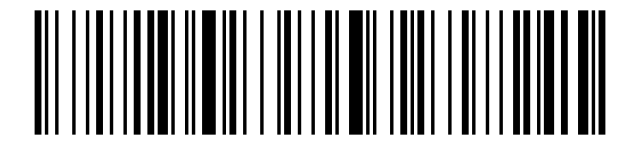
Read Bluetooth name:
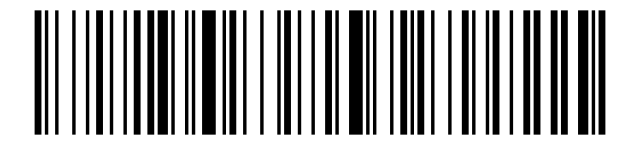
HID keyboard pop-up
Allow long-press to enter HID search:
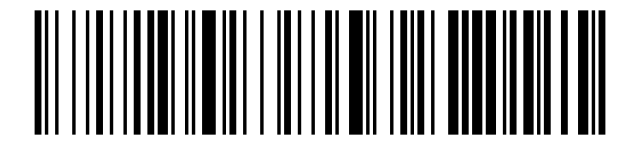
Forbid long-press to enter HID search:
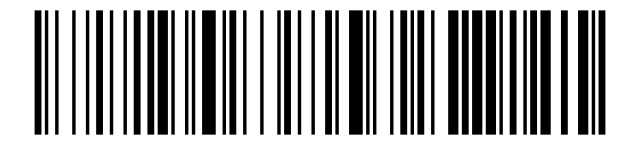
Show / hide HID keyboard:
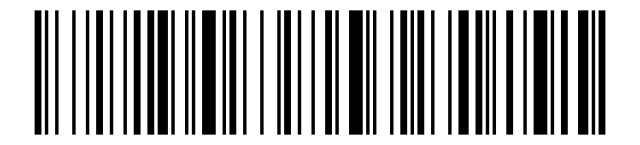
Disable double-click to show/hide HID keyboard:
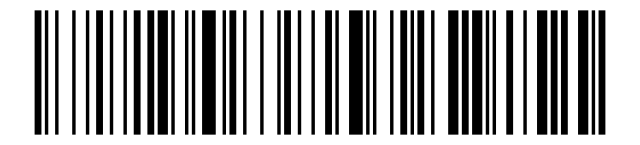
Enable double-click to show/hide HID keyboard:
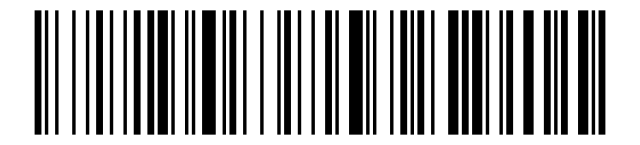
GS character conversion
Enable GS character conversion:
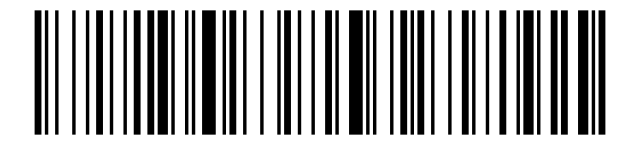
Disable GS character conversion:
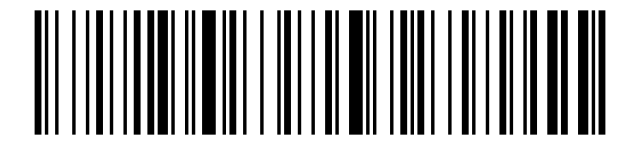
Prefix and suffix settings
Set prefix:
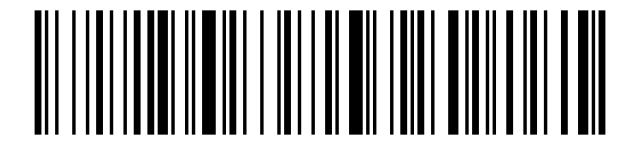
Set suffix:
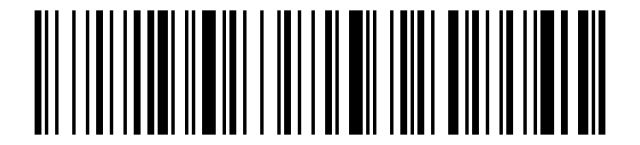
Escape character set 0:

Escape character set 1:

Escape character set 2:

Escape character set 3:

Escape character set 4:

Hiding characters
Hide leading characters:
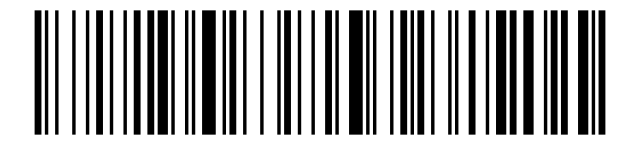
Hide trailing characters:
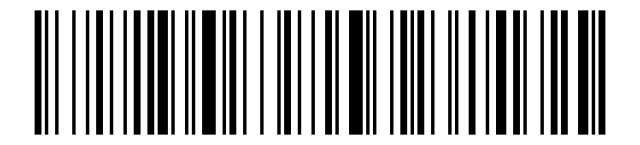
Endpoint (terminator) settings
Add CR (carriage return):
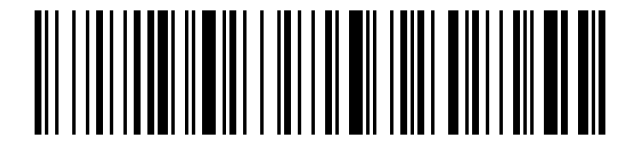
Add LF (line feed):
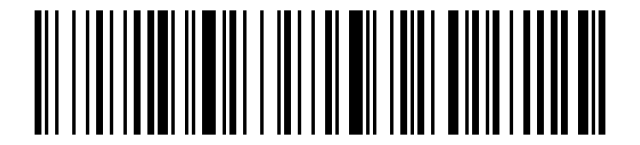
Add CR + LF:
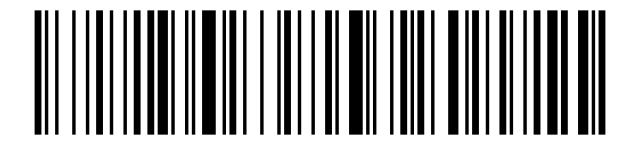
Add Tab:
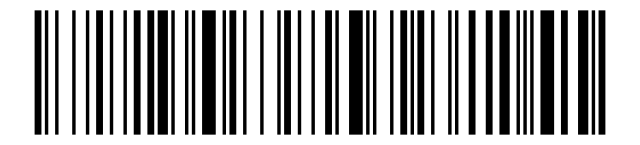
No terminator:
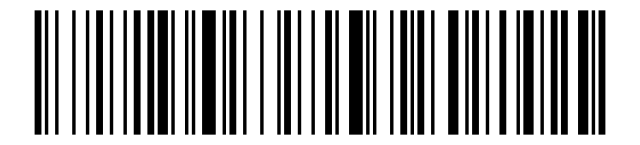
Case settings
Convert to lowercase:
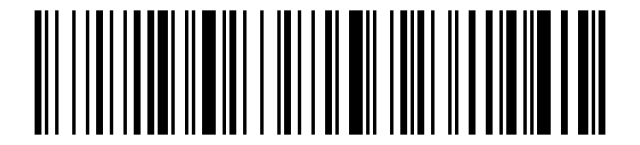
Convert to uppercase:
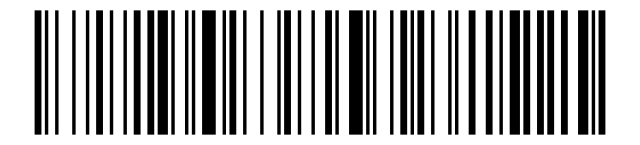
Swap case:
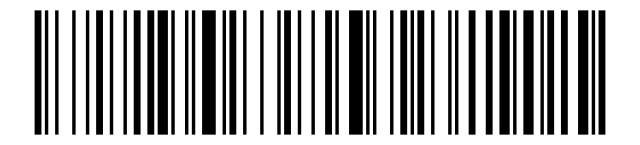
No case conversion:
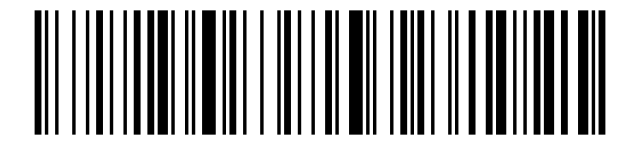
Serial port baud rate
4800:

9600:

19200:

38400:

57600:

115200:

Timestamp settings
Show current time:
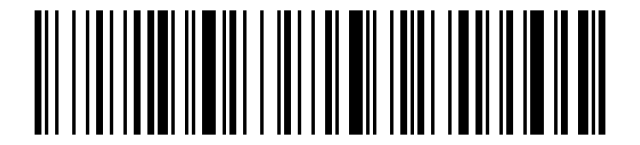
Add timestamp before barcode:
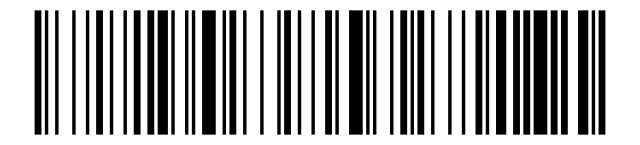
Add timestamp after barcode:
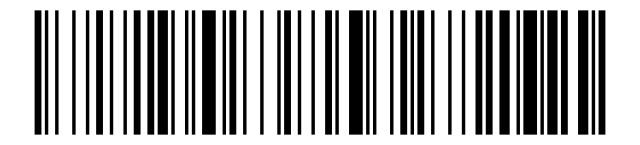
Turn off timestamp:
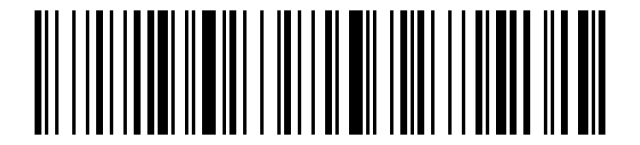
Setup mode
Enter setup mode:
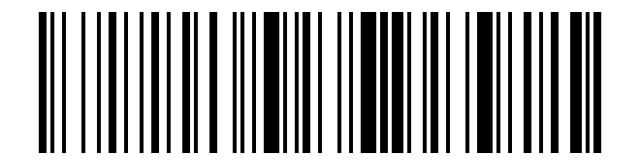
Exit setup mode:
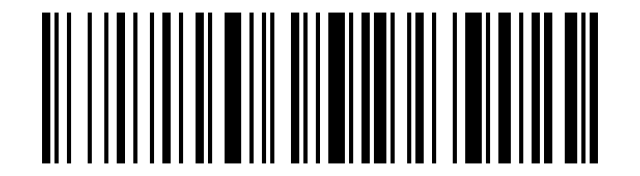
Appendix. Data character codes
These codes represent ASCII characters (hexadecimal 01–7F). Use them to enter the characters of a prefix, suffix or escape set when a setting above asks for a value.
SOH:
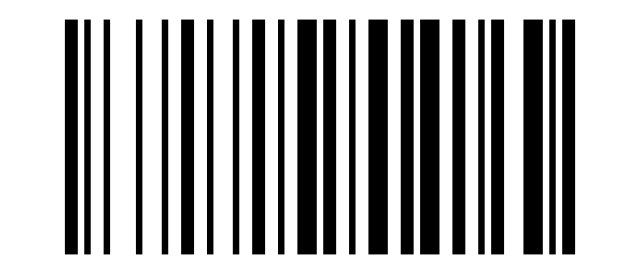
STX:

ETX:
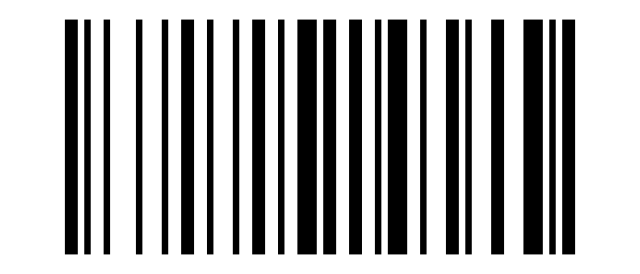
EOT:
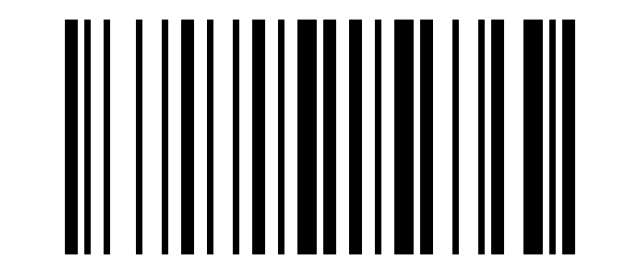
ENQ:
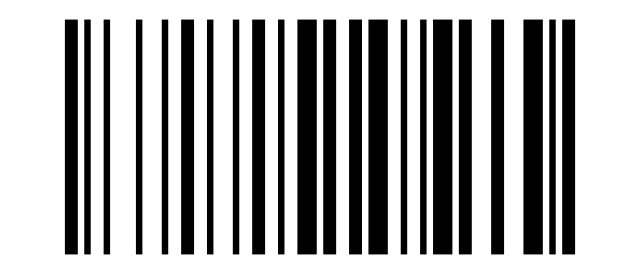
ACK:
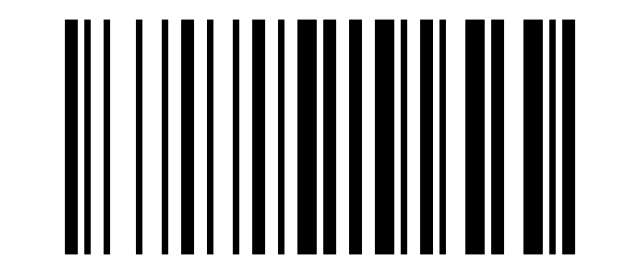
BEL:
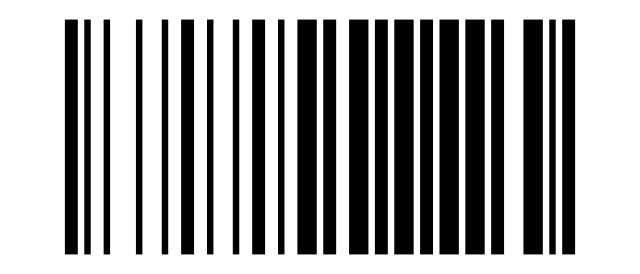
BS:
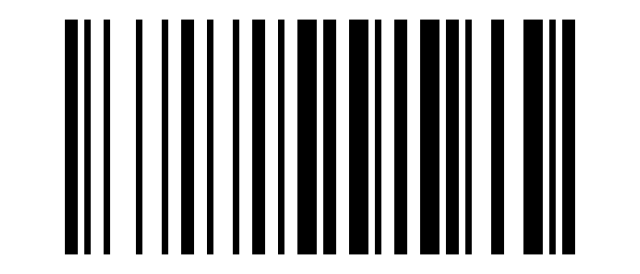
HT:
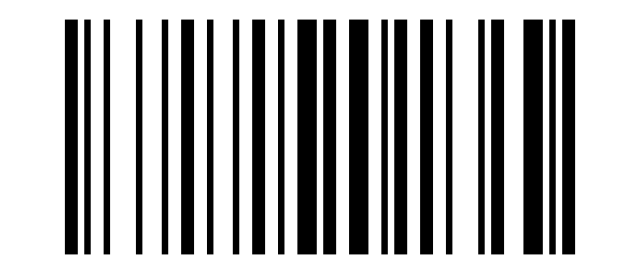
LF:
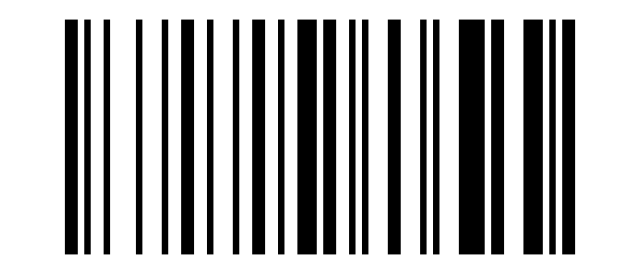
VT:
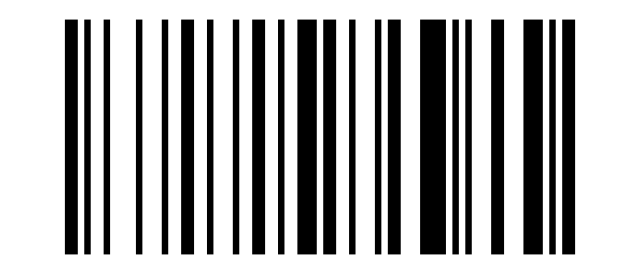
FF:
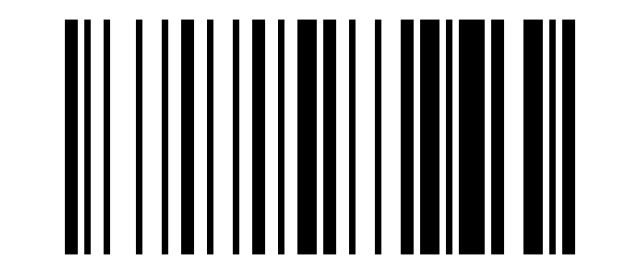
CR:
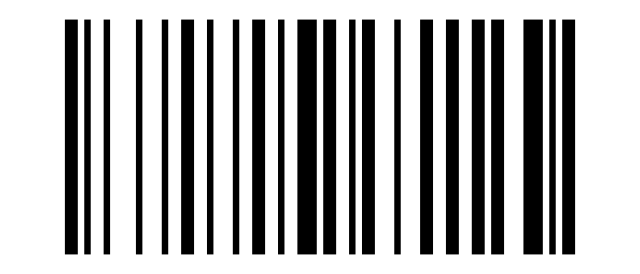
SO:
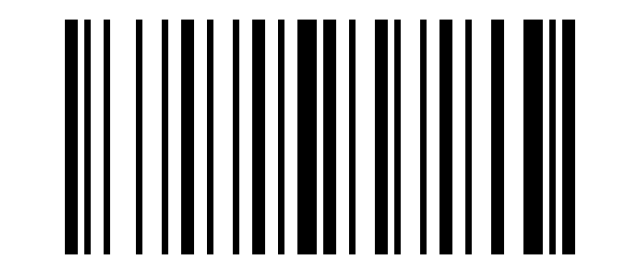
SI:
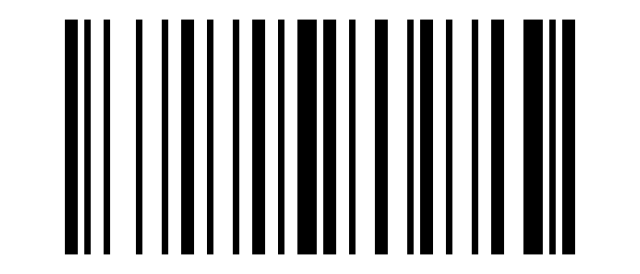
DLE:
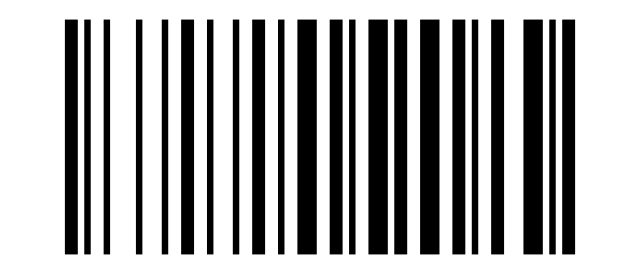
DC1:
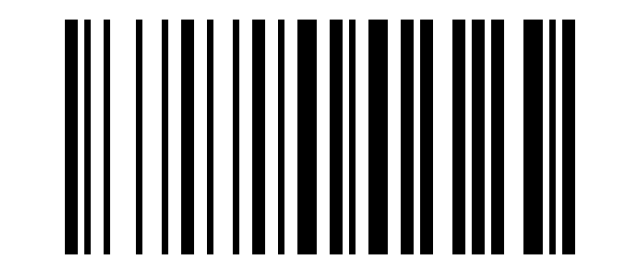
DC2:
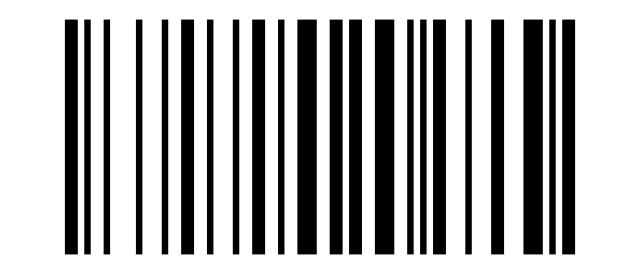
DC3:
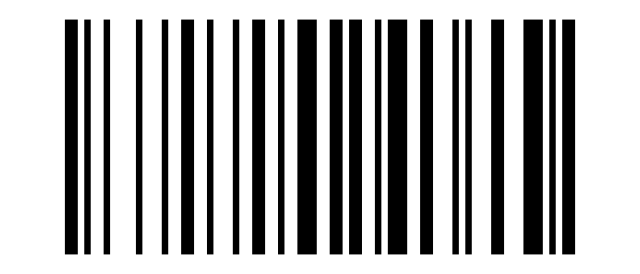
DC4:
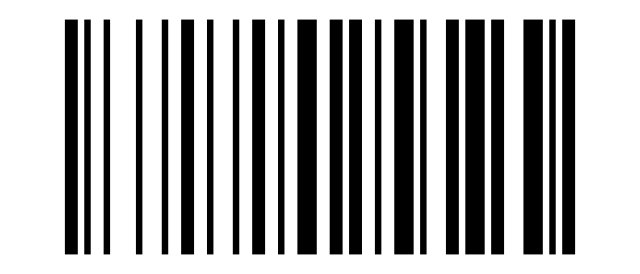
NAK:
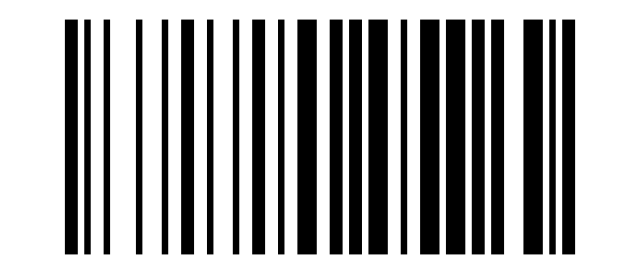
SYN:
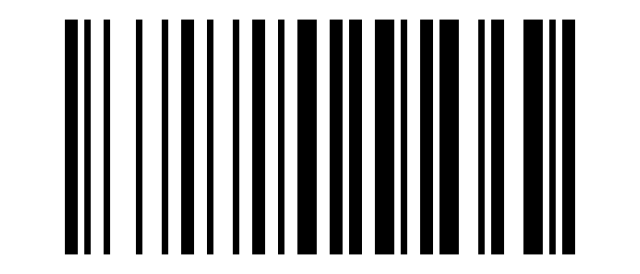
ETB:
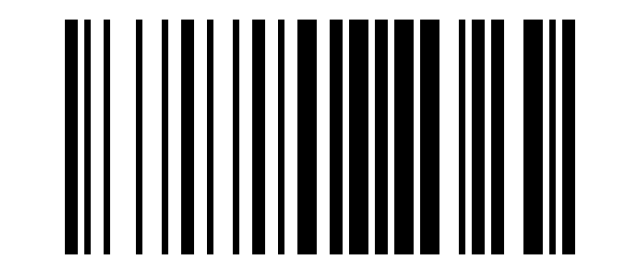
CAN:
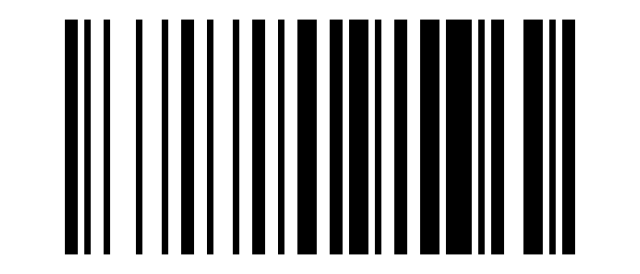
EM:
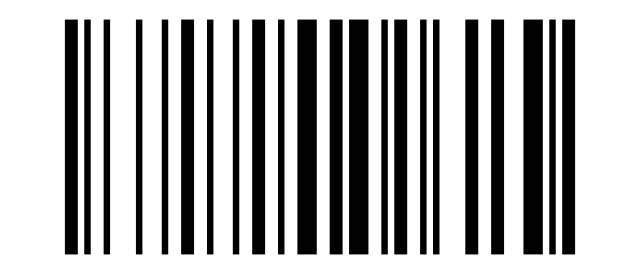
SUB:
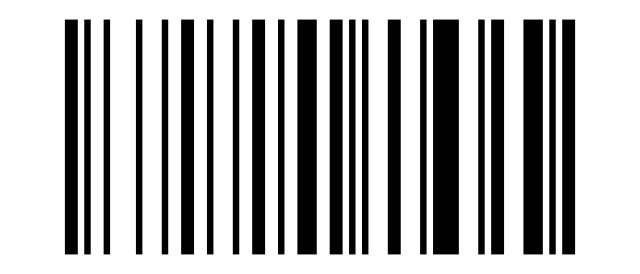
ESC:
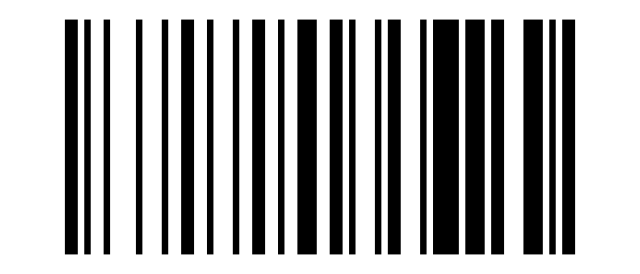
FS:
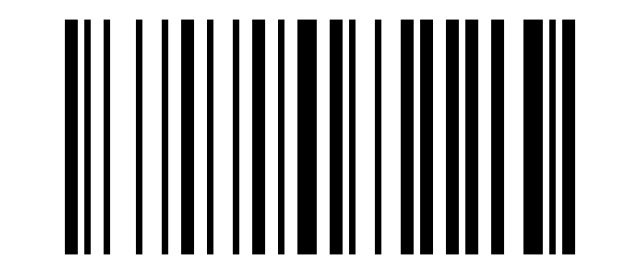
GS:
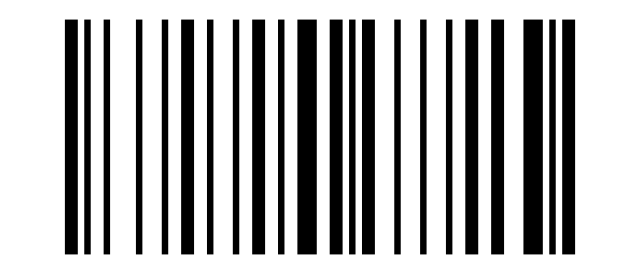
RS:
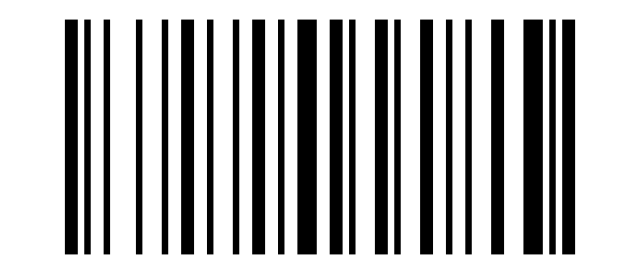
US:
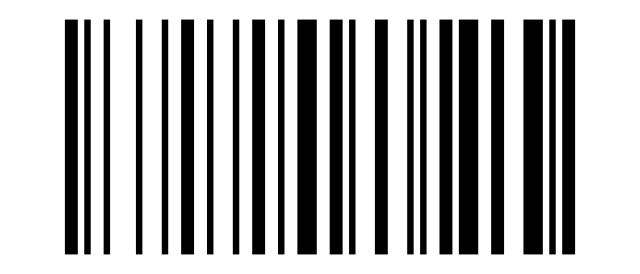
Space:
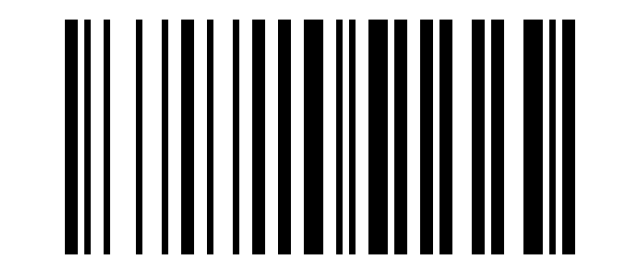
!:
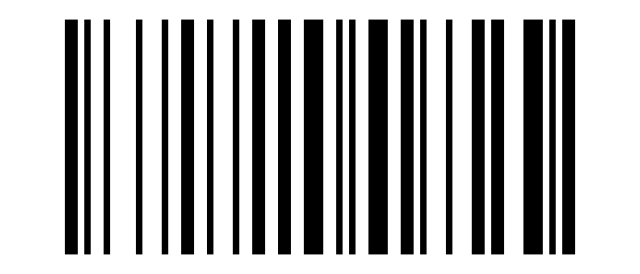
":
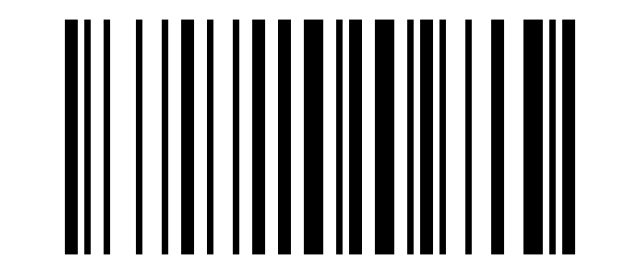
#:
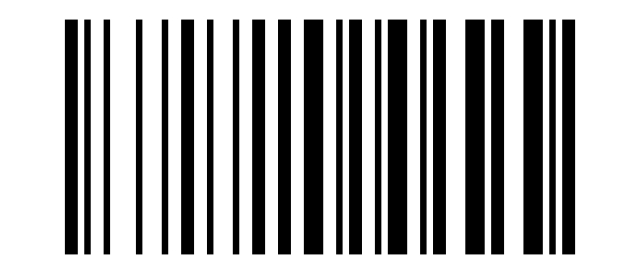
$:
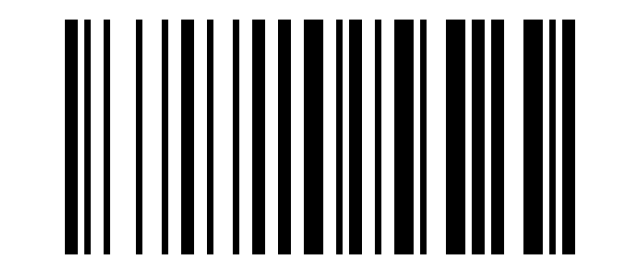
%:
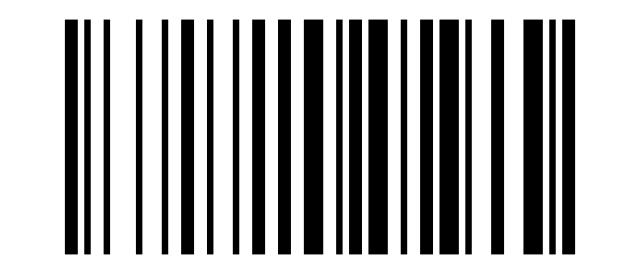
&:
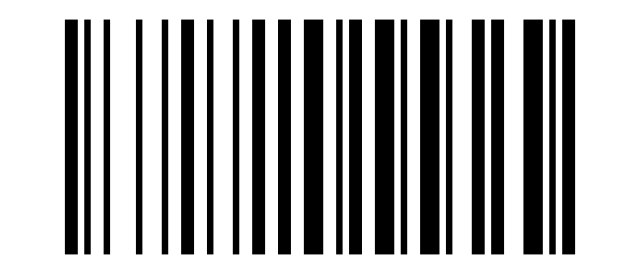
':
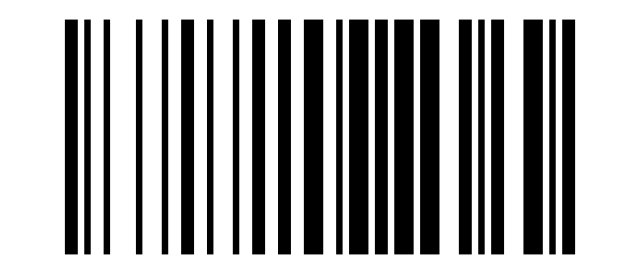
(:
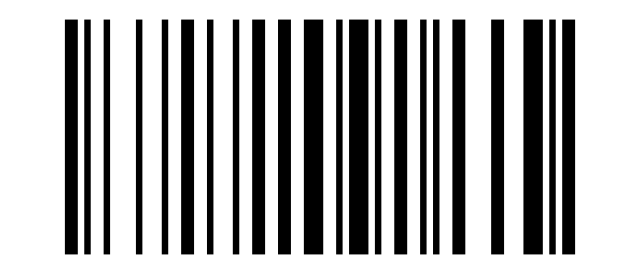
):
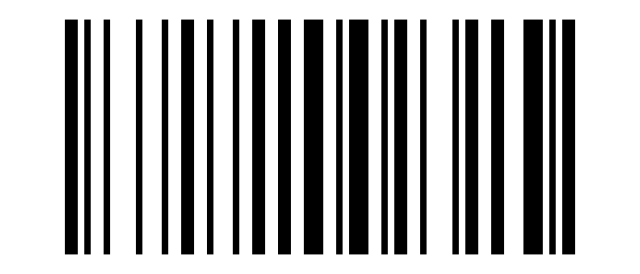
*:
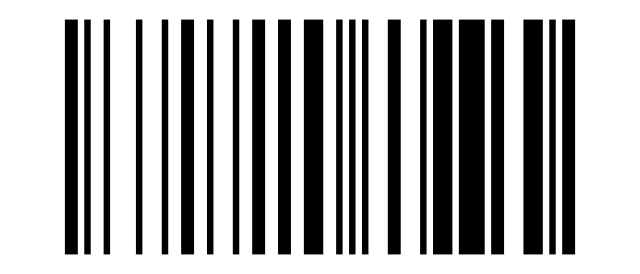
+:
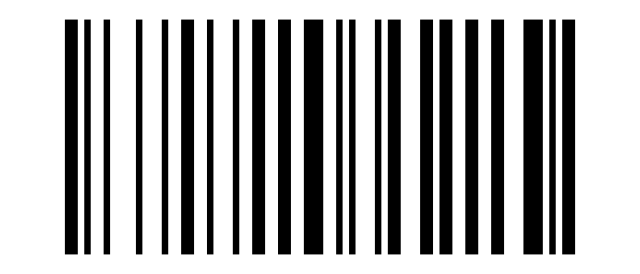
,:
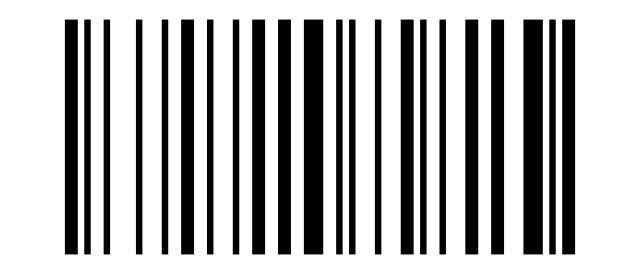
-:
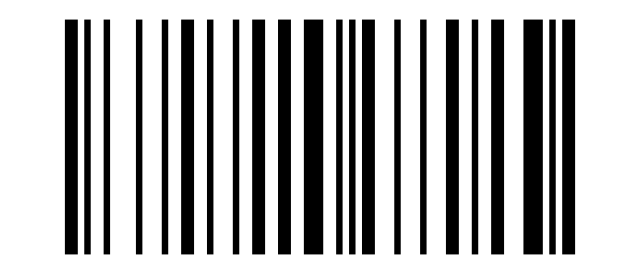
.:
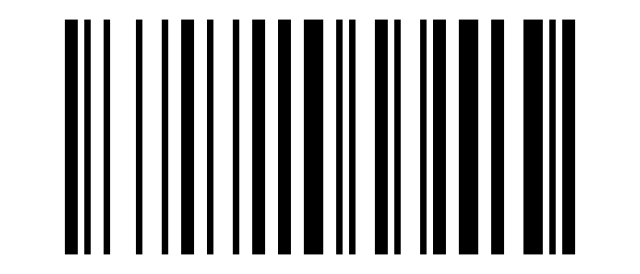
/:
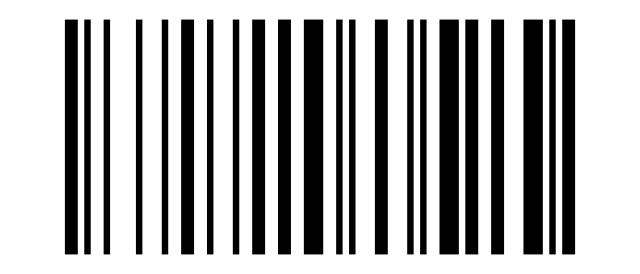
0:
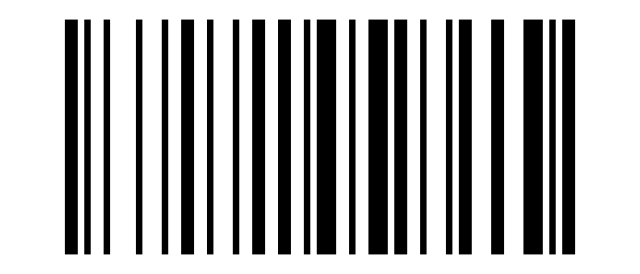
1:
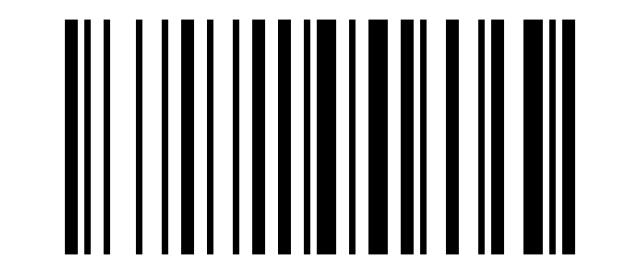
2:
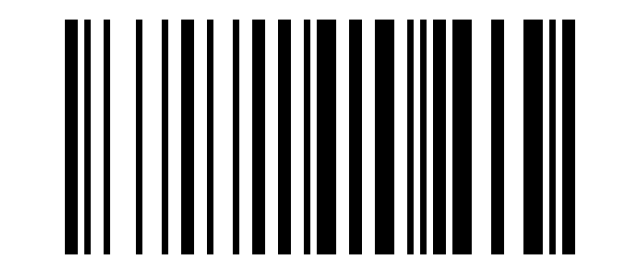
3:
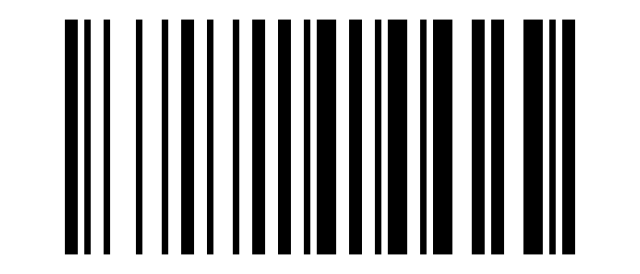
4:
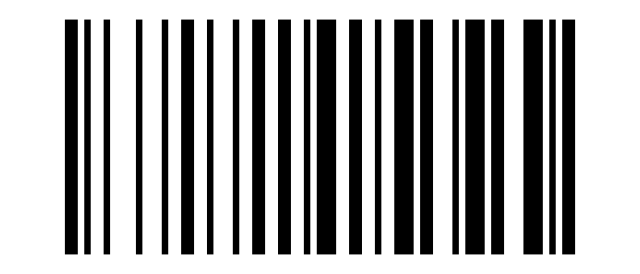
5:
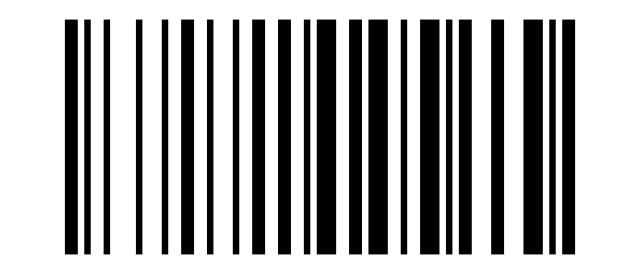
6:
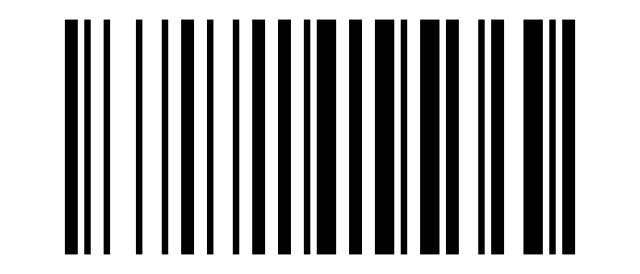
7:
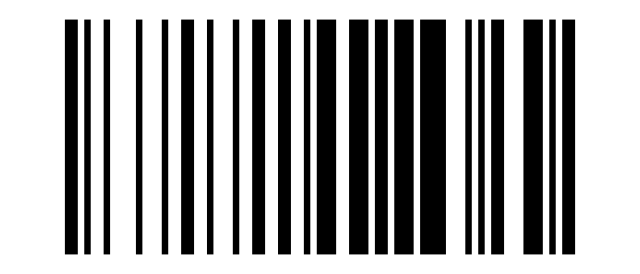
8:
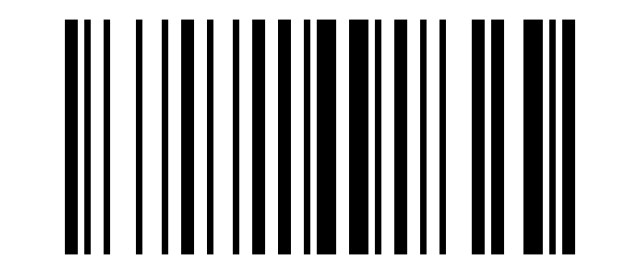
9:
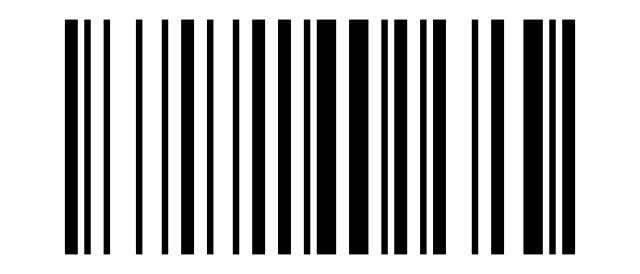
::
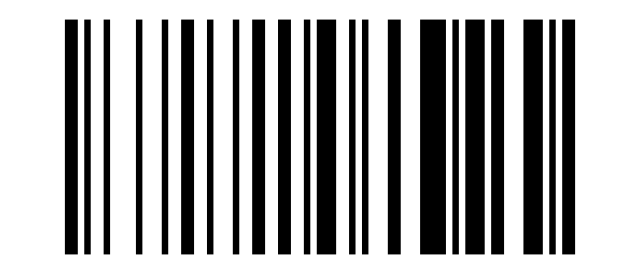
;:
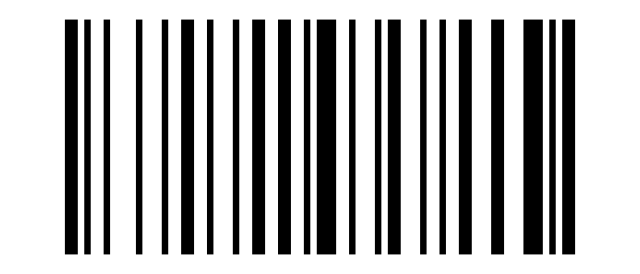
<:
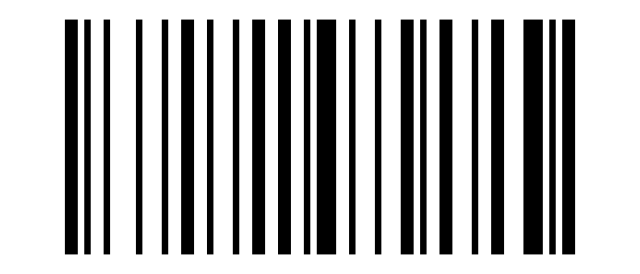
=:
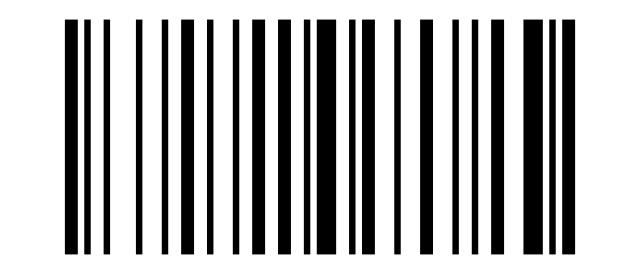
>:
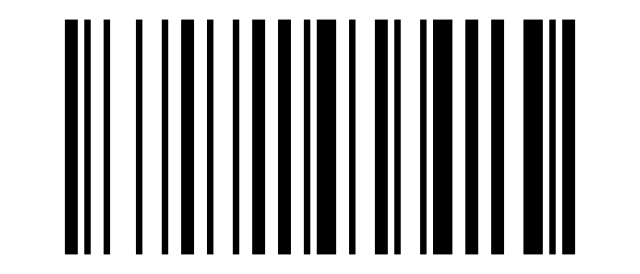
?:
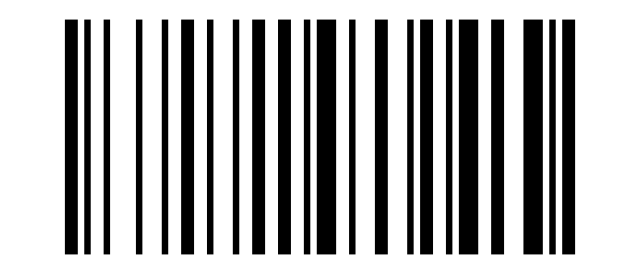
@:
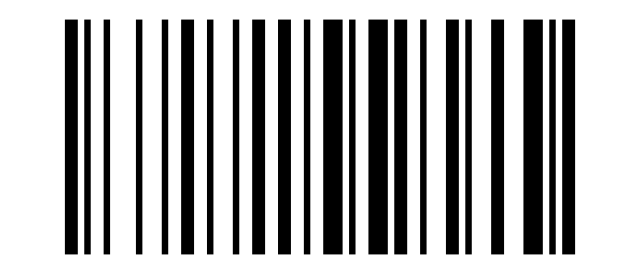
A:
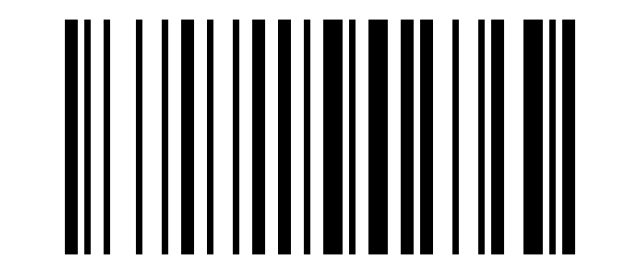
B:
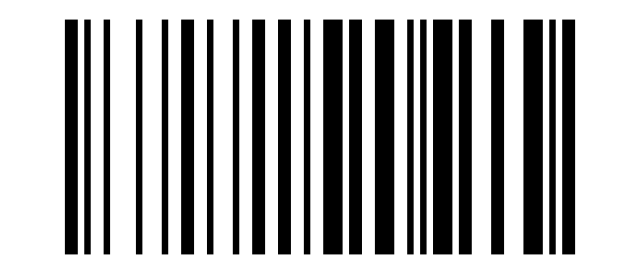
C:
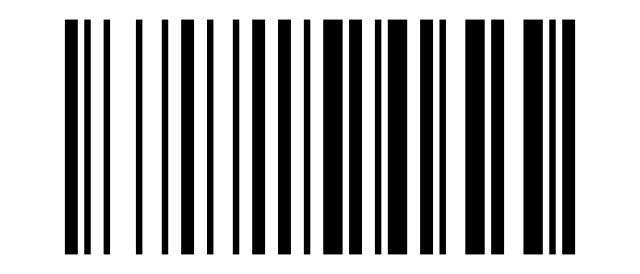
D:
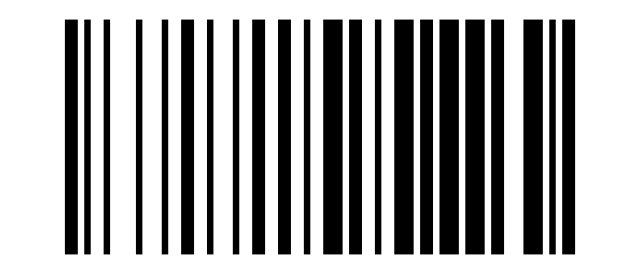
E:
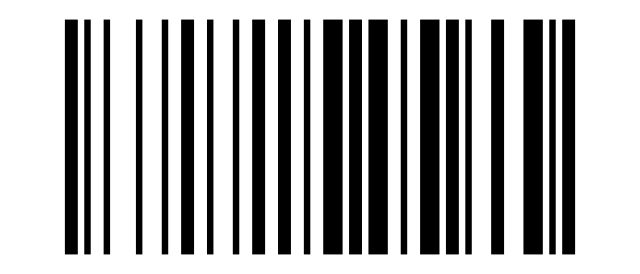
F:
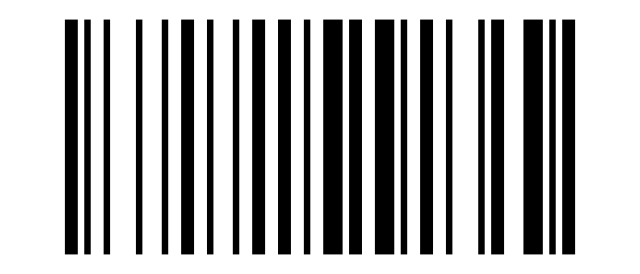
G:
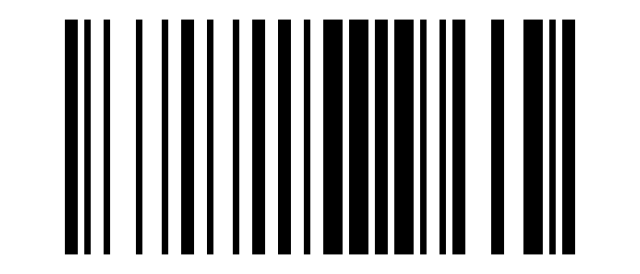
H:
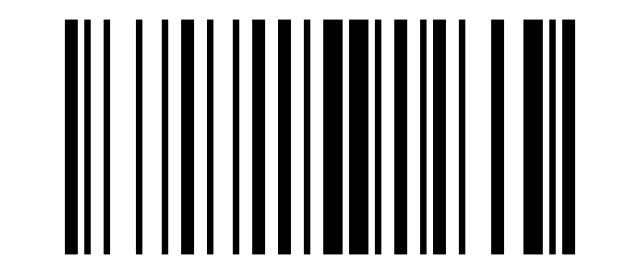
I:
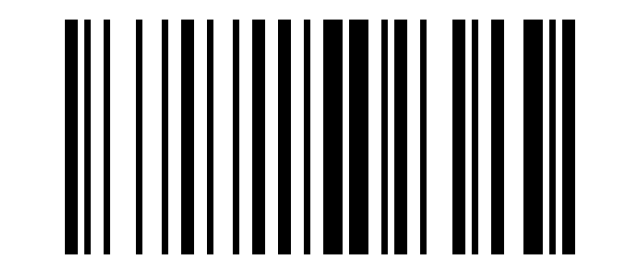
J:
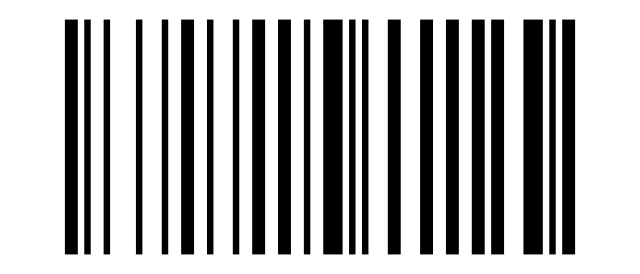
K:
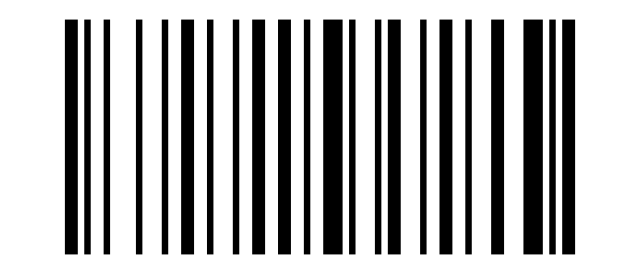
L:
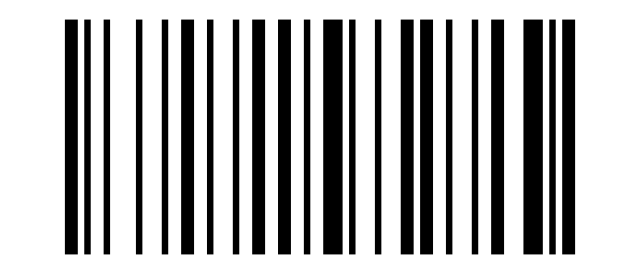
M:
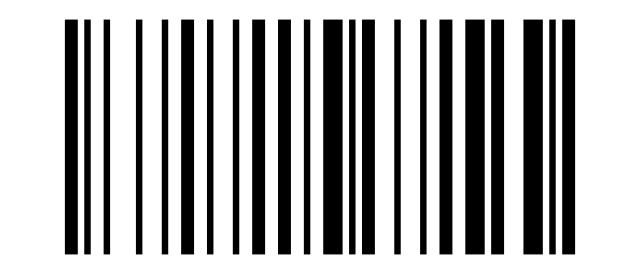
N:
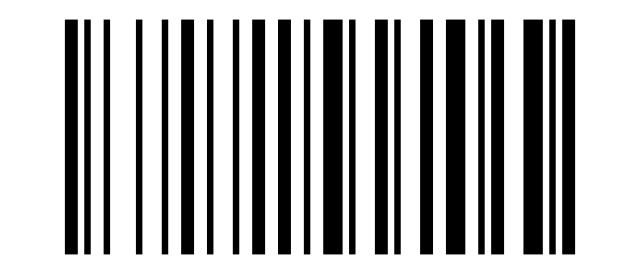
O:
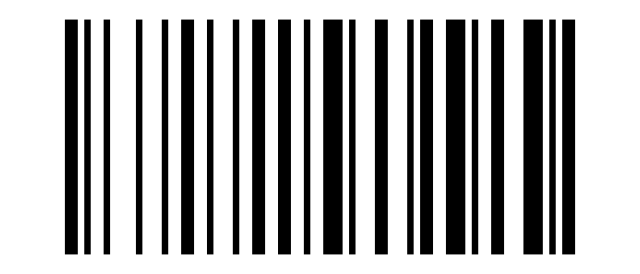
P:
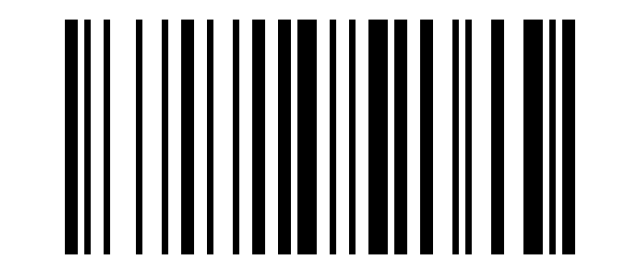
Q:
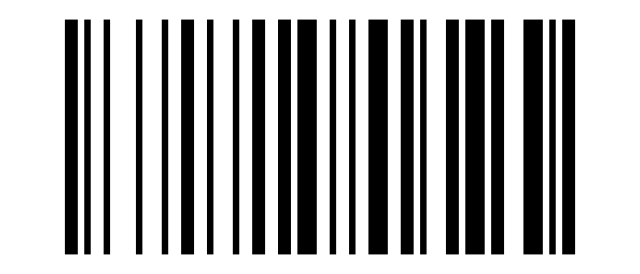
R:
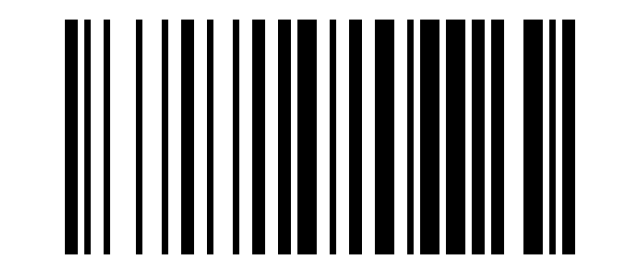
S:
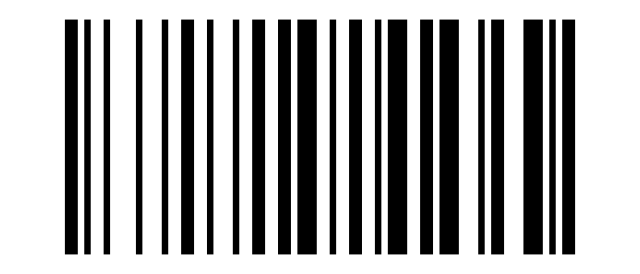
T:
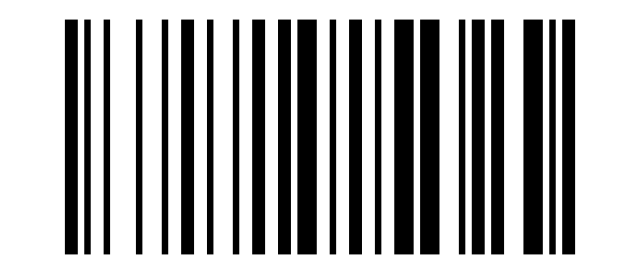
U:
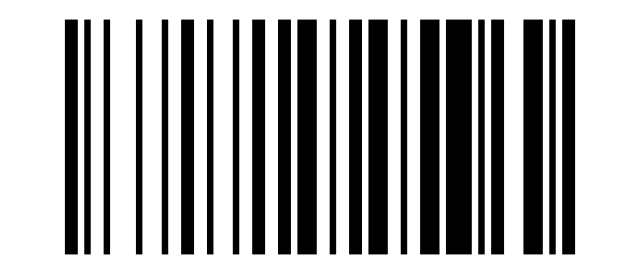
V:

W:
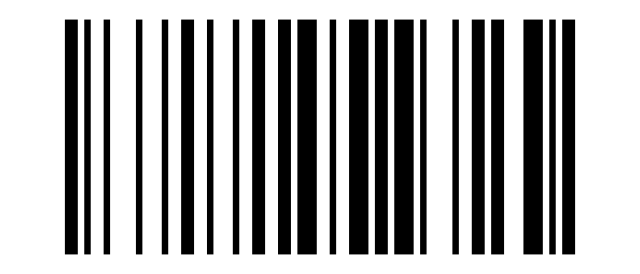
X:
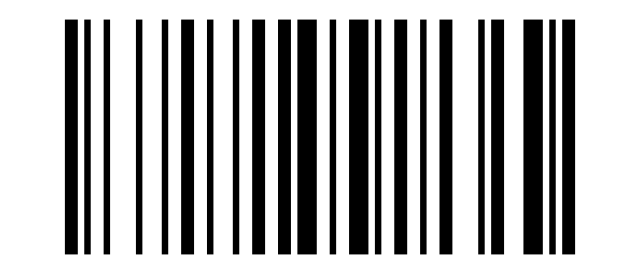
Y:
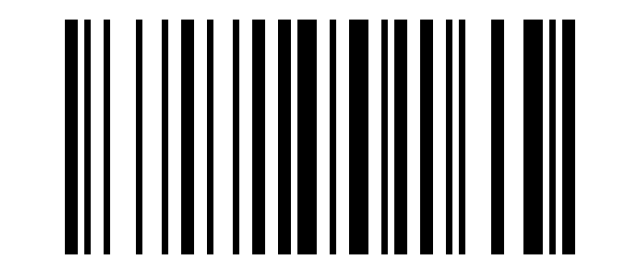
Z:
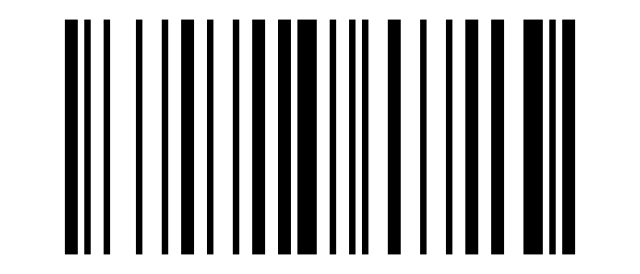
[:
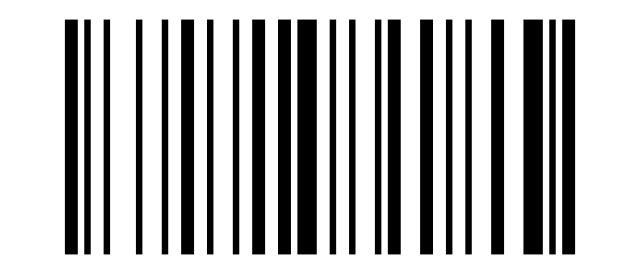
\:
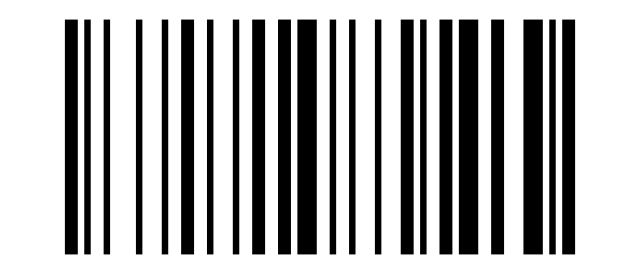
]:
![Code: ]](/img/products/HD9900/codes/data-5d.svg)
^:
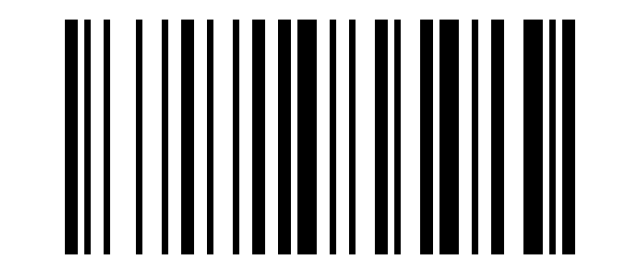
_:
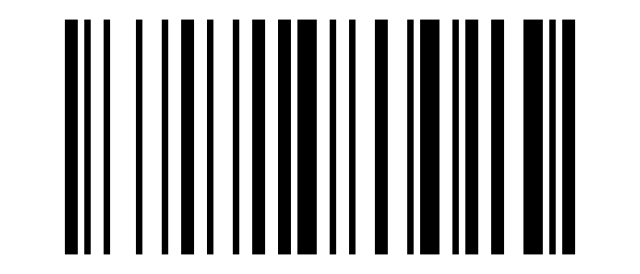
``:
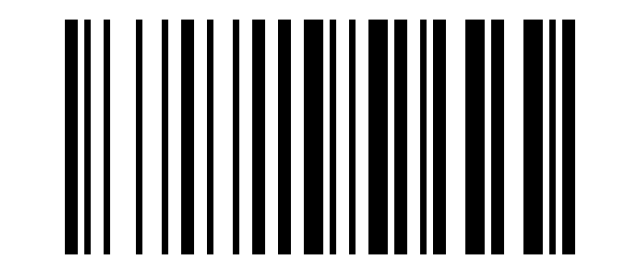
a:
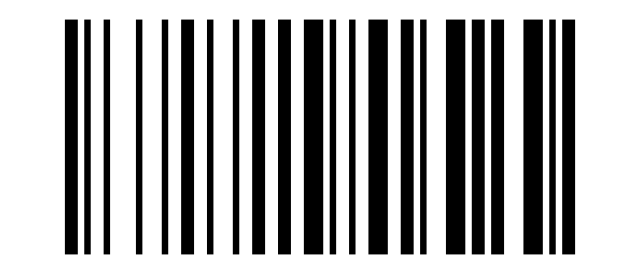
b:
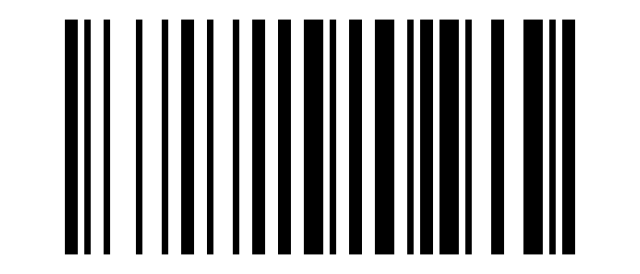
c:
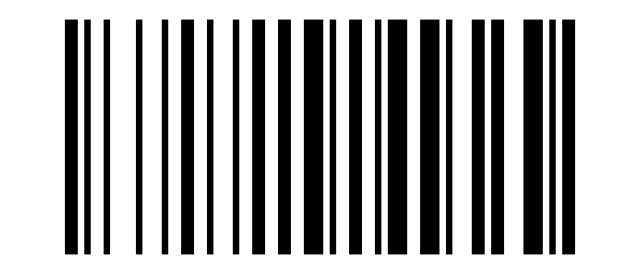
d:
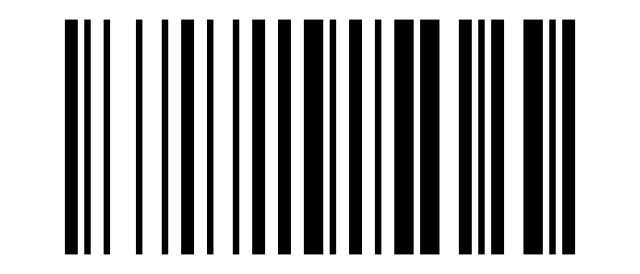
e:
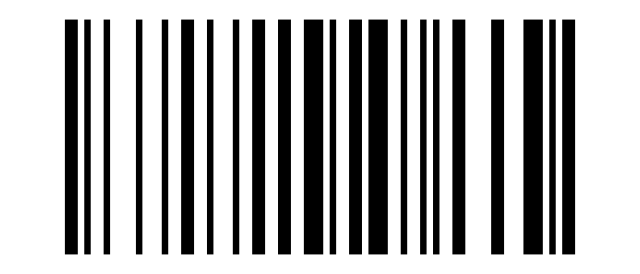
f:
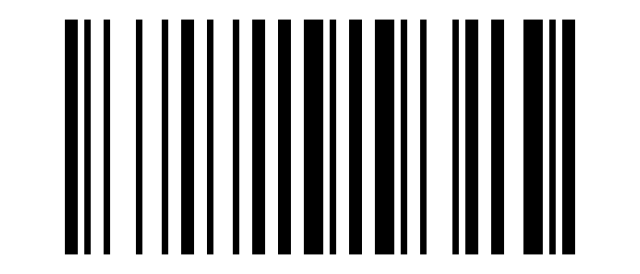
g:
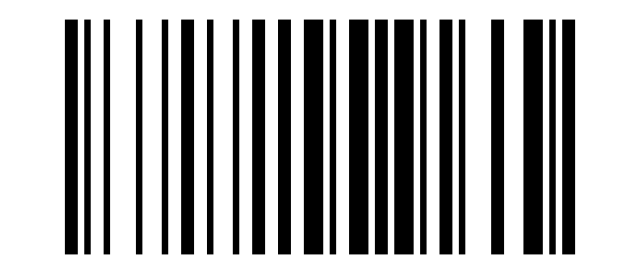
h:
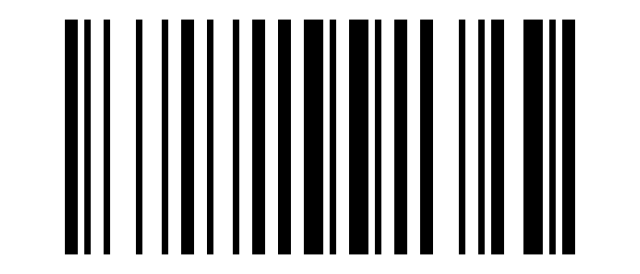
i:
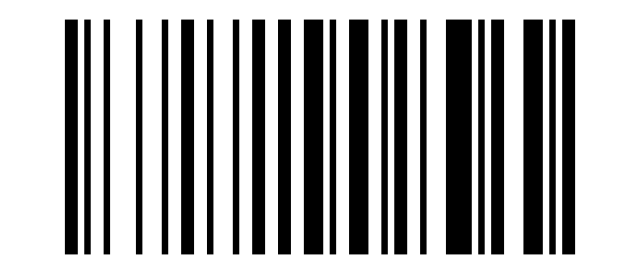
j:
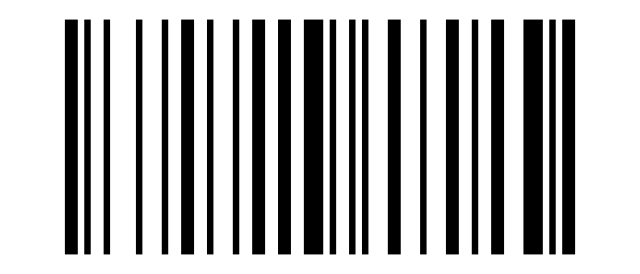
k:
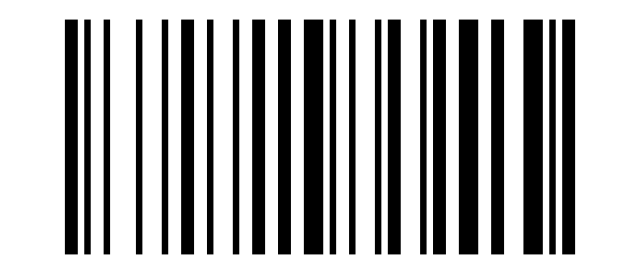
l:
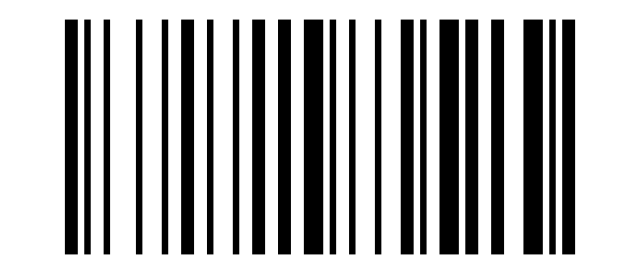
m:
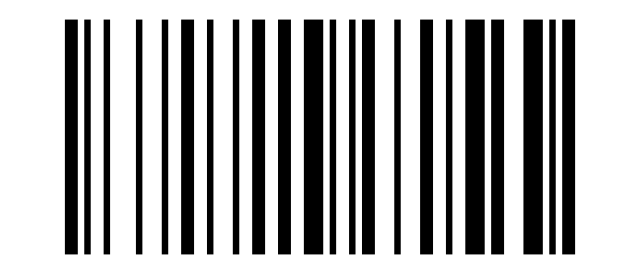
n:
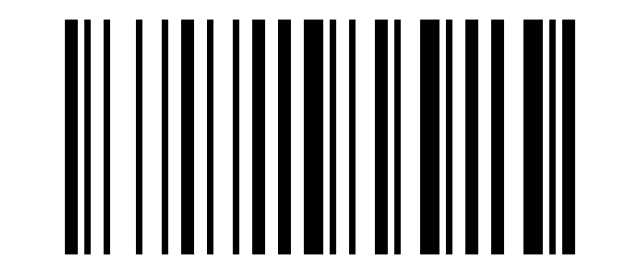
o:
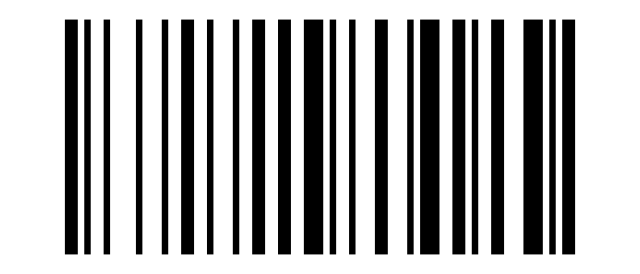
p:
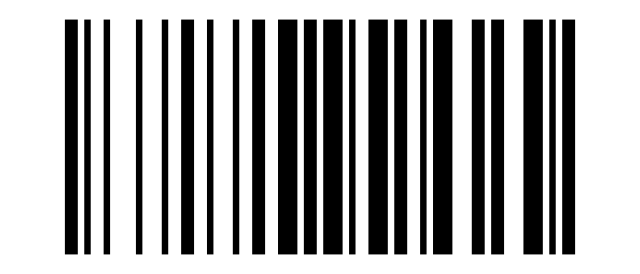
q:
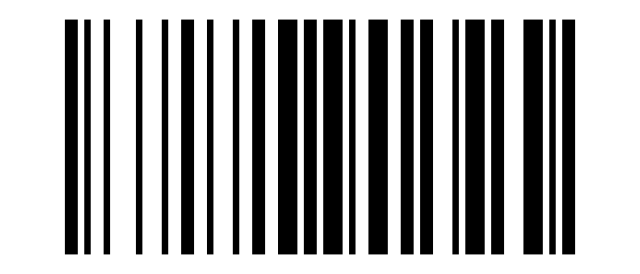
r:
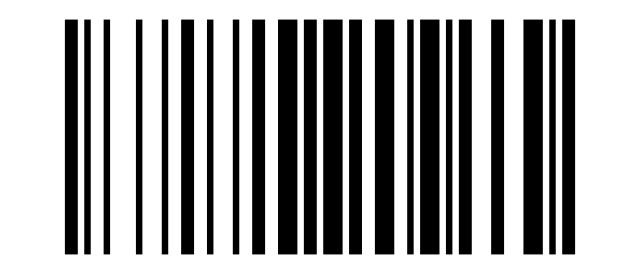
s:
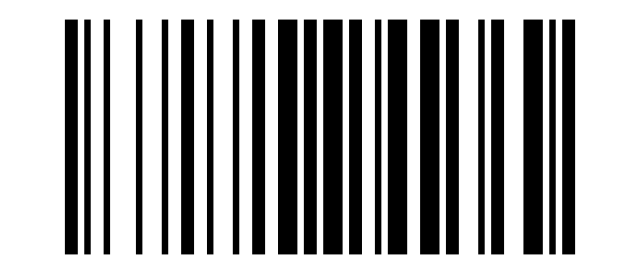
t:
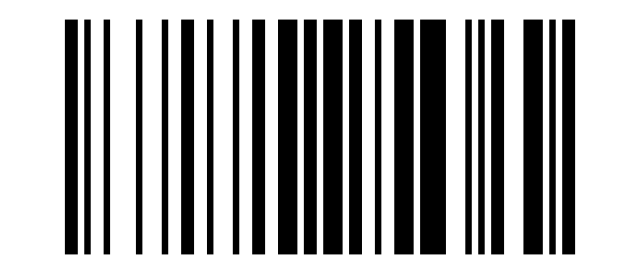
u:
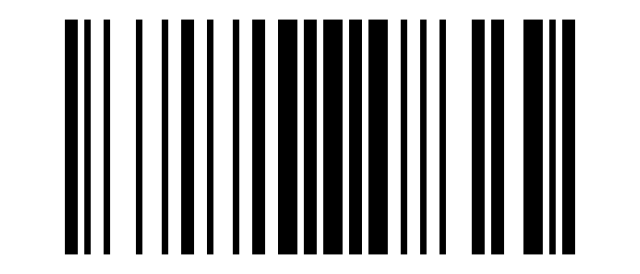
v:
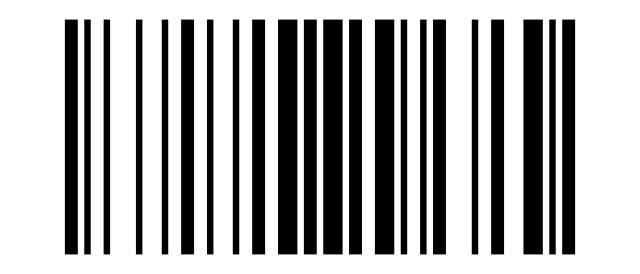
w:
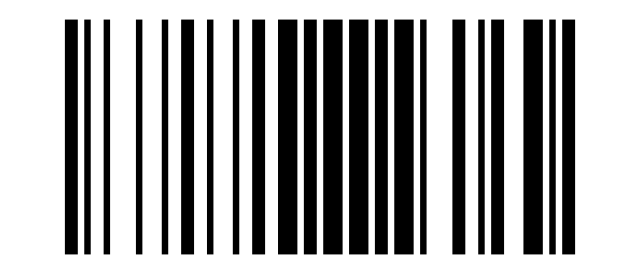
x:
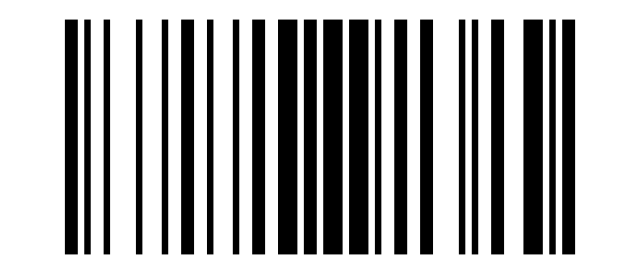
y:
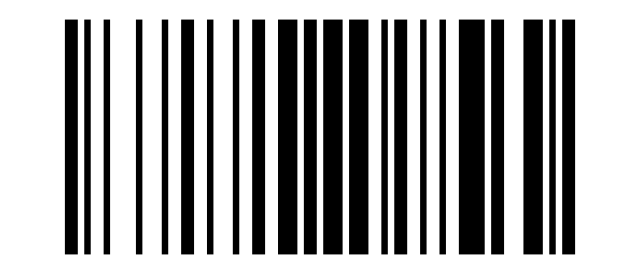
z:
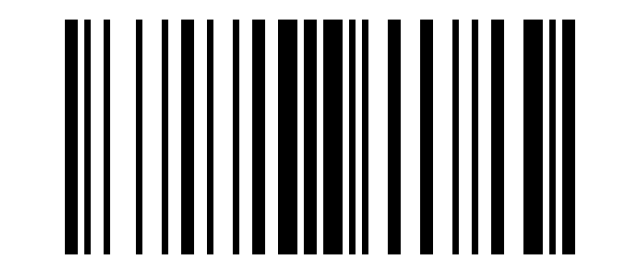
{:
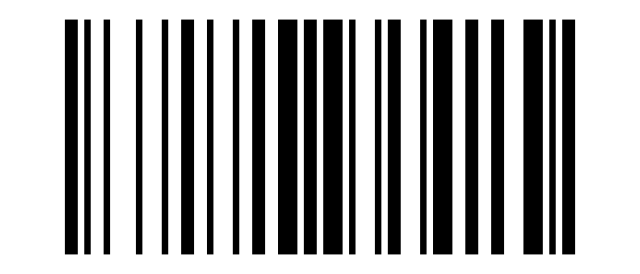
|:
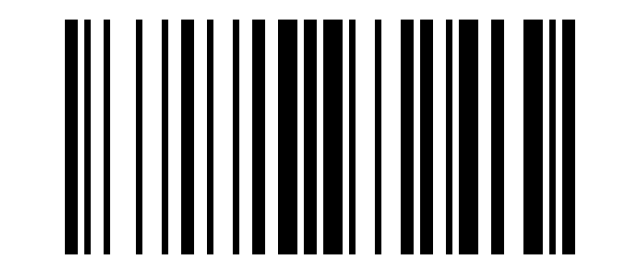
}:
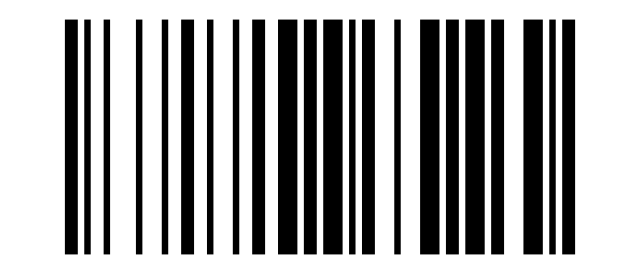
~:

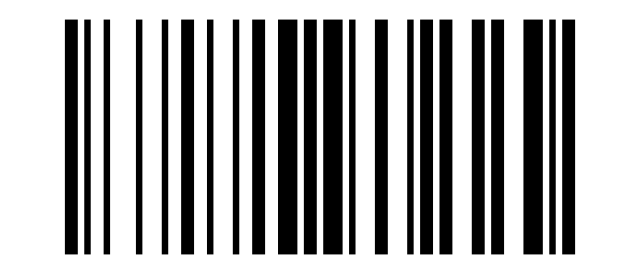
DEL:
Frequently asked questions
What types of codes can the HD9900 read?
What is the wireless range?
Can it work without a permanent connection to the computer?
Is it suitable for industrial use?
Downloads
The original supplier PDF manuals are kept as archival documentation. Everything they contain is already on this page — use the PDF only if you need an offline copy.