Extendable under-desk cable tray with clamps, SolidHand-CM02
GTIN: 5906935201428 · SKU: SolidHand-CM02
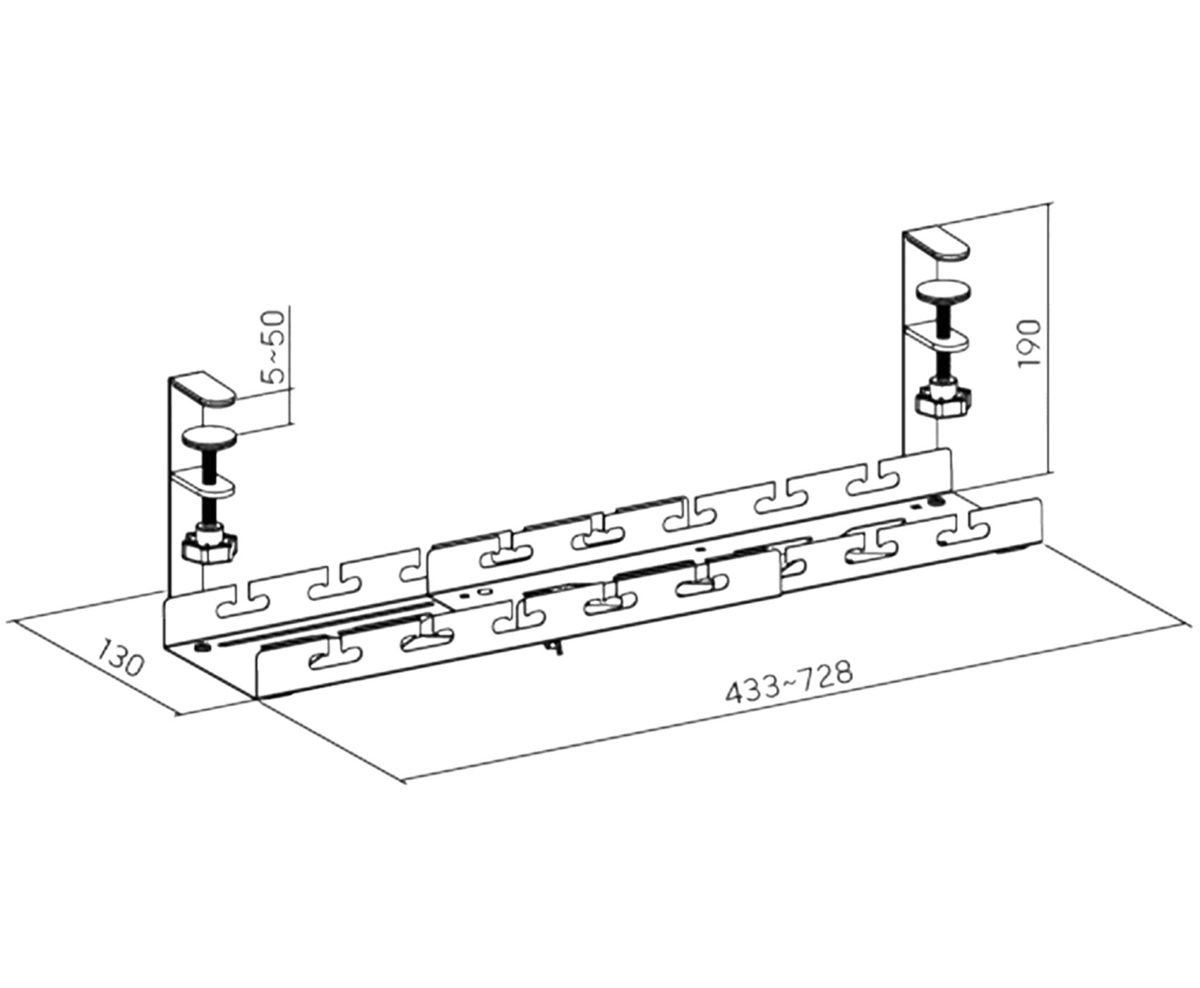
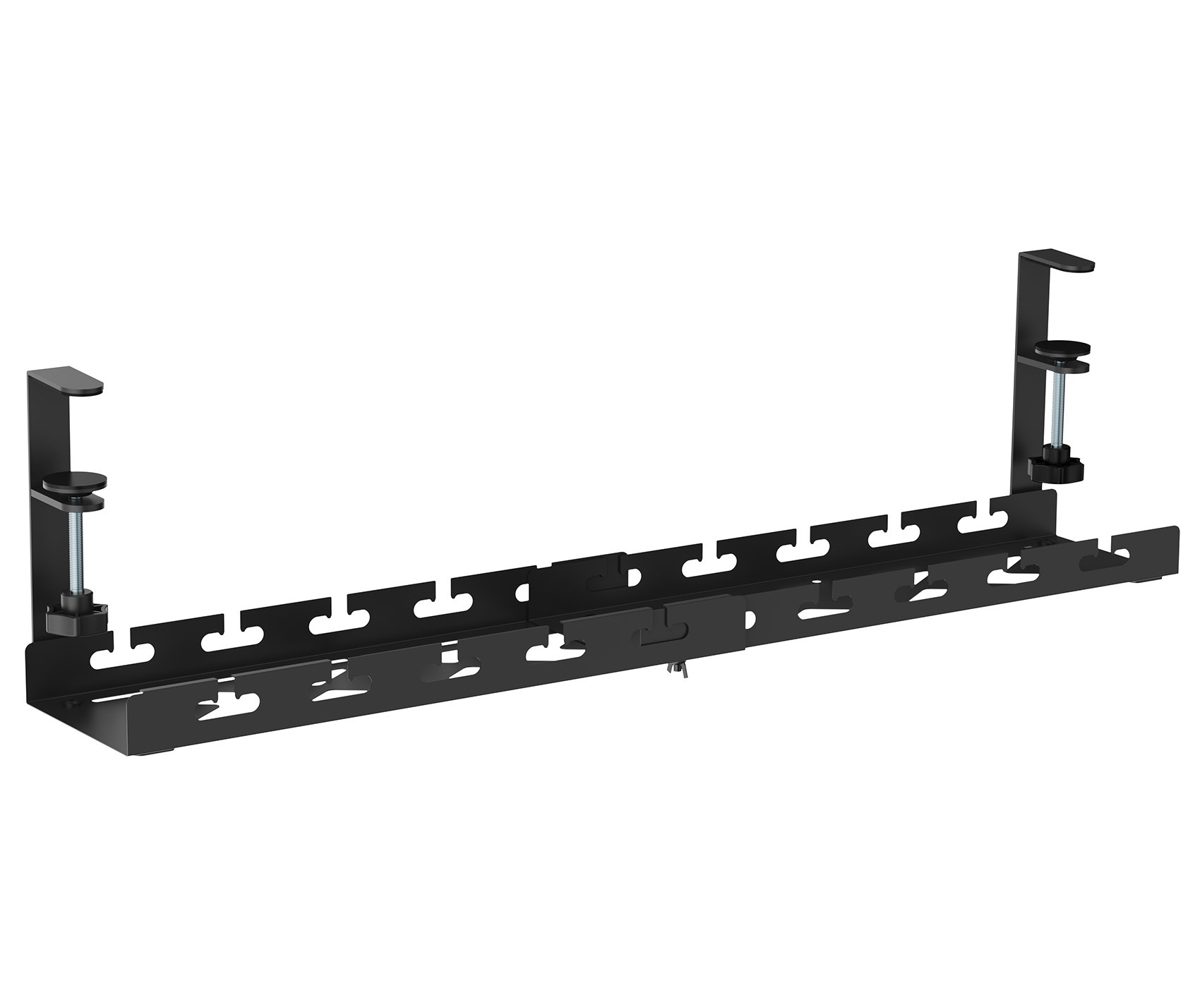
The SolidHand-CM02 is a black steel tray that hangs under the edge of the desk and keeps the power strip, power supplies and cables off the floor. It consists of two parts that slide into each other, so the length can be set anywhere between 43.3 and 72.8 cm, and it clamps to the desktop with two screw clamps, with no drilling. The tray carries up to 5 kg, and five hook-and-loop ties in the kit keep the cables tidy.
Table of contents
Specifications
- Colour: black
- Material: steel, ABS
- Load capacity: up to 5 kg
- Mounting method: screw clamps on the desk edge
- Dimensions: 43.3 ~ 72.8 × 13 × 19 cm
- Package dimensions: 42.8 × 4.2 × 14.2 cm
- Product weight: 1.3 kg
- Weight with packaging: 1.4 kg
Kit contents
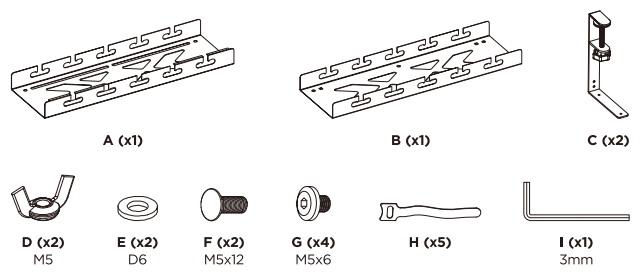
- A — tray, outer part (× 1)
- B — tray, inner part (× 1)
- C — screw clamp (× 2)
- D — M5 wing nut (× 2)
- E — D6 washer (× 2)
- F — M5 × 12 carriage bolt (× 2)
- G — M5 × 6 screw (× 4)
- H — hook-and-loop cable tie (× 5)
- I — 3 mm hex key (× 1)
The kit also includes the printed user manual.
Before you start
- Check that the edge of the desktop is between 5 and 50 mm thick where the clamps will sit, and that nothing under the desk is in the way of the clamp jaws
- Measure how long the tray should be: the length can be set between 43.3 and 72.8 cm
- All the screws are tightened with the 3 mm hex key (I) supplied; the wing nuts (D) and the clamp knobs are tightened by hand
Check that you have received all the parts listed above before you start. If anything is missing or damaged, contact us before assembling the tray.
Assembly
Step 1 — Set the length of the tray
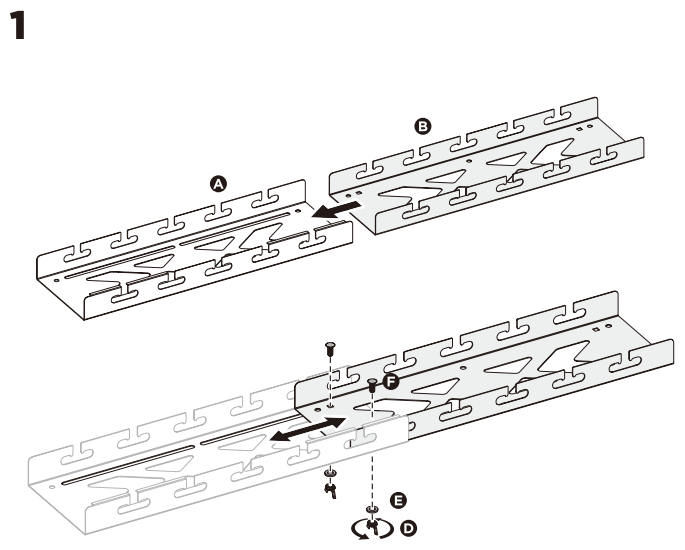
- Slide the inner part of the tray (B) into the outer part (A).
- Push the two parts together or pull them apart until the tray has the length you need, between 43.3 and 72.8 cm.
- Put the two carriage bolts (F) through the slot from above, fit a washer (E) and a wing nut (D) on each bolt from below and tighten the wing nuts by hand.
Step 2 — Fit the clamps
- Hook the end flange of the tray into the bracket of a clamp (C), as the inset in the drawing shows.
- Fix the clamp with two screws (G) using the hex key (I).
- Fit the second clamp to the other end of the tray in the same way.
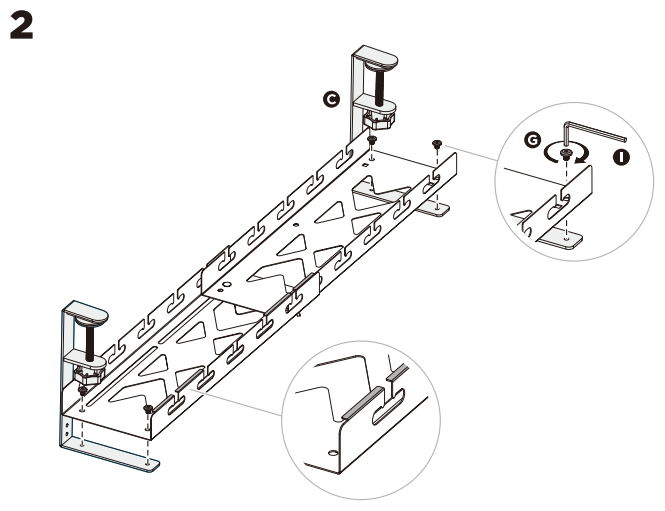
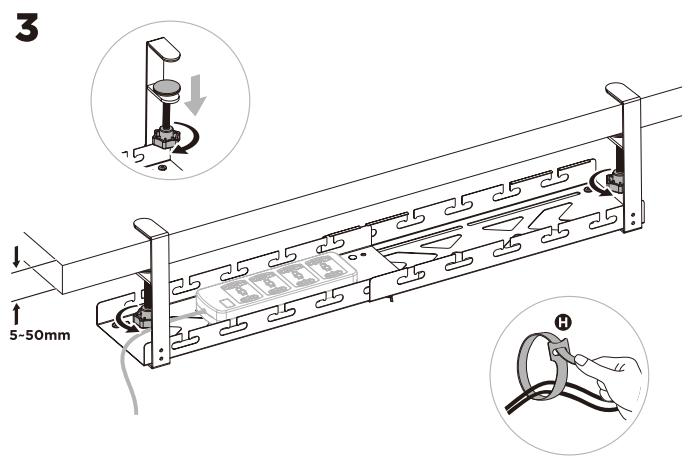
Step 3 — Clamp the tray to the desk and lay the cables
- Hold the tray under the edge of the desk and slide the jaws of both clamps over the desktop. The desktop may be between 5 and 50 mm thick.
- Turn the knob of each clamp until the jaw presses firmly against the underside of the desktop.
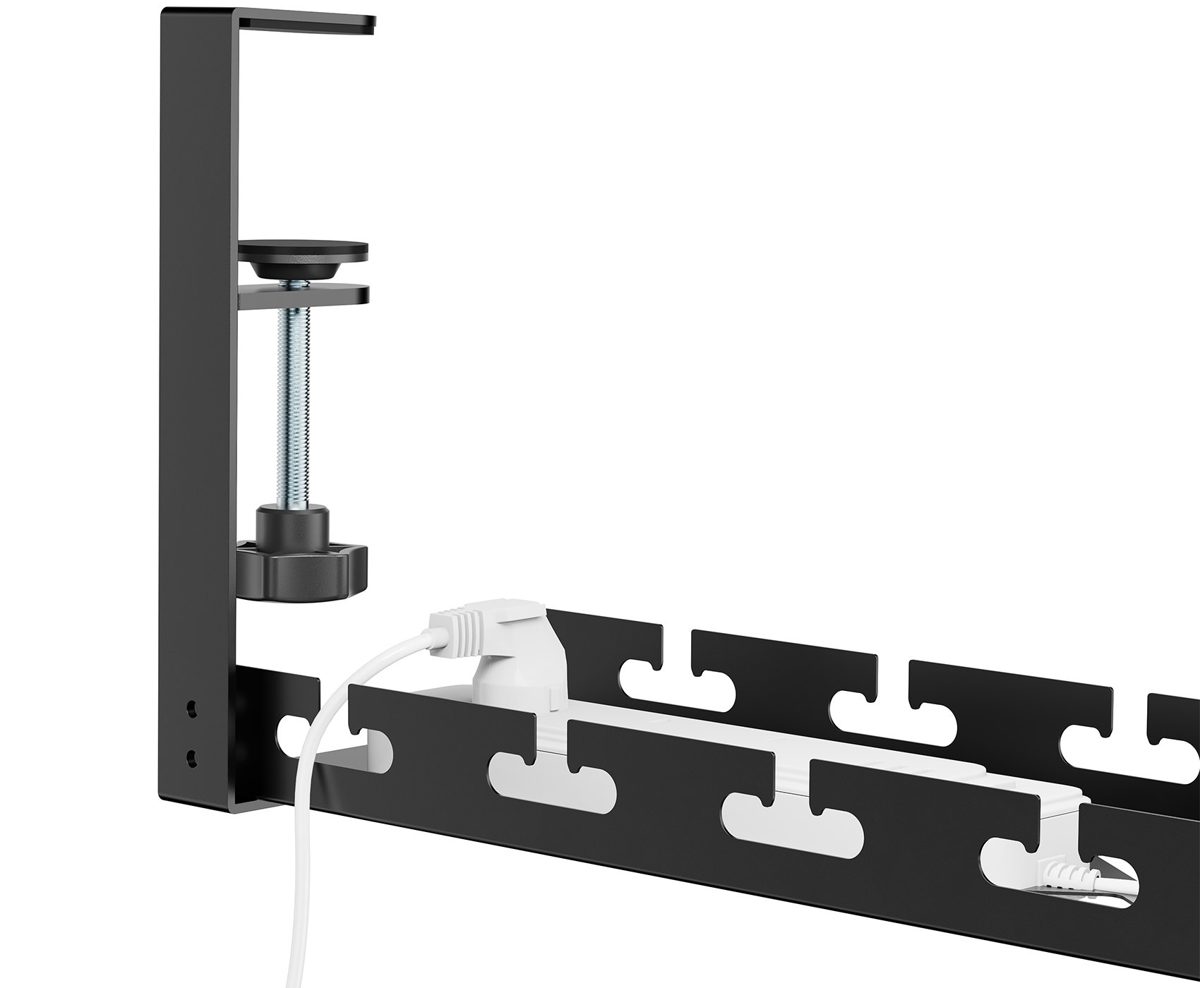
- Lay the power strip and the power supplies in the tray and run the cables out through the slots in the sides.
- Bundle the cables with the hook-and-loop ties (H).
Using the tray
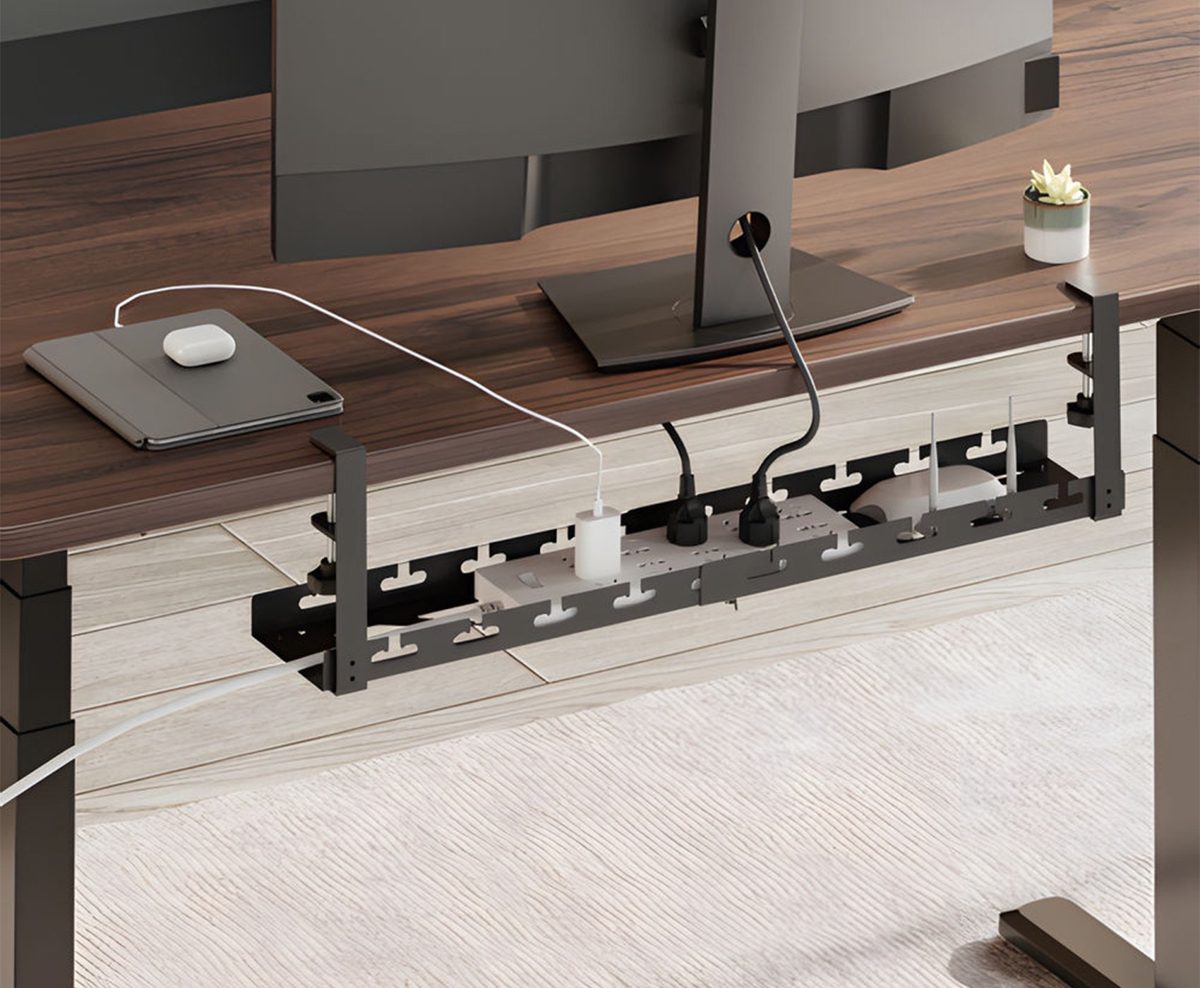
- The tray carries up to 5 kg — a power strip, a few power supplies and their cables
- The slots in both sides let each cable leave the tray at the point where it is needed, so the cables do not cross
- To change the length, loosen the wing nuts (D), slide the two parts and tighten the nuts again
- To move the tray, loosen the clamp knobs, lift the tray off the desk edge and clamp it again in the new place
- The open steel tray lets air reach the power supplies, which warm up in use
Safety instructions
- Make sure the mounting surface is strong enough to carry the tray and the equipment placed in it.
- Do not exceed the maximum permissible load of 5 kg.
- Always ask a second person for help, or use a lifting device, to lift and position heavy equipment safely.
- Tighten the screws firmly, but do not overtighten them. Overtightening can damage the product and greatly reduce its load capacity.
- Keep a safe distance from moving parts when using the product.
- Use the product only as intended. Do not sit, stand or climb on it.
- The product is intended for indoor use only.
- Do not modify the construction in any way.
- The product may contain small parts that are a choking hazard if swallowed. Keep them away from children.
- Before use, make sure that all parts are securely fastened and that you have read and understood the instructions.
- Check at regular intervals, at least once every three months, that the product is safe and ready for use.
Frequently asked questions
Do I need to drill into the desk?
What desk thickness do the clamps fit?
How long is the tray?
How much can the tray hold?
How do the cables get out of the tray?
Can I fit the tray to a desk without a free edge?
Downloads
The manufacturer's manuals and datasheets in PDF, in case an offline copy is needed. Everything in them is on this page as well.