Flexible under-desk cable spine, screw-mounted, 35 segments, SolidHand-CM03S
GTIN: 5906935201435 · SKU: SolidHand-CM03S
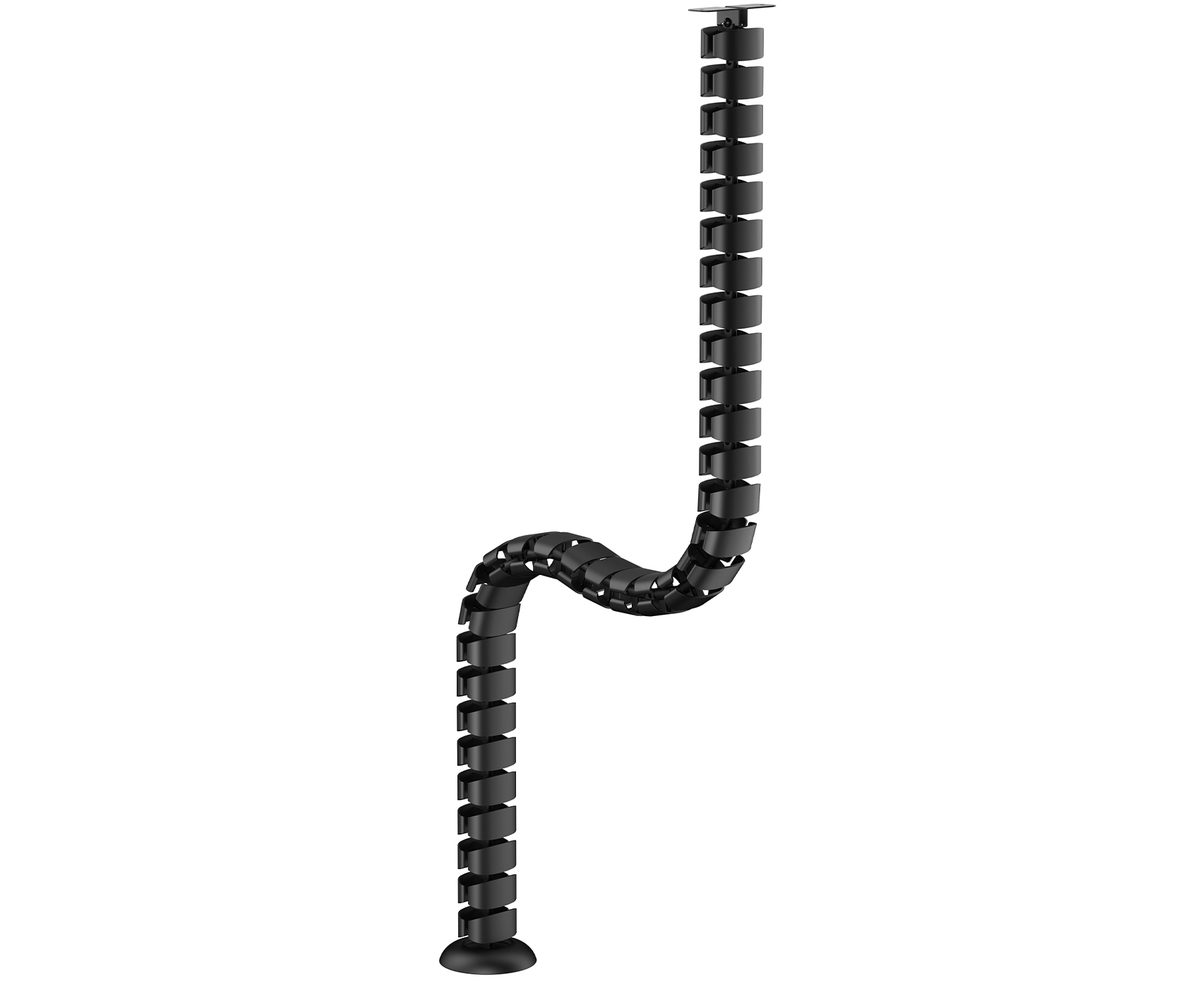
The SolidHand-CM03S is a vertical cable chain that carries power and data cables from the underside of the desktop down to the floor in one tidy run. It is made of 35 linked steel and ABS segments with a total length of 130 cm, so it bends freely and follows a sit-stand desk as the top moves up and down. The top end is screwed to the underside of the desktop with a small bracket, and the bottom end rests on the floor on a round base.
Table of contents
Specifications
- Colour: black
- Material: steel, ABS
- Number of segments: 35
- Mounting method: screwed to the underside of the desktop
- Dimensions: 130 × 10 × 10 cm
- Package dimensions: 29.5 × 12.8 × 10.5 cm
- Product weight: 0.76 kg
- Weight with packaging: 0.9 kg
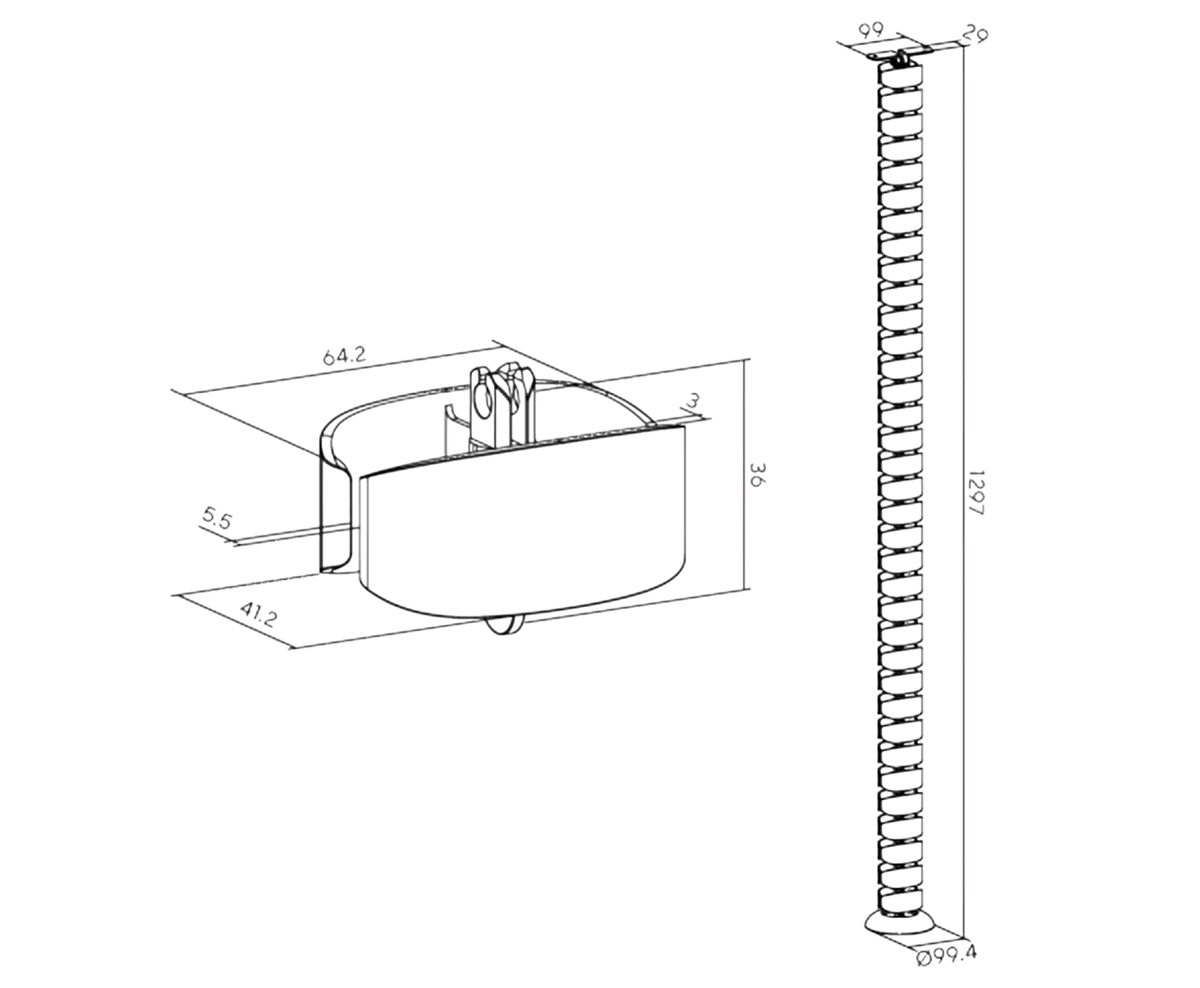
Kit contents
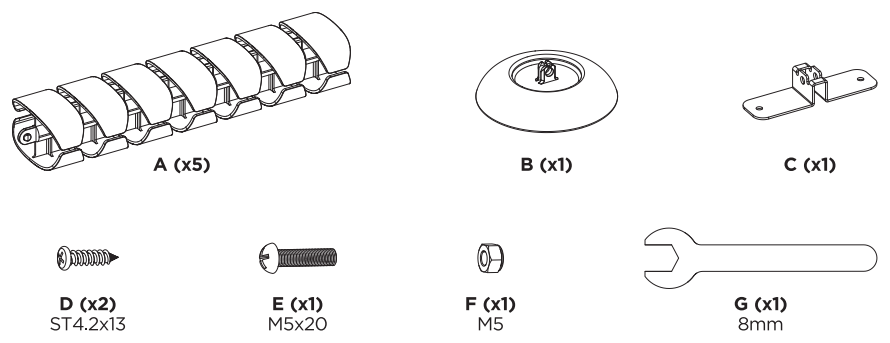
- A — chain section (× 5); the five sections together make up the 35 segments
- B — floor base (× 1)
- C — desktop mounting bracket (× 1)
- D — ST4.2 × 13 screw (× 2)
- E — M5 × 20 bolt (× 1)
- F — M5 nut (× 1)
- G — 8 mm spanner (× 1)
A printed user manual is also included.
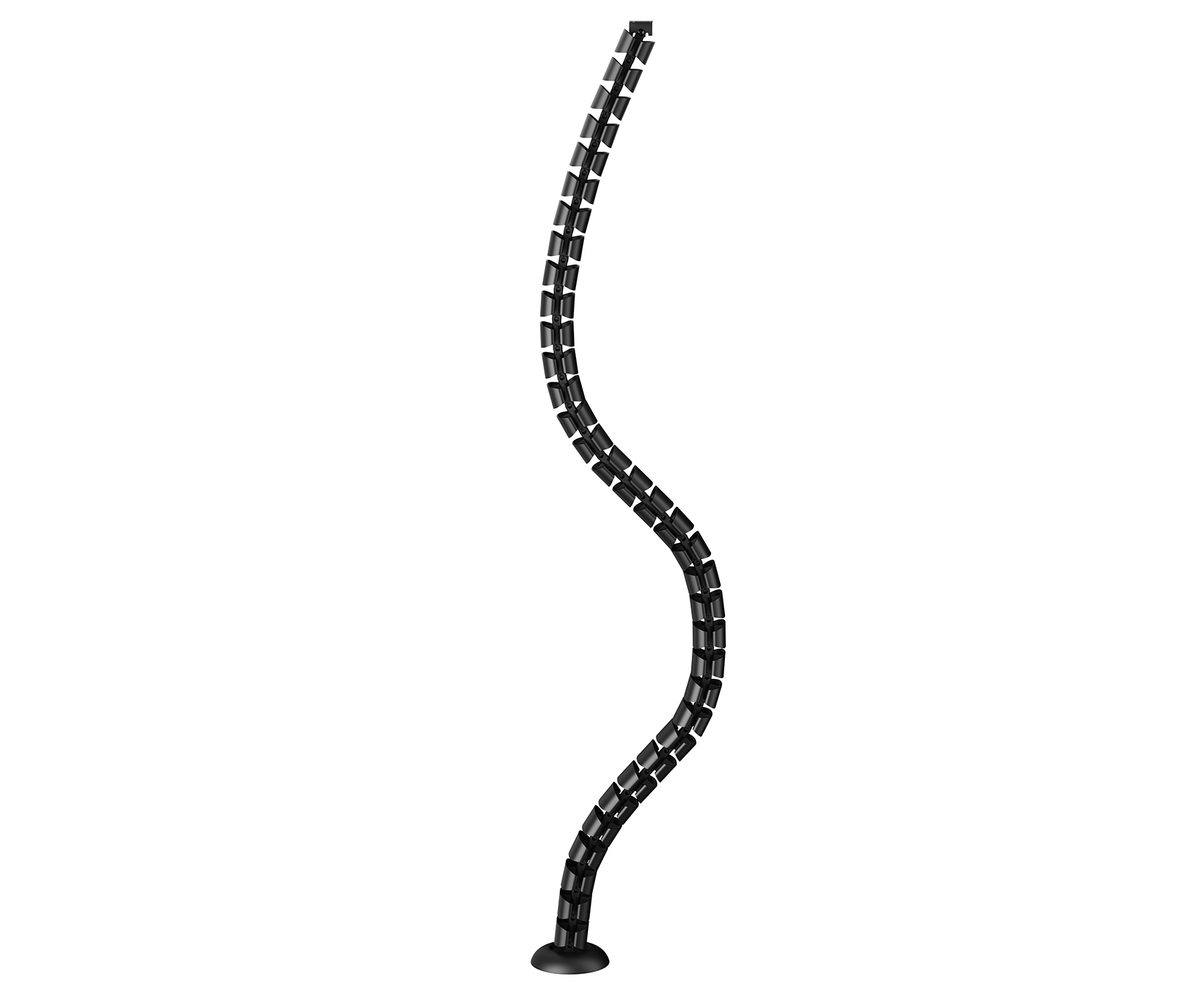
Before you start
- Check that the desktop is at least 15 mm thick where the bracket will be screwed on
- Decide where the cables leave the desk: the bracket goes on the underside of the desktop at that point, and the chain hangs straight down to the floor from there
- Have a drill with a Ø2.5 mm (3/32") bit and a Phillips screwdriver ready; the 8 mm spanner (G) for the bolt is supplied
Before you start, check that you have received all the parts listed above. If anything is missing or damaged, contact us before assembling the cable spine.
Assembly
The drawing below shows all the steps: the bracket under the desktop on the left, the pilot holes and the first section in the middle, and joining the sections and fitting the base at the bottom right.
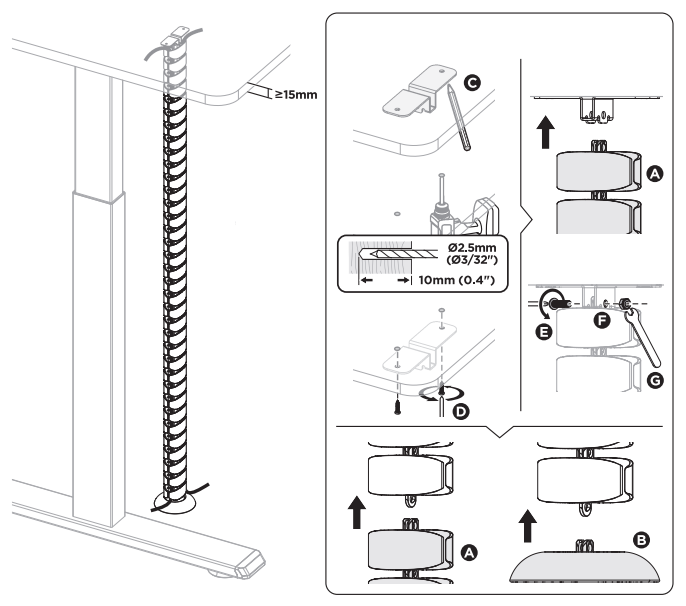
Step 1 — Screw the bracket under the desktop
- Hold the bracket (C) against the underside of the desktop where the cables will leave the desk and mark its two holes.
- Drill two pilot holes Ø2.5 mm (3/32"), 10 mm (0.4") deep.
- Fasten the bracket with the two ST4.2 × 13 screws (D).
Step 2 — Bolt the first chain section to the bracket
- Hook the top segment of one chain section (A) onto the tab of the bracket so that the holes line up.
- Push the M5 × 20 bolt (E) through the segment and the tab, fit the M5 nut (F) and tighten it with the 8 mm spanner (G).
Step 3 — Join the remaining sections and fit the base
- Push the next chain section (A) up into the bottom segment of the section above until it locks in place.
- Repeat for all five sections so that the chain reaches the floor.
- Push the floor base (B) onto the lowest segment.
Step 4 — Route the cables
- Guide the cables from the desktop down into the chain through the side opening of the segments.
- Let them leave the chain at the bottom, next to the base, and lead them to the wall socket or the floor box.
Using the cable spine
- The chain has 35 linked segments, so it bends freely in every direction and follows the desktop as a sit-stand desk goes up and down
- Cables can be added or removed at any time through the side opening of the segments, without taking the chain apart
- The base keeps the bottom end of the chain on the floor so that it does not swing or drag the cables
- Lay the cables loosely in the chain with some slack at the top, so that nothing pulls tight when the desk is at its highest position
Safety instructions
- Make sure the mounting surface is strong enough to support the product and the equipment being installed.
- Always use the assistance of a second person or a mechanical lifting device to safely lift and position heavy equipment.
- Tighten the screws firmly, but do not overtighten. Overtightening can damage the product and significantly reduce its load capacity.
- Keep a safe distance from moving parts when using the product.
- Use the product only as intended. Do not sit, stand or climb on the product.
- The product is intended for indoor use only.
- Any modification of the structure is not permitted.
- The product may contain small parts that pose a choking hazard if swallowed. Keep out of reach of children.
- Before use, make sure that all components are securely fastened and that the instructions have been fully read and understood.
- Check that the product is safe and ready for use at regular intervals, at least every three months.
Frequently asked questions
How is the cable spine mounted?
Do I need to drill into the desk?
Does it work with a sit-stand desk?
How long is the chain?
How do the cables get into the chain?
What tools do I need?
Downloads
The manuals and datasheets as PDF, in case an offline copy is needed. Everything in them is also on this page.