Wall mount for computers, SolidHand-PC02W
GTIN: 5907614667719 · SKU: SolidHand-PC02W
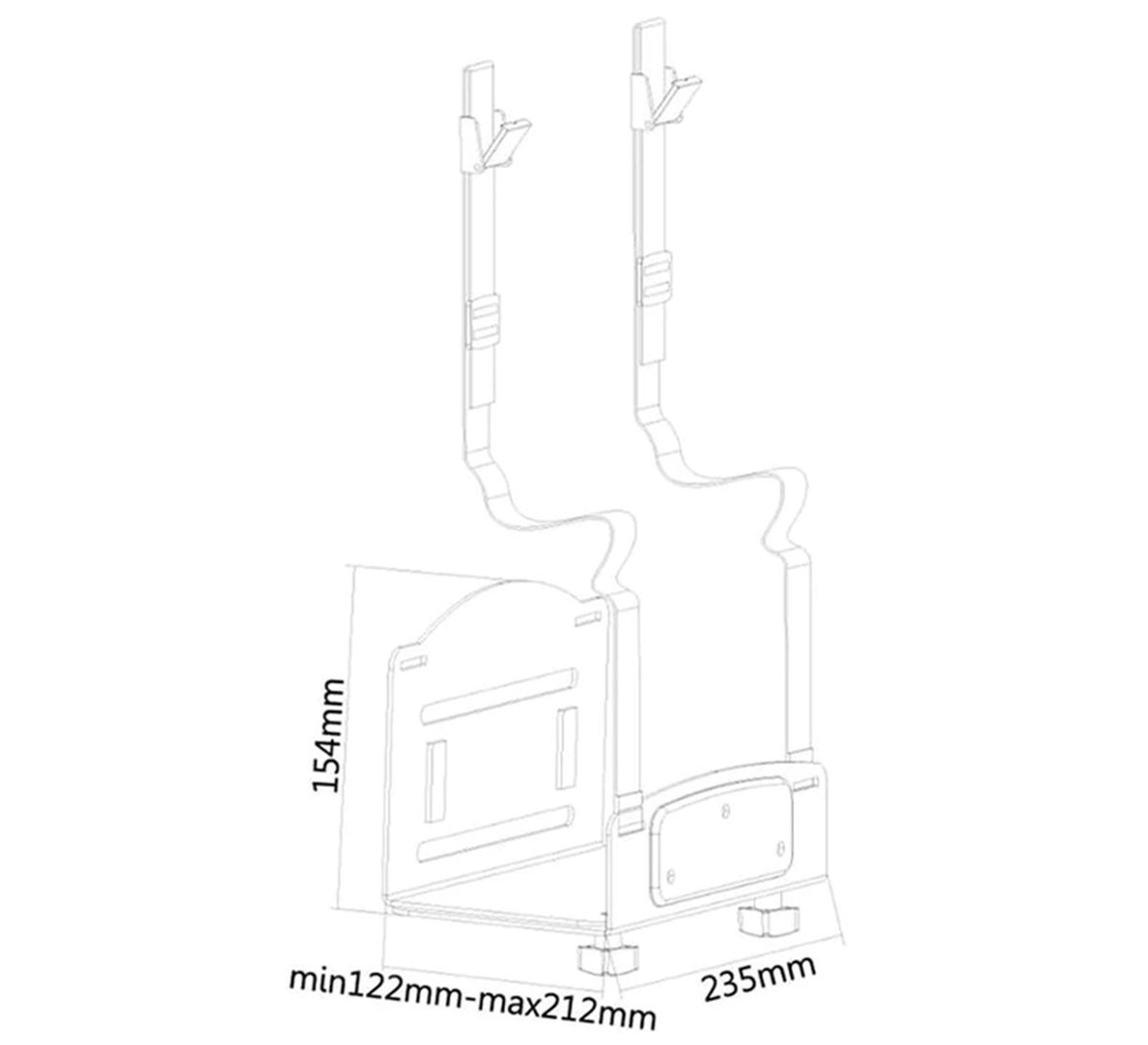
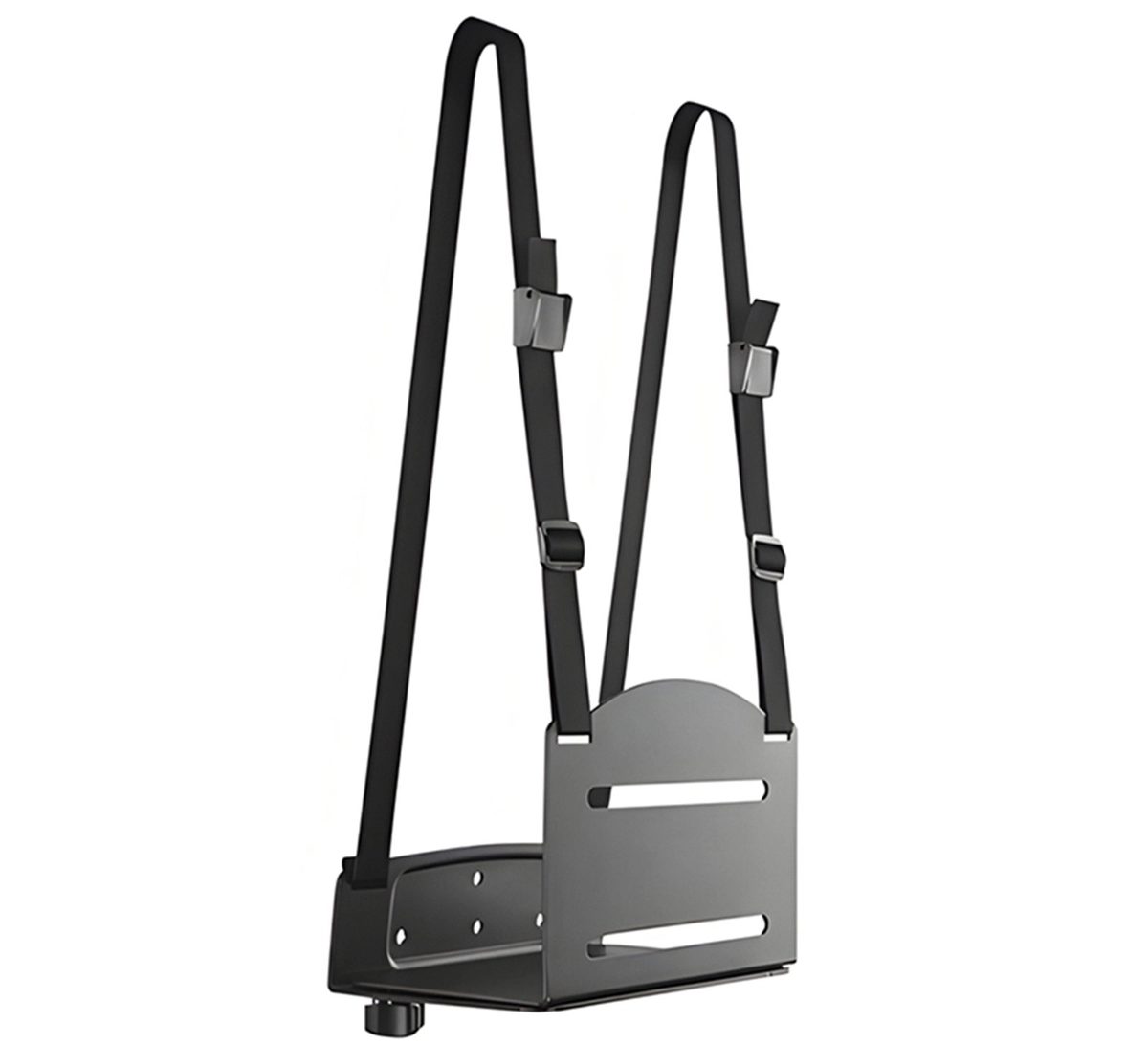
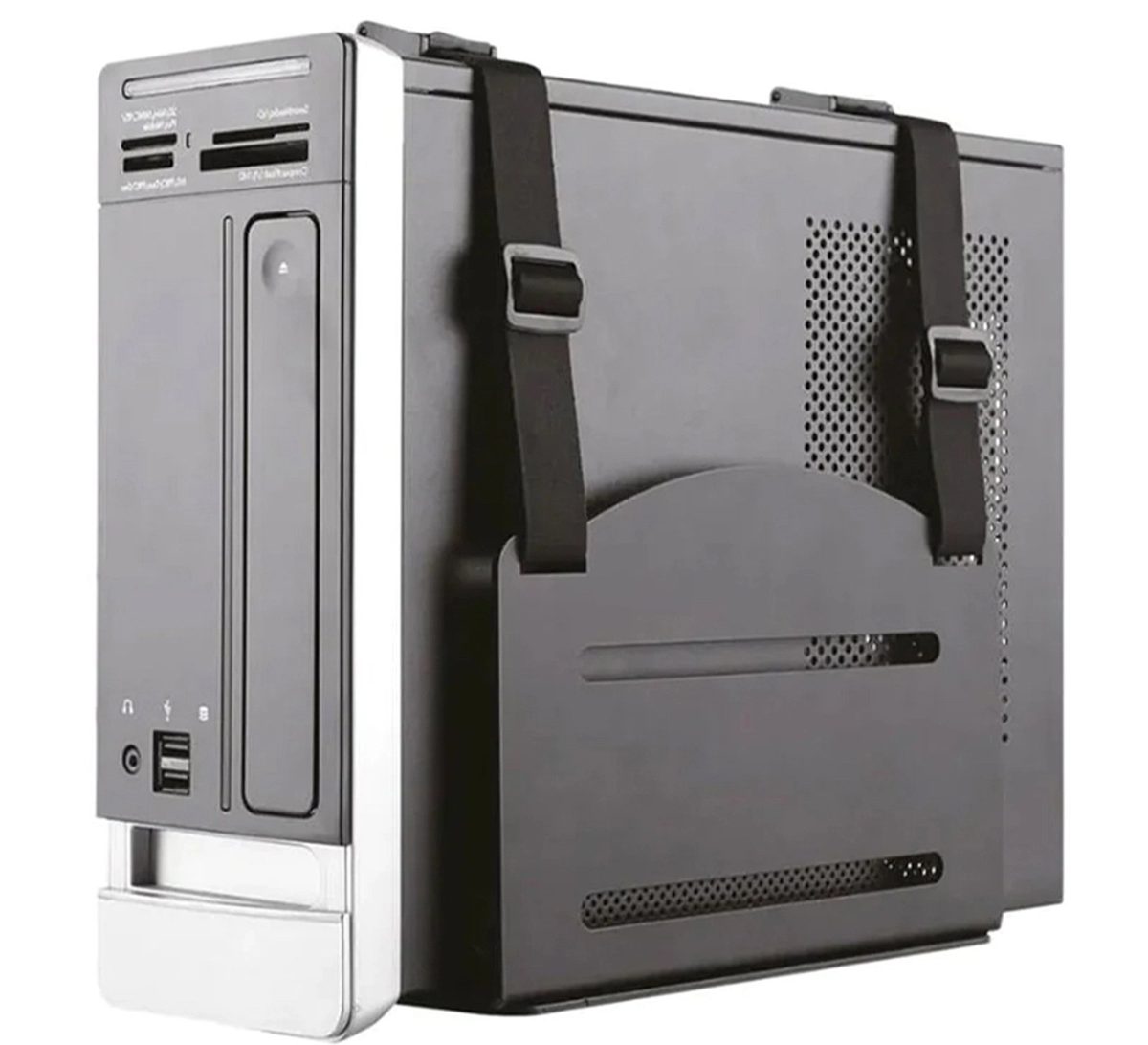
The SolidHand-PC02W is a matte black steel bracket that hangs a desktop computer on the wall, off the floor and away from the dust. The bracket is screwed to a solid wall with three screws and wall plugs. Its width is adjustable from 122 to 212 mm to fit the computer case, and two straps with buckles hold the case in the bracket. The holder carries up to 10 kg.
Table of contents
Specifications
- Colour: matte black
- Material: steel
- Load capacity: 10 kg
- Mounting method: wall
- Holder dimensions: 23.5 × 22.3 × 17.7 cm
- Package dimensions: 24 × 18.5 × 15.8 cm
- Weight: 2.1 kg
- Weight with packaging: 2.35 kg
Kit contents
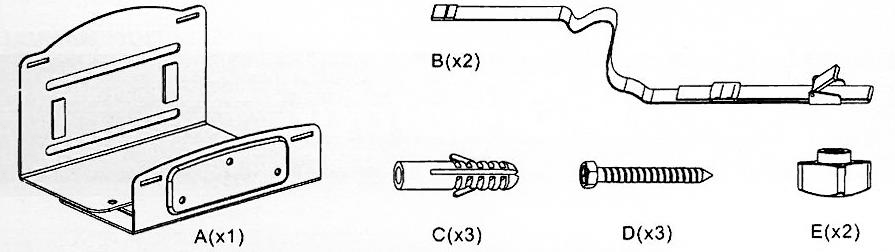
- A — bracket (× 1)
- B — strap with buckle (× 2)
- C — wall plug (× 3)
- D — screw (× 3)
- E — knob (× 2)
The kit also includes the printed user manual.
Before you start
Read the whole of this page before you start the installation.
- The holder is intended for solid concrete or brick walls only. Do not fix it to plasterboard or hollow walls
- Check that the wall will safely carry the weight of the holder, the computer and everything attached to it
- You will need a pencil, a drill with a 10 mm masonry bit, a screwdriver and a spanner for the knobs
- Use the screws and wall plugs supplied and do not overtighten them
- Measure the width of the computer case: it has to be between 122 and 212 mm
Check that you have received all the parts listed above before you start. If anything is missing or damaged, contact us before installing the holder.
Installation
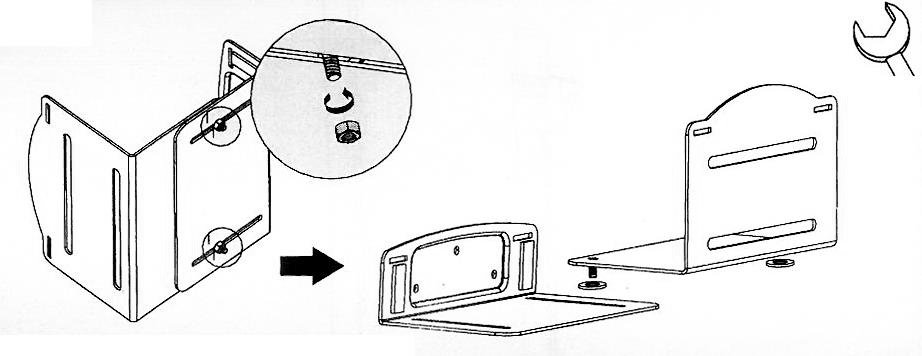
Step 1 — Join the two halves of the bracket
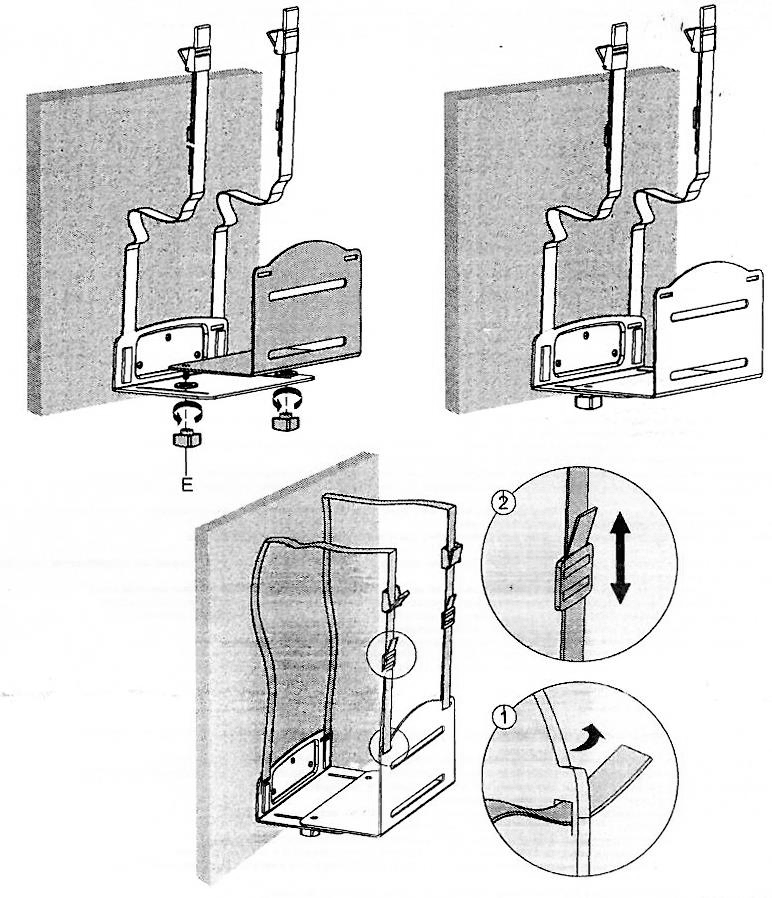
- Slide the two bolts of the side plate through the slots in the base of the wall plate.
- Screw a knob (E) onto each bolt from below and tighten it lightly with the spanner. Leave the knobs loose enough to adjust the width later.
Step 2 — Fix the bracket to the wall
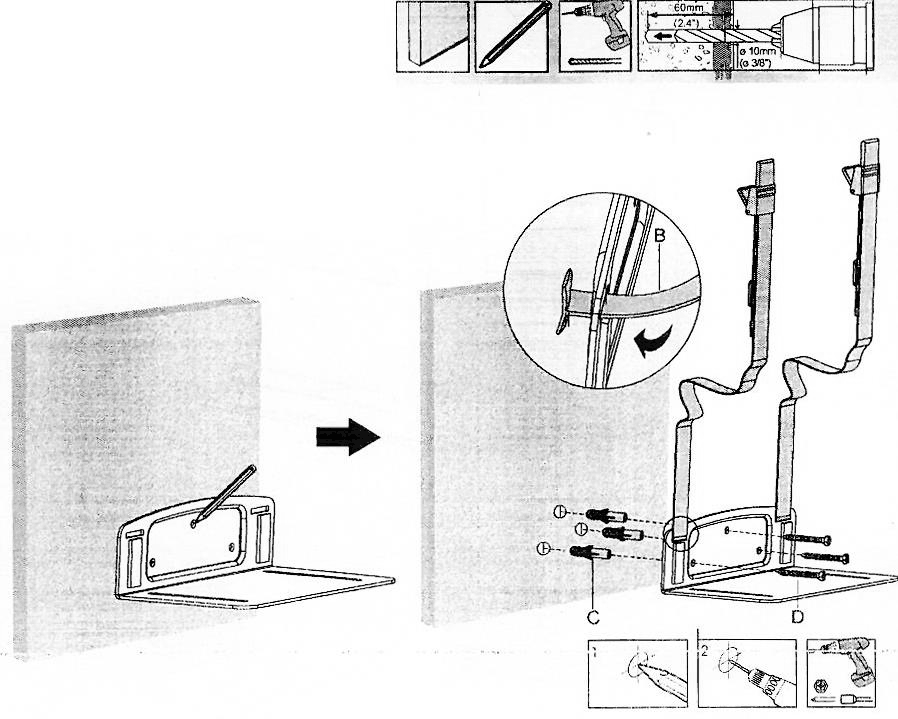
- Hold the bracket against the wall at the chosen height and mark the three holes of the wall plate with a pencil.
- Drill three holes 10 mm in diameter and 60 mm deep, and push in the wall plugs (C).
- Thread each strap (B) through the slots of the wall plate so that the buckle ends hang above the bracket, as the detail in the drawing shows.
- Screw the bracket to the wall with the three screws (D).
Step 3 — Set the width and prepare the straps
- Slide the side plate until the bracket matches the width of the computer case, then tighten both knobs (E) from below.
- Fold the end of each strap back through its buckle (detail 1) and slide the buckle up or down to set the length (detail 2).
Step 4 — Put the computer in the holder
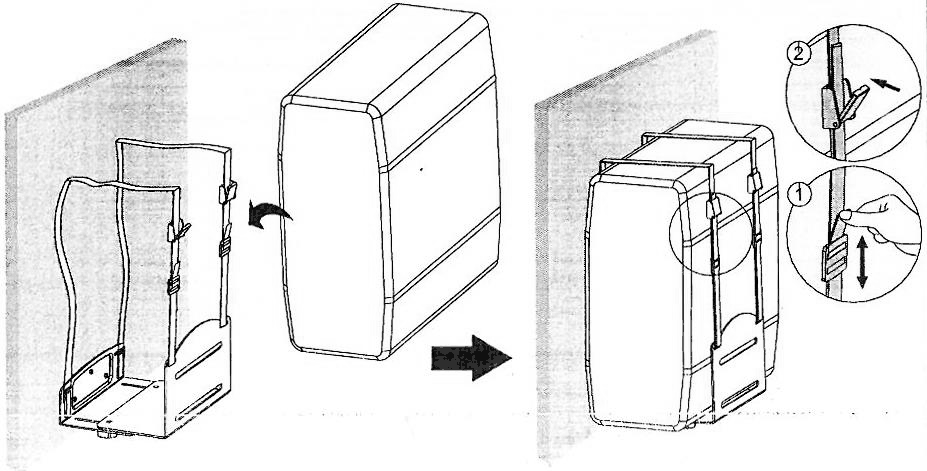
- Stand the computer in the bracket with its back to the wall.
- Bring each strap over the top of the case, push the loose end into the buckle and pull it tight (detail 1).
- Press the buckle lever down to lock the strap (detail 2). Check that the computer cannot move in the bracket.
Using the holder
- To take the computer out, open the buckles, lift the straps off the case and lift the computer out of the bracket
- To fit a different case, loosen the knobs (E), slide the side plate to the new width and tighten the knobs again
- Leave space around the case so that air can reach the fans and the vents
- The holder needs no maintenance beyond checking the screws, knobs and straps from time to time
Safety notes
- Do not exceed the rated load of 10 kg. Loading the holder with more than its rated weight can make it unstable and cause injury.
- Fix the holder exactly as described above. Incorrect installation can damage the computer or cause serious injury.
- Mount the holder only on solid concrete or brick walls. Make sure the wall will safely carry the weight of the holder, the computer and everything attached to it.
- Use protective equipment and suitable tools when drilling.
- Use the screws and wall plugs supplied and do not overtighten them.
- The kit contains small parts that are a choking hazard if swallowed. Keep them away from children.
- Check at regular intervals, at least once every three months, that the holder is stable and safe to use.
Frequently asked questions
What types of computers fit the SolidHand-PC02W?
How is the mount attached to the wall?
Does wall mounting affect computer ventilation?
How wide can the computer case be?
Can I mount the holder on a plasterboard wall?
Do I need to take the holder off the wall to remove the computer?
Downloads
The manufacturer's manuals and datasheets in PDF, in case an offline copy is needed. Everything in them is on this page as well.