Under-desk computer holder, SolidHand-PC19
GTIN: 5907614667689 · SKU: SolidHand-PC19
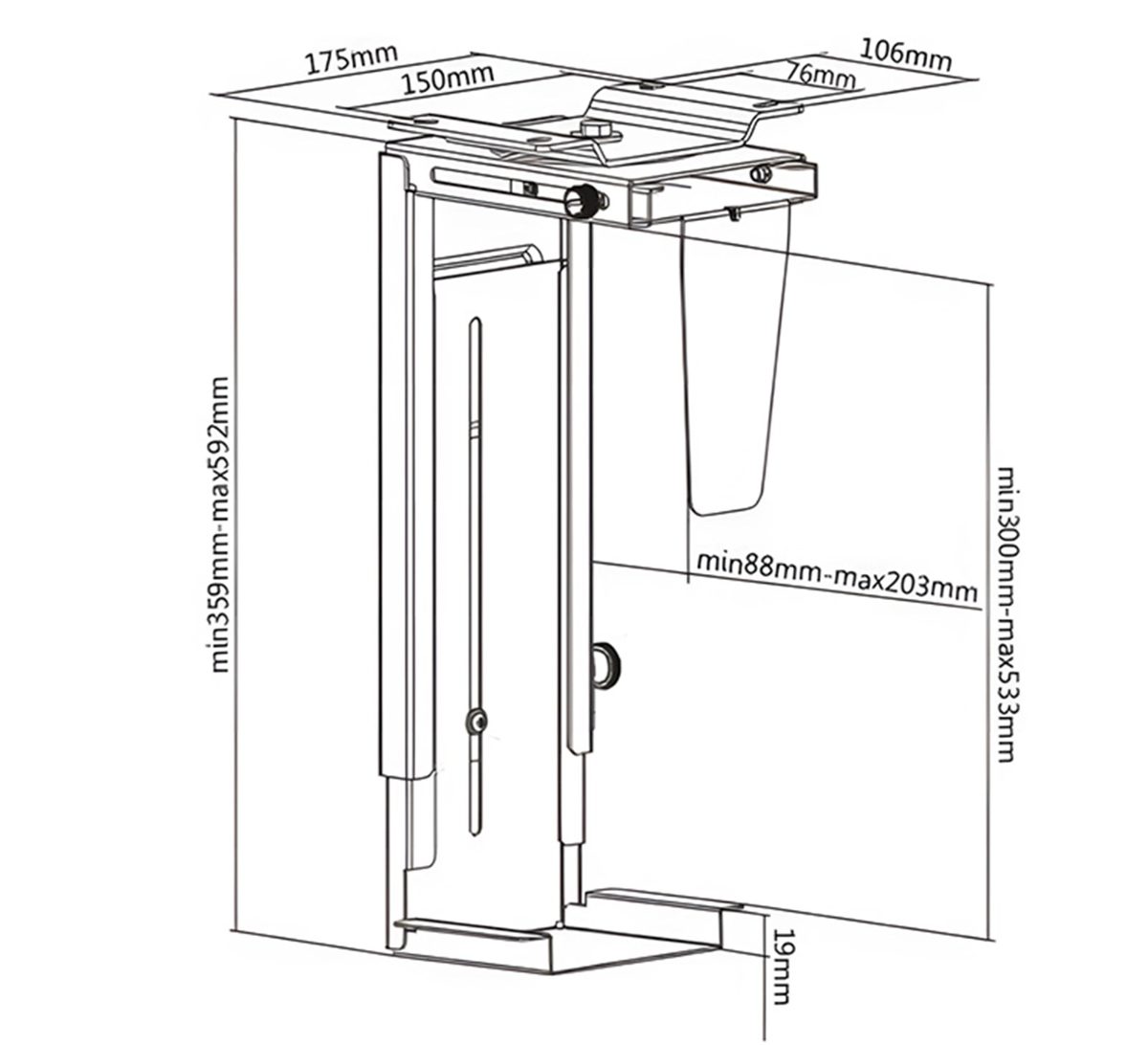
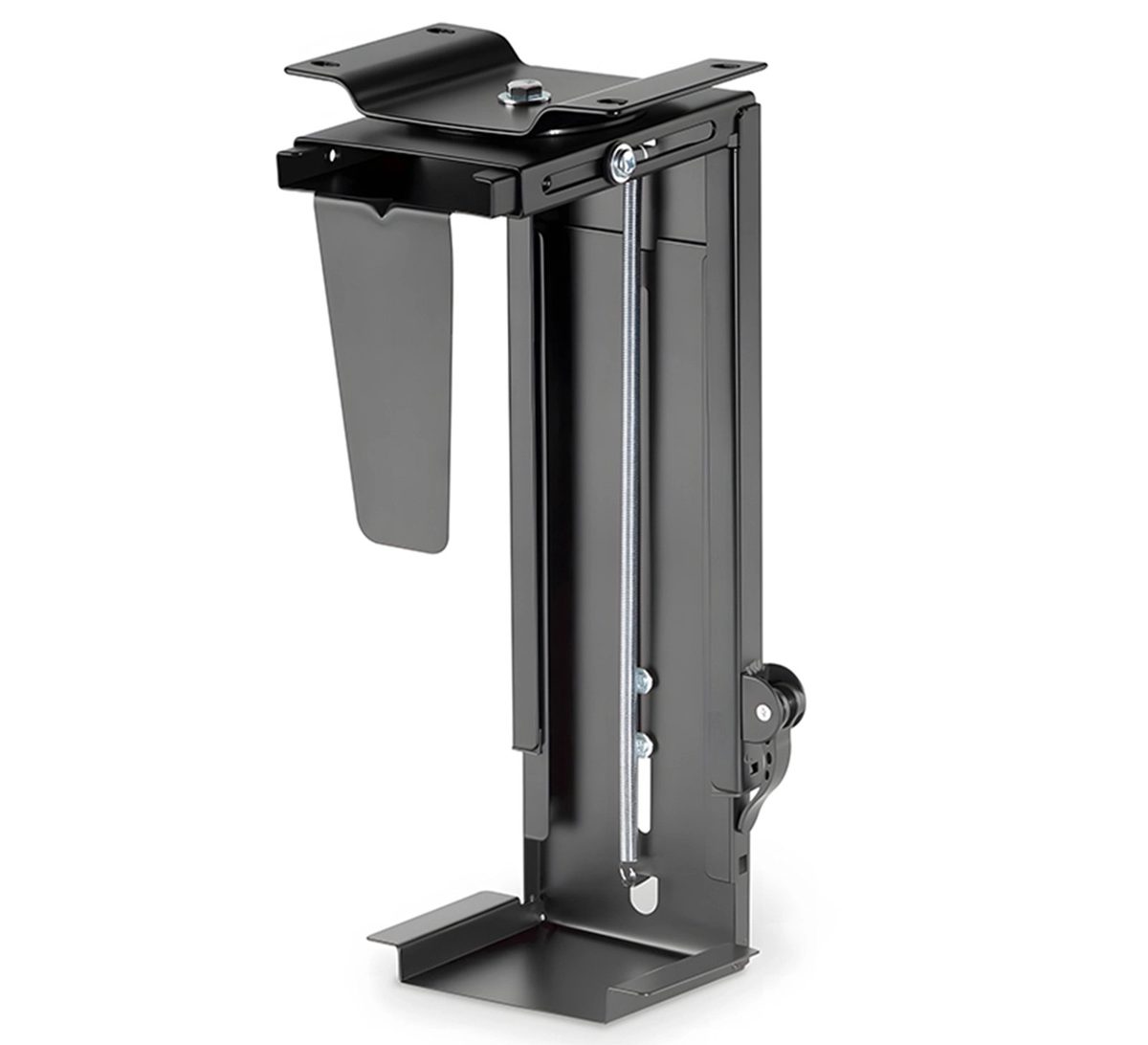
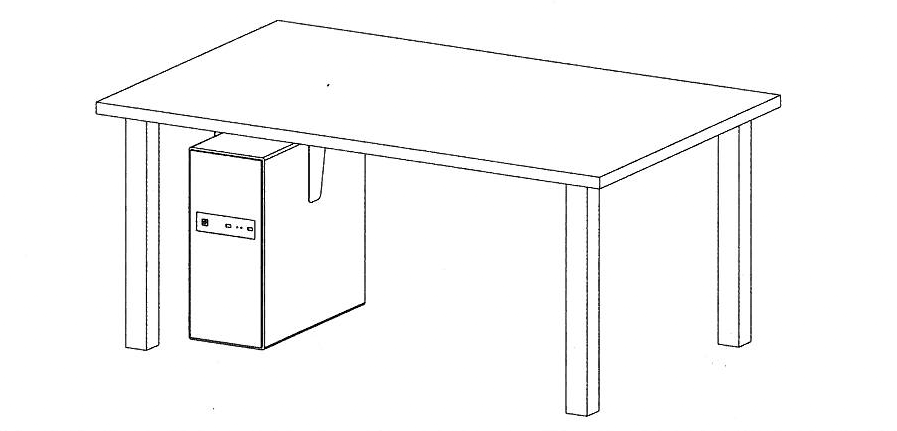
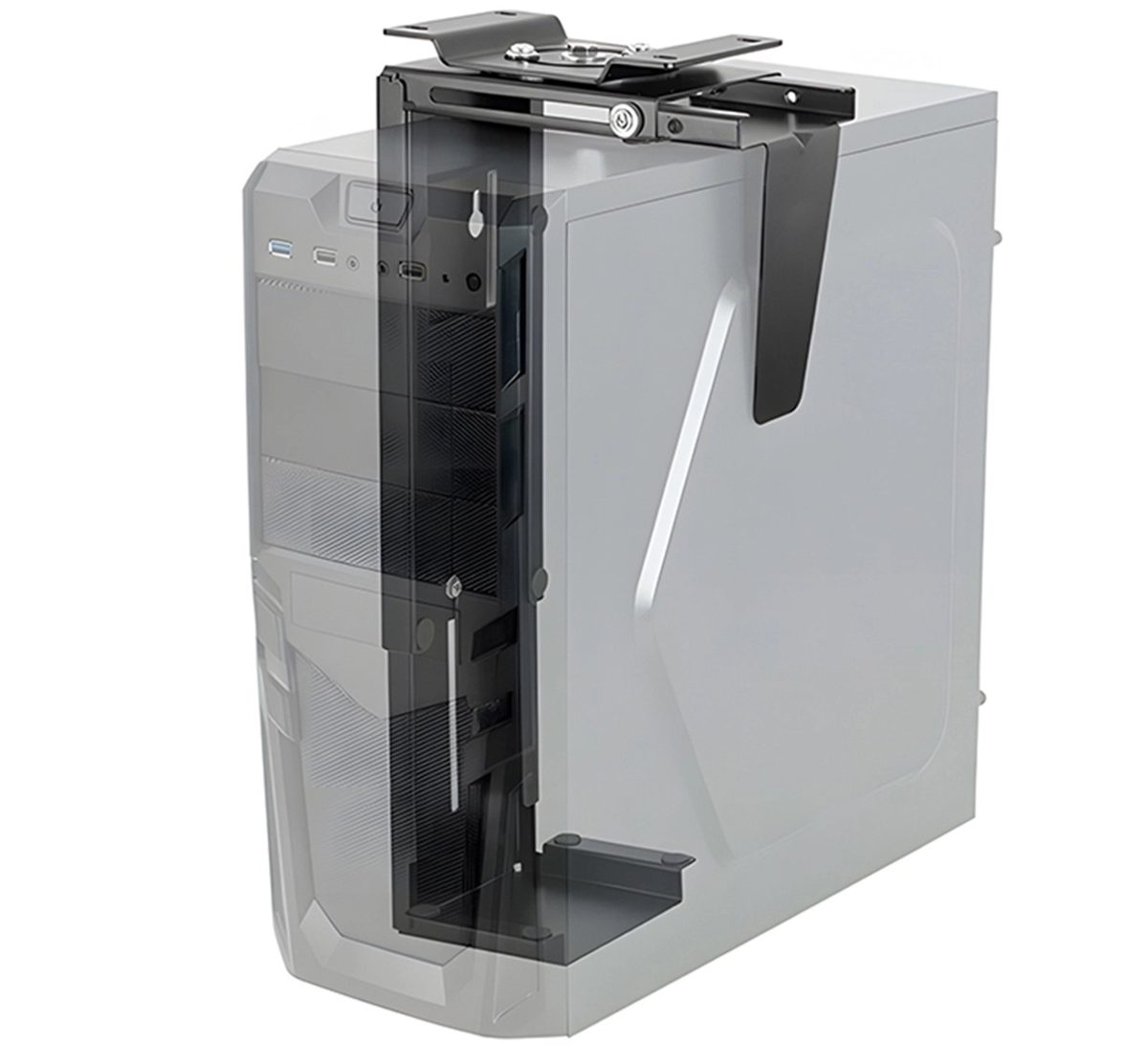
The SolidHand-PC19 is a matte black steel holder that hangs a desktop computer under the desk, off the floor and out of the way of your legs. Its top plate is screwed to the underside of the desktop, and the holder slides out on a rail so you can reach the computer. The height is adjustable from 30 to 51 cm and the depth from 8.8 to 20.3 cm to fit the case, the holder turns through +180° ~ −180° to give access to the ports, and it carries up to 10 kg.
Table of contents
Specifications
- Colour: matte black
- Material: steel
- Load capacity: 10 kg
- Mounting method: under the desktop
- Height range: 30 ~ 51 cm
- Depth range: 8.8 ~ 20.3 cm
- Swivel range: +180° ~ −180°
- Holder dimensions: 23.5 × 17.5 × 58.3 cm
- Package dimensions: 37.2 × 17.2 × 18 cm
- Weight: 2.6 kg
- Weight with packaging: 3 kg
Kit contents
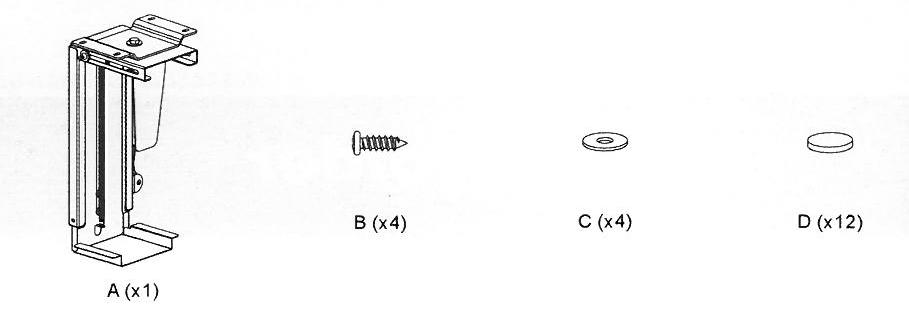
- A — holder (× 1)
- B — screw (× 4)
- C — washer (× 4)
- D — plastic cap (× 12)
The kit also includes the printed user manual.
Before you start
Read the whole of this page before you start the installation.
- The holder is screwed to the underside of the desktop. Check that the desktop is solid and will safely carry the weight of the holder, the computer and everything attached to it
- You will need a cross-head screwdriver
- Use the screws supplied and do not overtighten them
- Measure the computer case: it has to be between 30 and 51 cm high and between 8.8 and 20.3 cm wide
- Choose a spot under the desk where the computer will not be in the way of your legs and where the cables reach the sockets
Check that you have received all the parts listed above before you start. If anything is missing or damaged, contact us before installing the holder.
Installation
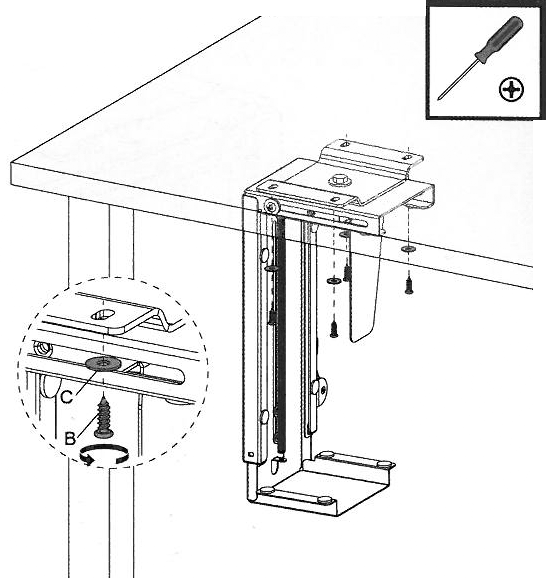
Step 1 — Fit the caps and screw the holder under the desk
- Press the plastic caps (D) into the holes of the holder (A), as the details in the drawing show.
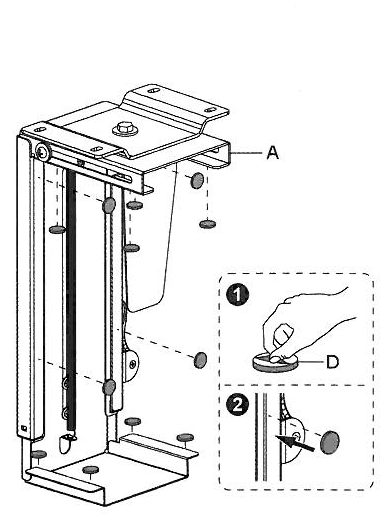
- Hold the top plate of the holder against the underside of the desktop and screw it on with the four screws (B) and washers (C), using a cross-head screwdriver.
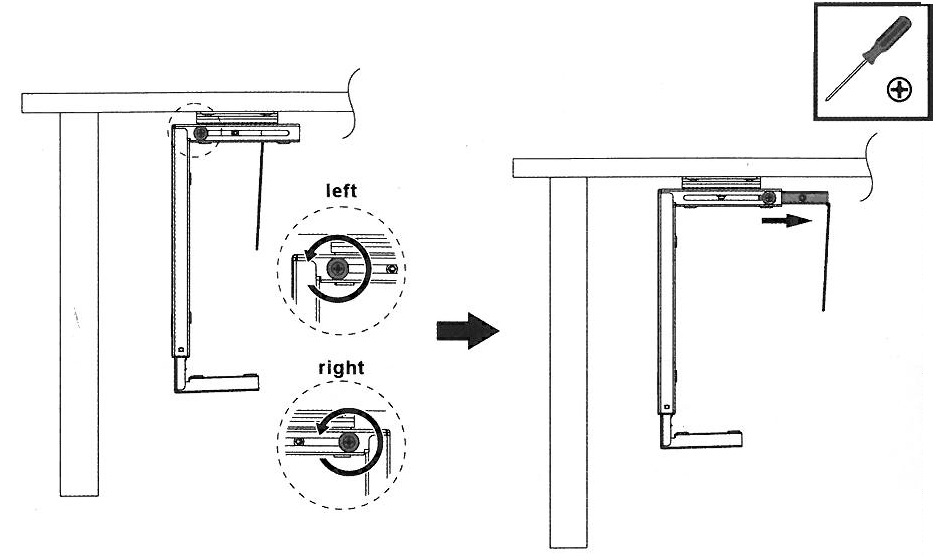
Step 2 — Slide the holder out
- Loosen the knob on the top rail.
- Pull the holder out from under the desk along the rail, so that you can put the computer in comfortably.
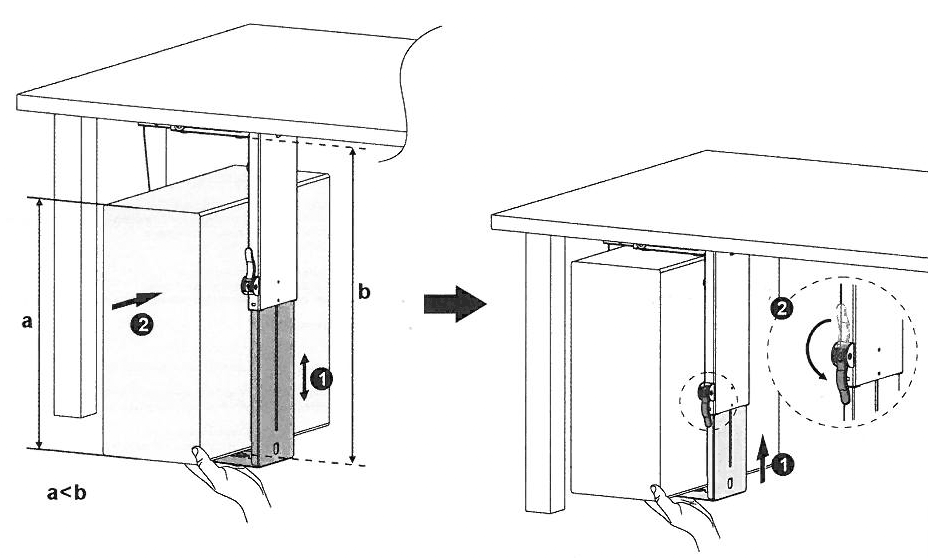
Step 3 — Fit the computer
- Stand the computer on the bottom tray of the holder. The case must be lower than the extended holder.
- Slide the upper part of the holder down until the top bracket rests on the case, and push the side clamp against the case (details 1 and 2).
- Tighten the locking lever on the side of the holder so that the computer cannot move.
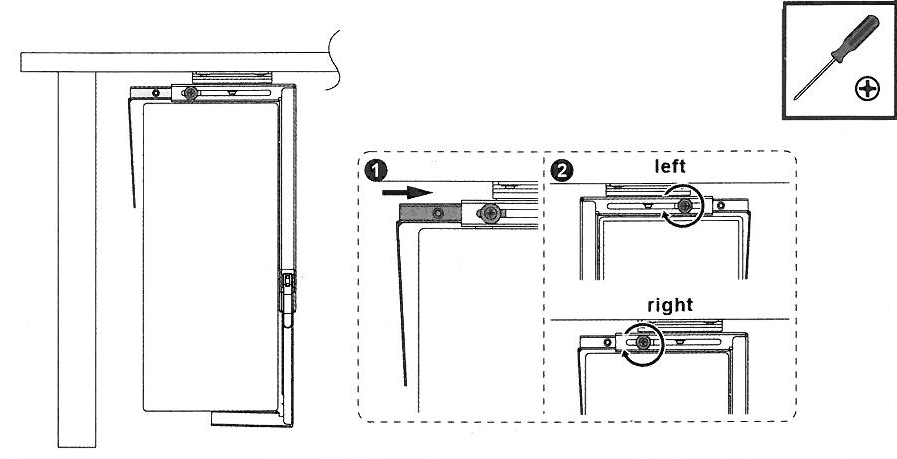
Step 4 — Slide the holder back and lock it
- Push the holder with the computer back under the desk along the rail (detail 1).
- Tighten the knob on the top rail so that the holder stays in place (detail 2).
Using the holder
- To reach the ports, loosen the knob on the rail, slide the holder out and turn it: the holder hangs on a pivot in the top plate and swivels through +180° ~ −180°
- To take the computer out, release the locking lever, slide the upper part of the holder up, lift the side clamp off the case and lift the computer off the tray
- To fit a different case, set the height and the depth again as in step 3
- The holder needs no maintenance beyond checking the screws, the knob and the lever from time to time
Safety notes
- Do not exceed the rated load of 10 kg. Loading the holder with more than its rated weight can make it unstable and cause injury.
- Fix the holder exactly as described above. Incorrect installation can damage the computer or cause serious injury.
- Make sure the desktop will safely carry the weight of the holder, the computer and everything attached to it.
- Use protective equipment and suitable tools.
- Use the screws supplied and do not overtighten them.
- The kit contains small parts that are a choking hazard if swallowed. Keep them away from children.
- Check at regular intervals, at least once every three months, that the holder is stable and safe to use.
Frequently asked questions
What is the maximum load capacity of the SolidHand-PC19?
How much can I adjust the mount position?
Does mounting the computer under the desk affect cooling?
Do I have to unscrew the holder to get at the back of the computer?
What tools do I need?
Will the holder fit a small form factor case?
Downloads
The manufacturer's manuals and datasheets in PDF, in case an offline copy is needed. Everything in them is on this page as well.