Under-desk keyboard drawer with storage compartment, SolidHand-KT08W
GTIN: 5907614667726 · SKU: SolidHand-KT08W
The SolidHand-KT08W is a white keyboard drawer that clamps under the edge of the desk, with no drilling and no screws into the desktop. The 68 × 28.3 cm platform holds a keyboard and a mouse, has a small compartment in the middle for pens and other small items, carries up to 5 kg and runs on two telescopic rails, so it pulls out for typing and slides back under the desk when the full desktop is needed.
Table of contents
Specifications
- Colour: white
- Material: steel, plastic
- Load capacity: 5 kg
- Mounting method: clamping screw
- Overall dimensions: 79.7 × 28.3 × 12.9 cm
- Platform dimensions: 68 × 28.3 cm
- Package dimensions: 78.8 × 30 × 7 cm
- Weight: 2.2 kg
- Desktop thickness at the clamp: up to 45 mm
Kit contents
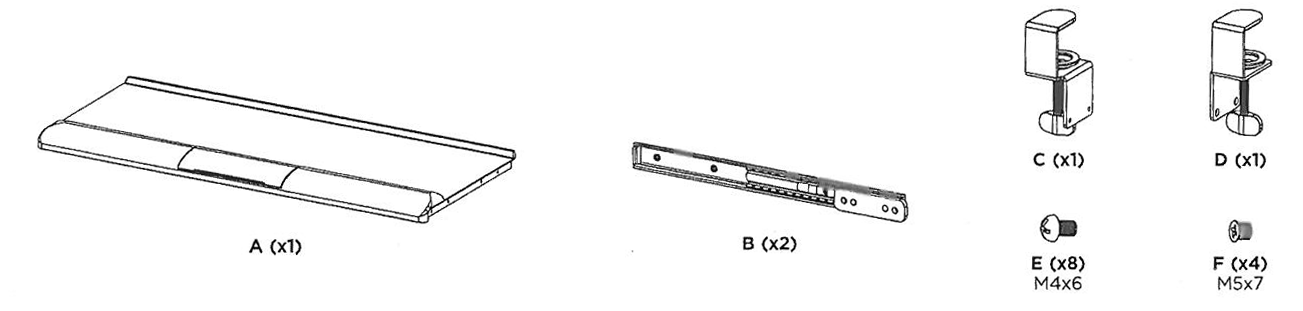
- A — keyboard platform (× 1)
- B — telescopic rail (× 2)
- C — clamp (× 1)
- D — clamp (× 1)
- E — M4 × 6 screw (× 8)
- F — M5 × 7 screw (× 4)
Before you start
Assembly takes a few minutes and needs only a Phillips screwdriver — everything else is in the box.
- Check that the desktop is no thicker than 45 mm where the clamps will sit
- Clear the edge of the desk of cables and anything the clamps could catch on
- Turn the platform upside down on a soft surface to fit the rails, so the white finish does not get scratched
Check that you have received all the parts listed above before you start. If anything is missing or damaged, contact us before assembling the drawer.
Assembly
Step 1 — Fit the rails and the clamps
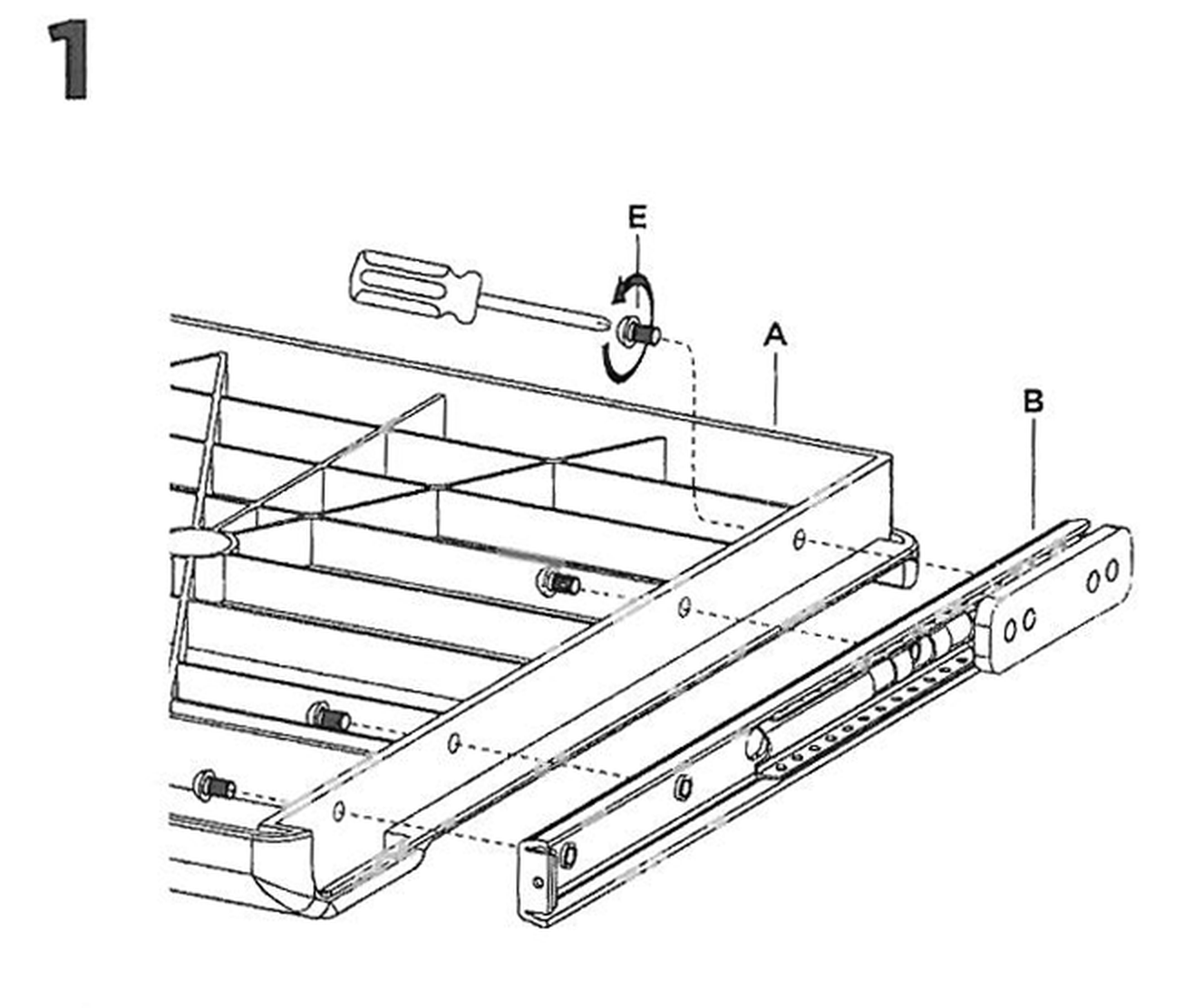
- Lay the platform (A) upside down and put a telescopic rail (B) against each side.
- Fix each rail with four M4 × 6 screws (E) — eight in total — using a Phillips screwdriver.
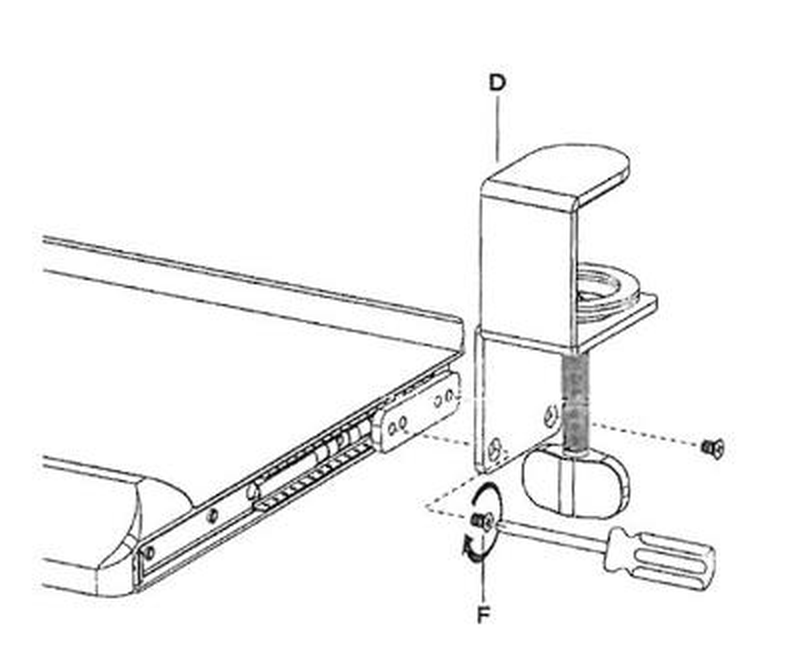
- Attach the clamps (C and D) to both sides of the drawer — one to the end of each rail — with the M5 × 7 screws (F), two per clamp. Make sure the jaws of both clamps face towards the desktop, as shown in the drawing.
- Leave the clamp knobs loose for now.
Step 2 — Clamp the drawer to the desk
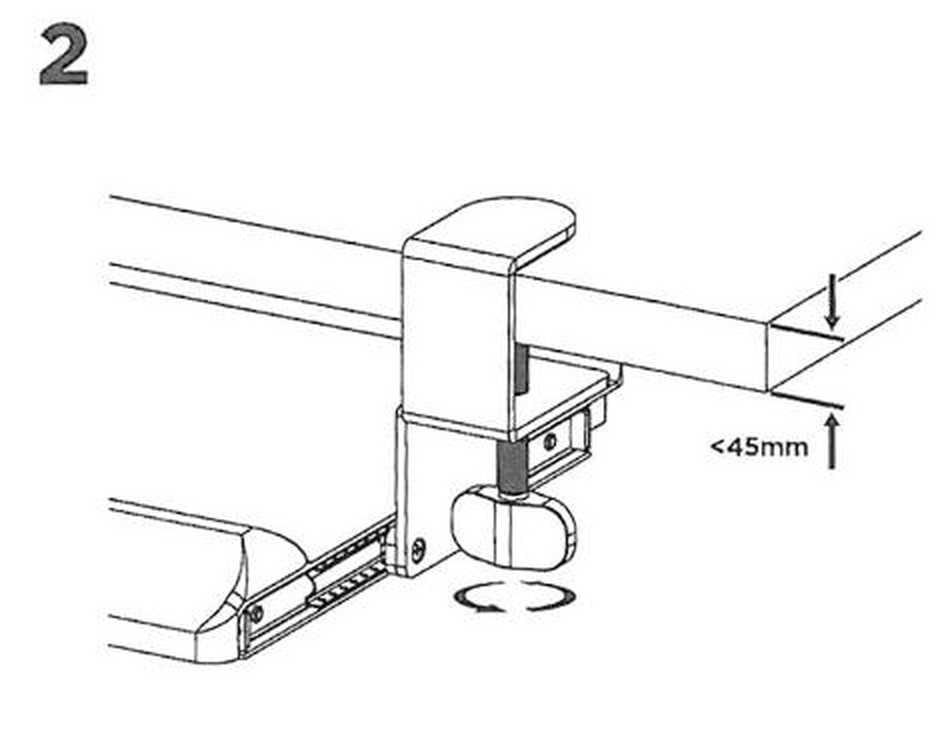
- Hold the drawer under the edge of the desk and slide the jaws of both clamps over the desktop.
- Turn the knob of each clamp until the jaw presses firmly against the underside of the desktop. The desktop may be up to 45 mm thick.
- Check that the drawer sits level and does not move when you press on it.
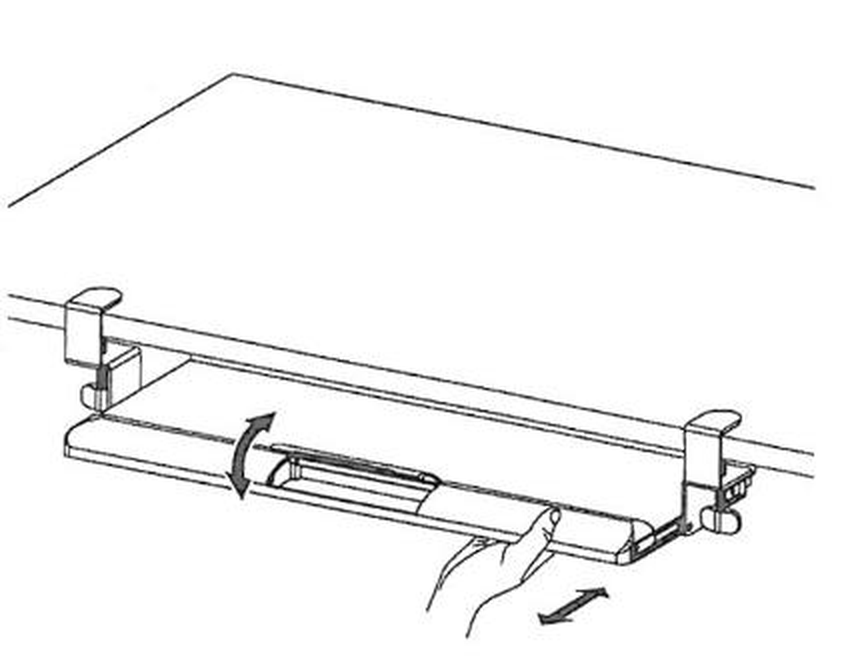
- Pull the platform towards you to use the keyboard, and push it back under the desk when you need the whole desktop.
Using the drawer
- The platform runs the full travel of the telescopic rails and slides back under the desk when it is not in use
- The 68 × 28.3 cm surface takes a full-size keyboard and a mouse side by side
- Keep pens, USB sticks and other small items in the compartment in the middle of the platform
- The rated capacity is 5 kg — enough for a keyboard, a mouse and small accessories
- The drawer needs no maintenance beyond wiping it clean and checking the clamps from time to time
Safety notes
- Do not exceed the rated load of 5 kg.
- Do not lean on the drawer, rest your forearms on it with your full weight, or use it as a step.
- Make sure both clamps are tight before loading the drawer, and check them again every few months.
- Do not mount the drawer on a desktop thicker than 45 mm at the clamping point — the jaws will not hold.
- Keep the small parts away from children; they are a choking hazard if swallowed.
- Do not modify the drawer or replace the supplied screws with longer ones.
Frequently asked questions
Does the SolidHand-KT08W require drilling to install?
Will it fit my desk?
Can I put a mouse on the tray alongside the keyboard?
How much can the drawer hold?
Which screws go where?
Downloads
The manufacturer's manuals and datasheets in PDF, in case an offline copy is needed. Everything in them is on this page as well.