Computer keyboard with numeric keypad, wired USB with QWERTY layout, classic, HDWR typerCLAW-PC100
GTIN: 5907614666811 · SKU: typerCLAW-PC100
Table of contents
Introduction
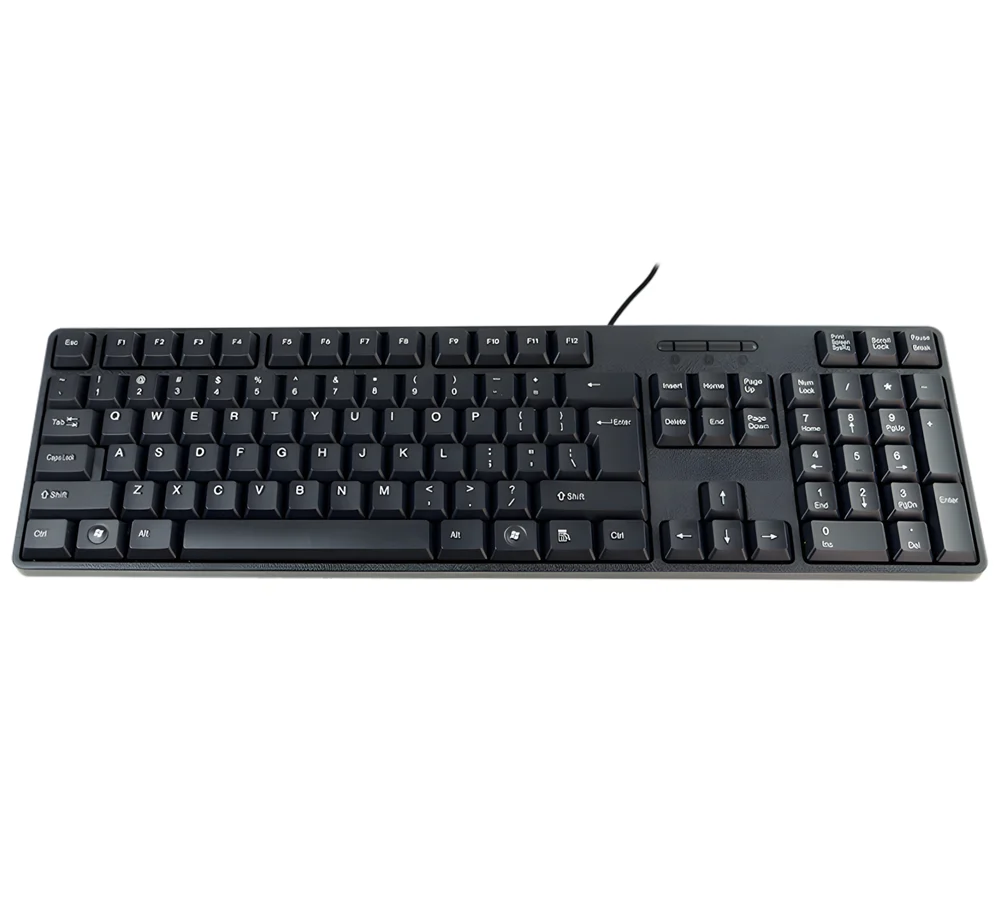
The typerCLAW-PC100 is a classic full-size wired keyboard with 104 membrane keys, a numeric keypad and function keys. It connects to the computer with a USB cable and works on a Plug & Play basis — no drivers need to be installed. It is a simple, reliable keyboard for office and home work with Windows.
Specifications
- Housing colour: black
- Material: ABS
- Keyboard type: membrane
- Number of keys: 104
- Keyboard layout: QWERTY
- Additional functions: numeric keypad, function keys, Plug & Play
- Supported languages: Polish, English, French, etc.
- Supported operating systems: Windows
- Interface: USB 3.0
- Cable length: 1.25 m
- Device dimensions: 452 × 147 × 28 mm
- Package dimensions: 45.5 × 15 × 2.5 cm
- Device weight: 320 g
- Weight with packaging: 550 g
Set contents
- Wired keyboard with USB cable
Connecting the keyboard to a computer
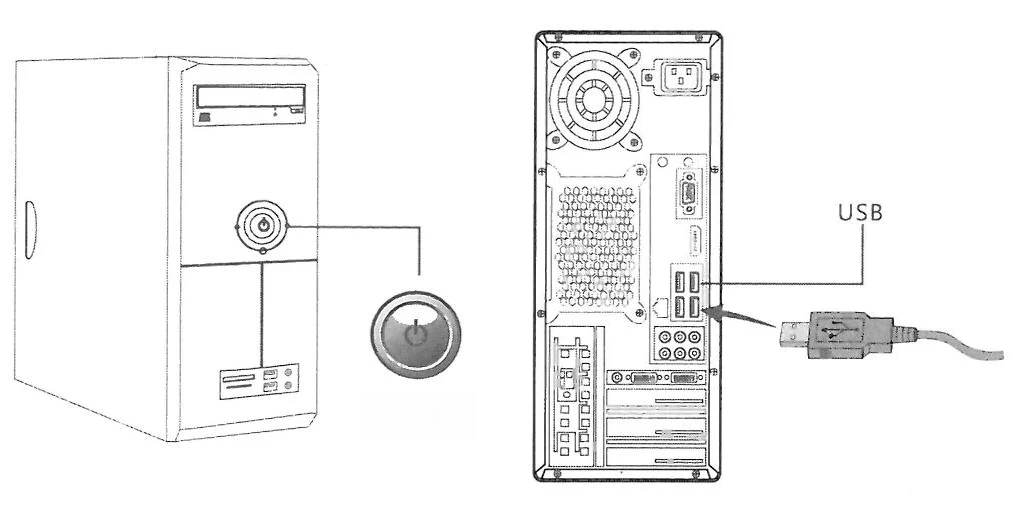
- Make sure the computer is switched off before connecting the keyboard.
- Plug the keyboard USB cable into a USB port of the computer.
- Switch the computer on. The operating system detects the keyboard automatically — no drivers need to be installed. When the blue LED lights up, the keyboard is ready to use.
Function keys
The function keys F1–F12 are in the top row. Their functions may differ depending on the software and operating system. The most common uses are:
| Key | Typical function |
|---|---|
| F1 | Opens the help in most applications. |
| F2 | Renames the selected file or folder — select the item and press F2. |
| F3 | Opens the search function. |
| F4 | Together with Alt (Alt + F4) closes the current window or program. |
| F5 | Refreshes — reloads the content in web browsers and applications. |
| F6 | Moves between interface elements, e.g. to the address bar in browsers. |
| F7 | Starts the spell check in some word processors. |
| F8 | Can be used to enter Windows safe mode when the computer starts. |
| F9 | Runs specific refresh functions in selected programs, e.g. spreadsheets. |
| F10 | Activates the menu bar in applications; then move around with the arrow keys. |
| F11 | Toggles full-screen mode in web browsers. |
| F12 | Opens developer tools in browsers or other program-specific functions. |
The functions of F1–F12 can be customised in the software or in the operating system settings.
LED indicators
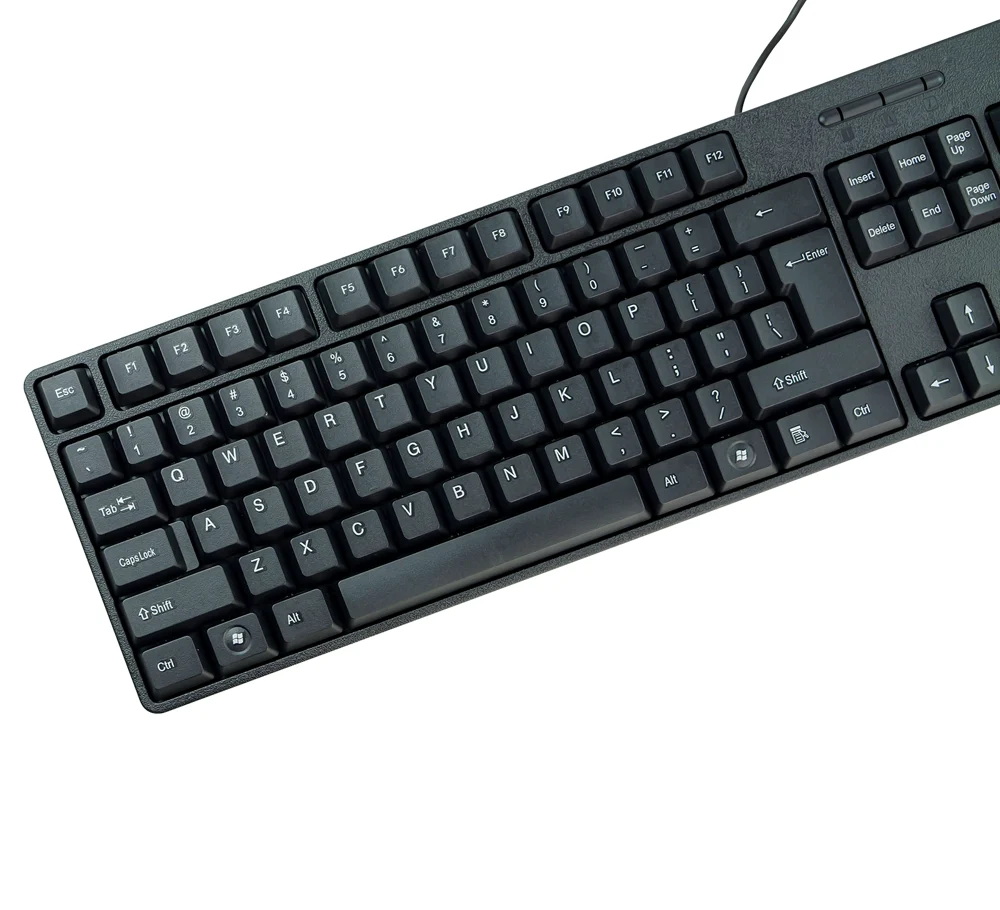
The keyboard has LED indicators that show when the following functions are on:
- Num Lock — the numeric keypad is active.
- Caps Lock — typing in capital letters.
- Scroll Lock — used less often, depending on the software.
Safety
- Do not expose the keyboard to liquids, moisture or rain. Avoid using it near bathtubs, sinks, saunas, swimming pools or steam rooms.
- Do not expose the keyboard to very high or very low temperatures.
- Do not place the keyboard in direct sunlight.
- Keep the keyboard away from open flames, such as stoves, lighters or fireplaces.
- Do not use sharp objects to clean the surface.
Frequently asked questions
Do I need to install drivers for the typerCLAW-PC100?
Does the keyboard have a numeric keypad?
How long is the cable?
Downloads
Original PDF manuals kept available as a legacy reference. Everything from them is already covered on this page — use the PDFs only if you need an offline copy.