Dual monitor mount with gas spring, SolidHand-AS02
GTIN: 5907614666651 · SKU: SolidHand-AS02
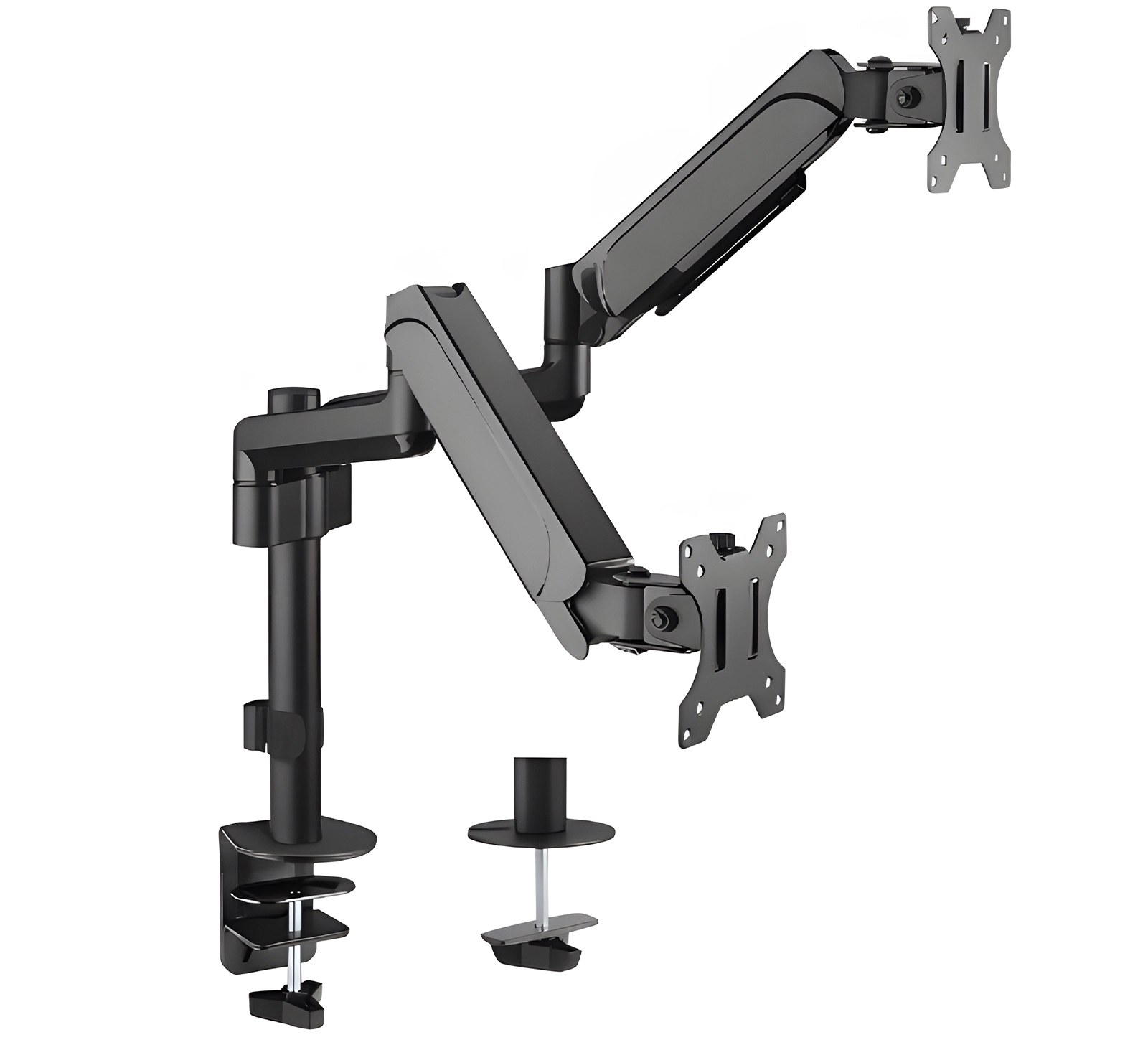
The SolidHand-AS02 holds two monitors of 17 to 32 inches, up to 9 kg each, on two gas-spring arms sharing one post that is fixed to the desk. Each screen rises and falls with a light push, reaches up to 468 mm from the post, tilts ±35° and turns 90° to portrait independently of the other. The post is clamped to the edge of the desk or bolted through a hole in the desktop.
Table of contents
Specifications
- Colour: matte black
- Material: aluminium, steel, plastic
- Surface finish: powder coating
- Number of monitors: 2
- Screen size: 17–32 inches
- VESA pattern: 75 × 75 mm, 100 × 100 mm
- Weight of one monitor: 9 kg
- Height adjustment: gas spring assisted
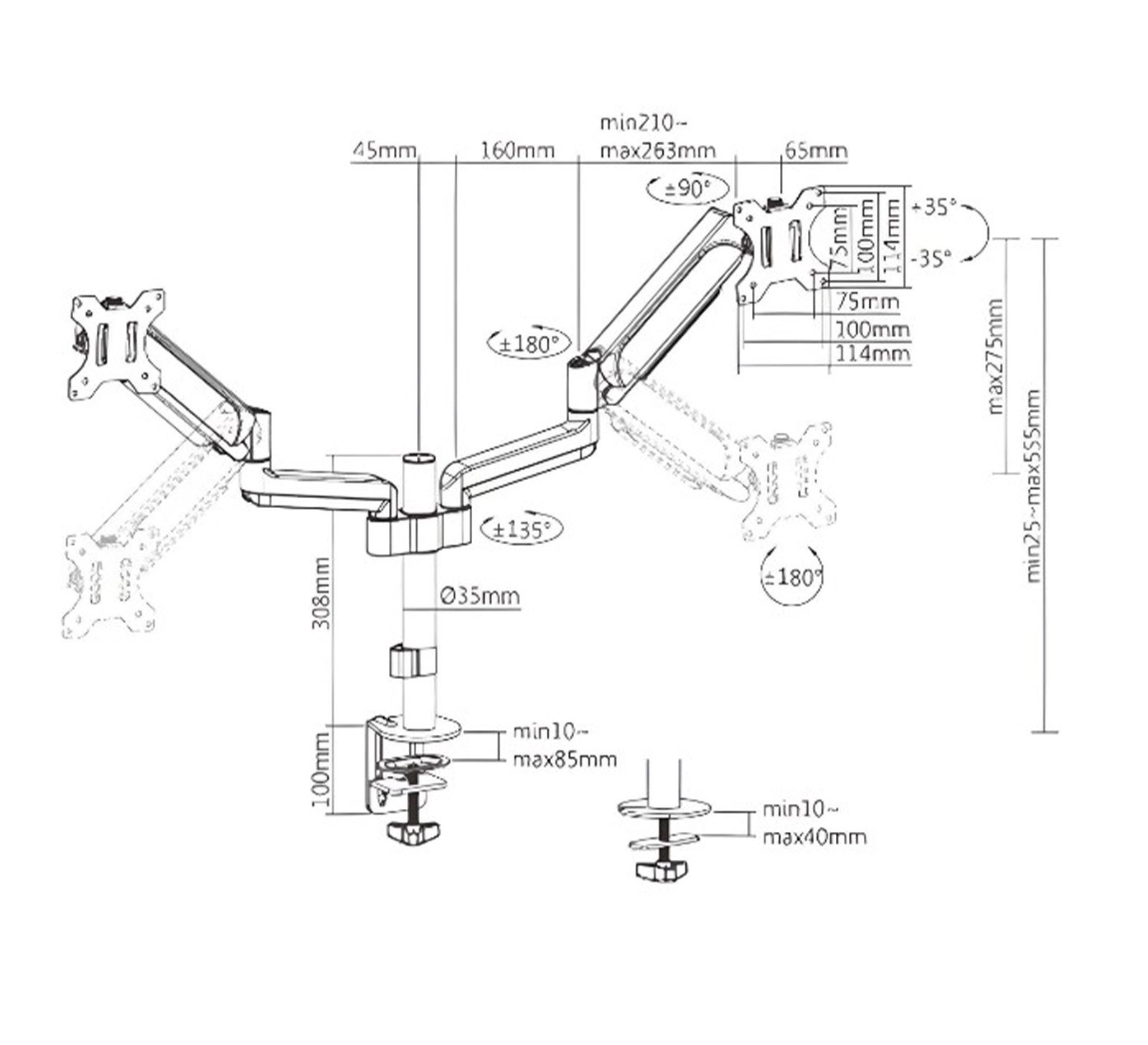
- Arm rotation range: +180° ~ −180° at the joints (±135° at the post)
- Monitor rotation range: +90° ~ −90°
- Monitor tilt range: +35° ~ −35°
- Maximum arm reach: 468 mm
- Post height: 308 mm
- Post diameter: Ø35 mm
- Height of the VESA head above the desk: 25–555 mm
- Mounting: desk clamp (desktop 10–85 mm thick) or grommet (desktop 10–40 mm thick)
- Dimensions of the mount: 940 × 123 × 715 mm
- Package dimensions: 385 × 250 × 170 mm
- Product weight: 5.5 kg
- Weight with packaging: 7 kg
Kit contents
- Monitor mount
- Screws and mounting washers
- User manual
Before you start
Prepare the following before you fix the mount to the desk:
- A second person — hanging a monitor on the arm is a two-person job
- A screwdriver and the Allen keys supplied with the mount
- A free desk edge with a desktop 10–85 mm thick for the clamp, or a desktop 10–40 mm thick with a hole for the grommet mount
- A check that each monitor weighs no more than 9 kg and has VESA 75 × 75 or 100 × 100 holes
Make sure you have received all the parts listed in the component list before you start the installation. If anything is missing or damaged, contact us before assembling the mount.
Mounting to the desk
The post is fixed to the desk in one of two ways. Both methods are prepared in the kit; choose the one that suits your desktop:
- Desk clamp — for a free desk edge with a desktop 10–85 mm thick. No drilling is required.
- Grommet mount — through a hole in the desktop, for a desktop 10–40 mm thick. It gives a flush installation at any point of the desk.
- Whichever method you use, tighten the fixing firmly and check that the post stands vertical and does not move on the desk before you hang the monitors.
Make sure the supporting surface can safely carry the combined weight of the mount, both monitors and all mounting hardware. Follow the assembly instructions exactly — incorrect installation can damage the mount or cause serious personal injury. Use the supplied screws and do not overtighten them.
Movement ranges
Once the monitors are hanging on the arms, every position is set by hand:
- Height — the VESA heads sit 25 to 555 mm above the desktop, on the 308 mm post
- Reach — up to 468 mm from the post
- Arm rotation — ±180° at the joints, ±135° at the post
- Screen tilt — +35° to −35°
- Screen rotation — +90° to −90°, so either screen can be turned to portrait independently
Safety instructions
Failure to read, understand and follow all instructions can result in serious personal injury or damage to equipment.
- Using the mount with a load heavier than the rated 9 kg per arm can make it unstable and lead to injury.
- Follow the assembly instructions exactly. Incorrect installation can damage the mount or cause serious personal injury.
- Make sure the supporting surface will safely carry the combined weight of the equipment and of all the supplied mounting parts.
- Use the supplied mounting screws and do not overtighten them — overtightening can damage the mount or the mounted equipment.
- The product contains small parts that can be a choking hazard if swallowed. Keep them away from children.
- The product is intended for indoor use only, in dry rooms. Outdoor use can lead to failure of the product and to personal injury.
- Do not expose the mount to water, damp or extreme temperatures.
Care and storage
- Take care while assembling the mount, especially when using tools to tighten the screws. Use suitable assembly equipment to avoid accidental damage.
- Do not use additional tools on the mount or modify components that are not supplied in the kit.
- If the mount is not going to be used for a longer time, store it in a dry, cool place, away from damp and heat sources.
Frequently asked questions
What is the VESA standard and does my monitor support it?
How much weight can the SolidHand-AS02 hold per arm?
Can I put one monitor in portrait and the other in landscape?
Do I need to drill into my desk to install the mount?
Downloads
The manufacturer's manuals and datasheets in PDF, in case an offline copy is needed. Everything in them is on this page as well.