Monitor arm with a built-in USB hub, SolidHand-ES01U
GTIN: 5907614666712 · SKU: SolidHand-ES01U
The SolidHand-ES01U holds one monitor of 17 to 32 inches weighing 2.5 to 10 kg on a spring-assisted arm. The screen is raised, lowered, tilted and turned by hand, and the spring tension is set to the weight of your monitor with an Allen key. The base carries a USB 3.0 port and a USB-C port, so a keyboard, a drive or a phone plugs in at the edge of the desk instead of behind the computer.
Table of contents
Specifications
- Colour: white with black and orange elements
- Material: aluminium, steel, plastic
- Surface finish: powder coating
- Number of monitors: 1
- Screen size: 17–32"
- VESA pattern: 75 × 75 mm, 100 × 100 mm
- Monitor weight: 2.5–10 kg
- Height adjustment: mechanical spring assisted
- Arm swivel: ±90°
- Monitor rotation: ±90°
- Monitor tilt: +45° / −45°
- Maximum arm reach: 460 mm
- Mounting: desk clamp or grommet
- Ports: 1 × USB 3.0, 1 × USB-C
- Dimensions of the mount: 118 × 545 × 650 mm
- Package dimensions: 410 × 200 × 150 mm
- Weight with packaging: 3.6 kg
- Certificates: RoHS, REACH
Kit contents
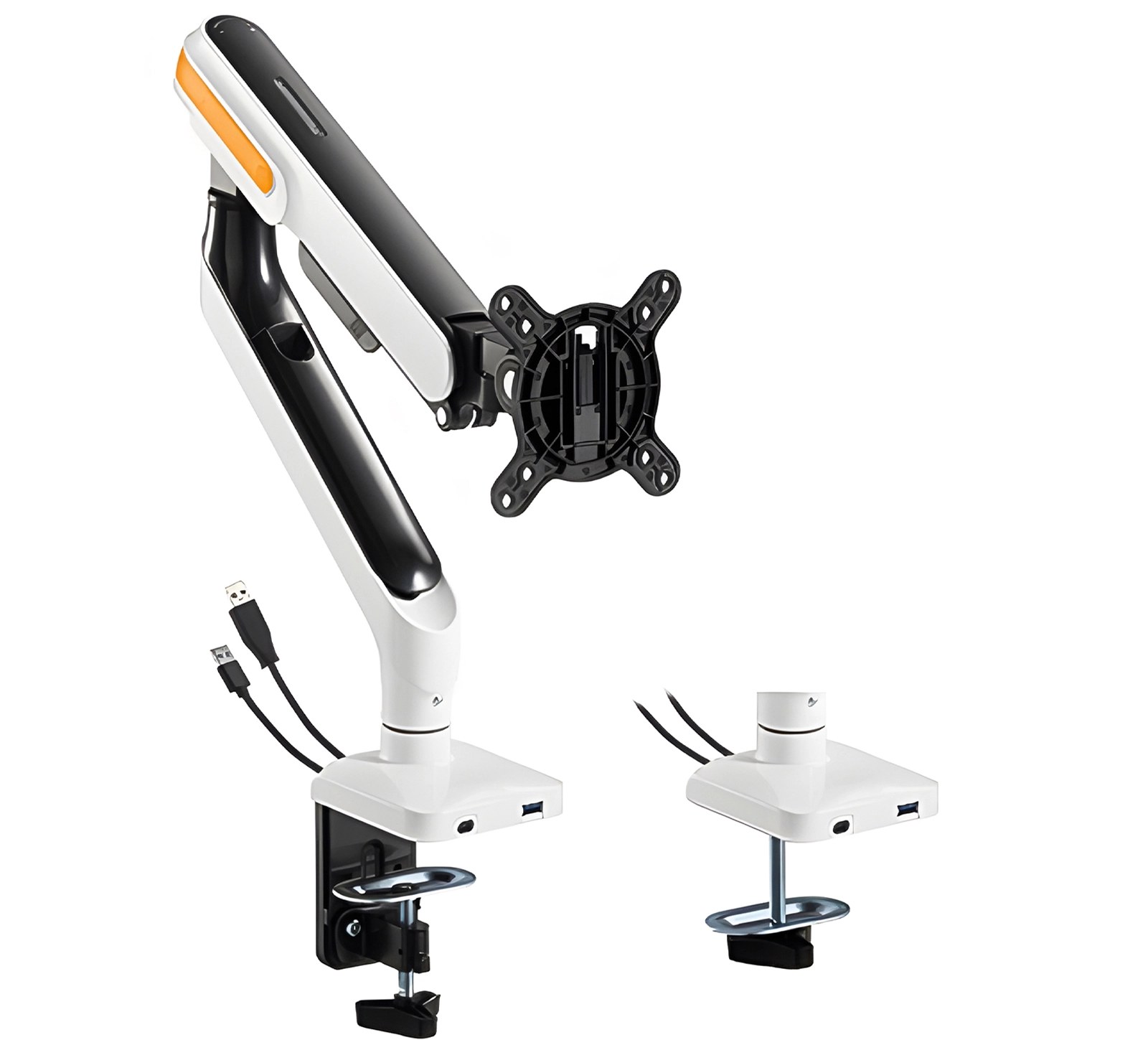
The box holds the complete arm with both bases:
- Monitor arm with the base and the VESA plate
- Mounting screws and washers
- Assembly instructions
Before you start
Assembly takes about twenty minutes. Prepare the following:
- A second person — hanging the monitor on the arm is a two-person job
- A screwdriver for the monitor screws; the Allen key is in the kit
- A check that the monitor is 17–32" and weighs 2.5–10 kg, with VESA 75 × 75 or 100 × 100 holes
- A check of the desktop — 10–55 mm thick for the clamp, 10–40 mm for the grommet mount
- For grommet mounting on a desk without a hole: a drill
Check that you have received all the parts listed above before you start. If anything is missing or damaged, contact us before assembling the arm.
Assembly
Step 1 — Fix the base to the desk
The base is fixed in one of two ways and the parts for both are in the box.
Clamp mounting — for a desktop 10 to 55 mm thick. Put the base on the edge of the desk, with the pad on top of the desktop and the jaw underneath, and tighten the knob from below until the base sits firm and does not rock.
Grommet mounting — for a desktop 10 to 40 mm thick with a hole in it. Pass the threaded bolt down through the hole, fit the plate and the nut underneath and tighten.
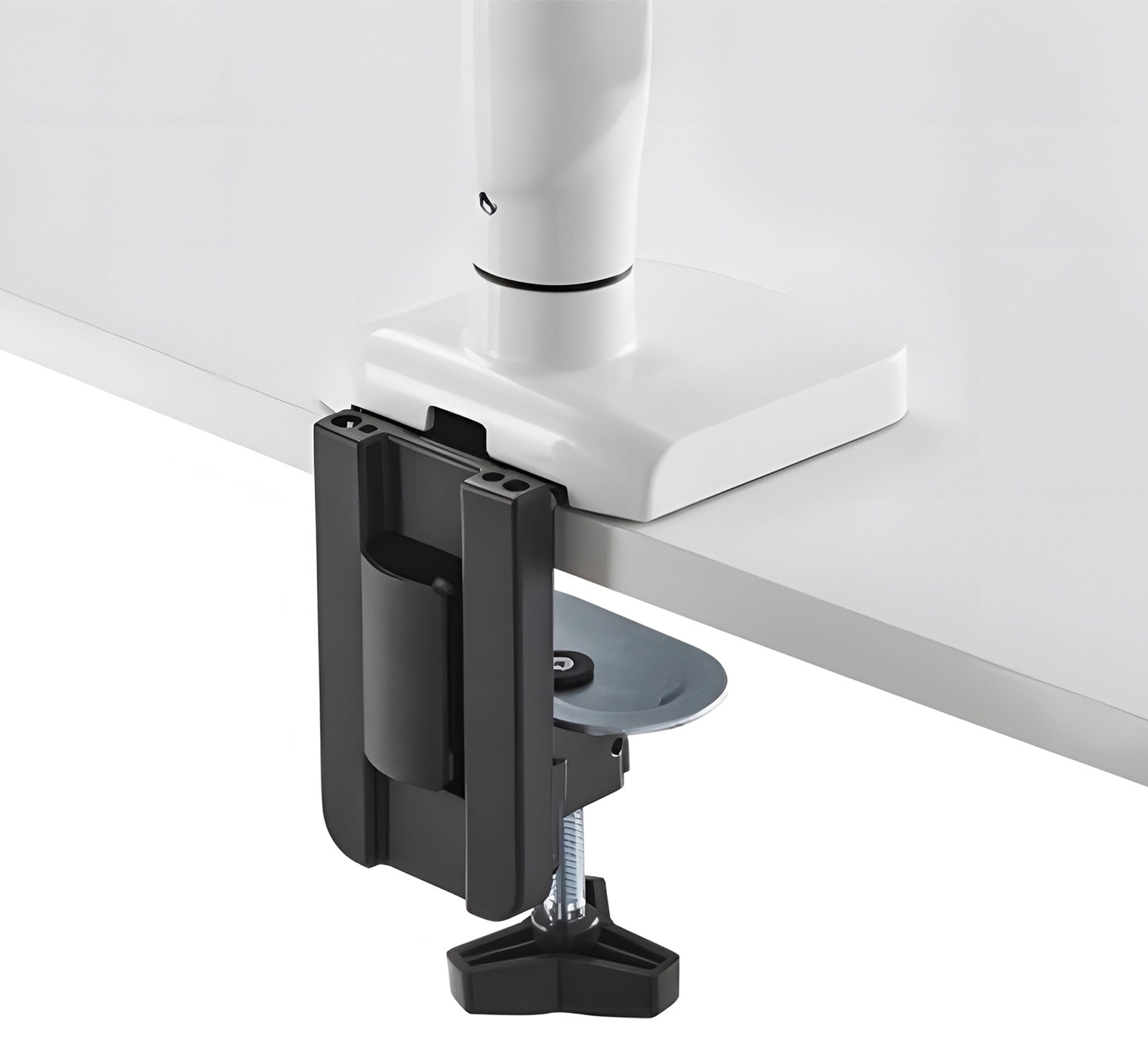
Step 2 — Fit the arm to the base
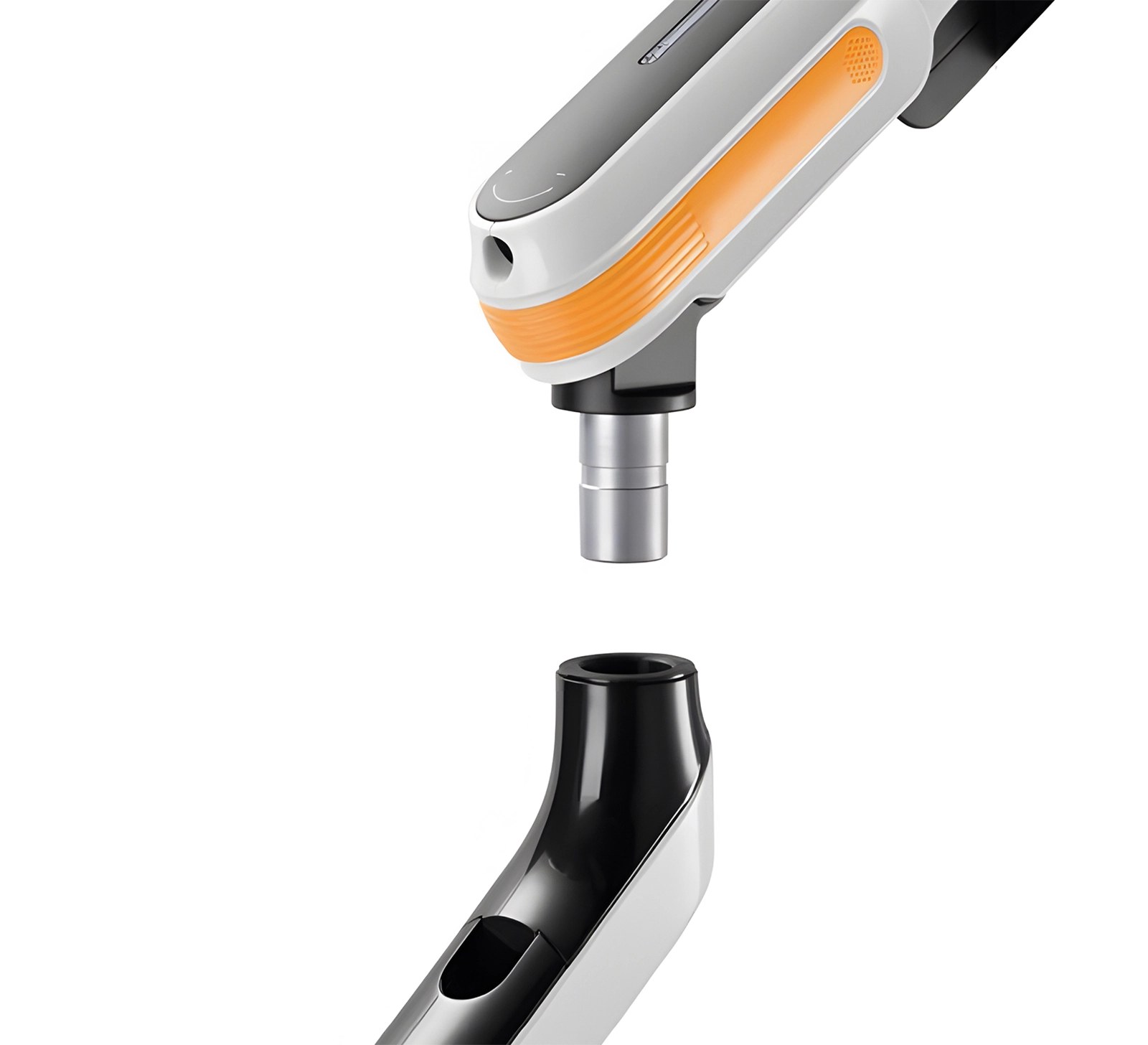
- Slide the post at the bottom of the arm into the column of the base until it seats.
- Turn the arm to check it swings freely around the column before you hang anything on it.
Step 3 — Fit the VESA plate and hang the monitor
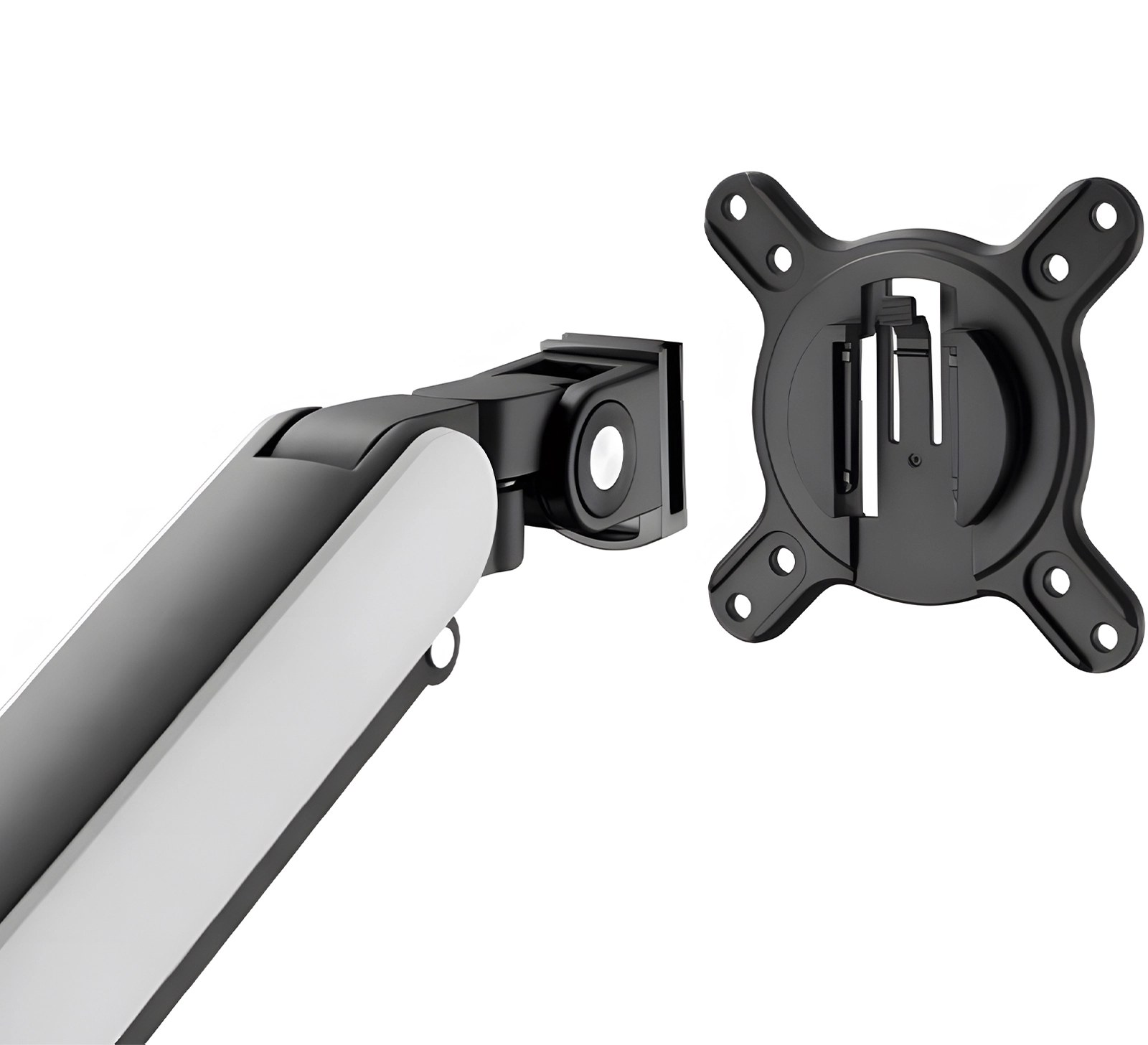
- Take the VESA plate off the head of the arm — it lifts away, so the monitor is screwed to the plate on the desk rather than held up against the arm.
- Screw the plate to the back of the monitor with the supplied screws and washers. The plate matches both the 75 × 75 mm and the 100 × 100 mm pattern.
- With a second person holding the monitor, hook the plate back onto the head and secure it.
Do not let go of the screen until the plate is locked on the head. Keep to the rated load — the arm carries a monitor of 2.5 to 10 kg.
Step 4 — Set the spring tension
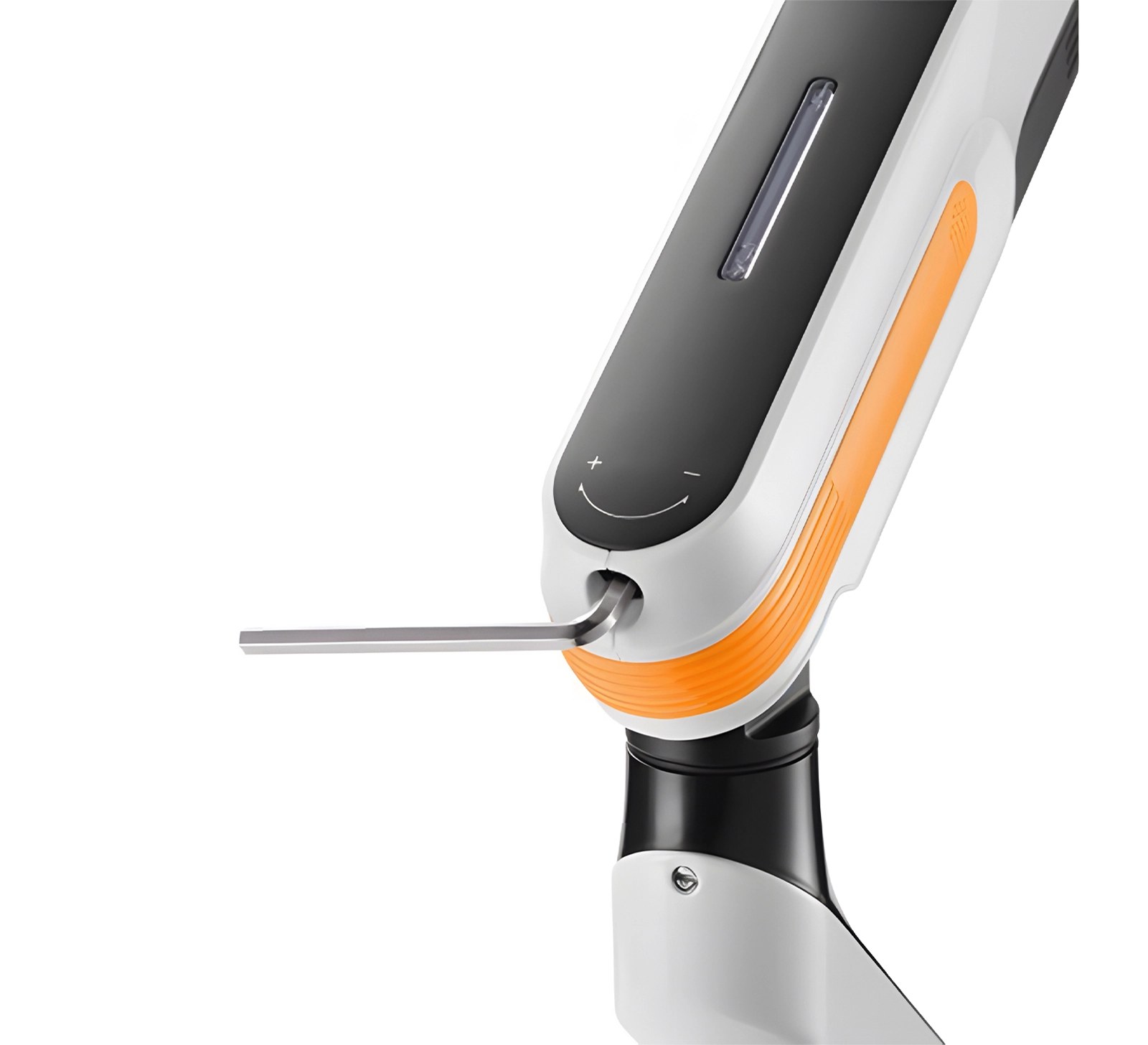
- With the monitor mounted, turn the adjustment screw in the arm joint with the Allen key. The + and − marks next to the screw show which way increases the force.
- Turn towards + if the arm drops under the weight of the screen, towards − if it rises on its own.
- The window on top of the arm shows where the tension is set; adjust until the screen stays wherever you leave it and moves with a light push.
The spring is set for a monitor of 2.5 to 10 kg. A screen lighter or heavier than that cannot be balanced, however far the screw is turned.
Step 5 — Connect the USB hub and route the cables
- Plug the host cable that comes out of the base into a USB port on your computer — that is what makes the two ports in the base live.
- Connect a keyboard, a mouse, a drive or a charger to the USB 3.0 and USB-C ports in the base.
- Lay the monitor cable along the arm, clip it into the channel and leave enough slack for the full range of movement — a taut cable pulls on the ports every time the screen is moved.
Dimensions and adjustment ranges
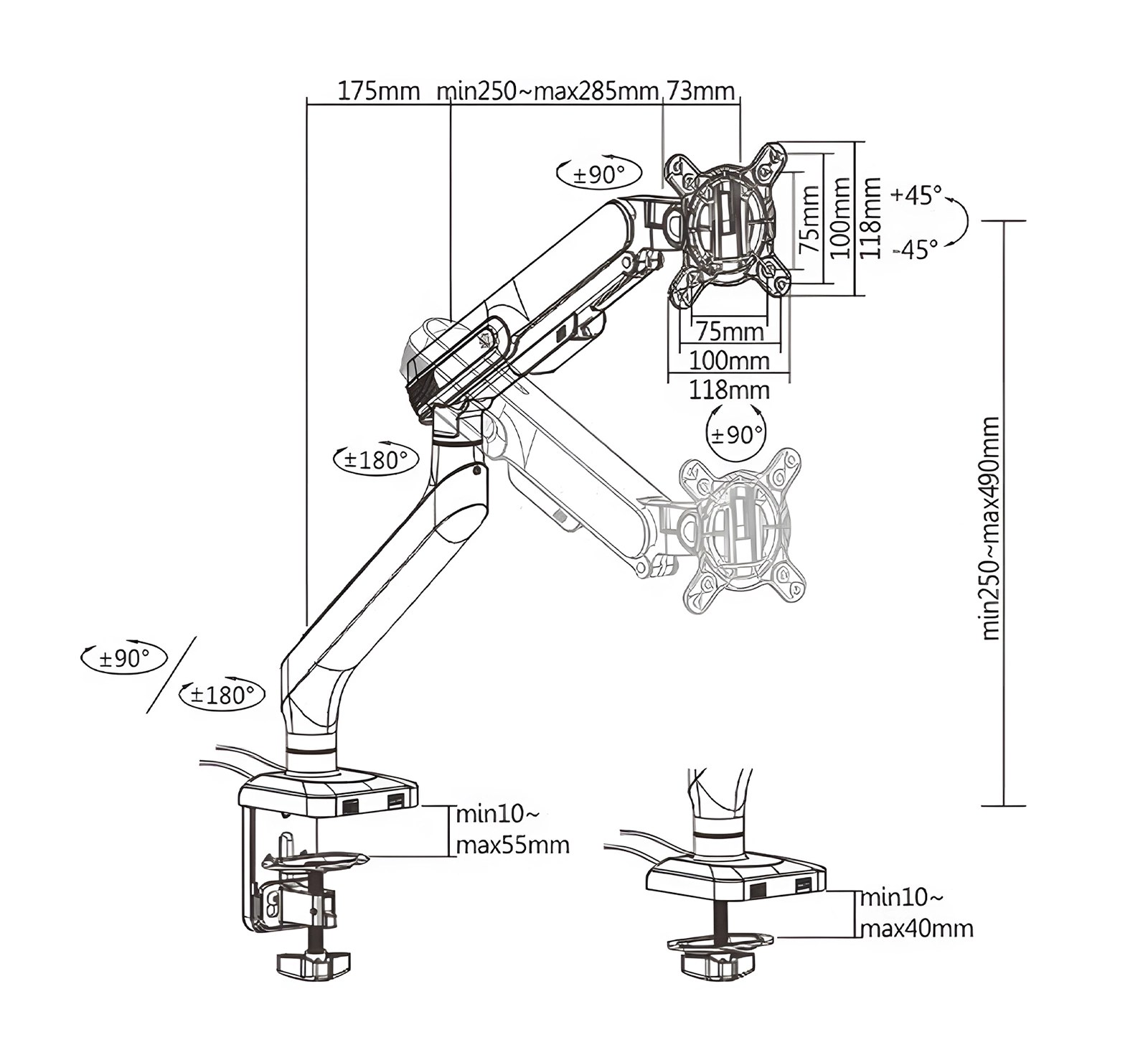
- Arm: 175 mm + 250–285 mm + 73 mm between the joints
- Height above the desk: 250–490 mm
- Swivel: ±180° at the two arm joints, ±90° at the base
- Monitor rotation: ±90°
- Monitor tilt: +45° / −45°
- VESA plate: 75 × 75 mm and 100 × 100 mm, 118 × 118 mm overall
- Desk clamp: desktop 10–55 mm thick
- Grommet mount: desktop 10–40 mm thick
- Maximum arm reach: 460 mm
Using the arm
Once the spring is balanced, every adjustment is made by hand:
- Height — 250 to 490 mm above the desk; the spring holds the screen where you leave it
- Reach — up to 460 mm from the base
- Swivel — ±180° at the arm joints, ±90° at the base
- Screen tilt — +45° / −45°, rotation ±90°
- The USB ports stay reachable at the edge of the desk, whatever position the arm is in
Safety instructions
Failure to read, understand and follow all instructions can result in serious personal injury or damage to equipment.
- Using the arm with a load above the rated capacity makes it unstable and can lead to injury.
- Follow the assembly instructions exactly. Incorrect installation can cause damage or serious personal injury.
- Make sure the desk will safely carry the combined weight of the arm, the monitor and all mounting hardware.
- Use the supplied mounting screws and do not overtighten them.
- The product contains small parts that can be a choking hazard if swallowed. Keep them away from children.
- The product is intended for indoor use only, in dry rooms. Keep it away from water, damp and extreme temperatures.
- Do not modify the arm or use parts that did not come with it.
- Take care when tightening the screws with a tool, so the arm and the monitor are not damaged.
- If the arm is not used for a longer time, store it in a dry, cool place away from damp and heat.
Frequently asked questions
Which monitors fit the SolidHand-ES01U?
What can I plug into the built-in USB hub?
Is the arm adjustment smooth enough for frequent repositioning?
Do I need to drill into my desk to install the mount?
Why does the arm drop or rise on its own?
How far does the arm reach from the desk edge?
Downloads
The manufacturer’s manuals and datasheets in PDF, in case an offline copy is needed. Everything in them is on this page as well.