Price checker with QR scanner, 8-inch LED display, Android 11, HDWR quickCHECK-T100
GTIN: 5907614663827 · SKU: quickCHECK-T100
The quickCHECK-T100 is a wall-mounted price checker for supermarkets, retail chains and large stores. The customer holds a product barcode in front of the scanning window and the device immediately shows the product name, description and price on its 8-inch LED display. It runs on Android 11, connects to the store network over WiFi or an RJ45 cable and has a metal housing.
Table of contents
Specifications
- Display type: LED, 8 inches, backlit
- Touchscreen: no
- Light source: 650 nm laser
- Image sensor: 752 × 480 CMOS
- Illumination: red LED, 625 nm
- Minimum code resolution: 3 mil
- Operating system: Android 11
- Processor: RK3288
- Memory: 2 GB RAM, 16 GB storage
- Wireless modules: WiFi (external antenna included)
- Connectors: HDMI, 2 × USB, audio out, RJ45
- Ethernet: 100 Mb/s
- Communication: PoE (Power over Ethernet)
- Housing: metal
- Power supply: 100–240 V, 50/60 Hz
- Operating humidity: 15–80%
- Operating temperature: 0–40 °C
- Device dimensions: 10/20 × 19 × 8 cm
- Package dimensions: 34 × 24.5 × 12 cm
- Device weight: 1.85 kg
- Weight with packaging: 2.1 kg
- 1D codes read: Code 128, EAN-13, EAN-8, Code 39, UPC-A, UPC-E, Codabar, Interleaved 2 of 5, ITF-6, ITF-14, ISBN, Code 11, UCC/EAN-128, GS1 DataBar, Matrix 2 of 5, Industrial 2 of 5, Standard 2 of 5, Plessey, MSI-Plessey
- 2D codes read: PDF417, Data Matrix (ECC200, ECC000, 050, 080, 100, 140), QR Code, Han Xin Code
Kit contents
- quickCHECK-T100 price checker
- Power cord
- Wall plugs, screws and mounting washers
- WiFi antenna
Device overview
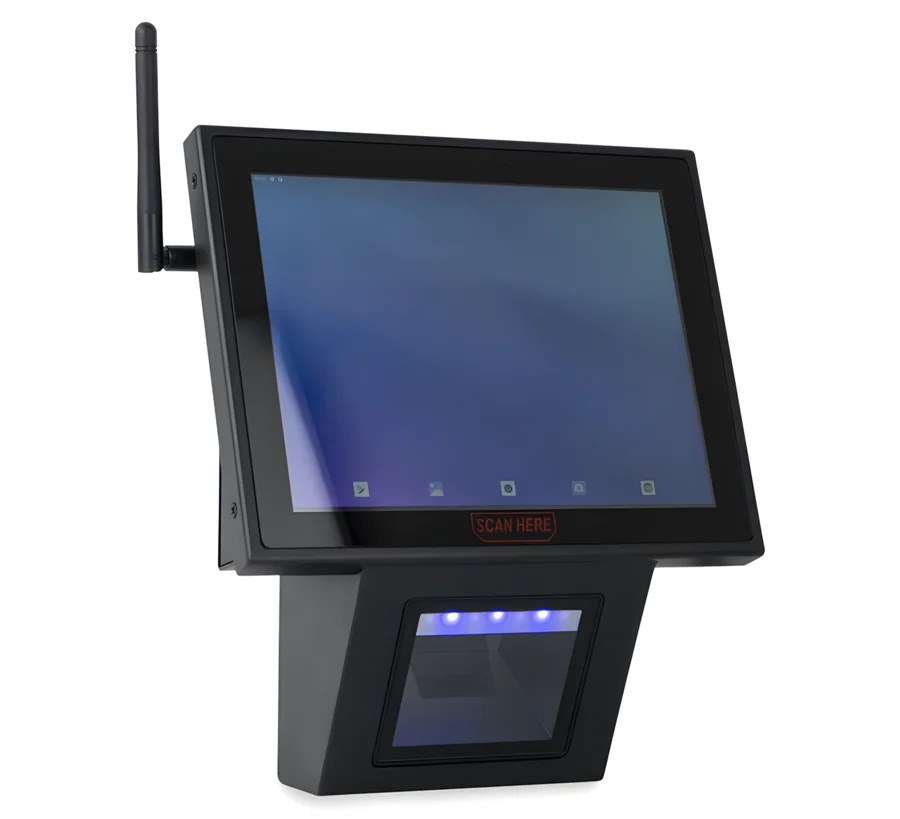
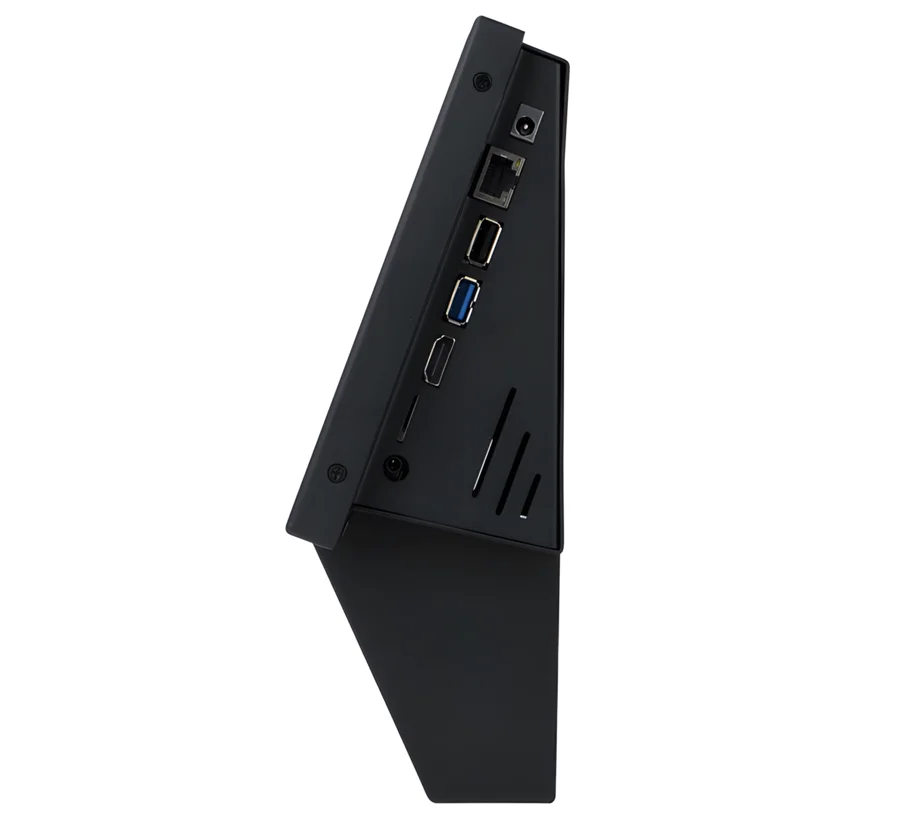
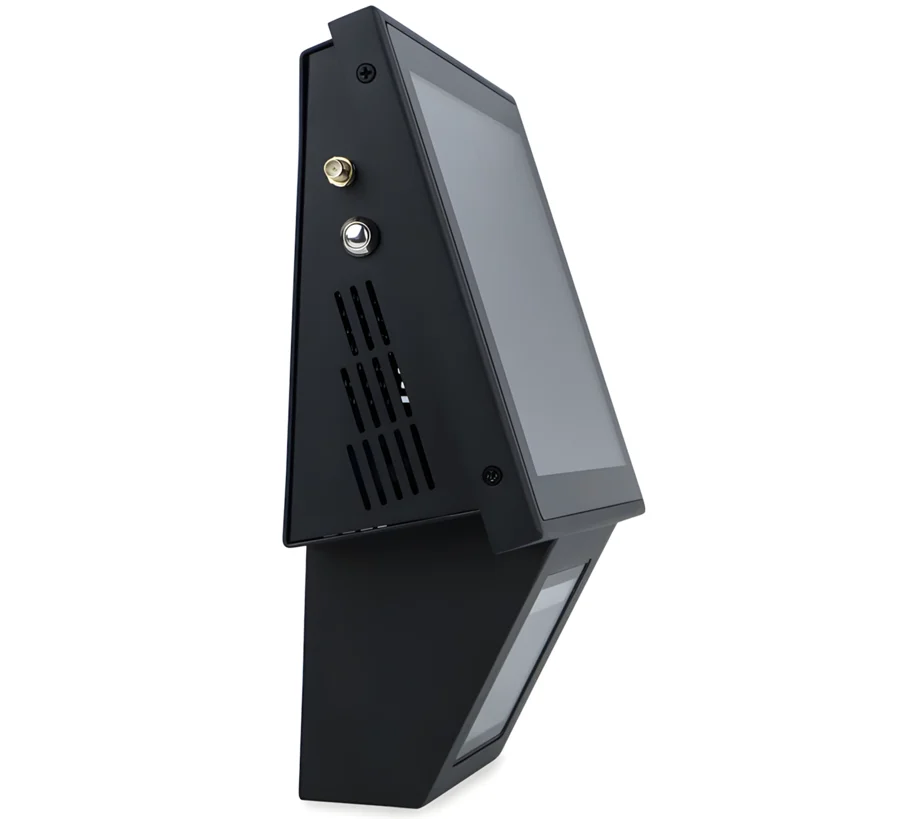
The 8-inch display sits at the top of the housing and the wide scanning window below it. The window takes small packs as well as larger boxes, so the customer does not have to aim — it is enough to hold the product with its code towards the window. The scanner reads barcodes and QR codes printed on labels as well as codes shown on phone and LCD screens.
Mounting
The quickCHECK-T100 is mounted on a wall or a pillar. The wall plugs, screws and washers needed for mounting are included in the kit, so the device can be installed at any height.
Starting the device
To start the device, connect the power cord supplied in the kit to a power source, then press the silver button on the side of the housing. The price checker is ready to work immediately after starting.
Network connection
The price checker needs a connection to the store network to read prices from your sales or ERP system:
- WiFi — the device has a built-in WiFi module. Screw the WiFi antenna supplied in the kit onto the device for a longer range.
- Ethernet — connect a network cable to the RJ45 port for a stable wired connection.
The HDMI, USB and audio out connectors let you add an extra monitor, USB devices or a speaker.
Price-checking software
The device runs a price-checking app that reads the scanned code, looks the product up in your system and shows its name, description and price. A price-checking plugin can be installed for any sales or ERP system. HDWR provides its own software that communicates with Comarch ERP Optima and over a REST API; other communication methods or a dedicated app can be prepared on request.
Advertising mode
Besides showing the price after a scan, the display can show promotional graphics while no product is being scanned and the device is in standby. The price checker then also works as an additional advertising display in the aisle.
Frequently asked questions
Does the quickCHECK-T100 have a touchscreen?
What is the difference between the quickCHECK-T100 and the quickCHECK-A100?
Can the device show advertisements when not scanning?
What barcode types does the scanner read?
How is the device connected to the store system?
How do I mount the price checker?
Downloads
The manuals and datasheets as PDF, in case an offline copy is needed. Everything in them is also on this page.