BeepClock app
BeepClock is HDWR's in-house web application for time tracking and attendance monitoring. It pairs with the TimeLok recorder family and handles unstructured shift patterns, flexible working hours, overnight shifts and automatic break calculation — across any industry.
Compatible recorders
BeepClock works with three TimeLok models:
- TimeLok 200 (NWEPI) — built-in WiFi
- TimeLok 300 (NWEPBI) — built-in WiFi and an internal backup battery
- TimeLok 400 (NWEPBI4G) — built-in WiFi, battery and a 4G modem slot
The app runs in any modern browser — Windows, macOS, Linux, Android, iOS. There is nothing to install on the user's device; everything happens at app.beepclock.com.
General
What is the BeepClock app and which recorders does it work with?
BeepClock is HDWR's in-house web app for simple, transparent time tracking and attendance monitoring. It handles unstructured shifts, flexible hours and overnight shifts with automatic break calculation. It pairs with three TimeLok recorder models: TimeLok 200 (NWEPI, WiFi), TimeLok 300 (NWEPBI, WiFi + battery) and TimeLok 400 (NWEPBI4G, WiFi + battery + 4G). The app runs in any modern browser on Windows, macOS, Linux, Android and iOS — no installation required.
Is the BeepClock app paid?
Yes — it is a monthly subscription. The pricing model: fixed fee 19.00 PLN net / month covering 5 employees and 1 recorder; additional employee (above 5) +4.00 PLN net per person / month; additional recorder (above 1) +16.00 PLN net per device / month. The app calculates the bill automatically based on registered employees and devices. A 30-day free trial is included for every new customer. Payment is via Stripe inside the app, or by traditional bank transfer against a proforma invoice on request.
Where do I download the BeepClock app and how do I create an account?
BeepClock is a web app — there is nothing to install on a computer or mobile device. Sign up at app.beepclock.com/register and then log in through your browser. The same account works from any device that runs a modern browser.
How does Polish RODO (GDPR) law apply to using biometric data for time tracking?
In Poland, RODO classifies biometric data as sensitive — its processing is generally prohibited. The Labour Code (article 22¹b) allows it only when necessary for controlling access to specially protected information or premises. In practice this means using biometrics (e.g. fingerprints) solely for time tracking is generally not permissible. This is confirmed by both the Polish data protection authority and court rulings. In other countries, check the local data protection rules before deploying biometrics. Note: this is general guidance — consult a lawyer for a binding interpretation.
Features
Does the app calculate employee break time?
Yes — BeepClock calculates breaks automatically from alternating clock-ins. For example: an employee clocks in on arrival, clocks out before a break, clocks back in after the break and clocks out at end of day; the time between the mid-day clock-out and clock-in is recognised and calculated as a break.
Do I need to set a work schedule?
No. The system records actual events, so you don't have to configure a schedule per employee. Note: if an employee forgets to clock out, records may need a manual fix in the app — you can edit individual entries.
Does BeepClock support night-shift time tracking?
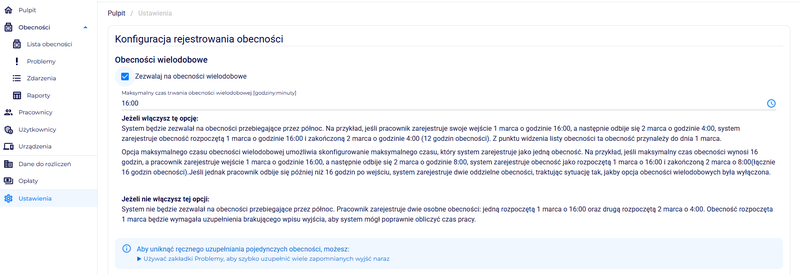
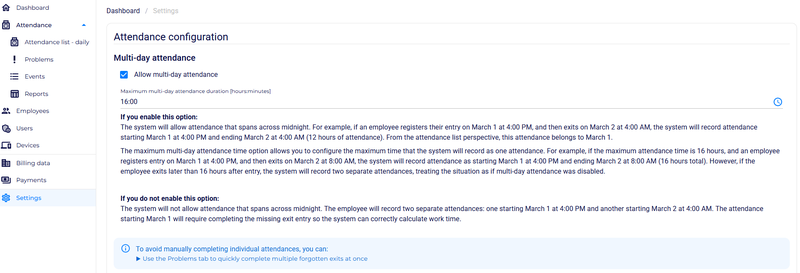
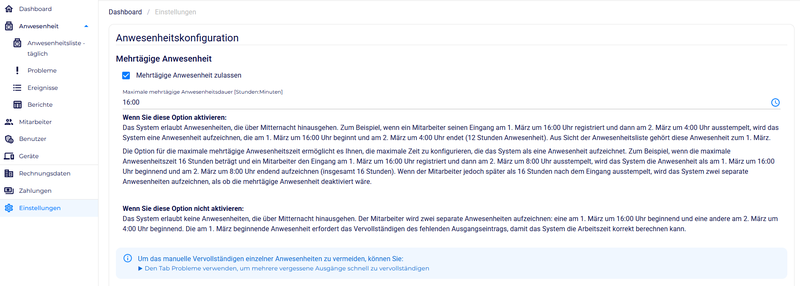
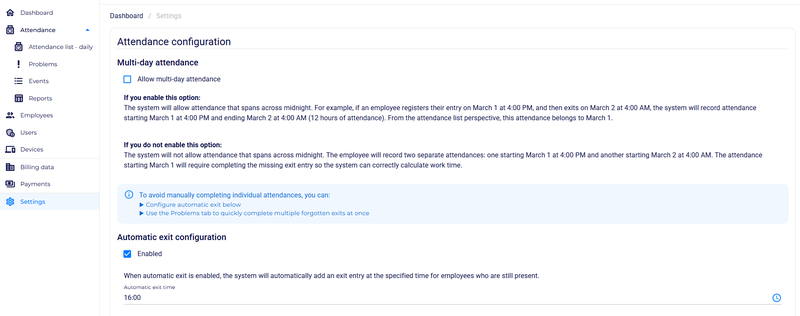
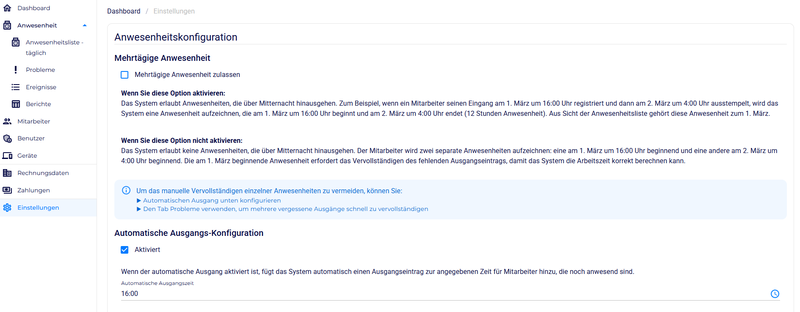
Yes — including shifts crossing midnight. With the 'multi-day attendance' option enabled, the system records the whole shift as one continuous attendance assigned to the day the work started. With the option disabled, a night shift is split into two entries, which may require manual completion of missing data. For night work we recommend enabling the multi-day option.
What happens if an employee forgets to clock out?
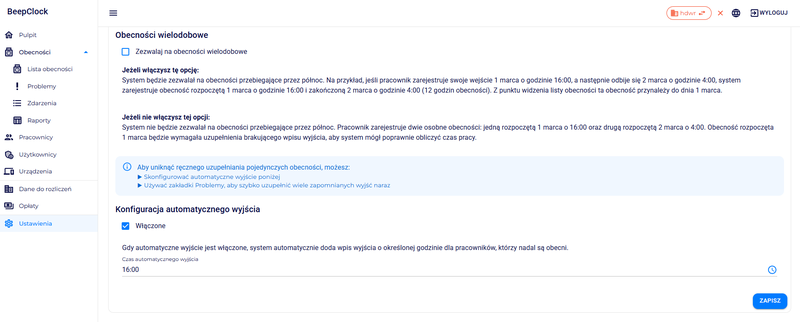
If 'automatic clock-out' is enabled, the system fills in the missing clock-out at a configured time, so the workday closes cleanly. If the option is off — or if it was a missing clock-in — the app raises an alert about the missing record. This can lead to inaccurate working-time logs, so we recommend enabling automatic clock-out.
How do I add a new employee?
In the 'Employees' section, click 'Add new employee' and fill in: first name, last name, position (optional), PIN (4 digits, optional — one possible login method), RFID card identifier (card or fob number), and the role on the recorder (User = regular employee, Administrator = full menu access on the device).
I added employees in the app but they don't appear on the recorder — how do I sync them?
If employees were created in the BeepClock app they should appear on the recorder automatically. If they don't, run a manual sync: Devices tab → arrow into the specific device → choose either 'Sync employees to device' (when employees were added in the app and you want them on the recorder) or 'Sync employees from device' (when employees were added on the recorder and you want them in the app). The 'Sync to device' flow has an 'Overwrite all employees on device' option — this deletes everyone from the recorder and replaces them with the app's list. WARNING: this also deletes registered fingerprints on the device. The BeepClock app is the source of truth by default; all changes should be made in the app first, with on-device edits reserved for exceptions (e.g. fingerprint enrolment).
How do I generate a monthly report for an employee?
In the 'Attendance list' tab click 'Monthly summaries'. Choose the format (Excel or PDF), select the employees and the period (e.g. a full month), then click 'Download'.
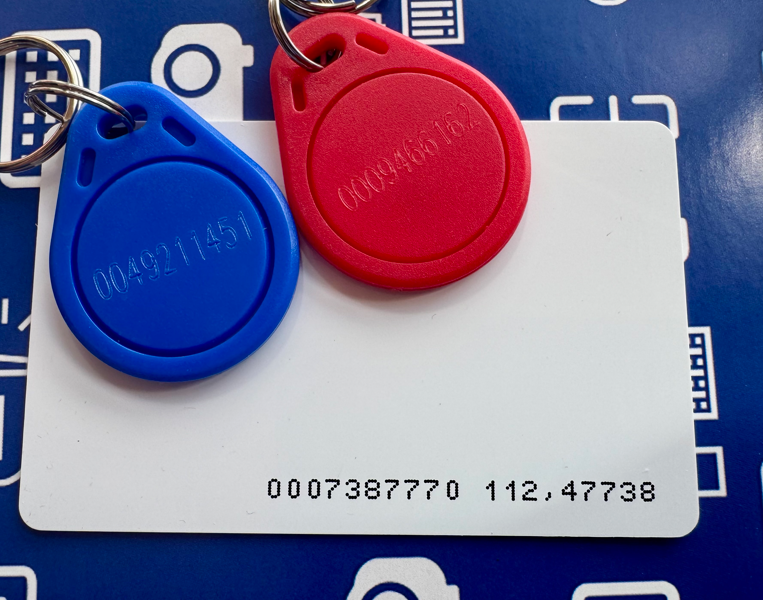
How do I enter an RFID card or key fob number for an employee in the app?
HDWR cards and key fobs have the number printed or embossed on them, so you can copy it into the app (the 'RFID card identifier' field in the new-employee form). Key fob example: 0005281585 — enter into BeepClock without the leading zeros, i.e. 5281585, then save. Card example: 0011618115 191,56859 — enter only the first segment (before the space), without leading zeros, i.e. 11618115, then save.
I added the first employee, then removed them — when I add the next, the ID starts at 2 not 1. Why?
Once assigned, an internal employee ID is never reused. This protects against ID duplication and the time-accounting errors it would cause.
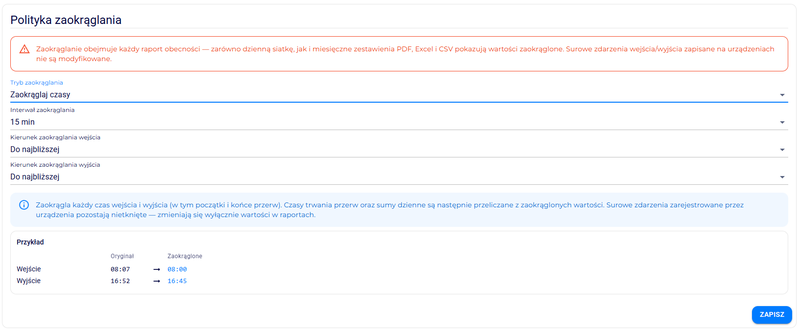
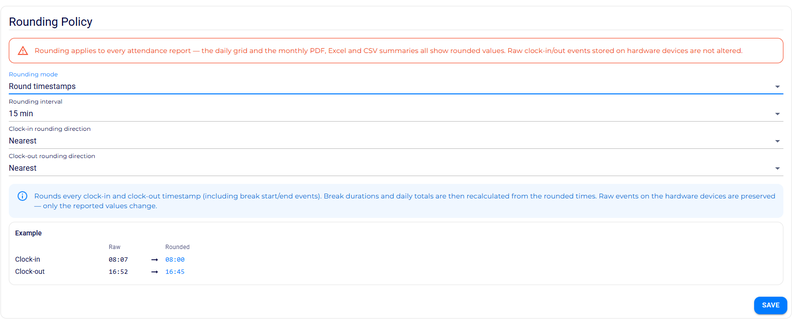
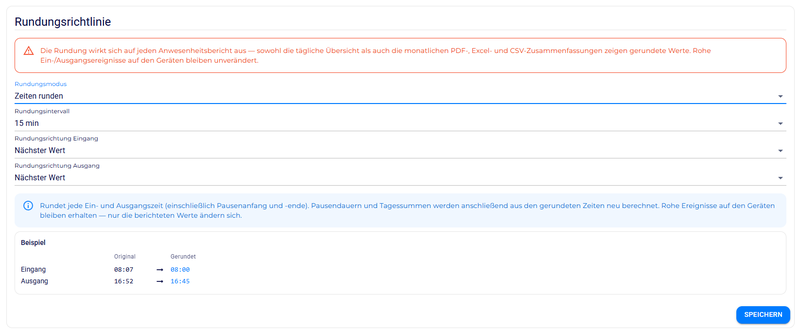
Can the app round actual clock-ins to whole hours and minutes?
Yes — there is a rounding feature for time, breaks and daily totals. The 'Settings' tab includes an interactive preview that updates as you choose rounding options, which makes it easier to dial in a rounding policy that matches your company's needs.
:::info Looking for hardware setup questions? WiFi setup, device login, menu protection and 'Connection: NO' troubleshooting are covered on the Online recorders (TimeLok) page — those topics are about the physical device, not the app itself. :::
Billing
Will I receive a VAT invoice for the BeepClock subscription?
A VAT invoice is issued after each payment is booked. The document is e-mailed to the address on file (Polish customers also receive it via KSeF). The invoice is also available for download inside the app, under 'Payments', next to the corresponding transaction. Invoices are issued cyclically, once a month, for the matching billing period.